Runtime: Running net core app for a few hours causes .NET Framework 3.5 installation popup
Tested with 3.0.0-preview1-26929-01, 64-bit, Windows 10.
After running my .NET Core application for a few hours, the following dialog appears:
"An app on your PC needs the following Window feature: .NET Framework 3.5".
This occurs once or twice a day. It does not occur when the application targets .NET Framework 4.7.
I know that my .NET Core app is responsible for the dialog, because Process Explorer reports fondue.exe as having my .NET Core process as the parent, and the current directory matches that of my application.
The dependencies for my .NET Core application are all .NET Core or .NET Standard assemblies. I've attached the application's .deps.json file.
This bug should be easy to fix - just remove from .NET Core the ability to invoke fondue with .NET Framework as the target.
There is nothing recorded to the Windows Event Log.


 albahari
All 20 comments
@albahari Could you please attach debugger to your main application when this happens and capture the stacktrace that leads to this?
 jkotas
on 20 Dec 2018
jkotas
on 20 Dec 2018
The popup is asynchronous - the application continues running normally after the popup appears. So I won't be able to get a stacktrace.
albahari
on 21 Dec 2018
Could you please set set COMPlus_CLRLoadLogDir=c:\DirectoryThatTheAppCanWriteTo before running your app. It will turn on logging for desktop CLR loading. When you hit this issue, there should be a log in this directory that should have some clues on how we got there.
jkotas
on 21 Dec 2018
Attached. The log indicates that it's looking for LINQPad.exe.config which is not present. Should I create this file? I thought .config was deprecated in .NET Core. Instead, I have .runtimeconfig json files in that folder (attached).
albahari
on 22 Dec 2018
I thought .config was deprecated in .NET Core.
Right, there is no .config in .NET Core.
What's happening here is that something in your app is starting .NET Framework. We need to find out what it is first.
Thanks for collecting the logs. Here is what to try next: Set COMPlus_FodLaunchAsync=0 before running your app. This should cause the program to block when the FOD dialog is displayed. Could you please attach the debugger when the program is blocked and find the stacktrace that is triggering this?
jkotas
on 22 Dec 2018
I've tested this for a number of days, and the popup continues to appear asynchronously, even with the environment variable COMPlus_FodLaunchAsync=0 set.
The environment variable has been set correctly - I've tested it by running a .NET Framework 3.5 executable and checking that the popup appears synchronously.
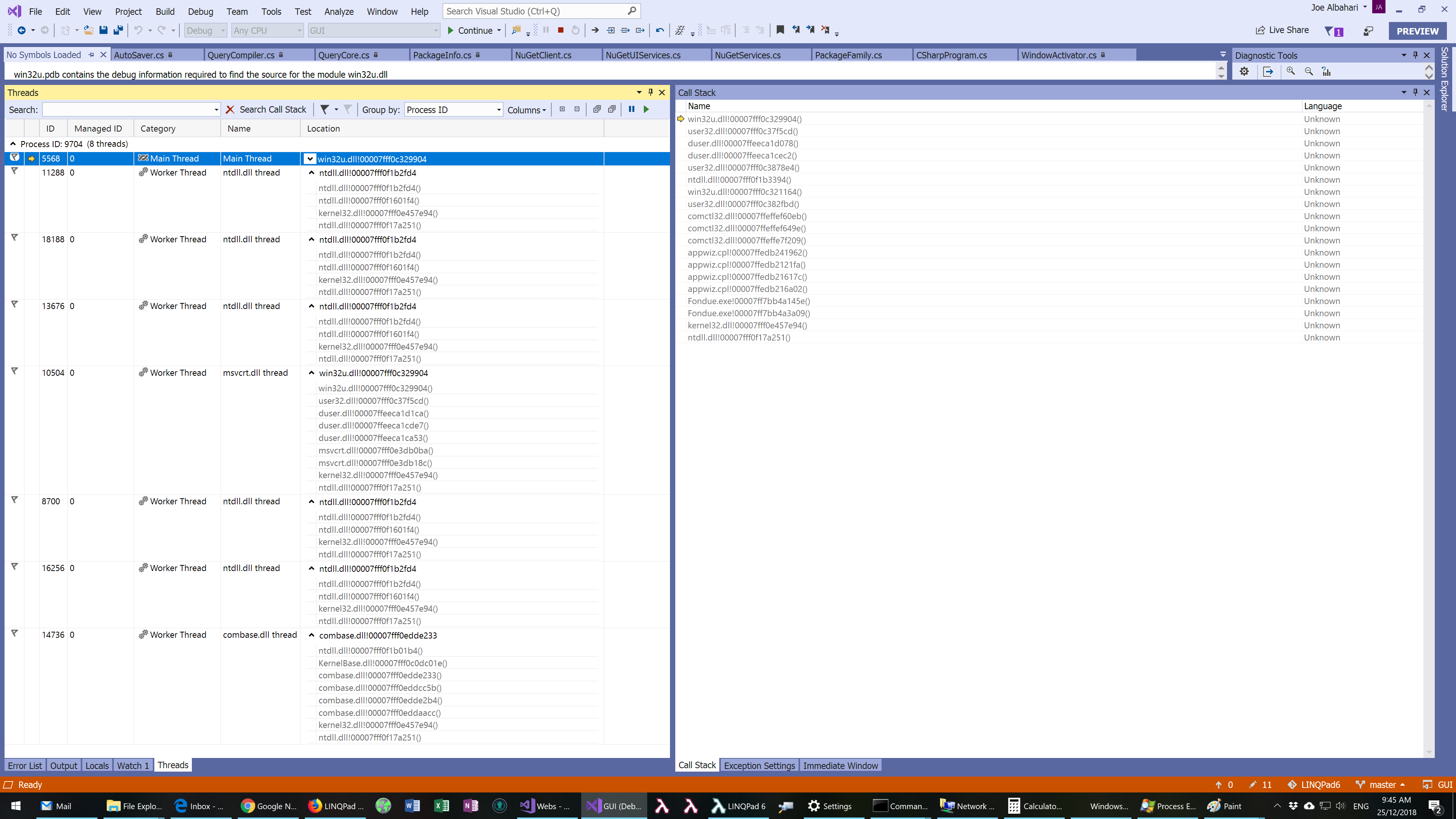
I've attached a call stack from the fondue process itself, in case that's of any use.
I've also double-checked with Process Explorer that fondue's parent is LINQPad.exe (the .NET Core process), with the matching PID and working directory.
albahari
on 27 Dec 2018
That's weird. Another thing you can try: Run the app under windbg and set .childdbg 1 that will break when child process is launched. It should stop when fondue process is launched. If you app launches other processes, you can attach a condition to the child process breakpoint to make it stop on fondue process only.
jkotas
on 27 Dec 2018
Process Monitor could help with it.
It captures process activity and preserves stack traces.
 omariom
on 27 Dec 2018
omariom
on 27 Dec 2018
@albahari Any new clues you were able to collect about this issue?
jkotas
on 17 Jan 2019
I'm trying Process Monitor at the moment and waiting for a repro. I can try windbg, but that's a last resort - I need to use the VS debugger because I'm actively developing the product. (On a related point, it would be great if VS 2019 could automatically debug child processes - I'm finding it a huge pain debugging LINQPad for .NET Core. Because there are no AppDomains, I have to start child processes, and these run outside the debugger.)
albahari
on 23 Jan 2019
debug child processes
There is extension for this: https://marketplace.visualstudio.com/items?itemName=vsdbgplat.MicrosoftChildProcessDebuggingPowerTool
jkotas
on 23 Jan 2019
Thanks for that tip - last time I tried that extension, it didn't support .NET Core.
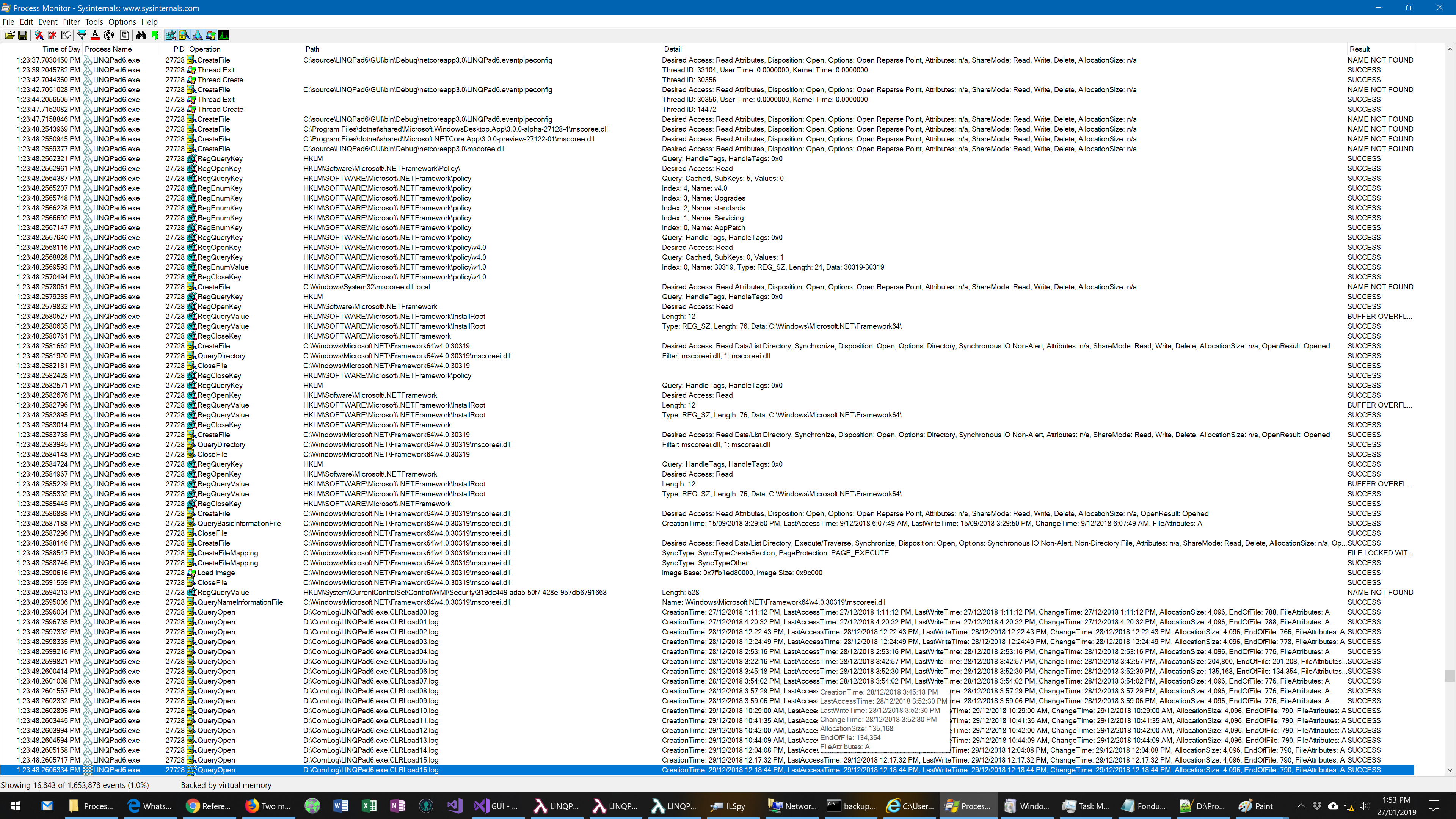
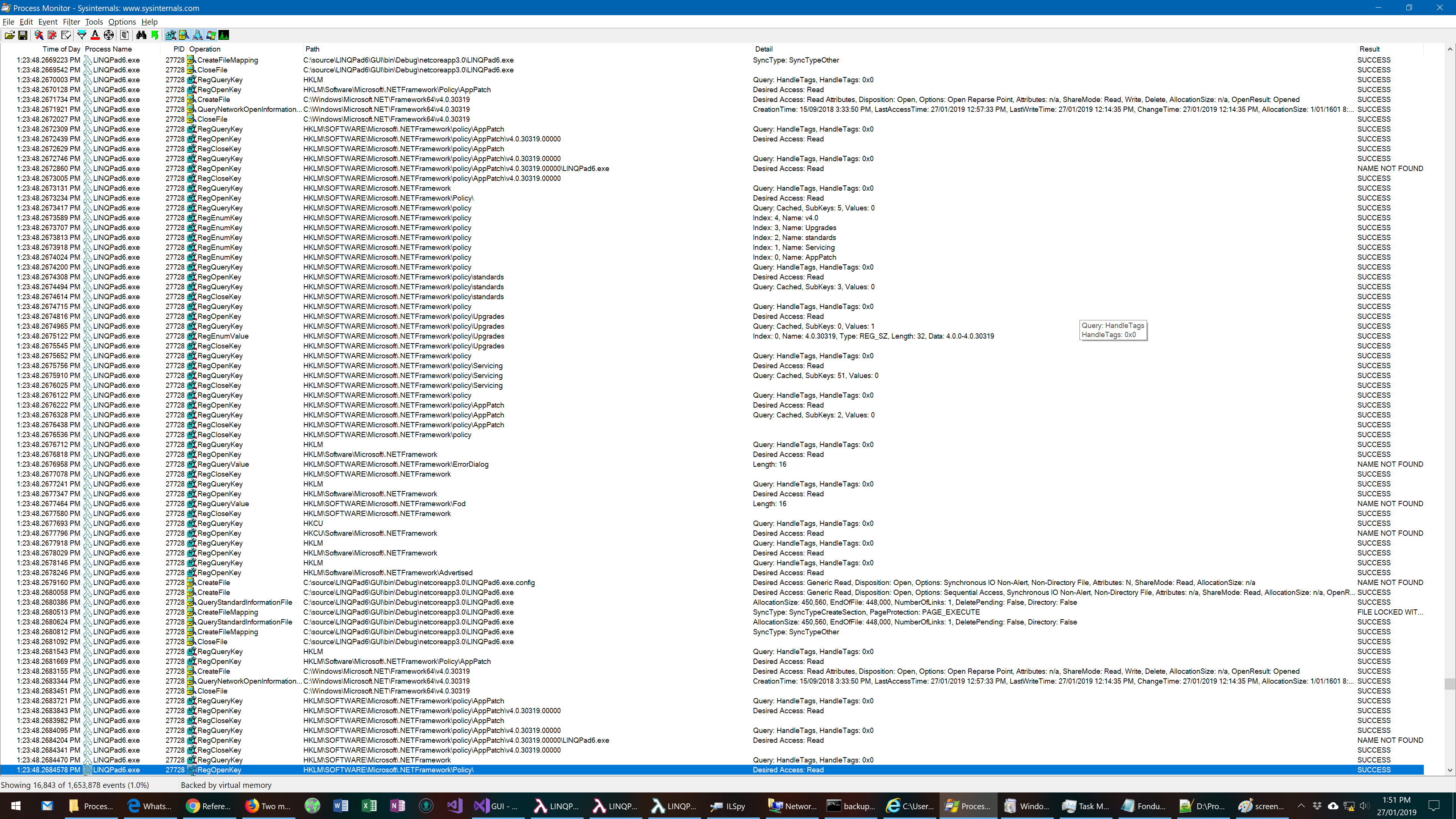
I how have data from Process Monitor. Here are screenshots leading up to the event with the processes filtered to LINQPad and fondue. If you need the entire PML, let me know how I can send it to you directly (it's nearly a GB).


albahari
on 27 Jan 2019
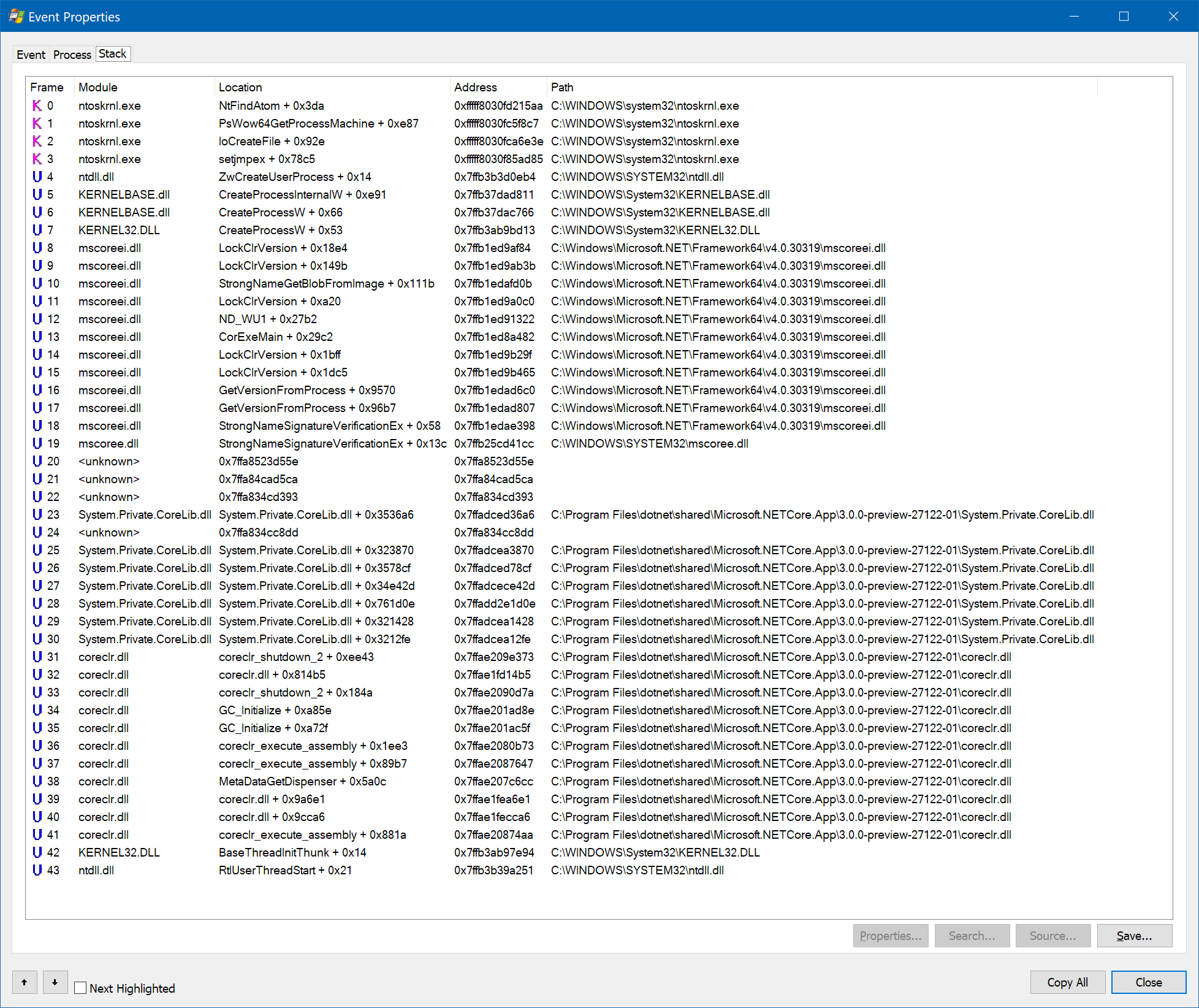
Thanks! Could you select the Process Create event for fodue.exe and press Ctrl+K on it. It should open a window with stacktrace for the event. Could you please share the stacktrace?
jkotas
on 27 Jan 2019
albahari
on 27 Jan 2019
That stack trace looks like .NET Core is calling into .NET Framework; that's kinda fancy, though I guess its probably not mean to be happening?
 benaadams
on 27 Jan 2019
benaadams
on 27 Jan 2019
That stack trace looks like .NET Core is calling into .NET Framework
I won't be .NET Core itself. It will be some other component used by LINQPad. We do know now that the StrongNameSignatureVerificationEx is the offending call and it is most likely called via PInvoke.
@albahari Could you please do a scan components that PInvoke StrongNameSignatureVerificationEx in your app? The quick way to do that is to run findstr /M StrongNameSignatureVerificationEx *.* in the directory with your app.
jkotas
on 27 Jan 2019
OK, that will be it then. I use that function to verify the integrity of updates and plug-ins. I'll remove that call.
albahari
on 28 Jan 2019
So, what's the correct way to verify an assembly in .NET Core?
albahari
on 28 Jan 2019
Strong names are deprecated in .NET Core. There are no APIs for strong name verification in .NET Core and the runtime does not ever verifies strong names either.
jkotas
on 28 Jan 2019
@albahari Is this issue sufficiently answered? Could you close it if so?
 RussKeldorph
on 7 Feb 2019
RussKeldorph
on 7 Feb 2019
Related issues
 nalywa
·
3Comments
nalywa
·
3Comments
 EgorBo
·
3Comments
EgorBo
·
3Comments
 Timovzl
·
3Comments
Timovzl
·
3Comments
 jchannon
·
3Comments
jchannon
·
3Comments
 aggieben
·
3Comments
aggieben
·
3Comments
Most helpful comment
@albahari Could you please attach debugger to your main application when this happens and capture the stacktrace that leads to this?