Rufus: This version of Rufus was NOT produced by its official developer(s)
(From this reddit thread)
It appears that one can get this message when using the automated download to upgrade from 2.14 to 2.15. I was able to replicate this issue in on a clean Windows 7 x86 VM:

Curiously, this only happens when launching Rufus from the update prompt. When launching the downloaded file directly (double click), the message does not pop up.
 pbatard
All 25 comments
I think I have a good idea what the issue is. First of all, the error we see on second instance startup, that triggers the validation check failure is as follows:
PKI: Failed to get store handle for 'Rufus': [0x80092009] The directory service evaluated group memberships locally.
And indeed, 0x80092009 is the return code you get when either:
- The target binary is not digitally signed
- The target binary is not found
In this case, it's the second possibility, as 'Rufus' is not the fully qualified path of the file we downloaded.
Now, the Rufus we see above is really the argv[0] from the lpCommandLine parameter we feed to CreateProcess()... which itself comes from the cmdline we construct in stdlg.c, which in turn, mostly because we couldn't be bothered to duplicate the full download path, we hardcoded to Rufus -w 150.
Guess we could modify our lpCommandLine parameter but then again, since anybody could invoke Rufus through CreateProcess(), in which case we have no guarantee about argv[0] being usable as a path, the proper fix will be to retrieve our actual path from the Windows APIs.
pbatard
on 29 May 2017
I also encountered this issue on Windows 10 1703 VM when I tried to use built in updater to update from 2.12.1054 to 2.15.1117.
 kostich
on 31 May 2017
kostich
on 31 May 2017
Yes, this issue is something that should have affected most of the people who used the update check to upgrade, regardless of what the old version was. I'll be fixed with the next version.
pbatard
on 31 May 2017
This should now be fixed, as I tested that upgrading to the latest BETA from within Rufus no longer produced the warning. I will now close the issue.
pbatard
on 17 Jul 2017
He descargado la version de Rufus desde https://rufus.akeo.ie/downloads/rufus-2.16.exe, pero este mensaje aparece al querer instalarlo, el problema ya comenzo con la version 2.15, hasta la version 2.14 corre perfectamente. Uso Windows 10 64 bits 10.0.15063 (1703) en español. Falla en las dos versiones, ni la instalable ni la portable, no importa que opción se seleccione.
I downloaded the Rufus version from https://rufus.akeo.ie/downloads/rufus-2.16.exe, but this message appears when you want to install it, the problem has already started with version 2.15, until version 2.14 runs perfectly. I use Windows 10 64 bit 10.0.15063 (1703) in Spanish. Failure in both versions, installable or portable, no matter which option is selected.

 dexterconexion
on 25 Aug 2017
dexterconexion
on 25 Aug 2017
@dexterconexion
Since you are the only person to report this issue since version 2.16, I strongly suspect that there is a problem with your environment with regards to digital signature validation. You should be able to see what it is by downloading, installing and running DebugView (https://docs.microsoft.com/en-us/sysinternals/downloads/debugview).
If your machine is configured properly for digital signature validations, you will see something like:
[3632] *** Rufus init ***
[3632] Downloaded executable is signed by 'Akeo Consulting'
[3632] Downloaded executable is signed by 'Akeo Consulting'
[3632] Will use settings from registry
[3632] found locale 'en-US'
[3632] loc file not found in current directory - embedded one will be used
[3632] localization: extracted data to 'C:\Users\nil\AppData\Local\Temp\Ruf5041.tmp'
[3632] localization: found locale 'en-US'
(...)
with 2 lines indicating that the digital signature was properly validated (Downloaded executable is signed by 'Akeo Consulting'). If you don't see any of these lines, you'll probably get a PKI error, that will tell us what the story is with your environment.
Obviously, if your machine can't properly validate digital signatures, Rufus will not be able to validate that it hasn't been altered and display the message above.
pbatard
on 25 Aug 2017
pbatard
Gracias por su respuesta, he seguido sus pasos y da un error de PKI, como
usted anticipo en su respuesta.
Puede ayudarme a solucionar el error de firma digital ?
Pbatard
Thanks for your answer, I followed your steps and gives a PKI error, like
You anticipate in your response.
Can you help me solve the digital signature error?
[5140] *** Rufus init ***
[5140] PKI: Failed to get store handle for '(null)': [0x80092009] El servicio de directorios ha evaluado las pertenencias a grupos localmente.
[5140] Will use settings from registry
[5140] found locale 'es-ES'
[5140] loc file not found in current directory - embedded one will be used
[5140] localization: extracted data to 'C:\Users\Sergio\AppData\Local\Temp\RufFE26.tmp'
[5140] localization: found locale 'en-US'
[5140] localization: found locale 'ar-SA'
(...)
I think I'm going to need a little more instrumentation to find out what's going on.
First thing I'd like to see is a full log from Rufus, even without any USB drive plugged in (just run Rufus, then click the _Log_ button and copy the log content). And I would also like to know the full path of where you saved the file you downloaded (e.g. C:\Users\Sergio\My Documents\Rufus), especially, I'd like to know if you saved it to a network drive by any chance.
pbatard
on 25 Aug 2017
Pete
I have downloaded and executed Rufus in C: \Users\Sergio\Downloads\rufus-2.16\
00000001    0.00000000  [2988] avcore\npsm\localprovider\baseprovider\lib\baseprovider.cpp(604)\NPSMDesktopProvider.dll!00007FFF577839A4: (caller: 00007FFF57784113) ReturnHr(558) tid(f1c) 80070490 No se ha encontrado el elemento.
00000002    0.00004950  [2988] pcshell\shell\appresolver\appsfolder\tilestoreappsfolder.cpp(584)\appresolver.dll!00007FFF629D46F7: (caller: 00007FFF629C4793) ReturnHr(546) tid(1104) 80070490 No se ha encontrado el elemento.
00000003    0.00004950  [2988]     CallContext:[\AppsFolder_ParseDisplayName]
00000004    0.00016240  [2988] onecore\base\appmodel\resourcepolicy\gameconfigstore\client\gameconfigstoreclient.cpp(104)\ResourcePolicyClient.dll!00007FFF89B7BA6C: (caller: 00007FFF60BEBA76) LogHr(150) tid(1320) 80070490 No se ha encontrado el elemento.
00000005    0.00022730  [944] windows\dwm\udwm\toplevelwindow3d.cpp(346)\udwm.dll!00007FFF896D16C7: (caller: 00007FFF896AA33A) LogHr(2) tid(4ec) 80070057 El parámetro no es correcto.
00000006    0.00029522  [2988] pcshell\shell\appresolver\appsfolder\appsfolder.cpp(692)\appresolver.dll!00007FFF629C47B2: (caller: 00007FFF629C328F) ReturnHr(547) tid(1104) 80070490 No se ha encontrado el elemento.
00000007    0.00029522  [2988]     CallContext:[\AppsFolder_ParseDisplayName]
00000008    4.59310913  [2988] *** CGDContextMenu::initialize ***
00000009    4.59312963  [2988]
00000010    4.59315825  [2988] *** CGDContextMenu::Initialize Num files selected: ***1
00000011    4.59317827  [2988]
00000012    4.59332609  [2988] RetrivePathLocation Unable to query client for folder path: IPC error.
00000013    4.59334612  [2988]
00000014    4.59341669  [2988] *** CGDContextMenu::QueryContextMenu ***0
00000015    4.59343529  [2988]
00000016    4.64297915  [2988] pcshell\shell\appresolver\activitytracker\activitytracker.cpp(698)\appresolver.dll!00007FFF62A2C247: (caller: 00007FFF62A2BE0E) ReturnHr(548) tid(1a88) 80070005 Acceso denegado.
00000017    4.64297915  [2988]     CallContext:[\ActivityTracker_AppLaunch]
00000018    4.64301348  [2988] pcshell\shell\appresolver\activitytracker\activitytracker.cpp(654)\appresolver.dll!00007FFF62A2BE4E: (caller: 00007FFF62A29FCD) ReturnHr(549) tid(1a88) 80070005 Acceso denegado.
00000019    4.64301348  [2988]     CallContext:[\ActivityTracker_AppLaunch]
00000020    4.64305019  [2988] pcshell\shell\appresolver\activitytracker\activitytracker.cpp(296)\appresolver.dll!00007FFF62A29FEC: (caller: 00007FFF62A29520) LogHr(271) tid(1a88) 80070005 Acceso denegado.
00000021    4.64305019  [2988]     CallContext:[\ActivityTracker_AppLaunch]
00000022    4.64495993  [2988] pcshell\shell\appresolver\activitytracker\activitytracker.cpp(698)\appresolver.dll!00007FFF62A2C247: (caller: 00007FFF62A2BE0E) ReturnHr(550) tid(1a88) 80070005 Acceso denegado.
00000023    4.64495993  [2988]     CallContext:[\ActivityTracker_AppLaunch]
00000024    4.64503384  [2988] pcshell\shell\appresolver\activitytracker\activitytracker.cpp(654)\appresolver.dll!00007FFF62A2BE4E: (caller: 00007FFF62A29FCD) ReturnHr(551) tid(1a88) 80070005 Acceso denegado.
00000025    4.64503384  [2988]     CallContext:[\ActivityTracker_AppLaunch]
00000026    4.64510584  [2988] pcshell\shell\appresolver\activitytracker\activitytracker.cpp(296)\appresolver.dll!00007FFF62A29FEC: (caller: 00007FFF62A29520) LogHr(272) tid(1a88) 80070005 Acceso denegado.
00000027    4.64510584  [2988]     CallContext:[\ActivityTracker_AppLaunch]
00000028    4.66232491  [2988] onecoreuap\shell\onecoretdlhelpers\tiledatalayeritemwrappers.cpp(952)\appresolver.dll!00007FFF62A250AD: (caller: 00007FFF62A20748) LogHr(273) tid(2334) 8000000C Una operación simultánea o intercalada cambió el estado del objeto, lo que invalida esta operación.
00000029    4.66380262  [2988] onecoreuap\shell\onecoretdlhelpers\tiledatalayeritemwrappers.cpp(952)\appresolver.dll!00007FFF62A250AD: (caller: 00007FFF62A20748) LogHr(274) tid(2334) 8000000C Una operación simultánea o intercalada cambió el estado del objeto, lo que invalida esta operación.
00000030    4.67578220  [2988] onecoreuap\shell\onecoretdlhelpers\tiledatalayeritemwrappers.cpp(952)\appresolver.dll!00007FFF62A250AD: (caller: 00007FFF62A20748) LogHr(275) tid(2334) 8000000C Una operación simultánea o intercalada cambió el estado del objeto, lo que invalida esta operación.
00000031    4.68742847  [2988] onecoreuap\shell\onecoretdlhelpers\tiledatalayeritemwrappers.cpp(1183)\appresolver.dll!00007FFF62A2283D: (caller: 00007FFF62A05F39) ReturnHr(552) tid(1778) 80070057 El parámetro no es correcto.
00000032    4.73871231  [2988] onecoreuap\shell\onecoretdlhelpers\tiledatalayeritemwrappers.cpp(1183)\appresolver.dll!00007FFF62A2283D: (caller: 00007FFF62A05F39) ReturnHr(553) tid(2334) 80070057 El parámetro no es correcto.
00000033    4.95548582  [2988] avcore\npsm\localprovider\baseprovider\lib\baseprovider.cpp(604)\NPSMDesktopProvider.dll!00007FFF577839A4: (caller: 00007FFF57784113) ReturnHr(559) tid(f1c) 80070490 No se ha encontrado el elemento.
00000034    5.35099459  [2988] onecoreuap\shell\ext\thumbnailcache\lib\thumbcacheapi.cpp(285)\thumbcache.dll!00007FFF614E8E0E: (caller: 00007FFF614E901F) ReturnHr(18) tid(1fec) 80004005 Error no especificado
00000035    5.35121107  [2988] onecoreuap\shell\ext\thumbnailcache\lib\thumbcacheapi.cpp(159)\thumbcache.dll!00007FFF614E1B41: (caller: 00007FFF8B9E422A) ReturnHr(19) tid(1fec) 80004005 Error no especificado
00000036    5.35253525  [2988] onecoreuap\shell\ext\thumbnailcache\lib\thumbcacheapi.cpp(285)\thumbcache.dll!00007FFF614E8E0E: (caller: 00007FFF614E901F) ReturnHr(20) tid(1fec) 80004005 Error no especificado
00000037    5.35346031  [2988] onecoreuap\shell\ext\thumbnailcache\lib\thumbcacheapi.cpp(159)\thumbcache.dll!00007FFF614E1B41: (caller: 00007FFF8B9E422A) ReturnHr(21) tid(1fec) 80004005 Error no especificado
00000038    5.35399389  [2988] onecoreuap\shell\ext\thumbnailcache\lib\thumbcacheapi.cpp(285)\thumbcache.dll!00007FFF614E8E0E: (caller: 00007FFF614E901F) ReturnHr(22) tid(1fec) 80004005 Error no especificado
00000039    5.35973024  [2988] onecoreuap\shell\ext\thumbnailcache\lib\thumbcacheapi.cpp(285)\thumbcache.dll!00007FFF614E8E0E: (caller: 00007FFF614E901F) ReturnHr(23) tid(1fec) 80004005 Error no especificado
00000040    5.38248253  [2988] onecoreuap\shell\ext\thumbnailcache\lib\thumbcacheapi.cpp(285)\thumbcache.dll!00007FFF614E8E0E: (caller: 00007FFF614E901F) ReturnHr(24) tid(1fec) 80004005 Error no especificado
00000041    5.74282026  [2988] onecoreuap\shell\lib\bindctx.cpp(128)\explorerframe.dll!00007FFF63C1377F: (caller: 00007FFF63BEAA6F) ReturnHr(91) tid(1fec) 80070057 El parámetro no es correcto.
00000042    7.69579077  [2988] onecoreuap\shell\ext\thumbnailcache\lib\thumbcacheapi.cpp(285)\thumbcache.dll!00007FFF614E8E0E: (caller: 00007FFF614E901F) ReturnHr(25) tid(1fec) 80004005 Error no especificado
00000043    7.69649839  [2988] onecoreuap\shell\ext\thumbnailcache\lib\thumbcacheapi.cpp(285)\thumbcache.dll!00007FFF614E8E0E: (caller: 00007FFF614E901F) ReturnHr(26) tid(1fec) 80004005 Error no especificado
00000044    7.69717360  [2988] onecoreuap\shell\ext\thumbnailcache\lib\thumbcacheapi.cpp(285)\thumbcache.dll!00007FFF614E8E0E: (caller: 00007FFF614E901F) ReturnHr(27) tid(1fec) 80004005 Error no especificado
00000045    7.70170975  [2988] onecoreuap\shell\ext\thumbnailcache\lib\thumbcacheapi.cpp(285)\thumbcache.dll!00007FFF614E8E0E: (caller: 00007FFF614E901F) ReturnHr(28) tid(1fec) 80004005 Error no especificado
00000046    7.70256281  [2988] onecoreuap\shell\ext\thumbnailcache\lib\thumbcacheapi.cpp(285)\thumbcache.dll!00007FFF614E8E0E: (caller: 00007FFF614E901F) ReturnHr(29) tid(1fec) 80004005 Error no especificado
00000047    7.70712042  [2988] onecoreuap\shell\ext\thumbnailcache\lib\thumbcacheapi.cpp(285)\thumbcache.dll!00007FFF614E8E0E: (caller: 00007FFF614E901F) ReturnHr(30) tid(1fec) 80004005 Error no especificado
00000048    7.71751881  [2988] onecoreuap\shell\ext\thumbnailcache\lib\thumbcacheapi.cpp(285)\thumbcache.dll!00007FFF614E8E0E: (caller: 00007FFF614E901F) ReturnHr(31) tid(1fec) 80004005 Error no especificado
00000049    11.25197697 [2988] pcshell\shell\appresolver\lib\tiledatalayerappresolverreconciler.cpp(2035)\appresolver.dll!00007FFF62A0B931: (caller: 00007FFF629D3732) ReturnHr(554) tid(2334) 80070490 No se ha encontrado el elemento.
00000050    11.25559711 [2988] pcshell\shell\appresolver\activitytracker\activitytracker.cpp(698)\appresolver.dll!00007FFF62A2C247: (caller: 00007FFF62A2BE0E) ReturnHr(555) tid(1a88) 80070005 Acceso denegado.
00000051    11.25559711 [2988]     CallContext:[\ActivityTracker_AppLaunch]
00000052    11.25563526 [2988] pcshell\shell\appresolver\activitytracker\activitytracker.cpp(654)\appresolver.dll!00007FFF62A2BE4E: (caller: 00007FFF62A2A463) ReturnHr(556) tid(1a88) 80070005 Acceso denegado.
00000053    11.25563526 [2988]     CallContext:[\ActivityTracker_AppLaunch]
00000054    11.25567245 [2988] pcshell\shell\appresolver\activitytracker\activitytracker.cpp(351)\appresolver.dll!00007FFF62A2A47F: (caller: 00007FFF62A2A143) LogHr(276) tid(1a88) 80070005 Acceso denegado.
00000055    11.25567245 [2988]     CallContext:[\ActivityTracker_AppLaunch]
00000056    11.35566235 [3788] *** Rufus init ***
00000057    11.37310410 [3788] PKI: Failed to get store handle for '(null)': [0x80092009] El servicio de directorios ha evaluado las pertenencias a grupos localmente.
00000058    11.37312412 [3788] Will use settings from registry
00000059    11.37321091 [3788] found locale 'es-ES'
00000060    11.37351990 [3788] loc file not found in current directory - embedded one will be used
00000061    11.42109776 [3788] localization: extracted data to 'C:\Users\Sergio\AppData\Local\Temp\Ruf2C57.tmp'
00000062    11.42308235 [3788] localization: found locale 'en-US'
00000063    11.42343044 [3788] localization: found locale 'ar-SA'
00000064    11.42347717 [3788] embedded.loc(342): the version of this translation is older than the base one and may result in some messages not being properly translated.
00000065    11.42347717 [3788] If you are the translator, please update your translation with the changes that intervened between v1.0.18 and v1.0.22.
00000066    11.42347717 [3788] See https://github.com/pbatard/rufus/blob/master/res/localization/ChangeLog.txt
00000067    11.42387104 [3788] localization: found locale 'az-AZ'
00000068    11.42430019 [3788] localization: found locale 'bg-BG'
00000069    11.42476463 [3788] localization: found locale 'zh-CN'
00000070    11.42514038 [3788] localization: found locale 'zh-TW'
00000071    11.42557526 [3788] localization: found locale 'hr-HR'
00000072    11.42596340 [3788] localization: found locale 'cs-CZ'
00000073    11.42636013 [3788] localization: found locale 'da-DK'
00000074    11.42640305 [3788] embedded.loc(3138): the version of this translation is older than the base one and may result in some messages not being properly translated.
00000075    11.42640305 [3788] If you are the translator, please update your translation with the changes that intervened between v1.0.19 and v1.0.22.
00000076    11.42640305 [3788] See https://github.com/pbatard/rufus/blob/master/res/localization/ChangeLog.txt
00000077    11.42679214 [3788] localization: found locale 'nl-NL'
00000078    11.42683315 [3788] embedded.loc(3537): the version of this translation is older than the base one and may result in some messages not being properly translated.
00000079    11.42683315 [3788] If you are the translator, please update your translation with the changes that intervened between v1.0.21 and v1.0.22.
00000080    11.42683315 [3788] See https://github.com/pbatard/rufus/blob/master/res/localization/ChangeLog.txt
00000081    11.42724037 [3788] localization: found locale 'fi-FI'
00000082    11.42764473 [3788] localization: found locale 'fr-FR'
00000083    11.42805386 [3788] localization: found locale 'de-DE'
00000084    11.42861652 [3788] localization: found locale 'el-GR'
00000085    11.42911243 [3788] localization: found locale 'he-IL'
00000086    11.42961597 [3788] localization: found locale 'hu-HU'
00000087    11.42970085 [3788] embedded.loc(6045): the version of this translation is older than the base one and may result in some messages not being properly translated.
00000088    11.42970085 [3788] If you are the translator, please update your translation with the changes that intervened between v1.0.20 and v1.0.22.
00000089    11.42970085 [3788] See https://github.com/pbatard/rufus/blob/master/res/localization/ChangeLog.txt
00000090    11.43021393 [3788] localization: found locale 'id-ID'
00000091    11.43064594 [3788] localization: found locale 'it-IT'
00000092    11.43109512 [3788] localization: found locale 'ja-JP'
00000093    11.43158340 [3788] localization: found locale 'ko-KR'
00000094    11.43163395 [3788] embedded.loc(7727): the version of this translation is older than the base one and may result in some messages not being properly translated.
00000095    11.43163395 [3788] If you are the translator, please update your translation with the changes that intervened between v1.0.21 and v1.0.22.
00000096    11.43163395 [3788] See https://github.com/pbatard/rufus/blob/master/res/localization/ChangeLog.txt
00000097    11.43205166 [3788] localization: found locale 'lv-LV'
00000098    11.43247986 [3788] localization: found locale 'lt-LT'
00000099    11.43289661 [3788] localization: found locale 'ms-MY'
00000100    11.43294430 [3788] embedded.loc(8963): the version of this translation is older than the base one and may result in some messages not being properly translated.
00000101    11.43294430 [3788] If you are the translator, please update your translation with the changes that intervened between v1.0.19 and v1.0.22.
00000102    11.43294430 [3788] See https://github.com/pbatard/rufus/blob/master/res/localization/ChangeLog.txt
00000103    11.43335915 [3788] localization: found locale 'nb-NO'
00000104    11.43377781 [3788] localization: found locale 'fa-IR'
00000105    11.43430138 [3788] localization: found locale 'pl-PL'
00000106    11.43474388 [3788] localization: found locale 'pt-BR'
00000107    11.43518257 [3788] localization: found locale 'pt-PT'
00000108    11.43560410 [3788] localization: found locale 'ro-RO'
00000109    11.43600941 [3788] localization: found locale 'ru-RU'
00000110    11.43605423 [3788] embedded.loc(11937): the version of this translation is older than the base one and may result in some messages not being properly translated.
00000111    11.43605423 [3788] If you are the translator, please update your translation with the changes that intervened between v1.0.21 and v1.0.22.
00000112    11.43605423 [3788] See https://github.com/pbatard/rufus/blob/master/res/localization/ChangeLog.txt
00000113    11.43647671 [3788] localization: found locale 'sr-SP'
00000114    11.43688011 [3788] localization: found locale 'sk-SK'
00000115    11.43728256 [3788] localization: found locale 'sl-SI'
00000116    11.43770695 [3788] localization: found locale 'es-ES'
00000117    11.43812752 [3788] localization: found locale 'sv-SE'
00000118    11.43852234 [3788] localization: found locale 'th-TH'
00000119    11.43900871 [3788] localization: found locale 'tr-TR'
00000120    11.43943024 [3788] localization: found locale 'uk-UA'
00000121    11.43989754 [3788] localization: found locale 'vi-VN'
00000122    11.44040298 [3788] localization: initializing default message table
00000123    11.45310402 [3788] localization: using locale base 'en-US'
00000124    11.47353172 [3788] embedded.loc(13809): syntax error: '"- Elije 'Si' para conectarse a internet y descargar estos ficheros
00000125    11.47353172 [3788] - Elije 'No' para cancelar la operación
00000126    11.47353172 [3788]
00000127    11.47353172 [3788] Nota: Los ficheros se descargarán en la carpeta actual y volverán a usarse automáticamente si se encuentran.
00000128    11.47353172 [3788] "'
00000129    11.52988815 [2988] avcore\npsm\localprovider\baseprovider\lib\baseprovider.cpp(604)\NPSMDesktopProvider.dll!00007FFF577839A4: (caller: 00007FFF57784113) ReturnHr(560) tid(f1c) 80070490 No se ha encontrado el elemento.
00000130    11.53879547 [2988] pcshell\shell\appresolver\appsfolder\tilestoreappsfolder.cpp(584)\appresolver.dll!00007FFF629D46F7: (caller: 00007FFF629C4793) ReturnHr(557) tid(1104) 80070490 No se ha encontrado el elemento.
00000131    11.53879547 [2988]     CallContext:[\AppsFolder_ParseDisplayName]
00000132    11.54803848 [2988] onecore\base\appmodel\resourcepolicy\gameconfigstore\client\gameconfigstoreclient.cpp(104)\ResourcePolicyClient.dll!00007FFF89B7BA6C: (caller: 00007FFF60BEBA76) LogHr(151) tid(1320) 80070490 No se ha encontrado el elemento.
00000133    11.56197166 [2988] pcshell\shell\appresolver\appsfolder\appsfolder.cpp(692)\appresolver.dll!00007FFF629C47B2: (caller: 00007FFF629C328F) ReturnHr(558) tid(1104) 80070490 No se ha encontrado el elemento.
00000134    11.56197166 [2988]     CallContext:[\AppsFolder_ParseDisplayName]
00000135    18.67991066 [3788] Note: UAC is active
00000136    18.69540596 [2988] avcore\npsm\localprovider\baseprovider\lib\baseprovider.cpp(604)\NPSMDesktopProvider.dll!00007FFF577839A4: (caller: 00007FFF57784113) ReturnHr(561) tid(f1c) 80070490 No se ha encontrado el elemento.
00000137    19.09507751 [3788] localization: using locale base 'en-US'
00000138    23.03032875 [2988] avcore\npsm\localprovider\baseprovider\lib\baseprovider.cpp(604)\NPSMDesktopProvider.dll!00007FFF577839A4: (caller: 00007FFF57784113) ReturnHr(562) tid(f1c) 80070490 No se ha encontrado el elemento.
00000139    23.70535851 [6640] onecore\windows\feedback\core\wercommon\libex\usertokenutility.cpp(755)\wer.dll!6DD22C2E: (caller: 6DD20C95) LogHr(1) tid(129c) 80070005 Acceso denegado.
00000140    23.70535851 [6640]     Msg:[No session users available.]
00000141    23.94363594 [6640] onecore\windows\feedback\core\wercommon\libex\usertokenutility.cpp(755)\wer.dll!6DD22C2E: (caller: 6DD20C95) LogHr(2) tid(129c) 80070005 Acceso denegado.
00000142    23.94363594 [6640]     Msg:[No session users available.]
00000143    24.01688957 [6640] onecore\windows\feedback\core\wercommon\libex\usertokenutility.cpp(755)\wer.dll!6DD22C2E: (caller: 6DD20C95) LogHr(3) tid(129c) 80070005 Acceso denegado.
00000144    24.01688957 [6640]     Msg:[No session users available.]
00000145    24.11937904 [6640] onecore\windows\feedback\core\wercommon\libex\usertokenutility.cpp(755)\wer.dll!6DD22C2E: (caller: 6DD20C95) LogHr(4) tid(ef8) 80070005 Acceso denegado.
00000146    24.11937904 [6640]     Msg:[No session users available.]
00000147    24.19699860 [6640] onecore\windows\feedback\core\wercommon\libex\usertokenutility.cpp(755)\wer.dll!6DD22C2E: (caller: 6DD20C95) LogHr(5) tid(129c) 80070005 Acceso denegado.
00000148    24.19699860 [6640]     Msg:[No session users available.]
00000149    24.26555634 [6640] onecore\windows\feedback\core\wercommon\libex\usertokenutility.cpp(755)\wer.dll!6DD22C2E: (caller: 6DD20C95) LogHr(6) tid(129c) 80070005 Acceso denegado.
00000150    24.26555634 [6640]     Msg:[No session users available.]
00000151    44.29569244 [2988] pcshell\shell\appresolver\activitytracker\activitytracker.cpp(698)\appresolver.dll!00007FFF62A2C247: (caller: 00007FFF62A2BE0E) ReturnHr(559) tid(984) 80070005 Acceso denegado.
00000152    44.29569244 [2988]     CallContext:[\ActivityTracker_JumpListChange]
00000153    44.29574585 [2988] pcshell\shell\appresolver\activitytracker\activitytracker.cpp(654)\appresolver.dll!00007FFF62A2BE4E: (caller: 00007FFF62A2AF8F) ReturnHr(560) tid(984) 80070005 Acceso denegado.
00000154    44.29574585 [2988]     CallContext:[\ActivityTracker_JumpListChange]
00000155    44.29578018 [2988] pcshell\shell\appresolver\activitytracker\activitytracker.cpp(489)\appresolver.dll!00007FFF62A2AFAE: (caller: 00007FFF62A2AB7E) LogHr(277) tid(984) 80070005 Acceso denegado.
00000156    44.29578018 [2988]     CallContext:[\ActivityTracker_JumpListChange]
00000157    74.66928101 [6072] mincore\com\oleaut32\dispatch\ups.cpp(2128)\OLEAUT32.dll!76C45072: (caller: 76C4FE4F) ReturnHr(1) tid(240) 8002801D Biblioteca no registrada.
00000158    191.65577698    [6072] onecoreuap\shell\ext\thumbnailcache\lib\thumbcacheapi.cpp(285)\thumbcache.dll!7215FF91: (caller: 72160121) ReturnHr(1) tid(240) 80004005 Error no especificado
00000159    191.65751648    [2988] pcshell\shell\appresolver\activitytracker\activitytracker.cpp(489)\appresolver.dll!00007FFF62A2AFAE: (caller: 00007FFF62A2AB7E) LogHr(278) tid(2050) 80070005 Acceso denegado.
00000160    191.65751648    [2988]     CallContext:[\ActivityTracker_JumpListChange]
00000161    191.66673279    [2988] avcore\npsm\localprovider\baseprovider\lib\baseprovider.cpp(604)\NPSMDesktopProvider.dll!00007FFF577839A4: (caller: 00007FFF57784113) ReturnHr(568) tid(f1c) 80070490 No se ha encontrado el elemento.
00000162    205.98747253    [2988] avcore\npsm\localprovider\baseprovider\lib\baseprovider.cpp(604)\NPSMDesktopProvider.dll!00007FFF577839A4: (caller: 00007FFF57784113) ReturnHr(569) tid(f1c) 80070490 No se ha encontrado el elemento.
Thanks, but could I get the actual log from Rufus rather than the DebugView version? Please forget DebugView for now and click the _Log_ button so that the __internal__ log window from Rufus opens. Then just copy/paste everything you see displayed in that window.
pbatard
on 26 Aug 2017
Sorry, I do not speak English and I do not know if I misunderstand, but, you mean the internal button of LOG of Rufus? Which opens a window where the version of rufus, syslinux, grub, USB ..etc appears, that is impossible because Rufus does not run, it simply closes after the warning window, it does not matter which option (Yes or No ) Is chosen.
dexterconexion
on 26 Aug 2017
it simply closes after the warning window, it does not matter which option (Yes or No ) Is chosen.
Then there is something wrong with your platform. There's nothing in the code that will close Rufus if you select 'Yes'. Can you please try again and make sure you select 'Yes'?
If Rufus does not run even if you select Yes, then there is another issue, that is external to Rufus, with your Windows installation, as it should allow Rufus to run even if you see the message.
At any rate, I'll produce a test version of Rufus for you to try, that should give more information about the PKI error, and getting a log should not matter that much then. But it may take a couple of days before I can do so.
pbatard
on 26 Aug 2017
Okay, let's get some testing going:
Can you please download rufus-2.17_TEST1.exe from here and report all the PKI: messages you see in DebugView?
pbatard
on 26 Aug 2017
Pete
I again mention that this "error", I started to appear when downloading version 2.15, as I had read that it was an error and would be correct with version 2.16, wait, and when downloading version 2.16, it happens the same nowadays I still use version 2.14 that works perfectly for me. I am not an expert but all these versions do not use the same PKI certificates?
I downloaded the Rufus TEST and attached the result ...
[7516] avcore\npsm\localprovider\baseprovider\lib\baseprovider.cpp(604)\NPSMDesktopProvider.dll!00007FFC414939A4: (caller: 00007FFC41494113) ReturnHr(152) tid(1e4c) 80070490 No se ha encontrado el elemento.
[7516] onecore\base\appmodel\resourcepolicy\gameconfigstore\client\gameconfigstoreclient.cpp(104)\ResourcePolicyClient.dll!00007FFC5F13BA6C: (caller: 00007FFC3682BA76) LogHr(74) tid(74c) 80070490 No se ha encontrado el elemento.
[7516] pcshell\shell\appresolver\appsfolder\tilestoreappsfolder.cpp(584)\appresolver.dll!00007FFC5AFB46F7: (caller: 00007FFC5AFA4793) ReturnHr(141) tid(1270) 80070490 No se ha encontrado el elemento.
[7516]     CallContext:[\AppsFolder_ParseDisplayName]
[7516] pcshell\shell\appresolver\appsfolder\appsfolder.cpp(692)\appresolver.dll!00007FFC5AFA47B2: (caller: 00007FFC5AFA328F) ReturnHr(142) tid(1270) 80070490 No se ha encontrado el elemento.
[7516]     CallContext:[\AppsFolder_ParseDisplayName]
[940] windows\dwm\udwm\toplevelwindow3d.cpp(346)\udwm.dll!00007FFC5E8716C7: (caller: 00007FFC5E84A33A) LogHr(1) tid(594) 80070057 El parámetro no es correcto.
[7516] avcore\npsm\localprovider\baseprovider\lib\baseprovider.cpp(604)\NPSMDesktopProvider.dll!00007FFC414939A4: (caller: 00007FFC41494113) ReturnHr(153) tid(1e4c) 80070490 No se ha encontrado el elemento.
[1324] onecoreuap\shell\lib\idllib.cpp(161)\explorerframe.dll!00007FFC394EB032: (caller: 00007FFC394EB35B) ReturnHr(66) tid(1cec) 80004001 No implementado
[1324]     CallContext:[\BreadcrumbBarNavigate]
[10540] onecoreuap\inetcore\urlmon\zones\zoneidentifier.cxx(359)\urlmon.dll!00007FFC55195B40: (caller: 00007FF7802D2AE7) ReturnHr(1) tid(2928) 80070002 El sistema no puede encontrar el archivo especificado.
[10668] *** Rufus init ***
[10668] Got C:\Users\Sergio\Downloads\rufus-2.16\rufus-2.17_TEST1.exe
[10668] PKI: Failed to get signature for 'C:\Users\Sergio\Downloads\rufus-2.16\rufus-2.17_TEST1.exe': Cannot find the requested object.
[10668] Will use settings from registry
[10668] found locale 'es-ES'
[10668] loc file not found in current directory - embedded one will be used
[10668] localization: extracted data to 'C:\Users\Sergio\AppData\Local\Temp\Ruf6CD2.tmp'
[10668] localization: found locale 'en-US'
[10668] localization: found locale 'ar-SA'
[10668] localization: found locale 'az-AZ'
[10668] localization: found locale 'bg-BG'
[10668] localization: found locale 'zh-CN'
[10668] localization: found locale 'zh-TW'
[10668] localization: found locale 'hr-HR'
[10668] localization: found locale 'cs-CZ'
[10668] localization: found locale 'da-DK'
[10668] embedded.loc(3158): the version of this translation is older than the base one and may result in some messages not being properly translated.
[10668] If you are the translator, please update your translation with the changes that intervened between v1.0.19 and v1.0.22.
[10668] See https://github.com/pbatard/rufus/blob/master/res/localization/ChangeLog.txt
[10668] localization: found locale 'nl-NL'
[10668] embedded.loc(3557): the version of this translation is older than the base one and may result in some messages not being properly translated.
[10668] If you are the translator, please update your translation with the changes that intervened between v1.0.21 and v1.0.22.
[10668] See https://github.com/pbatard/rufus/blob/master/res/localization/ChangeLog.txt
[10668] localization: found locale 'fi-FI'
[10668] localization: found locale 'fr-FR'
[10668] localization: found locale 'de-DE'
[10668] localization: found locale 'el-GR'
[10668] localization: found locale 'he-IL'
[10668] localization: found locale 'hu-HU'
[10668] embedded.loc(6065): the version of this translation is older than the base one and may result in some messages not being properly translated.
[10668] If you are the translator, please update your translation with the changes that intervened between v1.0.20 and v1.0.22.
[10668] See https://github.com/pbatard/rufus/blob/master/res/localization/ChangeLog.txt
[10668] localization: found locale 'id-ID'
[10668] localization: found locale 'it-IT'
[10668] localization: found locale 'ja-JP'
[10668] localization: found locale 'ko-KR'
[10668] localization: found locale 'lv-LV'
[10668] localization: found locale 'lt-LT'
[10668] localization: found locale 'ms-MY'
[10668] embedded.loc(8989): the version of this translation is older than the base one and may result in some messages not being properly translated.
[10668] If you are the translator, please update your translation with the changes that intervened between v1.0.19 and v1.0.22.
[10668] See https://github.com/pbatard/rufus/blob/master/res/localization/ChangeLog.txt
[10668] localization: found locale 'nb-NO'
[10668] localization: found locale 'fa-IR'
[10668] localization: found locale 'pl-PL'
[10668] localization: found locale 'pt-BR'
[10668] localization: found locale 'pt-PT'
[10668] localization: found locale 'ro-RO'
[10668] localization: found locale 'ru-RU'
[10668] embedded.loc(11963): the version of this translation is older than the base one and may result in some messages not being properly translated.
[10668] If you are the translator, please update your translation with the changes that intervened between v1.0.21 and v1.0.22.
[10668] See https://github.com/pbatard/rufus/blob/master/res/localization/ChangeLog.txt
[10668] localization: found locale 'sr-SP'
[10668] localization: found locale 'sk-SK'
[10668] localization: found locale 'sl-SI'
[10668] localization: found locale 'es-ES'
[10668] localization: found locale 'sv-SE'
[10668] localization: found locale 'th-TH'
[10668] localization: found locale 'tr-TR'
[10668] localization: found locale 'uk-UA'
[10668] localization: found locale 'vi-VN'
[10668] localization: initializing default message table
[10668] localization: using locale base 'en-US'
[7516] pcshell\shell\appresolver\appsfolder\tilestoreappsfolder.cpp(584)\appresolver.dll!00007FFC5AFB46F7: (caller: 00007FFC5AFA4793) ReturnHr(143) tid(1270) 80070490 No se ha encontrado el elemento.
[7516]     CallContext:[\AppsFolder_ParseDisplayName]
[7516] pcshell\shell\appresolver\appsfolder\appsfolder.cpp(692)\appresolver.dll!00007FFC5AFA47B2: (caller: 00007FFC5AFA328F) ReturnHr(144) tid(1270) 80070490 No se ha encontrado el elemento.
[7516]     CallContext:[\AppsFolder_ParseDisplayName]
[7516] avcore\npsm\localprovider\baseprovider\lib\baseprovider.cpp(604)\NPSMDesktopProvider.dll!00007FFC414939A4: (caller: 00007FFC41494113) ReturnHr(154) tid(1e4c) 80070490 No se ha encontrado el elemento.
[7516] onecore\base\appmodel\resourcepolicy\gameconfigstore\client\gameconfigstoreclient.cpp(104)\ResourcePolicyClient.dll!00007FFC5F13BA6C: (caller: 00007FFC3682BA76) LogHr(75) tid(74c) 80070490 No se ha encontrado el elemento.
[10668] Note: UAC is active
[10668] localization: using locale base 'en-US'
[7516] avcore\npsm\localprovider\baseprovider\lib\baseprovider.cpp(604)\NPSMDesktopProvider.dll!00007FFC414939A4: (caller: 00007FFC41494113) ReturnHr(155) tid(1e4c) 80070490 No se ha encontrado el elemento.
[10848] onecore\windows\feedback\core\wercommon\libex\usertokenutility.cpp(755)\wer.dll!69DE2C2E: (caller: 69DE0C95) LogHr(1) tid(2a64) 80070005 Acceso denegado.
[10848]     Msg:[No session users available.]
[10848] onecore\windows\feedback\core\wercommon\libex\usertokenutility.cpp(755)\wer.dll!69DE2C2E: (caller: 69DE0C95) LogHr(2) tid(2a64) 80070005 Acceso denegado.
[10848]     Msg:[No session users available.]
[10848] onecore\windows\feedback\core\wercommon\libex\usertokenutility.cpp(755)\wer.dll!69DE2C2E: (caller: 69DE0C95) LogHr(3) tid(2a64) 80070005 Acceso denegado.
[10848]     Msg:[No session users available.]
[10848] onecore\windows\feedback\core\wercommon\libex\usertokenutility.cpp(755)\wer.dll!69DE2C2E: (caller: 69DE0C95) LogHr(4) tid(2a88) 80070005 Acceso denegado.
[10848]     Msg:[No session users available.]
[10848] onecore\windows\feedback\core\wercommon\libex\usertokenutility.cpp(755)\wer.dll!69DE2C2E: (caller: 69DE0C95) LogHr(5) tid(2a64) 80070005 Acceso denegado.
[10848]     Msg:[No session users available.]
[10848] onecore\windows\feedback\core\wercommon\libex\usertokenutility.cpp(755)\wer.dll!69DE2C2E: (caller: 69DE0C95) LogHr(6) tid(2a64) 80070005 Acceso denegado.
[10848]     Msg:[No session users available.]
[7516] avcore\npsm\localprovider\baseprovider\lib\baseprovider.cpp(604)\NPSMDesktopProvider.dll!00007FFC414939A4: (caller: 00007FFC41494113) ReturnHr(156) tid(1e4c) 80070490 No se ha encontrado el elemento.
See how version 2.14 works me correctly ...
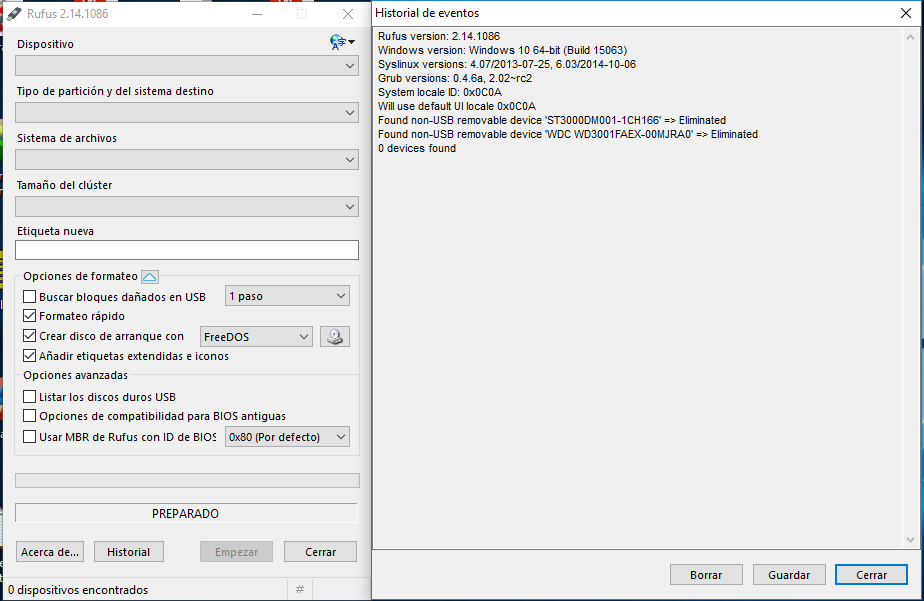
dexterconexion
on 27 Aug 2017
I again mention that this "error", I started to appear when downloading version 2.15
Yes I know. The code for this was added in 2.15
as I had read that it was an error and would be correct with version 2.16
The original issue that was reported by users before you __was__ corrected in 2.16. This is something that was easy to replicate, and therefore easy to fix. Despite seeing the same message, __your issue is different from the issue that all the people who posted before you were having__.
wait, and when downloading version 2.16, it happens the same nowadays
Yes, but here's the thing: When using 2.15, __many__ people reported seeing the message.
Since 2.16, __you are the ONLY person reporting it__.
Therefore, it is not the same issue.
I still use version 2.14 that works perfectly for me
Yes, but I will not revert the code that checks if Rufus is official, so I hope you can help me understand why you alone are still seeing the issue. Otherwise, since you really are the only person using 2.16 reporting this, out of more than 3 million downloads, you will have to continue to use 2.14 forever...
pbatard
on 27 Aug 2017
Okay, I'm starting to see a bit clearer, so here is TEST2, which should allow you to run Rufus if you select Yes on the dialog. Can you please try it and post your log?
However, judging by the message you got (PKI: Failed to get signature for 'C:\Users\Sergio\Downloads\rufus-2.16\rufus-2.17_TEST1.exe': Cannot find the requested object.), it does appear like, for some reason that is __specific to your computer__, and elevated application cannot access the file C:\Users\Sergio\Downloads\rufus-2.16\rufus-2.17_TEST1.exe, as, unless you manually removed the signature after download, there's only one possibility that can explain the error, and it's Rufus not having enough rights to access that file.
I suspect that, maybe, you are running a security solution that is preventing access to the current user directory, even if the application is running elevated. Or you may have configured your user directory in a special manner.
Can you try copying Rufus to a different directory (e.g. C:\Rufus\) and see what happens?
Also, can you confirm that you get a request for elevation like this one when you try to launch Rufus:

If you don't see this request when Rufus launches, that would explain a lot of things...
pbatard
on 27 Aug 2017
Ohh, now it has worked ....
I've tried it from C:\Users\Sergio\Downloads\rufus-2.16\rufus-2.17_TEST2.exe and from C:\Rufus\rufus-2.17_TEST2.exe and it works equally well ...
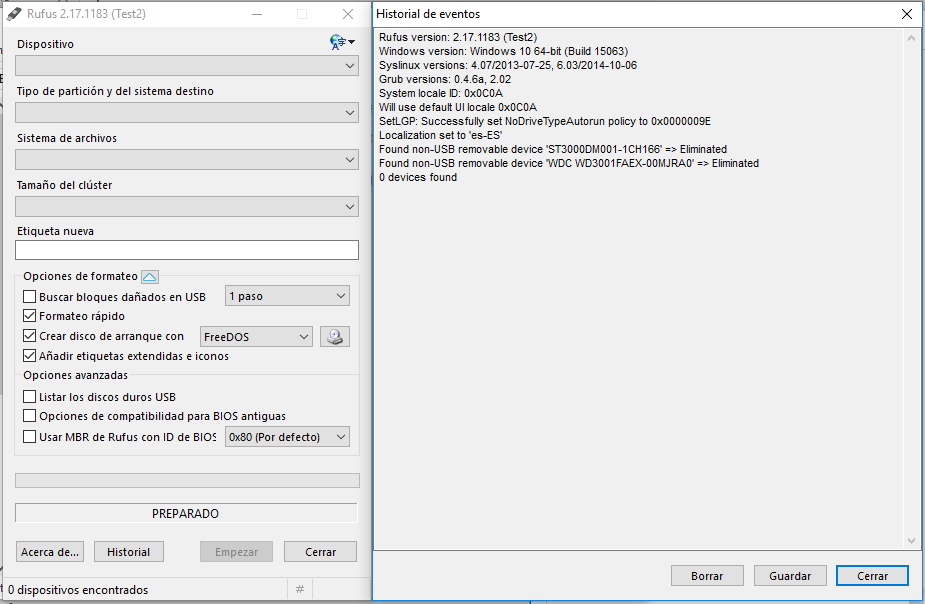
[1236] *** Rufus init ***
[1236] Got C:\Rufus\rufus-2.17_TEST2.exe
[1236] PKI: Failed to get signature for 'C:\Rufus\rufus-2.17_TEST2.exe': Cannot find the requested object.
[1236] Will use settings from registry
[1236] found locale 'es-ES'
[1236] loc file not found in current directory - embedded one will be used
[1236] localization: extracted data to 'C:\Users\Sergio\AppData\Local\Temp\RufB128.tmp'
[1236] localization: found locale 'en-US'
[1236] localization: found locale 'ar-SA'
[1236] localization: found locale 'az-AZ'
[1236] localization: found locale 'bg-BG'
[1236] localization: found locale 'zh-CN'
[1236] localization: found locale 'zh-TW'
[1236] localization: found locale 'hr-HR'
[1236] localization: found locale 'cs-CZ'
[1236] localization: found locale 'da-DK'
[1236] embedded.loc(3158): the version of this translation is older than the base one and may result in some messages not being properly translated.
[1236] If you are the translator, please update your translation with the changes that intervened between v1.0.19 and v1.0.22.
[1236] See https://github.com/pbatard/rufus/blob/master/res/localization/ChangeLog.txt
[1236] localization: found locale 'nl-NL'
[1236] embedded.loc(3557): the version of this translation is older than the base one and may result in some messages not being properly translated.
[1236] If you are the translator, please update your translation with the changes that intervened between v1.0.21 and v1.0.22.
[1236] See https://github.com/pbatard/rufus/blob/master/res/localization/ChangeLog.txt
[1236] localization: found locale 'fi-FI'
[1236] localization: found locale 'fr-FR'
[1236] localization: found locale 'de-DE'
[1236] localization: found locale 'el-GR'
[1236] localization: found locale 'he-IL'
[1236] localization: found locale 'hu-HU'
[1236] embedded.loc(6065): the version of this translation is older than the base one and may result in some messages not being properly translated.
[1236] If you are the translator, please update your translation with the changes that intervened between v1.0.20 and v1.0.22.
[1236] See https://github.com/pbatard/rufus/blob/master/res/localization/ChangeLog.txt
[1236] localization: found locale 'id-ID'
[1236] localization: found locale 'it-IT'
[1236] localization: found locale 'ja-JP'
[1236] localization: found locale 'ko-KR'
[1236] localization: found locale 'lv-LV'
[1236] localization: found locale 'lt-LT'
[1236] localization: found locale 'ms-MY'
[1236] embedded.loc(8989): the version of this translation is older than the base one and may result in some messages not being properly translated.
[1236] If you are the translator, please update your translation with the changes that intervened between v1.0.19 and v1.0.22.
[1236] See https://github.com/pbatard/rufus/blob/master/res/localization/ChangeLog.txt
[1236] localization: found locale 'nb-NO'
[1236] localization: found locale 'fa-IR'
[1236] localization: found locale 'pl-PL'
[1236] localization: found locale 'pt-BR'
[1236] localization: found locale 'pt-PT'
[1236] localization: found locale 'ro-RO'
[1236] localization: found locale 'ru-RU'
[1236] embedded.loc(11963): the version of this translation is older than the base one and may result in some messages not being properly translated.
[1236] If you are the translator, please update your translation with the changes that intervened between v1.0.21 and v1.0.22.
[1236] See https://github.com/pbatard/rufus/blob/master/res/localization/ChangeLog.txt
[1236] localization: found locale 'sr-SP'
[1236] localization: found locale 'sk-SK'
[1236] localization: found locale 'sl-SI'
[1236] localization: found locale 'es-ES'
[1236] localization: found locale 'sv-SE'
[1236] localization: found locale 'th-TH'
[1236] localization: found locale 'tr-TR'
[1236] localization: found locale 'uk-UA'
[1236] localization: found locale 'vi-VN'
[1236] Note: UAC is active
[1236] localization: initializing default message table
[1236] localization: using locale base 'en-US'
[7516] pcshell\shell\appresolver\appsfolder\tilestoreappsfolder.cpp(584)\appresolver.dll!00007FFC5AFB46F7: (caller: 00007FFC5AFA4793) ReturnHr(267) tid(266c) 80070490 No se ha encontrado el elemento.
[7516]     CallContext:[\AppsFolder_ParseDisplayName]
[7516] pcshell\shell\appresolver\appsfolder\appsfolder.cpp(692)\appresolver.dll!00007FFC5AFA47B2: (caller: 00007FFC5AFA328F) ReturnHr(268) tid(266c) 80070490 No se ha encontrado el elemento.
[7516]     CallContext:[\AppsFolder_ParseDisplayName]
[7516] onecore\base\appmodel\resourcepolicy\gameconfigstore\client\gameconfigstoreclient.cpp(104)\ResourcePolicyClient.dll!00007FFC5F13BA6C: (caller: 00007FFC3682BA76) LogHr(93) tid(b90) 80070490 No se ha encontrado el elemento.
[7516] avcore\npsm\localprovider\baseprovider\lib\baseprovider.cpp(604)\NPSMDesktopProvider.dll!00007FFC414939A4: (caller: 00007FFC41494113) ReturnHr(230) tid(1e4c) 80070490 No se ha encontrado el elemento.
[7516] avcore\npsm\localprovider\baseprovider\lib\baseprovider.cpp(604)\NPSMDesktopProvider.dll!00007FFC414939A4: (caller: 00007FFC41494113) ReturnHr(231) tid(1e4c) 80070490 No se ha encontrado el elemento.
[1236] Rufus version: 2.17.1183 (Test2)
[1236] Windows version: Windows 10 64-bit (Build 15063)
[1236] Syslinux versions: 4.07/2013-07-25, 6.03/2014-10-06
[1236] Grub versions: 0.4.6a, 2.02
[1236] System locale ID: 0x0C0A
[1236] Will use default UI locale 0x0C0A
[1236] SetLGP: Successfully set NoDriveTypeAutorun policy to 0x0000009E
[1236] Localization set to 'es-ES'
[1236] Found non-USB removable device 'ST3000DM001-1CH166' => Eliminated
[1236] Found non-USB removable device 'WDC WD3001FAEX-00MJRA0' => Eliminated
[1236] 0 devices found
The UAC elevation request does not appear to me, but if you look at the log, it appears as active ...
[1236] Note: UAC is active
Ohh, now it has worked ....
You mean you still got the message about Rufus not being produced by its official developer, and when you clicked _Yes_, you were able to get Rufus running, right?
Considering that you still got PKI: Failed to get signature for 'C:\Rufus\rufus-2.17_TEST2.exe', you must have gotten that prompt.
The UAC elevation request does not appear to me,
Okay, then something is definitely strange with how your user was created. Is the 'Sergio' user is set up. Do you know how that user was created? Is it a user with full admin privileges?
but if you look at the log, it appears as active ...
Nah, the Note: UAC is active only means that UAC is being used globally on your machine (so that I can tell machines where UAC is disabled). It doesn't mean anything about whether Rufus is running with Administrative rights or not.
Considering all the above, your Windows account configuration is definitely not standard. A regular user with Administrative rights should always get the UAC request when launching Rufus. If you don't, then it means your user account was configured in a manner that I cannot support, and as such, I don't think I can do anything about the message, as the issue is that Rufus doesn't have the rights it needs to validate the signature.
pbatard
on 27 Aug 2017
Pete
"You mean you still got the message about Rufus not being produced by its official developer, and when you clicked Yes, you were able to get Rufus running, right?"
Yeah that's right
"Okay, then something is definitely strange with how your user was created. Is the 'Sergio' user is set up. Do you know how that user was created? Is it a user with full admin privileges?"
The user Sergio is my only user, and therefore is Administrator, anyway I have created a new user also administrator and neither was Rufus.
"The UAC elevation request does not appear to me"
I have checked and the UAC was inactive (I use it normally), I tried to activate it and obviously the warning window appears, before the warning window of "Unofficial Version" appears, but no version works, except for the version TEST2 .....
I am sure it is not a specific error of Rufus, as you say, it is surely a bug in the operating system, maybe because I use the PC to test different programs for my clients.
I have tested on my son's PC that has the same version of Windows 10, with version 2.16 and everything works fine ...,
Obviously my operating system must be corrupted, or some software that I have installed previously has damaged some configuration.
If you think it's worth doing more testing to help other users with this error, I have no problem doing so.
Although I think my solution would be to format and install windows 10 again and try if at some point, some of the programs affects the operating system causing the error, or maybe some power failure trunco any windows automatic updating damaging some undetectable file, I have not found any mistake in the daily work with the PC, Rufus came because I used it years ago and it has always worked without problems and all the programs of its kind that I have tried is without a doubt the best ...
Thank you for your attention and sorry for the inconvenience, sometimes the language barrier causes misinterpretation, if it happens again and I find out that I caused the error, no doubt I will comment .....
Again greetings from Argentina ...
dexterconexion
on 27 Aug 2017
Thanks for the update.
The user Sergio is my only user, and therefore is Administrator
Okay. That sounds like 99% of Windows machines out there, so I really don't know what my be different with regards to your user account, that produces the issue.
I have checked and the UAC was inactive (I use it normally), I tried to activate it and obviously the warning window appears, before the warning window of "Unofficial Version" appears, but no version works, except for the version TEST2 .....
Okay, then that explains the missing UAC prompt, so I guess we must look elsewhere for the reason why the "unofficial version" dialog appears.
Of course, I also tested with UAC disabled, and did not see the issue, so I no longer think UAC settings are part of the problem...
I have tested on my son's PC that has the same version of Windows 10, with version 2.16 and everything works fine ...
Yes. I'm pretty sure this is not something many 2.16 users are seeing, else there would be many reports about it, just like there was with the original 2.15 issue that was fixed.
If you think it's worth doing more testing to help other users with this error, I have no problem doing so.
The only thing I may ask is that, if you can think of anything in the manner you installed Windows on your computer, that's different from your son's, and that you think may be of interest, don't hesitate to let me know. But I certainly don't want to ask you to reinstall Windows, or spend time trying to investigate more, as there are so many small things that may play a part that both you and I could probably spend weeks looking into your configuration, and still have no idea why it behaves the way it does.
All I can hope for is that, as I continue to test Rufus on various machines, I will be able to run into an issue similar to yours, and be in position to figure it out then.
Thank you for your attention and sorry for the inconvenience, sometimes the language barrier causes misinterpretation
No worries. English is actually not my first language, so I know it can be easy to misinterpret.
Besides, your report actually allowed me to fix a bug that prevented Rufus to launch if the user clicked _Yes_ on the dialog, when the default language was not set to English, so you definitely helped make Rufus better. Because of that, I am very thankful for your help!
pbatard
on 27 Aug 2017
No worries. English is actually not my first language, so I know it can be easy to misinterpret.
Your English is better than that of most native English speakers that I know!
 JonnyTech
on 27 Aug 2017
JonnyTech
on 27 Aug 2017
I am having a similar issue. Rufus can't detect my USB stick. Ive tried different sticks.
Dell Latitude E5550 (Intel core I5) it has 3 USB slots, all 3.0, one is a all are working fine
Rooted, running Resurrection Remix '14 ROM Customized by EQUIMODZ ROMs
 Equitube
on 17 Jan 2018
Equitube
on 17 Jan 2018
This thread has been automatically locked since there has not been any recent activity after it was closed. Please open a new issue if you think you have a related problem or query.
![lock[bot] picture](https://avatars1.githubusercontent.com/in/6672?v=4&s=40) lock[bot]
on 6 Apr 2019
lock[bot]
on 6 Apr 2019
Related issues
 andriykrefer
·
6Comments
andriykrefer
·
6Comments
 skoushan
·
7Comments
skoushan
·
7Comments
 jorjik
·
7Comments
jorjik
·
7Comments
 ryannhg
·
3Comments
ryannhg
·
3Comments
 Saentist
·
7Comments
Saentist
·
7Comments
Most helpful comment
Yes, this issue is something that should have affected most of the people who used the update check to upgrade, regardless of what the old version was. I'll be fixed with the next version.