Rubberduck: Refreshing Code Explorer deletes code in code pane
RD Version 2.4.0.4488
OS: Microsoft Windows NT 10.0.17134.0, x64
Host Product: Microsoft Office x86
Host Version: 16.0.11126.20266
Host Executable: EXCEL.EXE
I created a user form from the CE pane. I added three button controls. I added the code stubs for the buttons and the Activate event for the form. I modified the @Folder annotation to put the form into a Dialogs folder (which had not yet been created in the CE. I clicked the refresh button in the CE - ALL of the code except the annotation and Option Explicit were deleted!
I used Undo and the stubs returned. However, each time I refresh the CE the code stubs are deleted.
I saved the file with the code stubs intact, and started closing excel completely (2016); it crashed the .Net framework and stalled Excel's closing. I got the "What do you want to do? Wait, Close, Reopen. I chose Close Excel.
When I reopened the files the code stubs had been deleted.
 SmileyFtW
All 10 comments
Was there any code _in_ the stubs? The reason that I ask is that there's reason to believe that this might be something that the VBE itself is doing.
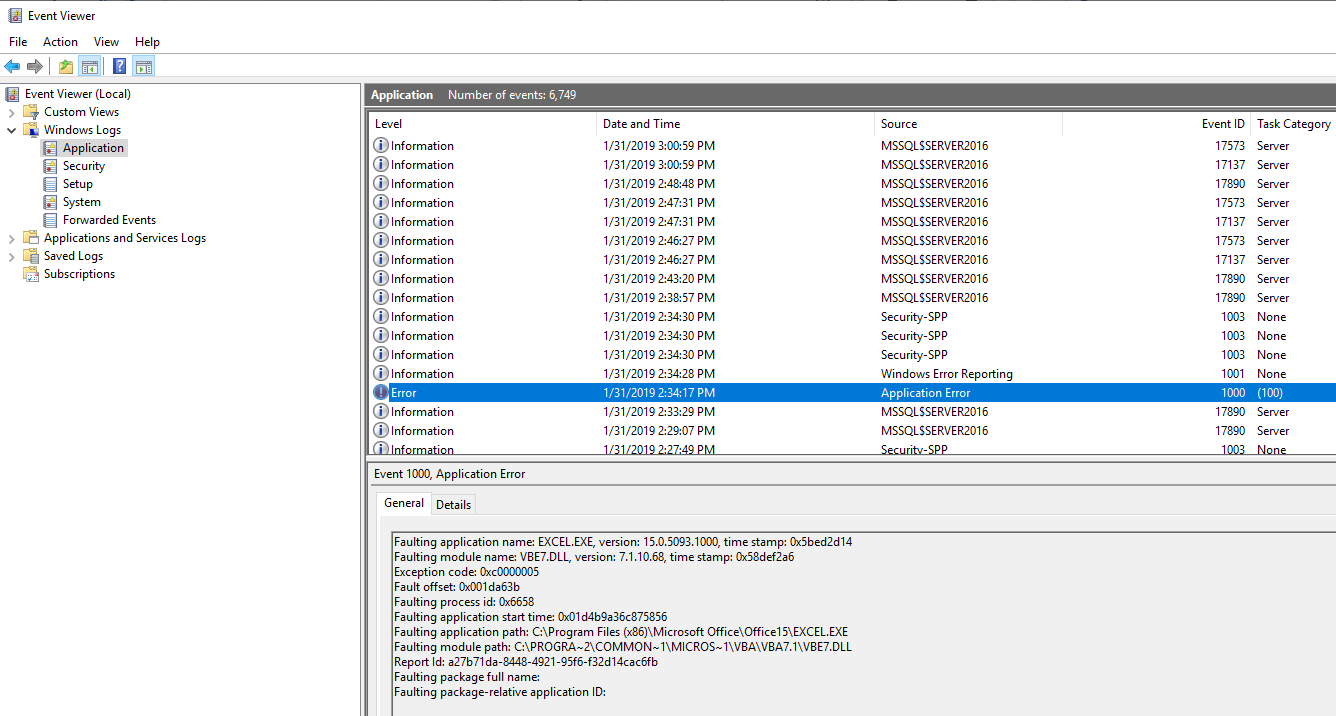
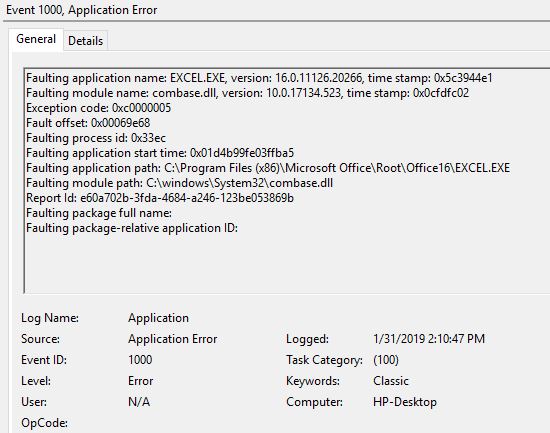
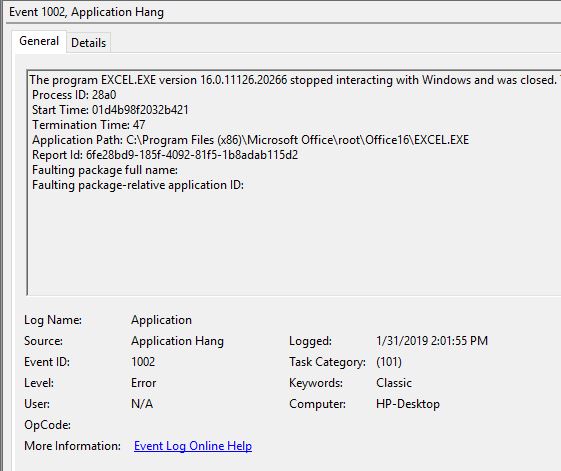
I'm also concerned about the crash on exit. Did you save a copy of the Rubberduck log files (and if so, can you post it to the issue)? If not, would it be possible to find and post the Windows Error Reporting app-crash event from the Event Viewer?
For my own reference, linking this discussion from chat.
 comintern
on 31 Jan 2019
comintern
on 31 Jan 2019
Confirming: the VBE removes empty event handlers in UserForm modules, all by itself.
 retailcoder
on 31 Jan 2019
retailcoder
on 31 Jan 2019
I had never seen the VBE delete empty event handlers before! Is that something that was implemented after Office 2010? I just upgraded to 2016.
There was no code in the event handlers.
Where do I find the RD and Windows log files?
SmileyFtW
on 31 Jan 2019
The RD log would be in %APPDATA%\Rubberduck\Logs.
For the event logs, open Event Viewer (just search it in the start dialog), then expand out Windows Logs and click on Application. It might take a second or two to load, but you'll see a ton of events on the top right. Scan through them for ones with a level of "Error" and a source of "Application Error" or similar. There shouldn't be too many of them. In the bottom pane you'll see the info I'm after (yes, I intentionally crashed it for the screenshot...):
comintern
on 31 Jan 2019
 SmileyFtW
on 31 Jan 2019
SmileyFtW
on 31 Jan 2019
retailcoder: "Confirming: the VBE removes empty event handlers in UserForm modules, all by itself."
Why in the world would the VBE remove code stubs while I am working in the VBE?!?!? That is a goofy thing to do. The code pane was open and all I did was refresh the RD CE... that should not happen IMNSHO. I can see it if a user set their environment up to to do that, but to do it without user consent is awful!
SmileyFtW
on 31 Jan 2019
@SmileyFtW I wholeheartedly agree, but... :man_shrugging: ...VBE does have its quirks. Note that empty stubs don't get removed if there's anything in them, including a 'todo comment.
retailcoder
on 31 Jan 2019
Please let me give a bit of background regarding this issue.
Refreshing the CE causes RD to reparse the project in order to pick up any changes. Before this happens, compilation of the project is triggered by default, because RD usually cannot provide useful services for projects that do not compile. (You should be able to deactivate the compilation before parse in the Rubberduck settings.) It is on the compilation that the VBE removes all empty event handler stubs. What it basically does is compile (and optimize) the code and then present to you what code it thinks the compiled code originated from. Since it optimized away the empty event handlers, it no longer thinks they ever existed. (I guess you have seen similar but not so impactful situations where the VBE _prettifies_ your code.)
So, if you want to avoid this problem on refresh, please deactivate the safety feature of compilation before parsing.
 MDoerner
on 31 Jan 2019
MDoerner
on 31 Jan 2019
I will simply put in a 'todo placeholder; I mean, I do have something to do there...
Thanks for clarifying!
SmileyFtW
on 31 Jan 2019
As a vagary of VBE, it is not something that RD can (or should attempt to) do anything about.
SmileyFtW
on 20 Mar 2019
Related issues
 connerk
·
3Comments
connerk
·
3Comments
 susnick
·
3Comments
retailcoder
·
3Comments
susnick
·
3Comments
retailcoder
·
3Comments
 Inarion
·
3Comments
Inarion
·
3Comments
 Gener4tor
·
3Comments
Gener4tor
·
3Comments
Most helpful comment
I will simply put in a 'todo placeholder; I mean, I do have something to do there... rather than deactivate "safety" features...
Thanks for clarifying!