Rtl8812au: v5.3.4 build not working on Ubuntu 18.04 kernel 4.15.0-36
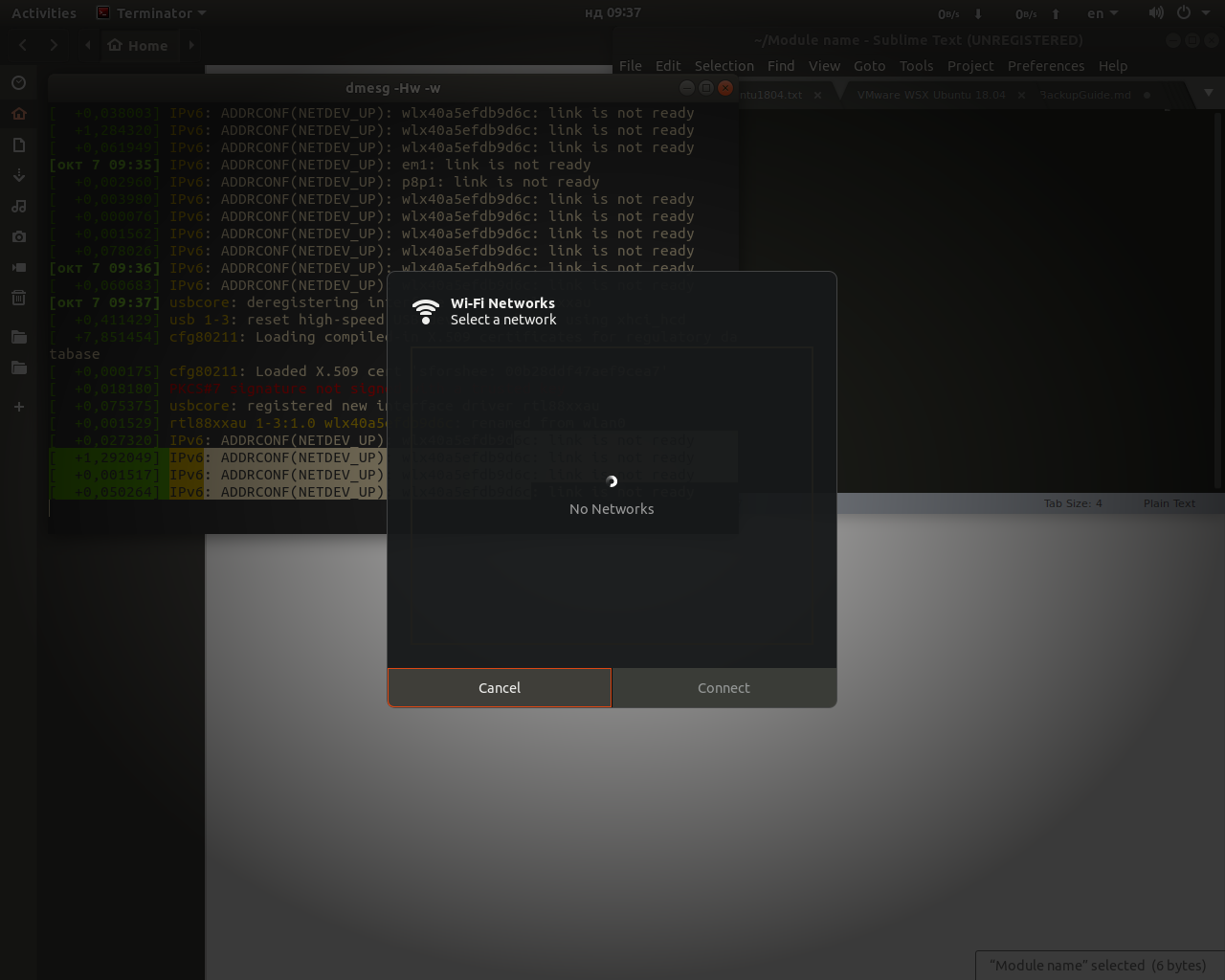
When built with both RTL8812A=y, RTL8821A=y and RTL8814A=y options the driver is loaded but I can't see any networks. Restarting Network manager makes no difference:
Without the RTL8814A switch I'm getting this warning message on compilation:
WARNING: "mpt_ProSetPMacTx" [/var/lib/dkms/rtl8812au/5.3.4/build/8812au.ko] undefined!
make.log
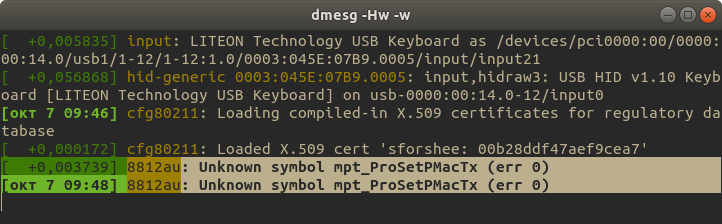
Dmesg errors after loading the module(compiled with RTL8814A=n):
I'm using a Comfast CF-915AC adapter with RTL8811AU chipset.
 etem
etem
All 8 comments
The error should now be fixed. Try again
 kimocoder
on 7 Oct 2018
kimocoder
on 7 Oct 2018
I will try the 8811 as soon as I have some free time, I thin I have the chipset at hand
 fariouche
on 8 Oct 2018
fariouche
on 8 Oct 2018
ok, got it working by removing 8814 and 8812 support. (in fact it the 8812 that interfere with the 8821 code)
Most likely a conflicting flag somewhere. This may take time to find the exact flag, but hopefully not hard to fix
fariouche
on 8 Oct 2018
found it, again, a bug in the original realtek driver code.
It is a easy fix. (wrong firmware loaded - lol -)
I will cleanup tomorrow and push the fix
fariouche
on 8 Oct 2018
@fariouche what would be the correct way for compiling the driver for the 8811 chip? Should I only turn on the CONFIG_RTL8821A = y switch in the Makefile?
etem
on 9 Oct 2018
it should now work out of the box. It is fixed and pushed a few minutes ago in branch 5.3.4
fariouche
on 9 Oct 2018
This issue has been resolved.
Use "git pull" to update, compile and build again (make && make install)
Then reload it with "modprobe -r 88Xxau" and "modprobe 88XXau" or simpelt by rebooting.
Closing
kimocoder
on 10 Oct 2018
I will have the chance to test this after a week. Thank you very much!
etem
on 10 Oct 2018
Related issues
 victorhooi
·
5Comments
victorhooi
·
5Comments
 satmandu
·
18Comments
satmandu
·
18Comments
 yshui
·
15Comments
yshui
·
15Comments
 eliterunics
·
10Comments
eliterunics
·
10Comments
 oldstanda
·
5Comments
oldstanda
·
5Comments
Most helpful comment
ok, got it working by removing 8814 and 8812 support. (in fact it the 8812 that interfere with the 8821 code)
Most likely a conflicting flag somewhere. This may take time to find the exact flag, but hopefully not hard to fix