Hi,
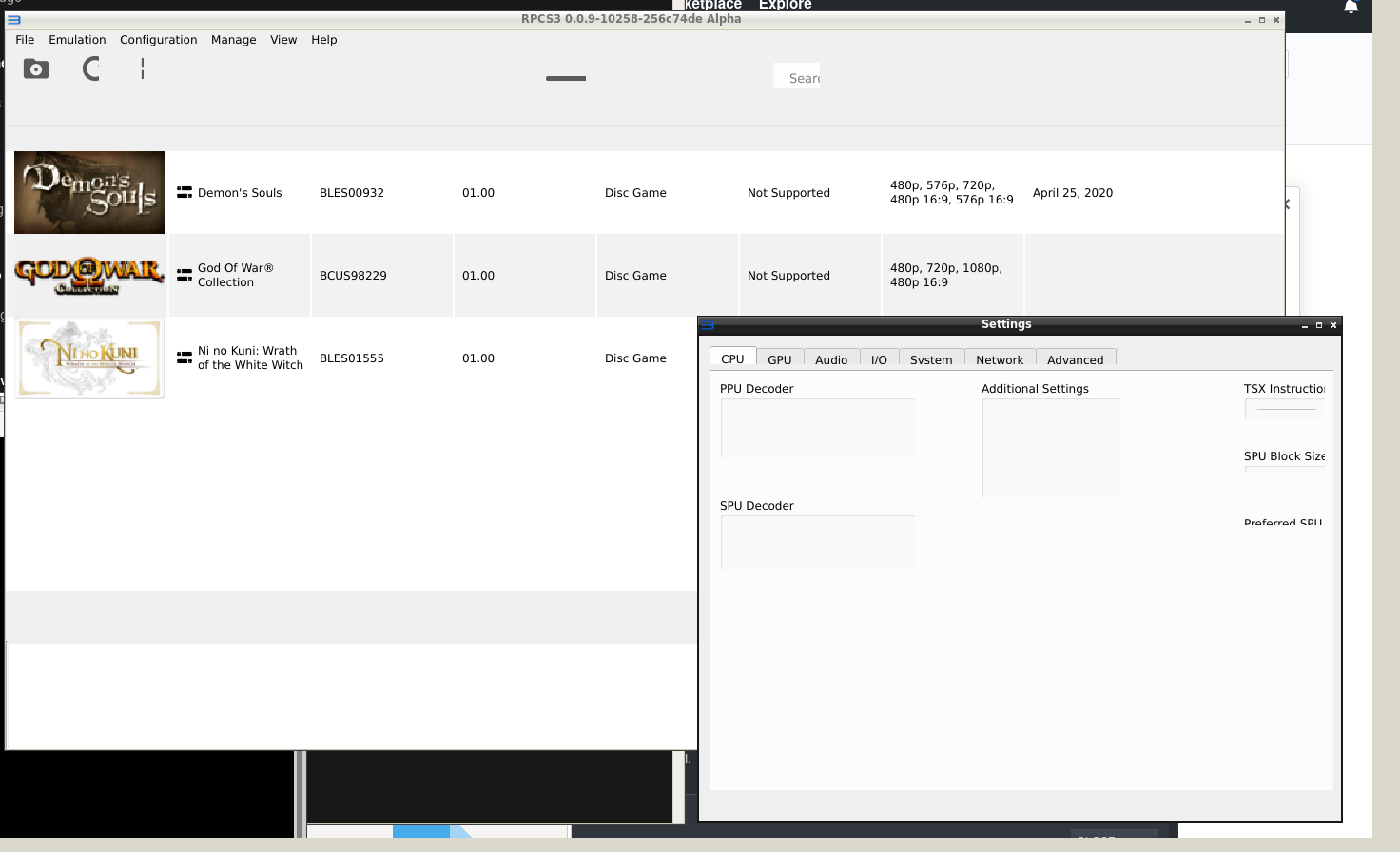
I've not used RPCS3 in about a year and it turns out the UI in most recent builds is like the following...
I've spent a bit of time tracking down the last build that where the UI was drawn to screen correctly which is build "rpcs3-v0.0.8-9546-76271800_linux64.AppImage" as you can see below...
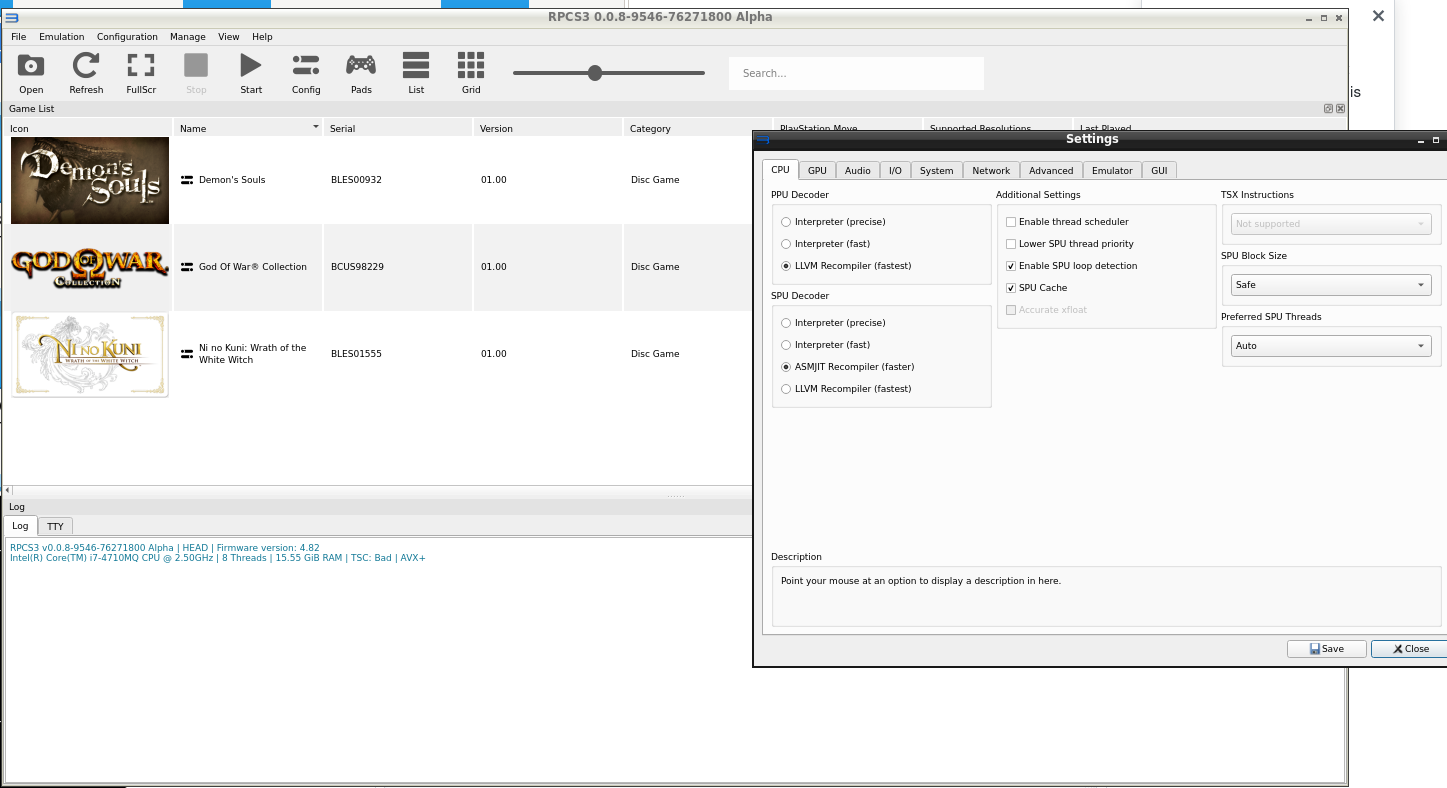
I'm not aware of any debug commands I can run to make RPCS3 output logging info outside of a game but, I can confirm that the AppImage does not output any error to console when executed from the command line
The desktop is just a standard X-server using openbox as the window manager. Here some info about my pc...
Processor Information:
CPU Brand: Intel(R) Core(TM) i7-4710MQ CPU @ 2.50GHz
Speed: 3700 Mhz
8 logical processors
4 physical processors
Operating System Version:
"Manjaro Linux" (64 bit)
Kernel Name: Linux
Kernel Version: 5.4.34-1-MANJARO
X Server Vendor: The X.Org Foundation
X Server Release: 12008000
X Window Manager: Openbox
Video Card:
Driver: NVIDIA Corporation GeForce GTX 870M/PCIe/SSE2
Driver Version: 4.6.0 NVIDIA 430.64
Primary VRAM: 6144 MB
Here's a link to more comprehensive details about my hardware...
https://gist.github.com/Niroc/ab1f133f7e79e9e0d7932670b5f6cdc5
 Niroc
Niroc
All 10 comments
Also, I can still run games perfectly fine on the newest builds. I just can't configure anything.
Niroc
on 25 Apr 2020
For the record, I use Manjaro and I'm not getting any of these issues, regardless of using AppImage or local build
The build you report as breaking this is #7460
 AniLeo
on 25 Apr 2020
AniLeo
on 25 Apr 2020
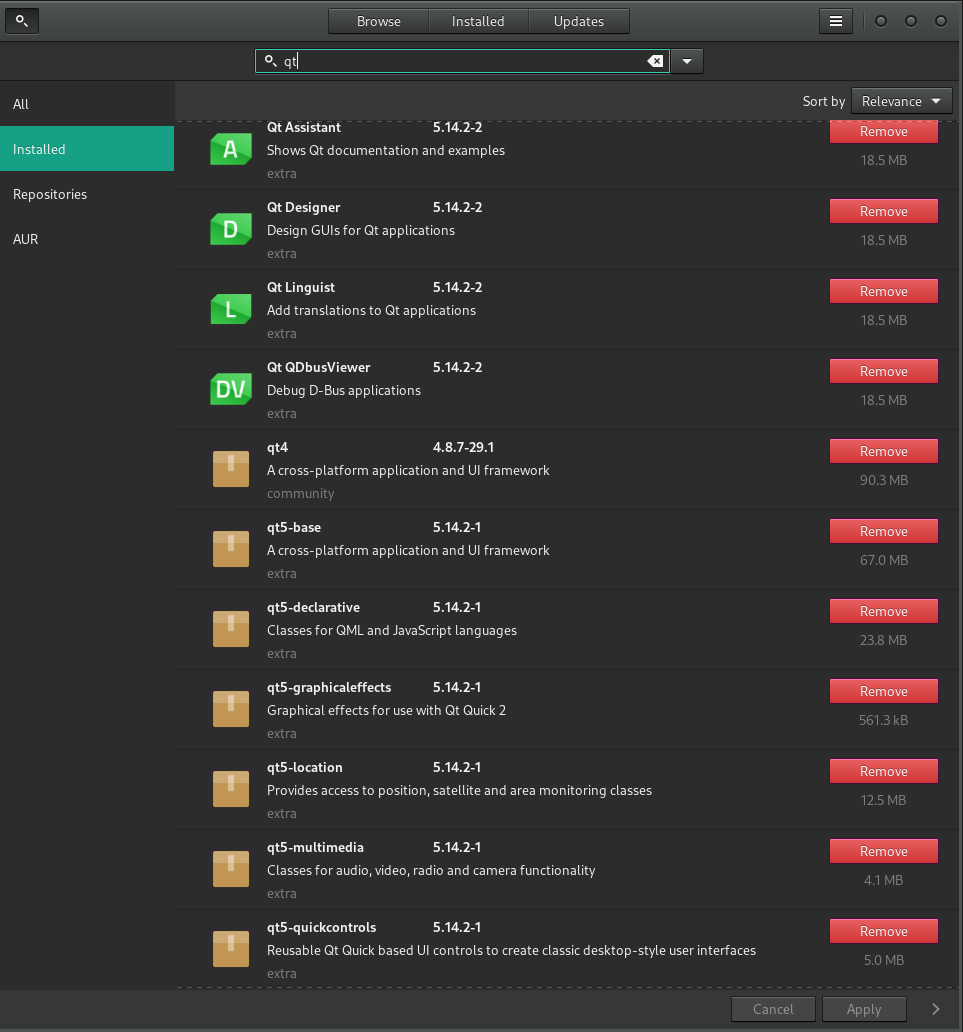
ok, well I am running qt 5.14.2
Niroc
on 25 Apr 2020
My best guess is that this is yet another variation of #8052
 Megamouse
on 25 Apr 2020
Megamouse
on 25 Apr 2020
It happens to me too, but only if I run the app as root. Otherwise it runs normally.
 bustatu
on 26 Apr 2020
bustatu
on 26 Apr 2020
Why would you run it as root?
Megamouse
on 30 Apr 2020
idk, I just told you when that happens to me. I don't usually run it as root but I did it once by mistake and the GUI got corrupted
bustatu
on 30 Apr 2020
The export command worked, Thanks.
Also, it definitely wasn't running as root as, it never asked me for a password.
Niroc
on 5 May 2020
similar issue here on arch linux i3wm. not exactly like your screenshot (even worse in my case: menu text totally unreadable), setting QT_AUTO_SCALE_FACTOR=0 as suggested in #8052 fixed it for me.
 christianhassler
on 31 May 2020
christianhassler
on 31 May 2020
@Niroc can you please test PR #8649 ?
You should not need the export with the PR.
Megamouse
on 29 Jul 2020
Related issues
AniLeo
·
3Comments
 Asinin3
·
3Comments
Asinin3
·
3Comments
 xiangzhai
·
3Comments
xiangzhai
·
3Comments
 Luffykun007
·
3Comments
Luffykun007
·
3Comments
 elad335
·
3Comments
elad335
·
3Comments
Most helpful comment
Why would you run it as root?