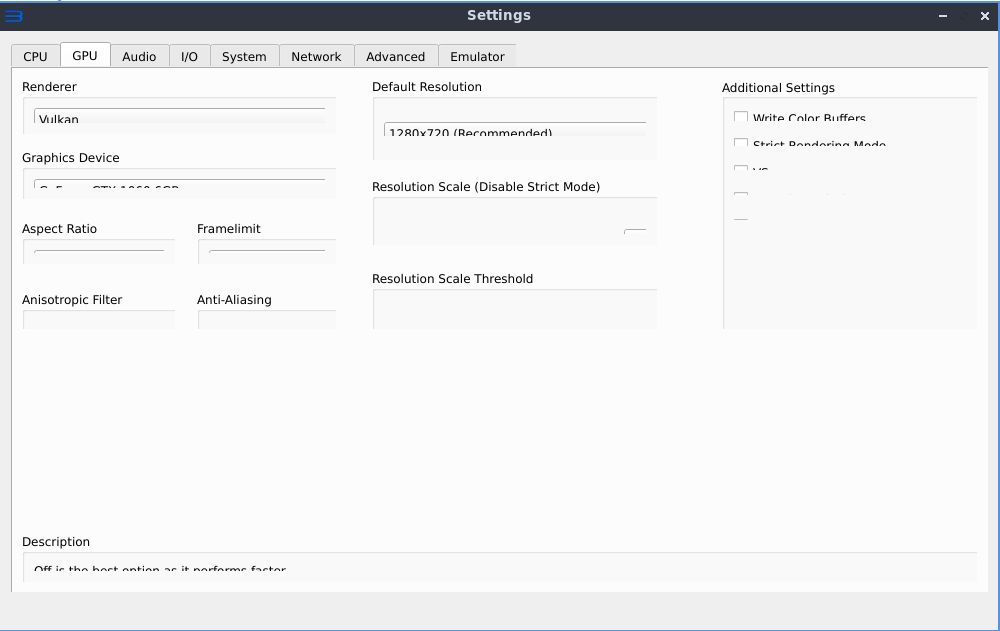
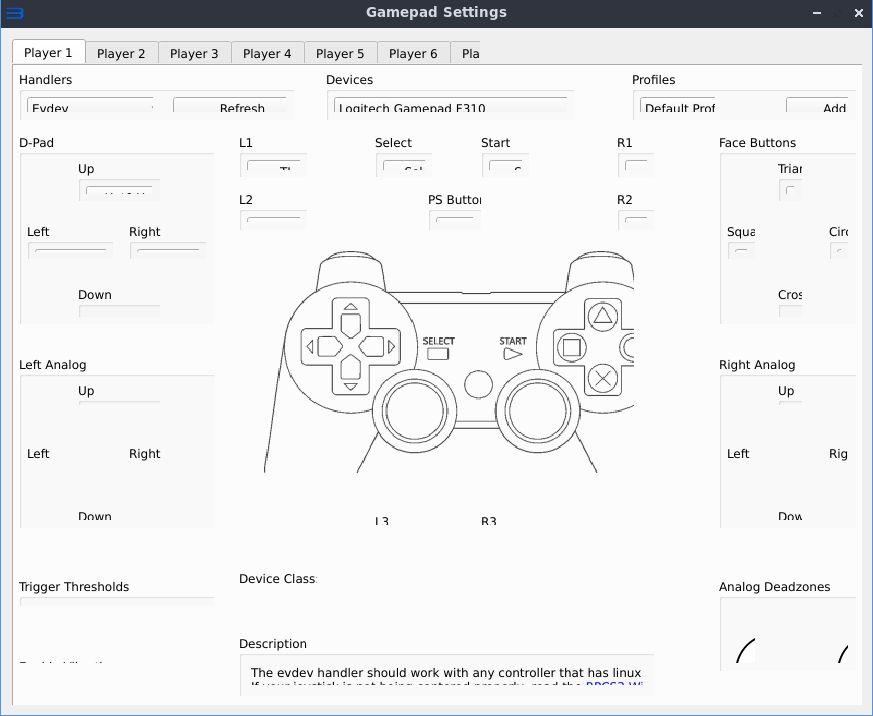
Ever since 0.0.8-9549 the UI does not display correctly on my machine. Text and icons are cutoff in the menus. I'm running Lubuntu 19.10. RPCS3 0.0.8-9546 and earlier work fine.


Linux
 gamrXerus
👍3
All 6 comments
Referencing the offending PR: #7459. Probably some Qt thing.
 dio-gh
on 14 Mar 2020
dio-gh
on 14 Mar 2020
I'd like to know display backend (Wayland, X11), display resolution and whatever scaling setting LXDE has, graphics card and graphics drivers please.
 hcorion
on 16 Mar 2020
hcorion
on 16 Mar 2020
Having the same issue on GNOME 3.34.4 (X11, 1920x1080, RX560, amdgpu-pro)
 jannuary
on 16 Mar 2020
jannuary
on 16 Mar 2020
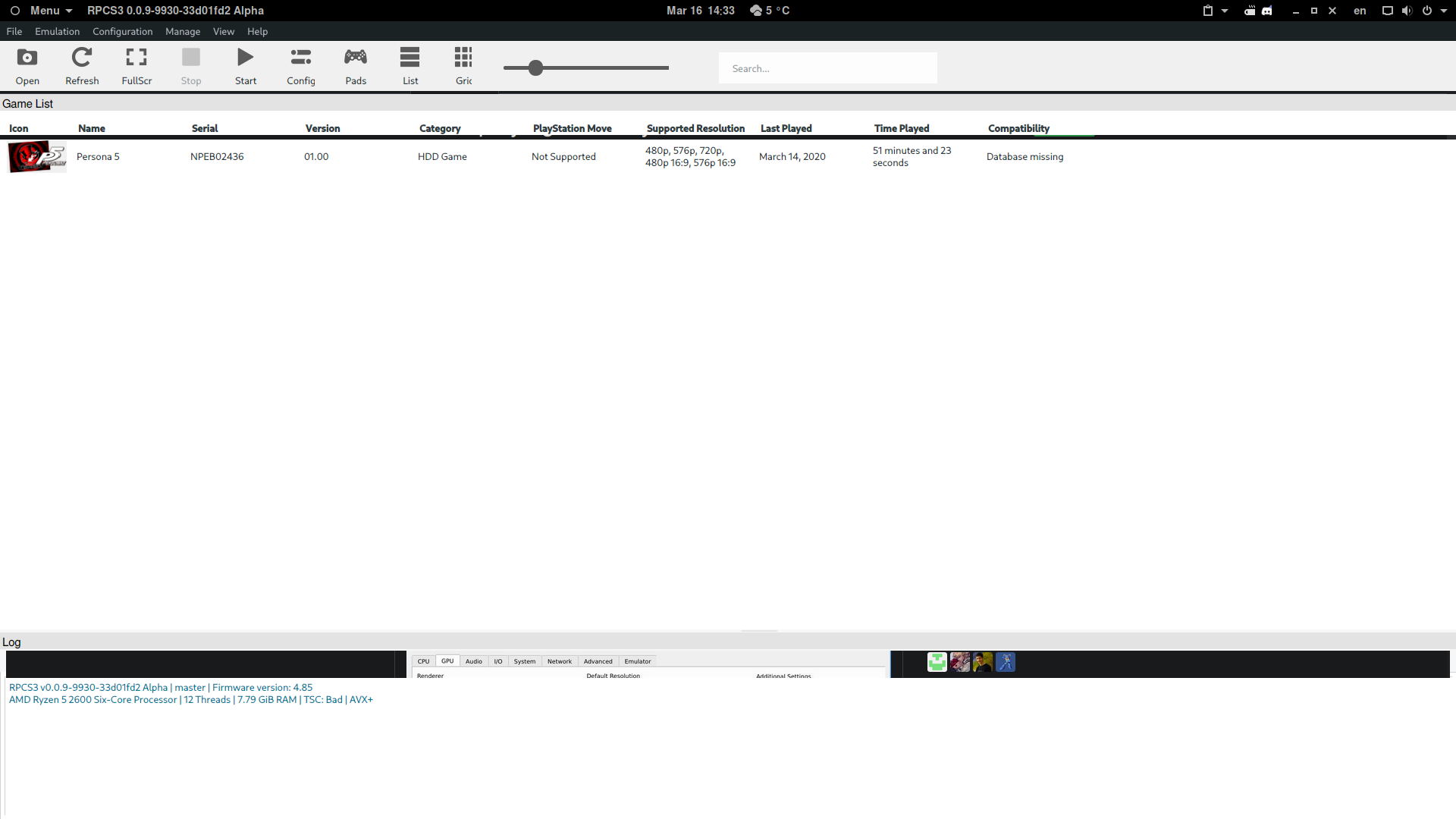
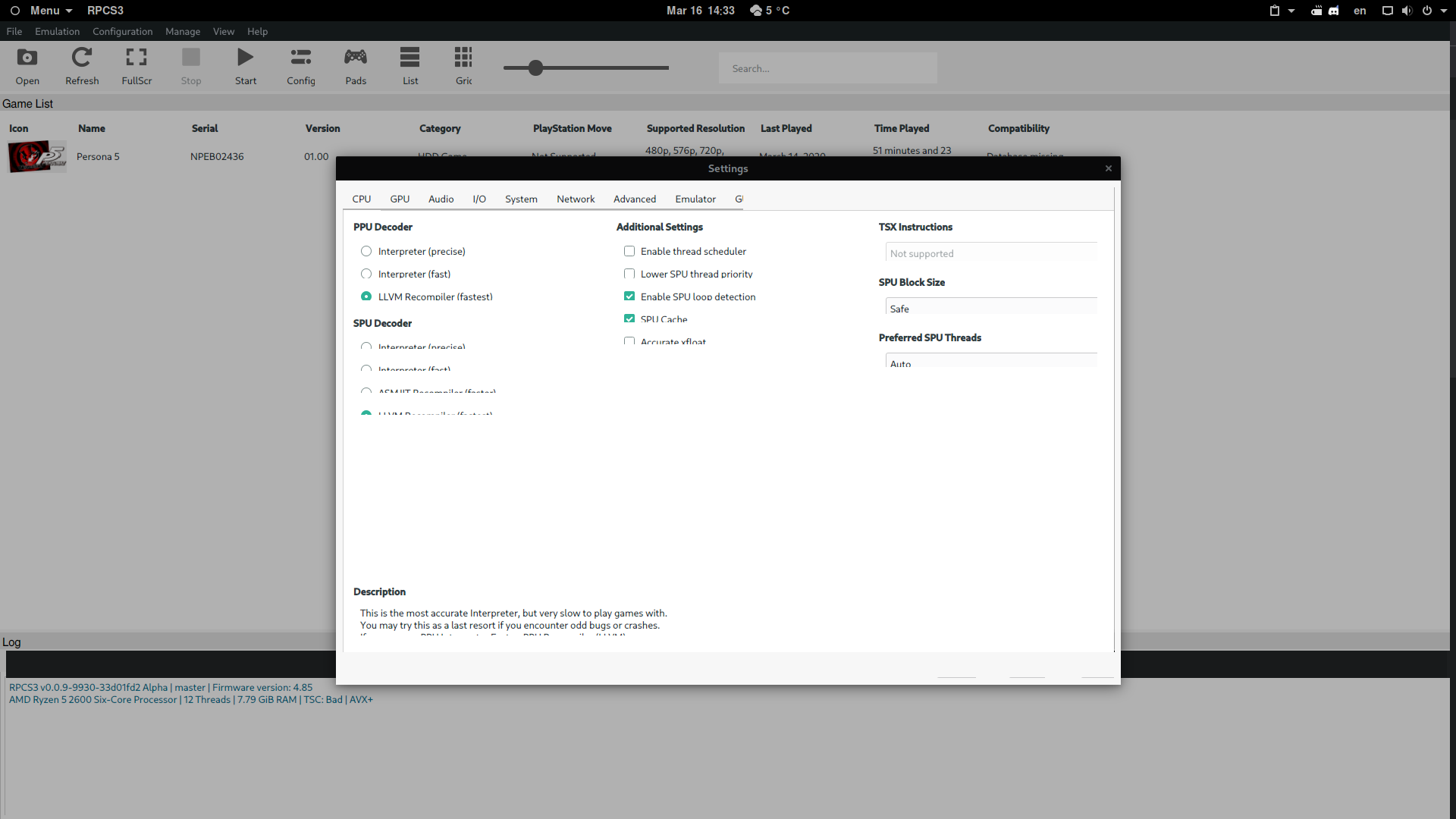
- Display backend: X11
- Resolution: 3840x2160
- I didn't set any scaling setting for LXQT. I dont see any option for it in Configuration Center
- GPU: NVIDIA GTX1060
- Driver: 440.64
gamrXerus
on 16 Mar 2020
I had this issue with Lubuntu 19.10, X11 backend.
The solution was to change the QT scaling environment variable.
export QT_AUTO_SCREEN_SCALE_FACTOR=0
 qurious-pixel
on 16 Mar 2020
qurious-pixel
on 16 Mar 2020
👍5
🎉3
🚀2
I added the command to my ".profile" file in the home directory and rebooted. I can confirm that it works properly now. :)
gamrXerus
on 16 Mar 2020
Was this page helpful?
0 / 5 - 0 ratings
Related issues
 altiereslima
·
3Comments
altiereslima
·
3Comments
 XeClutch
·
3Comments
XeClutch
·
3Comments
 AniLeo
·
3Comments
AniLeo
·
3Comments
 uaqlover
·
3Comments
uaqlover
·
3Comments
 JohnGodgames
·
3Comments
JohnGodgames
·
3Comments
Most helpful comment
I had this issue with Lubuntu 19.10, X11 backend.
The solution was to change the QT scaling environment variable.
export QT_AUTO_SCREEN_SCALE_FACTOR=0