Rpcs3: Broken colors with AA Enabled on NVIDIA Kepler
Some users reported broken colors with AA Enabled on Skate 3, and that disabling AA fixes the issue
- GTX 760
- GTX 670
- GT 640
RSX Capture: https://drive.google.com/file/d/1umE-qLgY3RJ8t056fPejGmbsoV30eQQY/view (GT 640)
RSX Capture renders with correct colors for me on R9 280X

 AniLeo
All 26 comments
This also affects my GTX 760.
 ghost
on 17 Jun 2019
ghost
on 17 Jun 2019
I have a theory as to why this is happening, I'll push some commits for it soon.
 kd-11
on 3 Jul 2019
kd-11
on 3 Jul 2019
Same here, GTX 770.
Thanks!
 Cereal-Killa
on 12 Jul 2019
Cereal-Killa
on 12 Jul 2019
This happens with Tomb Raider Trilogy [BLES01195] too, but only with Vulkan.

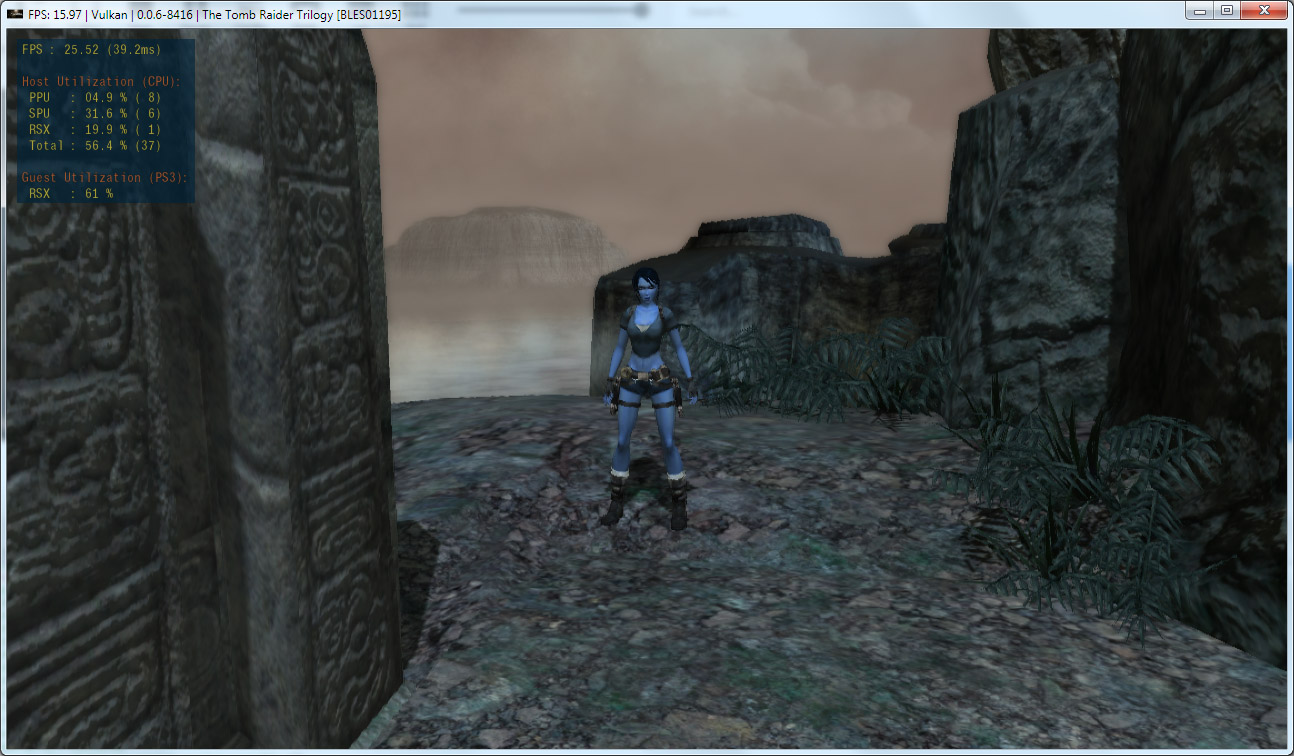
v0.0.6-8416 Alpha [2019-07-25]
[RPCS3.log.gz](https://github.com/RPCS3/rpcs3/files/3434280/RPCS3.log.gz)
 NovaPrima
on 27 Jul 2019
NovaPrima
on 27 Jul 2019
Same issue with Catherine:

GTX 760m
 leopard20
on 19 Aug 2019
leopard20
on 19 Aug 2019
Happens with The Sly Collection (BCUS98246): https://www.youtube.com/watch?v=UPF7JkgBix0
Disabling anti-aliasing does fix it, or switching to OpenGL. There's more info in my previous issue linked above.
 PaulBGD
on 7 Sep 2019
PaulBGD
on 7 Sep 2019
Still reported to be happening
AniLeo
on 15 Oct 2019
@PaulBGD @leopard20 @NovaPrima @Cereal-Killa test with
https://ci.appveyor.com/api/buildjobs/lko1t51vi2rmibel/artifacts/rpcs3-v0.0.7-8894-89f582dd_win64.7z
AniLeo
on 15 Oct 2019
@PaulBGD @leopard20 @NovaPrima @Cereal-Killa test with
https://ci.appveyor.com/api/buildjobs/lko1t51vi2rmibel/artifacts/rpcs3-v0.0.7-8894-89f582dd_win64.7z
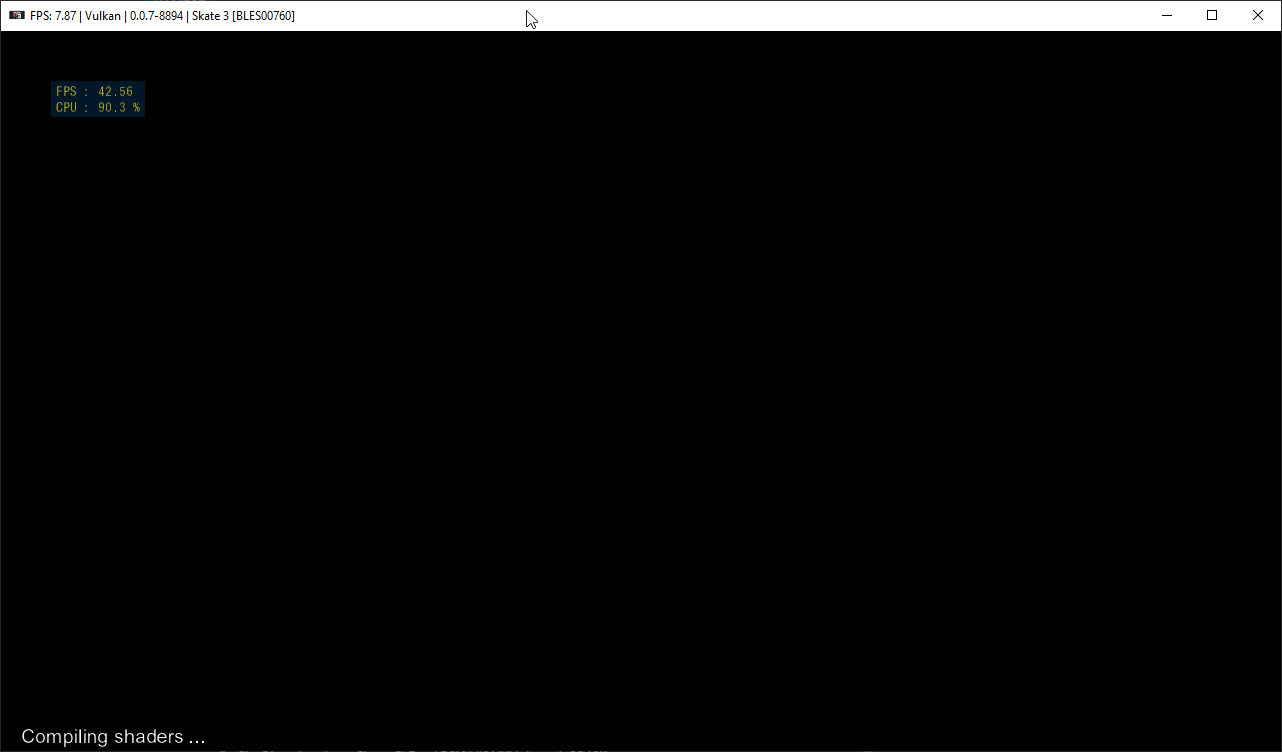
This build seems to freeze on my PC:
E {RSX [0x000bcb0]} RSX:
F {RSX [0x000bcb0]} RSX: class std::runtime_error thrown: Failed to compile compute shader
(in file C:\projects\rpcs3\rpcs3\Emu\RSX\VK\VKHelpers.h:3210)
I cleared all caches and retried, same exception gets thrown.

Cereal-Killa
on 15 Oct 2019
please always provide full log instead of a screenshot
 13xforever
on 15 Oct 2019
13xforever
on 15 Oct 2019
please always provide full log instead of a screenshot
Absolutely.
RPCS3.log.gz
Cereal-Killa
on 15 Oct 2019
New build compiling here https://ci.appveyor.com/project/kd-11/rpcs3/builds/28132087
kd-11
on 15 Oct 2019
New build compiling here https://ci.appveyor.com/project/kd-11/rpcs3/builds/28132087
Thank you.
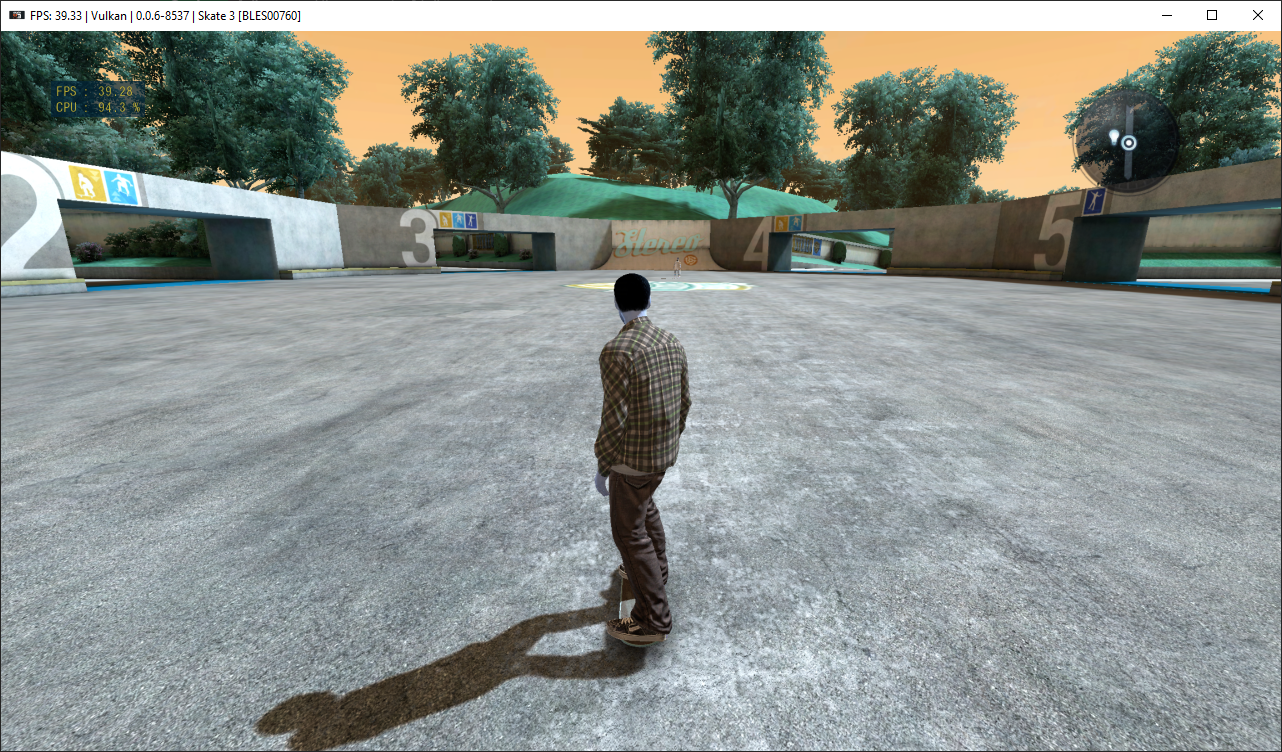
First time I ran it the emulator terminated by itself, then I ran it again and this is how it rendered:
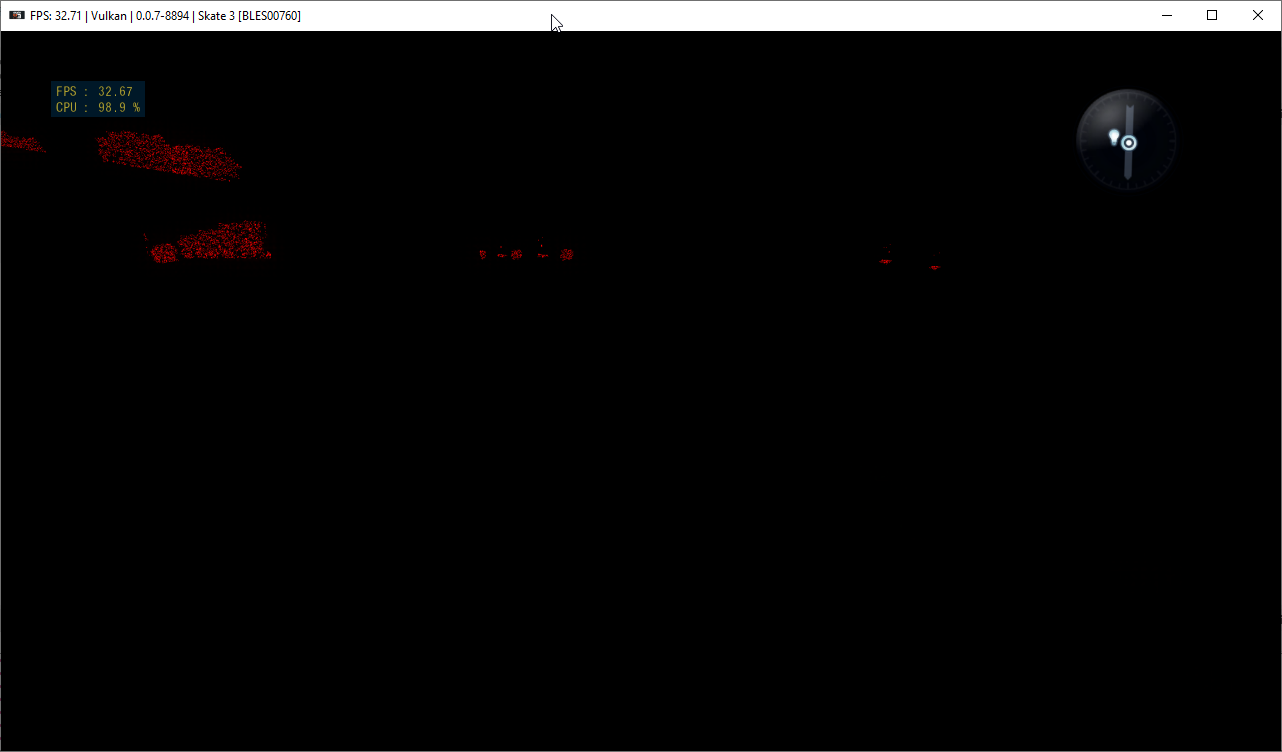
The "stable" branch renders like this for comparison:
Cereal-Killa
on 15 Oct 2019
Log: RPCS3.zip
Cereal-Killa
on 15 Oct 2019
It appears format conversion on these old cards is taken literally (which is completely wrong) and means a workaround is required in the shader.
kd-11
on 15 Oct 2019
This build works around this problem. Unfortunately, this also means I will need to gather chip IDs for maxwell and kepler cards since right now it is applied to all unknown nvidia cards and I have only registered pascal and up. I'll try and gather the required device IDs in the next day or two, since that will have to be merged before the workaround to avoid breaking things for everyone else.
kd-11
on 15 Oct 2019
This build works around this problem. Unfortunately, this also means I will need to gather chip IDs for maxwell and kepler cards since right now it is applied to all unknown nvidia cards and I have only registered pascal and up. I'll try and gather the required device IDs in the next day or two, since that will have to be merged before the workaround to avoid breaking things for everyone else.
I appreciate your hard work.
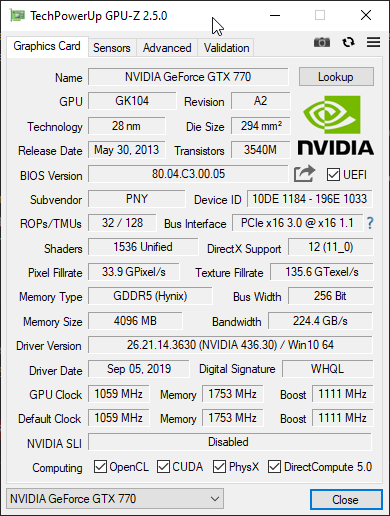
10DE 1184 - 196E 1033
Cereal-Killa
on 16 Oct 2019
Check if it is fixed by https://github.com/RPCS3/rpcs3/pull/6780
kd-11
on 16 Oct 2019
Check if it is fixed by #6780
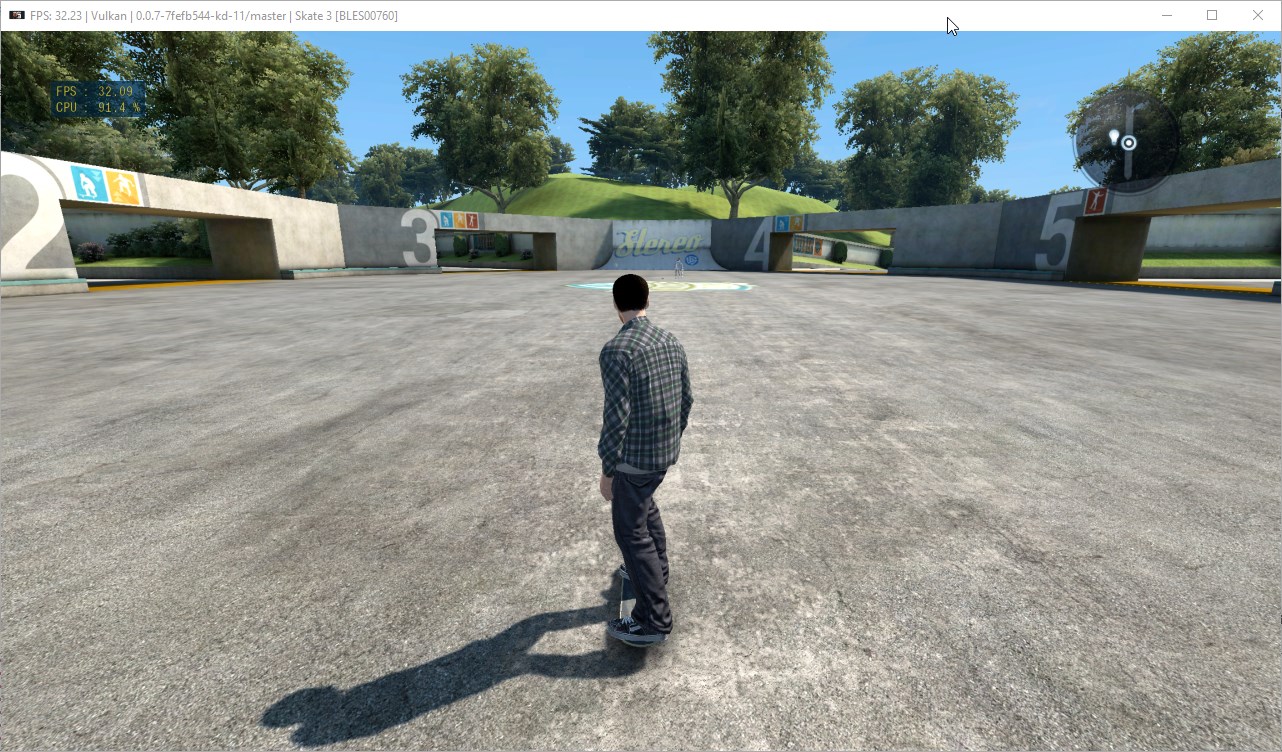
worked like a charm 😍
thank you!!
Cereal-Killa
on 16 Oct 2019
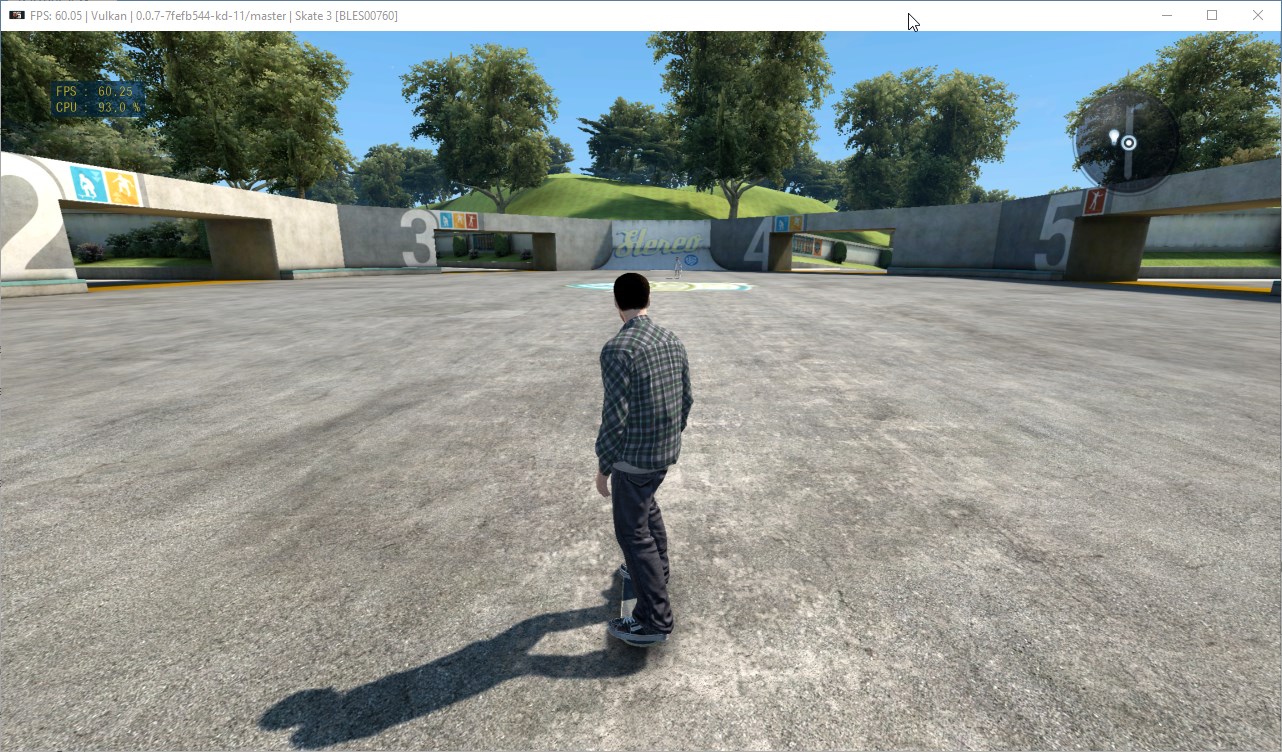
FYI, I get twice the FPS without AA.
Cereal-Killa
on 16 Oct 2019
Thats a bit of an unfair comparison since MSAA is technically smart upscaling. Makes more sense to compare MSAA vs something like 200% scaling. Even then, due to some features missing from NVIDIA cards, they can perform very poorly at times.
kd-11
on 16 Oct 2019
Closing as fixed.
kd-11
on 16 Oct 2019
Thats a bit of an unfair comparison since MSAA is technically smart upscaling. Makes more sense to compare MSAA vs something like 200% scaling. Even then, due to some features missing from NVIDIA cards, they can perform very poorly at times.
No problem man, just wanted to point that out in case it was something not expected, graphics look more or less the same even without AA considering the resolution.
Thank you
Cereal-Killa
on 16 Oct 2019
There have been a few developments over the past 24h that tangentially relate to this ticket. Please check if MSAA still works ok on rpcs3's latest master (wait about an hour for it to build). Alternatively, just test with the build from https://github.com/RPCS3/rpcs3/pull/6930
kd-11
on 1 Nov 2019
There have been a few developments over the past 24h that tangentially relate to this ticket. Please check if MSAA still works ok on rpcs3's latest master (wait about an hour for it to build). Alternatively, just test with the build from #6930
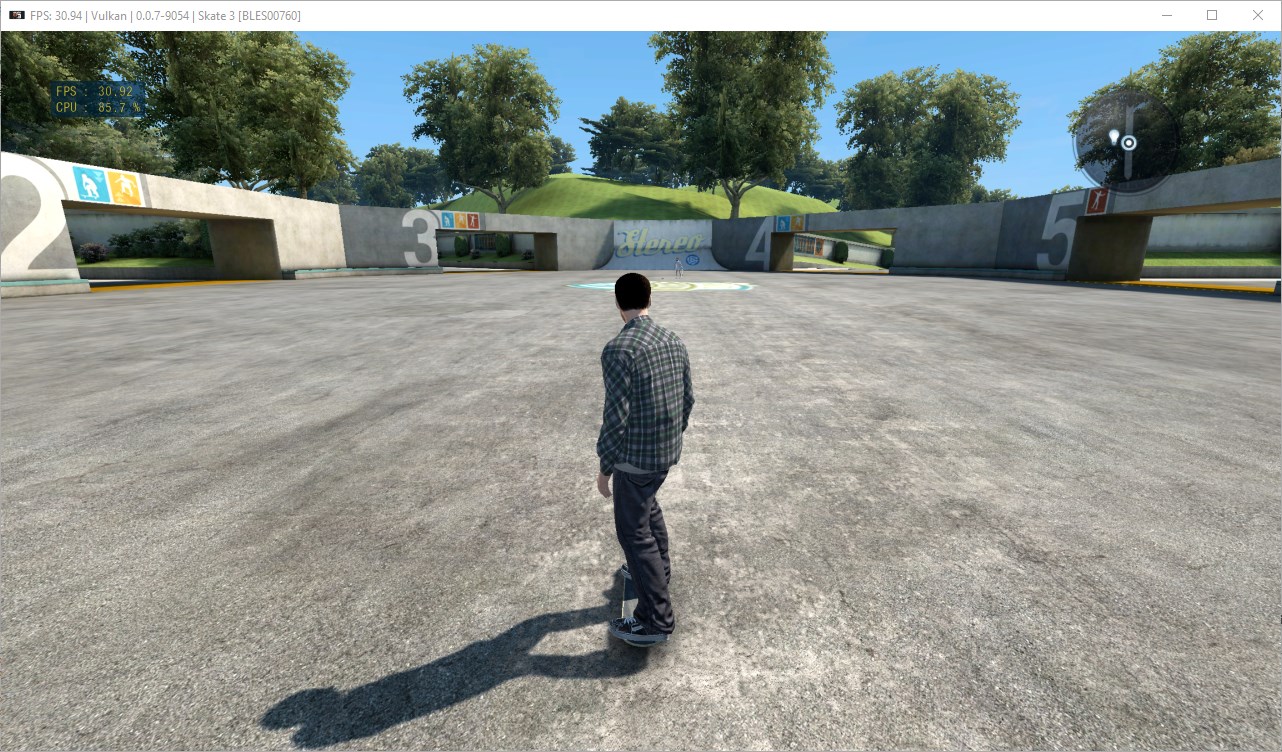
The game ran incredibly well with AA set to Auto on this build, it's butter smooth really, only thing I noticed is that after reaching the game main menu the console will start throwing an endless exception, but the game is still playable, it didn't seem to affect anything:
SPU[0x2000003] Thread (job Manager - Job Thread) Please report to the devloper (0x059e8).
Cereal-Killa
on 1 Nov 2019
Sorry for posting on this old issue but that's the first one that came up when doing a search on github issues, I know intel isn't technically supported but the same problem happens with my igpu (intel uhd 630), disabling aliasing fix it.
 Drayano
on 29 Dec 2019
Drayano
on 29 Dec 2019
Related issues
 uaqlover
·
3Comments
uaqlover
·
3Comments
 LokiGrants
·
3Comments
LokiGrants
·
3Comments
 Birch-san
·
3Comments
Birch-san
·
3Comments
 Xcedf
·
3Comments
AniLeo
·
3Comments
Xcedf
·
3Comments
AniLeo
·
3Comments