Rpcs3: Nier name input is broken after #5465
After implementing OSK syscalls in #5465 Nier now refuses any name input data when starting a new game.
 13xforever
All 29 comments
Hey! I have this problem to!
I have download and use several versions, but i cant input name.
Nor in japanese, not in english. I copied words from google/translation , but it doesnt work.
Only saves from other players.
 lowsisad
on 4 Jan 2019
lowsisad
on 4 Jan 2019
i have the same problem ,i tried with nier gestalt and replicant both of them have the same problem.
Anyone have a savefiles just in the begining of the game?
 nuxastas
on 4 Jan 2019
nuxastas
on 4 Jan 2019
Test with #5497
 MSuih
on 4 Jan 2019
MSuih
on 4 Jan 2019
Test with #5497
Could you say, now to download this branch?
lowsisad
on 4 Jan 2019
If you are on windows:
- Open the commits tab on the pull request.
- Click the bottommost green check mark (✅ symbol).
- Click on Details link for appveyor.
- Open artifacts tab in appveyor and download the largest file.
MSuih
on 4 Jan 2019
I confirm #5497 fixes it!
 Kaeril
on 5 Jan 2019
Kaeril
on 5 Jan 2019
No, it doesnt work.
I have put random simbols from this https://www.lexilogos.com/keyboard/hiragana.htm and i had invalid name again.
lowsisad
on 5 Jan 2019
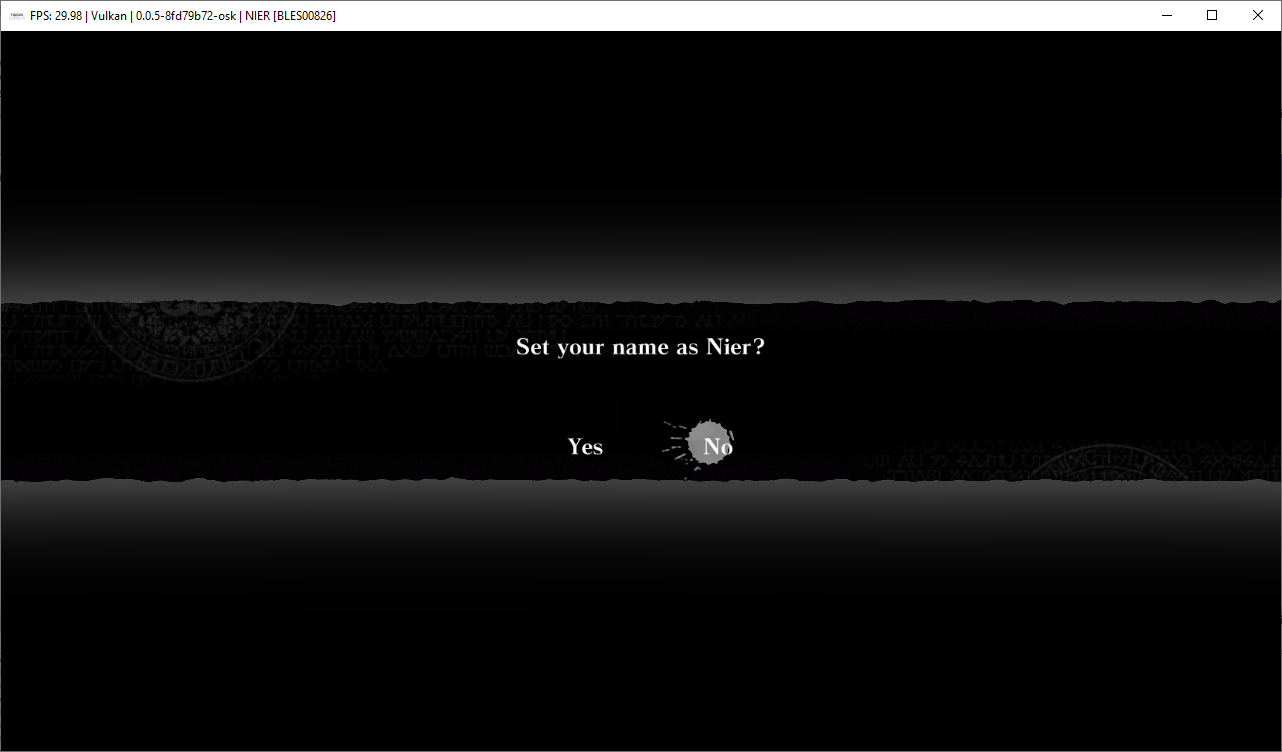
I'm sorry to insist, but that build made it work fine here. I tested this from a fresh install, wiped out the rpcs3 folder just to make sure. I'm not too familiar with rpcs3 yet, but did you try recompiling the PPU modules?
Kaeril
on 5 Jan 2019
I'm sorry to insist, but that build made it work fine here. I tested this from a fresh install, wiped out the rpcs3 folder just to make sure. I'm not too familiar with rpcs3 yet, but did you try recompiling the PPU modules?
Could you give me a link on your copie of the game? Where had you have to download it?
Maybe it is a source of problems.
lowsisad
on 5 Jan 2019
 RainbowCookie32
on 5 Jan 2019
RainbowCookie32
on 5 Jan 2019
@lowsisad https://store.playstation.com/en-us/product/UP0082-BLUS30481_00-NIER000000000000
Are you have bought Nier at the shop and after are playing on PC?
lowsisad
on 5 Jan 2019
Then dont use hiragana :/
 Megamouse
on 5 Jan 2019
Megamouse
on 5 Jan 2019
Then dont use hiragana :/
I tried english. Nothing.
I'm not sure: this emulator can works with pirates copies?
lowsisad
on 5 Jan 2019
Then dont use hiragana :/
I tried english. Nothing.
I'm not sure: this emulator can works with pirates copies?
It can work, but we don't support piracy (as it's said on the quickstart guide and when you open the emulator the first time)
RainbowCookie32
on 5 Jan 2019
Then dont use hiragana :/
I tried english. Nothing.
I'm not sure: this emulator can works with pirates copies?It can work, but we don't support piracy (as it's said on the quickstart guide and when you open the emulator the first time)
I have other question: in this emulator have some virtual keyboard (like in consoles)for making input from gamepad? If have, how i can call it?
lowsisad
on 5 Jan 2019
Then dont use hiragana :/
I tried english. Nothing.
I'm not sure: this emulator can works with pirates copies?It can work, but we don't support piracy (as it's said on the quickstart guide and when you open the emulator the first time)
I have other question: in this emulator have some virtual keyboard (like in consoles)for making input from gamepad? If have, how i can call it?
Unrelated to this issue
RainbowCookie32
on 5 Jan 2019
Unrelated to this issue
I mean, mb it's my mistake, bc im trying to input name from the real keyboard.
http://prntscr.com/m3g5pk
lowsisad
on 5 Jan 2019
Unrelated to this issue
I mean, mb it's my mistake, bc im trying to input name from the real keyboard.
http://prntscr.com/m3g5pk
No, that prompt is for you to input from your keyboard, you are not doing it wrong
RainbowCookie32
on 5 Jan 2019
Mb i need to change something there or in another place?
http://prntscr.com/m3ggew
http://prntscr.com/m3ggos
Unrelated to this issue
I mean, mb it's my mistake, bc im trying to input name from the real keyboard.
http://prntscr.com/m3g5pkNo, that prompt is for you to input from your keyboard, you are not doing it wrong
And say, emulator dont save some conf in the system? Bc i havent delete old version of emulator.
lowsisad
on 5 Jan 2019
Mb i need to change something there or in another place?
http://prntscr.com/m3ggew
http://prntscr.com/m3ggosUnrelated to this issue
I mean, mb it's my mistake, bc im trying to input name from the real keyboard.
http://prntscr.com/m3g5pkNo, that prompt is for you to input from your keyboard, you are not doing it wrong
And say, emulator dont save some conf in the system? Bc i havent delete old version of emulator.
You are having problems that the other user is not having, you have a pirated copy. It sounds more like you pirated copy is probably broken
RainbowCookie32
on 5 Jan 2019
You are having problems that the other user is not having, you have a pirated copy. It sounds more like you pirated copy is probably broken

I have tried with 2 diffrent versions of Nier and with Demon's Souls. In Demon's Souls i haven't met this error.
Ok, i'll wait the answer of 13xforever . If he dont have error too, ill calm down.
Just say me one thing: if i want to install new version of emulator, i need to clean up something in Windows? %TEMP% or other folder?
UPD: yeah, i should to check it earlier. I have this error even in 7645. So, it's my, personal problem.
Thanks for the help and attention.
lowsisad
on 5 Jan 2019
Please dont post here if you have no idea what you are doing
Megamouse
on 5 Jan 2019
Please dont post here if you have no idea what you are doing
Please, don't be so rude. I know what i'm doing.
lowsisad
on 5 Jan 2019
No, you don't, you are spamming this while using pirated copies
 AniLeo
on 5 Jan 2019
AniLeo
on 5 Jan 2019
I've installed the #5497 build and while it now allows me to input a name, the game crashes immediately after doing so, without asking me to confirm if this was the name I wanted to use. I have practically no experience with RPCS3 whatsoever and frankly I only installed it to play Nier. The configurations for CPU, GPU etc. haven't been changed and are on their default settings still, so I'm wondering if I perhaps need to change any of those or if I'm having a different problem entirely.
 Retr0Fissi0n
on 6 Jan 2019
Retr0Fissi0n
on 6 Jan 2019
I struggled through the naming problem all day and managed to enter the name with build 7645 as mentioned in the initial post here. This is currently broken again, since native input has been implemented and there is no way to switch to japanese characters. This only concernes the japanese variety nier replicant of course.
 Cerv4ntez
on 2 Feb 2019
Cerv4ntez
on 2 Feb 2019
you would only have to disable the native ui. no need to use an old build.
As to using japanese characters... that's probably not gonna happen in a while
Megamouse
on 2 Feb 2019
i did not realize this could be changed in settings, sorry.
Cerv4ntez
on 3 Feb 2019
Those who had to input a japanese name (like me) will need to disable the native ui in Emulator settings by the end of the game, since you have to input your name again and there's no other way than pasting the text from somewhere else (ctrl+v and enter). I tried changing both the console and keyboard language to japanese, but the game ui still only displays latin characters (that didn't let you use in the first place).
 elemileTLDR
on 4 Sep 2019
elemileTLDR
on 4 Sep 2019
Related issues
AniLeo
·
3Comments
AniLeo
·
3Comments
 altiereslima
·
3Comments
altiereslima
·
3Comments
 Xcedf
·
3Comments
Xcedf
·
3Comments
 Emulator-Team-2
·
3Comments
Emulator-Team-2
·
3Comments