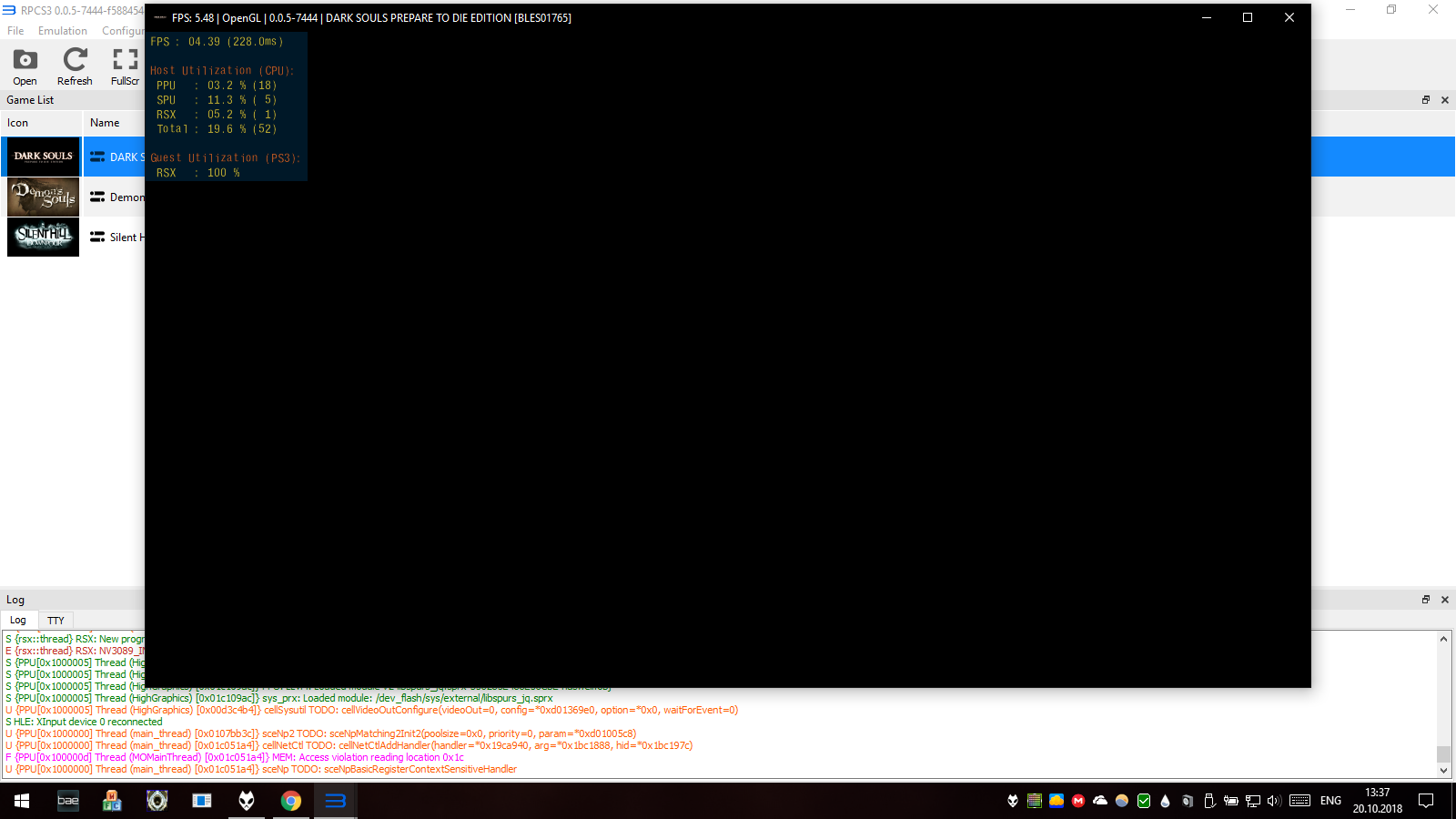
After #5244 Dark Souls: Prepare to die edition [BLES01765] went from ingame to loadable and crash with error
F {PPU[0x100000d] Thread (MOMainThread) [0x01c051a4]} MEM: Access violation reading location 0x1c
p.s. I have been advised to open separate issue.
 isshininu
All 9 comments
you should probably rename it to: "Regressions after #5244", because I bet there will be more
 Megamouse
on 20 Oct 2018
Megamouse
on 20 Oct 2018
As you wish 😁
isshininu
on 20 Oct 2018
hmmmmmmmmmmmmmmmmmmmmmmmmmmmmmmmmmmmmmmmmmmmmmmmmmm
RPCS3 v0.0.5-7454-eba2216c
It works again.
RPCS3.7z.gz
isshininu
on 20 Oct 2018
Another one: Railfan (the Chicago version, BLJM60013) is broken as well after (most likely, #5250 works) #5244 (crash on white screen). Closing the window crashes RPCS3 with it.
Edit: Unlike for @isshininu, 7454, does not fix this issue as you can see from the screenshot.
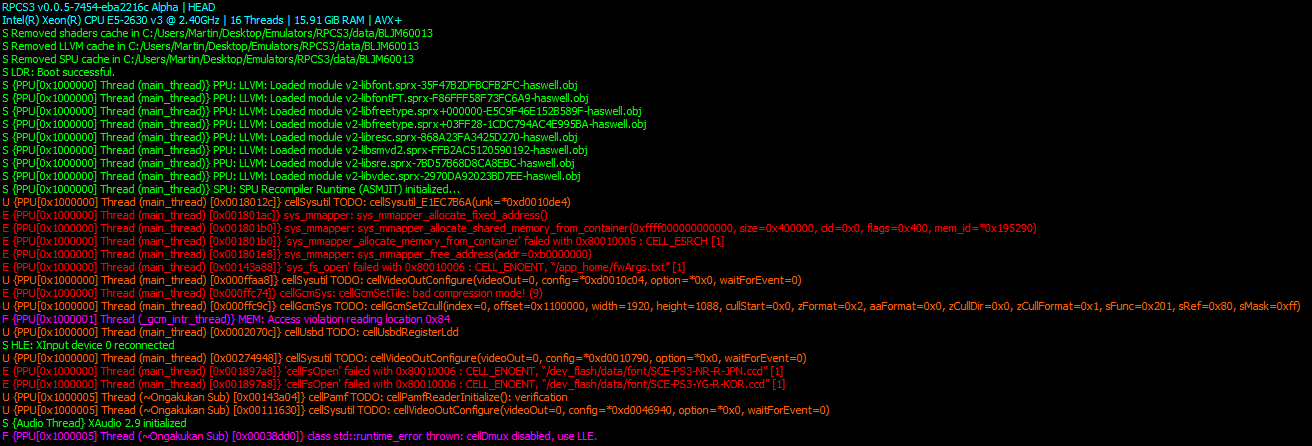
(Just an unrelated FYI I wanted to put out there) I also just noticed that some update since I last played it made it go out of control when frames aren't limited (just select "auto") such as crashing on the "press play" screen and selections moving to fast to select. On the other hand sound is way better IMO.
 martinsstuff
on 21 Oct 2018
martinsstuff
on 21 Oct 2018
cellDmux is LLE loaded by default, not an issue.
You're likely forcing manual module loading, which in that case you should know what you're doing, otherwise always use liblv2/Automatic modes.
 AniLeo
on 21 Oct 2018
AniLeo
on 21 Oct 2018
Closing as the only reported issue is reported fixed on current master, likely by #5274
Will be reopened if someone finds other regressions from #5244
AniLeo
on 21 Oct 2018
cellDmux is LLE loaded by default, not an issue.
You're likely forcing manual module loading, which in that case you should know what you're doing, otherwise always use liblv2/Automatic modes.
liblv2 or automatic doesn't fix it, while it actually makes it play the intro, game crashes with
F {PPU[0x1000087] Thread (HLE Video Decoder)} class std::runtime_error thrown: AU decoding error(0xbebbb1b7): Invalid data found when processing input
(in file c:\projects\rpcs3\rpcs3\emu\cell\modules\cellvdec.cpp:249)
When entering the actual game/leaving the menu. (This is most likely the reason why manual loading is required, the issue exists in the last pre-#5244 version as well)
I got the firmware libraries from here: https://forums.rpcs3.net/thread-164106-page-3.html
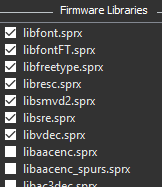
Again, this was not an issue before, the game ran fine with the previously mentioned manual LLE.
martinsstuff
on 23 Oct 2018
It was not an issue before because cellDmux HLE was available, now it isn't anymore, so you're forced to LLE load it as well, it's libdmux or something similar.
That error you're getting means broken libvdec HLE implementation, you can use Auto + Manual and only force the video libraries to be manually loaded.
AniLeo
on 23 Oct 2018
Thank you, I managed to get it to work:
New setup is: auto+manual and only manual loaded library being libvdec.
Seems to work except the intro video is kinda stuck (not a big issue, previously it didn't even begin to play) but you just have to press the "play" button and it gets skipped.
Edit: You also have to start it twice or the intro can't be skipped because the game gets locked up by shader compiling.
martinsstuff
on 23 Oct 2018
Related issues
 Nezarn
·
3Comments
Nezarn
·
3Comments
 XeClutch
·
3Comments
XeClutch
·
3Comments
 Emulator-Team-2
·
3Comments
AniLeo
·
3Comments
Emulator-Team-2
·
3Comments
AniLeo
·
3Comments
 On1ko
·
3Comments
On1ko
·
3Comments
Most helpful comment
you should probably rename it to: "Regressions after #5244", because I bet there will be more