Rpcs3: Regressions after #4469 (rsx: Major Fixes)
Did a little testing today and wondered why God of War HD (NPUA80490) is running so slow for me on the latest master builds. Turns out that version 0.0.5-6692 for PR #4469 caused a horrible performance decrease. FPS in the opening scene (on the ship) went down from 60 to 15 for both Vulkan and OpenGL.
Performance is decreased in other games, too.
My system is a pretty standard i7-6700K with Geforce GTX 1070 (driver version 397.31) and Windows 10.
Since this performance loss is carried over to the new PRs as well, it currently makes no sense for me to test them.


 TigiHof
All 15 comments
Confirm this regresssion and want to add smth, it happens after c5d1f30e
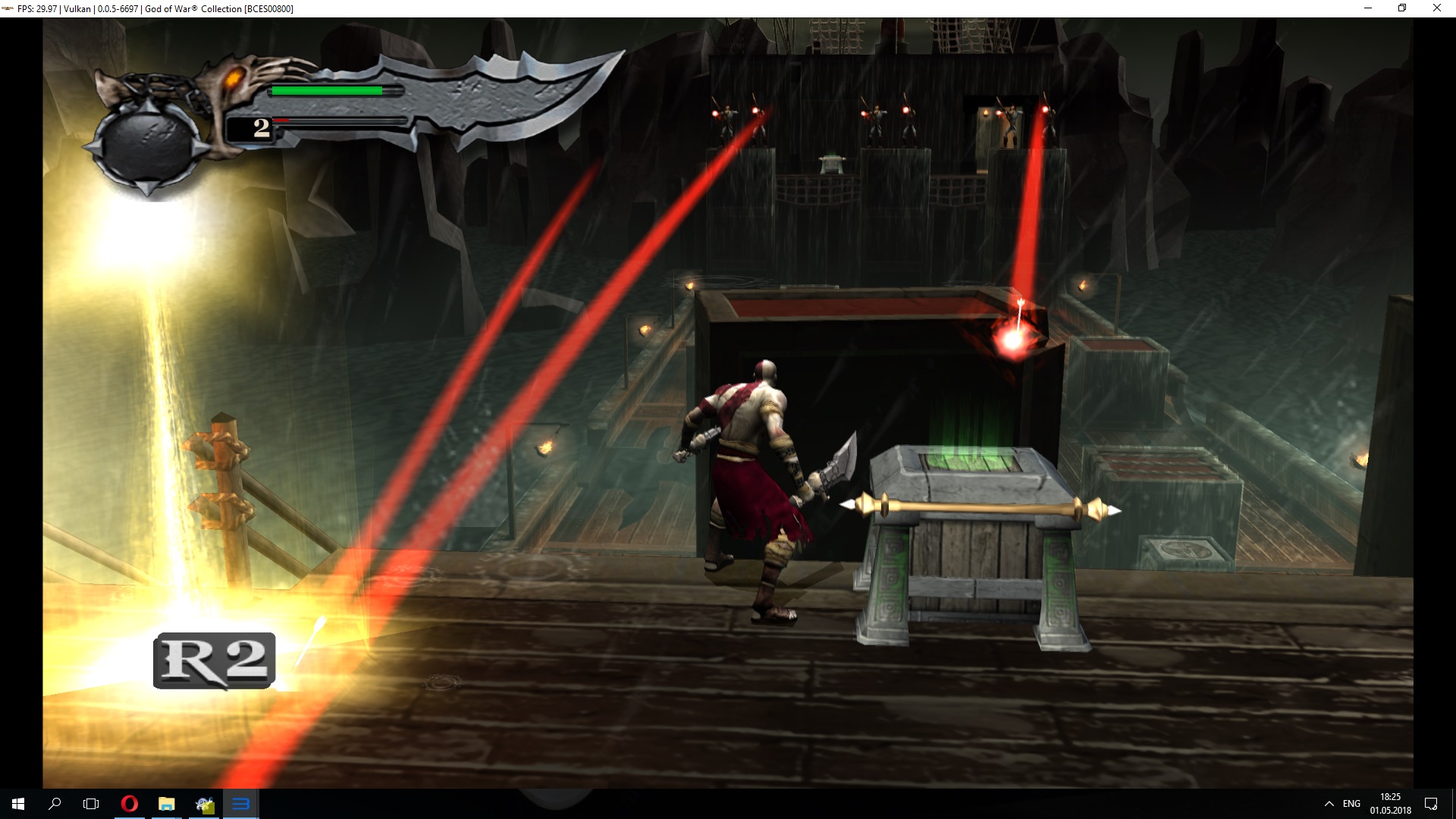
for me it looks like this
Before:
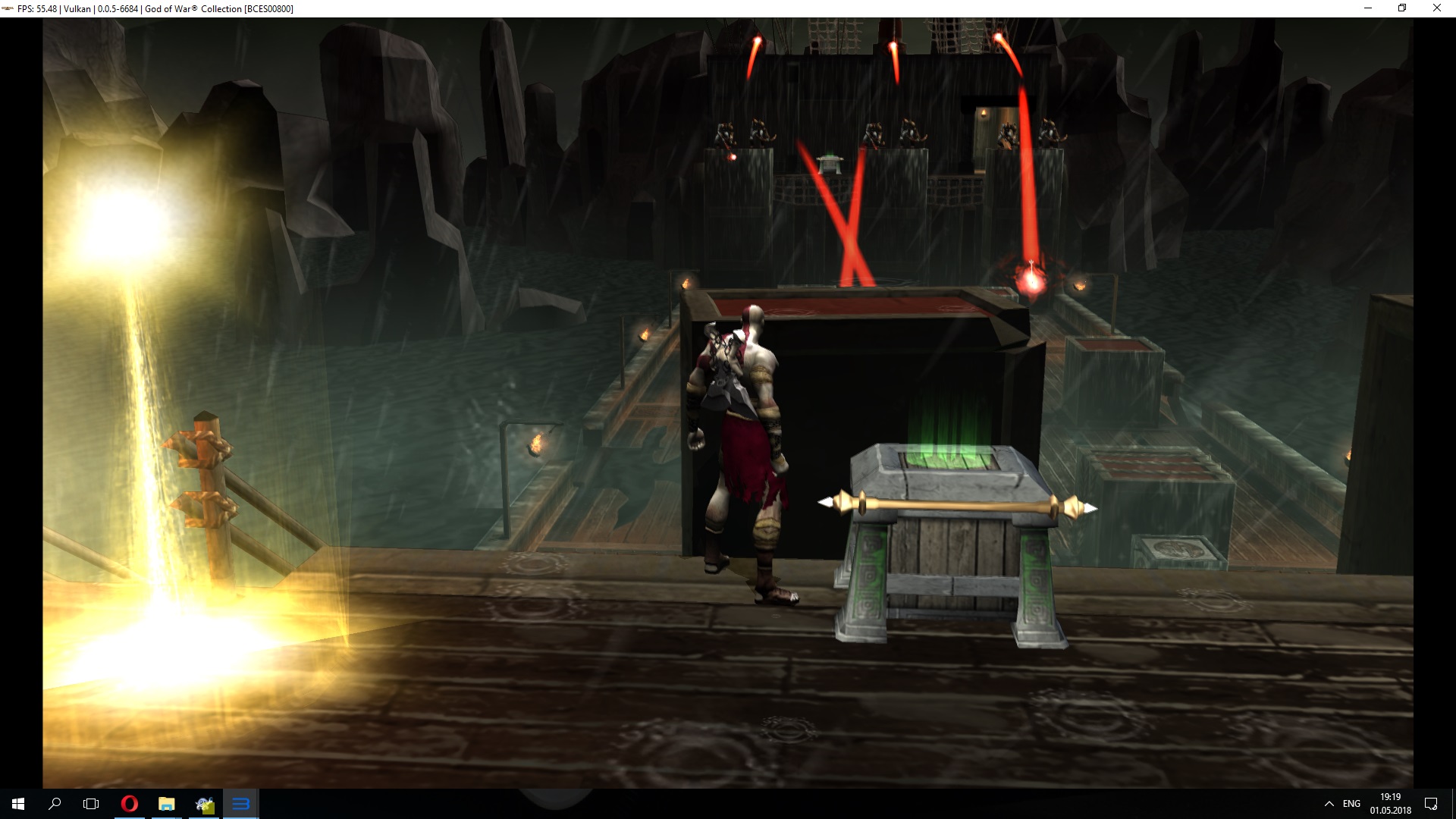
After:
 Xcedf
on 1 May 2018
Xcedf
on 1 May 2018
Hi,
last time I've updated RPCS3 emulator from v0.0.5-6652 to v0.0.5-6694. I've run God of War Collection and I've got ~40 FPS. In earlier version I had ~130 FPS. I've tested few versions of emulator on default settings and here are my conclusions:
RPCS3 v0.0.5-6652 ~130 FPS
RPCS3 v0.0.5-6663 ~130 FPS
RPCS3 v0.0.5-6675 ~130 FPS
RPCS3 v0.0.5-6692 ~40 FPS
RPCS3 v0.0.5-6693 ~40 FPS
RPCS3 v0.0.5-6694 ~40 FPS
forum: https://forums.rpcs3.net/thread-198685.html
here screenshots:
https://images84.fotosik.pl/1060/968a5cc5dd22756b.png
https://images81.fotosik.pl/1061/78d4f824507eab5d.png
https://images82.fotosik.pl/1061/74ab7b162d928a01.png
My specification:
Intel i5-6500
Nvidia GTX 1060 6GB
DDR4 16 GB RAM
It looks like changes in Pull request: #4469 have negative effects for performance in God Of War Collection (or maybe for every game?).
 cwirek91
on 4 May 2018
cwirek91
on 4 May 2018
This PR also made Fracture run at extremely low framerates (1- 1.5) instead of around 25-30fps for me and Deminating. @cwirek91 it definitely didn't negatively effect every title, if it did people would be up in arms.
 Asinin3
on 5 May 2018
Asinin3
on 5 May 2018
Oh the irony. Thats the same thing that makes more games stable. Maybe get_system_time() is too heavy an operation, I'll use an alternative. However, that will also make rsx desyncronization alot more common :(
 kd-11
on 6 May 2018
kd-11
on 6 May 2018
Maybe you could add an option/checkbox to disable that function with a tooltip explaining that it could lead to emulation instability?
 psennermann
on 6 May 2018
psennermann
on 6 May 2018
Fixed in https://github.com/RPCS3/rpcs3/pull/4505. The busy_wait duration is only tuned on my PC and may not be suffecient on other processors so please test.
kd-11
on 6 May 2018
yeah, 6675|6696|#4505 comparison test in the GoW Collection - GoW II, title screen
OpenGL:
RPCS3 v0.0.5-6675 - 145-160|~155 FPS
RPCS3 v0.0.5-6696 (current master) - 125-135|~130 FPS
rpcs3 v0.0.5 d25ebd31_win64 (kd-11 pr) - 150-165|~160 FPS
Vulkan:
RPCS3 v0.0.5-6675 - 165-180|~175 FPS
RPCS3 v0.0.5-6696 (current master) - 145-150|~147 FPS
rpcs3 v0.0.5 d25ebd31_win64 (kd-11 pr) - 170-185|~180 FPS
i5-4670K 4.4GHz, 16GB 2133MHz RAM, R7 260X 2GB GPU, 18.3.4 drivers version.
 TheRibbit
on 6 May 2018
TheRibbit
on 6 May 2018
Yup, I can also confirm that the performance issues are fixed. Great job, thank you! Closing issue.
TigiHof
on 6 May 2018
The PR isn't merged
 AniLeo
on 6 May 2018
AniLeo
on 6 May 2018
Ah, of course you're right, thanks. I was a bit premature.
TigiHof
on 6 May 2018
Fixed
kd-11
on 13 May 2018
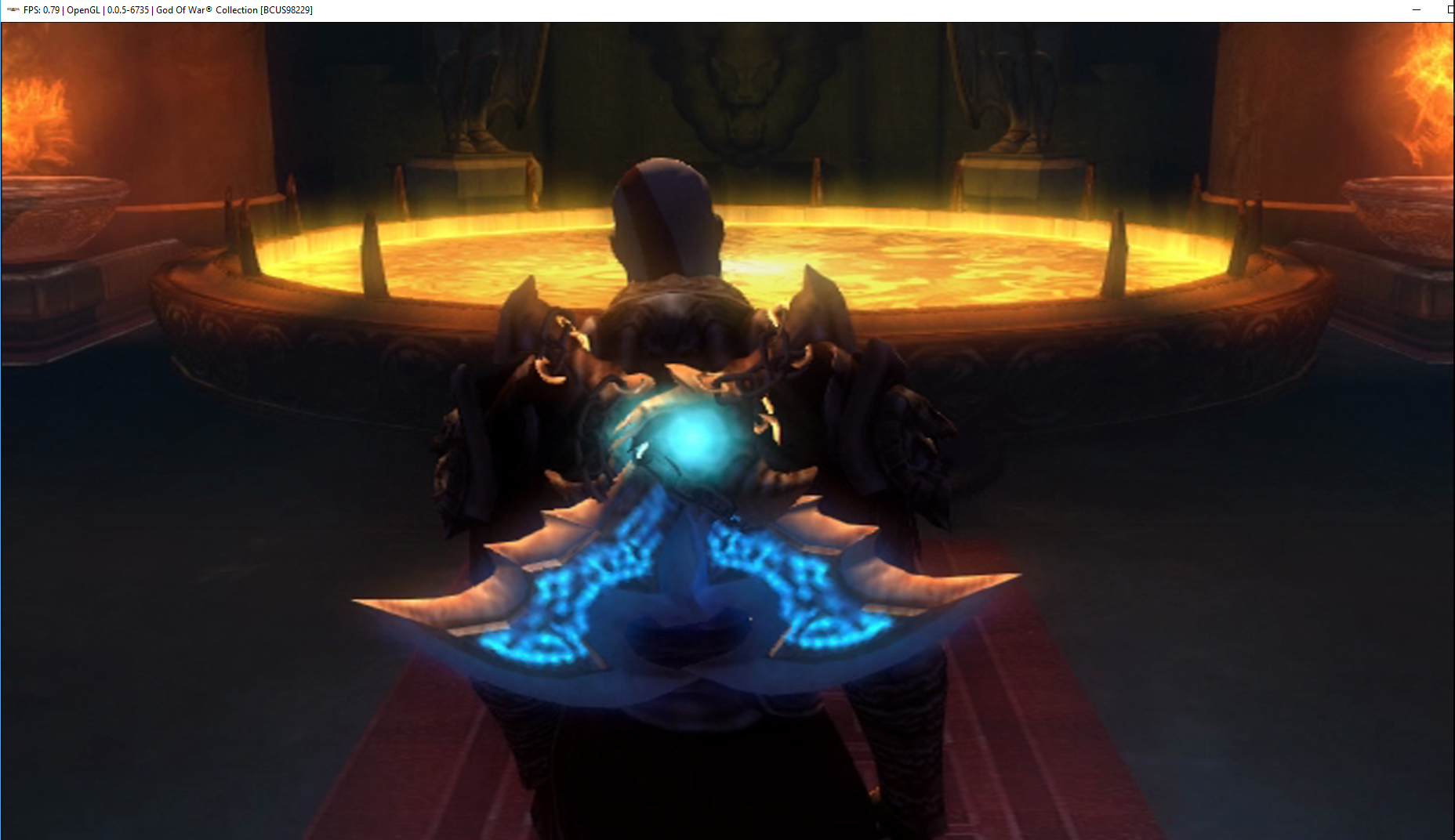
After this fix in main menu on GoW II I have good FPS but when I start a new game - in intro I have 1-5 FPS. Do you have the same?
cwirek91
on 13 May 2018
In Fracture at least the issue still exists. Only occurs when in certain spots/camera facing certain directions.
Asinin3
on 14 May 2018
hello. everything works fine but for both gow 1 & 2 with all cutscenes i get 0.06-0.70 fps and wont load...
gameplay for both runs smooth at 60 fps,
i5 6500
gtx 1080
8gb gddr4
 janikcorneleus7
on 27 May 2018
janikcorneleus7
on 27 May 2018
when i set frame lock to 30 fps then the cutscenes work fine, but i would like to play in 60 fps, how do i set the cutscenes to run at 30 fps but still play in game at 60 fps?
janikcorneleus7
on 27 May 2018
Related issues
 Birch-san
·
3Comments
Birch-san
·
3Comments
 LokiGrants
·
3Comments
LokiGrants
·
3Comments
 kurosh10000
·
3Comments
kurosh10000
·
3Comments
 On1ko
·
3Comments
On1ko
·
3Comments
 uaqlover
·
3Comments
uaqlover
·
3Comments
Most helpful comment
The PR isn't merged