Rpcs3: Atelier Rorona Plus[BLES02050] - Glitched text
Windows 7 Ultimate 64-bit SP1
Intel Core i5 6500 @ 3.20GHz
NVIDIA GeForce GTX 750 Ti
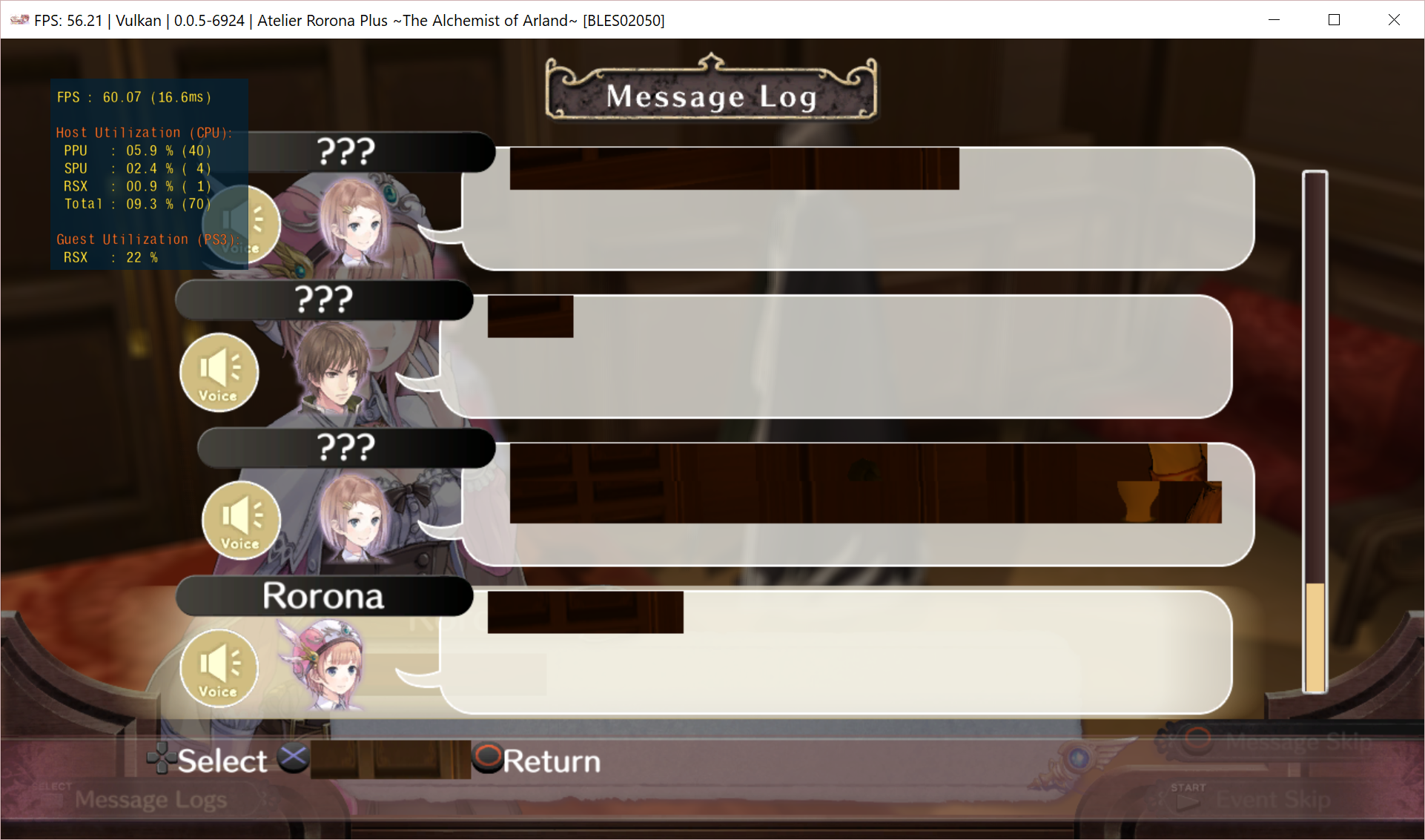
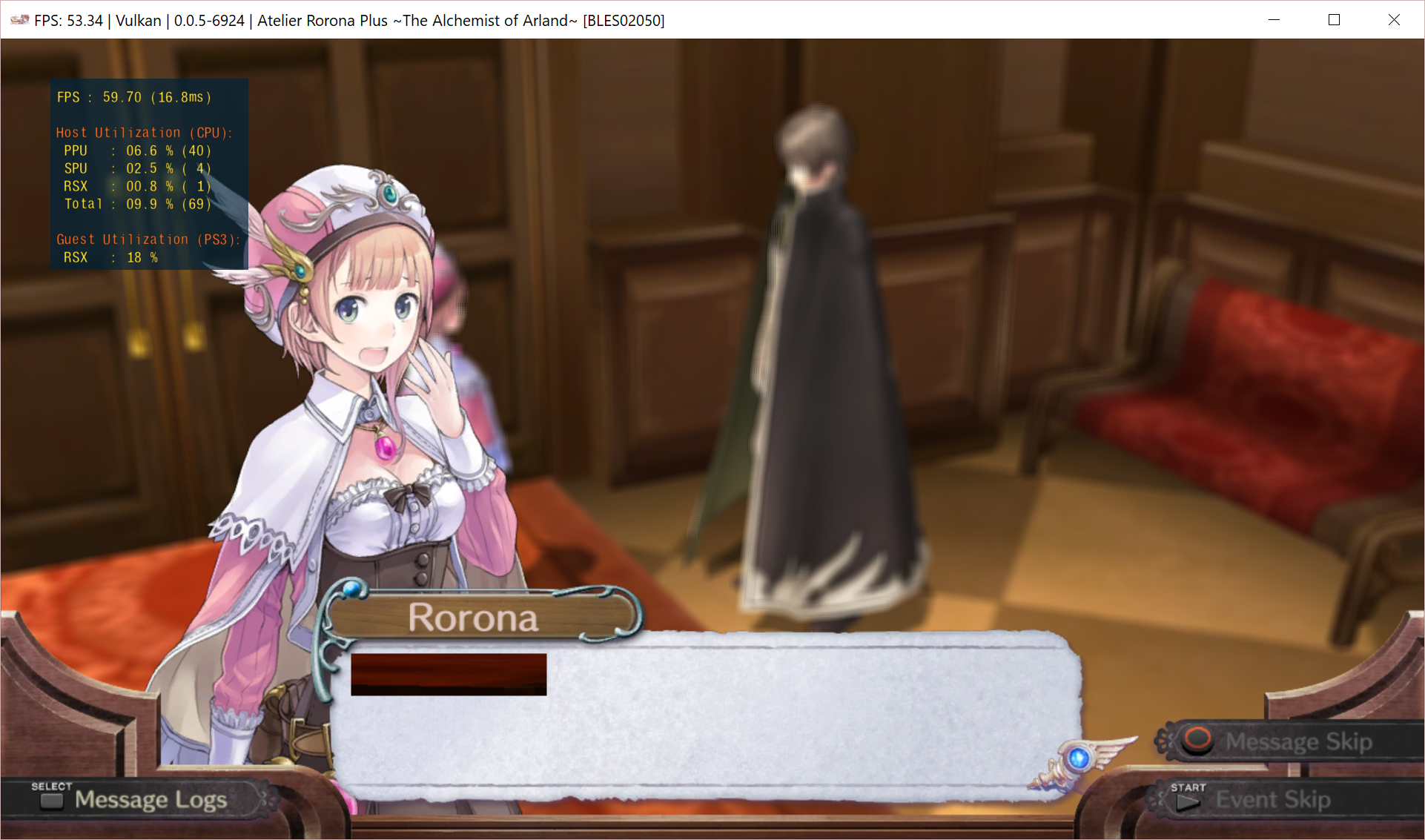
Some text in dialogue is completely blacked/glitched out. It is also glitched on the message log until you go to the next dialogue box. Happens in both OpenGL and Vulkan
 Krusher97
All 27 comments
Did you tried use the Strict Rendering Mode in the GPU tab? I think all Atelier's games use the same engine and I had the same problem with Meruru. Now the game works perfectly, no more glitches on the text.
 micaelis72
on 24 Jan 2018
micaelis72
on 24 Jan 2018
The screenshots are with Strict Rendering Mode disabled. Enabling it causes no changes to the issue in either the Vulkan or the OpenGL renderer.
Krusher97
on 24 Jan 2018
Strange. I had the exactly same issue with Meruru. Fixed with Strict Rendering. Did you tried use WCB?
I'm using a nVidia GPU, but I don't think this some kind of GPU issue.
micaelis72
on 24 Jan 2018
Afaik atelier games should have text bug fixed when strict mode is enforced. Attach log with strict mode if its not working for you.
 kd-11
on 24 Jan 2018
kd-11
on 24 Jan 2018
Log with just strict rendering mode enabled.
Also tried it with Write Color Buffer later on to no avail.
Krusher97
on 24 Jan 2018
Try without gpu texture scaling. Strict mode should have fixed the atelier bug, if it doesn't you have no other real way around it. Not sure if rdc will help here or log with vulkan debugger enabled.
kd-11
on 24 Jan 2018
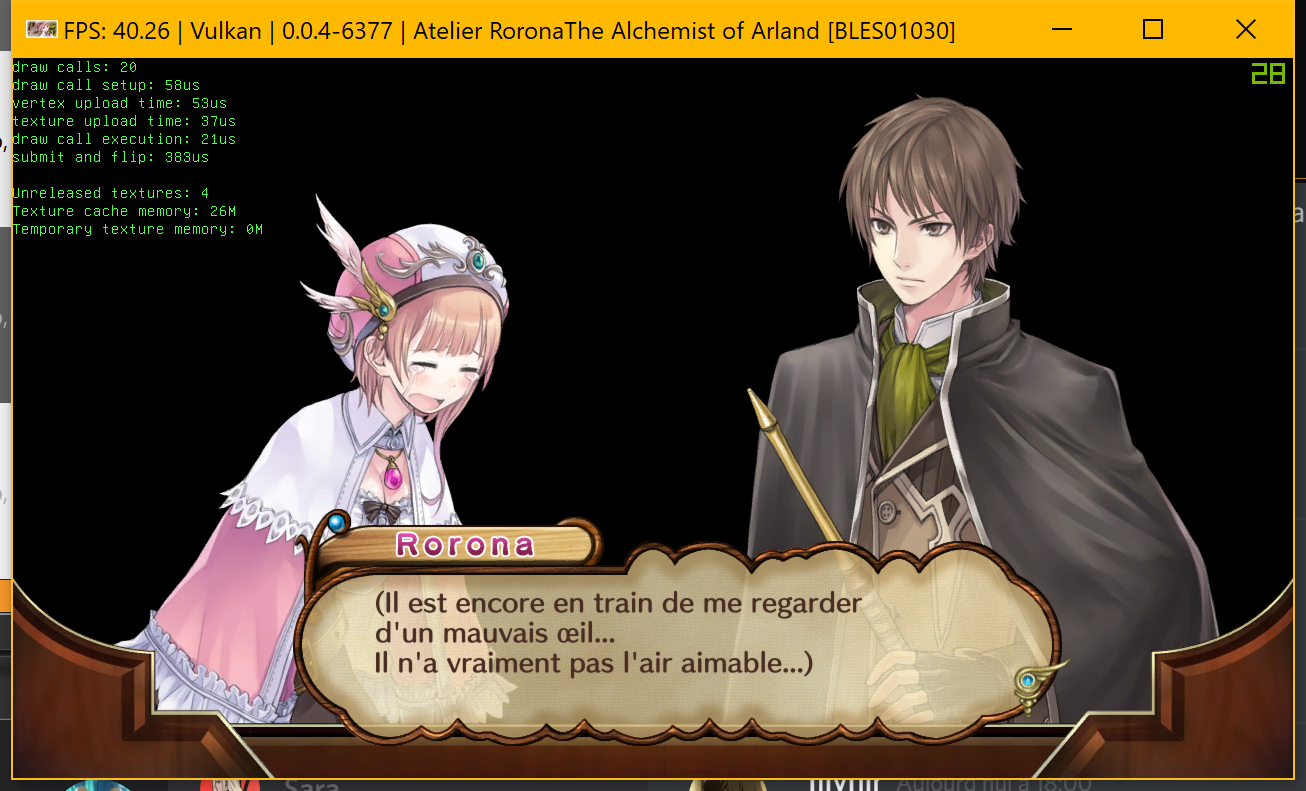
i don't have this bug hmm, maybe caused by regression on g8b8 hmm
 Zangetsu38
on 24 Jan 2018
Zangetsu38
on 24 Jan 2018
@Krusher97 retry with last build
Zangetsu38
on 24 Jan 2018
I am able to reproduce this bug. I've also tried changing various options like strict rendering, WCB, GPU texture scaling and the like without that having any effect.
It's worth noting that the game being discussed here is Atelier Rorona Plus [BLES02050] and not the original release of Atelier Rorona which is what @Zangetsu38 posted above. They were released 4 years apart so I don't think they should be treated as the same game in discussions like this, as there are almost certainly some core programming differences between them.
Also I just tried with the most recent build which includes @Zangetsu38's g8b8 fix but that did not fix the issue.
My specs in case that matters:
Windows 10 64-bit
NVIDIA GeForce GTX 1080
Intel Core i5 4670
 EliEron
on 24 Jan 2018
EliEron
on 24 Jan 2018
The first time the bug occurs is when you go to the castle after the royal messenger has visited your workshop. Maybe its fixed for the original release but it certainly isn't for the Plus release.
Krusher97
on 24 Jan 2018
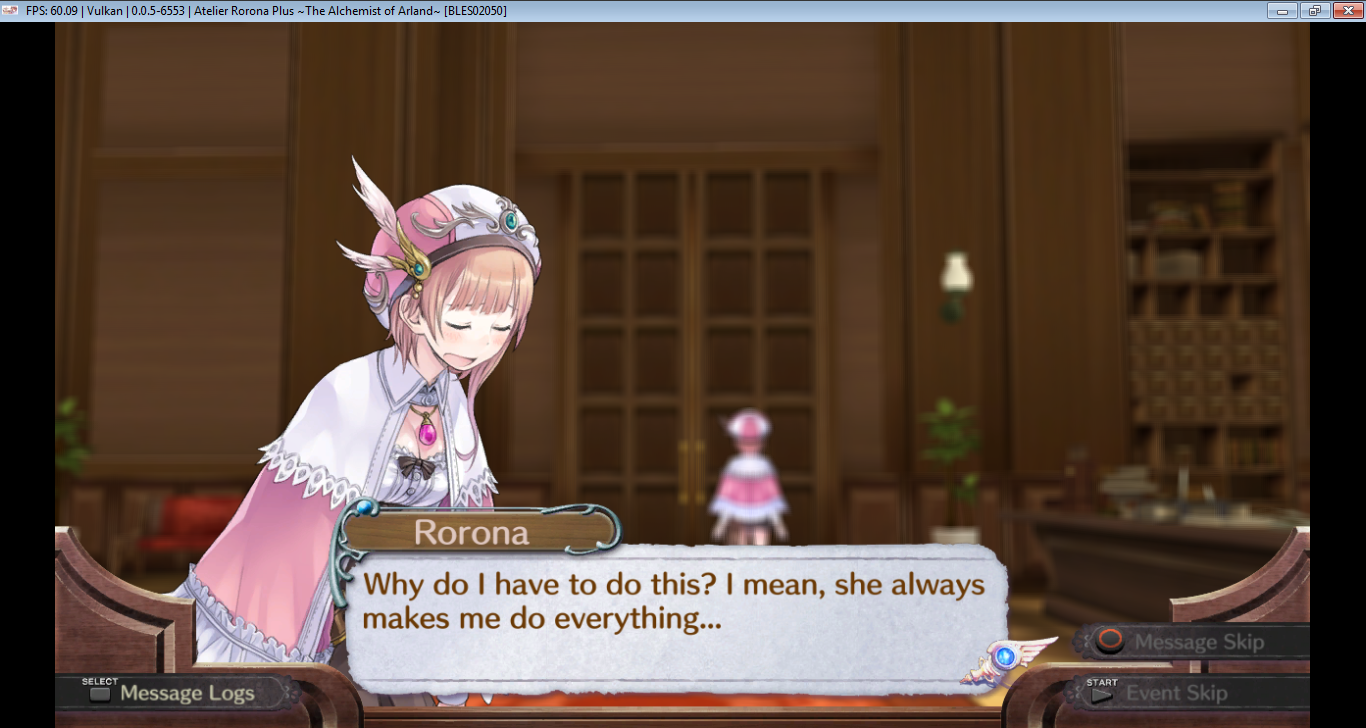
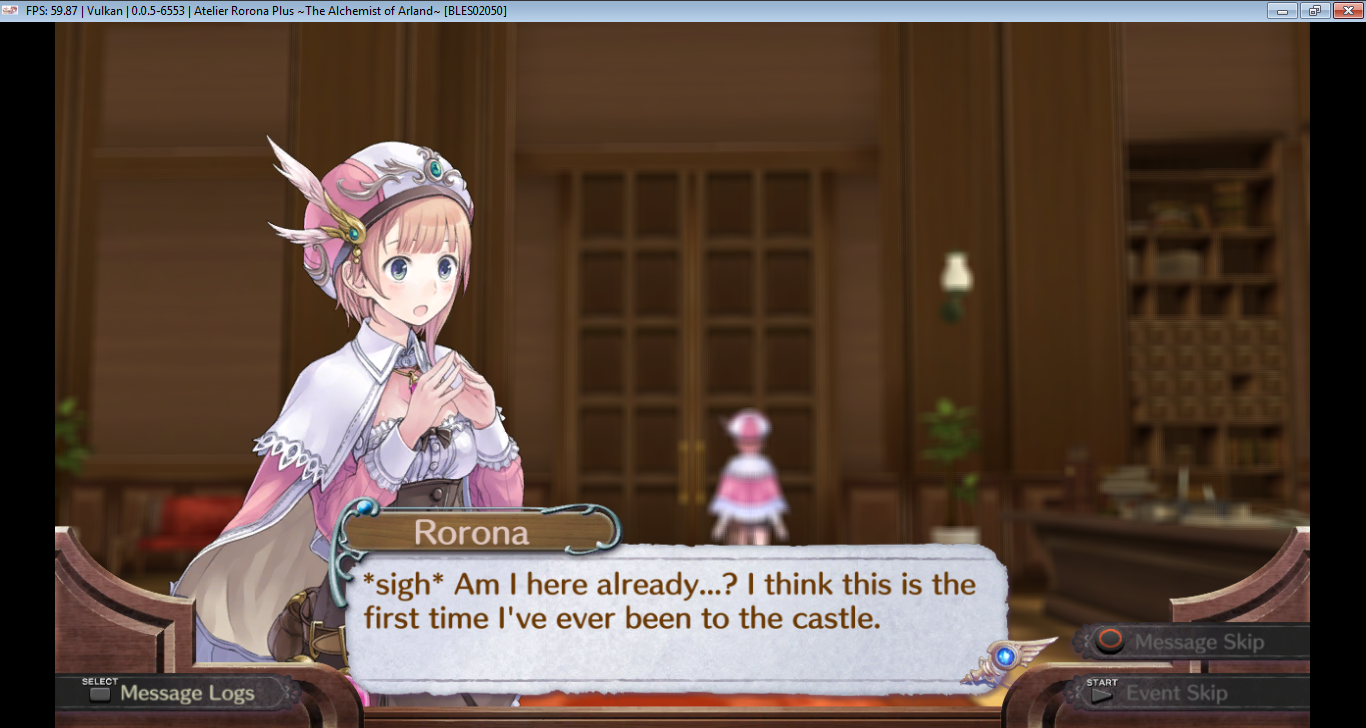
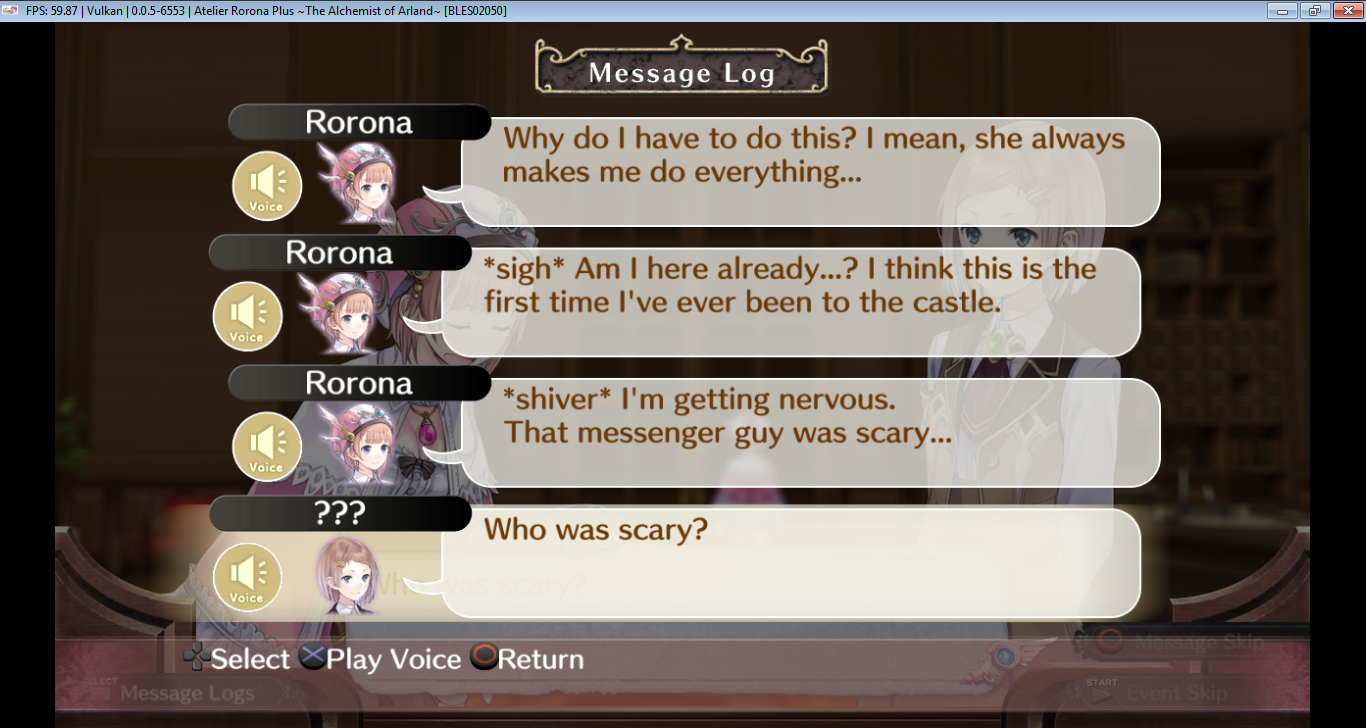
Didn't do extensive testing but it seems to be fixed now
Krusher97
on 21 Mar 2018
It seems the problem is still there. Happens right after the screenshots of https://github.com/RPCS3/rpcs3/issues/4102#issuecomment-375060873 though.
I've tried various options, with or without WCB/Strict render/GPU Texture Scaling enabled.
Strict&No gpu texture scaling.log.gz
 OrcaXS
on 9 Jun 2018
OrcaXS
on 9 Jun 2018
Please reopen the issue; is not fixed yet!
 chris-l
on 24 Aug 2018
chris-l
on 24 Aug 2018
Is it a regression or does it happen in 6553 too?
Krusher97
on 24 Sep 2018
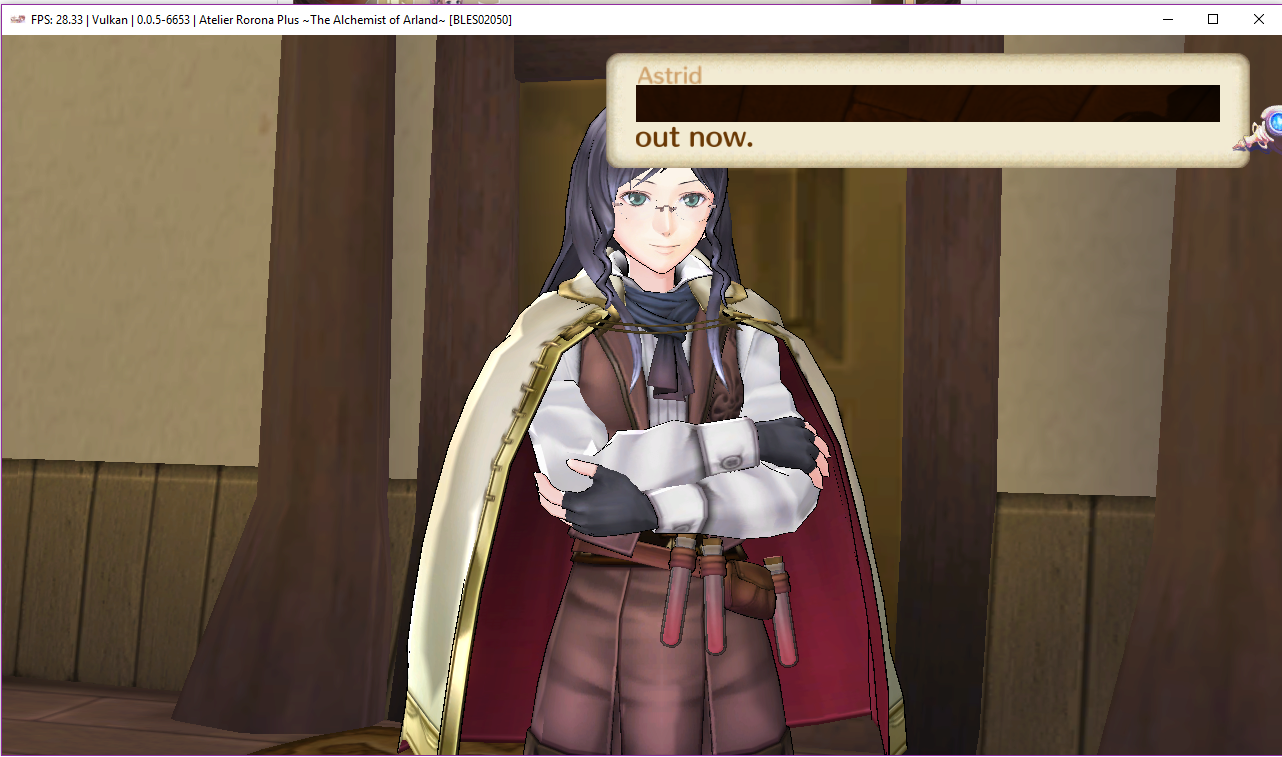
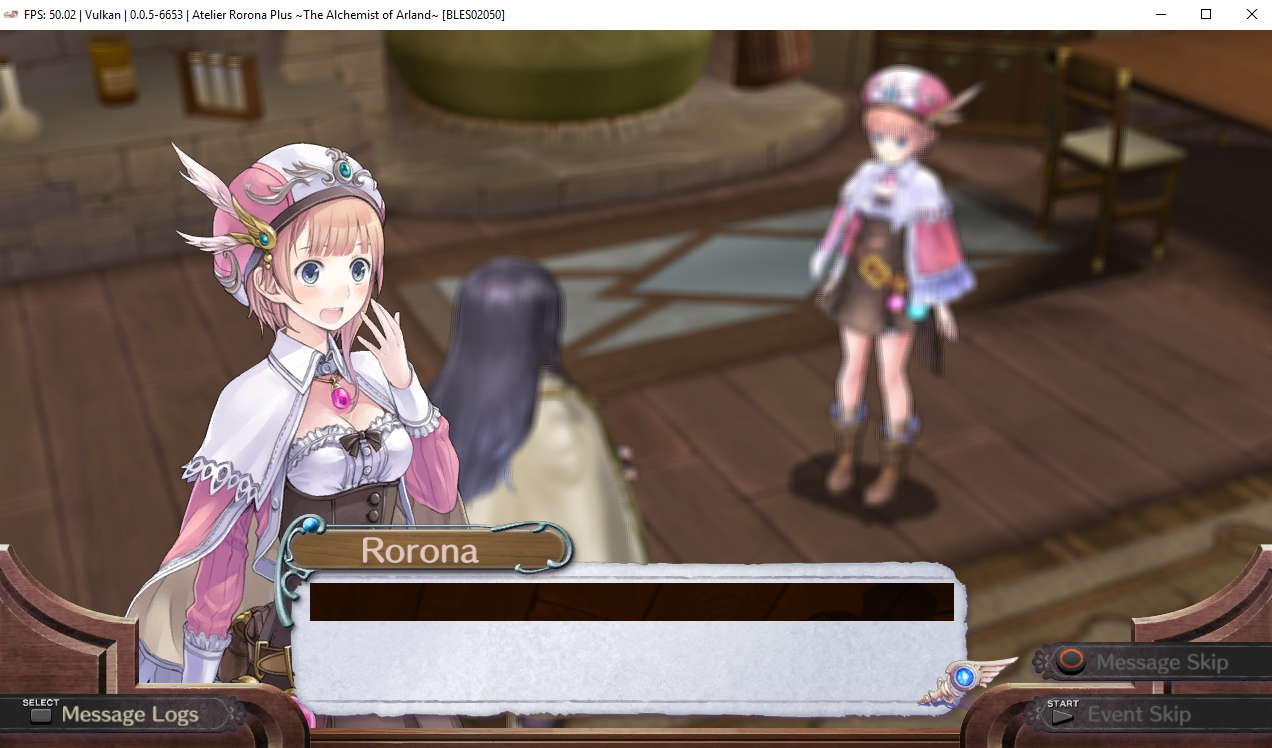
it still happens in 0.0.5-6553 and latest build (0.0.5-7387) tested with both openGL and vulkan, WCB and strict rendering on looks like it's not fixed yet
RPCS3.log.gz
 Jeneith
on 25 Sep 2018
Jeneith
on 25 Sep 2018
@kd-11 reopen pls
Krusher97
on 27 Sep 2018
I wanted to upload some screenshots from Linux/Debian with Vulkan on Intel too, but the problem is the very same as shown by Jeneith already. What I can say is, that the problem still exists in the build v0.0.5-7402.
Furthermore, I also tested this with OpenGL. Besides some other major glitches (maybe due to Intel Graphics, dunno), the text texture glitch issue also happens randomly.
 Johndeep
on 27 Sep 2018
Johndeep
on 27 Sep 2018
Retest
kd-11
on 19 Mar 2019
Played for around 10 minutes and didn't encounter it
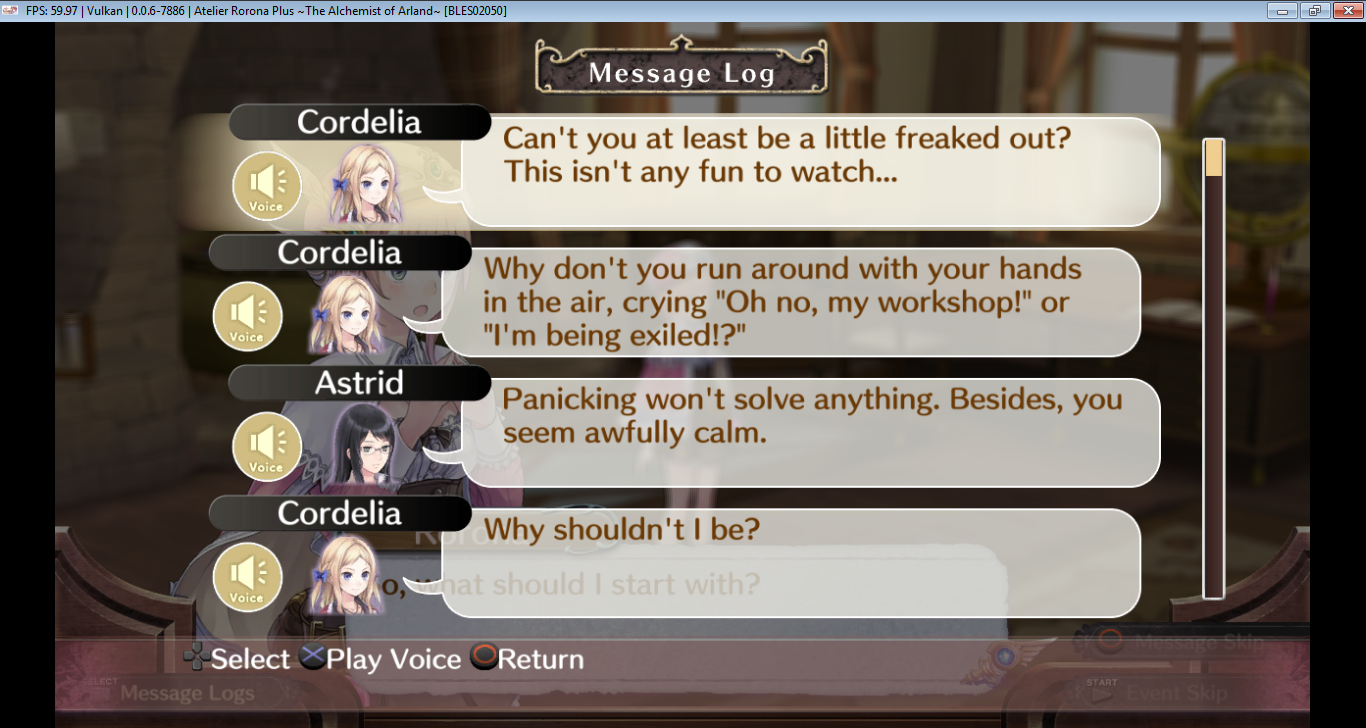
Perhaps someone else can confirm this too
Krusher97
on 20 Mar 2019
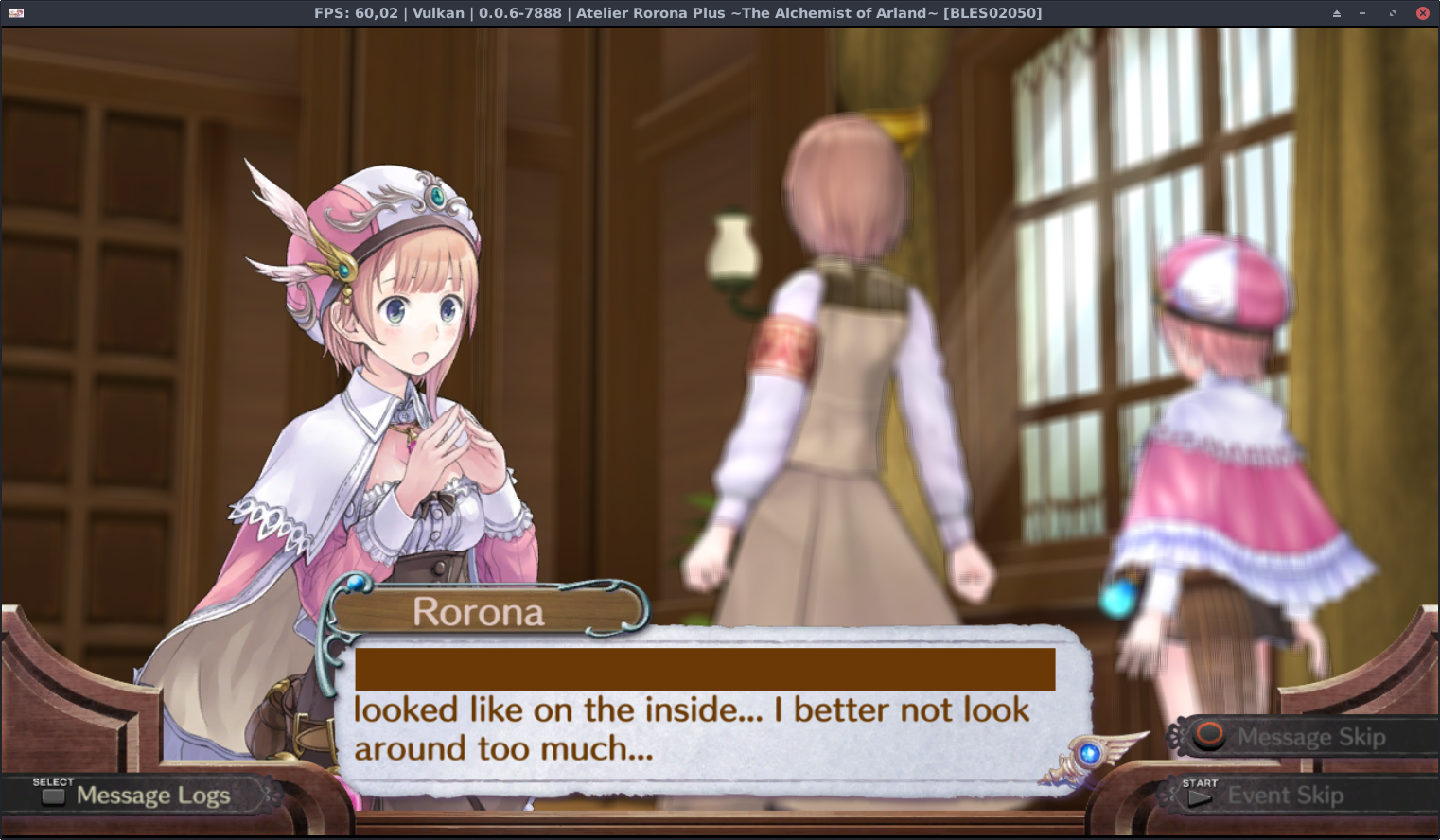
Played from the beginning until about after getting the first assignment (plot in the game). Tested with v0.0.6-7888-b879b322_linux64.
Since this glitched text is really a random bug, I cannot tell, if there is more of it, but this is the only encounter of glitched textbox I had until the first assignment.
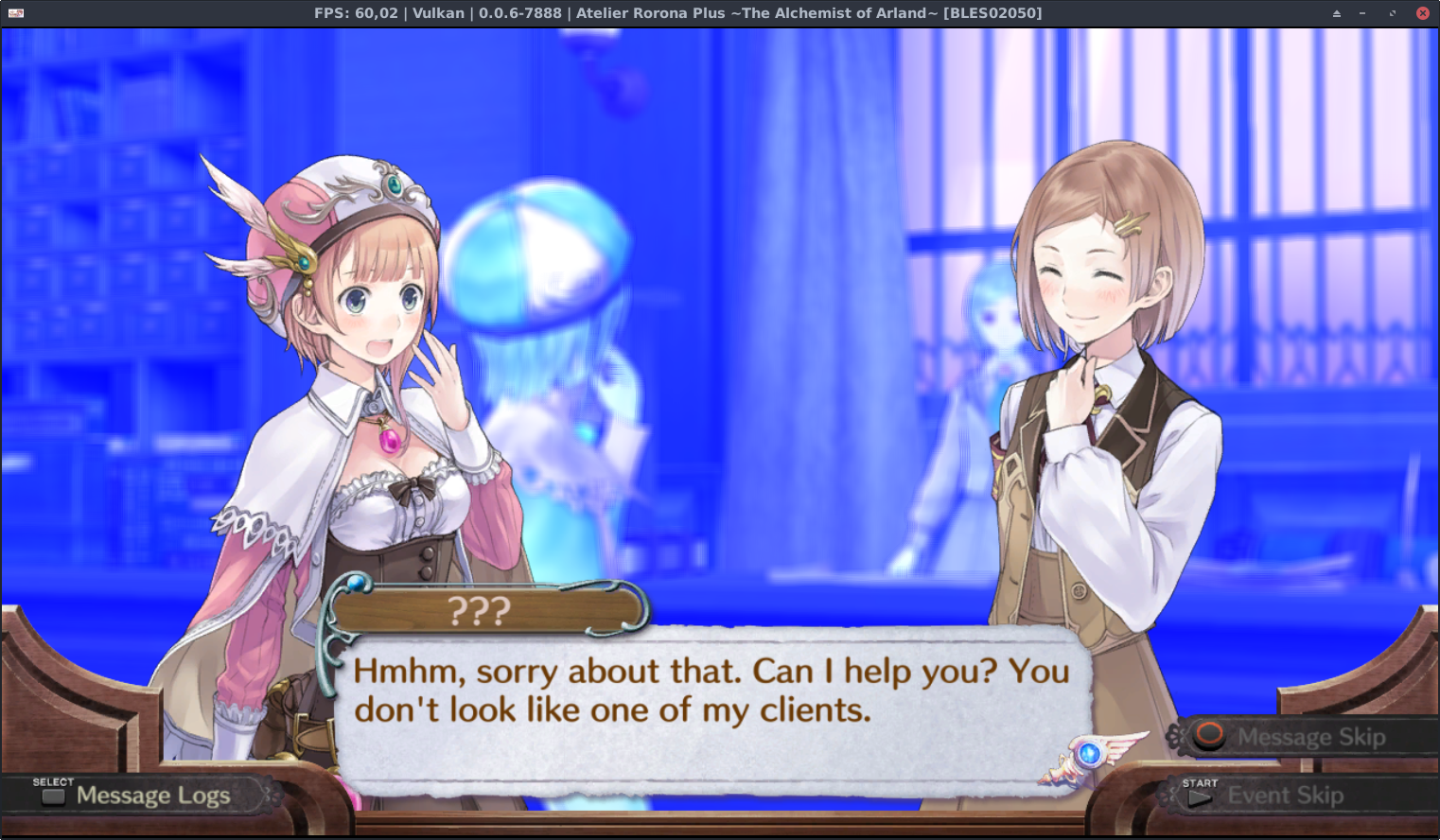
Another random glitch encounter is this blue background, after I got to the castle and spoke to the assistance the first time. This colour bug went away with the next scene. But I assume this is different from the text glitch issue.
Finally, even if the following bug is different from this issue, since around the #5726 commit I assume, following flickering issues of some of the textures are happening. I'm sorry for only having an abstract of the log, but I do not know why the AppImage Linux Version does not output a log file at all, neither in the main folder, nor in the .config/rpcs3. The Forum Guideline only assumes that the log file just exists..
[...]
E {RSX [0xda27d14]} RSX: Invalid texture pitch setup, width=1024, height=1024, format=0xb0(0x90) x493
E {RSX [0xda29864]} RSX: Invalid texture pitch setup, width=1024, height=1024, format=0xb0(0x90) x252
E {RSX [0xda299c4]} RSX: Invalid texture pitch setup, width=1024, height=1024, format=0xb0(0x90) x156
E {RSX [0xda29864]} RSX: Invalid texture pitch setup, width=1024, height=1024, format=0xb0(0x90) x22
[...]
E {RSX [0xda280e8]} RSX: Invalid texture pitch setup, width=1024, height=1024, format=0xb0(0x90) x118
[...]
Anyway, every time the textures flicker, an error in the style like above is spamming the log. To reproduce this easily, start a new game and just watch the very first scene. But it seems that there are more texture spread around the game, which also trigger this flickering.
Johndeep
on 20 Mar 2019
That message is only truly relevant for the developers of the game, no idea why they would set things up to be so broken. Can be clarified with hw tests and the message lowered in severity thereafter.
kd-11
on 20 Mar 2019
It's been a year time to update.
 digitaldude555
on 7 Feb 2020
digitaldude555
on 7 Feb 2020
Tested with v0.0.8-9539-11675d76_linux64.
Would really like to rerun it, but unfortunately, another bug prevents me from trying it out with Vulkan.. aka Assertion Failed! Vulkan API call failed with unrecoverable error: Requested feature not available (VK_ERROR_FEATURE_NOT_PRESENT). I saw some Issues about this already.
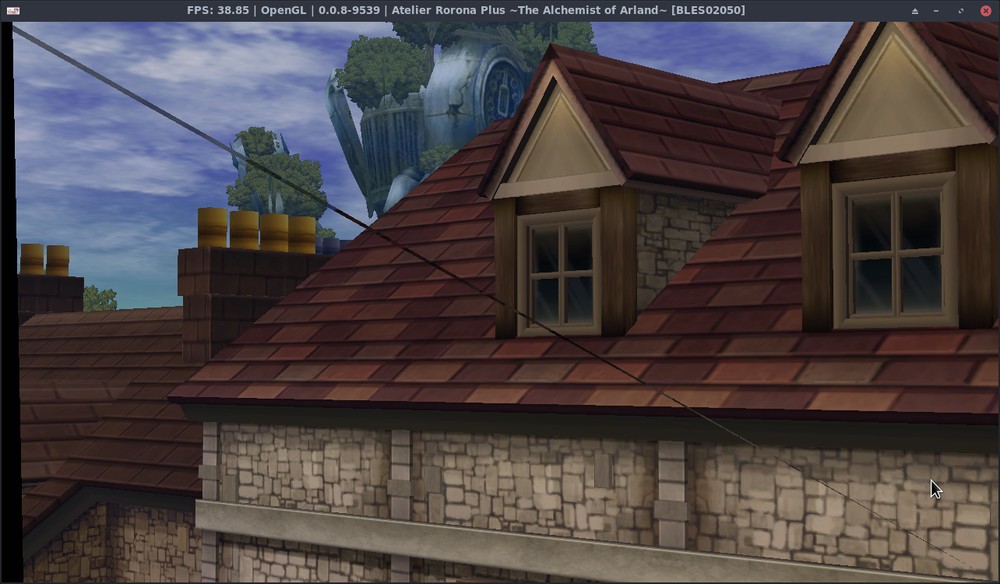
OpenGl is still broken, but it seems to have improved from last year a bit. The colors are correct I think. By the way, yes, I am a proud user of a potato pc with Intel graphics, which will soon get the Intel Gallium3D driver with Mesa 20, hopefully with better performance then.
Johndeep
on 9 Feb 2020
So you mean there is another bug other than the (expected) diagonal line? Where?
Diagonal line is usually not present on nvidia hardware and can usually be fixed with strict rendering mode. Also intel linux drivers aren't the best...
As for the vulkan error, try setting MSAA level to disabled. It may just work.
kd-11
on 9 Feb 2020
Oh, disabling the Anti-Aliasing configuration did the trick! Interesting. Thanks, the Vulkan rendering works now.
And the diagonal line is expected? Oh, okay, it seems that I missed some issues, didn't know that. ^^"
But rendering is much faster than before, Shaders are looking good and compiling runs much faster now, looks promising.
Johndeep
on 9 Feb 2020
Diagonal line is hardware specific and intel drivers are especially susceptible to it. You can try with "strict rendering mode" enabled, just expect not-so-great performance with it.
kd-11
on 9 Feb 2020
After so long I finally got some time to spare to check how rpcs3 is doing now.
My setup is still Debian with Intel graphics, Mesa 20.2.4 with new Iris driver. I still have to disable Anti-Aliasing, since MSAA is strangely still not working even with a quite new mesa driver.. but that does not matter much. I've got V-Sync enabled, since else the voice and rendering starts to stutter and it seems that the emulator is trapped in deadlock more often. Strict rendering mode is not needed anymore.
RPCS3 Version used for this bug search: 0.0.13-11380-a6a5292c (12. Dez 20)
This time, I've played the whole first part of the tutorial (until I could save again after owning the Atelier) with Japanese voice. Hopefully this will not make any differences regarding the glitches.
My impression so far, the performance is much better than before, it might be double or even more the fps than last year! There seems to be no serious rendering glitched anymore (such like wrong Shader color or plain missing models). Amazing job you guys! Probably thanks to the many improvements in rpcs3, the Mesa driver and Iris.
(For those who wonders why following images only show the game content here, I made use of the screenshot functionality of rpcs3 by hitting F12. Very useful.)
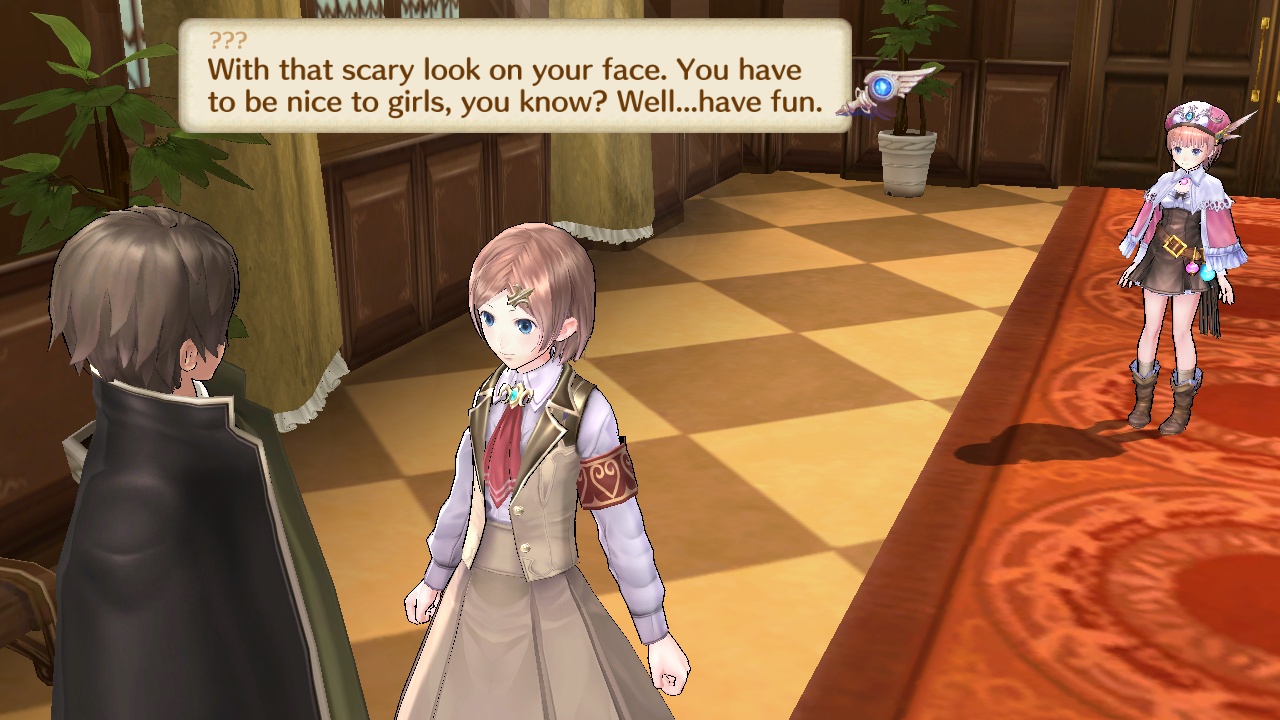
Many bugged parts, where text are just filled with a rectangle shaped of weird colors are seemingly fixed now! Especially this part (see above picture) was prone to the glitched text, since the bubble appears "outside" the chatting environment (where background is blurred and so on)
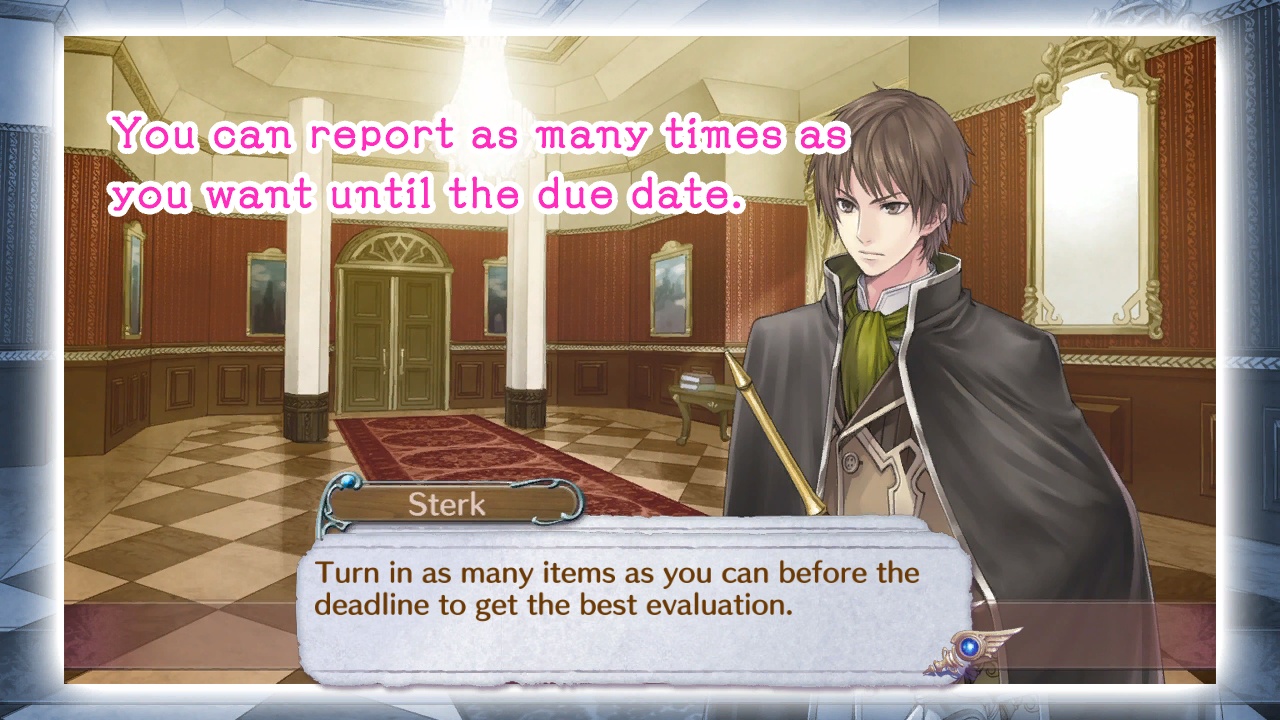
Also a type of screen I've never been able to see are these "image description" dialogs, where a ready rendered image is shown as such. In the past, these images were just blanked out with black if I remember correctly..
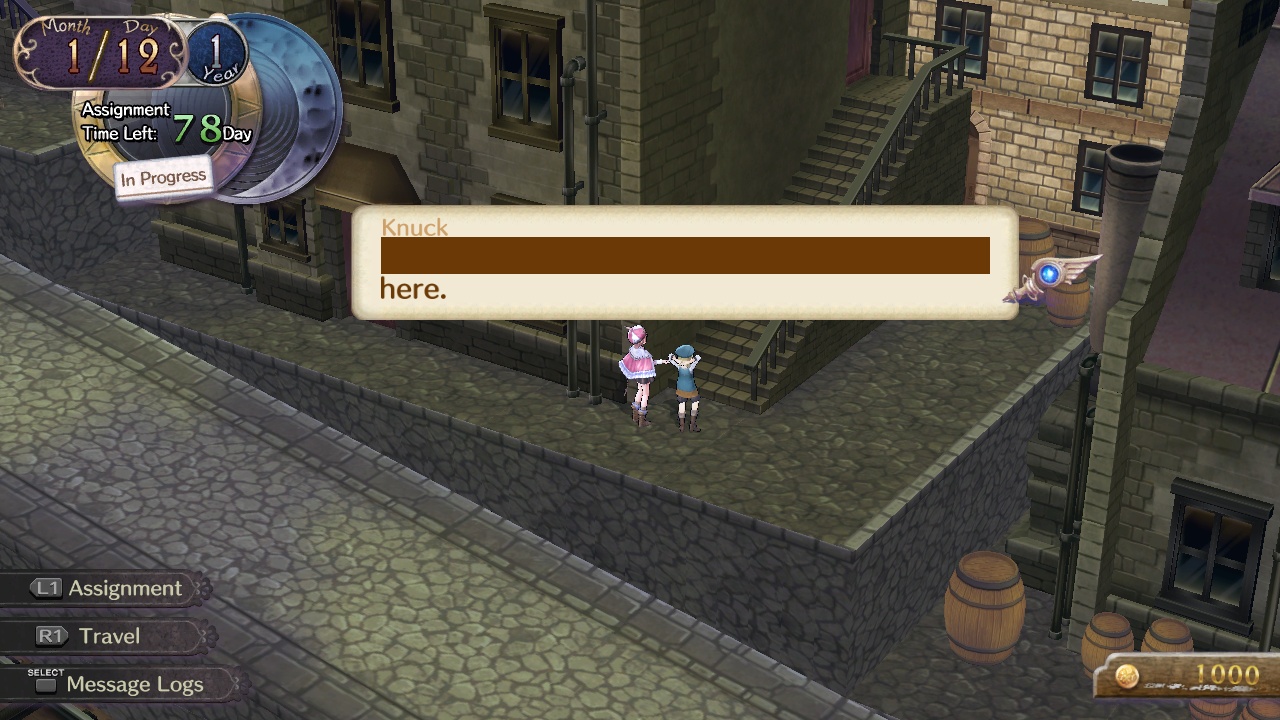
BUT as I thought the glitched text problem is finally gone, I've found this boy in an alley.. (Knuck, how dare you!)
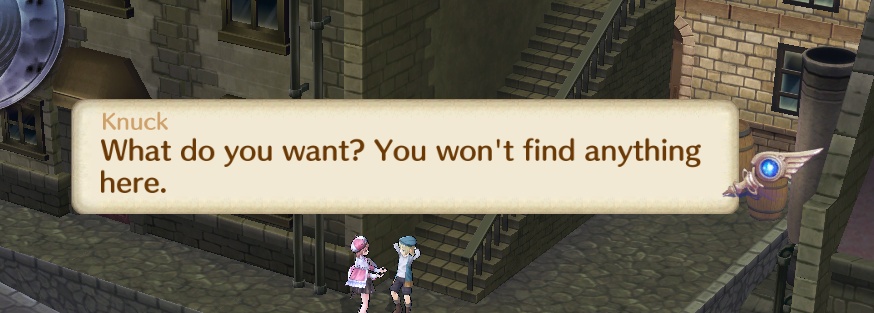
This text should be seen here, I could make it appear again by reloading the game and meeting that boy again. It is quite frustrating to not able to debug this or log this on Linux (still no clue how to find the log). The "normal" log does not show anything.
Beside this glitch text bug (which seems to appear now less but still random), the compatibility of this game has improved a lot!
RSX: Swapchain: Swapchain creation failed because dimensions cannot fit. Max = 1280, 720, Requested = 1920, 1080
I noticed another problem (besides this topic issue glitch text problem). The resizing to full screen and back often does not work (if you re-scale it often enough, sometimes it works though, keyword RSX: Swapchain). This re-scaling problem seems to start after the intro video. It might be that the game changes something underneath while running videos and later change back to rendering. But this might be a general problem with other games too.
Johndeep
on 12 Dec 2020
Related issues
 Emulator-Team-2
·
3Comments
Emulator-Team-2
·
3Comments
 Luffykun007
·
3Comments
Luffykun007
·
3Comments
 On1ko
·
3Comments
On1ko
·
3Comments
 JohnGodgames
·
3Comments
JohnGodgames
·
3Comments
 iBlackS0ul
·
3Comments
iBlackS0ul
·
3Comments
Most helpful comment
it still happens in 0.0.5-6553 and latest build (0.0.5-7387) tested with both openGL and vulkan, WCB and strict rendering on looks like it's not fixed yet


RPCS3.log.gz