Hi,
There have been reports of Qt being unstable, this is to gather people's issues.
WAIT! Before you post your report below, make sure to add the following
- Windows version (including build number if your on Windows 10)
- RPCS3 build number
- Game name and game id (ex. NPUB02342)
- CPU and GPU
- Settings (PPU, SPU, Graphics backend, any additional graphics settings)
- What happens when you run the game? Crash? Black screen with 60fps?
- Include reproducibility information, for example, does it happen every time you run the game? Every time you startup RPCS3 and run the game? After you've already started 1 game in RPCS3? Randomly?
NOTES:
- DO NOT report bugs about issues with lowered FPS with the Qt build.
- Make sure to test your game again with WxWidgets, you can find the last WxWidgets build here: https://ci.appveyor.com/project/rpcs3/rpcs3/build/0.0.2-4759/artifacts
 hcorion
All 13 comments
## Last Master QT build Works perfect not have any problem * *problem is solve
- Windows 10 pro 1703
- RPCS3 Build 0.0.2-4914 https://ci.appveyor.com/project/rpcs3/rpcs3/build/0.0.2-4914/artifacts
- Naruto Ultima Ninja Storm [BLES00371]
- Intel Core i7 3630QM + GT650M
- Settings (PPU Interpreter (fast) , SPU Recompiler (ASMJIT), Vulkan and OpenGL
- Game crashes random
 Kojikun1
on 14 Jun 2017
Kojikun1
on 14 Jun 2017
Windows 10, pro. build 1703 x64
RPCS3 https://ci.appveyor.com/project/rpcs3/rpcs3/build/0.0.2-4927/artifacts
Demon's Souls BLES00932
Intel i-4700MQ, NVIDIA GEFORCE 840M
Random freezes when starting to boot the game.
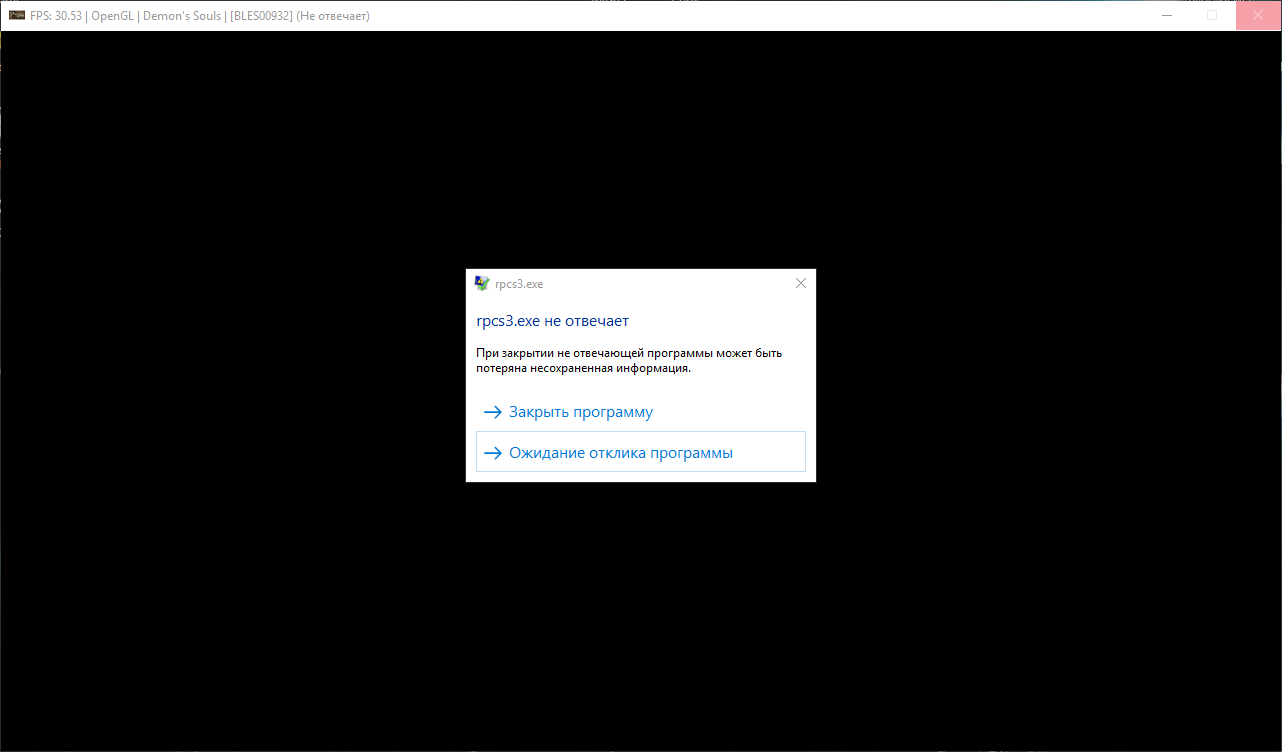
Not specific to any used settings. Specific to Qt.
 isshininu
on 16 Jun 2017
isshininu
on 16 Jun 2017
@isshininu please try again. some commits were made that could have fixed your problem and anything similar
 Megamouse
on 25 Jun 2017
Megamouse
on 25 Jun 2017
Ok, i'll try it today.
Also, it's worth to mention that UAC could affect perfomance of RPCS3, especially when RPCS3 placed in some folder in Program Files (even if it running from Administrator). At least i think so - after disabling UAC (EnableLUA=0) FPS problem was gone (there was a situation with DeS)
isshininu
on 26 Jun 2017
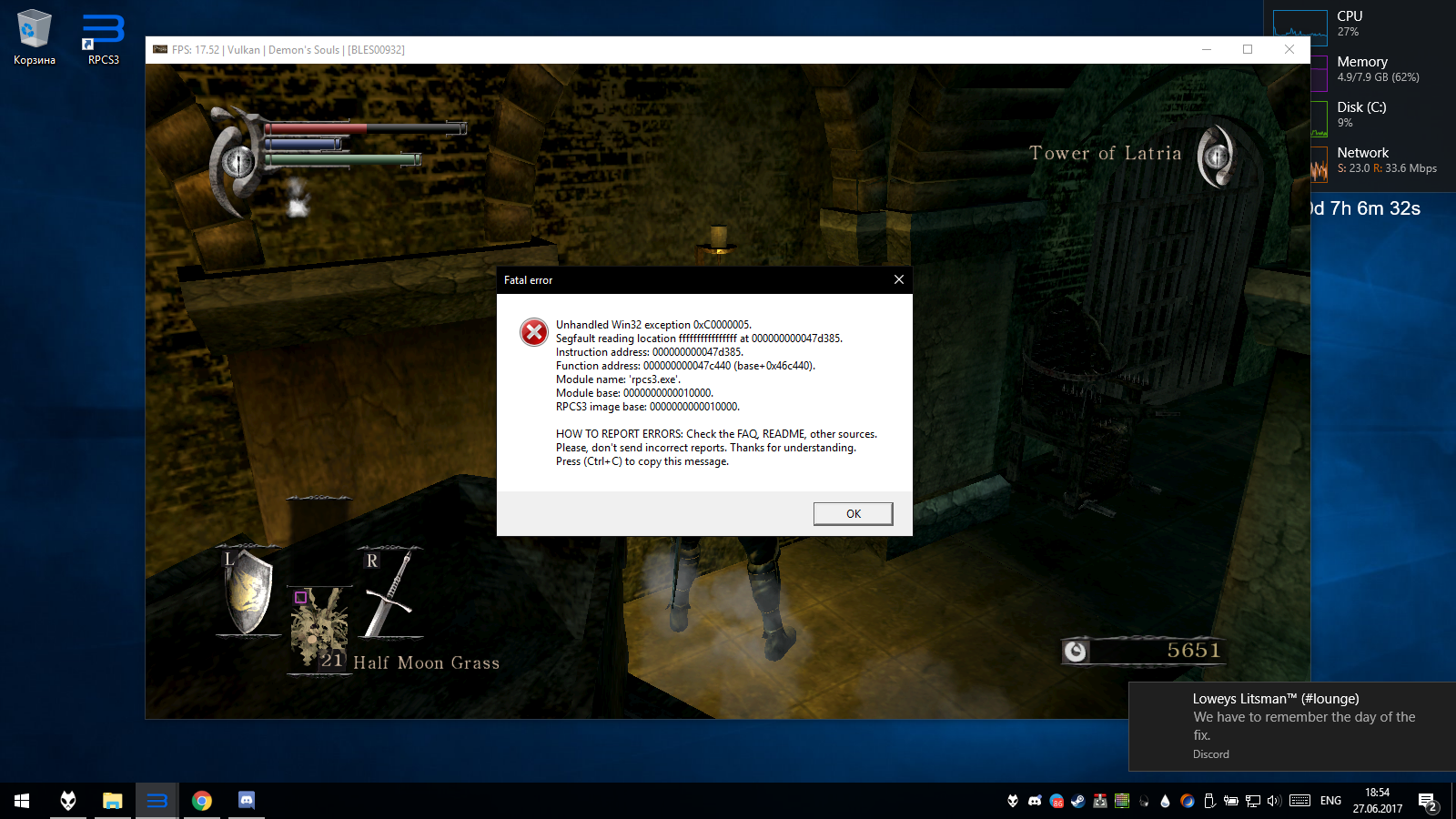
Settings the same.
isshininu
on 27 Jun 2017
but the boot error is gone
Megamouse
on 27 Jun 2017
Don't place RPCS3 in weird paths like Program Files <
 AniLeo
on 27 Jun 2017
AniLeo
on 27 Jun 2017
I have granted an absolute access to this folder for my account. So nothing wrong with Program Files.
Boot error (DX12) was gone after https://github.com/RPCS3/rpcs3/pull/2918/commits/6d3ae49702879bea752ab9fbab1218a90bdbe6ce
But still i faced Qt crashes every day.
isshininu
on 27 Jun 2017
Delete your emu folder completely, download the latest build and start over with a clean state. It solved Qt instability for me. Just overwriting files every time must have caused some conflicts when going from GTK to Qt.
 ghost
on 28 Jun 2017
ghost
on 28 Jun 2017
@HollowSoldier It wasn't GTK, it was WxWidgets.
hcorion
on 28 Jun 2017
@hcorion Is there any issue left to be addressed?
 scribam
on 17 Aug 2017
scribam
on 17 Aug 2017
I don't think there has ever been a real "QT Instability"
Megamouse
on 17 Aug 2017
Closing, no real issue remaining here
AniLeo
on 18 Aug 2017
Related issues
 legend800
·
3Comments
legend800
·
3Comments
 LokiGrants
·
3Comments
LokiGrants
·
3Comments
 xiangzhai
·
3Comments
AniLeo
·
3Comments
xiangzhai
·
3Comments
AniLeo
·
3Comments
 Birch-san
·
3Comments
Birch-san
·
3Comments
Most helpful comment
## Last Master QT build Works perfect not have any problem * *problem is solve