Rpcs3: GL/VK: Tales of Vesperia - Rendering issues
EDIT: Issue closed, it's too cluttered around here. Go to #4357.
Issues to fix:
- [x] Black characters
- [x] Blue veil
- [x] Shadows: Not every character gets their shadow, but it's no longer a square.
- [x] Scrambled text
- [x] Lighting issue
- [x] Frame persistence issue
- [x] Half-screen issue (related to SRM)
- [ ] Wrong colors on characters textures (unrelated to SRM, the issue appears even without it)
- [ ] Requires Strict Rendering Mode (not quite an issue, just prevents enhancements)
Original comment:
VK: no lights in main menu; half-screen issues in skits, pause screen, black screen transitions; no red screen; (EDIT : VK-specific issues are fixed as of 0.0.2-4584, it now displays the same as OGL, without the red-screen)
DX12: emulator crashes just before the main menu
PS3


RPCS3 OGL


Renderdoc Main Menu
Renderdoc Ingame
Log
EDIT (21/03/2018): Hiding pictures behind "details" tags to make this thread more readable.
 GeniusMage
All 111 comments
@GeniusMage How does it look in GL backend using latest build ?
 raven02
on 6 May 2017
raven02
on 6 May 2017
@raven02 It looks exactly the same as before.
However, Vulkan-only issues are fixed, display is now the same as OGL.
GeniusMage
on 7 May 2017
Update (0.0.2-4972)
Before
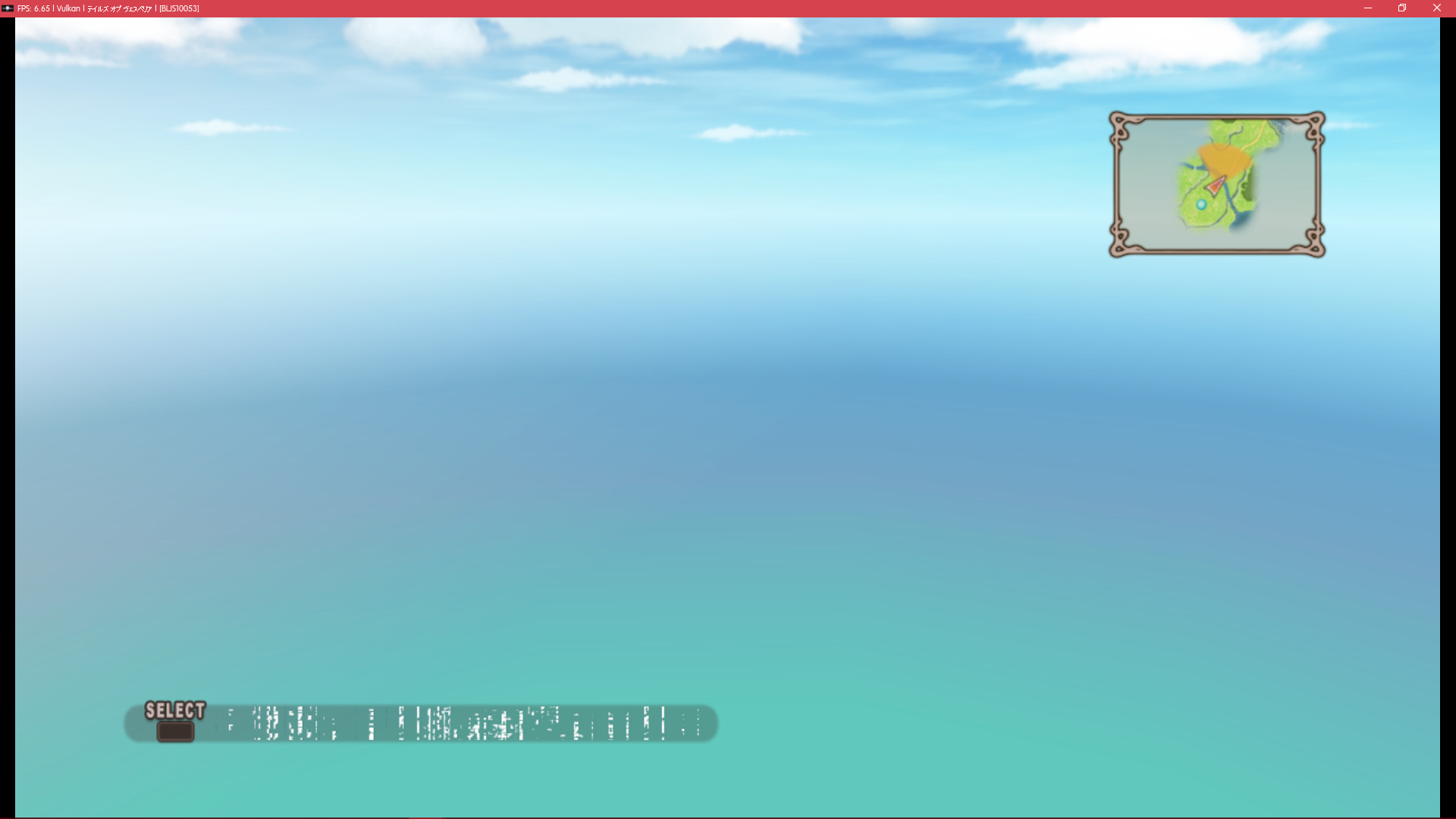
After (OGL)
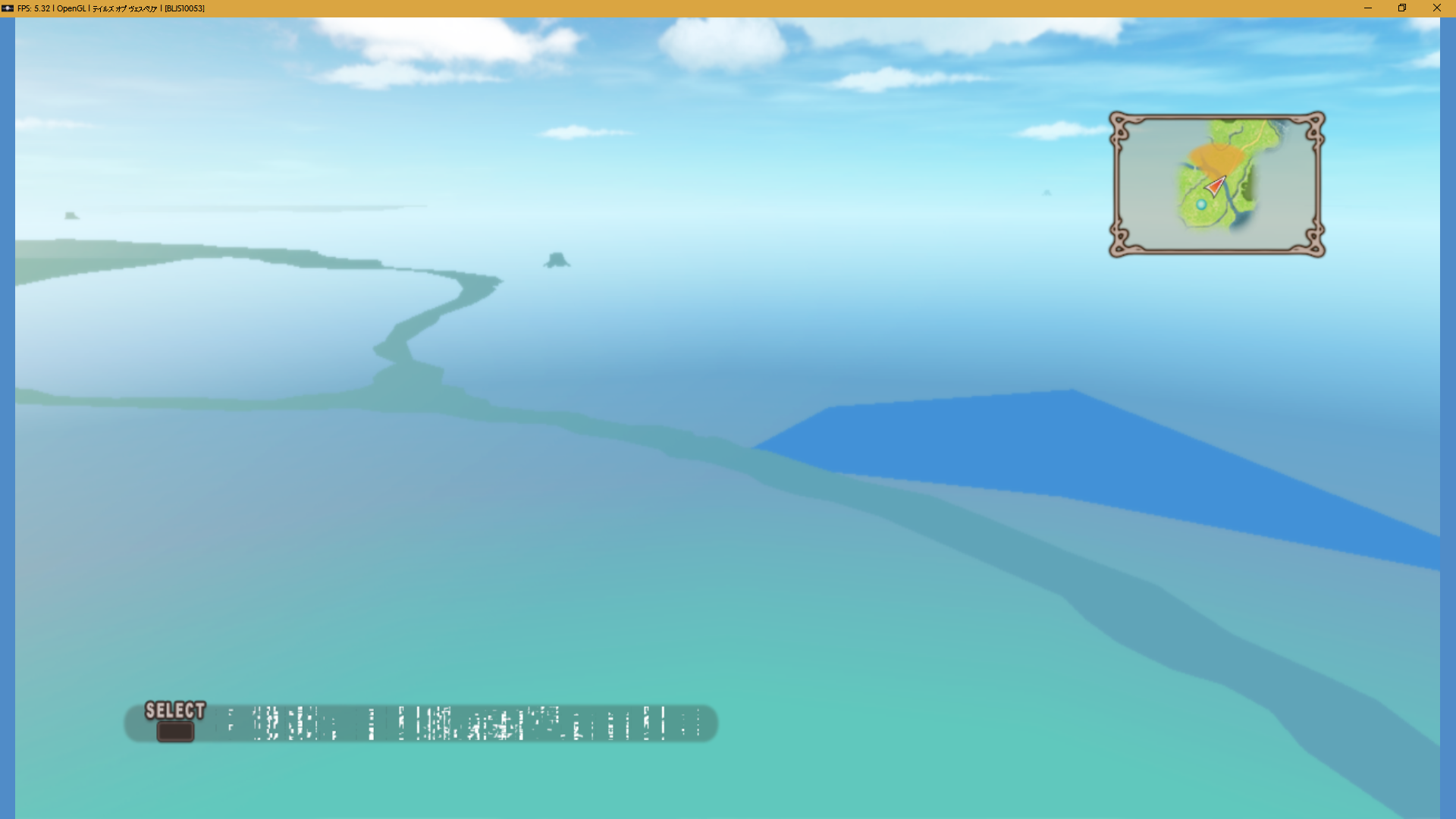
Rivers, oceans and loot points are now visible on the world map (this was already the case in recent builds of kd's Vulkan branch)
After (Vulkan)
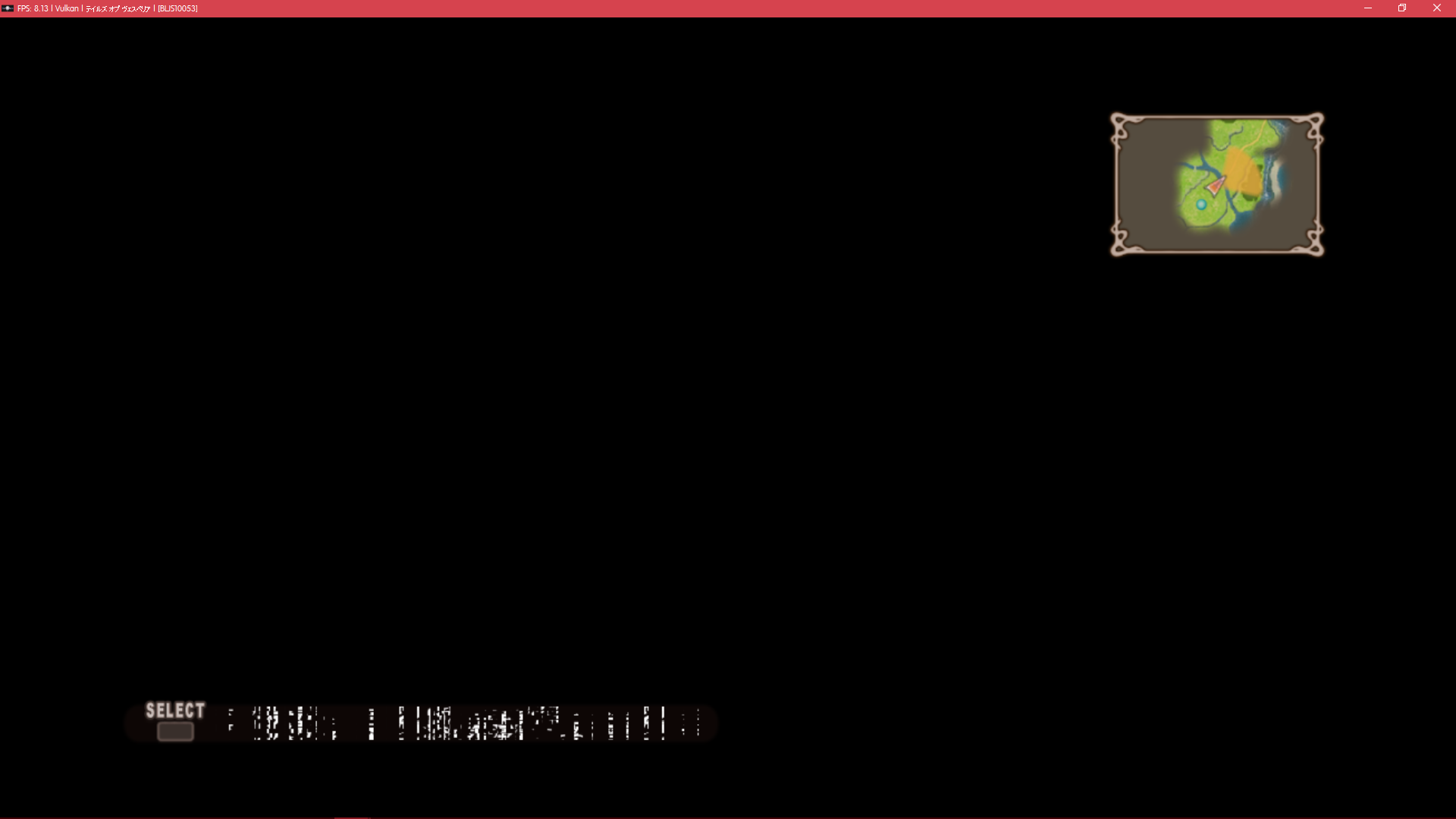
Sky is now black in most places when using Vulkan.
GeniusMage
on 21 Jun 2017
https://github.com/RPCS3/rpcs3/pull/2962 resolves most of the issues listed here (Requires strict rendering mode)
 kd-11
on 6 Jul 2017
kd-11
on 6 Jul 2017
As you said, most missing graphics are fixed (also, OGL's red flickering is gone). And this allows us to see new issues 😃 .
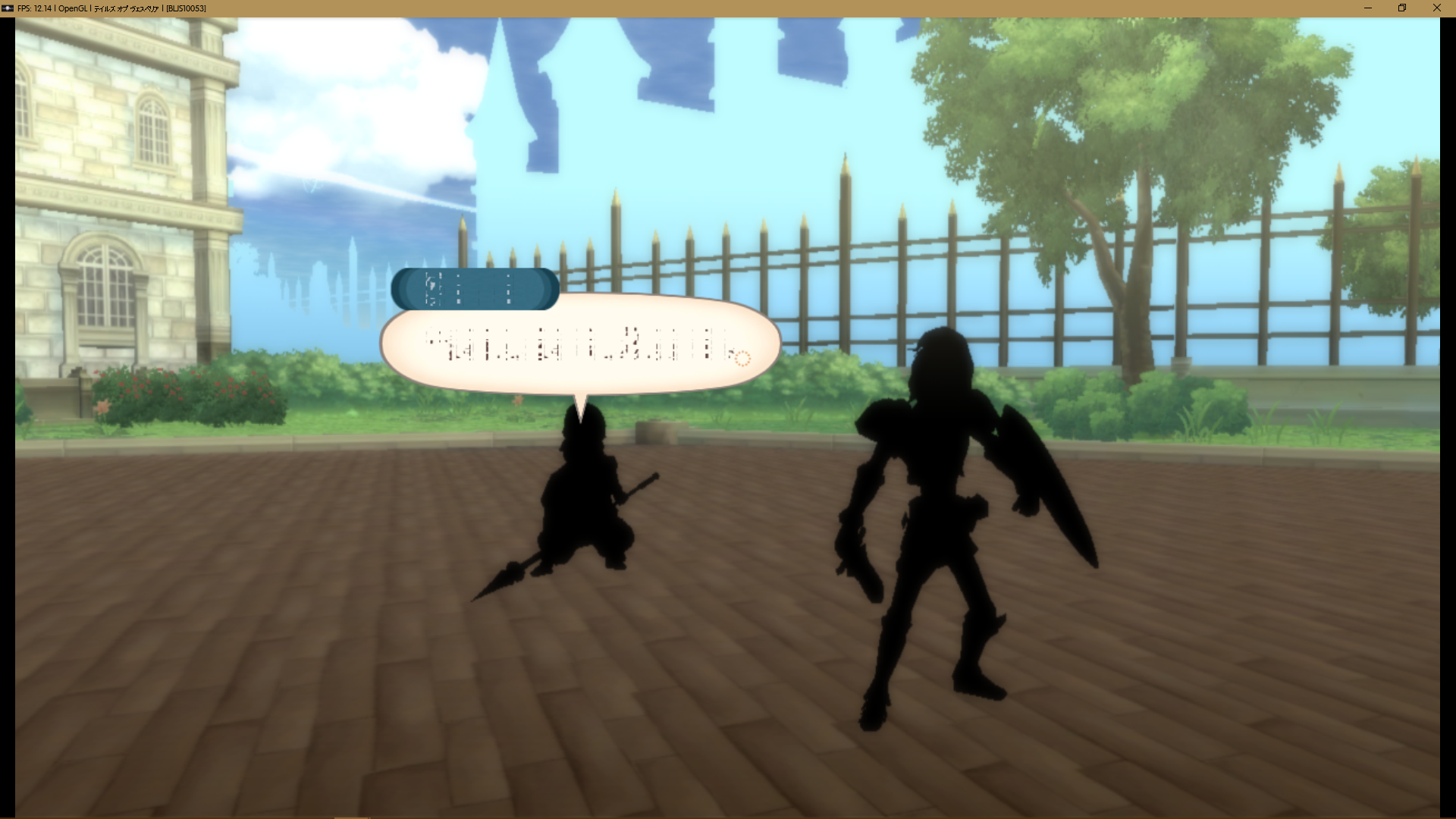
Black characters
Characters, monsters and loot chests are black (EDIT: seems to affect animated objects, Esppiral from Discord mentions it could be the cel-shading not being properly applied):
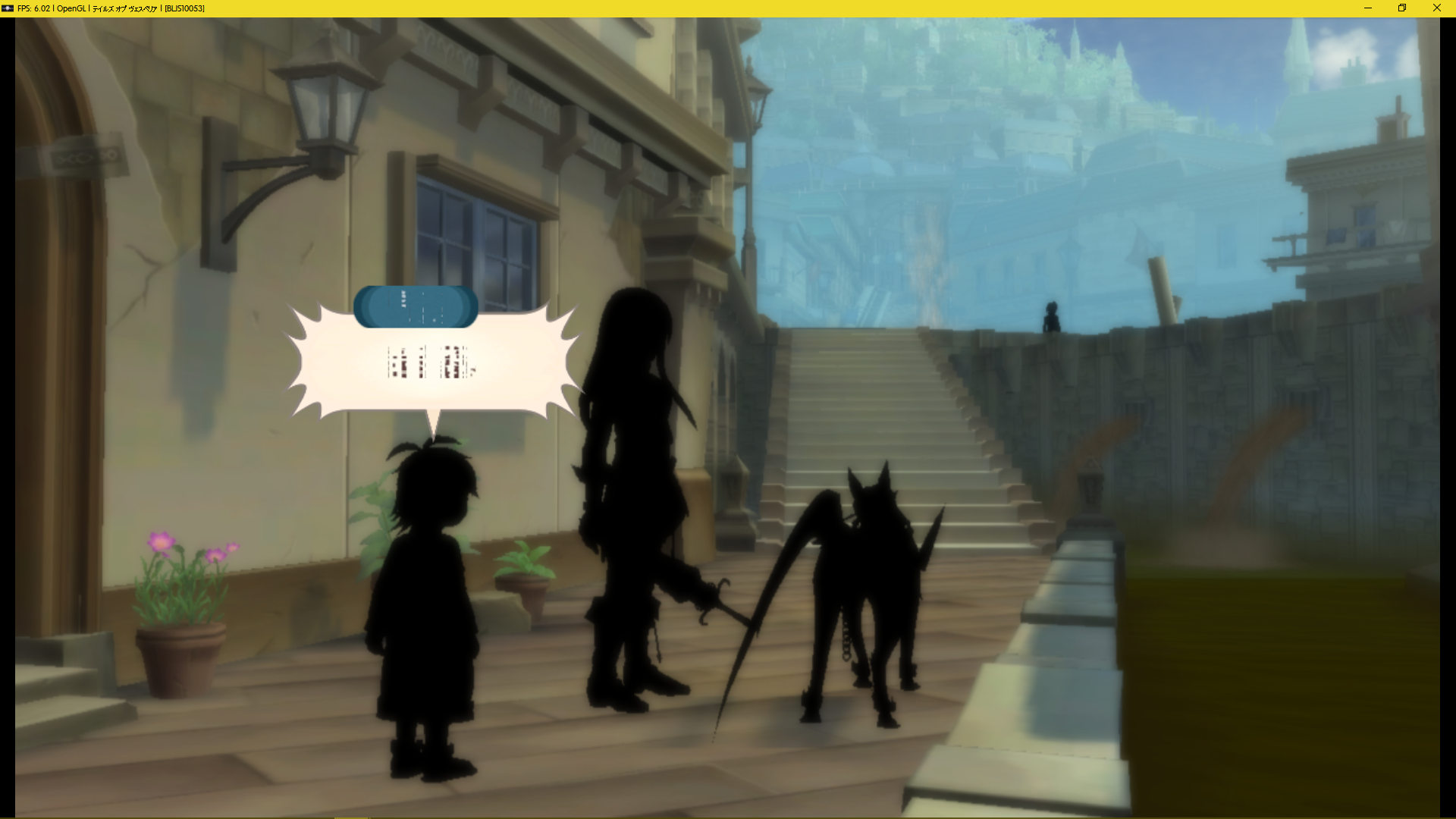
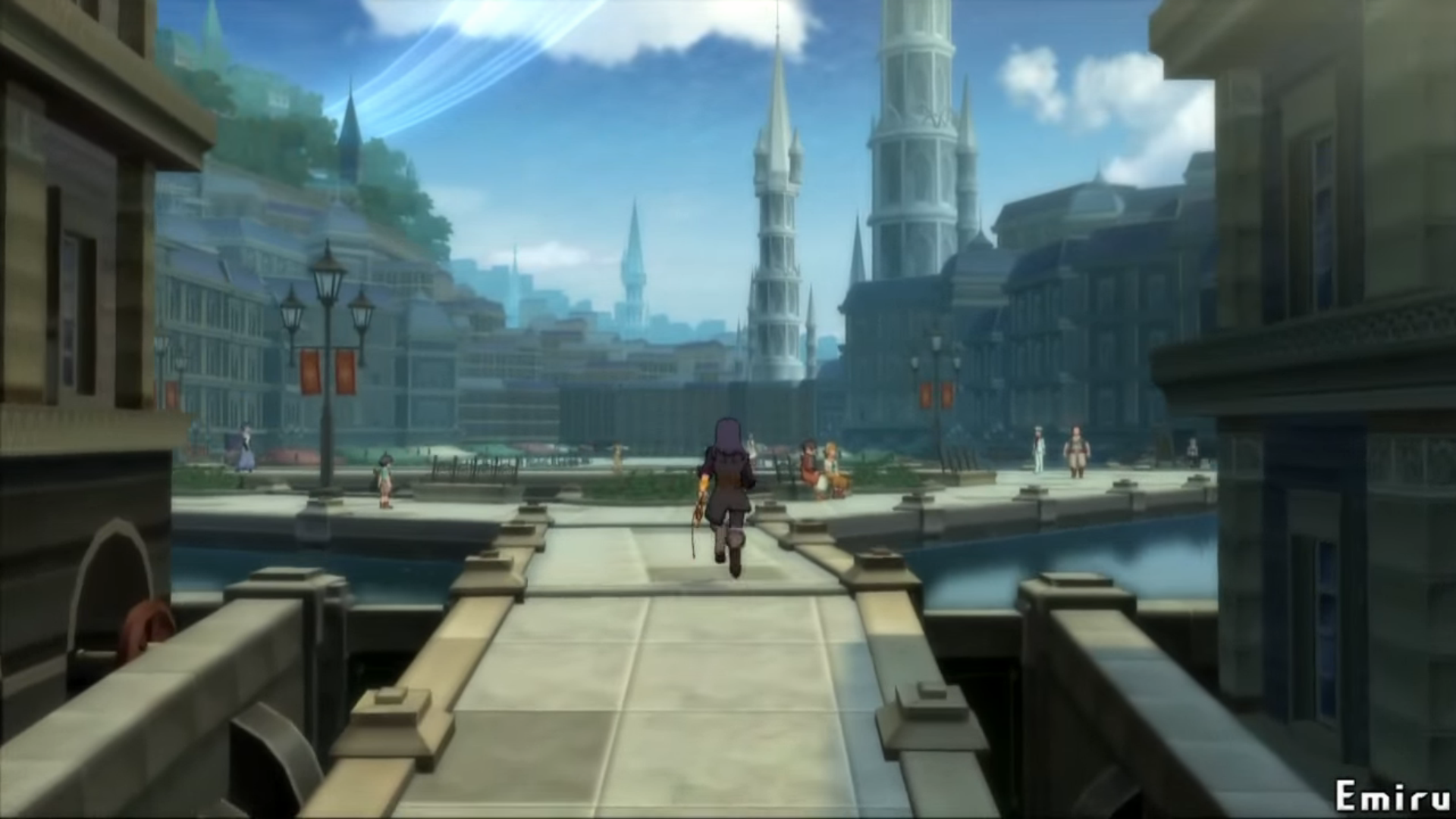
Blue veil
The "blue veil" effect in the background is too close, and affects visibility of the farthest objects:
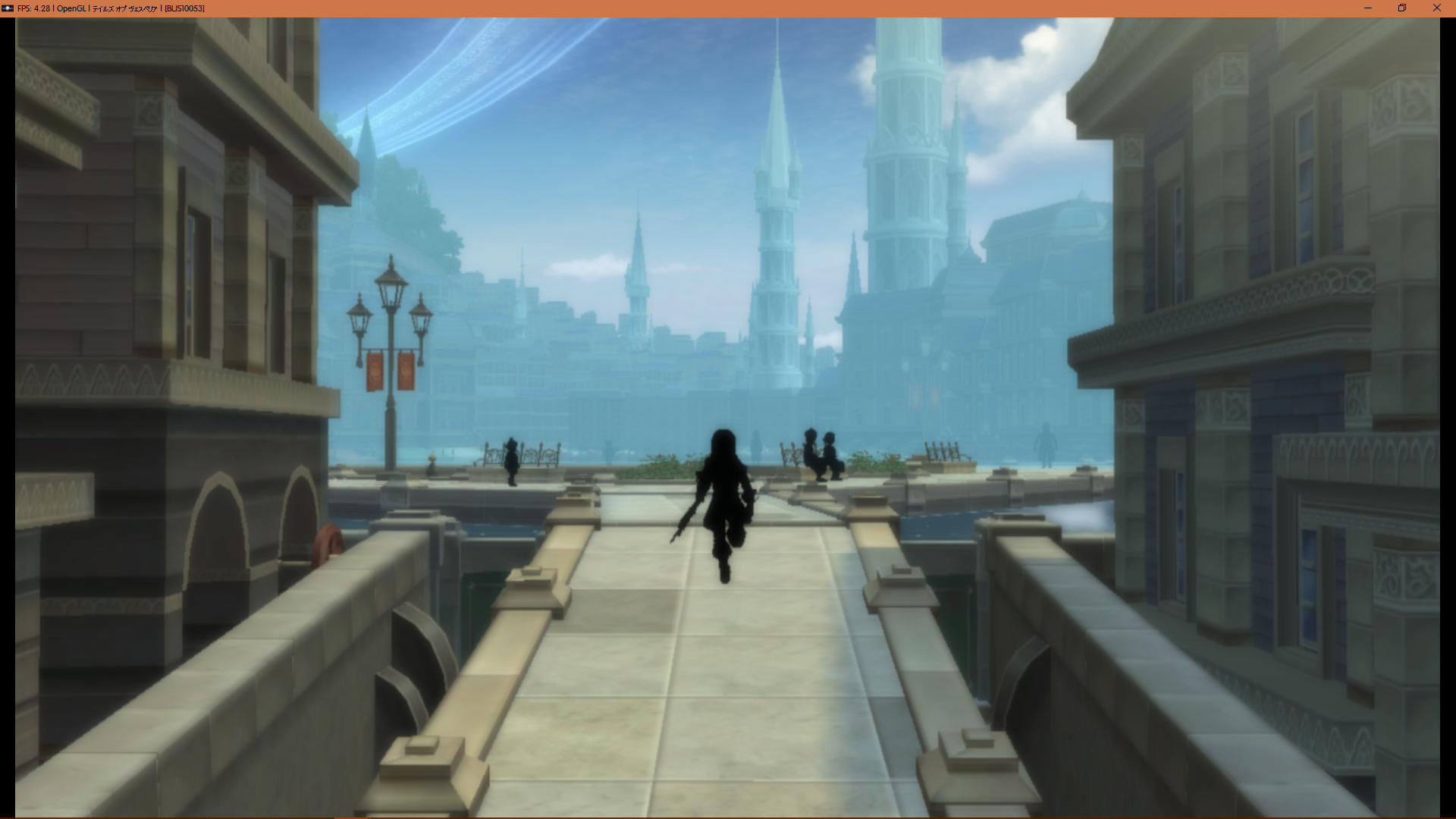
Here's how it's supposed to look like:
Another example, in battle:
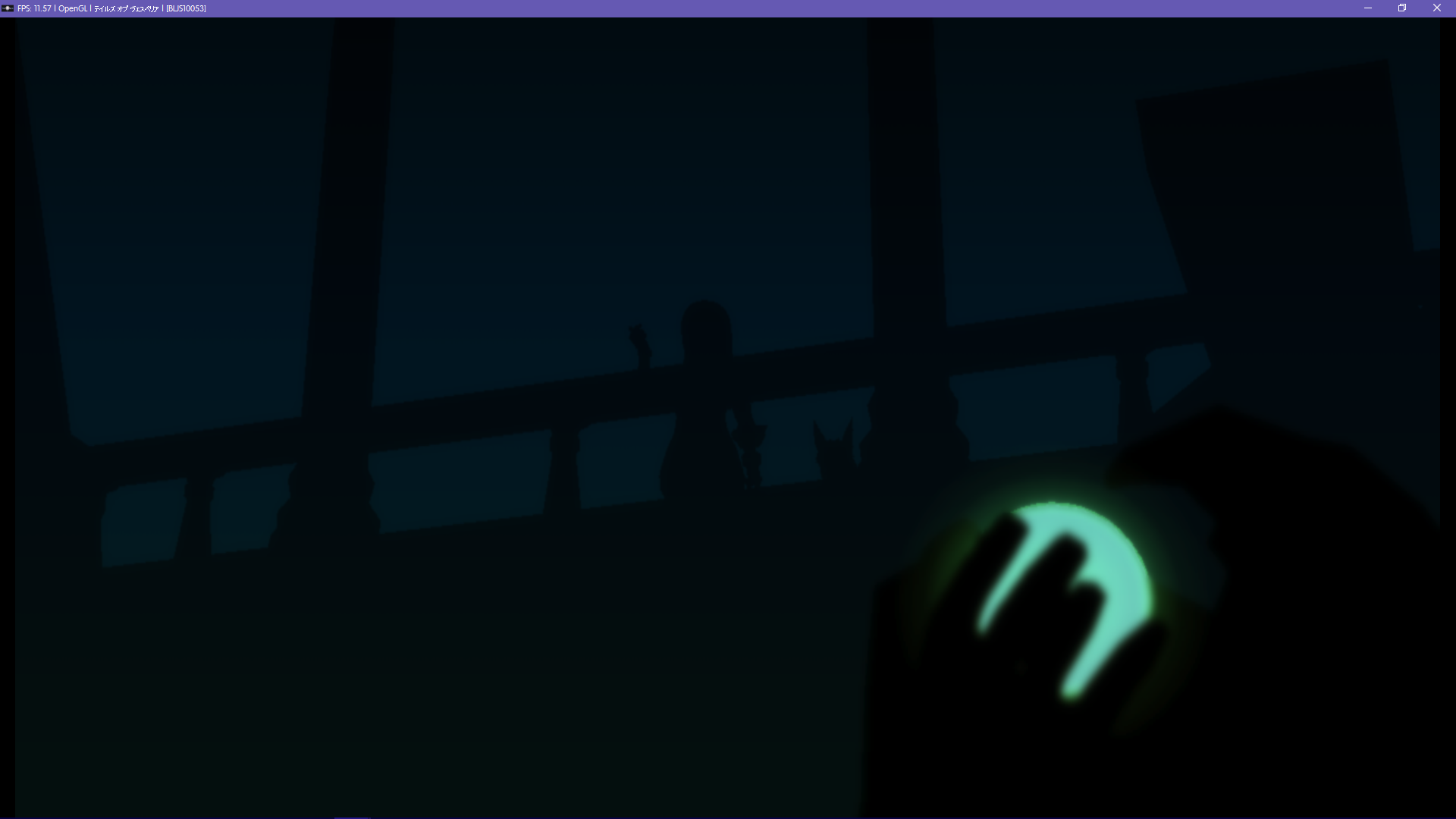
Half-screen issue
A half-screen issue appearing in some scenes:
This issue appears mostly in scenes occuring in the Noble Quarter (Zaphias) and Ragou's manor (Capua Nor), as well as interiors in Heliord. Also affects the menu background.
Lighting issue
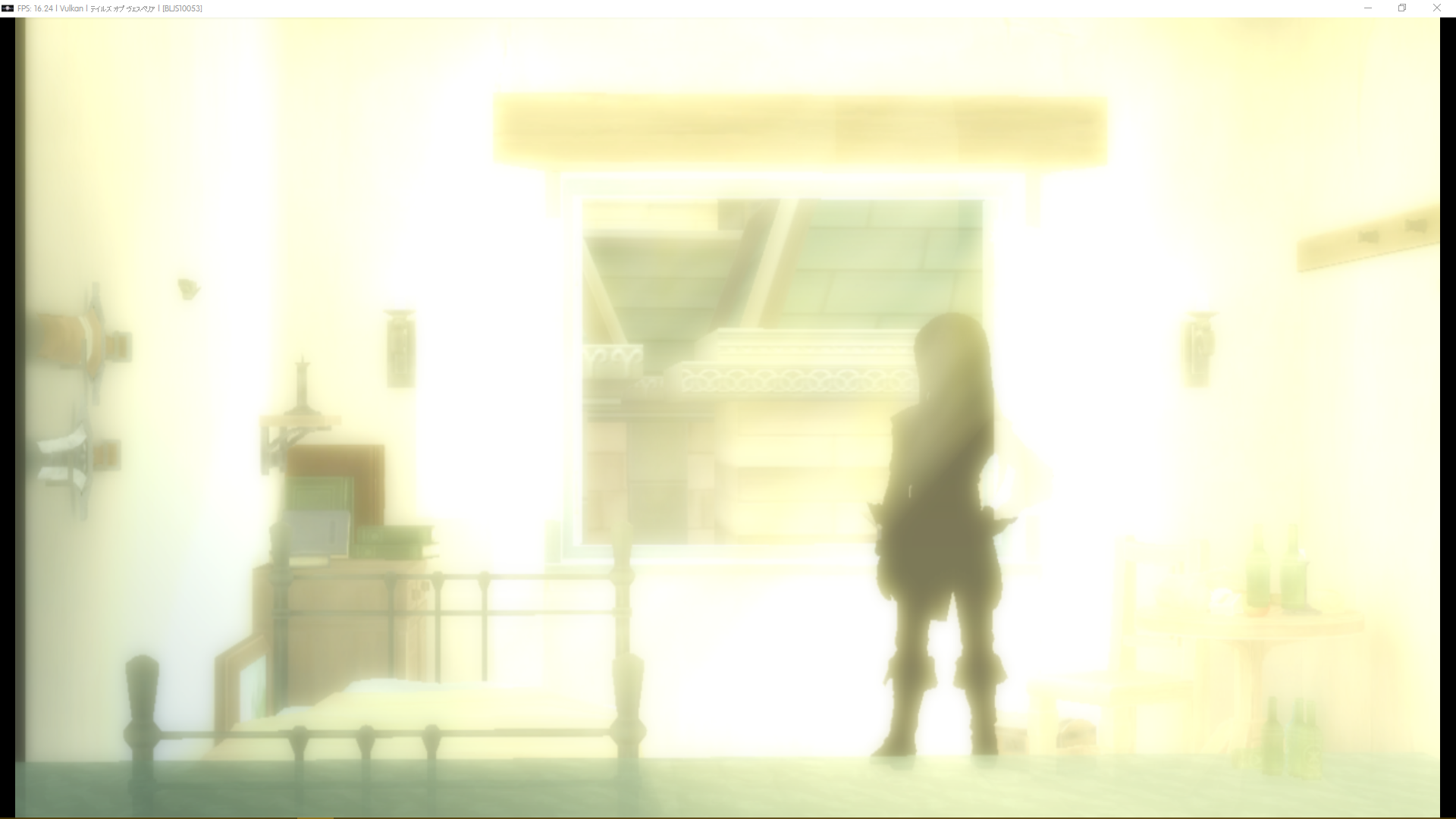
Interiors are quite buggy as well (EDIT: It seems like a lighting issue). Here is "Mordio's" house:
Two angles in the same room can have very different results. Here is the Castle's prison:
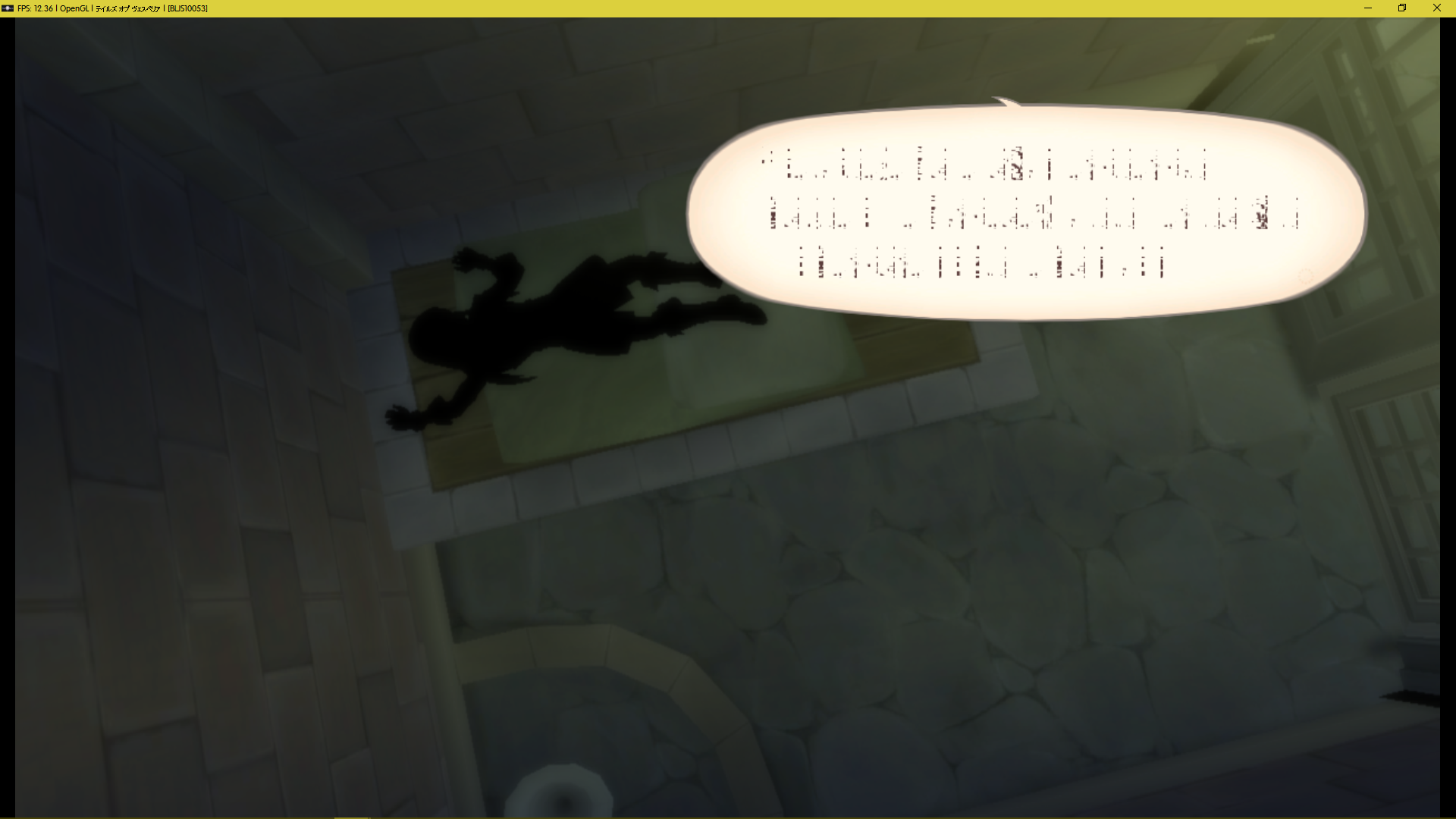
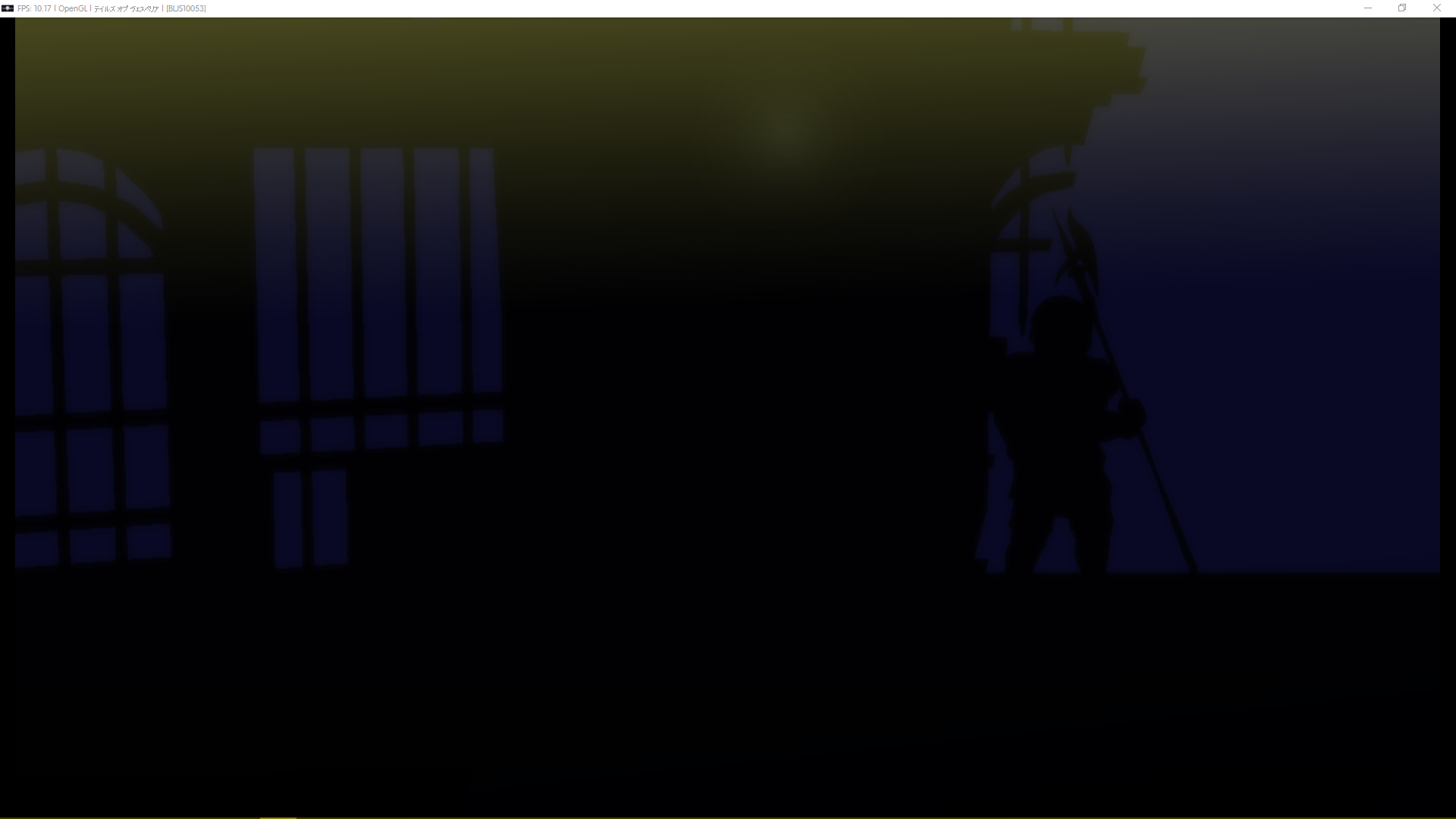
Here's Yuri's room:
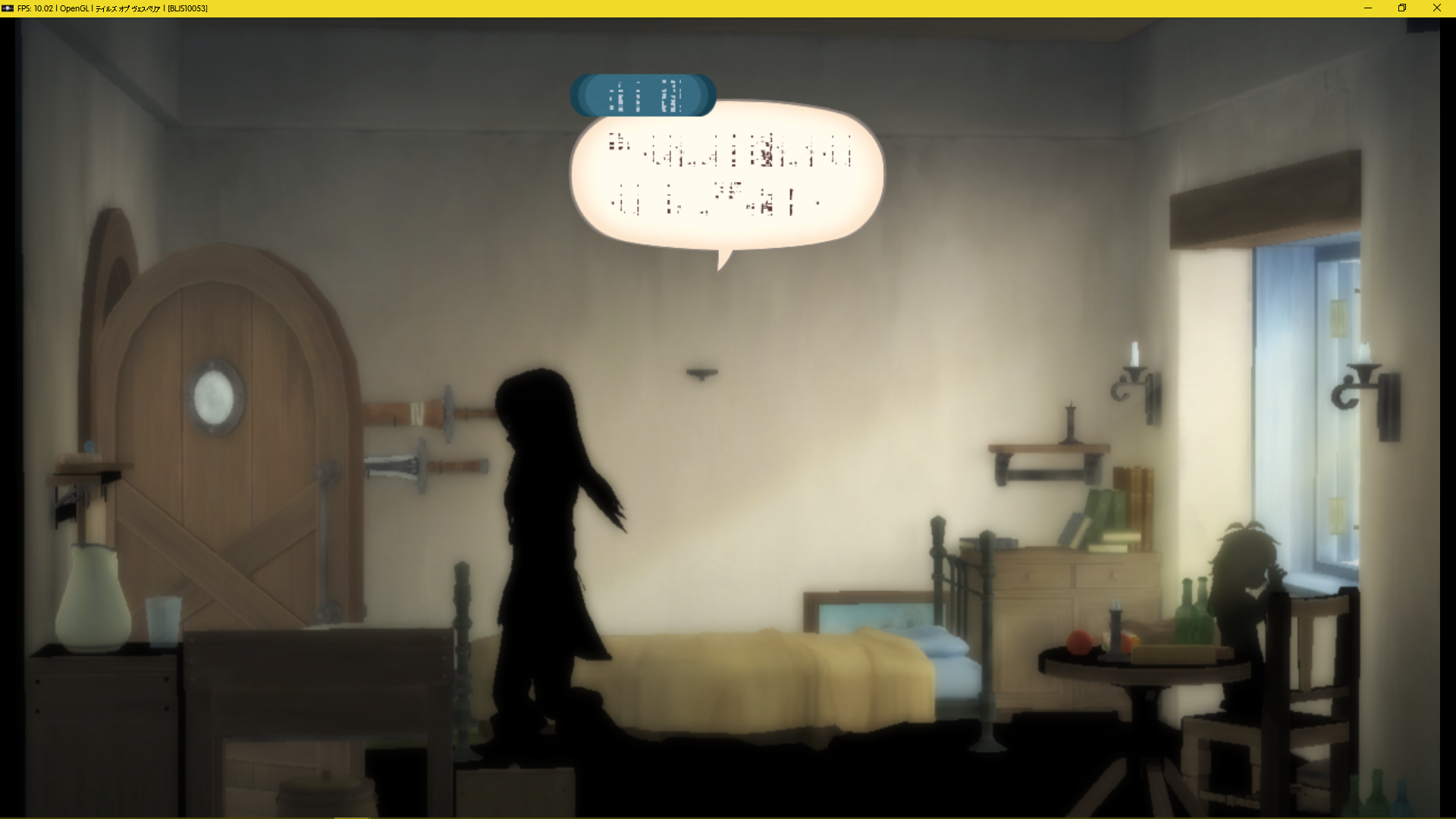
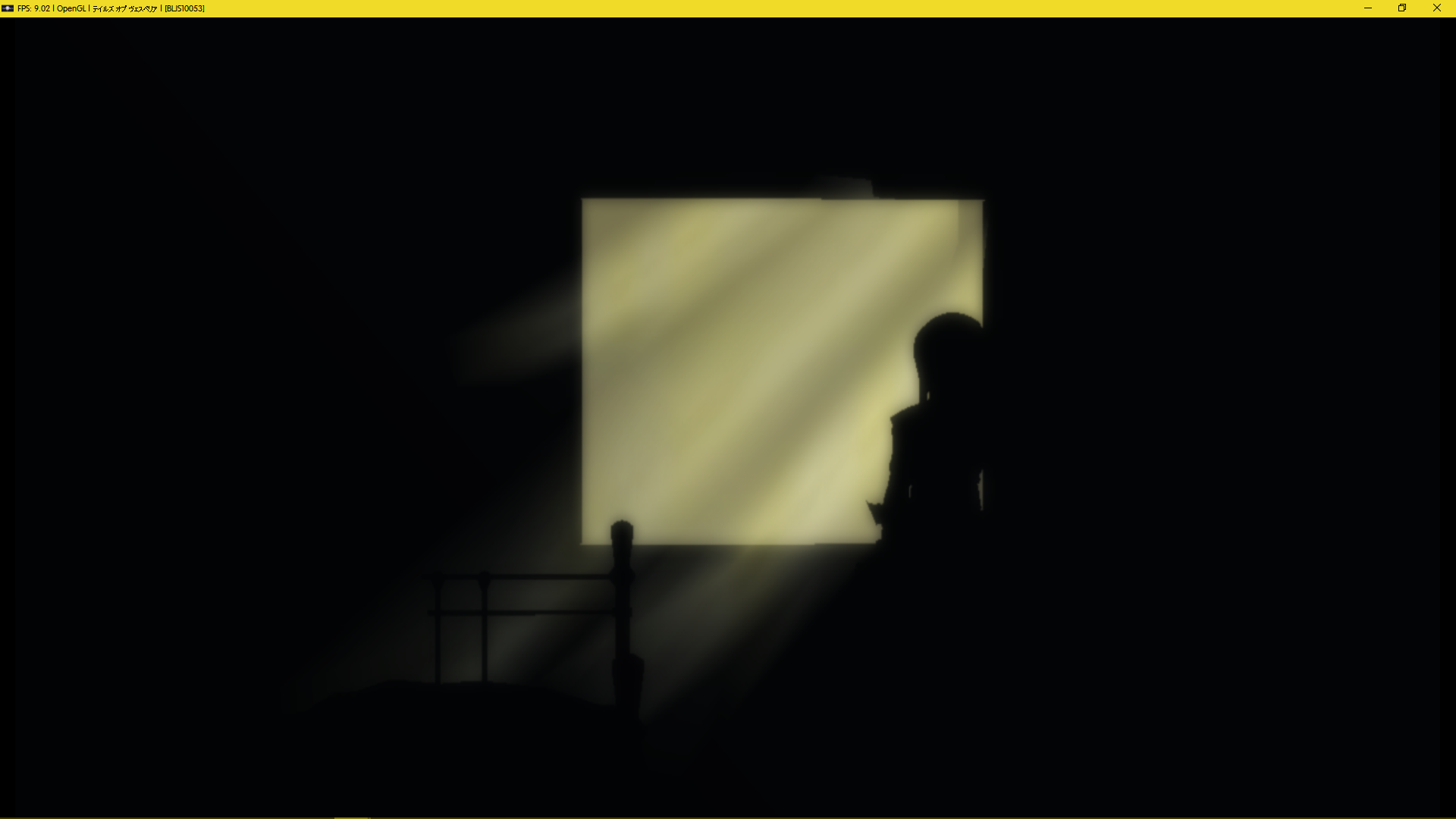
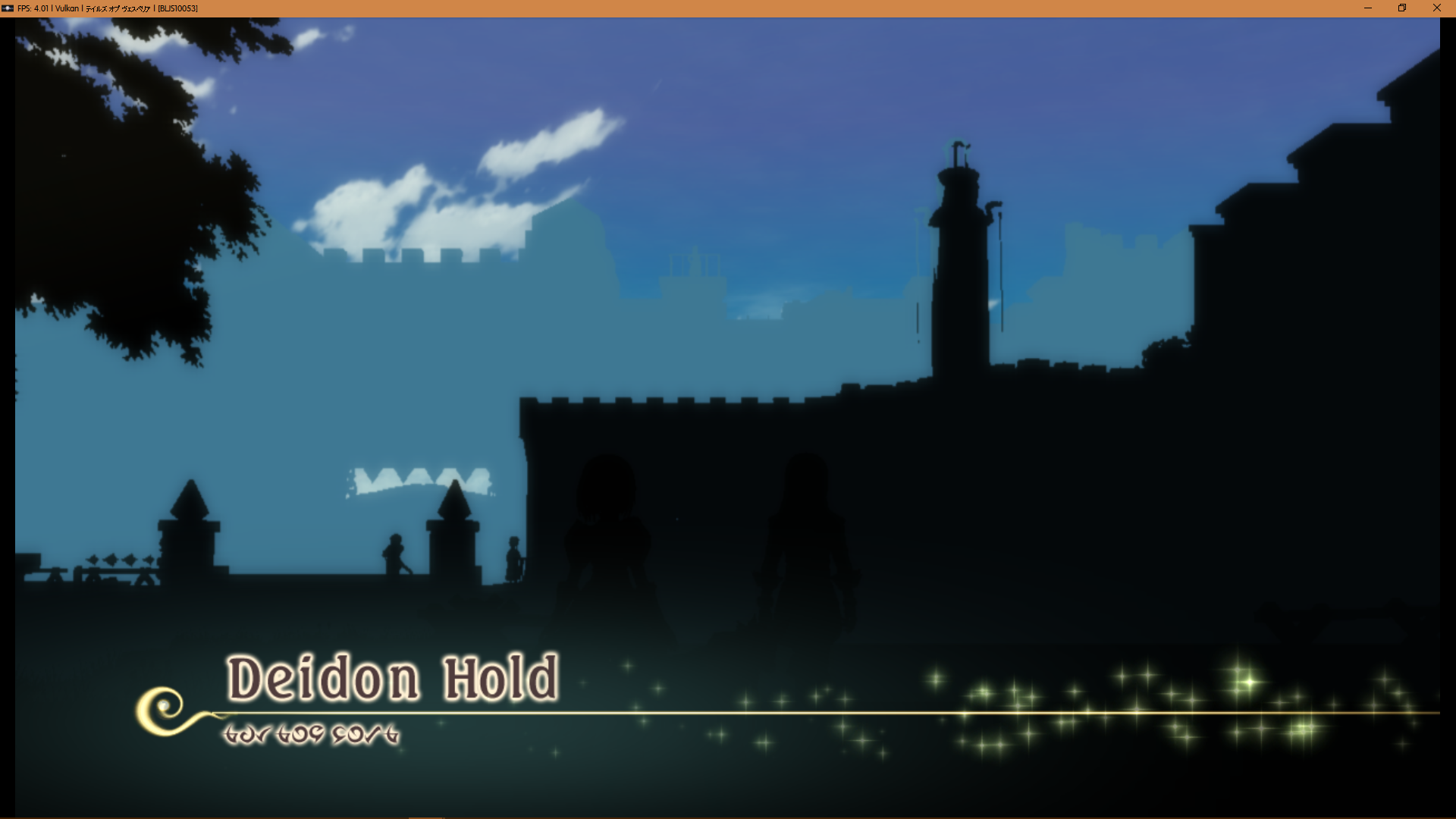
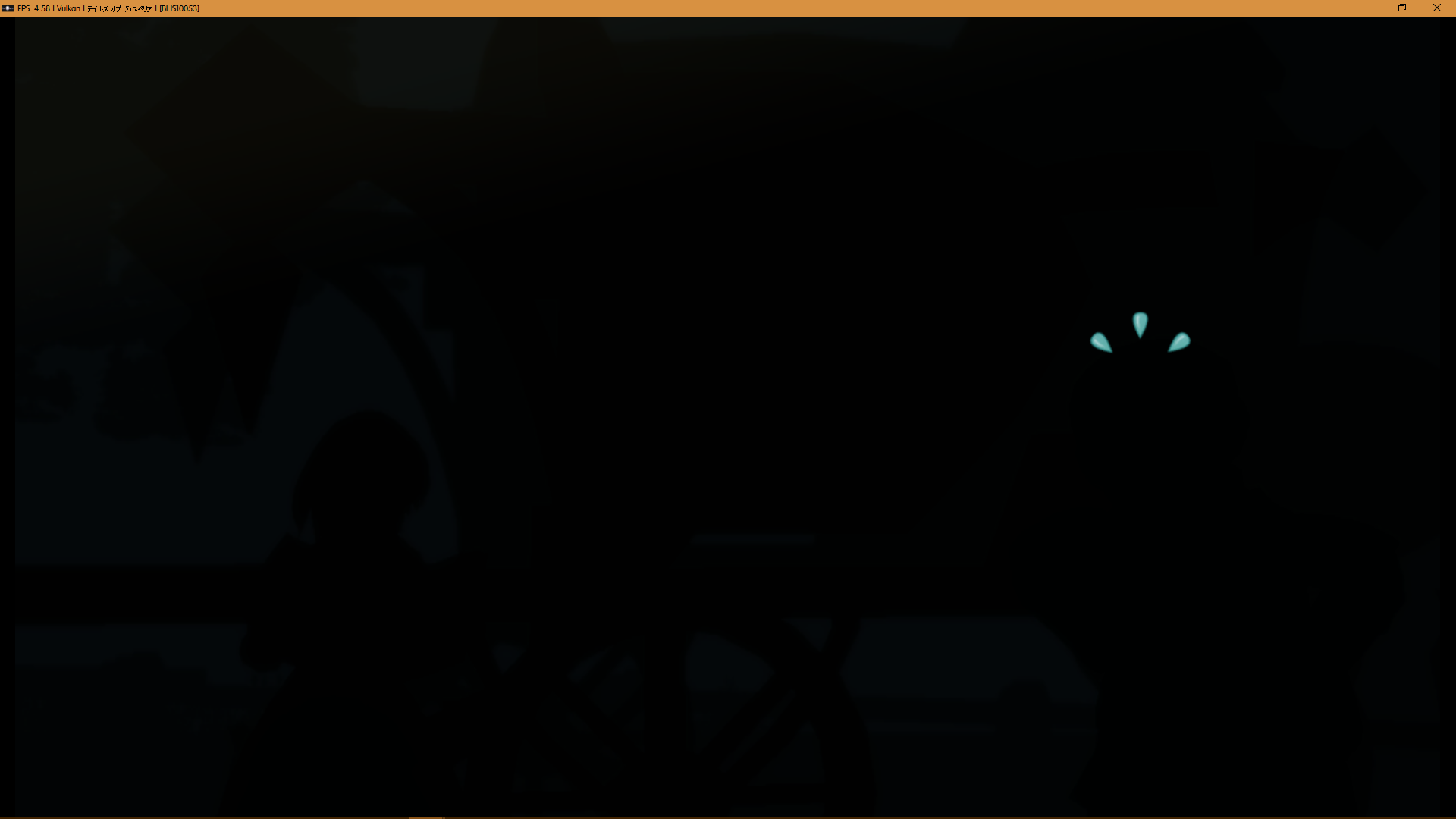
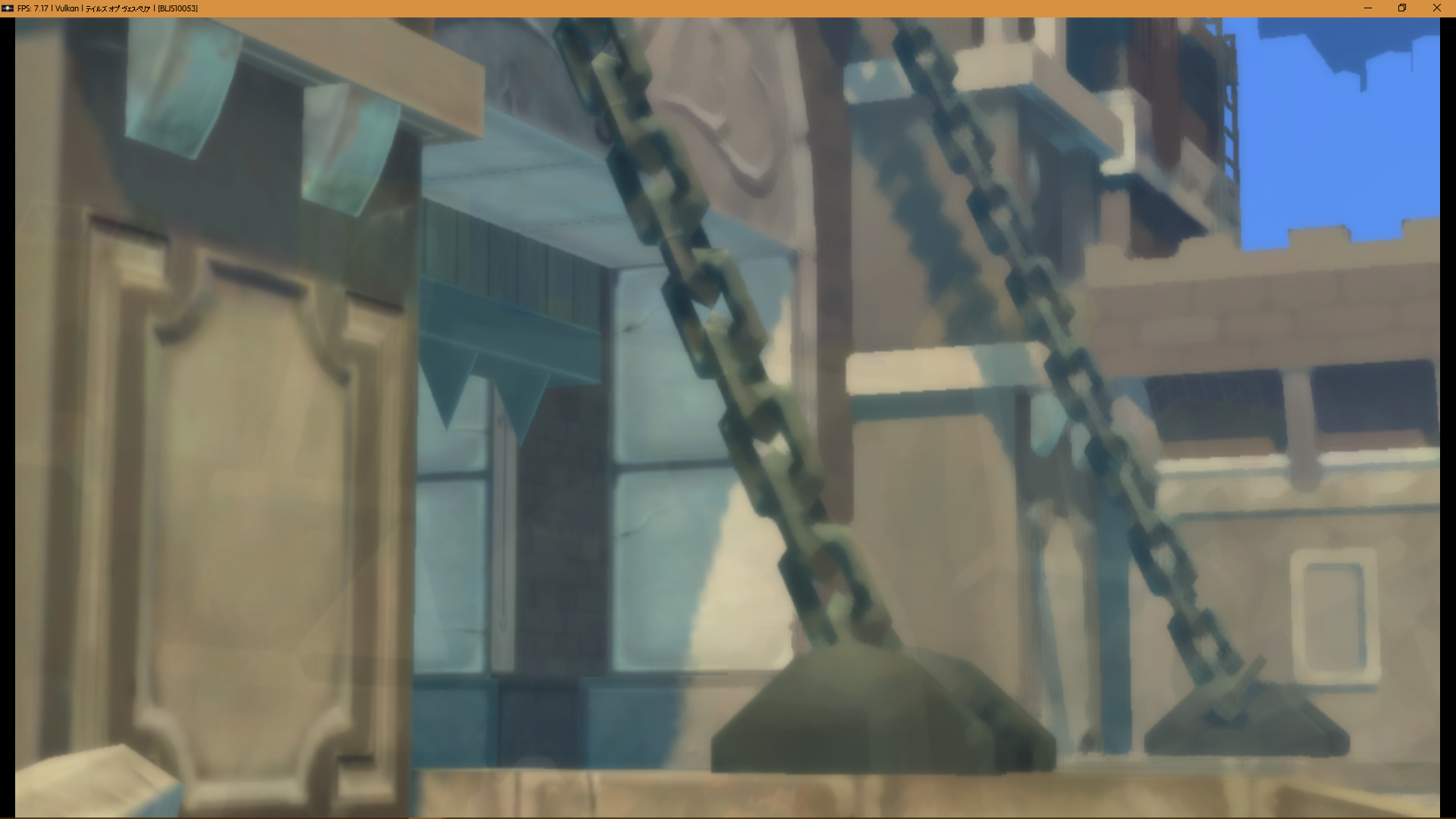
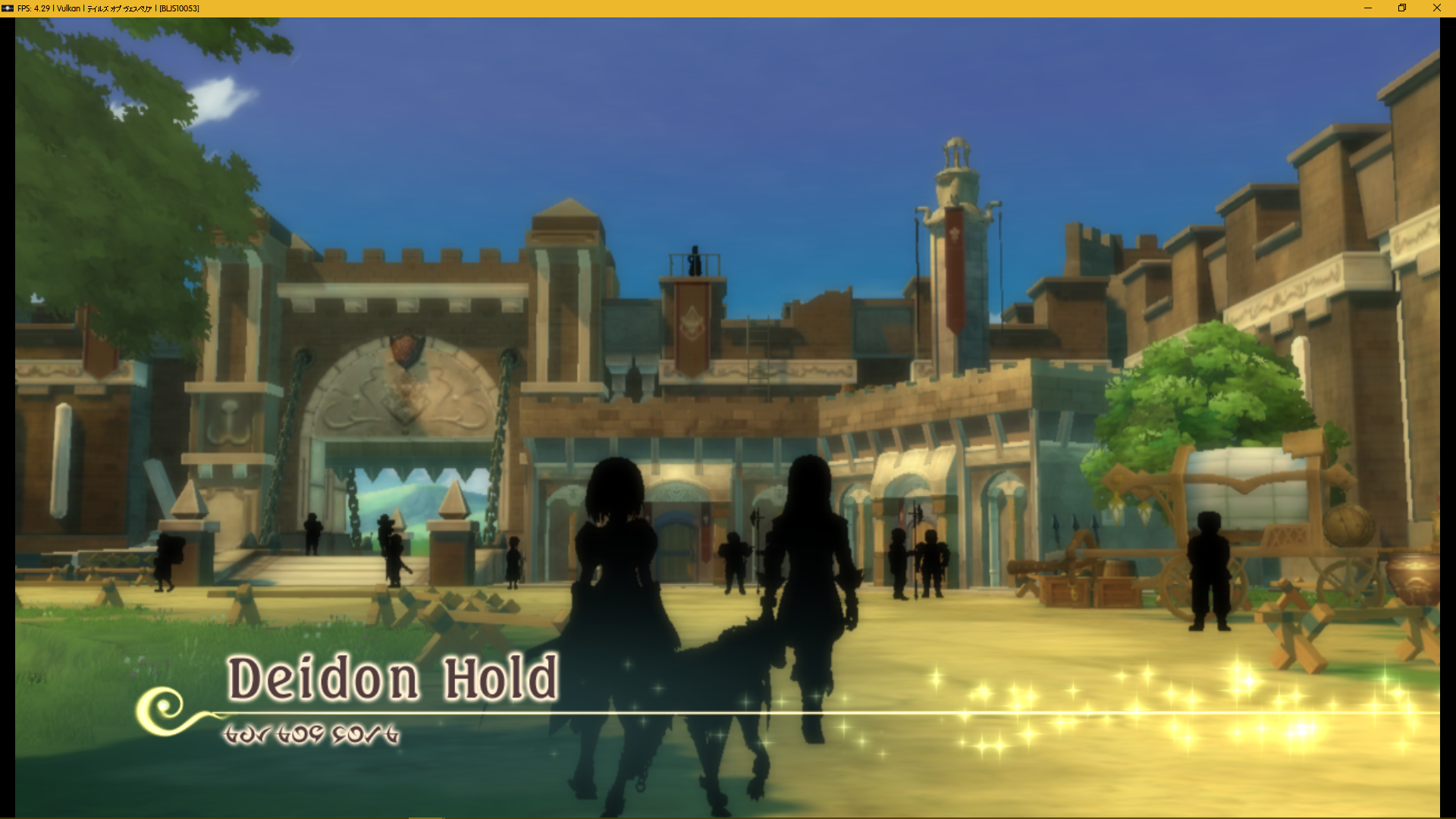
Deidon Hold:
Angle 1:
Angle 2:
Beginning of the monster attack:
Halure:
Day:
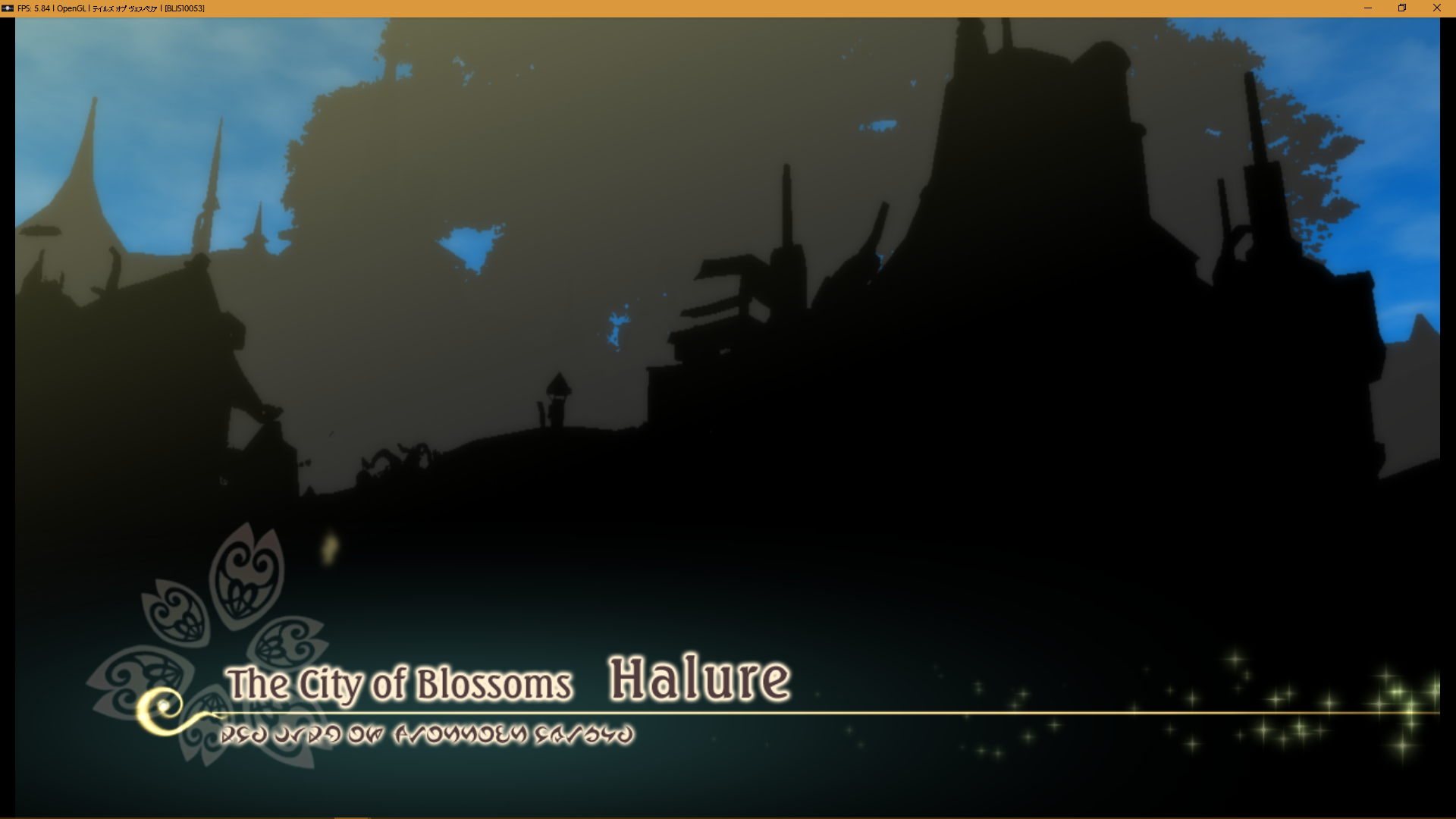
Night:
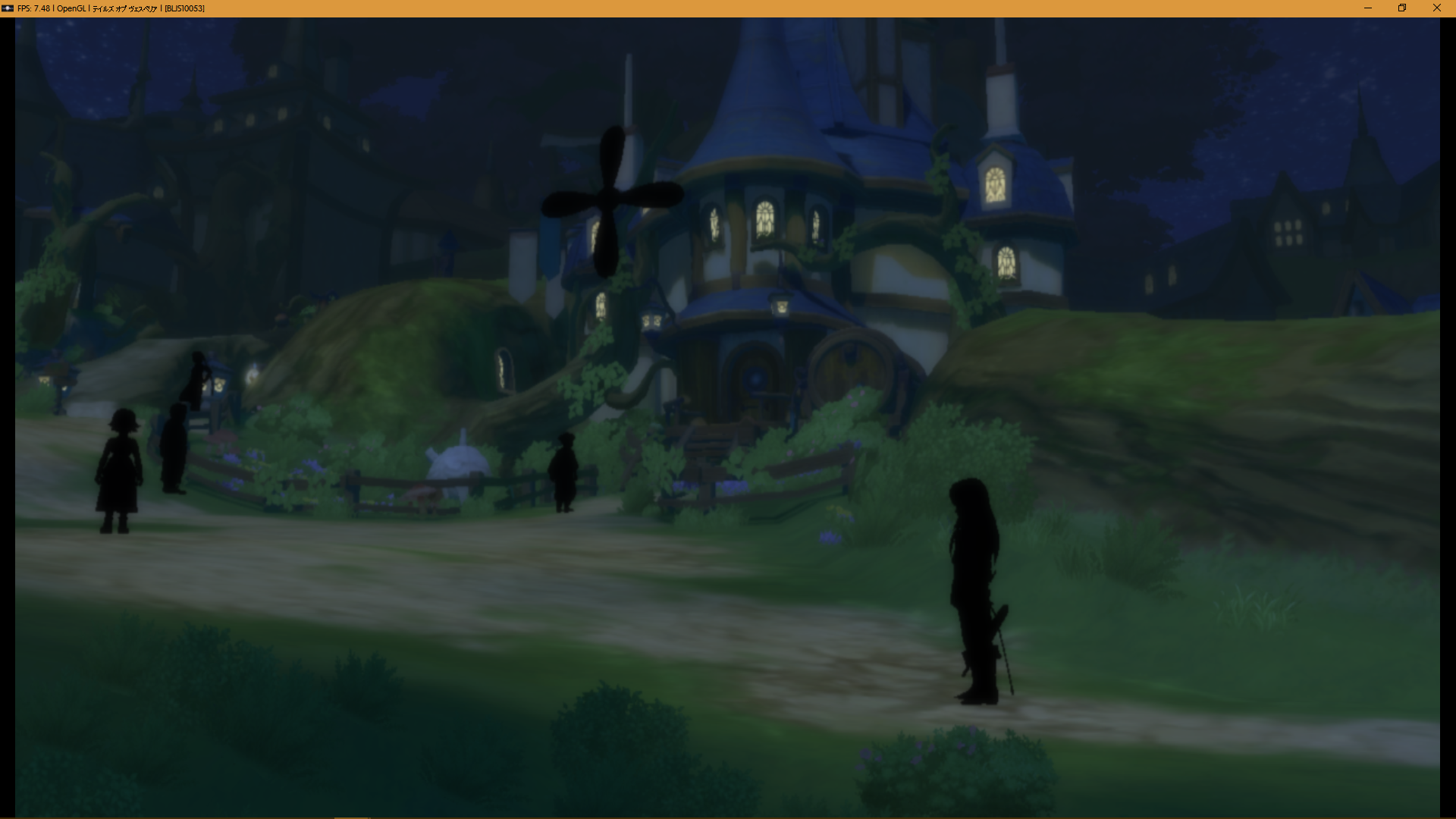
Shadows
Another issue: shadows don't work
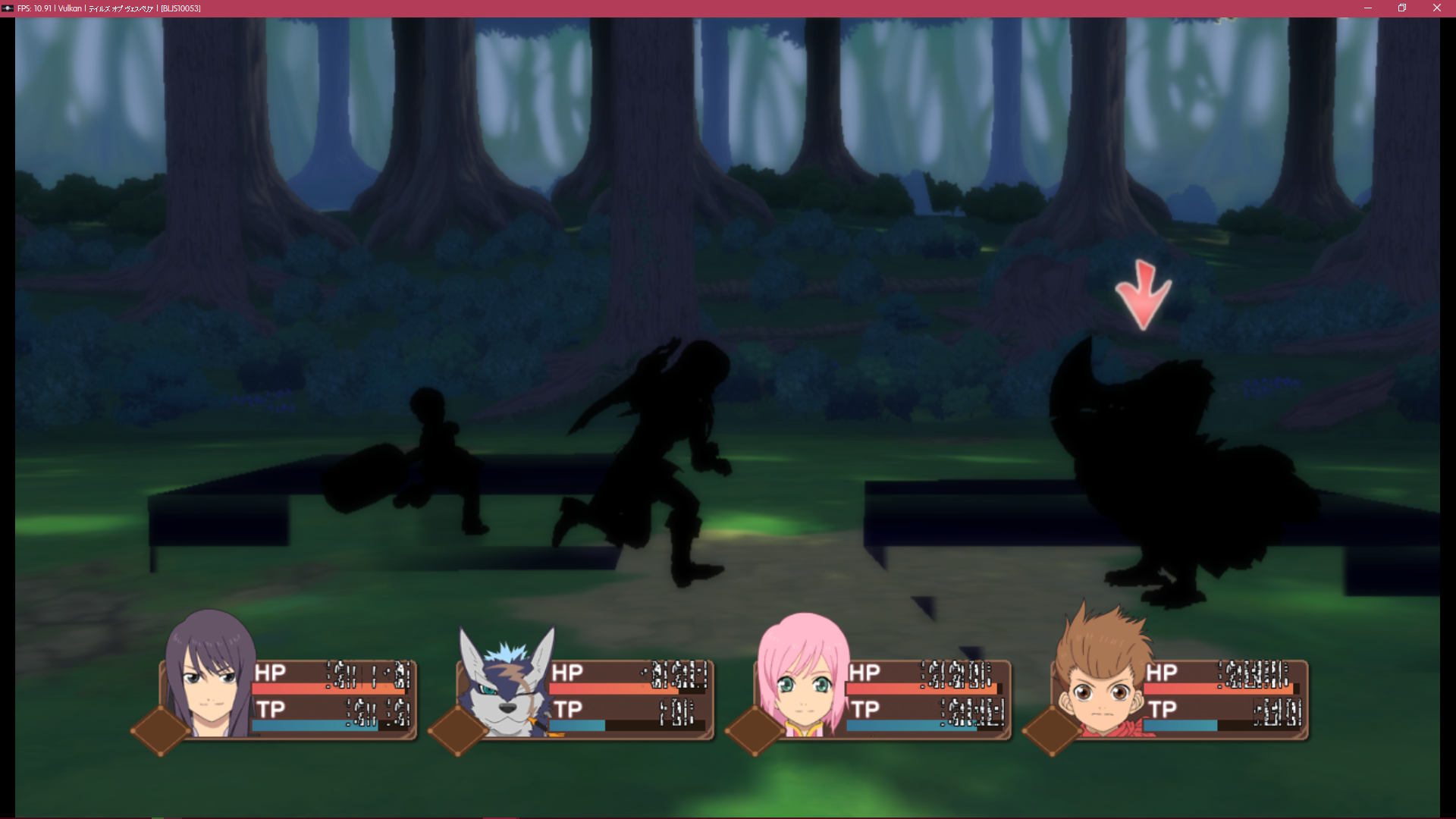
(Trying to progress through the game, may update this later)
GeniusMage
on 6 Jul 2017
Obsolete comment, new commit reversed those changes.
PR #3026 mostly fixed the lighting issue, only remains some rare cases of scenes being too dark or too bright
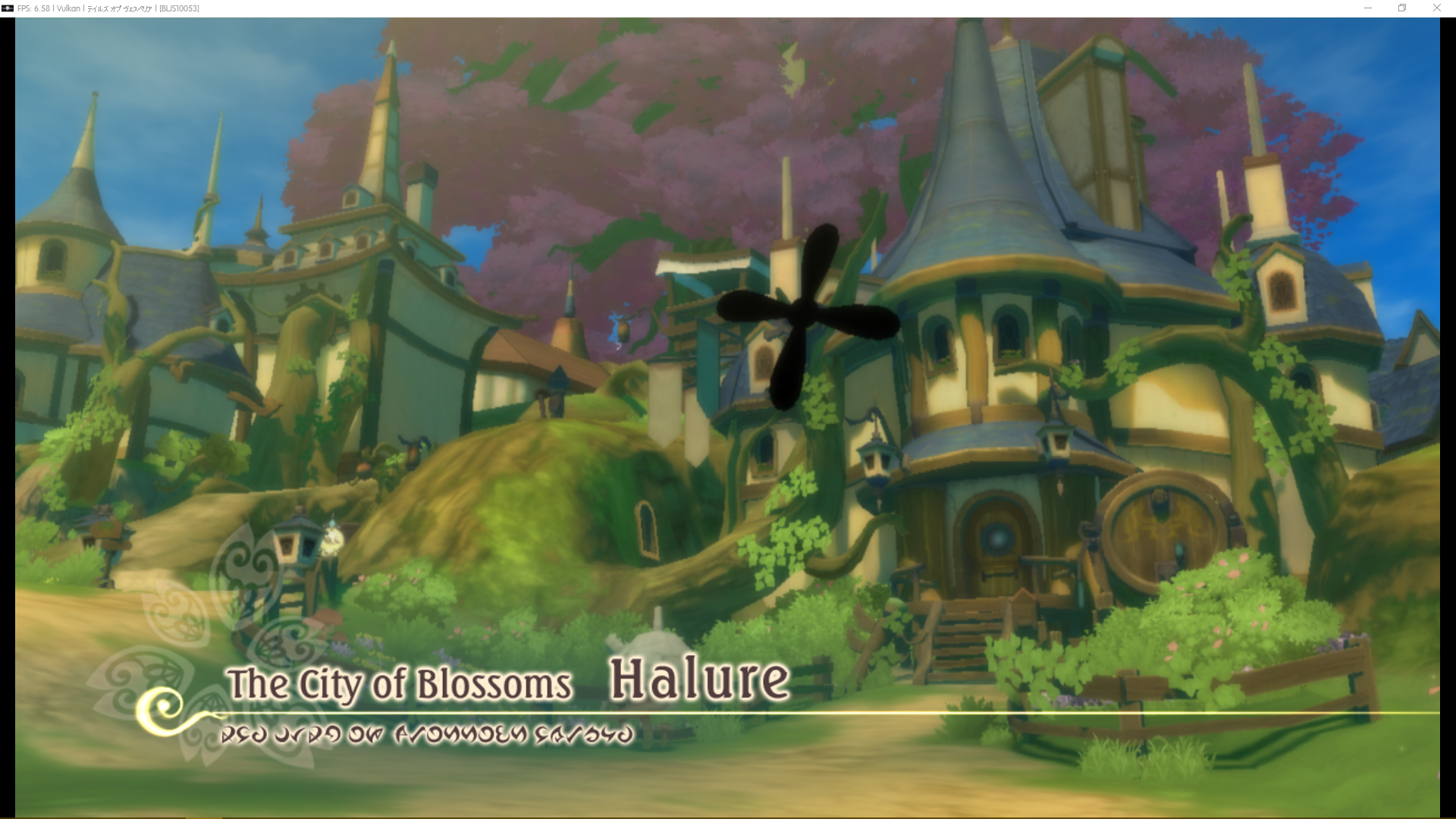
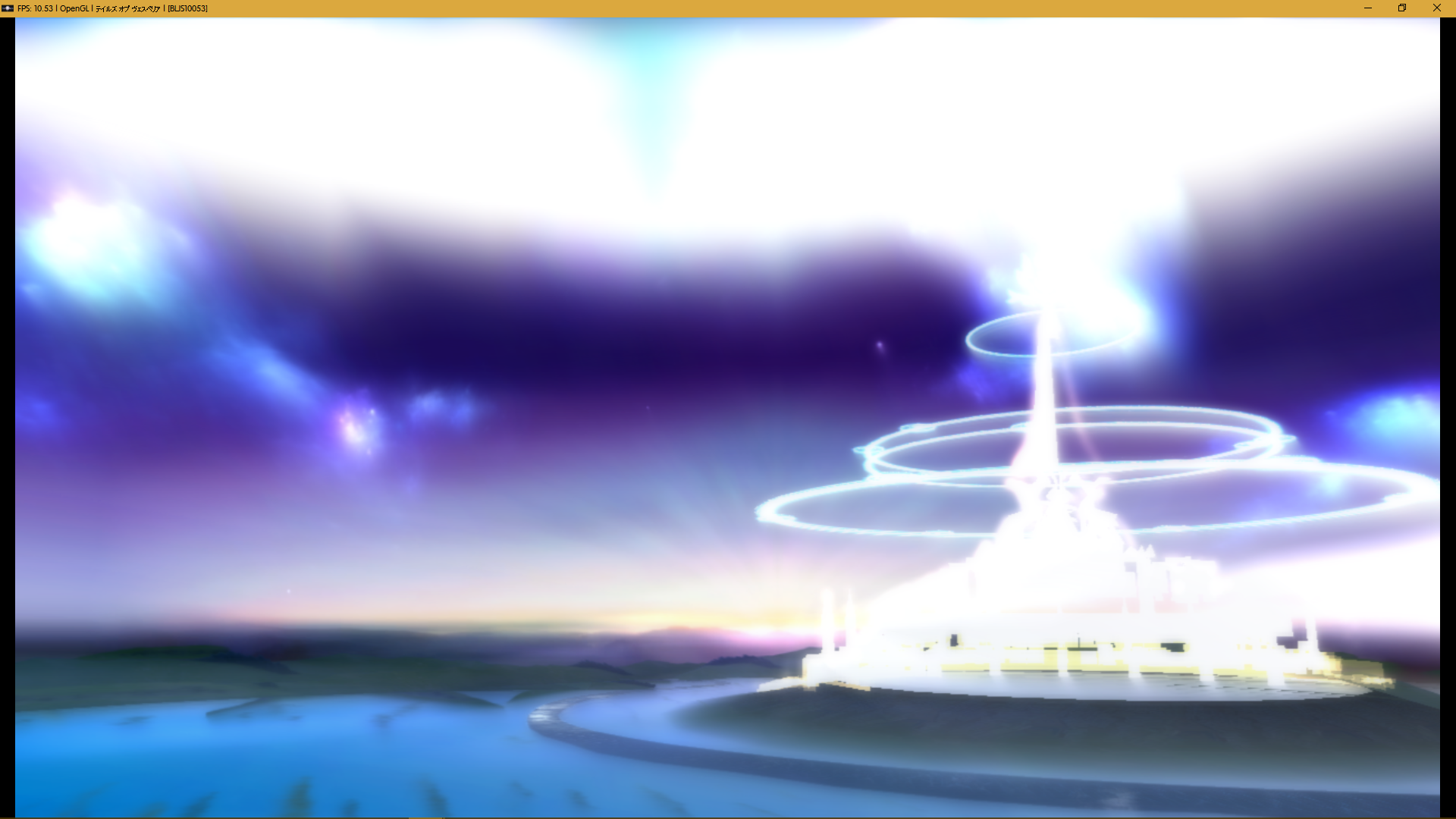
A transparency issue appered:
Menu on Vulkan
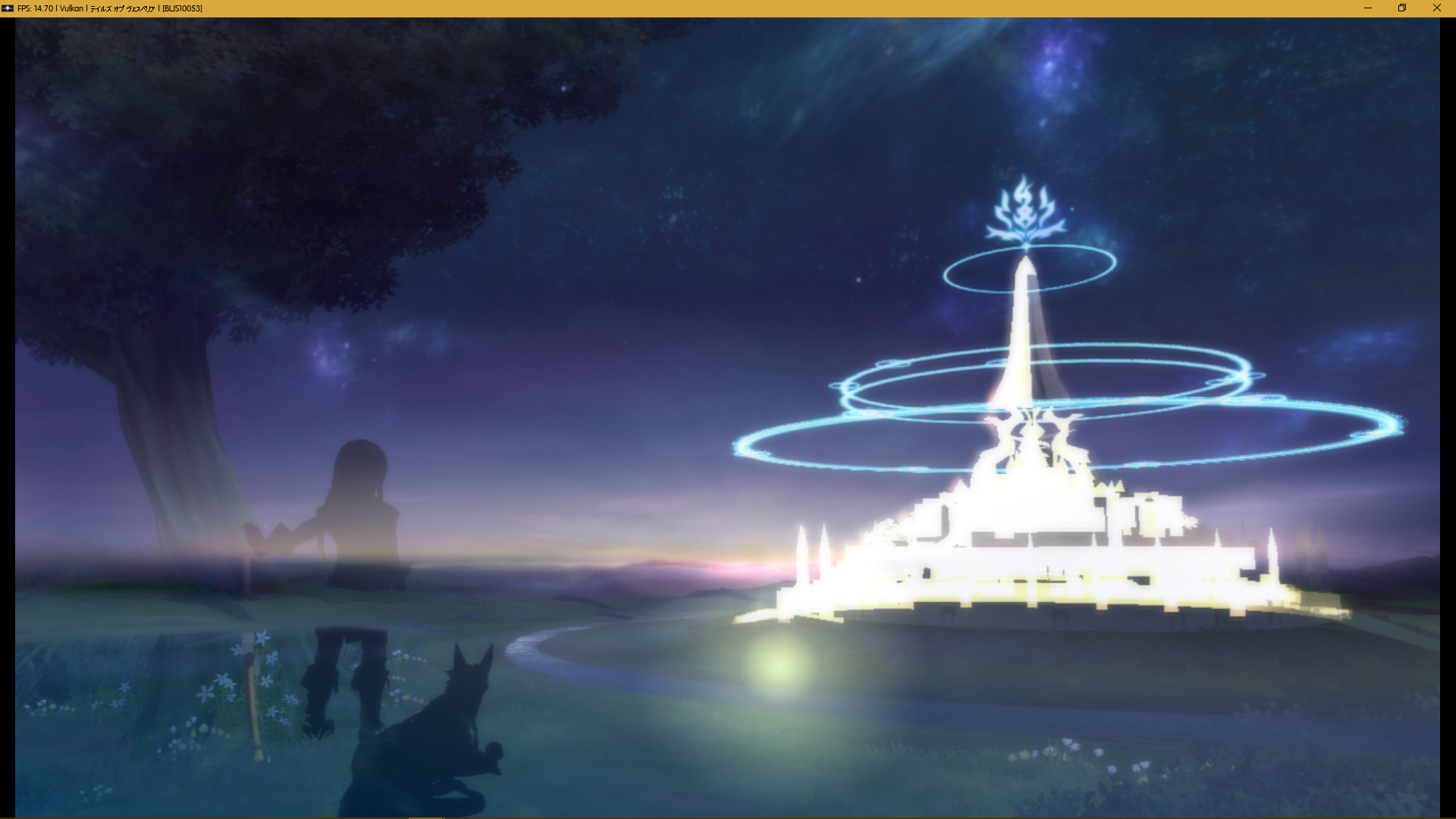
Menu on OGL
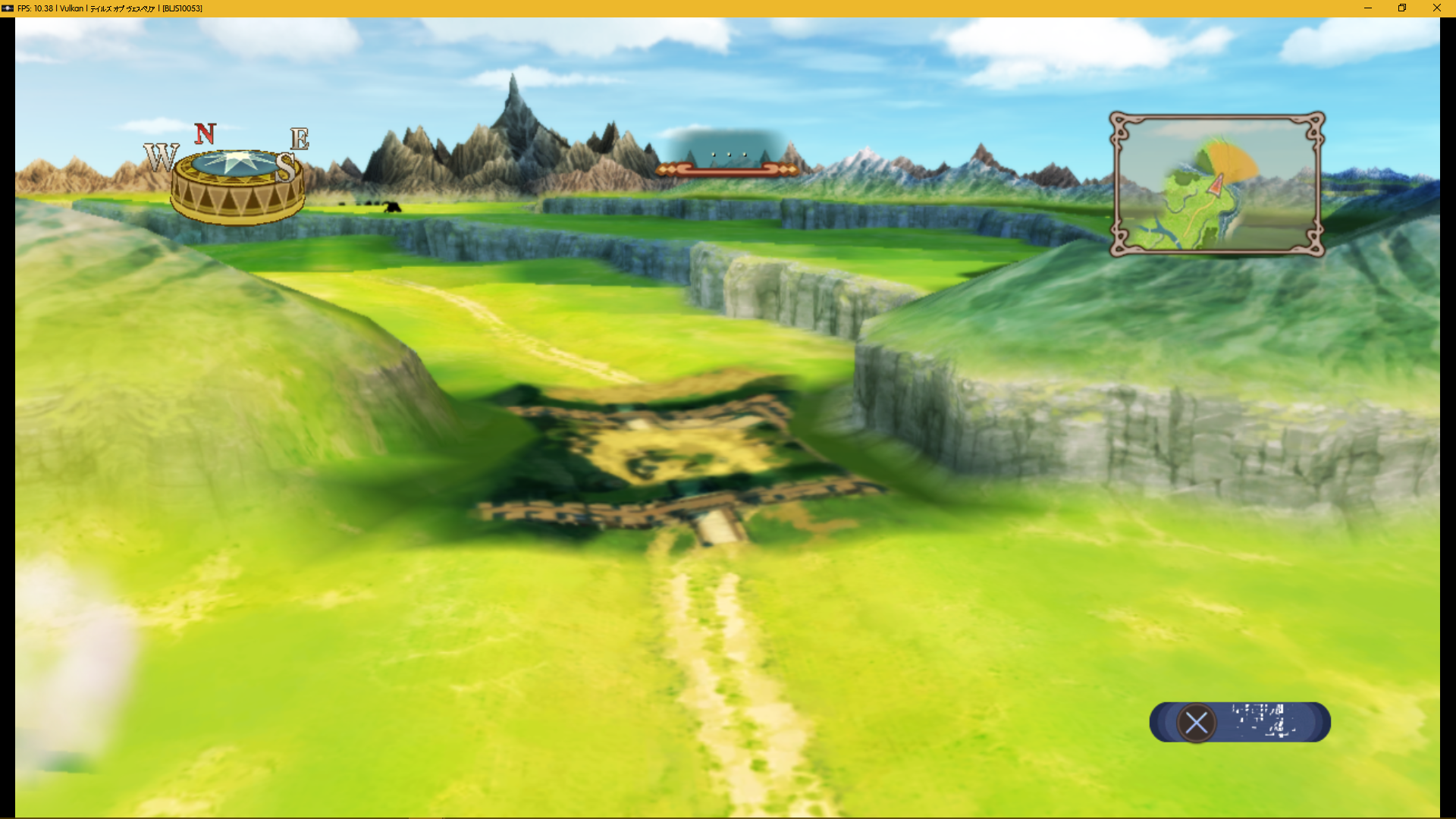
Some elements on the World Map are now missing, such as characters/monsters, cities, forests, dungeons
The half-screen issue evolved, in that it is showing black now (without strict rendering mode) or an older frame (with strict rendering mode), instead of the normal frame on half the screen.
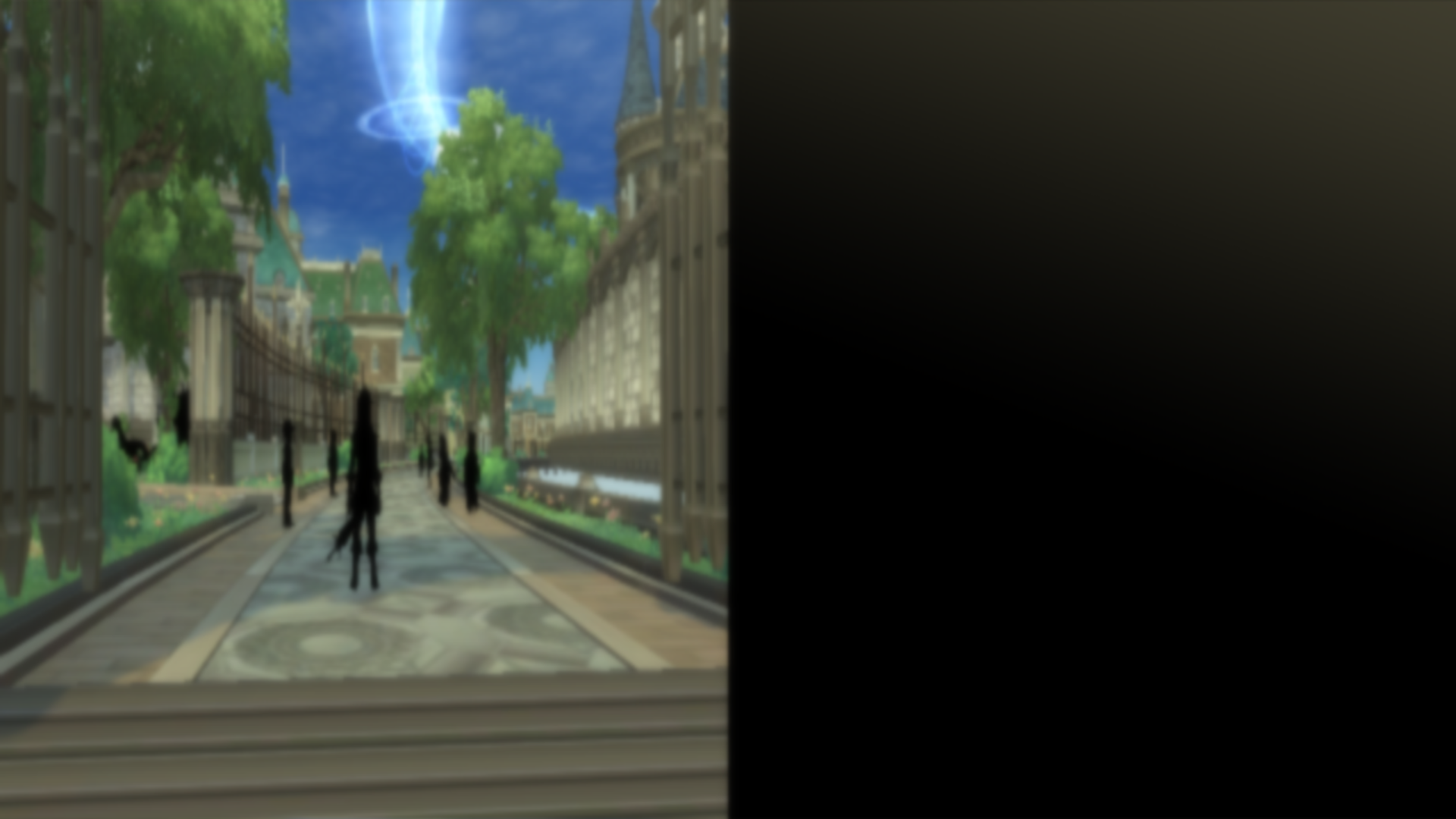
This shows up during the scene before you fight Adeccor and Boccos.
The "blue veil" that was too close is now too far (or inexistant)
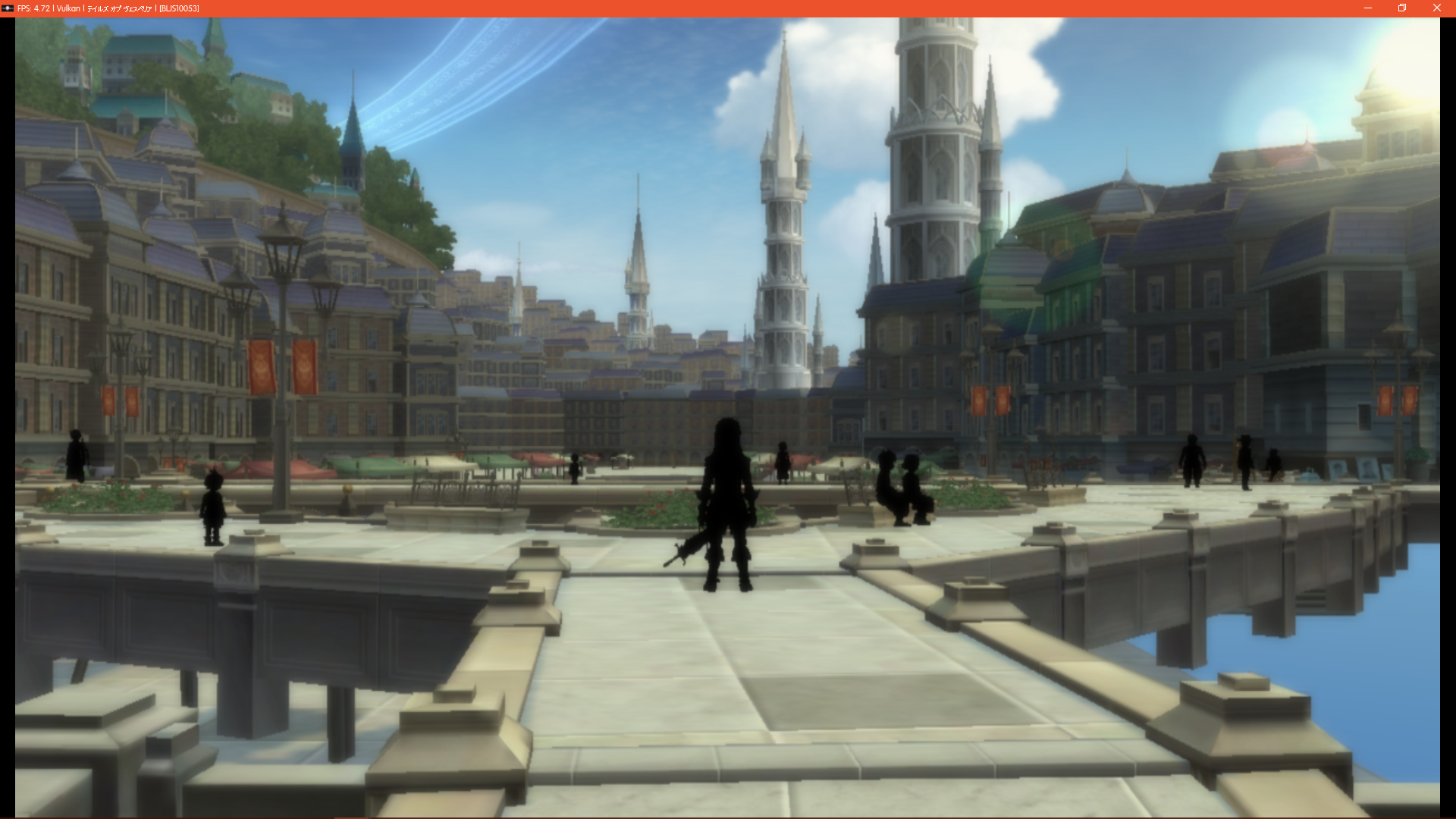
On that screen, there's also some water missing.
GeniusMage
on 18 Jul 2017
Same problem with Tales of graces F with the PR at KD. Transparency issue, ultra bloom, blur on all the screen, etc.. on OpenGL. Vulkan crash on this game.
 Illynir
on 18 Jul 2017
Illynir
on 18 Jul 2017
Regressions in the PR have been resolved in the latest commit
kd-11
on 18 Jul 2017

not touch in vertex upload, caused big flickering lol
 Zangetsu38
on 18 Jul 2017
Zangetsu38
on 18 Jul 2017
It's fixed yes, old issue are come back however. ^^
Illynir
on 18 Jul 2017
Build 0.0.3-5520
Settings:
Recompiler (LLVM)
Recompiler (ASMJIT)
Autoload libraries
Strict Rendering Mode
Vulkan (Auto Frame Limit)
The game now crashes during Intro movie, each run at different time. The Intro worked without issues in 0.0.3-5417. If the intro is skipped, the "Start" Menu opens fine, and the FPS is in 0.0.3-5520 approximately 10-15% higher than in 0.0.3-5417. The text still not works. Used the same settings across both builds
logs:
 mamoulianfh
on 29 Jul 2017
mamoulianfh
on 29 Jul 2017
3083 is the cause of the crashes, but that's not a "rendering issue" (I think).
GeniusMage
on 31 Jul 2017
Crashes seem to be resolved.
Still very broken graphics and terrible performance, even on an 8700K. Basically seems to have made no progress since @GeniusMage made their post.
v0.0.4-6144
Settings:
Recompiler (LLVM)
Recompiler (ASMJIT)
Autoload libraries
Strict Rendering Mode
Vulkan (Auto Frame Limit)
Edited in details tags on screenshots for readability as per geniusmage
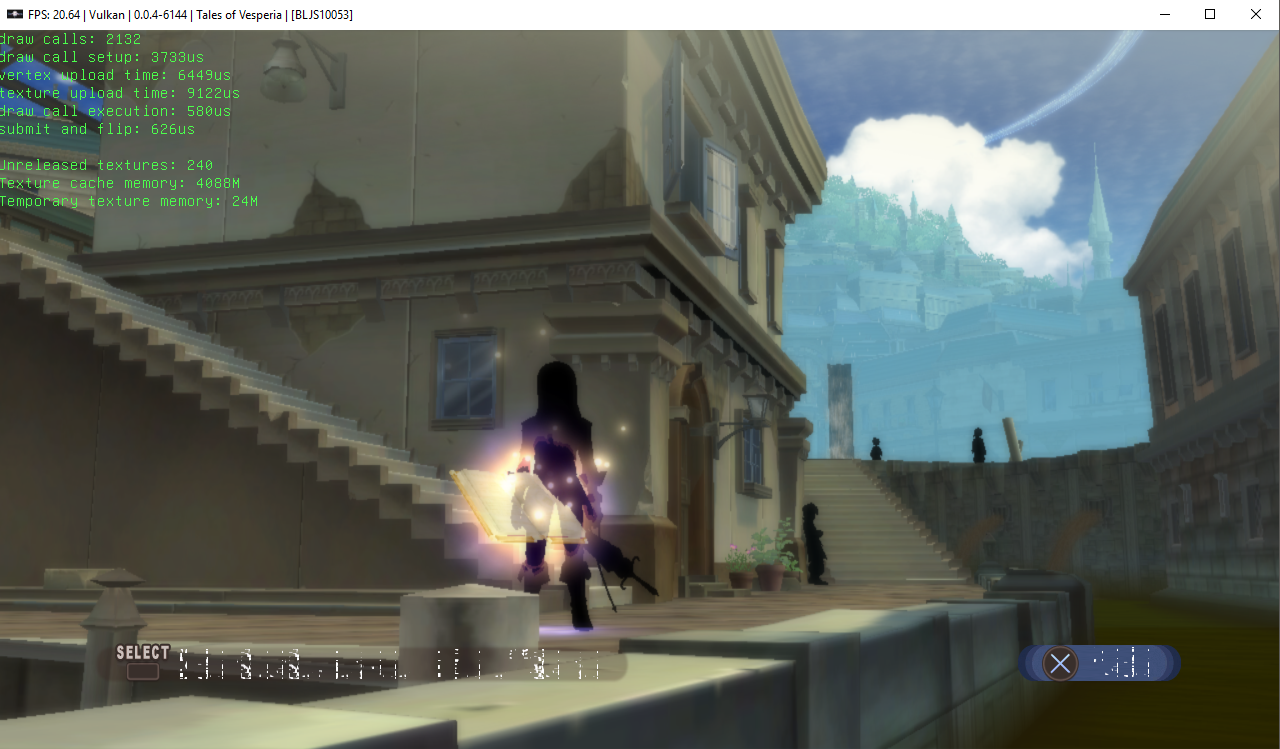
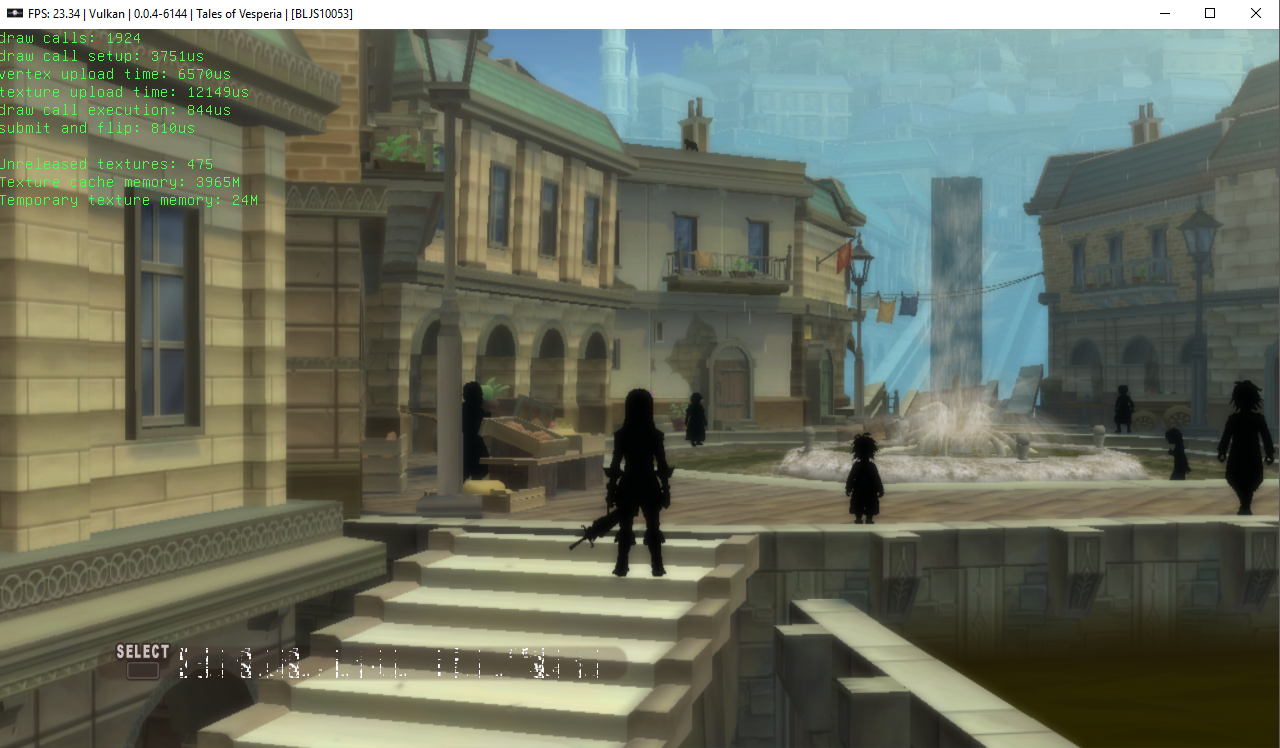
 cosalich
on 29 Nov 2017
cosalich
on 29 Nov 2017
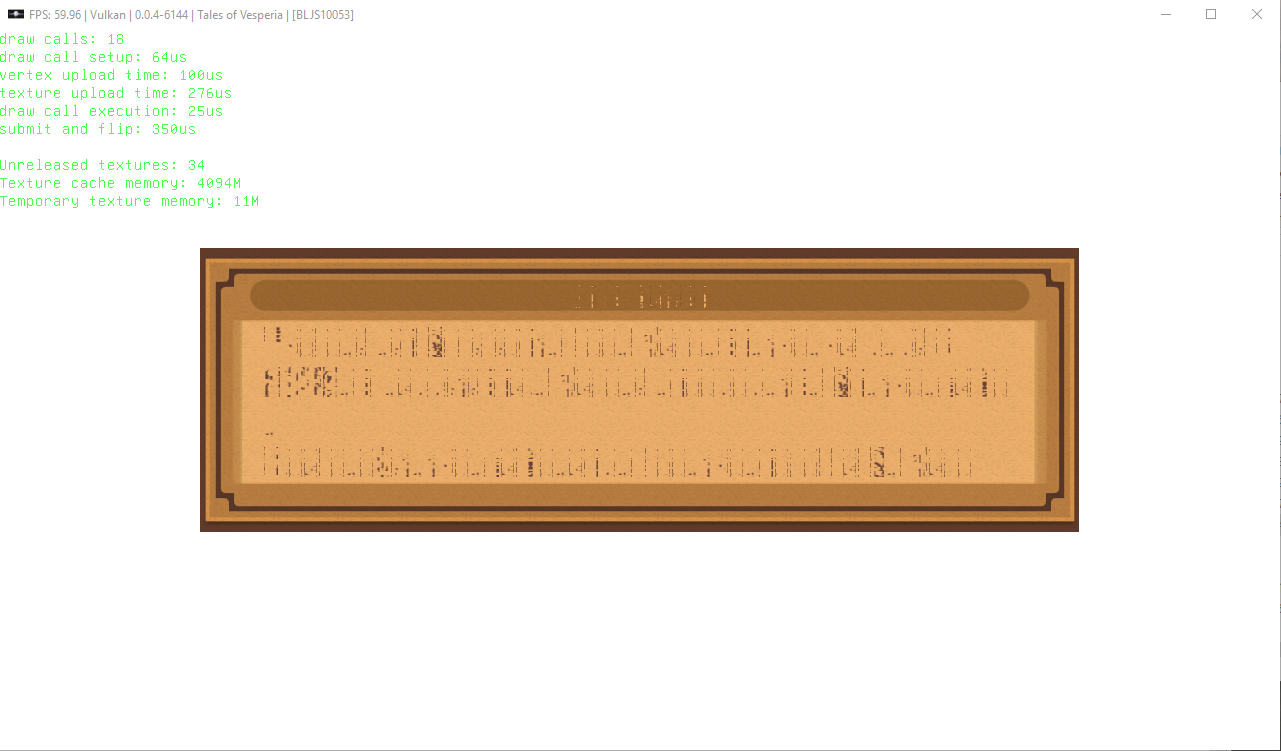
And this text bug continues with an unknown reason?
 marcussacana
on 29 Nov 2017
marcussacana
on 29 Nov 2017
@marcussacana
No known reason that I've come across. Sadly graphics are way outside my wheelhouse.
cosalich
on 29 Nov 2017
I see, I don't have the vesperia here, but try run he with "Automatic + Manual" enabling the "libsysutil.sprx", you can see if he show a better gamma and if he can load/save the game normally?
I Just want know... because the Xillia with sysutil manually enabled show the gamma correct, but can't load the savedata
marcussacana
on 29 Nov 2017
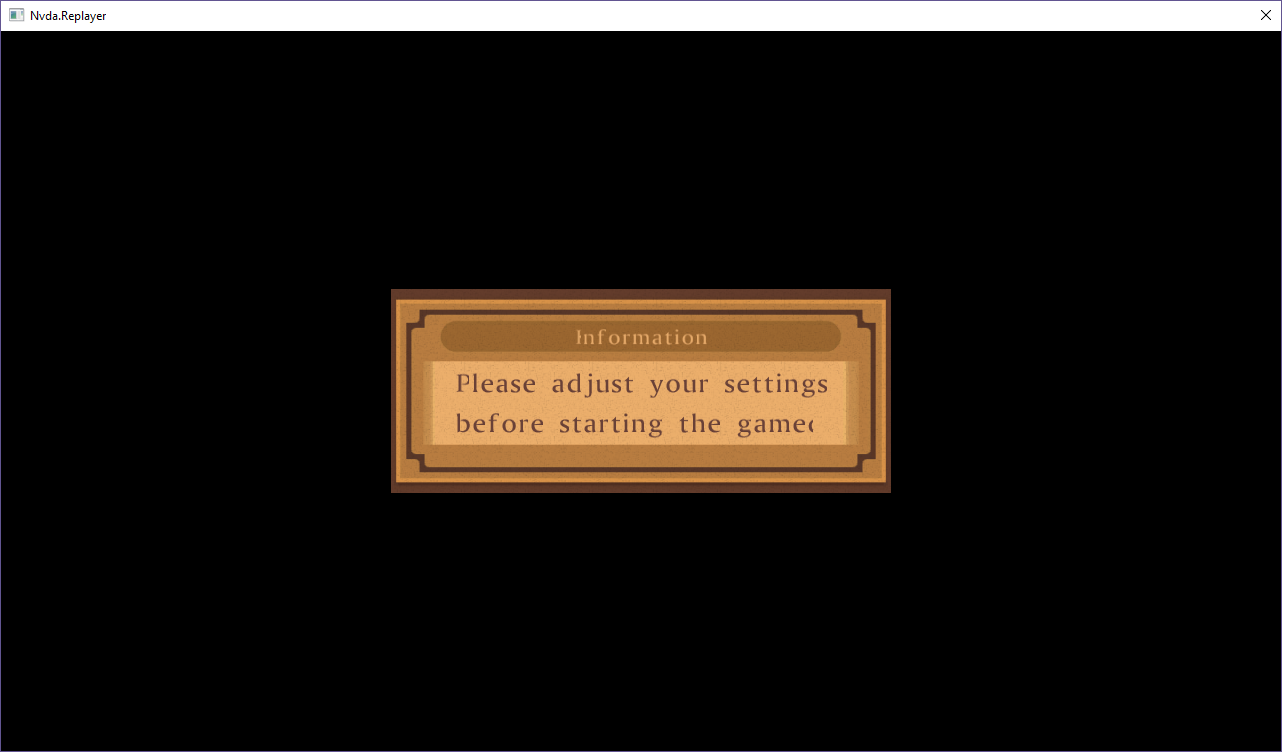
Unfortunately, with "Automatic + Manual" and "libsysutil.sprx" the intro video does not play, and there is a message on the screen that I can't read because of the text bug. I can't advance past this screen.
Screenshot
cosalich
on 29 Nov 2017
I see, looks is the same of the xillia, I think is a warning about failed to read/write the save because he don't play the intro video (like a frist run), Looks the engine of the two games are very similar...
I can't debug so i can't say much...
marcussacana
on 29 Nov 2017
PR #3827 reversed those
EDIT:
Changes after #3772 (Shameless copy-paste):
_Without Strict Rendering mode_
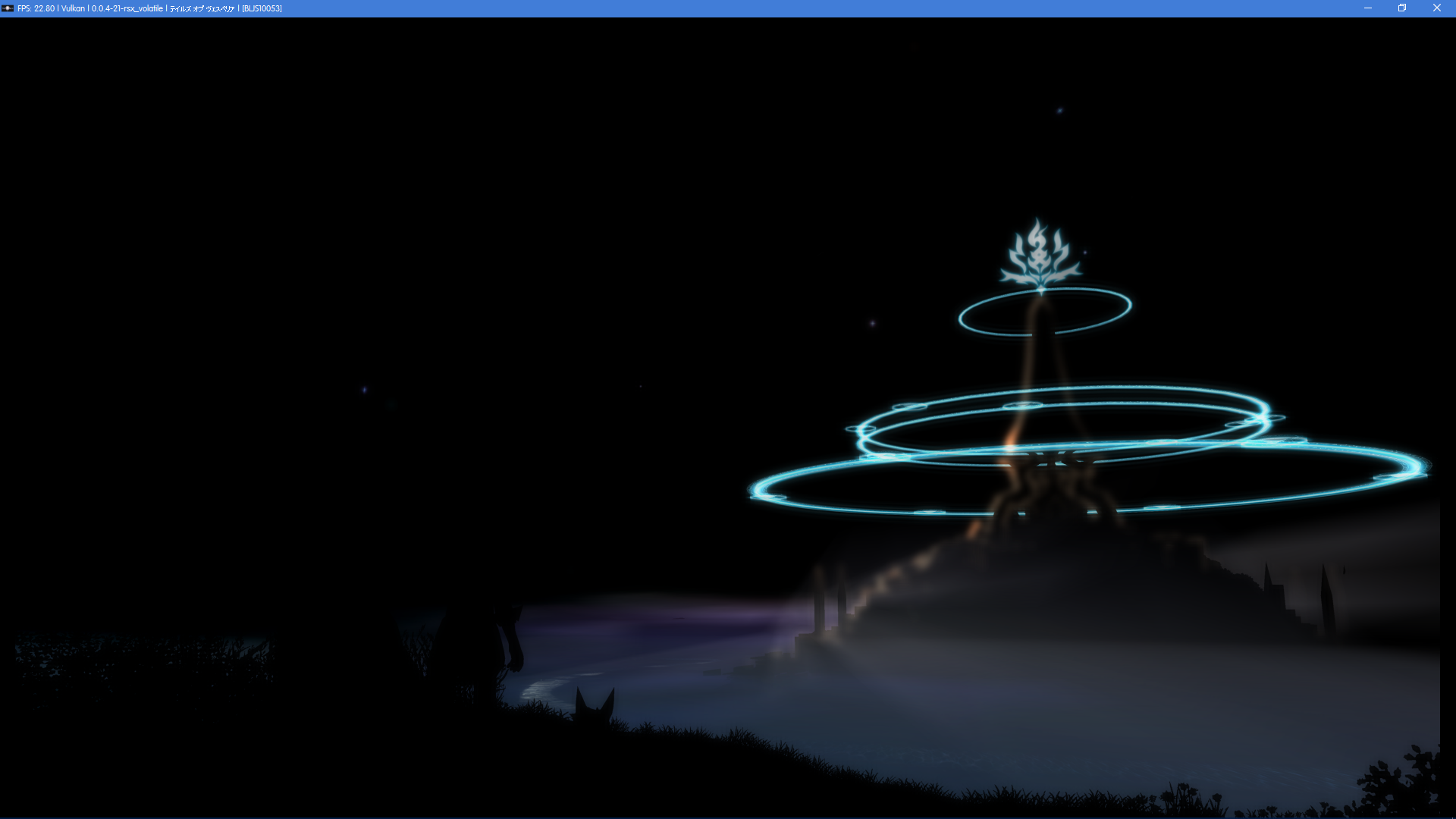
Models are now visible, though everything is still black
_With Strict Rendering mode_

Sky texture no longer works in main menu and world map
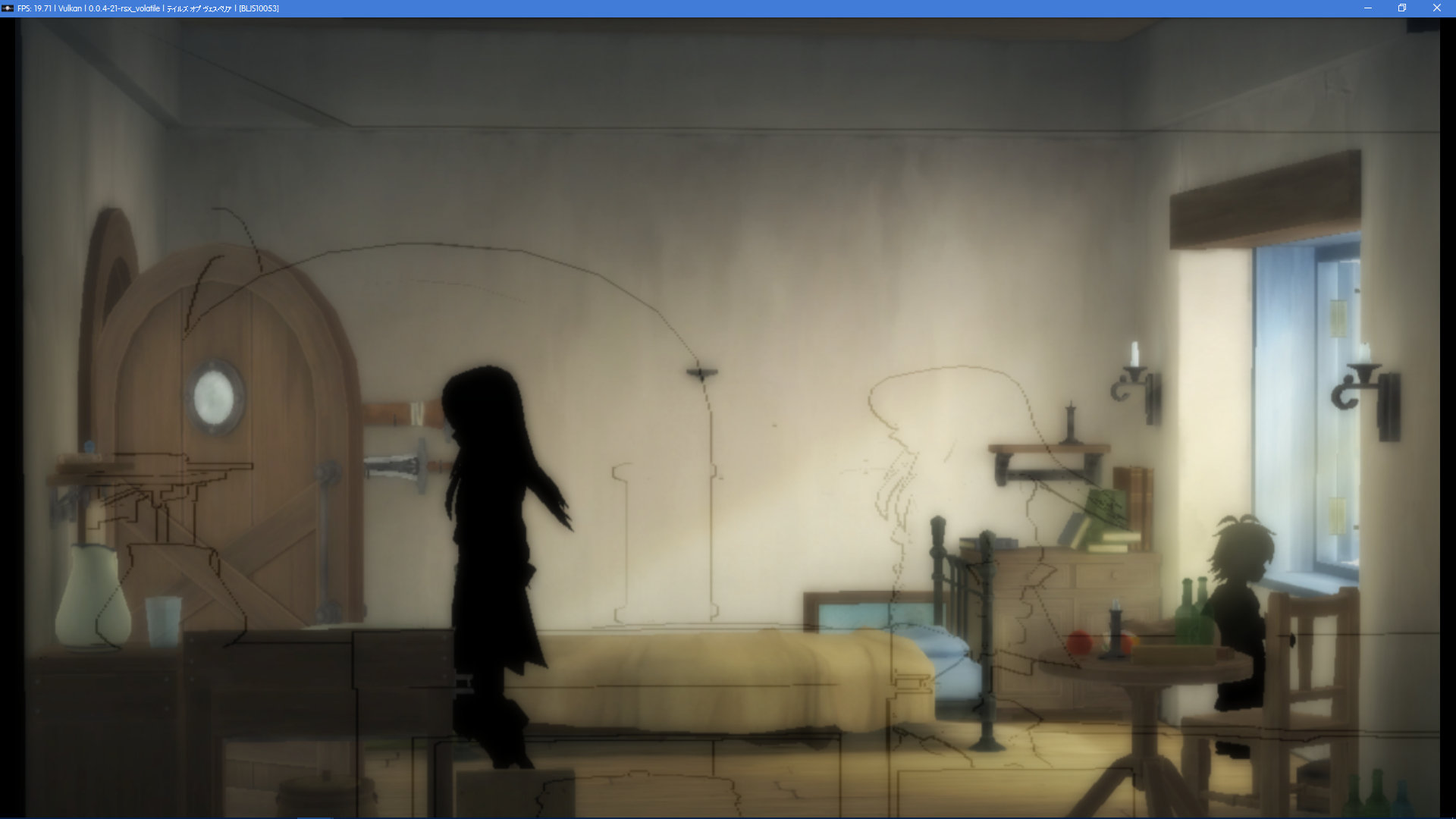
Cel-shading is there, but out of place
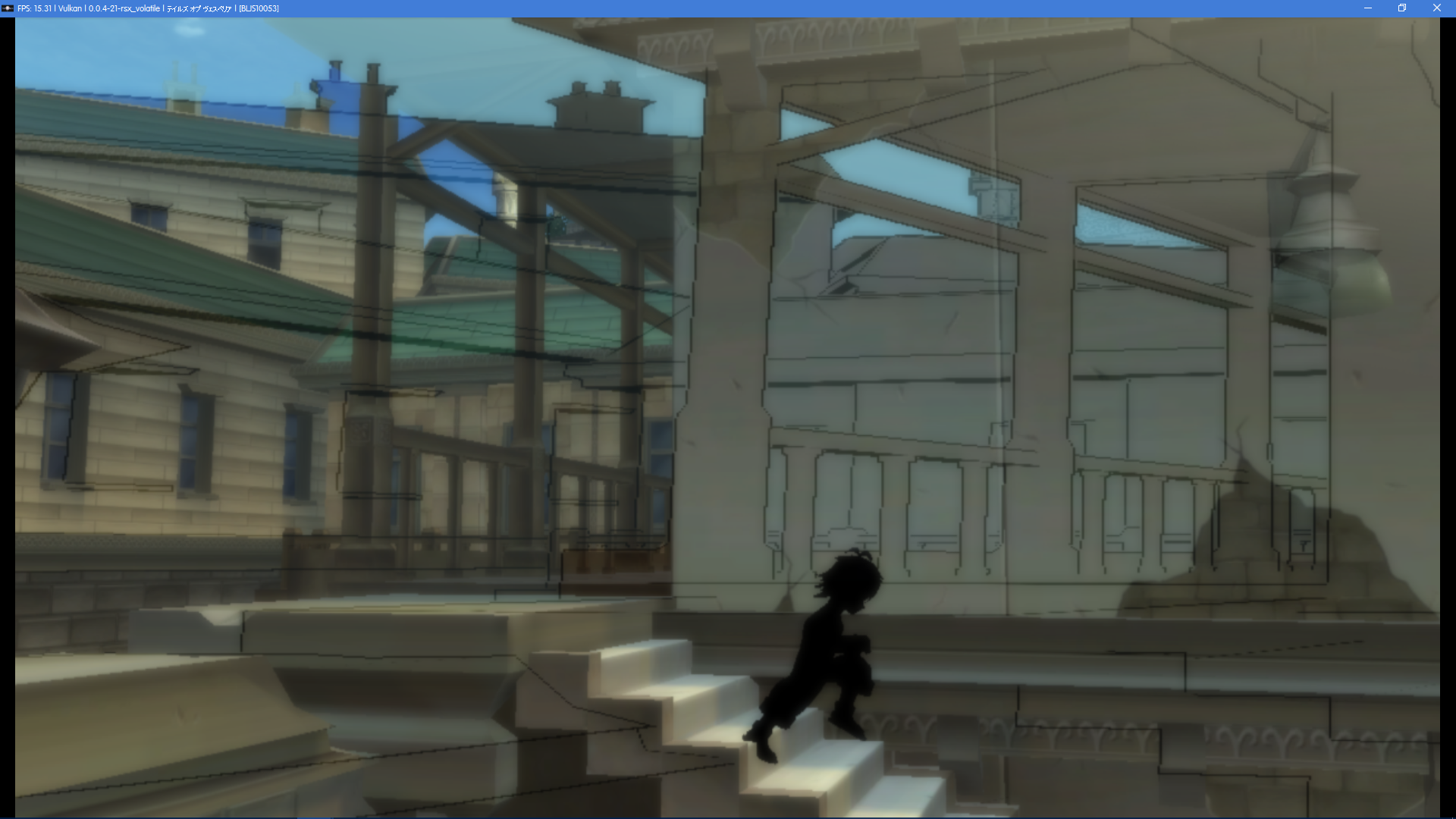
A bit of a ghosting issue...?
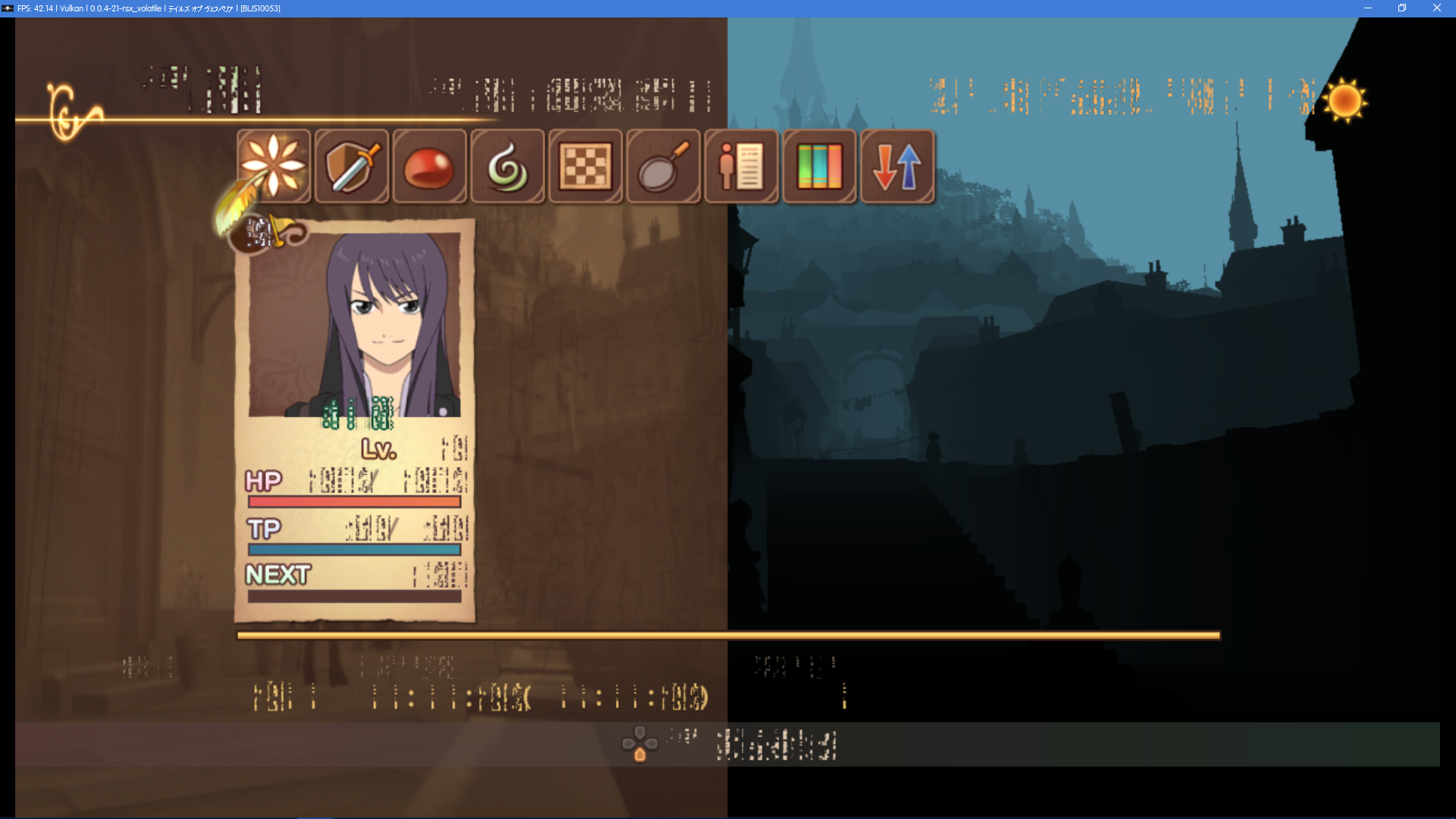
The right half of the screen in the menu background now shows something

World map is broken (no sky here either)
GeniusMage
on 1 Dec 2017
Can confirm all problems in @GeniusMage most recent post are present in v0.0.4-6200
cosalich
on 1 Dec 2017
Can confirm all problems in two above posts by @GeniusMage and @cosalich in v0.0.4-6225.
 ZFake
on 14 Dec 2017
ZFake
on 14 Dec 2017
Still serious graphical glitches (and 1/3 the expected frame rate of course) in v0.0.5-6464
No screenshot differences from my post on 28/11/17, so no point in posting new ones.
cosalich
on 25 Feb 2018
Just a short, very late update: the "blue veil" has been working correctly for a while now (since December, actually).
GeniusMage
on 25 Feb 2018
So I had a suspicion about the font rendering issues in this game and I think I'm on to something here. Vesperia's font textures are oddly tiled, and, sure enough, if you manually replace them with regularly tiled variants, you get something slightly more sensible.

The order of the glyph tiles in the font is probably not correct, but this looks pretty good otherwise.
So I'm guessing we're ignoring some rarely used GPU texture upload parameter for stride or similar. Anyone got an idea where to look for that?
 AdmiralCurtiss
on 1 Mar 2018
AdmiralCurtiss
on 1 Mar 2018
Finally after more than 1 year, a progress with the font problem, good work!
--edit
@AdmiralCurtiss you have tested this with english game?
We can see the BGM without problem, maybe is just the japanese glyph with wrong order...
If works, try with the xillia too, plz.
marcussacana
on 3 Mar 2018
@AdmiralCurtiss Nice find. I suggest you contact @kd-11 directly, if you haven't already.
Although this is probably too hacky to be implemented as is, it's a bit of progress.
GeniusMage
on 3 Mar 2018
I took a quick look with Nvidia Nsight. I was running the OpenGL renderer, but the garbled text looks the same as with Vulkan.
It's clear to see the garbled texture while rendering the text box.
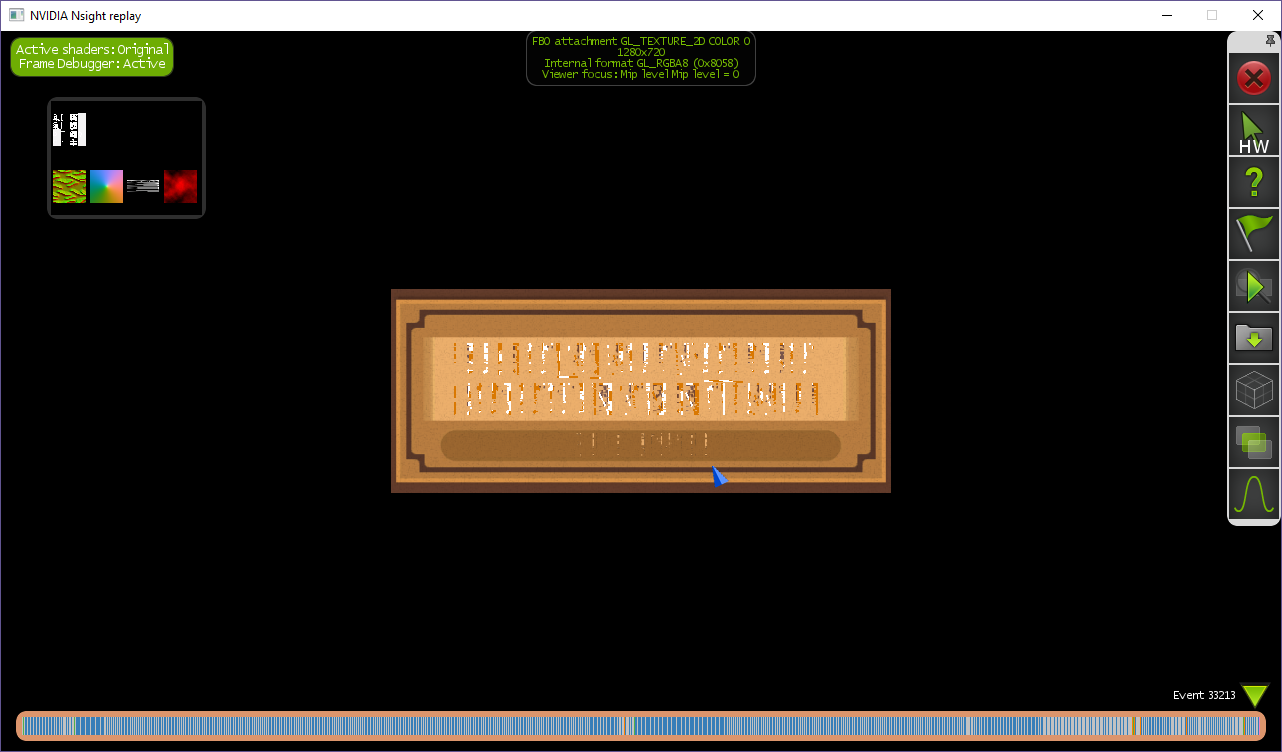
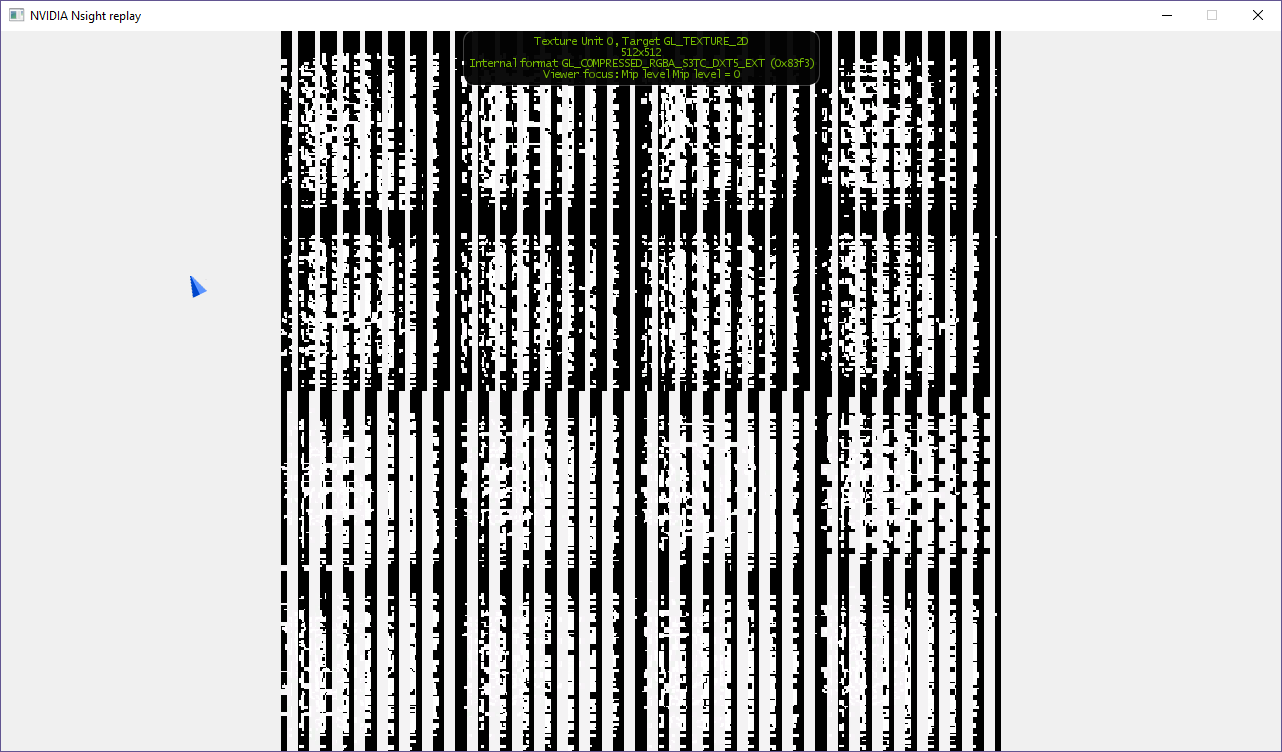
The texture zoomed in. It's 512x512, GL_COMPRESSED_RGBA_S3TC_DXT5_EXT.
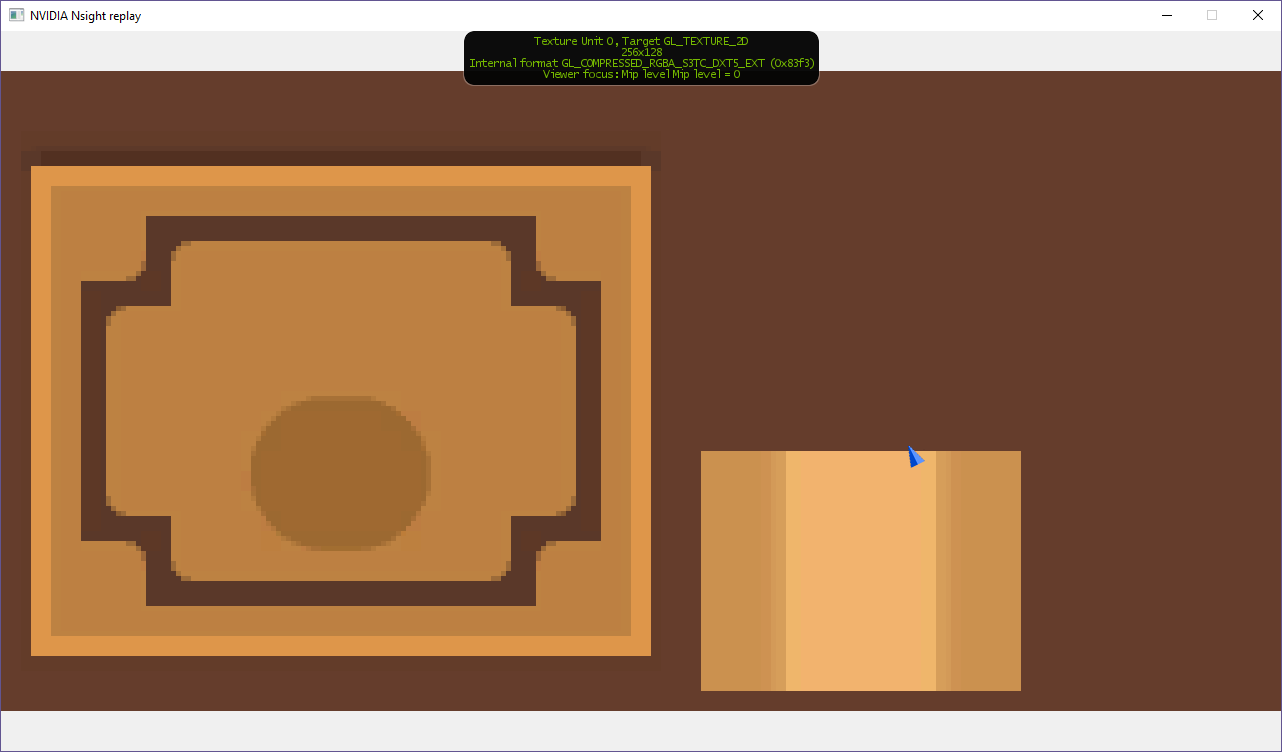
Strangely, the text box background, which renders correctly, is also GL_COMPRESSED_RGBA_S3TC_DXT5_EXT, but it's 256x128.
 pauls-gh
on 5 Mar 2018
pauls-gh
on 5 Mar 2018
Texture format is not the issue, you can confirm with any third-party debugger - its that its not decoded before being fed to the graphics pipeline. If the texture is really being fed as-is on real hardware, it means functionality outside of the 2D/3D engine is being used here and would require being reverse engineered.
kd-11
on 5 Mar 2018
I used Nvidia Nsight to create a frame replay which I could compile and run. I was able to see the garbled text with the replayed frame.
I located the offending texture in the replay source and replaced it with a texture extracted from the UI.SVO using AdmiralCurtiss's tools.
```
// Data for Texture_uidof_46570
{
BEGIN_DATA_SCOPE();
NV_EXEC_GL(glActiveTexture(GL_TEXTURE0));
NV_EXEC_GL(glBindTexture(GL_TEXTURE_2D, Texture_uid_46570));
NV_EXEC_GL(glTexStorage2D(GL_TEXTURE_2D, 1, GL_COMPRESSED_RGBA_S3TC_DXT5_EXT, 512, 512));
if 1
// open the DDS file for binary reading and get file size
FILE* f;
f = fopen("FONTTEX10.TXV_1.dds", "rb");
fseek(f, 0, SEEK_END);
long file_size = ftell(f);
fseek(f, 0, SEEK_SET);
unsigned char * buffer = (unsigned char *) malloc(file_size);
fread(buffer, 1, file_size, f);
buffer += 128;
NV_EXEC_GL(glCompressedTexSubImage2D(GL_TEXTURE_2D, 0u, 0, 0, 512, 512, GL_COMPRESSED_RGBA_S3TC_DXT5_EXT, 262144, buffer));
unsigned char *badbuffer = (unsigned char *) NV_GET_RESOURCE(GLvoid*, 3199);
else
NV_EXEC_GL(glCompressedTexSubImage2D(GL_TEXTURE_2D, 0u, 0, 0, 512, 512, GL_COMPRESSED_RGBA_S3TC_DXT5_EXT, 262144, NV_GET_RESOURCE(GLvoid*, 3199)));
endif
NV_EXEC_GL(glTexParameteri(GL_TEXTURE_2D, GL_TEXTURE_BASE_LEVEL, 0u));
NV_EXEC_GL(glTexParameteri(GL_TEXTURE_2D, GL_TEXTURE_MAX_LEVEL, 0u));
}
With this single change, the text now displays correctly (albeit with some artifacts).
I dumped the memory for the good texture and bad texture.
Good texture (from FONTTEX10.TXV_1.dds)
0x0000020D7E989140 00 01 00 00 00 00 00 00 9e f7 9d ef aa aa aa aa ........ž÷.着ªª
0x0000020D7E989150 00 01 00 00 00 00 00 00 9e f7 9d ef aa aa aa aa ........ž÷.着ªª
0x0000020D7E989160 00 01 00 00 00 00 00 00 9e f7 9d ef aa aa aa aa ........ž÷.着ªª
0x0000020D7E989170 00 01 00 00 00 00 00 00 9e f7 9d ef aa aa aa aa ........ž÷.着ªª
0x0000020D7E989180 00 01 00 00 00 00 00 00 9e f7 9d ef aa aa aa aa ........ž÷.着ªª
0x0000020D7E989190 00 01 00 00 00 00 00 00 9e f7 9d ef aa aa aa aa ........ž÷.着ªª
0x0000020D7E9891A0 00 01 00 00 00 00 00 00 9e f7 9d ef aa aa aa aa ........ž÷.着ªª
0x0000020D7E9891B0 00 01 00 00 00 00 00 00 9e f7 9d ef aa aa aa aa ........ž÷.着ªª
0x0000020D7E9891C0 00 01 00 00 00 00 00 00 9e f7 9d ef aa aa aa aa ........ž÷.着ªª
0x0000020D7E9891D0 00 01 00 00 00 00 00 00 9e f7 9d ef aa aa aa aa ........ž÷.着ªª
0x0000020D7E9891E0 00 01 00 00 00 00 00 00 9e f7 9d ef aa aa aa aa ........ž÷.着ªª
0x0000020D7E9891F0 00 01 00 00 00 00 00 00 9e f7 9d ef aa aa aa aa ........ž÷.着ªª
0x0000020D7E989200 00 01 00 00 00 00 00 00 9e f7 9d ef aa aa aa aa ........ž÷.着ªª
0x0000020D7E989210 00 01 00 00 00 00 00 00 9e f7 9d ef aa aa aa aa ........ž÷.着ªª
0x0000020D7E989220 00 01 00 00 00 00 00 00 9e f7 9d ef aa aa aa aa ........ž÷.着ªª
0x0000020D7E989230 00 01 00 00 00 00 00 00 9e f7 9d ef aa aa aa aa ........ž÷.着ªª
0x0000020D7E989240 00 01 00 00 00 00 00 00 ff ff 9e f7 55 55 25 05 ........ÿÿž÷UU%.
0x0000020D7E989250 00 01 00 00 00 00 00 00 ff ff 9e f7 55 55 54 54 ........ÿÿž÷UUTT
0x0000020D7E989260 00 01 00 00 00 00 00 00 9e f7 9d ef aa aa aa aa ........ž÷.着ªª
0x0000020D7E989270 00 01 00 00 00 00 00 00 9e f7 9d ef aa aa aa aa ........ž÷.着ªª
0x0000020D7E989280 00 01 00 00 00 00 00 00 9e f7 9d ef aa aa aa aa ........ž÷.着ªª
0x0000020D7E989290 00 01 00 00 00 00 00 00 9e f7 9d ef aa aa aa aa ........ž÷.着ªª
0x0000020D7E9892A0 00 01 00 00 00 00 00 00 9e f7 9d ef aa aa aa aa ........ž÷.着ªª
Bad Texture
0x0000020D68CF008E 00 01 00 00 00 00 00 00 01 00 00 00 55 55 55 55 ............UUUU
0x0000020D68CF009E 00 01 00 00 00 00 00 00 9e f7 9d ef aa aa aa aa ........ž÷.着ªª
0x0000020D68CF00AE 00 01 00 00 00 00 00 00 9e f7 9d ef aa aa aa aa ........ž÷.着ªª
0x0000020D68CF00BE 1d 7b b6 6d db 46 e2 fd ff ff 00 00 55 55 01 01 .{¶mÛFâýÿÿ..UU..
0x0000020D68CF00CE 00 01 00 00 00 00 00 00 01 00 00 00 55 55 55 55 ............UUUU
0x0000020D68CF00DE 00 01 00 00 00 00 00 00 9e f7 9d ef aa aa aa aa ........ž÷.着ªª
0x0000020D68CF00EE 00 01 00 00 00 00 00 00 9e f7 9d ef aa aa aa aa ........ž÷.着ªª
0x0000020D68CF00FE 7c 8d b6 6d db 00 f2 ff ff ff 00 00 55 55 00 00 |.¶mÛ.òÿÿÿ..UU..
0x0000020D68CF010E 00 01 00 00 00 00 00 00 01 00 00 00 55 55 55 55 ............UUUU
0x0000020D68CF011E 00 01 00 00 00 00 00 00 9e f7 9d ef aa aa aa aa ........ž÷.着ªª
0x0000020D68CF012E 00 01 00 00 00 00 00 00 9e f7 9d ef aa aa aa aa ........ž÷.着ªª
0x0000020D68CF013E 1e f3 b6 0d db 91 fd cf ff ff 00 00 55 54 50 40 .ó¶.Û‘ýÏÿÿ..UTP@
0x0000020D68CF014E 00 01 00 00 00 00 00 00 01 00 00 00 55 55 55 55 ............UUUU
0x0000020D68CF015E 00 01 00 00 00 00 00 00 9e f7 9d ef aa aa aa aa ........ž÷.着ªª
0x0000020D68CF016E 00 01 00 00 00 00 00 00 9e f7 9d ef aa aa aa aa ........ž÷.着ªª
0x0000020D68CF017E 00 01 00 00 00 00 00 00 01 00 00 00 55 55 55 55 ............UUUU
0x0000020D68CF018E 00 01 00 00 00 00 00 00 01 00 00 00 55 55 55 55 ............UUUU
0x0000020D68CF019E 00 01 00 00 00 00 00 00 9e f7 9d ef aa aa aa aa ........ž÷.着ªª
0x0000020D68CF01AE 00 01 00 00 00 00 00 00 9e f7 9d ef aa aa aa aa ........ž÷.着ªª
0x0000020D68CF01BE 17 d2 b6 8d 24 f8 8f ff ff ff 00 00 55 00 00 00 .Ò¶.$ø.ÿÿÿ..U...
0x0000020D68CF01CE 00 01 00 00 00 00 00 00 01 00 00 00 55 55 55 55 ............UUUU
0x0000020D68CF01DE 00 01 00 00 00 00 00 00 9e f7 9d ef aa aa aa aa ........ž÷.着ªª
0x0000020D68CF01EE 00 01 00 00 00 00 00 00 9e f7 9d ef aa aa aa aa ........ž÷.着ªª
0x0000020D68CF01FE 33 00 49 a2 24 4f 92 24 ff ff 00 00 55 54 54 55 3.I¢$O’$ÿÿ..UTTU
0x0000020D68CF020E 00 01 00 00 00 00 00 00 01 00 00 00 55 55 55 55 ............UUUU
0x0000020D68CF021E 00 01 00 00 00 00 00 00 9e f7 9d ef aa aa aa aa ........ž÷.着ªª
0x0000020D68CF022E 00 01 00 00 00 00 00 00 9e f7 9d ef aa aa aa aa ........ž÷.着ªª
0x0000020D68CF023E 00 01 00 00 00 00 00 00 01 00 00 00 55 55 55 55 ............UUUU
0x0000020D68CF024E 00 01 00 00 00 00 00 00 01 00 00 00 55 55 55 55 ............UUUU
0x0000020D68CF025E 00 01 00 00 00 00 00 00 9e f7 9d ef aa aa aa aa ........ž÷.着ªª
0x0000020D68CF026E 00 01 00 00 00 00 00 00 9e f7 9d ef aa aa aa aa ........ž÷.着ªª
0x0000020D68CF027E 00 01 00 00 00 00 00 00 01 00 00 00 55 55 55 55 ............UUUU
0x0000020D68CF028E 00 01 00 00 00 00 00 00 01 00 00 00 55 55 55 55 ............UUUU
0x0000020D68CF029E 00 01 00 00 00 00 00 00 9e f7 9d ef aa aa aa aa ........ž÷.着ªª
0x0000020D68CF02AE 00 01 00 00 00 00 00 00 9e f7 9d ef aa aa aa aa ........ž÷.着ªª
0x0000020D68CF02BE 90 cc b6 6d db 36 68 e7 ff ff 00 00 55 55 05 05 .̶mÛ6hçÿÿ..UU..
0x0000020D68CF02CE 00 01 00 00 00 00 00 00 01 00 00 00 55 55 55 55 ............UUUU
0x0000020D68CF02DE 00 01 00 00 00 00 00 00 9e f7 9d ef aa aa aa aa ........ž÷.着ªª
0x0000020D68CF02EE 00 01 00 00 00 00 00 00 9e f7 9d ef aa aa aa aa ........ž÷.着ªª
0x0000020D68CF02FE b4 ff b6 6d db 00 90 24 ff ff 00 00 55 55 00 00 ´ÿ¶mÛ..$ÿÿ..UU..
0x0000020D68CF030E 00 01 00 00 00 00 00 00 01 00 00 00 55 55 55 55 ............UUUU
0x0000020D68CF031E 00 01 00 00 00 00 00 00 9e f7 9d ef aa aa aa aa ........ž÷.着ªª
0x0000020D68CF032E 00 01 00 00 00 00 00 00 9e f7 9d ef aa aa aa aa ........ž÷.着ªª
0x0000020D68CF033E 04 d0 b6 0d d8 29 fc 17 ff ff 00 00 55 50 40 00 .ж.Ø)ü.ÿÿ..UP@.
0x0000020D68CF034E 00 01 00 00 00 00 00 00 01 00 00 00 55 55 55 55 ............UUUU
0x0000020D68CF035E 00 01 00 00 00 00 00 00 9e f7 9d ef aa aa aa aa ........ž÷.着ªª
0x0000020D68CF036E 00 01 00 00 00 00 00 00 9e f7 9d ef aa aa aa aa ........ž÷.着ªª
0x0000020D68CF037E 0c ff b6 6d db b6 65 a3 ff ff 00 00 55 55 15 05 .ÿ¶mÛ¶e£ÿÿ..UU..
0x0000020D68CF038E 00 01 00 00 00 00 00 00 01 00 00 00 55 55 55 55 ............UUUU
0x0000020D68CF039E 00 01 00 00 00 00 00 00 9e f7 9d ef aa aa aa aa ........ž÷.着ªª
0x0000020D68CF03AE 00 01 00 00 00 00 00 00 9e f7 9d ef aa aa aa aa ........ž÷.着ªª
0x0000020D68CF03BE 00 e1 12 d0 87 ff fb ff ff ff 00 00 40 00 00 00 .á.Ð.ÿûÿÿÿ..@...
0x0000020D68CF03CE 00 01 00 00 00 00 00 00 01 00 00 00 55 55 55 55 ............UUUU
0x0000020D68CF03DE 00 01 00 00 00 00 00 00 9e f7 9d ef aa aa aa aa ........ž÷.着ªª
0x0000020D68CF03EE 00 01 00 00 00 00 00 00 9e f7 9d ef aa aa aa aa ........ž÷.着ªª
0x0000020D68CF03FE 72 00 49 92 24 49 82 24 ff ff 00 00 55 55 55 54 r.I’$I.$ÿÿ..UUUT
0x0000020D68CF040E 00 01 00 00 00 00 00 00 01 00 00 00 55 55 55 55 ............UUUU
0x0000020D68CF041E 00 01 00 00 00 00 00 00 9e f7 9d ef aa aa aa aa ........ž÷.着ªª
0x0000020D68CF042E 00 01 00 00 00 00 00 00 9e f7 9d ef aa aa aa aa ........ž÷.着ªª
0x0000020D68CF043E 00 01 00 00 00 00 00 00 01 00 00 00 55 55 55 55 ............UUUU
```
Maybe the repeated patterns in the bad texture will clue someone into what is going on.
pauls-gh
on 6 Mar 2018
The "bad texture" is just a straight copy from FONTTEX10.TXV without undoing the "odd" tiling. I guess I just reaffirmed what AdmiralCurtiss found.
I'd like to help fix this. Any ideas where to start looking? (assuming it's not a graphics issue).
Dump of fonttex10.txv using a hex editor.
Offset(h) 00 01 02 03 04 05 06 07 08 09 0A 0B 0C 0D 0E 0F
00000000 00 01 00 00 00 00 00 00 01 00 00 00 55 55 55 55 ............UUUU
00000010 00 01 00 00 00 00 00 00 9E F7 9D EF AA AA AA AA ........ž÷.着ªª
00000020 00 01 00 00 00 00 00 00 9E F7 9D EF AA AA AA AA ........ž÷.着ªª
00000030 1D 7B B6 6D DB 46 E2 FD FF FF 00 00 55 55 01 01 .{¶mÛFâýÿÿ..UU..
00000040 00 01 00 00 00 00 00 00 01 00 00 00 55 55 55 55 ............UUUU
00000050 00 01 00 00 00 00 00 00 9E F7 9D EF AA AA AA AA ........ž÷.着ªª
00000060 00 01 00 00 00 00 00 00 9E F7 9D EF AA AA AA AA ........ž÷.着ªª
00000070 7C 8D B6 6D DB 00 F2 FF FF FF 00 00 55 55 00 00 |.¶mÛ.òÿÿÿ..UU..
00000080 00 01 00 00 00 00 00 00 01 00 00 00 55 55 55 55 ............UUUU
00000090 00 01 00 00 00 00 00 00 9E F7 9D EF AA AA AA AA ........ž÷.着ªª
000000A0 00 01 00 00 00 00 00 00 9E F7 9D EF AA AA AA AA ........ž÷.着ªª
000000B0 1E F3 B6 0D DB 91 FD CF FF FF 00 00 55 54 50 40 .ó¶.Û‘ýÏÿÿ..UTP@
000000C0 00 01 00 00 00 00 00 00 01 00 00 00 55 55 55 55 ............UUUU
000000D0 00 01 00 00 00 00 00 00 9E F7 9D EF AA AA AA AA ........ž÷.着ªª
000000E0 00 01 00 00 00 00 00 00 9E F7 9D EF AA AA AA AA ........ž÷.着ªª
000000F0 00 01 00 00 00 00 00 00 01 00 00 00 55 55 55 55 ............UUUU
00000100 00 01 00 00 00 00 00 00 01 00 00 00 55 55 55 55 ............UUUU
00000110 00 01 00 00 00 00 00 00 9E F7 9D EF AA AA AA AA ........ž÷.着ªª
00000120 00 01 00 00 00 00 00 00 9E F7 9D EF AA AA AA AA ........ž÷.着ªª
00000130 17 D2 B6 8D 24 F8 8F FF FF FF 00 00 55 00 00 00 .Ò¶.$ø.ÿÿÿ..U...
00000140 00 01 00 00 00 00 00 00 01 00 00 00 55 55 55 55 ............UUUU
00000150 00 01 00 00 00 00 00 00 9E F7 9D EF AA AA AA AA ........ž÷.着ªª
00000160 00 01 00 00 00 00 00 00 9E F7 9D EF AA AA AA AA ........ž÷.着ªª
00000170 33 00 49 A2 24 4F 92 24 FF FF 00 00 55 54 54 55 3.I¢$O’$ÿÿ..UTTU
Could still be a graphics issue, only way to know for sure would be to feed a ps3 the same texture under a similar context and see what it does with it. If its not a graphics issue, you need to disassemble the elf and find why its not untiling on rpcs3. Its possible (hopefully) there is some gpu register that toggles tiling behaviour of texture memory separate from the swizzling which I have confirmed does not affect dxt compressed textures.
kd-11
on 6 Mar 2018
Is possible repack the game files with this "hacked font texture" to play?
marcussacana
on 6 Mar 2018
@kd-11 - thanks for the feedback. I'll try to investigate how the texture file is loaded/processed.
@marcussacana - possibly.
Maybe @AdmiralCurtiss can give it a go. I think he initially got weird characters displayed because he used FONTTEXxx.TXV_0.dds (upper case English alphabet + other symbols) instead of FONTTEXxx.TXV_1.dds (lower case English alphabet).
pauls-gh
on 6 Mar 2018
@marcussacana That's what I did for my screenshot, took apart FONTTEX00.TXV as listed in the linked texture splitter tool, then just stitched the result back together in the order it spits them out (without the DDS header), then repacked UI.svo with the modified texture. You can probably figure out a correct font-glyph mapping by varying the order of the parts.
But that's a boring workaround; I'd like to figure out what actually causes the problem in the emulator so we can properly fix it.
AdmiralCurtiss
on 6 Mar 2018
I see... you know about extract and repacker tools to the xillia, @AdmiralCurtiss ?
marcussacana
on 6 Mar 2018
You can find a tool for extracting and repacking the Xillia archive over here, though I've tested this far less than the Vesperia ones: https://github.com/AdmiralCurtiss/HyoutaTools/tree/master/Tales/Xillia
Note that Xillia has all its files in one huge archive with no real good way to figure out which file is what (I suspect the game uses a hash of the file path to access the files, and the hash is selected on packing so that no collisions happen so it doesn't have to actually store the path), so good luck finding the font in there.
AdmiralCurtiss
on 7 Mar 2018
I have the font for Xillia, I will post it when I get home tonight.
EDIT:
Okay, here we go, I've been working on this off and on for a few months. In my research I used some of @AdmiralCurtiss code, I believe it was the HyoutaTools that he's linked above. I also used a quickBMS extraction script that I found on the XeNTaX forums by a user named Chrrox. If I remember correctly they do the same thing, they mate the data from the TLFILE.TLDAT file up with the header info from the FILEHEADER.TOFHDB file and you end up with a ton of numbered files with the original files' extensions. Also they undo the TLZC compression. I could be wrong, but that's how I understood it, Admiral please feel free to correct me if I'm wrong in that. Below is that bms script I used (rename it to .bms)
I discovered that the .TOTEXP files are the textures, so I went through each .TOTEXP file, starting with the larger ones first since I figured that the font file would be one of the larger ones. I found it, but it looked just like the texture posted by @pauls-gh :
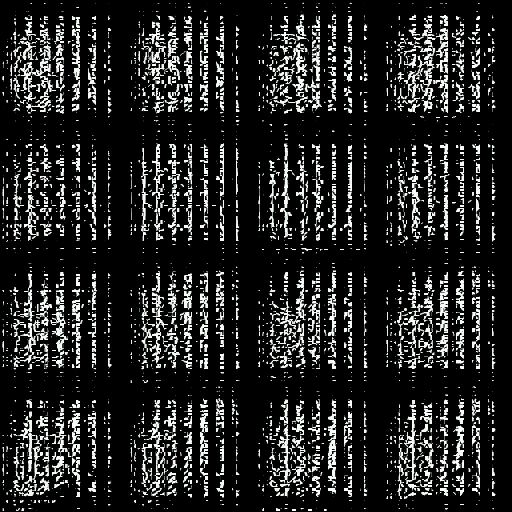
I tried to manipulate this texture using TextureFinder 2.1, but the best I could make it look was like I was looking at the font through window blinds. I contacted another user on the XaNTaX forums named powoct who had posted an ungarbled, but severely cropped version of the texture. I asked him how he was able to get the texture too look like text instead of a garbled mess. He took about 3 months to contact me back but when he did, he sent me this block of code (rename to .cpp):
This file spit out the font file that I was expecting. It's MUCH bigger than 512x512, it's 512x8747:

This was as far as I got before I had to deal with some life events that I'm still in the middle of.
I can upload the .dds that powoct's script created, or I can upload the original TOTEXP and TOTEXB that were used to create that dds if you would like me to.
Hopefully this helps a little.
 Hideki-85
on 7 Mar 2018
Hideki-85
on 7 Mar 2018
I think this will help to the xillia, rigth? maybe if we want create a "hack patch" to the xillia is better continue the discussion in the forum since this is to the xillia and not vesperia, and isn't a discution to do a proper fix to the problem.
My plans is to found the font file, patch the game packget and share the diff using xdelta, you have already repacked the game files?
marcussacana
on 7 Mar 2018
we need to get to the root cause, Because in a regular PS3, it works but for RPCS3, it struggles. I suspect something in texture handling makes it need to do the texture thing.
 Ristellise
on 7 Mar 2018
Ristellise
on 7 Mar 2018
I have a code change that fixes the text problem in Tales of Vesperia. It's still very much a hack, but hopefully it will give us an insight into how to properly fix the problem.
I'll provide the code change here and then follow up with another post describing the changes and possible next steps.
Also, I hope this text fix will spur others into looking at some of the other graphics issues with Tales of Vesperia.
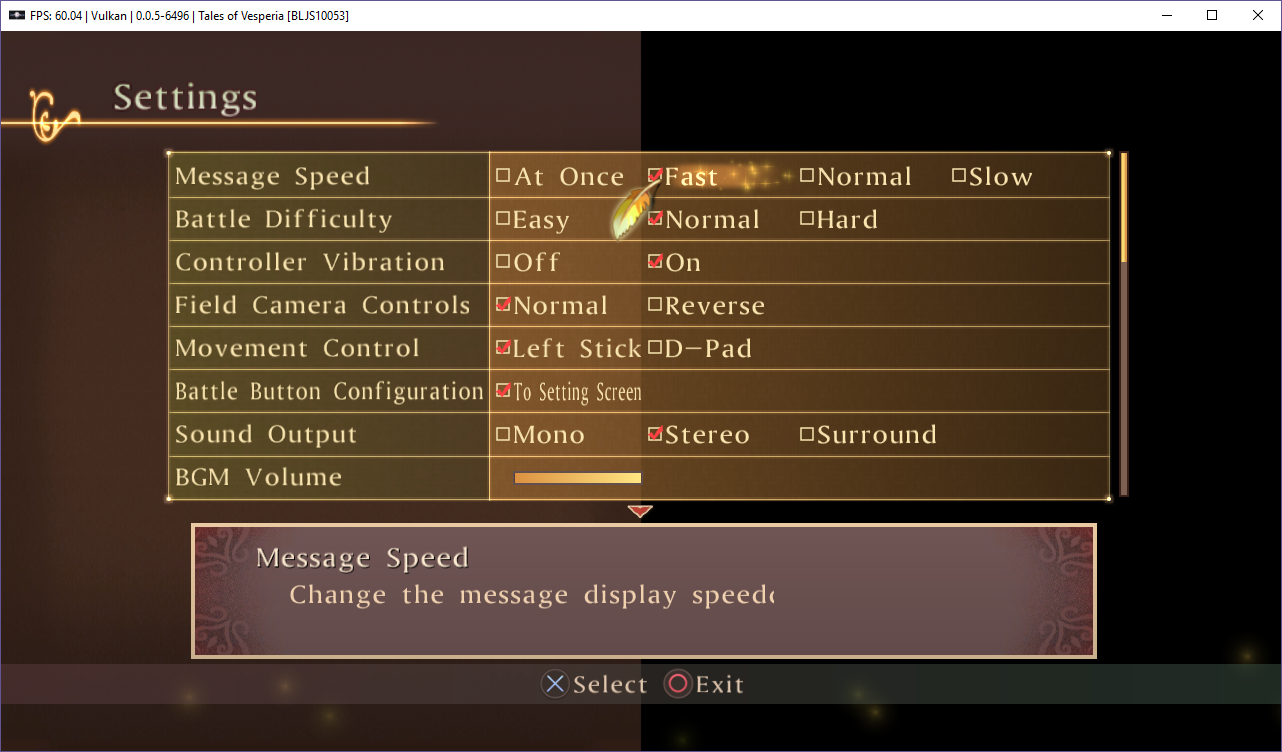
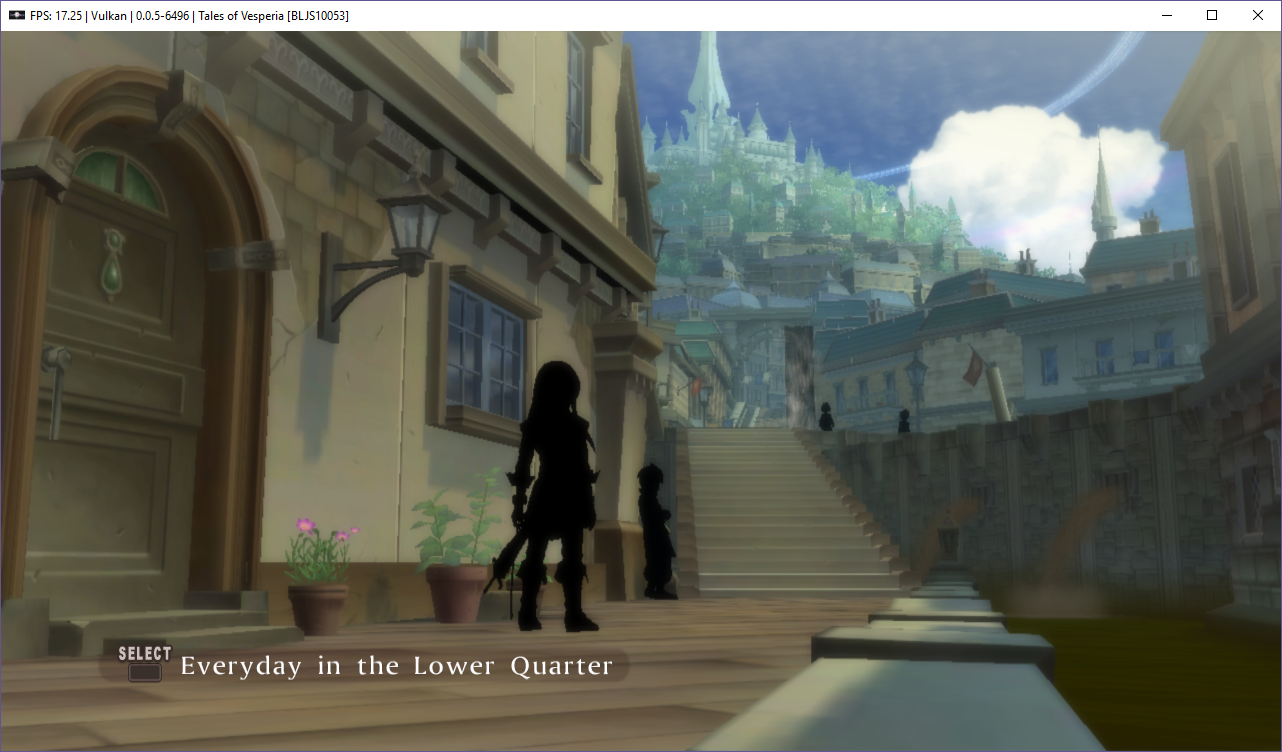
Code changes. In TextureUtils.cpp, function upload_texture_subresource.
case CELL_GCM_TEXTURE_COMPRESSED_DXT23:
case CELL_GCM_TEXTURE_COMPRESSED_DXT45:
#if 1
{
static const u8 array[] = { 0x00, 0x01, 0x00, 0x00, 0x00, 0x00, 0x00, 0x00, 0x01, 0x00, 0x00, 0x00, 0x55, 0x55, 0x55, 0x55 };
u8 *destptr = (u8 *)dst_buffer.data();
u8 *srcptr = (u8 *)src_layout.data.data();
int i;
// Detect FONTTEXT10.0 texture
if (w == 128 && h == 128 && memcmp(srcptr, array, sizeof(array)) == 0) {
// FONTTEXT10 consists of multiple character sets
// FONTTEXT10.0 - uppercase English alphabet and other symbols
// FONTTEXT10.1 - lowercase English alphabet
// FONTTEXT10.2-15 - Japanese characters
//
// Note - this texture we have trapped on contains FONTTEXT10.0 (512*512 bytes), but because the entire FONTTEXT10
// was allocated in contiguous memory, we can access FONTTEXT10.1 here too.
// First step, get rid of the strange tiling
// e.g. FONTTEXT10 stores FONTTEXT10.0, FONTTEXT10.1, FONTTEXT10.2, FONTTEXT10.3 as 16 bytes (DXTC5)
// line0 10.0 16 bytes
// line1 10.1 16 bytes
// line2 10.2 16 bytes
// line3 10.3 16 bytes
// line4 10.0 16 bytes
// line5 10.1 16 bytes
// ...
// tex0 (uppercase english)
for (i = 0; i < 16384; i++) {
std::memcpy(destptr, srcptr + (i * 4 * 16), 16);
destptr += 16;
}
// tex1 (lowercase english)
for (i = 0; i < 16384; i++) {
std::memcpy(destptr, srcptr + (16 + i * 4 * 16), 16);
destptr += 16;
}
// copy 2 top rows of tex1 (lower case characters) to tex0 top rows
destptr = ((u8 *)dst_buffer.data()); // tex0
srcptr = ((u8 *)dst_buffer.data()) + (16384 * 16 * 1); // tex1
for (i = 0; i < 2; i++) {
std::memcpy(destptr + (i * 16384), srcptr + (i * 16384), 16384);
}
}
else {
copy_unmodified_block::copy_mipmap_level(as_span_workaround<u128>(dst_buffer), gsl::as_span<const u128>(src_layout.data), w, h, depth, get_row_pitch_in_block<u128>(w, dst_row_pitch_multiple_of), src_layout.pitch_in_bytes);
}
}
#else
copy_unmodified_block::copy_mipmap_level(as_span_workaround<u128>(dst_buffer), gsl::as_span<const u128>(src_layout.data), w, h, depth, get_row_pitch_in_block<u128>(w, dst_row_pitch_multiple_of), src_layout.pitch_in_bytes);
#endif
break;
Some notes with the hack that still needs to be fixed:
- Punctuations are not drawn correctly: c -> .
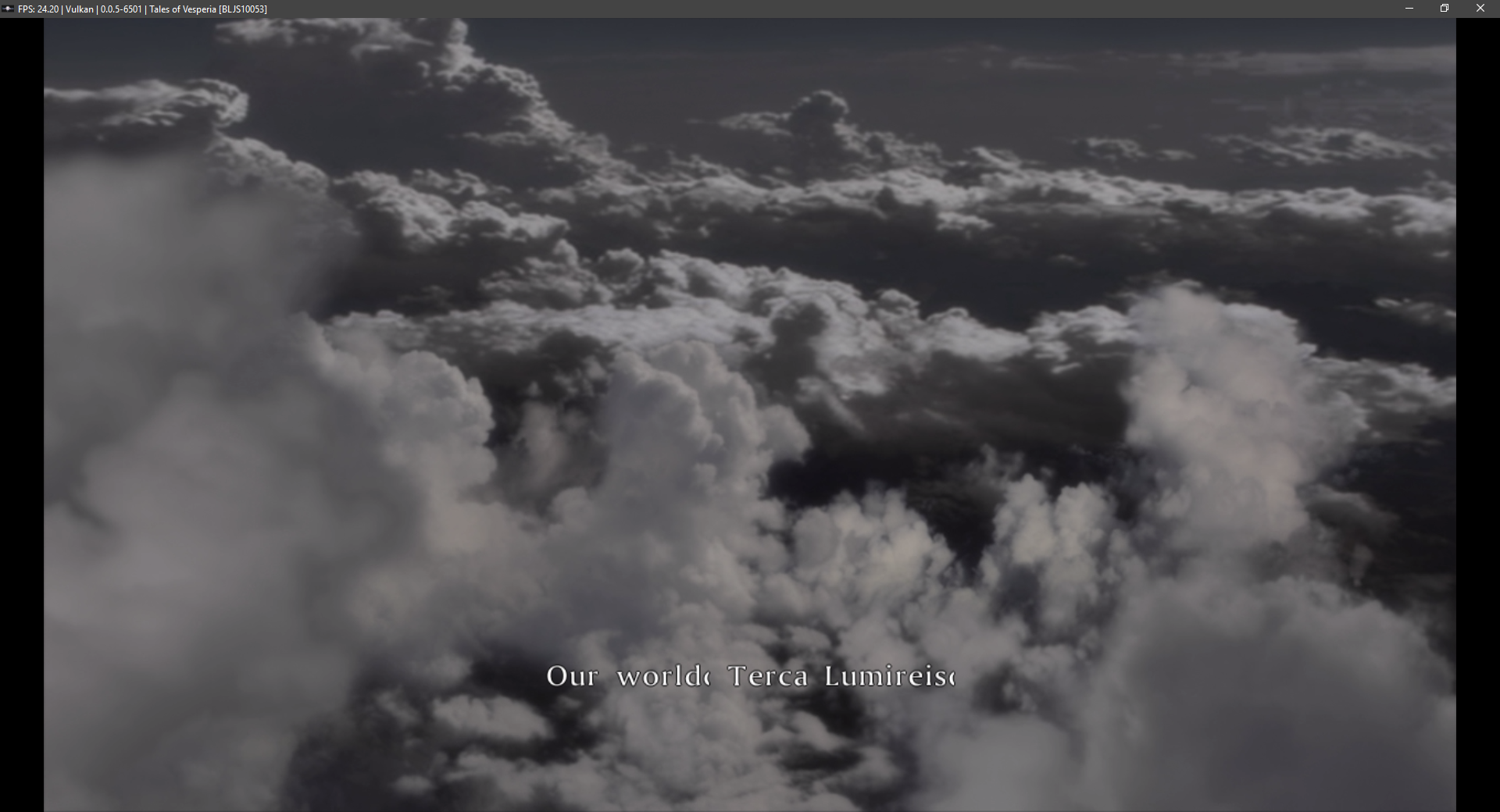
i -> !
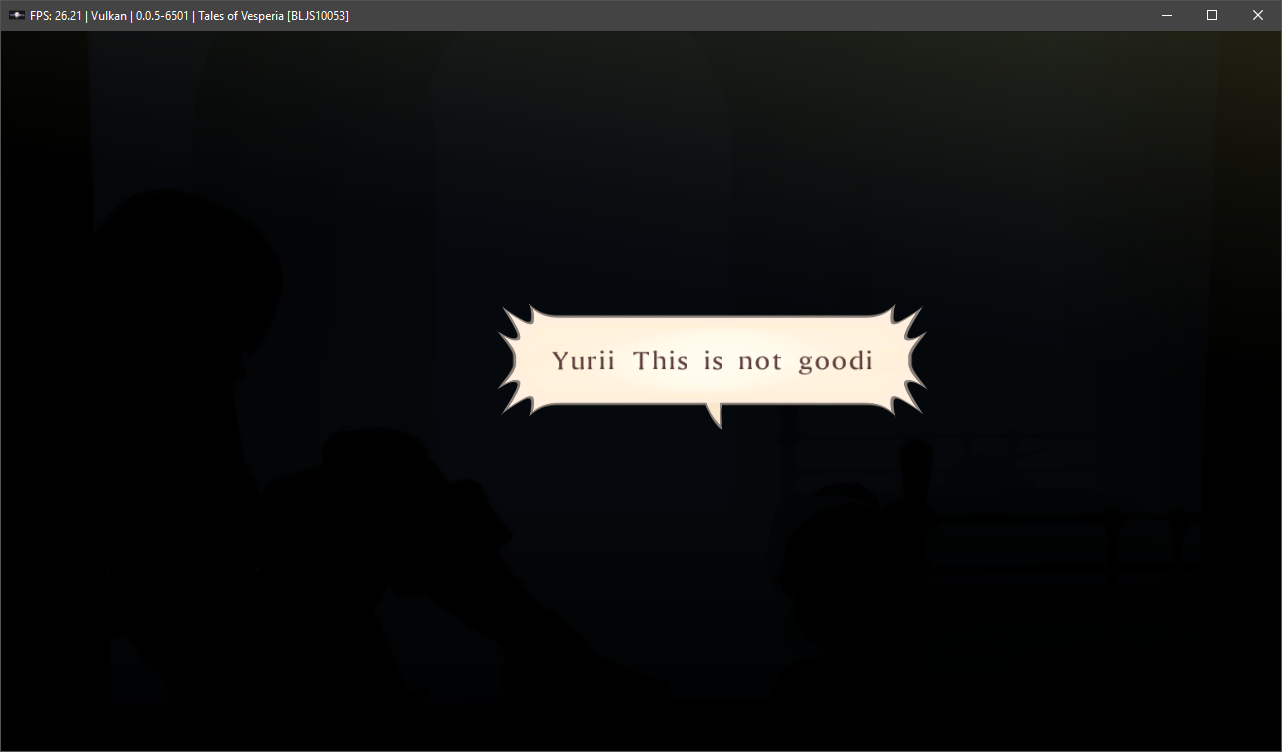
This patch does not Fix Xillia games [Tested with Xillia with hacked build]:
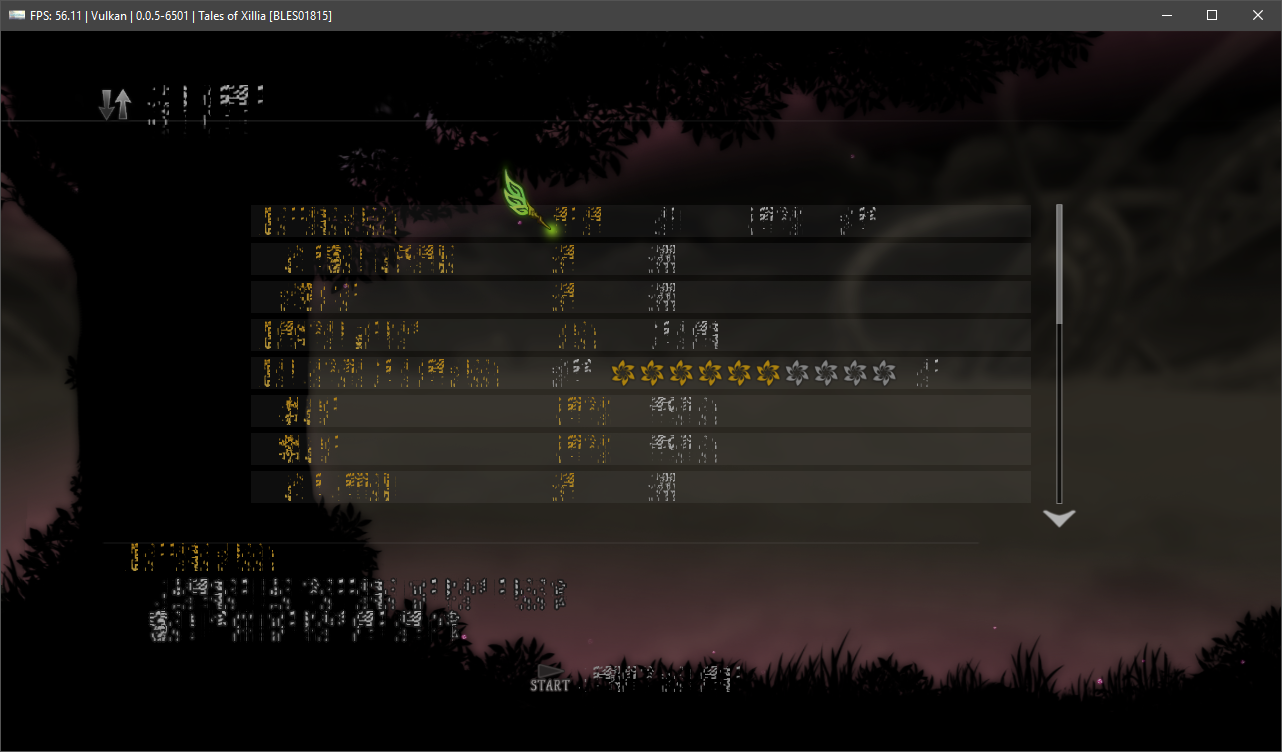
Edit: Fixed Derp
Those who Really want to try this Hacked Vesperia Fix Appveyor Custom Build
Do not direct your complains to the RPCS3 Devs with THIS build!
Ristellise
on 8 Mar 2018
Here's what it looks like in renderdoc.
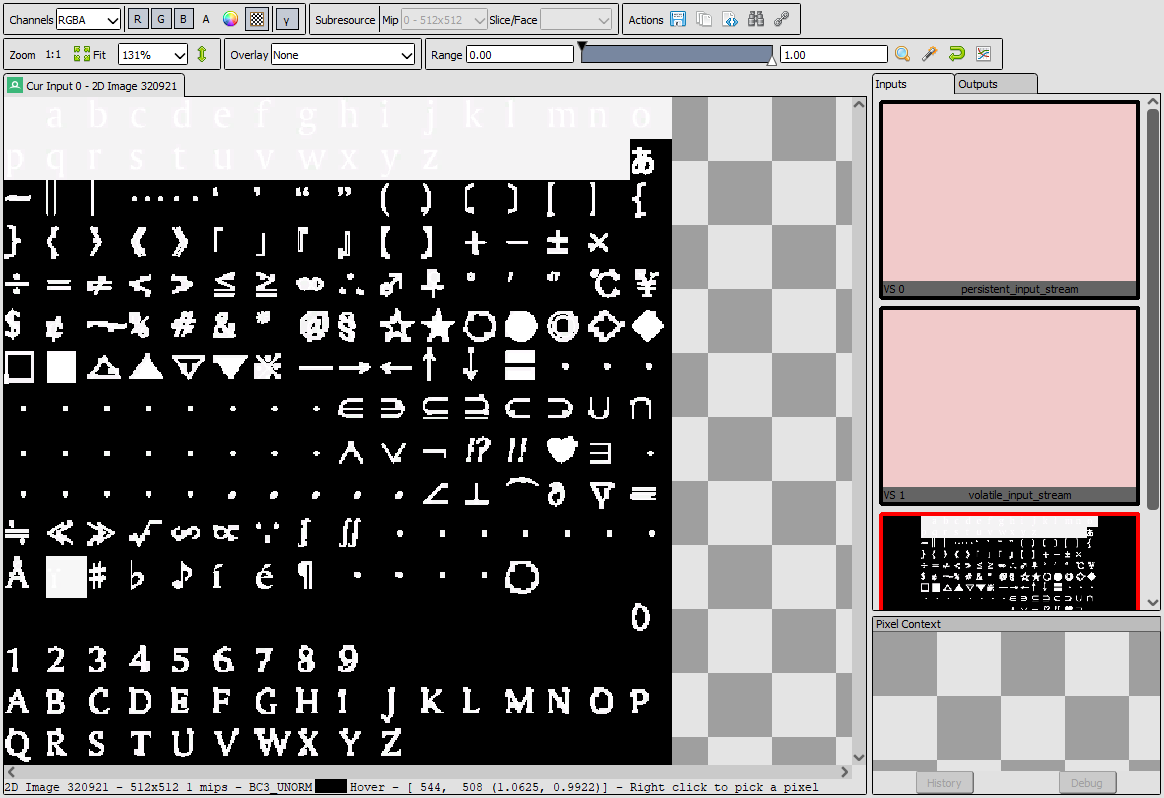
Note the file width and height.
Ristellise
on 8 Mar 2018
Thanks for trying it out @Joshwoo70.
I noticed the punctuation issues too. I'll see if there is any easy fix (i.e. row copy, rather than character copy).
I also tried Tales of Xillia. It was a long shot since the hack tests for a TOVesperia texture signature.
I'm trying to extract the TOX textures files to see if I can do a similar hack for Xillia.
pauls-gh
on 8 Mar 2018
@pauls-gh thank you hohoho, finally, finally i will can play the xillia. please keep trying looks have too many files in the xillia without name but your work will help!
marcussacana
on 8 Mar 2018
I took a look at the punctuation problem (e.g ! => i) . There doesn't seem to be a fix for this as the position of the lower case characters (a-z) in the texture map are at the same location as where the punctuation characters would go. This is how ! maps to lower case i.
So, it would be either have correct punctuation, or readable English.
I'm really confused by this though. How does it work on the PS3 hardware?
Assuming there is a single texture map (512x512) for all characters, is the texture dynamically updated? Or maybe there is a shader helping compute the character location within the texture?
Does anyone have access to a hardware PS3 setup that can capture a frame so we can look at this particular texture?
pauls-gh
on 8 Mar 2018
ohh, i forget @Hideki-85 you have already extracted the font of the xillia right? give the font details to the pauls update the hack plz
marcussacana
on 8 Mar 2018
I don't think it will be easy to use the details of my extracted font files. The script I used to extract the files did not preserve the names of any of the files, it just numbered them incrementally starting at 0000001 and used the extension it found in the FILEHEADER.TOFHDB file for each file's offset. The files that ended up corresponding to the font texture were 0045043.TOTEXB for the header and 0045044.TOTEXP for the data.
What I found interesting was that 0045040, 0045041 and 0045042 have the extensions FNTCIDB, FNTSYSB and FNTTXDB, so I think that those files could play a key role in eventually making the emu process the font texture correctly rather than using a hack to do it.
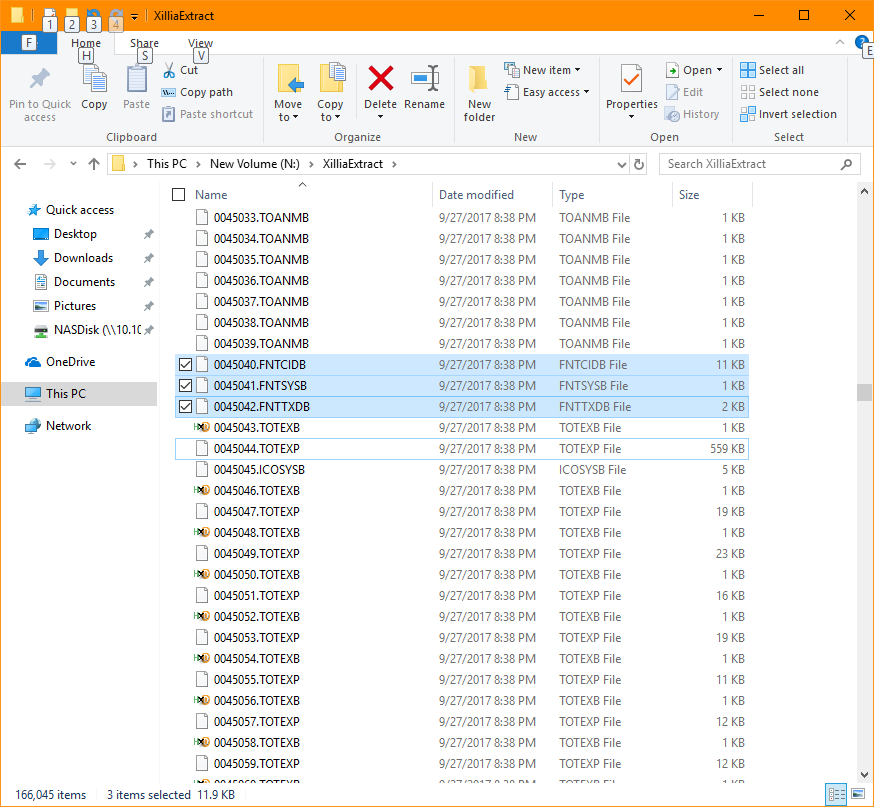
I can post all of these files later on tonight when I get home from work.
Hideki-85
on 8 Mar 2018
No need to post any texture info for Xillia. I can capture the texture for the font using a frame grabber tool like RenderDoc.
pauls-gh
on 8 Mar 2018
I posted the processed and unprocessed Xillia texture above in my long post if that helps.
Hideki-85
on 8 Mar 2018
Yes, that helps. From your Xillia post, I can see the lower case and upper case English characters are contained in one 512x512 texture so at least that is better than Vesperia.
pauls-gh
on 8 Mar 2018
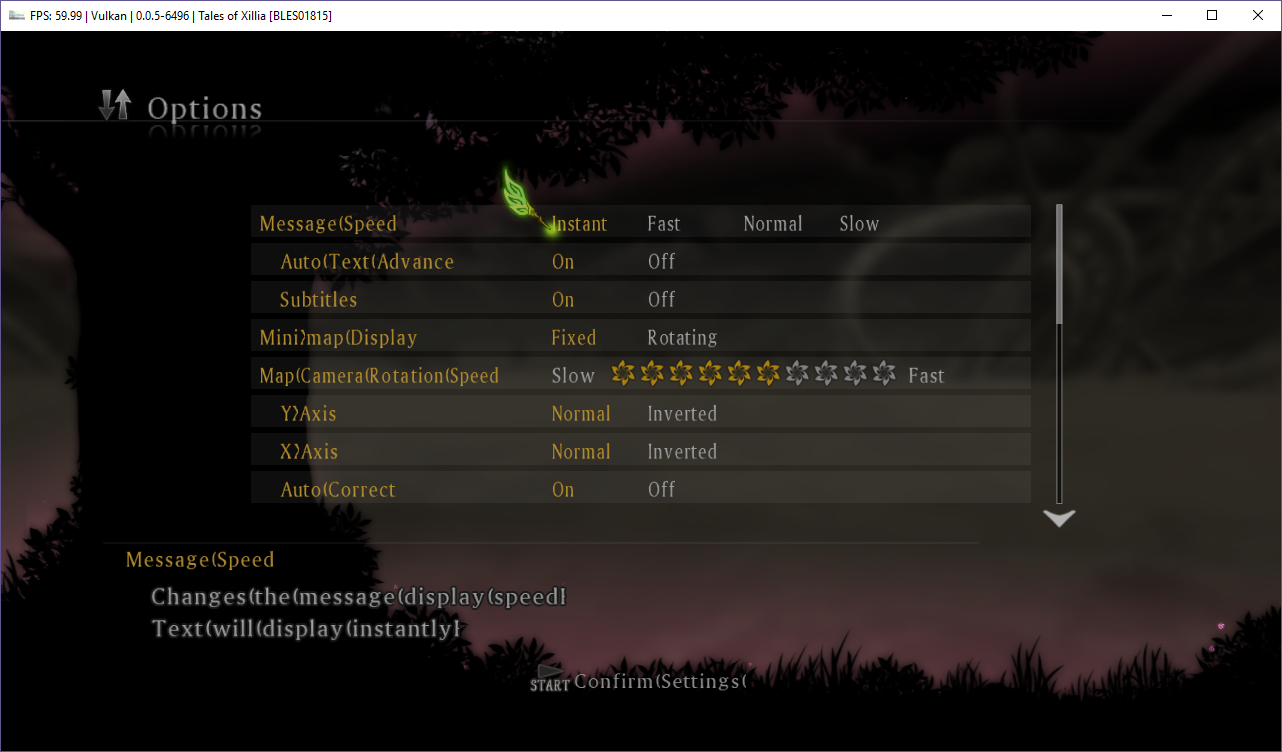
Updated hack that works for both Tales of Vesperia and Tales of Xillia garbled text issue.
Limitations
- punctuation marks do not display correctly. This appears difficult to fix as the punctuation symbol locations overlap numbers/A-Z. This is true of both TOV and TOX. The problem is worse on TOX as "space" maps to the number 0.
Code changes. In TextureUtils.cpp, function upload_texture_subresource.
case CELL_GCM_TEXTURE_COMPRESSED_DXT1:
#if 1
{
// Tales of Xillia - English font hack
//
// Limitations
// Punctuation does not display correctly.
// This is difficult to fix as the punctuation (space, period, question mark) map the character positions of 0-9 and the first several uppercase characters.
static const u8 array[] = { 0x00, 0x00, 0x00, 0x00, 0xAA, 0xAA, 0xAA, 0xAA, 0x00, 0x00, 0x00, 0x00, 0xAA, 0xAA, 0xAA, 0xAA };
u8 *destptr = (u8 *)dst_buffer.data();
u8 *srcptr = (u8 *)src_layout.data.data();
if (w == 128 && h == 128 && memcmp(srcptr, array, sizeof(array)) == 0) {
// tex0 - contains upper case and lower case english characters
// just remove the tiling
for (int i = 0; i < 16384; i++) {
std::memcpy(destptr, srcptr + (i * 4 * 8), 8);
destptr += 8;
}
}
else {
copy_unmodified_block::copy_mipmap_level(as_span_workaround<u64>(dst_buffer), gsl::as_span<const u64>(src_layout.data), w, h, depth, get_row_pitch_in_block<u64>(w, dst_row_pitch_multiple_of), src_layout.pitch_in_bytes);
}
}
#else
copy_unmodified_block::copy_mipmap_level(as_span_workaround<u64>(dst_buffer), gsl::as_span<const u64>(src_layout.data), w, h, depth, get_row_pitch_in_block<u64>(w, dst_row_pitch_multiple_of), src_layout.pitch_in_bytes);
#endif
break;
case CELL_GCM_TEXTURE_COMPRESSED_DXT23:
case CELL_GCM_TEXTURE_COMPRESSED_DXT45:
#if 1
{
// Tales of Vesperia - English font hack
//
// Limitations
// Punctuation does not display correctly.
// This is difficult to fix as the punctuation (space, period, question mark) map the character positions of the lower case letter (a-z)
static const u8 array[] = { 0x00, 0x01, 0x00, 0x00, 0x00, 0x00, 0x00, 0x00, 0x01, 0x00, 0x00, 0x00, 0x55, 0x55, 0x55, 0x55 };
u8 *destptr = (u8 *)dst_buffer.data();
u8 *srcptr = (u8 *)src_layout.data.data();
int i;
// Detect FONTTEXT10.0 texture
if (w == 128 && h == 128 && memcmp(srcptr, array, sizeof(array)) == 0) {
// FONTTEXT10 consists of multiple character sets
// FONTTEXT10.0 - uppercase English alphabet and other symbols
// FONTTEXT10.1 - lowercase English alphabet
// FONTTEXT10.2-15 - Japanese characters
//
// Note - this texture we have trapped on contains FONTTEXT10.0 (512*512 bytes), but because the entire FONTTEXT10
// was allocated in contiguous memory, we can access FONTTEXT10.1 here too.
// First step, get rid of the strange tiling
// e.g. FONTTEXT10 stores FONTTEXT10.0, FONTTEXT10.1, FONTTEXT10.2, FONTTEXT10.3 as 16 bytes (DXTC5)
// line0 10.0 16 bytes
// line1 10.1 16 bytes
// line2 10.2 16 bytes
// line3 10.3 16 bytes
// line4 10.0 16 bytes
// line5 10.1 16 bytes
// ...
// tex0 (uppercase english)
for (i = 0; i < 16384; i++) {
std::memcpy(destptr, srcptr + (i * 4 * 16), 16);
destptr += 16;
}
// copy 2 top rows of tex1 (lower case characters) to tex0 top rows
destptr = (u8 *)dst_buffer.data(); // tex0
srcptr = ((u8 *)src_layout.data.data()); // tex1 (tiled)
for (i = 0; i < 2048; i++) {
std::memcpy(destptr, srcptr + (16+ i * 4 * 16), 16);
destptr += 16;
}
}
else {
copy_unmodified_block::copy_mipmap_level(as_span_workaround<u128>(dst_buffer), gsl::as_span<const u128>(src_layout.data), w, h, depth, get_row_pitch_in_block<u128>(w, dst_row_pitch_multiple_of), src_layout.pitch_in_bytes);
}
}
#else
copy_unmodified_block::copy_mipmap_level(as_span_workaround<u128>(dst_buffer), gsl::as_span<const u128>(src_layout.data), w, h, depth, get_row_pitch_in_block<u128>(w, dst_row_pitch_multiple_of), src_layout.pitch_in_bytes);
#endif
thank you so mutch man!
Finally i can play it :V
marcussacana
on 9 Mar 2018
good :D
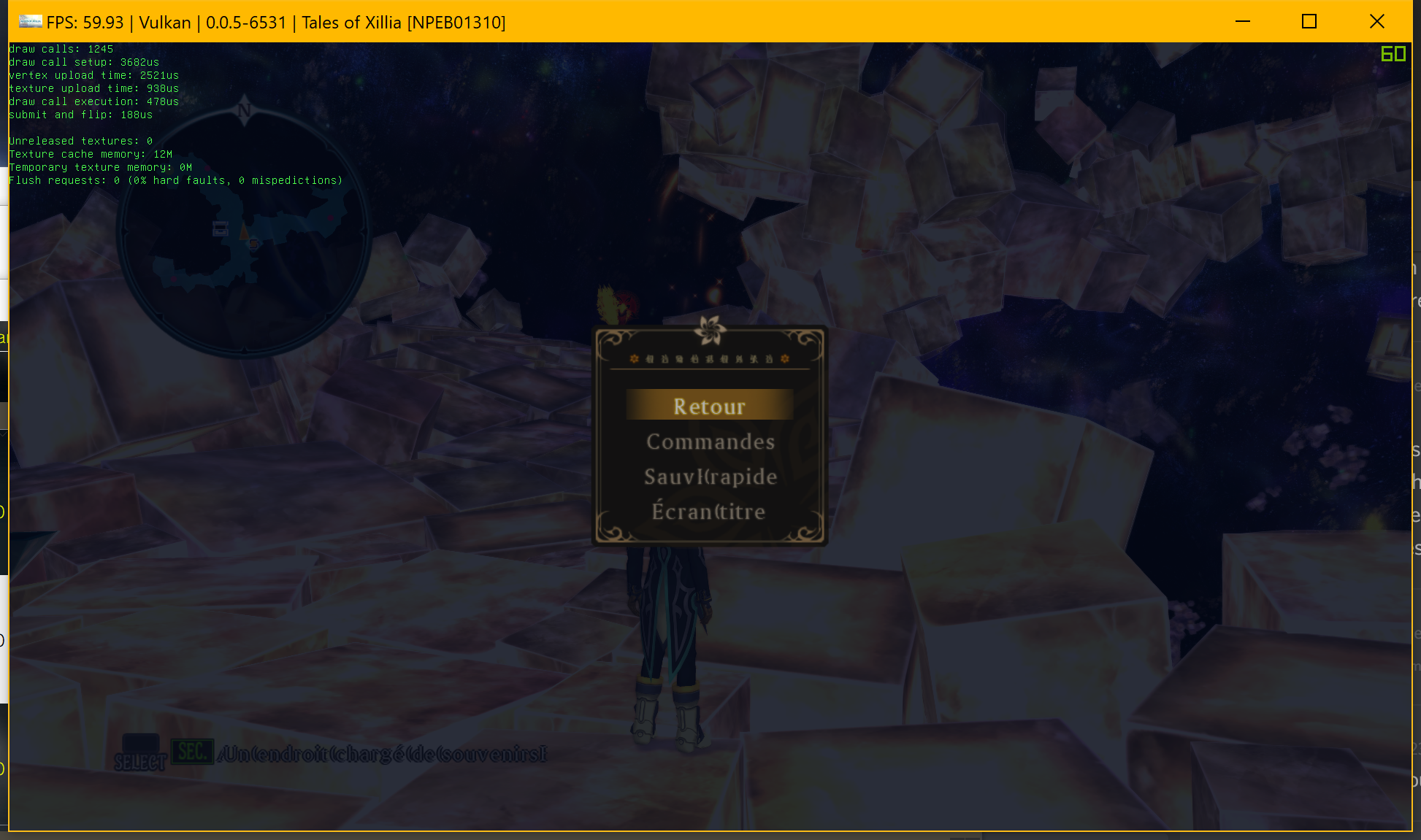
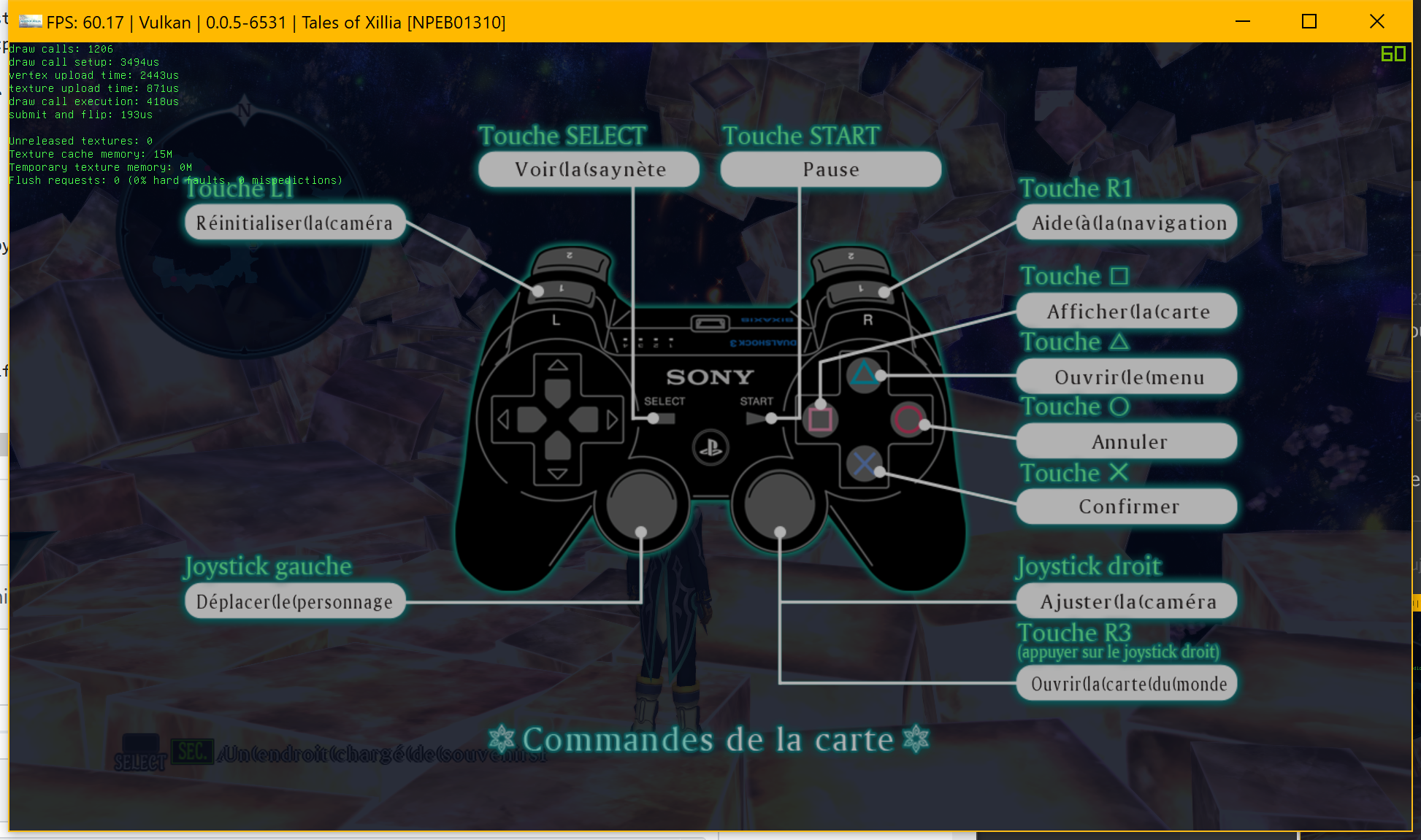
French langague have just little probleme on few word,
And not idea if it is same glutch on render, but him have same problem, and all GT game have same
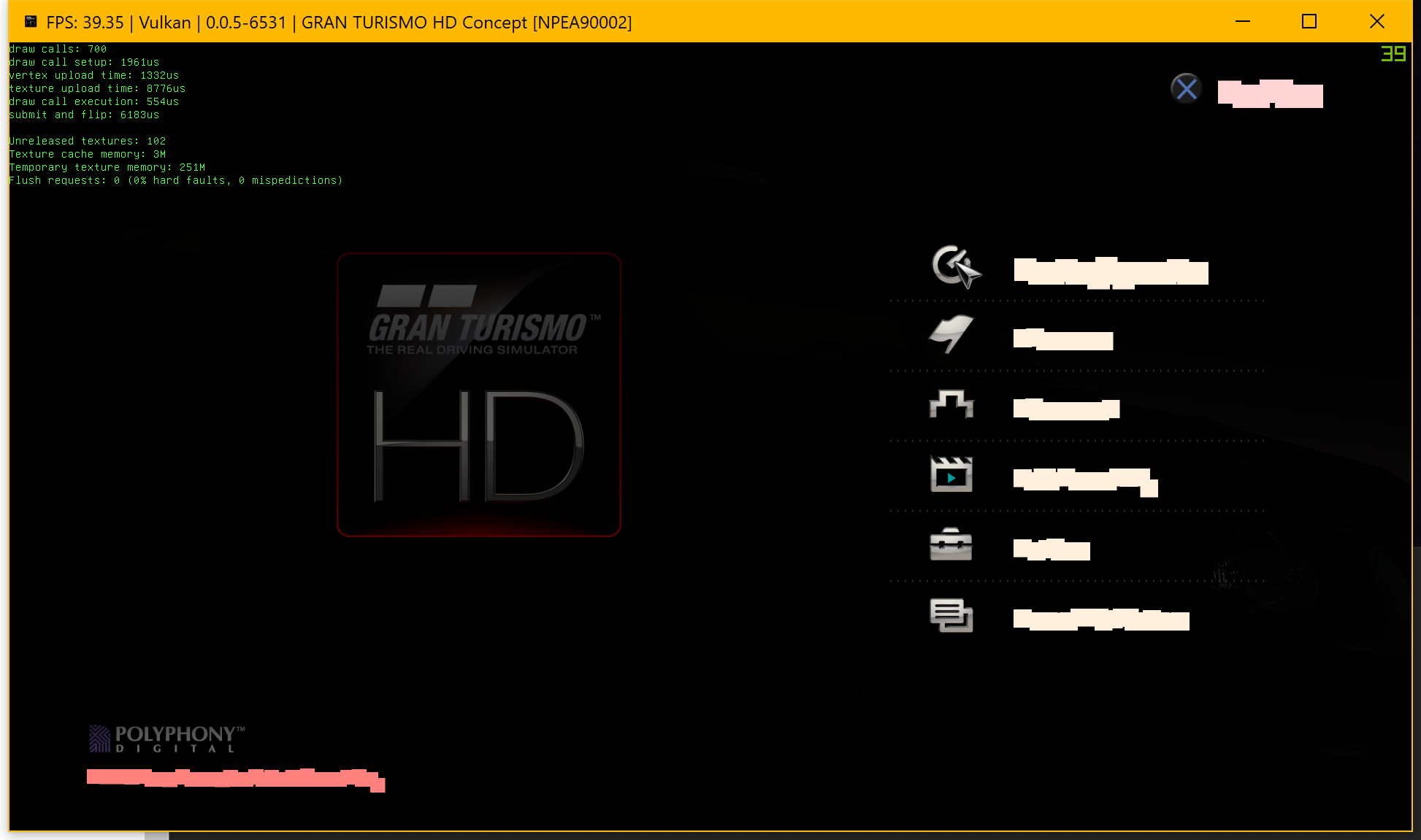
Word glitched
Zangetsu38
on 9 Mar 2018
I have builded the pauls hack, Appveyor
Really, thank you
marcussacana
on 9 Mar 2018
As was seen on @Zangetsu38 's GT HD screenshot, please don't run a hacked "Tales of" build with other games. It could unintentionally modify textures. I also saw this with Demon Souls.
I could try to prevent this by making the texture check more accurate, but I'd like to move on to looking for a real fix.
Hope you guys enjoy the patch though.
pauls-gh
on 9 Mar 2018
Yeah, no problem, i will play the xillia with this hack, but will be good see a real fix too, I am anxiously waiting, thank you man
marcussacana
on 9 Mar 2018
@pauls-gh No you did not understand, I explained that all the GT Games had a problem with the text that was also glitched.
And so, wondered if you had any idea what might have caused this to him.
Zangetsu38
on 9 Mar 2018
@Zangetsu38 Sorry, misunderstood. I haven't looked at GT. From the look of your screenshot, it seems to be a different type of problem to TOV/TOX.
pauls-gh
on 9 Mar 2018
So, here's what we know about the texture issue now.
- Multiple textures (512x512, with 256 glyphs in each texture) are loaded by the game.
- Compressed texture format is used (DXT5 for Vesperia, DXT1 for Xillia)
- Only one 512x512 texture is used when drawing fonts.
- Uppercase and lower case are in different 512x512 textures.
- Some symbols (e.g. punctuation) have the same location (texture u,v) as the alphanumeric symbols which makes it impossible to draw certain combinations of symbols (e.g. ! and the letter i in Vesperia).
- The textures have a strange tiling as stored on disk. It appears to store a 4x4 block of texels (16 bytes for DXT5) from texture 0, 1, 2, 3 and then repeats. The tiling doesn't appear to match any RSX tiling or swizzling methods.
This suggested to me the texture is updated dynamically or a shader is used to help pick the correct symbols.
I did a bit of research on bitmap fonts and one possibility is that the game is using "channel packing".
http://wiki.polycount.com/wiki/ChannelPacking
In essence, each color channel (R,G,B,A) is used to store a unique 512x512 texture. In this way, (256 * 4) glyphs can be stored in the space usually required for 256 glyphs.
If the game does use channel packing for fonts, it would make sense that the fonts are stored interleaved by DXT5 blocks (16 byte). It would make creating the channel packing easier. Then again, the game could have pre-processed the textures and stored them in channel-packed format.
Does this ring any bells with anyone? Does the PS3 SDK have any such functionality that might be missing in the emulator?
pauls-gh
on 10 Mar 2018
The rsx is a typical nvidia GPU of its era with some dma enhancements; you get NV_fragment_program2 and an extended NV_vertex_program2 implementation with all the limitations that come with that.
As for channel picking, there is no restriction on channel selection on the TEX instruction. Even the alternative option of remapping components using the image swizzle register is already implemented, but the game is not using either of these.
The fact that UVs are not matching up even after channel isolation points to an even greater problem - its not simply the channel/format that is not working. I also don't see any shader compiler errors either which means unimplemented instructions are not in use here. Tiled blocks like that are not optimal, the PS3 only has morton ordering for optimal access but this does not work for compressed textures and the register setting is ignored. There is also no register value that I have found that does any block untiling but admittedly I may not have searched thoroughly enough.
kd-11
on 10 Mar 2018
Good news. I have a proper fix for the garbled font issue (Vesperia/Xillia) and it also fixes some of the other graphical issues (e.g. blacked out textures) in Tales of Vesperia.
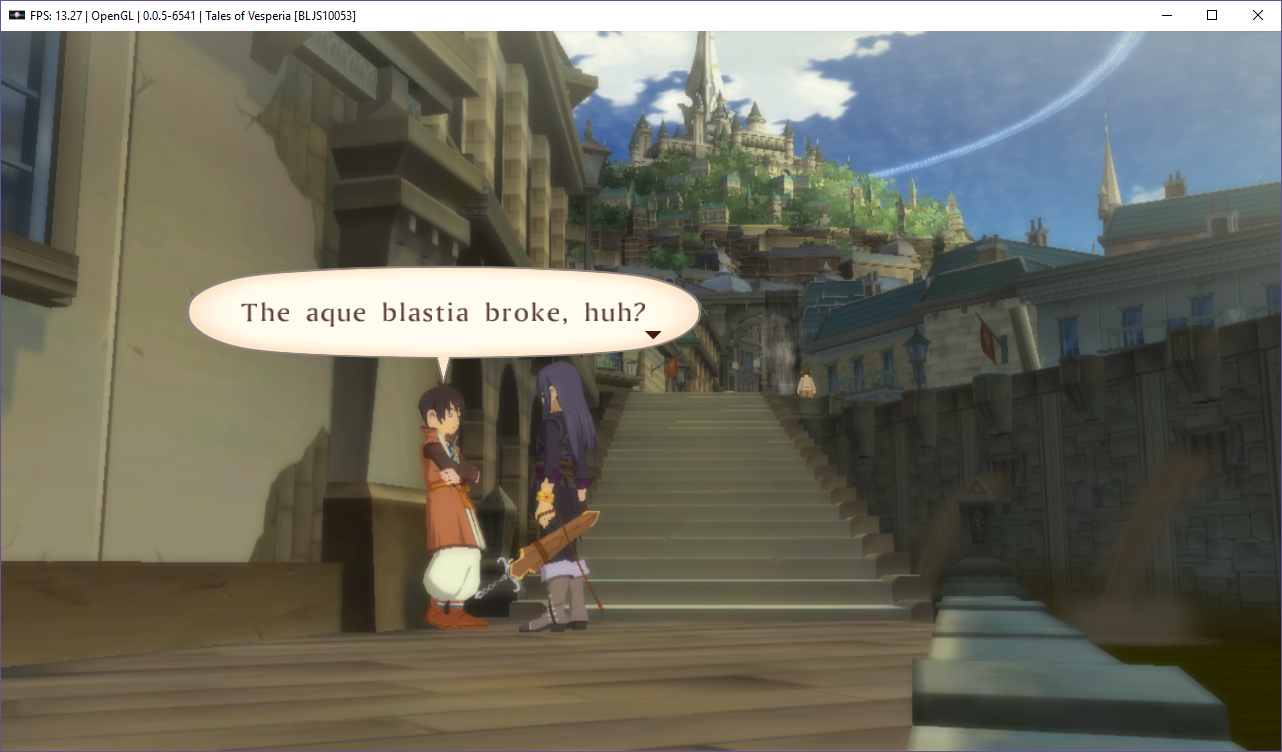
The fix is a simple one line change that corrects a problem with 3d textures. Unfortunately, it only works with OpenGL right now. It appears that 3d textures are not working correctly with Vulkan. This will need some more investigation, but it should be straightforward.
In GPU settings, "Strict Rendering Mode" is also required for correct rendering.
Code change (RSXTexture.cpp)
rsx::texture_dimension_extended fragment_texture::get_extended_texture_dimension() const
    {
        switch (dimension())
        {
        case rsx::texture_dimension::dimension1d: return rsx::texture_dimension_extended::texture_dimension_1d;

#if 1
        case rsx::texture_dimension::dimension3d: return rsx::texture_dimension_extended::texture_dimension_3d;
#else
        case rsx::texture_dimension::dimension3d: return rsx::texture_dimension_extended::texture_dimension_2d;
#endif
        case rsx::texture_dimension::dimension2d: return cubemap() ? rsx::texture_dimension_extended::texture_dimension_cubemap : rsx::texture_dimension_extended::texture_dimension_2d;

        default: ASSUME(0);
        }
    }
Explanation of fix:
The strange tiling of the Vesperia texture fonts is actually a compressed, non-mipmapped 3D texture.
The memory layout is called Volume Texture Compression (VTC).
The emulator had a bug where it mapped the 3d texture setting to 2d instead of 3d.
The code fix seems to work fine with OpenGL, but Vulkan still renders the fonts incorrectly. The Vulkan code may need additional work to support 3d textures.
Next steps
- I'll look into a 3D texture fix for Vulkan
- Ready code for review/submission.
pauls-gh
on 20 Mar 2018
Good job. Really a good news. :)
Illynir
on 20 Mar 2018
I need to get my hands on that.
GeniusMage
on 20 Mar 2018
I can confirm this fixing the black characters, but the font still looks broken here. (Using the original Japanese game here, FYI.)

Still, this is definitely a step in the right direction.
AdmiralCurtiss
on 21 Mar 2018
@AdmiralCurtiss - thanks for trying it out. Just to be sure, did you back out my previous Vesperia font hack?
pauls-gh
on 21 Mar 2018
I never tried that one in the first place, so it's definitely not in there.
AdmiralCurtiss
on 21 Mar 2018
Hmm. I'm running the English patched version of Vesperia. Maybe that is the difference?
pauls-gh
on 21 Mar 2018
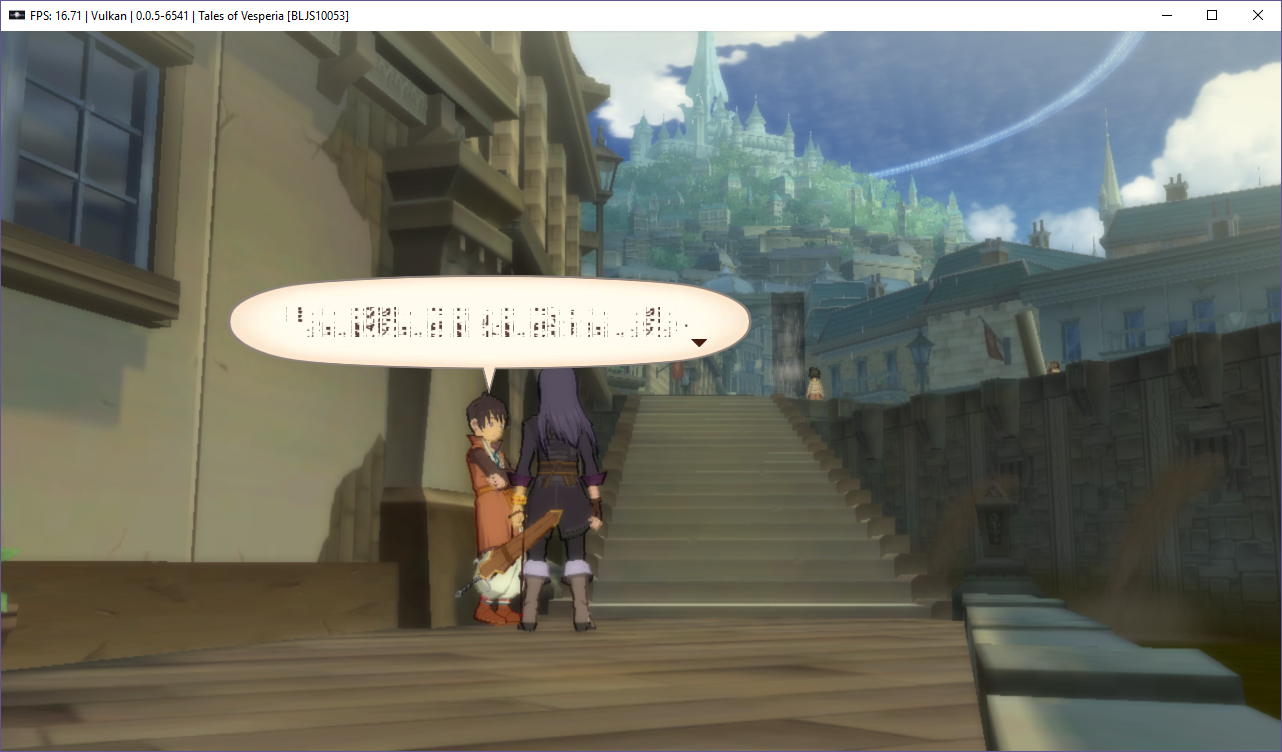
I let the Vulkan renderer run until the game started and it appears to fix the black textures, but the fonts are messed up.
In summary:
My system + Tales of Vesperia w/English patch.
OpenGL       - no black textures, font works.  T
Vulkan       - no black textures, font does not work

AdmiralCurtiss + Japanese Tales of Vesperia
OpenGL       - no black textures, fonts messed up.
So, maybe there is a common OpenGL/Vulkan 3d texture bug that is waiting to be found.
pauls-gh
on 21 Mar 2018
Do not direct your complains to the RPCS3 Devs with THIS build!
Patched Version
Ristellise
on 21 Mar 2018
@pauls-gh Looks like that was a typo, it was supposed to read 3d obviously, not 2d. You should PR it since its a one line change and might have affected other games. The difference one wrong character can make is often surprising lol.
kd-11
on 21 Mar 2018
@kd-11 Is it also a typo?
https://github.com/RPCS3/rpcs3/blob/252ddf8085f0c5b0b1db03fa587e44325e49dc57/rpcs3/Emu/RSX/RSXTexture.cpp#L353
 scribam
on 21 Mar 2018
scribam
on 21 Mar 2018
I just tried the patched version (thanks Josh) and the text is still scrambled on my end, even on OGL (English patched). But it definitely fixed the black characters.
GeniusMage
on 21 Mar 2018
@scribam Thats obviously a copypasta. Also, pretty sure G70 era only had 2d vertex textures, should just throw on everything else.
kd-11
on 21 Mar 2018
Now that we can see characters, we can also see a new issue.
Screenshot
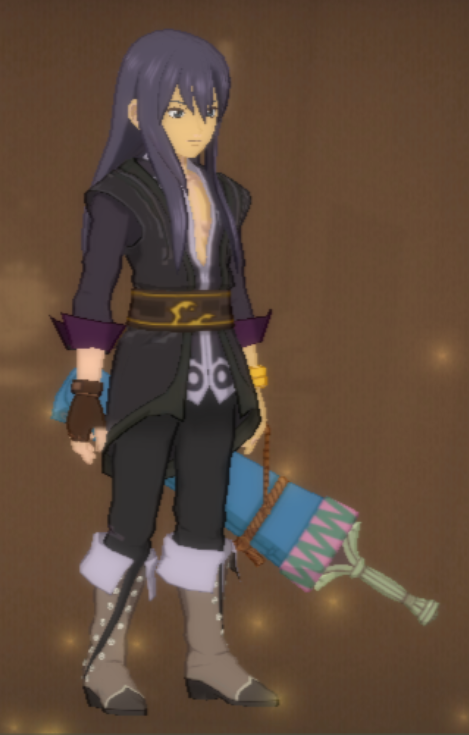
There are weird squares around folds and patterns, and the color of the textures is not quite correct. For example, Yuri's skin is yellowish, when it should be more white, like his right arm on the pic. His clothes are also too dark.
EDIT: I think the change fixed the text, but only for Nvidia users (and only on OGL).
GeniusMage
on 21 Mar 2018
EDIT: I think the change fixed the text, but only for Nvidia users (and only on OGL).
Interesting. I have an Nvidia GPU.
@kd-11 - Sure, I'll work on the patch. Just the fragment 3d change and not the vertex 3d change?
pauls-gh
on 21 Mar 2018
@pauls-gh I already made the patch, it's now on Master, sorry about that.
The text is only fixed on Nvidia probably because of the driver. To get a full fix, we'd have to get the text to work on every renderer without SRM.
GeniusMage
on 21 Mar 2018
No problem. Although, it would have been my first open source contribution! :-)
pauls-gh
on 21 Mar 2018
Besides the font problem, the frame rate on Tales of Vesperia is pretty bad (15-20 fps on core i7-8700).
Has anyone looked at this recently? Any ideas where to start looking for performance improvements?
pauls-gh
on 21 Mar 2018
I suspect a lot of the graphics stuff is handled on the SPUs. Maybe SPU optimizations would make it faster.
GeniusMage
on 21 Mar 2018
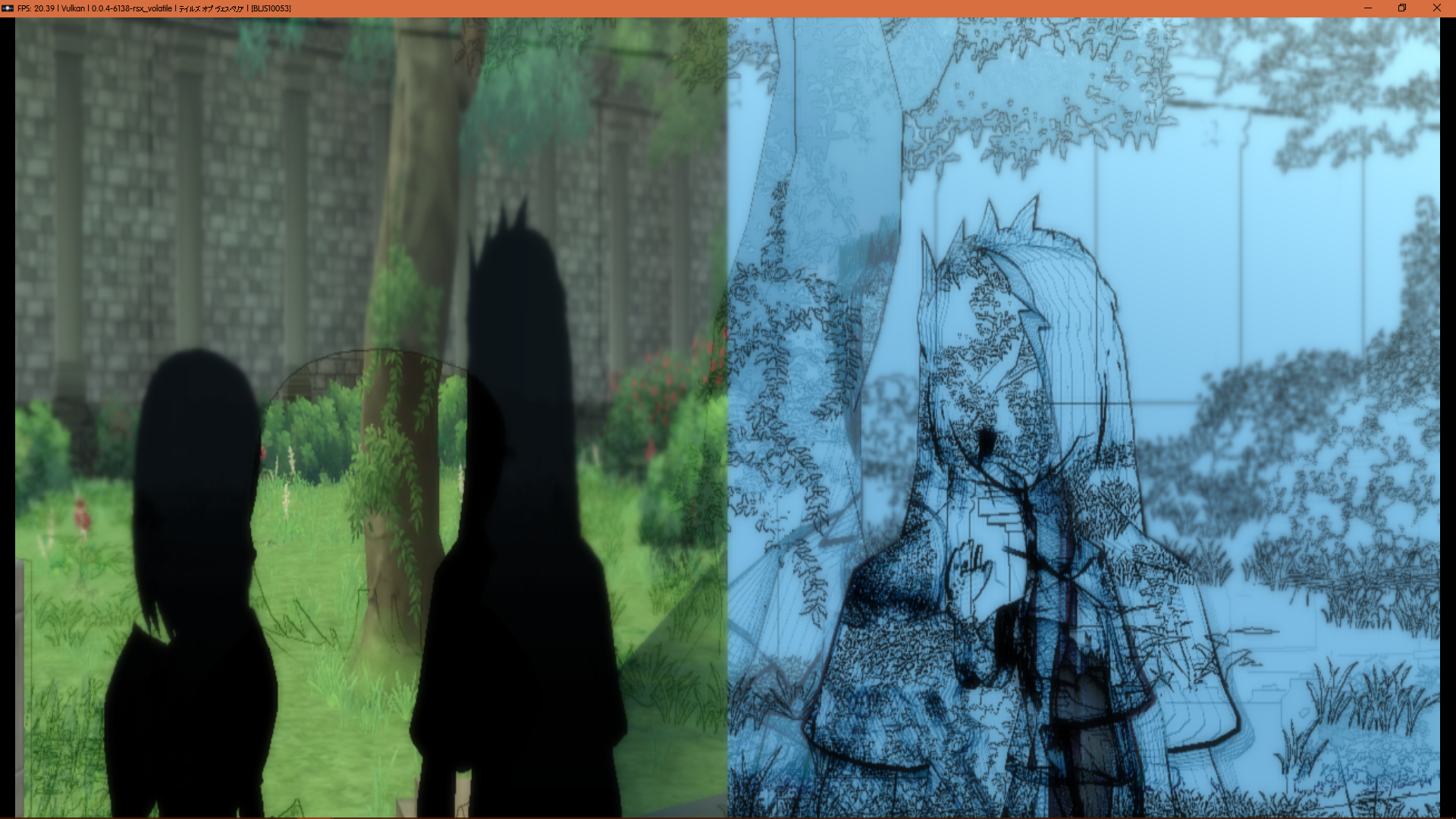
There seems to be some frame persistance.
Screenshots
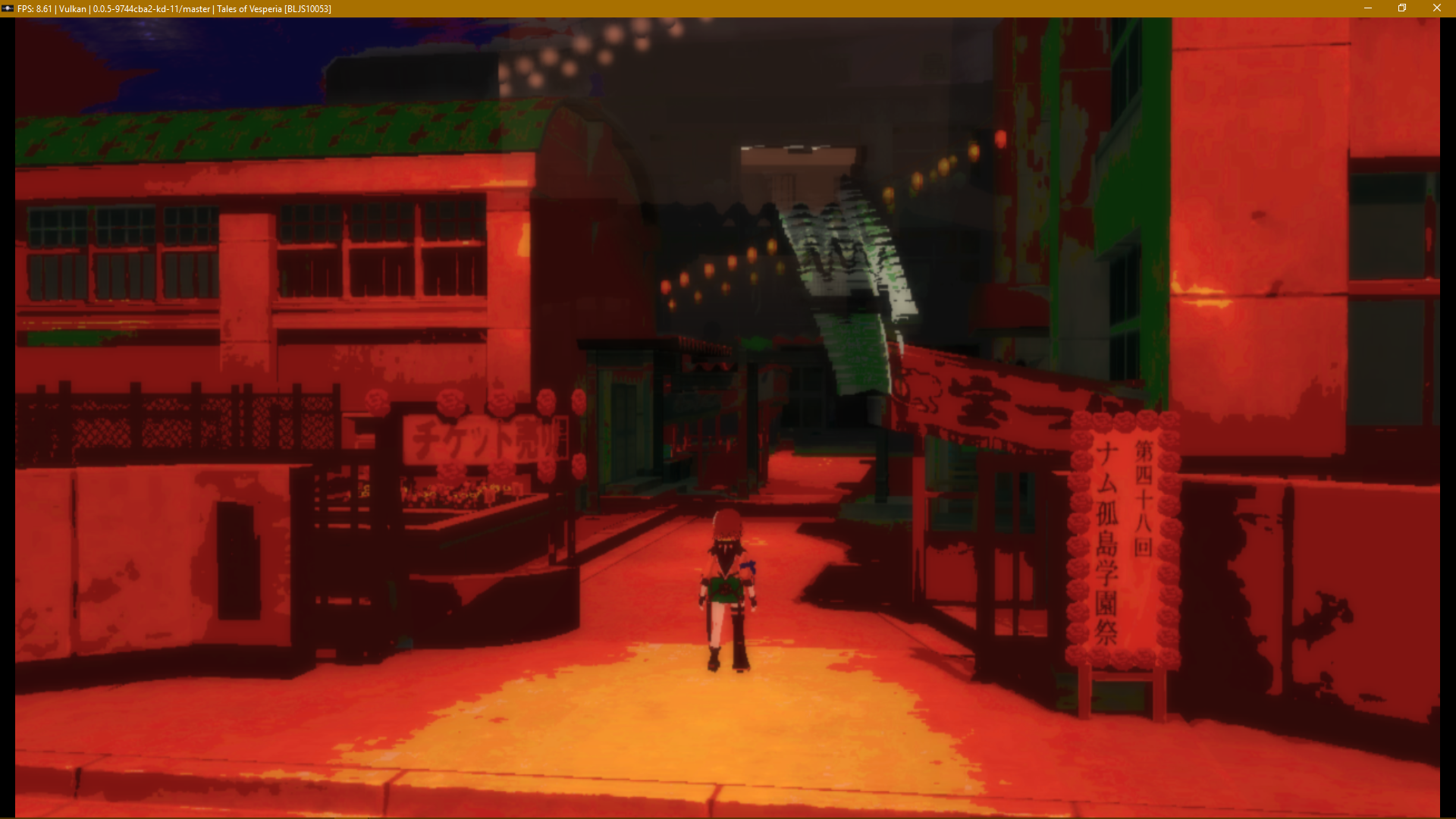
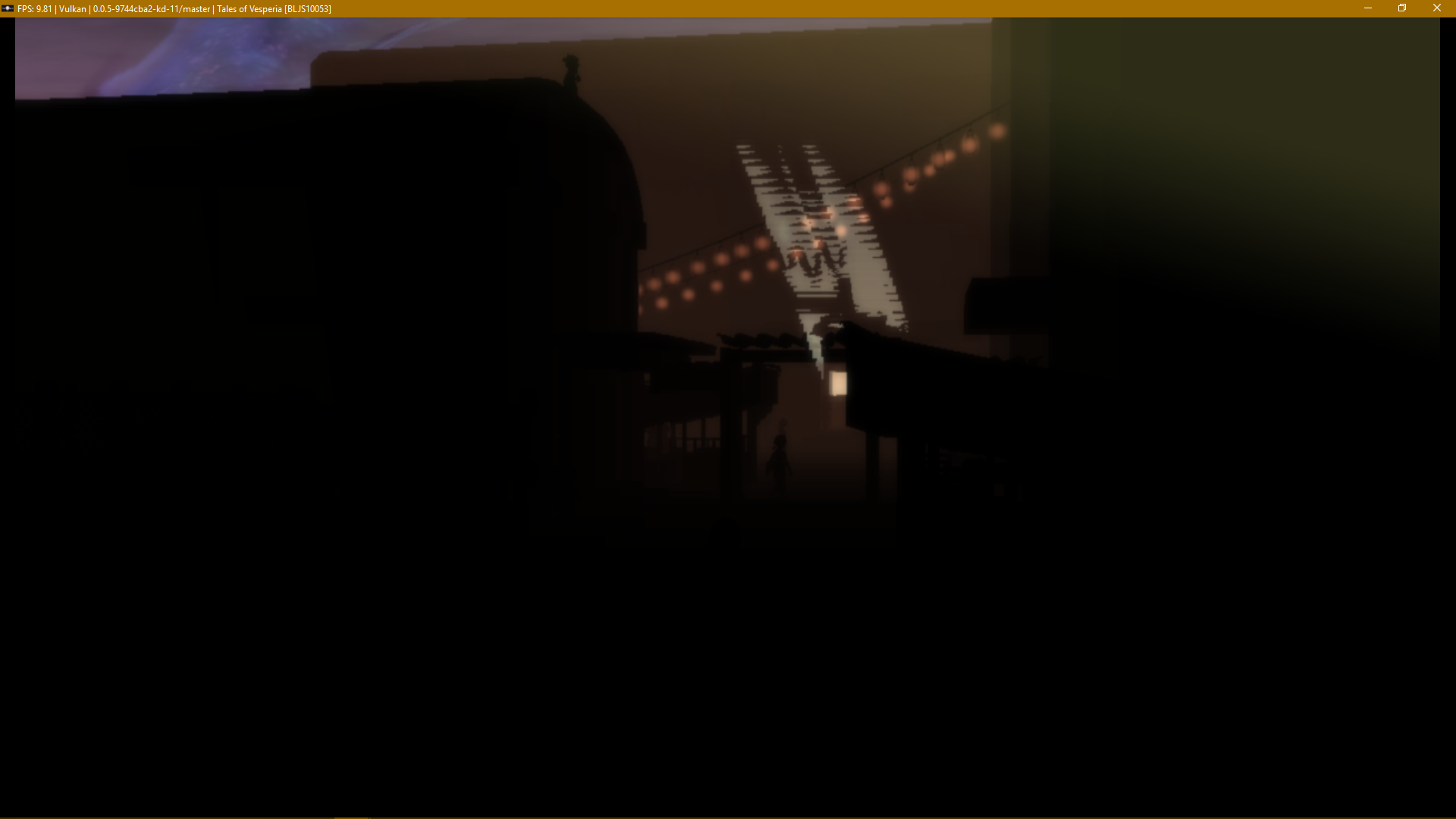
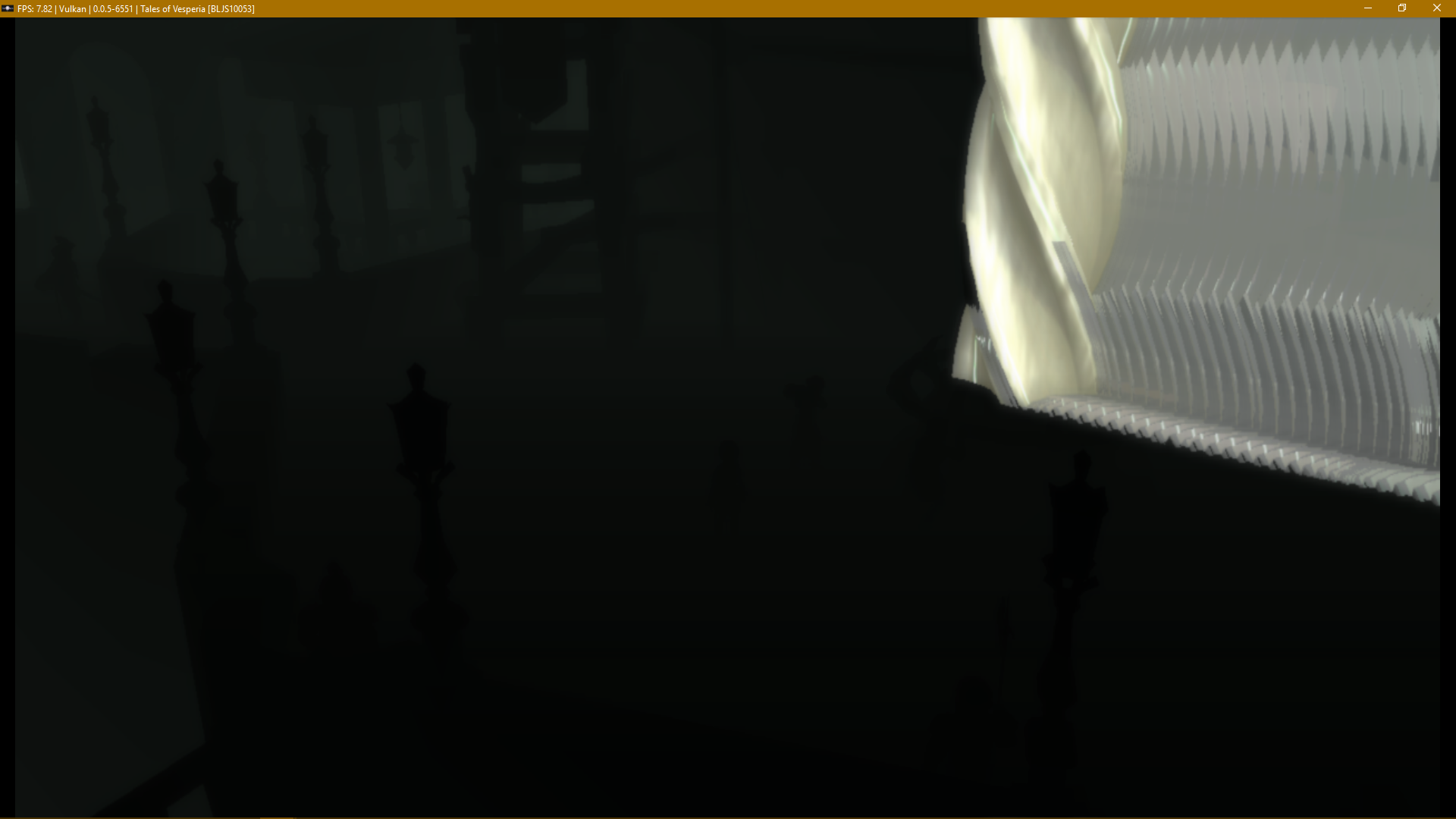
EDIT: There's an acid trip version too.
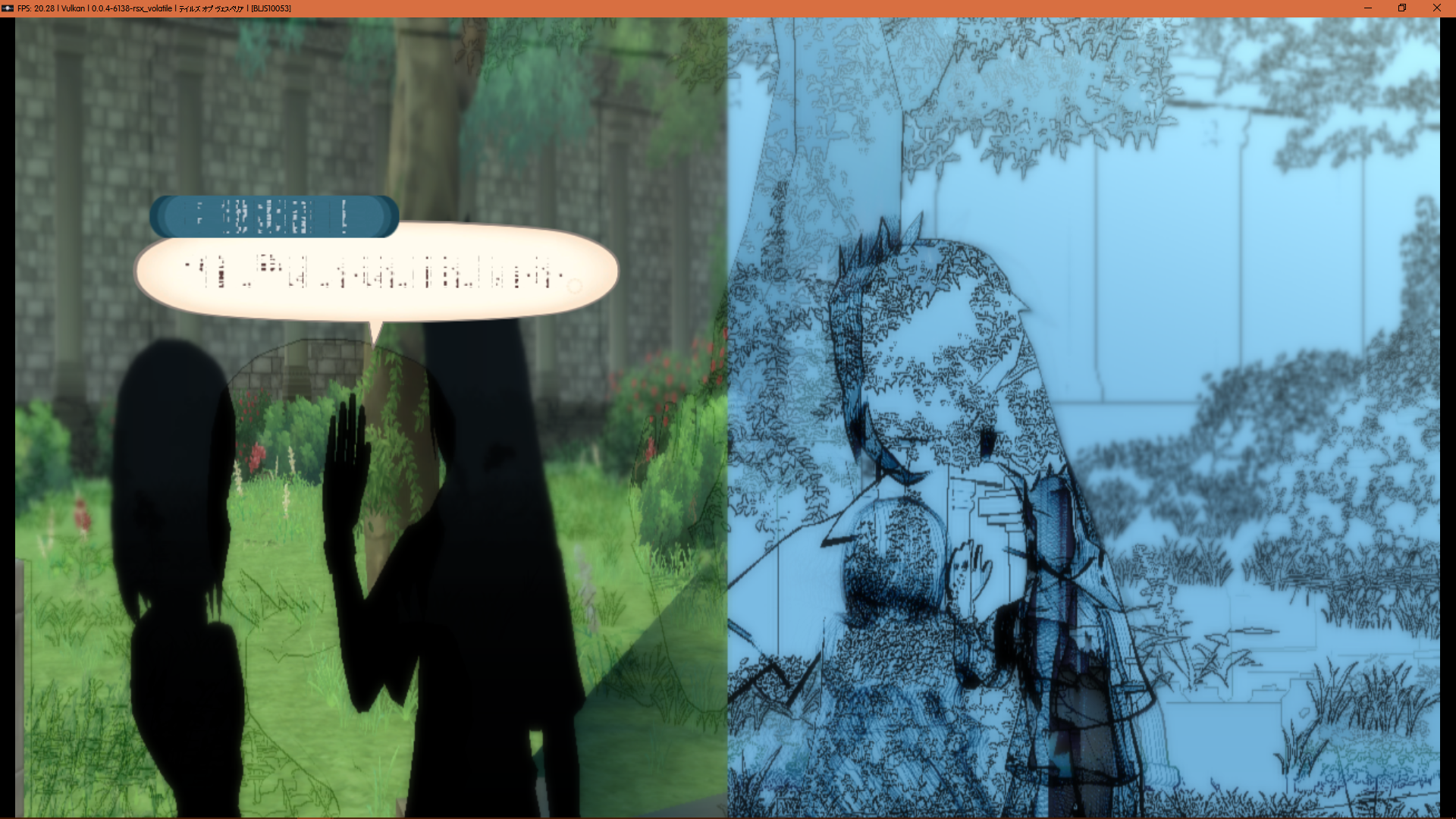
Back at #3772, you could see similar stuff
Screenshots
GeniusMage
on 21 Mar 2018
For reference, I have a pretty old AMD GPU (Radeon HD6870), so that might indeed be why the text is still broken for me.
AdmiralCurtiss
on 21 Mar 2018
FWIW, I have an Nvidia card, (GTX 960) and I've tried launching Vesperia (English patched) and both Xillias with SRM and OpenGL, but with this new build on all three I just get a white screen that hangs until I end the process. Vulkan still works as it always has, not sure what I'm doing wrong.
UPDATE: After deleting and recopying the files from the .7z everything works as described!
Hideki-85
on 21 Mar 2018
So it seems that the Nvidia VTC texture format is not supported on ATI cards and when using the Vulkan API (ATI or Nvidia).
I wanted to see what it would take to support compressed 3D texture maps with Vulkan. Using Nvidia Nsight, I captured a frame of Vesperia garbled text. I modified the generated C++ code to undo the VTC tiling. In other words, each 2D slice of the 3D texture is linear in memory and one slice follows another.
The font then displayed correctly.
I'll integrate the change into RPCS3, do some additional testing and then post the change here so others can experiment with it.
pauls-gh
on 22 Mar 2018
Here are the changes to fix the font problem for Vulkan and OpenGL/ATI (i.e. cards/APIs that don't support Nvidia VTC).
The change simply untiles the VTC texture when VTC is not supported. The change will not affect Opengl/Nvidia.
https://github.com/pauls-gh/rpcs3/commit/bef49d57432f67516abded84bcb1635c683fee30
I tested Vesperia and Xillia using an Nvidia 1070ti (both OpenGL and Vulkan). Please give it a try and let me know how it goes.
pauls-gh
on 22 Mar 2018
I created a pull request for the font fix.
https://github.com/RPCS3/rpcs3/pull/4320
Here's the build with the fix.
https://ci.appveyor.com/project/rpcs3/rpcs3/build/0.0.5-4bcb7350/artifacts
pauls-gh
on 22 Mar 2018
@pauls-gh - works perfectly for both OGL and VLKN.
 jabroany
on 22 Mar 2018
jabroany
on 22 Mar 2018
The font fix is in master now. Thanks to everyone for their help!
I'm going to look at fixing the blacked out scene after the sleeping dog at the start of the game. I took a RenderDoc capture of this and I think it might be rendering a stencil/depth texture as a color texture.
pauls-gh
on 23 Mar 2018
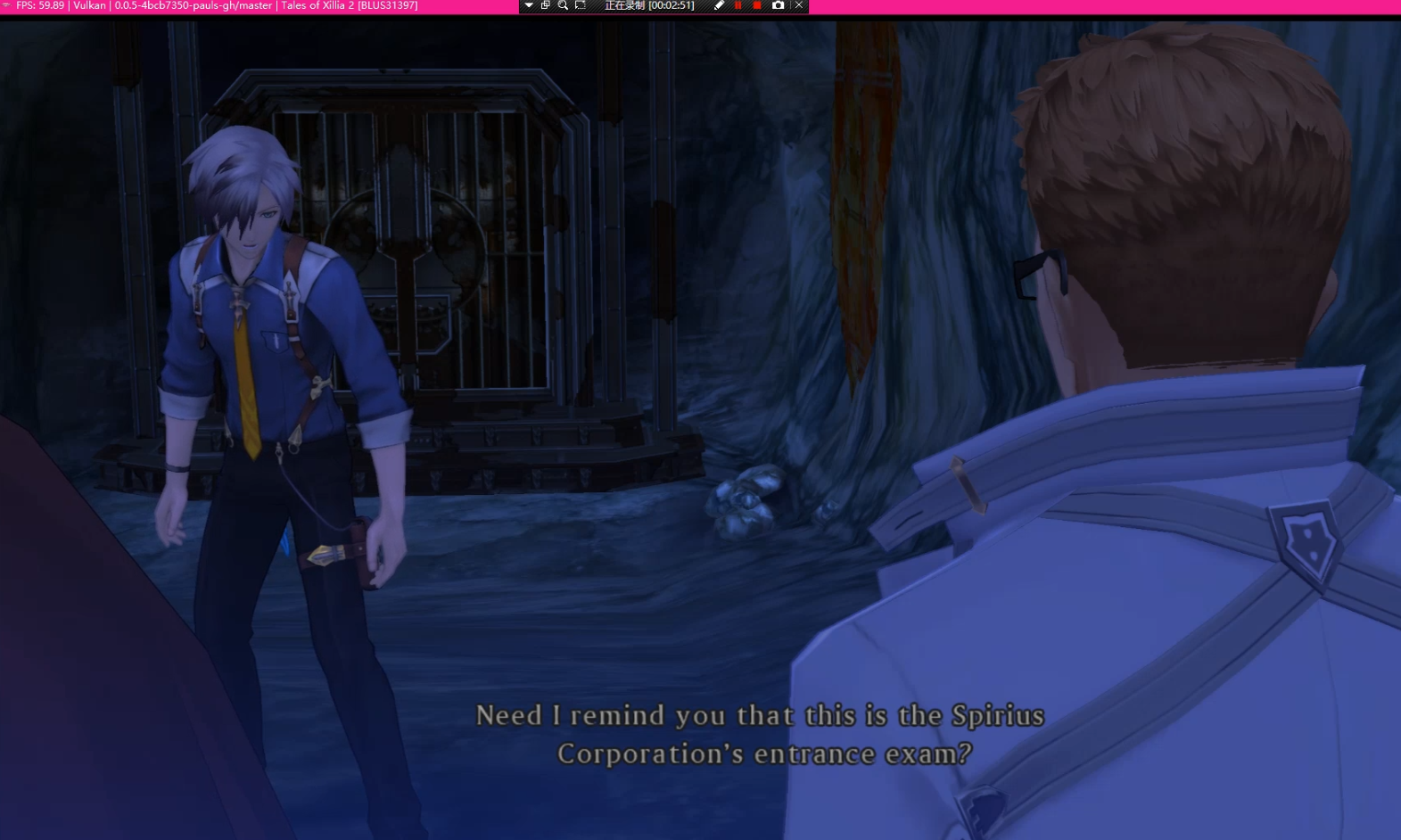
US version of the font under vullkan is normal, JPN version is not normal under vullkan
vullkan
https://cdn.discordapp.com/attachments/272875751773306881/426799323573911553/QQ20180324014753.png
ogl
https://cdn.discordapp.com/attachments/272875751773306881/426801661751590922/QQ20180324015706.png
Tales of Xillia(JPN) in vullkan
https://cdn.discordapp.com/attachments/272875751773306881/426798286813265921/QQ20180324014339.png
Tales of Xillia 2(US) in vullkan
 RainKikyou
on 23 Mar 2018
RainKikyou
on 23 Mar 2018
@RainKikyou - I think you are using an older build (0.0.5-4bcb7350). @AdmiralCurtiss pointed out that issue and it should be fixed in the latest master build.
pauls-gh
on 23 Mar 2018
Yes, I'm sorry, I didn't notice I used the old build
RainKikyou
on 23 Mar 2018
I've been trying to read some RenderDocs. I think I got a few things:
- The half-screen issue is caused by SRM. When it is enabled, frames, during their generation, are temporarily stored in a 2560x576 (or 2560x720) format. In some areas (like in the menu), it doesn't cut the frame (which is 1280x576 of actual frame + 1280x576 of black), but instead reduces it.
- The game is rendered in 1280x576, then stretched to 1280x720 (not sure if that's important).
- The half-screen issue also probably causes the black outlines to be out of place in Tales of Graces f.
- The lighting issue seems to be caused by a wrong depth/stencil. It looks like the same, or a similar issue causes the game to show almost nothing without SRM.
Most of this is speculation from my very limited knowledge. If someone knows better, feel free to correct me if I'm wrong.
GeniusMage
on 25 Mar 2018
I have some experimental code (Vulkan only for now) that has the following fixes for Tales of Vesperia.
Vesperia fixes (Vulkan only)
- Blacked out scene after the sleeping dog now renders correctly
- Ghosting effect. The ghosting was most noticeable (to me) as a delay between the character rendering and the cell shading around the character. This appears to be gone with this change.
Doesn't fix
- half screen rendering that appears momentarily

Change for Vulkan, in VKTextureCache.h, create_temporary_subresource_view_impl()
#if 1
// vk::render_target is derived from vk::image
vk::render_target *rtt = static_cast<vk::render_target *>(source);
if (rtt->old_contents)
{
vkCmdCopyImage(cmd, rtt->old_contents->value, source->current_layout, image->value, image->current_layout, 1, ©_rgn);
}
else
{
vkCmdCopyImage(cmd, source->value, source->current_layout, image->value, image->current_layout, 1, ©_rgn);
}
#else
vkCmdCopyImage(cmd, source->value, source->current_layout, image->value, image->current_layout, 1, ©_rgn);
#endif
Explanation of fix
The sequence of events is
- Surface width is changed mid frame. New surface (render target image) is created and cleared to black.
- A temporary texture is created (create_temporary_subresource) using the render target as source. Unfortunately, it uses the new surface image (cleared to black) instead of the previous render image.
The fix checks the current render target to see if it has a pointer to the previous render target image and uses the previous image instead.
@kd-11 - I'm not that familiar with this code. Please let me know if there is a more elegant way to fix this.
pauls-gh
on 27 Mar 2018
A quick way would be to move the strict mode rtt copy before the texture upload block in the backends (xxGSRender::end). Not exactly elegant but doing it elegantly requires rewriting alot of code. I'll write it properly later.
kd-11
on 27 Mar 2018
Wouldn't that fix the whole "needs Strict Rendering Mode" issue as well ? Or am I too optimistic ?
GeniusMage
on 27 Mar 2018
No, this is a strict mode bug. Its like the only game that needs this workaround. In fact the oldcontents transfer only exists because the behavior was observed with this game. Its too slow on most other titles to do things that way.
kd-11
on 27 Mar 2018
@kd-11 - moving the strict mode rtt copy before the texture upload block also fixes the problem.
I'll prepare a pull request.
pauls-gh
on 27 Mar 2018
Pull request for SRM fix.
https://github.com/RPCS3/rpcs3/pull/4350
Please try out the build when it is ready. I've tested Vesperia (SRM enabled) and Xillia (SRM disabled) with both OpenGL and Vulkan.
pauls-gh
on 27 Mar 2018
Oh right, I don't know how to read. I thought it was about moving a SRM feature to the normal renderer.
Still, I wonder if this "lighting" issue has a similar root to the issue that causes the game to show almost nothing without SRM. As in a problem with reusing previously generated/used resources.
I know for sure it renders everything, then scrap it all at some point.
GeniusMage
on 27 Mar 2018
Its because of how this game works that this section of SRM even exists. It just happened to conflict with texture preparation due to an oversight on my part. Without SRM, the game is assumed to properly manage framebuffers, i.e if framebuffer changes, the game is expected to clear it or use its contents. Vesperia keeps the same memory address and changes the size halfway through for one draw call then goes back to the correct size and doesn't even use the extra width (might be a bug or leftover code from some other technique). Its something that can be fixed by patching the eboot so that the game does not make the double-sized width ever and then SRM would not be needed.
kd-11
on 28 Mar 2018
I spent some timing looking at Vesperia performance using VTune.
I took a 10 second snapshot of both Vesperia and Xillia at the time the game gives you control. The Vesperia scene (outside the pub) is more complex, but it should give us a general idea of where time is spent in the emulator.
My system: Intel i7 8700 (6 cores, 12 threads), Nvidia 1070ti
Vesperia frame rate ~16 fps
Xillia frame rate ~60 fps
Overall, Vesperia is much more CPU intensive.
For the 10 second interval,
- Vesperia CPU time 63 seconds (i.e. average of 6.3 cores are heavily utilized)
- Xillia CPU time 35 seconds (i.e. average of 3.5 cores are heavily utilized)
CPU utilization
- Vesperia has 5 threads that are 85+% utilization. One of these is at 99.6% utilization.
- Xillia has 2 threads that are heavily used, but only 70%.
Where the CPU time is spent (rough numbers)
- Vesperia
PPU 1.2 sec
SPU 12 sec
MFC 2.7 sec
create_new_texture 1.8 sec - Xillia
PPU 2.4 sec
SPU 0.5 sec
MFC 0.12 sec
create_new_texture 0 sec
Although there is overhead associated with create_new_texture, clearly the bottleneck is in SPU usage (12 sec vs 0.5 sec).
The thread that is maxed out is doing mostly SPU/MFC related tasks. So any performance improvements to the SPU/MFC code should help Vesperia.
pauls-gh
on 28 Mar 2018
Yeah, it was pretty predictable. SPUs are RPCS3's black beast now and a lot of game slows down because of this or gets out of sync.
But thanks for the tests and confirmation. :)
Illynir
on 28 Mar 2018
I heard there is an effort to write a LLVM recompiler for the SPUs. What is the status of this? Is there a development branch?
pauls-gh
on 28 Mar 2018
Nothing.
It is always SOON, only Neko could answer this question.
There was an attempt by Farseer which was ambitious, Persona 5 won for example 10 to 20 FPS with. But it's very very unstable for all the other games right now. I tested on Vesperia and the game freeze for example.
Illynir
on 28 Mar 2018
Farseer never made an attempt on SPU LLVM, he only optimized the current SPU jit.
 isJuhn
on 28 Mar 2018
isJuhn
on 28 Mar 2018
I know, I meant an attempt to improve SPU performance, not for LLVM which anyway shouldn't have such a huge impact on performance.
Illynir
on 28 Mar 2018
Someone already did SPU LLVM and got no gains. If you look at utilization using a proper profiler you will see almost no time is actually being spent executing bytecode - its all in channel management and synchronization (notice the open PR removing MFCThread). SPU code is dynamic and works differently that usual processors making the task rather difficult. Farseer made an attempt at generally optimizing flow, but it brought with it tons of synchronization bugs - he is working to slowly bring in the more stable changes to a proper PR after the last attempt was found to be too buggy.
kd-11
on 28 Mar 2018
I don't think we can judge possible performance gains from popdogs SPU LLVM. I think a proper implementation would need an incredible amount of work, much more than what they did. The rest of your points make a lot of sense though, and I don't think you'd gain very much for such a huge amount of work. It would only make sense to try it at much later point in time.
isJuhn
on 28 Mar 2018
notice the open PR removing MFCThread
If I look at the most heavily used Vesperia thread in more detail, mfc_thread does seem to be the major culprit.
I read https://github.com/RPCS3/rpcs3/pull/4335. So the jist is that the MFC functionality is removed from a stand alone thread and instead, integrated into the SPU threads? Is this correct?
If so, I like :-) Might give it a try.
pauls-gh
on 28 Mar 2018
With https://github.com/RPCS3/rpcs3/pull/4335, I see ~2 fps improvement in Vesperia (from 16 to 18 fps). Not bad.
CPU utilization is much improved. There isn't a thread that is 100% all the time, but it seems that the SPE threads will hit 100% periodically (every 50 msec or so, i.e. every frame).
What if we introduced multiple MFC threads, instead of eliminating the single MFC thread?
Could this help offload the SPE threads? How hard would it be to create some experimental code to try it?
pauls-gh
on 28 Mar 2018
Vesperia vs Xillia performance using the 3 different SPU decoders.
- SPU interpreter (precise)     2 fps
- SPU interpreter (fast)        5
- SPU asmjit      (fastest)     18

Xillia
- SPU interpreter (precise)     45 fps
- SPU interpreter (fast)        60
- SPU asmjit      (fastest)     60
Closing as fixed via https://github.com/RPCS3/rpcs3/pull/4350.
@GeniusMage Open new issues for any remaining problem - this thread is too long and has become a hassle to manage.
@pauls-gh Join the discord channel https://discord.me/RPCS3 and discuss your ideas with other developers there in #development. There are many problems with SPEs and none have easy solutions, I could spend a long time trying to explain everything but github is just not designed for having discussions like these. Besides, every developer gets pinged everytime a comment is posted which gets annoying really quick.
kd-11
on 29 Mar 2018
Related issues
 Asinin3
·
3Comments
Asinin3
·
3Comments
 XeClutch
·
3Comments
XeClutch
·
3Comments
 xiangzhai
·
3Comments
xiangzhai
·
3Comments
 elad335
·
3Comments
elad335
·
3Comments
 JohnGodgames
·
3Comments
JohnGodgames
·
3Comments
Most helpful comment
Good news. I have a proper fix for the garbled font issue (Vesperia/Xillia) and it also fixes some of the other graphical issues (e.g. blacked out textures) in Tales of Vesperia.
The fix is a simple one line change that corrects a problem with 3d textures. Unfortunately, it only works with OpenGL right now. It appears that 3d textures are not working correctly with Vulkan. This will need some more investigation, but it should be straightforward.
In GPU settings, "Strict Rendering Mode" is also required for correct rendering.
Code change (RSXTexture.cpp)
Explanation of fix:
The strange tiling of the Vesperia texture fonts is actually a compressed, non-mipmapped 3D texture.
The memory layout is called Volume Texture Compression (VTC).
The emulator had a bug where it mapped the 3d texture setting to 2d instead of 3d.
The code fix seems to work fine with OpenGL, but Vulkan still renders the fonts incorrectly. The Vulkan code may need additional work to support 3d textures.
Next steps