Roslyn: Tools - options pages fail to load
master, 30108.40
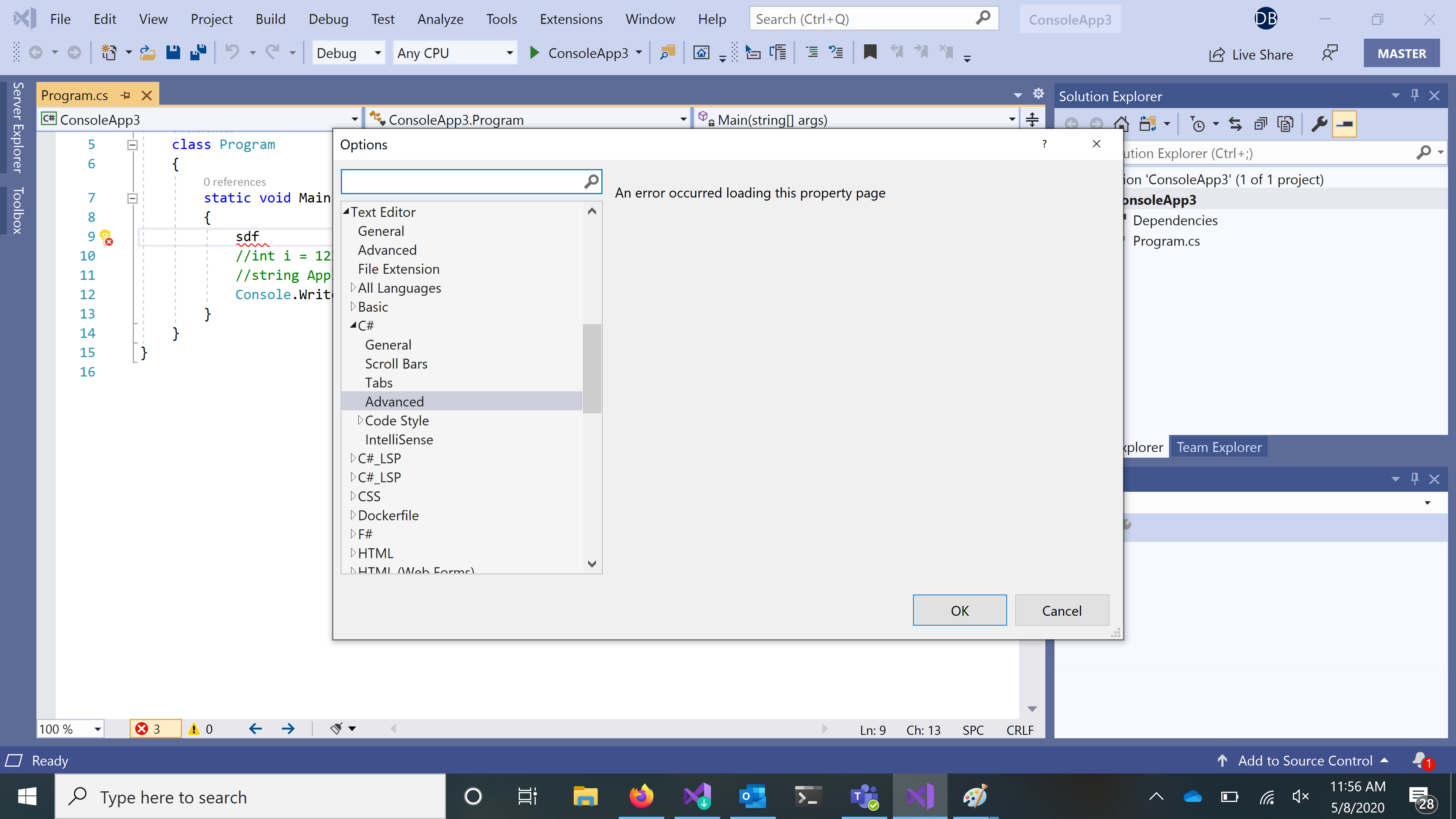
Advanced, code style, and intellisense pages all fail to load. The others appear to load.
 dibarbet
All 3 comments
Exception is coming from the shell:
System.NotImplementedException: 'Class not registered

>   Microsoft.VisualStudio.Shell.15.0.dll!Microsoft.VisualStudio.Shell.Package.Microsoft.VisualStudio.Shell.Interop.IVsPackage.GetPropertyPage(ref System.Guid rguidPage, Microsoft.VisualStudio.Shell.Interop.VSPROPSHEETPAGE[] ppage) Unknown
    [Native to Managed Transition]
    [Managed to Native Transition]
    Microsoft.VisualStudio.Shell.15.0.dll!Microsoft.Internal.VisualStudio.PlatformUI.DataSource.Invoke(string verb, object pvaIn, out object pvaOut)    Unknown
    Microsoft.VisualStudio.Shell.UI.Internal.dll!Microsoft.VisualStudio.PlatformUI.VsCommand.Execute(object parameter)  Unknown
    PresentationFramework.dll!MS.Internal.Commands.CommandHelpers.CriticalExecuteCommandSource(System.Windows.Input.ICommandSource commandSource, bool userInitiated)   Unknown
    PresentationFramework.dll!System.Windows.Controls.MenuItem.InvokeClickAfterRender(object arg)   Unknown
All the 6 pages highlighted below are broken:

 mavasani
on 8 May 2020
mavasani
on 8 May 2020
NOTE: I tried clean install of latest 16.7 P2 build and got the same issue. We should contact platform team...
mavasani
on 8 May 2020
👍1
@mavasani @jinujoseph
Thanks for looking - filed https://devdiv.visualstudio.com/DevDiv/_workitems/edit/1120903
dibarbet
on 8 May 2020
👍1
Was this page helpful?
0 / 5 - 0 ratings
Related issues
 MadsTorgersen
·
3Comments
MadsTorgersen
·
3Comments
 AdamSpeight2008
·
3Comments
AdamSpeight2008
·
3Comments
 codingonHP
·
3Comments
codingonHP
·
3Comments
 DavidArno
·
3Comments
DavidArno
·
3Comments
 vbcodec
·
3Comments
vbcodec
·
3Comments