Roslyn: Intellisense cannot be shown when the caret is between two dots
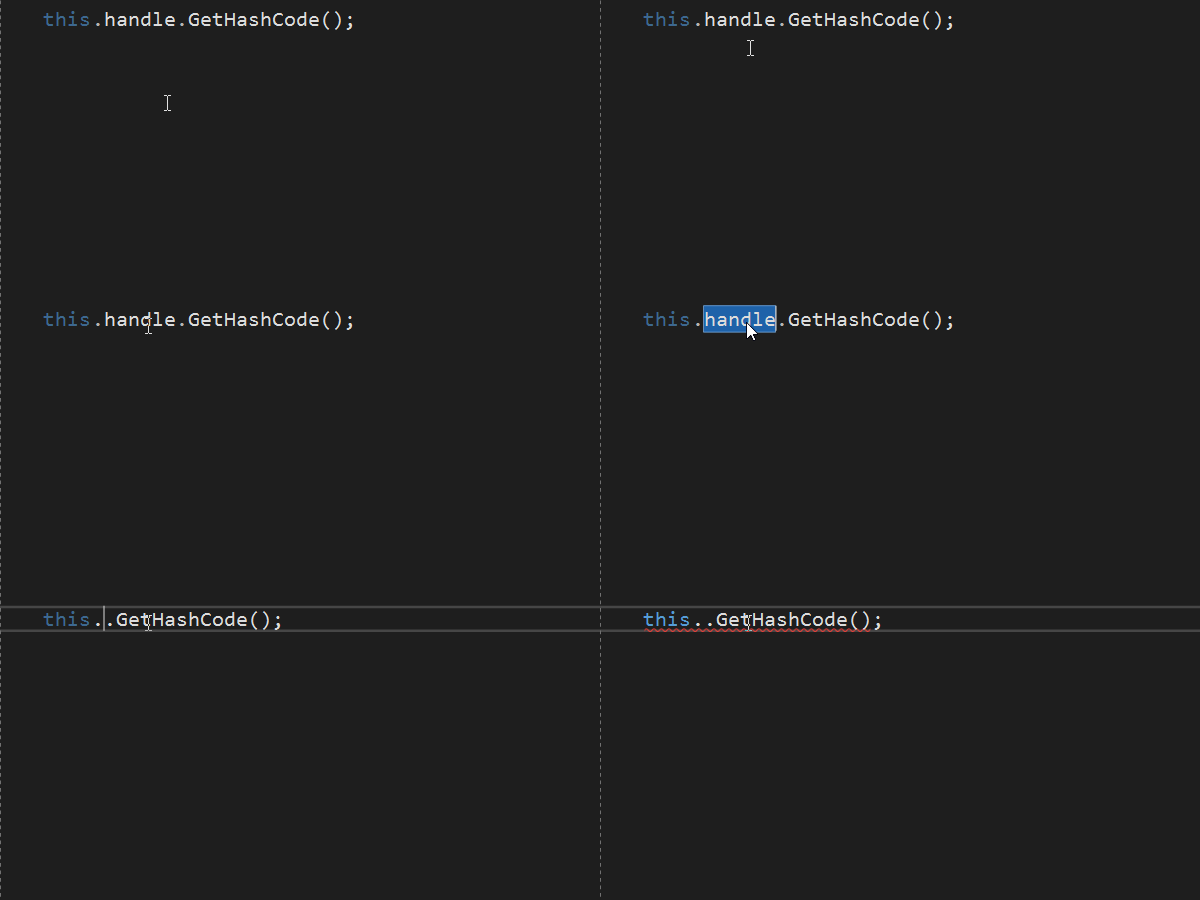
In VS 2019 Preview 1.1 (and I think 1), when you backspace and retype a dot but there's another dot ahead of the caret, VS doesn't show intellisense anymore. Alt+Right also stops working while the caret is between the two dots.
Sometimes I see a very brief flash of a tiny light-colored square over the editor when intellisense fails to show, like a window opening and closing immediately.
VS2019:
VS2017:
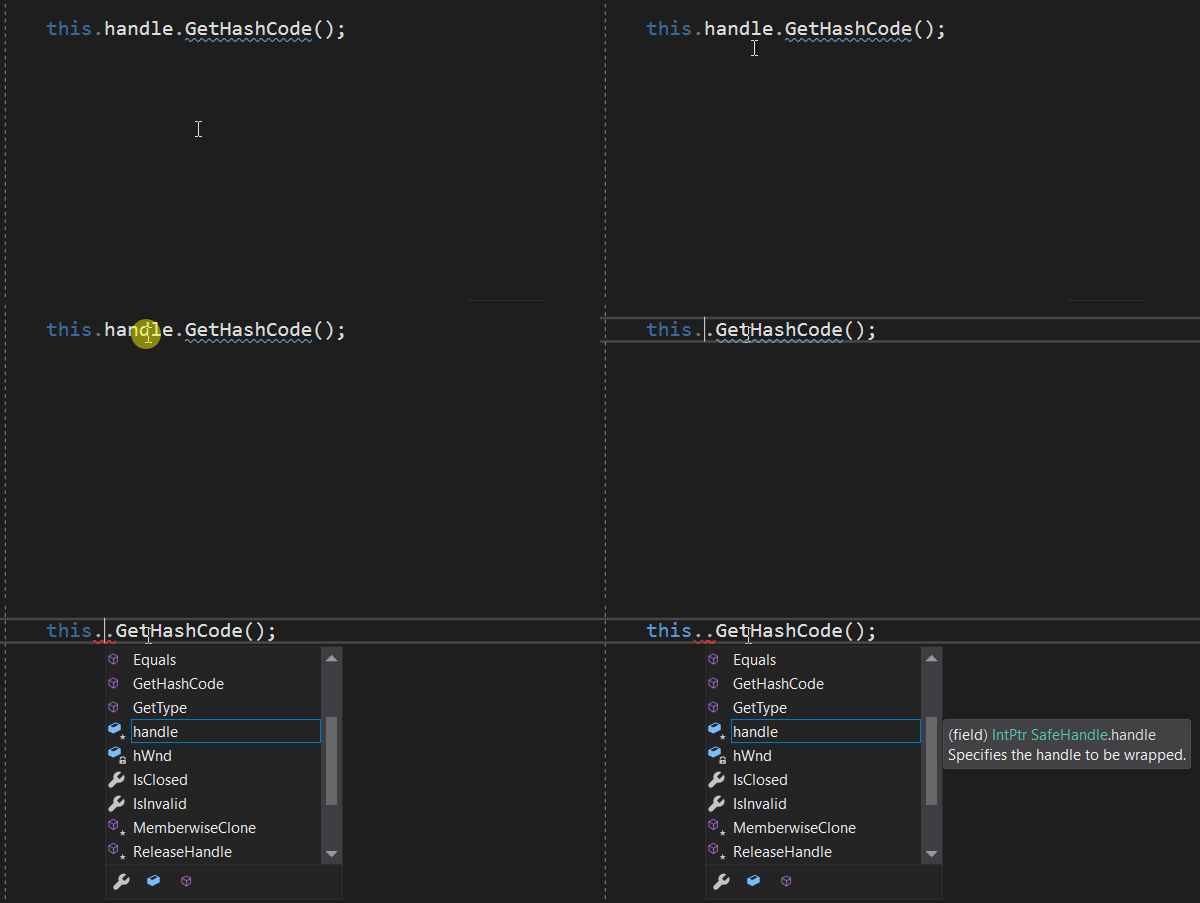
I'm typing nonsense for demo purposes in the file I had open, but the same thing happens everywhere.
I've tripped over it several times a day every day I've been using the preview. I assume ranges had something to do with this, and I tried to reconcile myself to it for the past month on that basis, but I just can't deal with it. I hope this change wasn't intentional. This is a common thing for me to do when refactoring, fixing changed names after things move, etc.
 jnm2
jnm2
All 4 comments
This should be fixed. It's lkely a supression for .. is causing this. However, that suppression should happen on the second dot, not the first.
 CyrusNajmabadi
on 17 Jan 2019
CyrusNajmabadi
on 17 Jan 2019
It seems this is caused by support of ranges like 1..10. I talked to the compiler team. They confirmed that two dots in "this..ToString()" are parsed as RangeExpression. Then, CreateContextWorker in CSharpSyntaxContext called from a completion provider does set proper flags to the context while locating on dots. It seems we should correct the context while located on the first dot of the range expression.
 ivanbasov
on 1 Feb 2019
ivanbasov
on 1 Feb 2019
FWIW, i am hitting this all the time now and it's driving me nuts :)
CyrusNajmabadi
on 1 Feb 2019
@CyrusNajmabadi , totally agree. Should be a high priority.
ivanbasov
on 1 Feb 2019
Related issues
 SolalPirelli
·
3Comments
SolalPirelli
·
3Comments
 NikChao
·
3Comments
NikChao
·
3Comments
 DavidArno
·
3Comments
DavidArno
·
3Comments
 codingonHP
·
3Comments
codingonHP
·
3Comments
 OndrejPetrzilka
·
3Comments
OndrejPetrzilka
·
3Comments
Most helpful comment
@CyrusNajmabadi , totally agree. Should be a high priority.