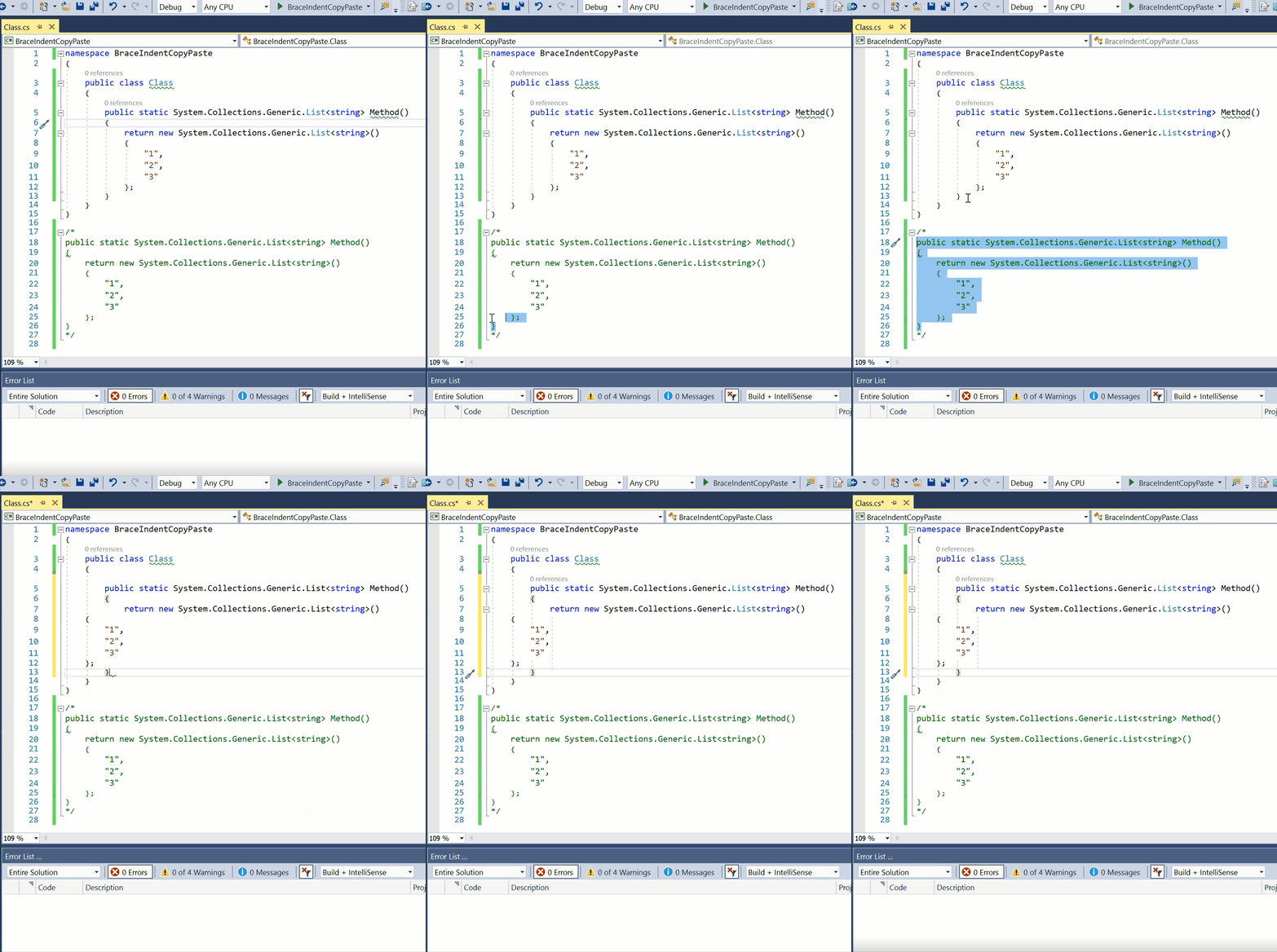
When I copy and paste the commented method over the uncommented method the braces and inner data end up at the wrong indentation level. See attached video and before/after screenshot.
_This issue has been moved from https://developercommunity.visualstudio.com/content/problem/299080/copy-paste-indent-level-wrong.html
VSTS ticketId: 653311_
_These are the original issue comments:_
(no comments)
_These are the original issue solutions:_
(no solutions)
 vsfeedback
All 8 comments
 sharwell
on 27 Jul 2018
sharwell
on 27 Jul 2018
I don't know if this is related, but you can reproduce incorrect indentation just by typing and inserting newlines inside comment blocks located inside the "class" scope blocks, like so:
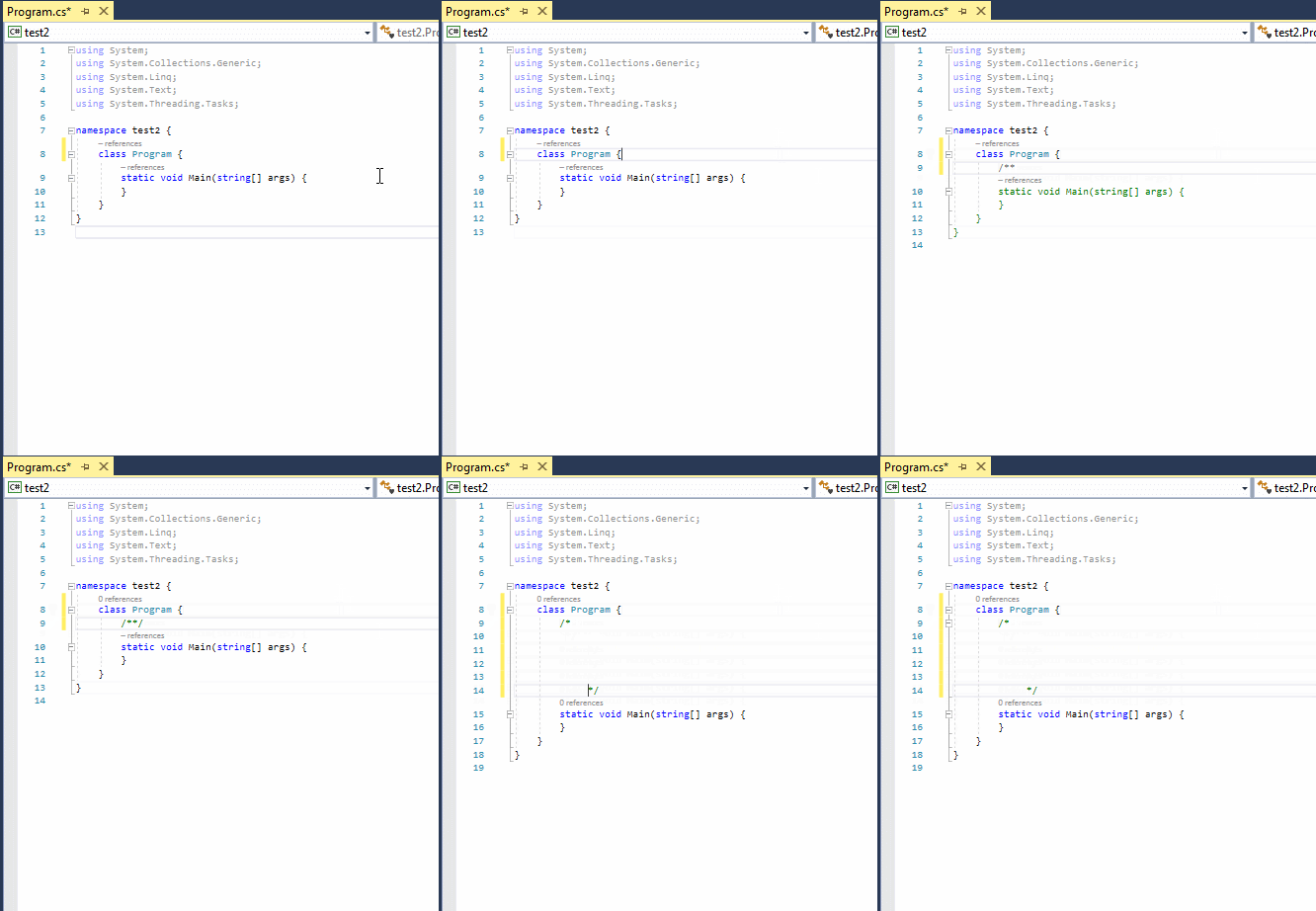
This is a newly generated C# template document, so pretty much any C# valid code will reproduce this result.
 tommai78101
on 30 Jul 2018
tommai78101
on 30 Jul 2018
@tommai78101 That's also likely a bug, but a very different one from the one reported in this issue. Can you open a new issue for it? 👍
sharwell
on 30 Jul 2018
@sharwell The bug was reported from here:
I'll post a new issue for this.
tommai78101
on 30 Jul 2018
@sharwell It's done.
tommai78101
on 30 Jul 2018
Any chance this can be re-prioritized? I copy and paste lists frequently and since Format Document doesn't handle this type of scenario I always have to fix the indentation by hand.
 nnpcYvIVl
on 14 May 2020
nnpcYvIVl
on 14 May 2020
@nnpcYvIVl We would def take a contribution here if you wanted to assist. Thanks!
 CyrusNajmabadi
on 14 May 2020
CyrusNajmabadi
on 14 May 2020
@sharwell Apologies for messing up the issue I originally reported. While making the issue, I copy/pasted the wrong sample code for 2 years without realizing it, and now the issue is closed due to "invalid example". The bug itself is not confirmed to be fixed. I won't be creating a new issue, just because, so I think it will be a better idea to just try and see if we can encourage more contributions instead.
@CyrusNajmabadi If we can, where can we start looking? And where can we add unit test cases for indentation errors?
tommai78101
on 15 May 2020
Related issues
 OndrejPetrzilka
·
3Comments
OndrejPetrzilka
·
3Comments
 johndog
·
3Comments
johndog
·
3Comments
 AdamSpeight2008
·
3Comments
AdamSpeight2008
·
3Comments
 orthoxerox
·
3Comments
orthoxerox
·
3Comments
 codingonHP
·
3Comments
codingonHP
·
3Comments
Most helpful comment