Roslyn-analyzers: Can't suppres CA1724 and CA1812 in Source or In Suppression file from UI
Analyzer package
Microsoft.CodeAnalysis.FxCopAnalyzers
Package Version
v2.6.3 v2.9.0-beta1
Diagnostic ID
Expected behavior
be able to suppress warnings from UI in source or in Suppression file from UI
Actual behavior
no way to suppress warnings
 xmarshal
All 9 comments

xmarshal
on 17 Mar 2019
Can you switch the error list filter from “Build+Intellisense” to “Intellisense” and try right clicking from error list again? Note that Build diagnostics are not suppresible. Also note that you can suppress diagnostics by double clicking in error list and then in the editor invoke the light bulb menu with Ctrl + . Keys to see the suppression menu items.
 mavasani
on 17 Mar 2019
mavasani
on 17 Mar 2019
Ctrl + . key not provide Supress CA..... =>menu items
xmarshal
on 17 Mar 2019
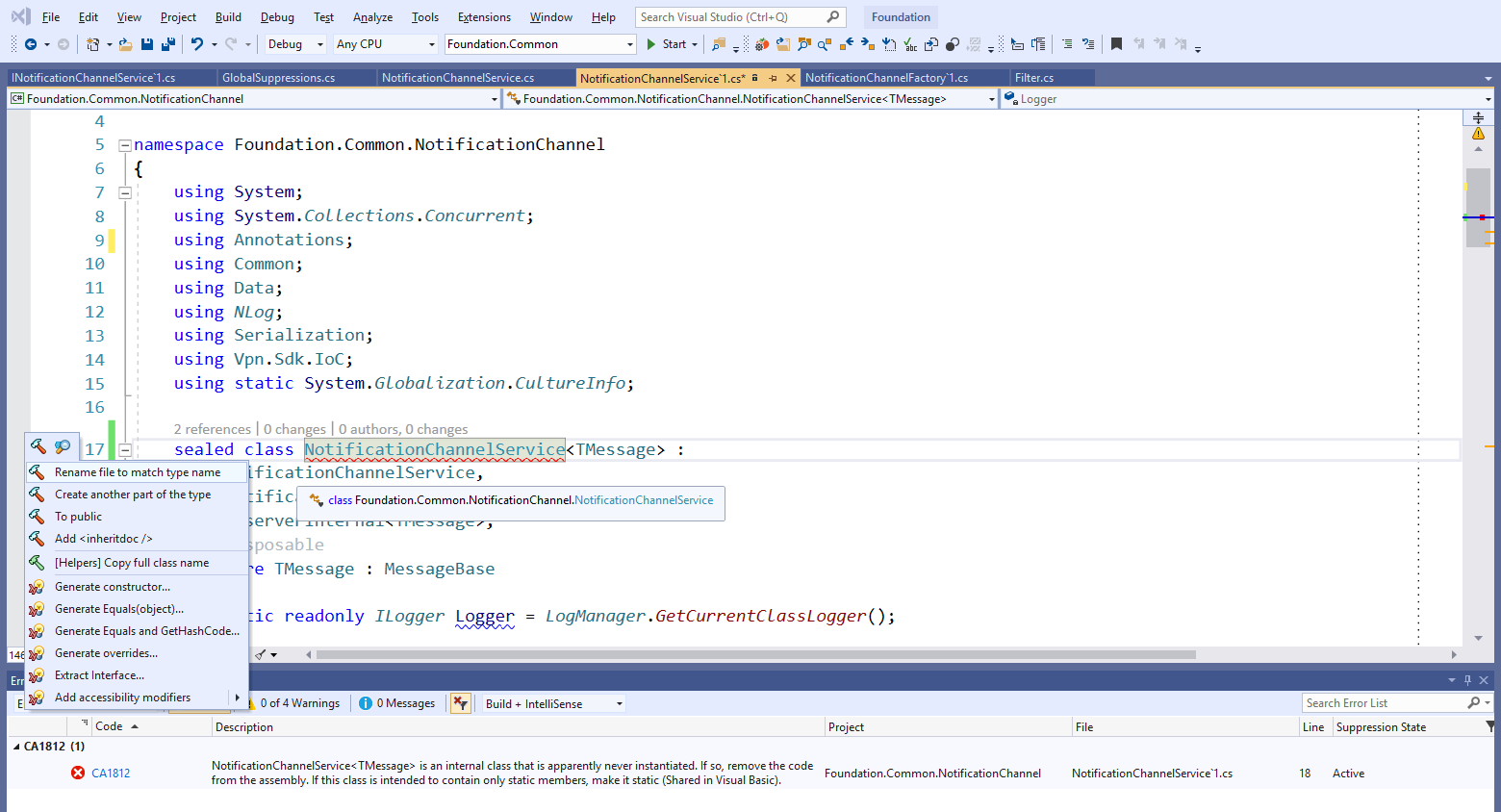
xmarshal
on 17 Mar 2019
if I use [SuppressMessage("Microsoft.Naming", "CA1724:TypeNamesShouldNotMatchNamespaces")] in code it works.
xmarshal
on 17 Mar 2019
what can I do next?
xmarshal
on 21 Mar 2019
Does this work if you downgrade CA1724 to a warning instead of an error?
mavasani
on 15 Apr 2019
for CA1724 and CA1812 its no helps
xmarshal
on 18 Apr 2019
The issue seems to be CA1724 and CA1812 are both compilation end analyzers, and we don't run them in live analysis anymore, primarily because they are expensive for live analysis and need the whole compilation to be analyzed before diagnostics are reported. https://github.com/dotnet/roslyn-analyzers/issues/2267 tracks rewriting CA1812 as a non-compilation end analyzer, which should fix the issue for that diagnostic. For CA1724, unfortunately you will have to manually add suppressions.
mavasani
on 27 Jun 2019
Related issues
 fschlaef
·
4Comments
fschlaef
·
4Comments
 paulomorgado
·
3Comments
paulomorgado
·
3Comments
paulomorgado
·
3Comments
paulomorgado
·
3Comments
 OmarTawfik
·
3Comments
OmarTawfik
·
3Comments
 SixFive7
·
4Comments
SixFive7
·
4Comments