Rocket.chat: [BUG] Reply in Thread button hovers the text
Description:
Reply in Thread button in the threads panel could hover the text.
Steps to reproduce:
- Go to the thread replies panel
- Find a thread reply that is one line long.
- Hover a mouse over that line
Expected behavior:
Reply in thread button should not hover the text (same way like emoji and three dots menu buttons don't).
Actual behavior:
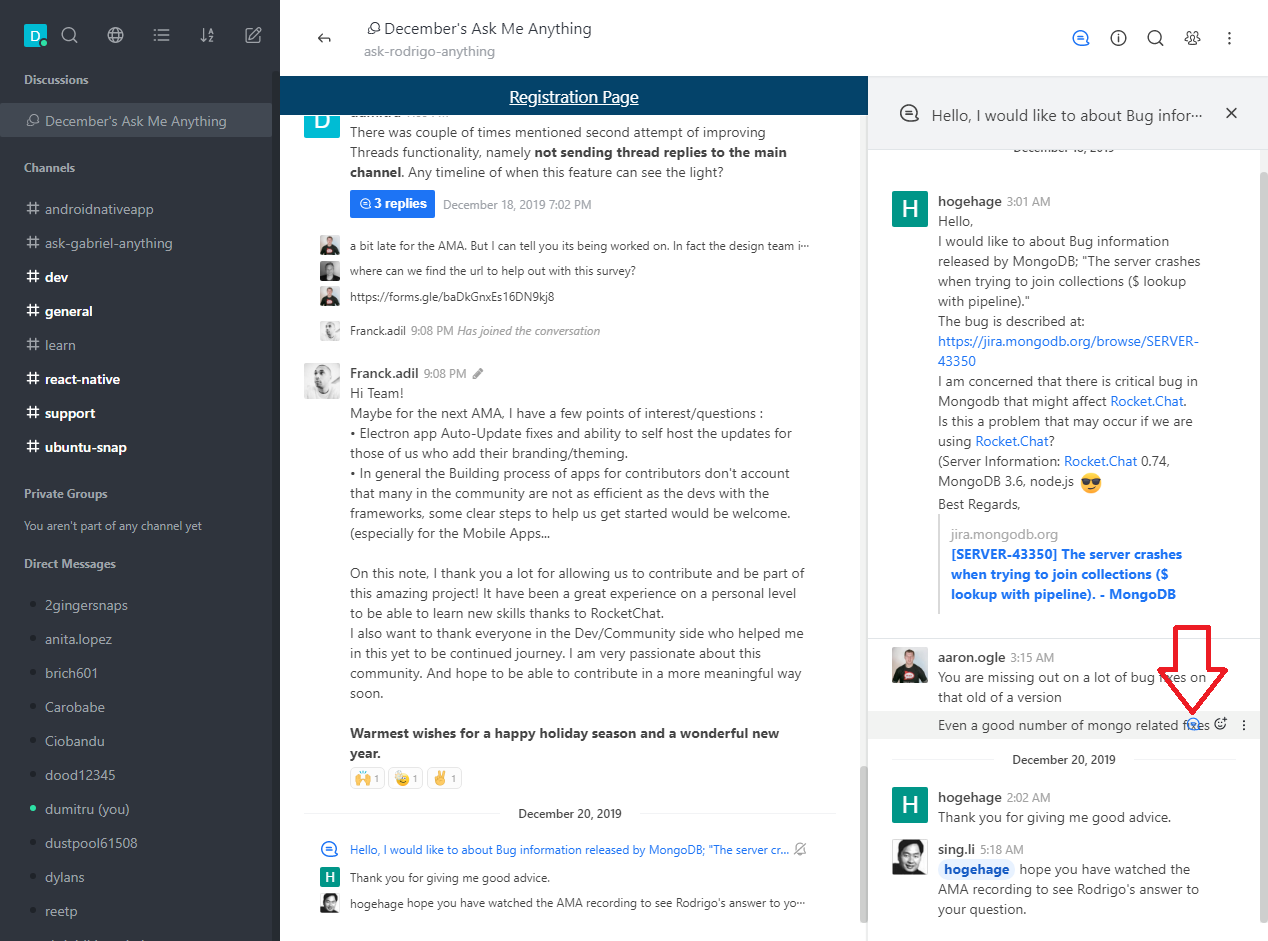
Server Setup Information:
- Version of Rocket.Chat Server: 2.3.1
- Operating System: linux
- Deployment Method:
- Number of Running Instances:
- DB Replicaset Oplog:
- NodeJS Version: v8.16.2
- MongoDB Version:
Client Setup Information
- Desktop App or Browser Version: web version
- Operating System: -
Additional context
Related to #15685
Relevant logs:
 zdumitru
All 12 comments
@ggazzo On that note, probably Reply in Thread button shouldn't be visible on the thread replies at all.
zdumitru
on 20 Dec 2019
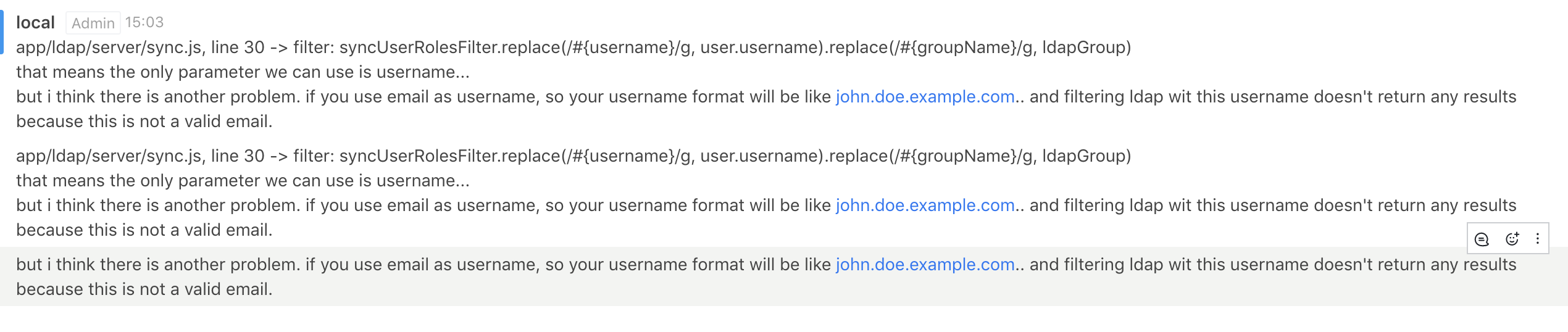
Oh... In the main chat the same problem.
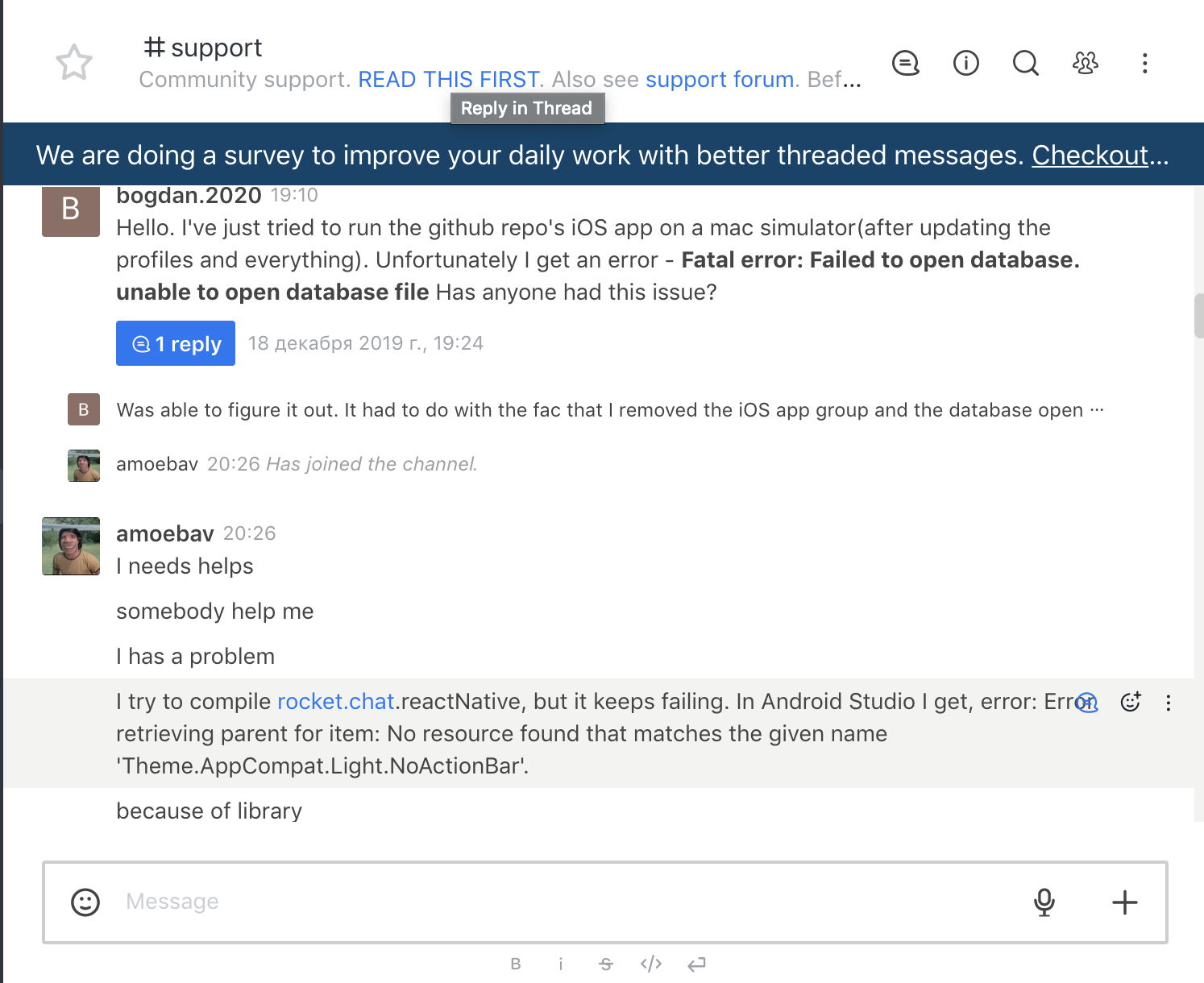
Maybe do something like that? And hide this button in threads
 antkaz
on 20 Dec 2019
antkaz
on 20 Dec 2019
I would like to start working on this
 ritwizsinha
on 25 Dec 2019
ritwizsinha
on 25 Dec 2019
If the problem is in the main chat also then either we could limit the range of the message or hide the options altogether.
We can also set up an opacity so that the messages are not hidden under the optiions.
For example if the text overlaps with the options we can set the options opacity to zero and only set it one if it is hovered.
ritwizsinha
on 25 Dec 2019
@MartinSchoeler Can we have the buttons placement as shown below?

 aviral243
on 13 Jan 2020
aviral243
on 13 Jan 2020
Related to #16083
zdumitru
on 22 Jan 2020

Does this solve the issue? or any further changes ?
@ggazzo
 abhishuraina
on 4 Feb 2020
abhishuraina
on 4 Feb 2020

Changes reflected in the replies section too.
abhishuraina
on 4 Feb 2020
If the problem is in the main chat also then either we could limit the range of the message or hide the options altogether.
We can also set up an opacity so that the messages are not hidden under the optiions.
For example if the text overlaps with the options we can set the options opacity to zero and only set it one if it is hovered.
@gabriellsh can this be done
ritwizsinha
on 13 Feb 2020
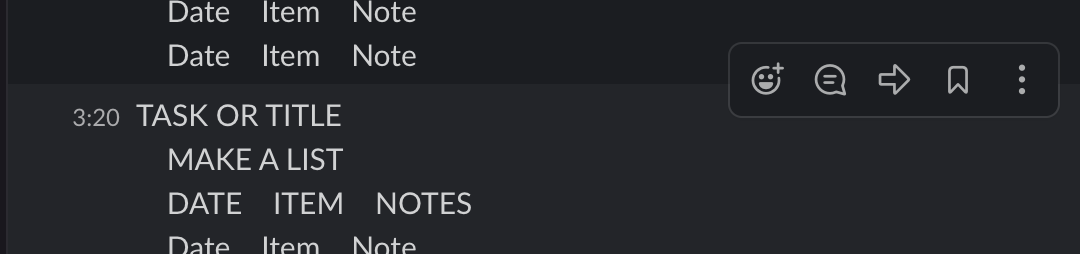
We need to move them up a bit, and add a border and background like other chat apps.

 engelgabriel
on 10 May 2020
engelgabriel
on 10 May 2020
Still the case.
zdumitru
on 23 Jun 2020
fixed :)
 ggazzo
on 3 Sep 2020
ggazzo
on 3 Sep 2020
Related issues
 sta-szek
·
3Comments
sta-szek
·
3Comments
 Kiran-Rao
·
3Comments
Kiran-Rao
·
3Comments
 antn89
·
3Comments
antn89
·
3Comments
 marceloschmidt
·
3Comments
marceloschmidt
·
3Comments
 danpospisil
·
3Comments
danpospisil
·
3Comments