Rocket.chat: Wrong asset-path for logo in sidebar__footer
Description:
The Logo isn't visible in the footer.
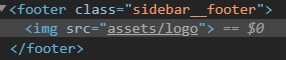
The img-source is set to assets/logo which isnt working - assets/logo.png is working
Steps to reproduce:
- Go to settings -> assets
- Set a custom logo
- check it in the sidebar__footer
Expected behavior:
The Logo would be visible, like in server-Version 1.3.1
Actual behavior:
The Logo isn't visible after the update to v2.1.1.
To unset the logo doesn't change anything, also to set a new logo doesnt help.
Server Setup Information:
- Version of Rocket.Chat Server: 2.1.1
- Operating System: linux
- Deployment Method: snap
- Number of Running Instances: 1
- NodeJS Version: v8.15.1
- MongoDB Version: 3.6.14
 Maqsyo
All 5 comments
Always search closed bugs as well.
 reetp
on 7 Nov 2019
reetp
on 7 Nov 2019
thanks @reetp
Maqsyo
on 7 Nov 2019
We just upgraded from version 1.x to the latest one (2.4.2) and experience the same issue.
In the footer there is the "image not found" icon with reference to assets/logo which leads to a 404.
We do not have a custom icon set.
As far as I understand the correct behaviour is that the Rocket.Chat logo is shown in this case - which works if I manually request assets/logo.svg
So is this issue really fixed? What can I do to get rid of the broken image icon?
 DerTomm
on 17 Jan 2020
DerTomm
on 17 Jan 2020
Note for everyone with the same problem:
In our case in Administration -> Layout -> Content -> Footer there was an old custom entry pointing to assets/logo. After resetting this value it is now the proper <a href="/home"><img src="assets/logo.png" alt="Home" /></a> and the issue is gone. Maybe a migration issue...
DerTomm
on 17 Jan 2020
Yeah it seems to be an migration issue.
Your way is the correct way to resolve this issue.
You have to dig deep in this ref-issue to find this solution
Maqsyo
on 18 Jan 2020
Related issues
 Buzzele
·
3Comments
Buzzele
·
3Comments
 lunitic
·
3Comments
lunitic
·
3Comments
 danpospisil
·
3Comments
danpospisil
·
3Comments
 engelgabriel
·
3Comments
engelgabriel
·
3Comments
 karlprieb
·
3Comments
karlprieb
·
3Comments
Most helpful comment
Note for everyone with the same problem:
In our case in Administration -> Layout -> Content -> Footer there was an old custom entry pointing to
assets/logo. After resetting this value it is now the proper<a href="/home"><img src="assets/logo.png" alt="Home" /></a>and the issue is gone. Maybe a migration issue...