Rocket.Chat login form doesn't appear.
Description:
I load rocketchat.website.com as a user that's not logged in, first I see some elements loading, such as a foreground for a login form (no login form itself).
Few seconds later it disappears completely. The screen is standard background colour with nothing else on the page, nor visible, nor in the code.
Server Setup Information:
- Version of Rocket.Chat Server: 0.70.4
- Operating System: Ubuntu 16.04 LTS
- Deployment Method: tar
- Number of Running Instances: 1
- DB Replicaset Oplog: Disabled
- NodeJS Version: 8.11.3
- MongoDB Version: 3.6.6
What other information should I provide to make this problem easier to solve?
 iamyevgeny
All 26 comments
What browser are they trying to load rocket chat in? Have you tried using the desktop clients?
Internet Explorer 11 doesn't work right now I think. Have you tried loading it in Google Chrome?
 wreiske
on 28 Oct 2018
wreiske
on 28 Oct 2018
Yes, tried it in Chrome, Opera, Firefox, Brave, Safari.
Desktop client as well.
iamyevgeny
on 28 Oct 2018
Maybe some screenshots of the Chrome Developer Console open? It may have some red errors?
wreiske
on 28 Oct 2018
Check your rocketchat server logs to make sure it is starting correctly.
Are you using a proxy server?
 reetp
on 28 Oct 2018
reetp
on 28 Oct 2018
@wreiske no errors.
@reetp which log file to look into and what to look for?
Interestingly, the server is working, logged in users can use it just fine, but for not logged in users the login form never appears.
iamyevgeny
on 29 Oct 2018
Your Rocketchat server log. The one that shows what Rocketchat is doing and if it is throwing any errors. You will probably need to use journalctl.....
It doesn't quite make sense because you say "logged in users can use it just fine, but for not logged in users the login form never appears."
So how did those users login if they can't get a login page.... ?
What happens if a logged in user logs out, clears their browser cache, and tries to log back in?
reetp
on 29 Oct 2018
I did "journalctl -u rocketchat.service"
Line 1: "MongoError: Failed to connect to server [localhost:27017] on first connect [MongoError: connect ECONNREFUSED 127.0.0.1:27017]
Line 2: at Pool.
And 13 other error lines starting with "at".
@reetp users who haven't logged out can open the website and use RC just fine, but once they log out - they can't log back in.
iamyevgeny
on 29 Oct 2018
Full journalctl rocketchat.service output. Could someone help me understand what the issue is and how to solve it?
rclog.txt
iamyevgeny
on 1 Nov 2018
The mongo error is rocket trying to contact the mongo DB on startup which at that point means that mongo wasn't running. systemd then tries a restart which seems to run:
systemd[1]: rocketchat.service: Service hold-off time over, scheduling restart.
All seems OK until this:
Nov 01 04:10:12 localhost nodejs-example[1810]: SyntaxError: Unexpected token M in JSON at position 129
Nov 01 04:10:12 localhost nodejs-example[1810]: at JSON.parse (
Nov 01 04:10:12 localhost nodejs-example[1810]: at parse (/var/www/rc.website.com/html/bundle/programs/server/npm/node_modules/meteor/simple_json-routes/node_modules/connect/node_modules/body-parser/lib/types/json.js:88:17)
Nov 01 04:10:12 localhost nodejs-example[1810]: at /var/www/rc.website.com/html/bundle/programs/server/npm/node_modules/meteor/simple_json-routes/node_modules/connect/node_modules/body-parser/lib/read.js:108:18
Nov 01 04:10:12 localhost nodejs-example[1810]: at invokeCallback (/var/www/rc.website.com/html/bundle/programs/server/npm/node_modules/meteor/simple_json-routes/node_modules/connect/node_modules/body-parser/node_modules/raw-body/index.js:262:16)
Nov 01 04:10:12 localhost nodejs-example[1810]: at done (/var/www/rc.website.com/html/bundle/programs/server/npm/node_modules/meteor/simple_json-routes/node_modules/connect/node_modules/body-parser/node_modules/raw-body/index.js:251:7)
Nov 01 04:10:12 localhost nodejs-example[1810]: at IncomingMessage.onEnd (/var/www/rc.website.com/html/bundle/programs/server/npm/node_modules/meteor/simple_json-routes/node_modules/connect/node_modules/body-parser/node_modules/raw-body/index.js:308:7)
Nov 01 04:10:12 localhost nodejs-example[1810]: at emitNone (events.js:106:13)
Nov 01 04:10:12 localhost nodejs-example[1810]: at IncomingMessage.emit (events.js:208:7)
Nov 01 04:10:12 localhost nodejs-example[1810]: at endReadableNT (_stream_readable.js:1064:12)
Nov 01 04:10:12 localhost nodejs-example[1810]: at _combinedTickCallback (internal/process/next_tick.js:138:11)
Nov 01 04:10:12 localhost nodejs-example[1810]: at process._tickDomainCallback (internal/process/next_tick.js:218:9)
So I guess a client is sending a malformed character somewhere.
However, the server doesn't look it stops so it doesn't explain why some can continue using it, but others can't login.
Are you using a proxy server or anything else in front of your rocketchat server?
reetp
on 1 Nov 2018
@reetp thank you for your time and attention - yes, I use nginx SSL reverse proxy:
https://rocket.chat/docs/installation/manual-installation/configuring-ssl-reverse-proxy/#running-behind-a-nginx-ssl-reverse-proxy
How I tried to solve the problem, unsuccessfully:
- Updated RC to 0.70.4 not so long ago.
- Removed mongod.lock and ran mongodb instead of mongod.
- Removed all links to custom .css and .js.
- Changed node version to the one referenced in newer RC versions.
- Just updated to 0.71.1.
iamyevgeny
on 2 Nov 2018
Can you post your nginx config.
Are there any errors in the nginx logs?
reetp
on 4 Nov 2018
@reetp sure.
nginx-output.txt
There was an error associated with this:
ssl_protocols TLSv1 TLSv1.1 TLSv1.2;
I removed that line, restarted nginx, dropped cache, but the problem with RC is still here.
Current service nginx status output (nginx works):
nginx.service - A high performance web server and a reverse proxy server
Loaded: loaded (/lib/systemd/system/nginx.service; enabled; vendor preset: enabled)
Active: active (running) since Sun 2018-11-04 07:30:19 UTC; 5min ago
Process: 11001 ExecStop=/sbin/start-stop-daemon --quiet --stop --retry QUIT/5 --pidfile /run/nginx.pid (code=exited, status=2)
Process: 11008 ExecStart=/usr/sbin/nginx -g daemon on; master_process on; (code=exited, status=0/SUCCESS)
Process: 11005 ExecStartPre=/usr/sbin/nginx -t -q -g daemon on; master_process on; (code=exited, status=0/SUCCESS)
Main PID: 11009 (nginx)
CGroup: /system.slice/nginx.service
nginx: master process /usr/sbin/nginx -g daemon on; master_process on;
nginx: worker process
Nov 04 07:30:18 localhost systemd[1]: Stopped A high performance web server and a reverse proxy server.
Nov 04 07:30:18 localhost systemd[1]: nginx.service: Unit entered failed state.
Nov 04 07:30:18 localhost systemd[1]: nginx.service: Failed with result 'timeout'.
Nov 04 07:30:18 localhost systemd[1]: Starting A high performance web server and a reverse proxy server...
Nov 04 07:30:19 localhost systemd[1]: nginx.service: Failed to read PID from file /run/nginx.pid: Invalid argument
Nov 04 07:30:19 localhost systemd[1]: Started A high performance web server and a reverse proxy server.
nginx.pid content:
11009
iamyevgeny
on 4 Nov 2018
I have a feeling this is more to do with your nginx config than with RocketChat itself, though I am unfamiliar with nginx myself.
Can you try a bare bones nginx setup as per the docs ( you already posted the link so I'd suggest using the config exactly as per the docs:
https://rocket.chat/docs/installation/manual-installation/configuring-ssl-reverse-proxy/ )
Keep the setup as basic as possible to eliminate configuration errors. You can add the fancy stuff later once you have it working correctly.
Just change the domain name, and the SSL cert locations.
Note also in your logs:
nginx.service: Unit entered failed state.
nginx.service: Failed with result 'timeout'.
nginx.service: Failed to read PID from file
That last error can be seen here:
https://stackoverflow.com/questions/42078674/nginx-service-failed-to-read-pid-from-file-run-nginx-pid-invalid-argument#42084804
I'd go and have a good look at your nginx setup and get that working reliably first (a lot of issues with the rocket page not loading are to do with proxy/web server configs and not Rocket itself)
Another test is can you connect locally - e.g http://my.local.ip:3000 and not via the proxy ? That will tell you if Rocket itself is working OK.
reetp
on 6 Nov 2018
Tried using the exact same config as per the documentation, with domain name and SSL cert locations changed:
- Got "Welcome to NGINX" message.
Tried 43.my.ip.address.:3000:
- ERR_CONNECTION_TIMED_OUT
iamyevgeny
on 8 Nov 2018
Ok, first I'm not sure if you have got to the bottom of whether Rocket is actually running. You can't do anything until you understand that. You need to be far more methodical in debugging rather than jumping from one thing to another
Check in Mongo is running and check the logs
Make sure Rocket has the correct host.domain in Site URL
Make sure that Force SSL is set to false
Check if Rocket is running and check the logs
Don't start nginx yet
Connect to http://host.domain:3000
If that works then you need to sort out Nginx
Tried using the exact same config as per the documentation, with domain name and SSL cert locations changed:
- Got "Welcome to NGINX" message.
You have no redirect from port 80 to port 443 You probably need something like this:
https://bjornjohansen.no/redirect-to-https-with-nginx
Tried 43.my.ip.address.:3000:
- ERR_CONNECTION_TIMED_OUT
When you are using nginx as a proxy you need to connect to the SSL for 443 and NOT port 3000. Nginx proxies all requests from 443 to localhost:3000
eg
https://my.server.com gets proxied to
upstream backend {
server 127.0.0.1:3000;
}
If you are using a proxy you will not be able to connect on port 3000 (that is the point of the proxy)
If you really don't know what you are doing with nginx you may be better off just using a snap with caddy - see at the bottom here:
https://rocket.chat/docs/installation/manual-installation/configuring-ssl-reverse-proxy/
Going to close this as notabug as there is no evidence there is an issue with RocketChat itself. Please follow up in the forums or chat unless you have evidence to show there is an actual bug in RocketChat
reetp
on 8 Nov 2018
@rocket-cat close
reetp
on 8 Nov 2018
Hi ,
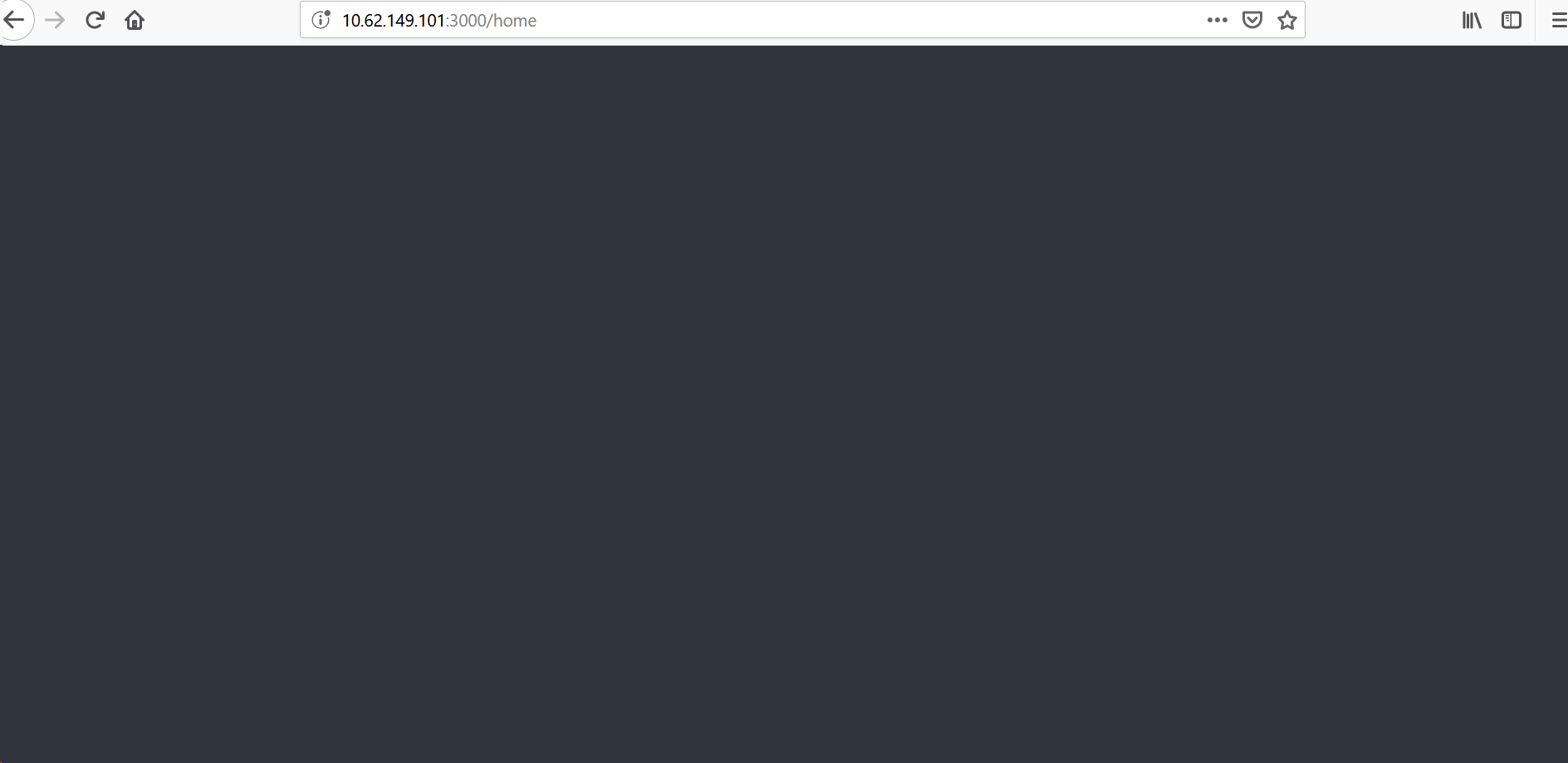
I have the similar issue with a on-premise installation of rocket.chat with docker .
I have not used nginx and accessing the rocket chat url with 3000 port .
Luckily i have one user which works as it is logged in using chrome . Not sure if it stops working after a cache clear
Any help is appreciated . Please find the image below
 katamaiah
on 21 Feb 2019
katamaiah
on 21 Feb 2019
I have this problem too, nothing logged to the console just a grey screen that briefly shows a box flash up:

However I have a chrome instance on another machine that is already logged in from setting up the service and that works fine.
Any ideas what I can check/try to diagnose this?
 mredbishop
on 28 Feb 2019
mredbishop
on 28 Feb 2019
Hi,
I had similar phenomena, it turns out for me to be the Account->Iframe settings that I enabled to implement Iframe authentication for an app I am developing. It seems that if you switch on the Account->Iframe and not defining any Iframe URL then you would end up in that situations. Maybe Rocket.Chat developers can add up a warning or send out an info to the login interface to not just fail silently.
Thank You!
 hnategh
on 28 Mar 2019
hnategh
on 28 Mar 2019
@hnategh You sir deserve a beer! That was spot on. Also correct that the devs should look into this.
 nahga
on 2 Apr 2019
nahga
on 2 Apr 2019
Yeh, so this was the same issue for me https://github.com/RocketChat/Rocket.Chat/issues/13616#issuecomment-469668756
mredbishop
on 2 Apr 2019
Good day, I have similar issue, but I have clean installation by Docker on RedHat7
I install without nginx (e.g. try open http://rocketchatvm:3000) and without hubot
My docker-compose.yml contain only https://github.com/RocketChat/Rocket.Chat/blob/develop/docker-compose.yml#L1-L59
When I start: docker-compose up
All started fine, but when I try open in any browser, his redirect to setup-wizard, where :
https://github.com/RocketChat/Rocket.Chat/issues/12448#issuecomment-468222857
but when dissapear sometime rotating icon of spinner.
As I read above that there may be a problem in Account-> Iframe, but I have a different case, I have a new installation, there were no such settings yet
What could be the problem?
 strelkovandreyvalerievich
on 25 Sep 2019
strelkovandreyvalerievich
on 25 Sep 2019
We have similar issue as there: https://github.com/RocketChat/Rocket.Chat/issues/12448#issuecomment-534975118
After investigating with Developer Tools, I see that RockerChat tries to connect following URL to port 80, instead of 3000:
/__meteor__/dynamic-import/fetch
As there is nothing on port 80 it fails and I can't get Setup Wizard. If I switch container to port 80 all is fine.
Not sure how to make Meteor work over configured port, not 80
 rolj
on 23 Oct 2019
rolj
on 23 Oct 2019
someone did find the solution for the login page ? even replacing the Account->Iframe : and defining an Iframe URL for the login page is not working !
@hnategh
 TahaHammemy17
on 15 Jan 2020
TahaHammemy17
on 15 Jan 2020
I have this problem too, nothing logged to the console just a grey screen that briefly shows a box flash up:
However I have a chrome instance on another machine that is already logged in from setting up the service and that works fine.
Any ideas what I can check/try to diagnose this?
did you find a solution for your homepage ?
TahaHammemy17
on 15 Jan 2020
What is the solution actually?
 anasappsaya
on 13 Aug 2020
anasappsaya
on 13 Aug 2020
Related issues
 neha1deshmukh
·
3Comments
neha1deshmukh
·
3Comments
 Buzzele
·
3Comments
Buzzele
·
3Comments
 royalaid
·
3Comments
royalaid
·
3Comments
 tanc
·
3Comments
tanc
·
3Comments
 zeigerpuppy
·
3Comments
zeigerpuppy
·
3Comments
Most helpful comment
Hi,
I had similar phenomena, it turns out for me to be the Account->Iframe settings that I enabled to implement Iframe authentication for an app I am developing. It seems that if you switch on the Account->Iframe and not defining any Iframe URL then you would end up in that situations. Maybe Rocket.Chat developers can add up a warning or send out an info to the login interface to not just fail silently.
Thank You!