Rocket.chat: Custom logo image in footer incorrectly sized
Description:
The footer image is showing up as extremely reduced in size.
Steps to reproduce:
- Ensure that a custom logo image has been uploaded.
- Ensure the image is showing in the content section for footer as in:
<a href="/home"><img src="assets/logo"/></a>

No other CSS customizations have been made, and it has been working OK until the latest commit.
Expected behavior:
Footer image should look like this:
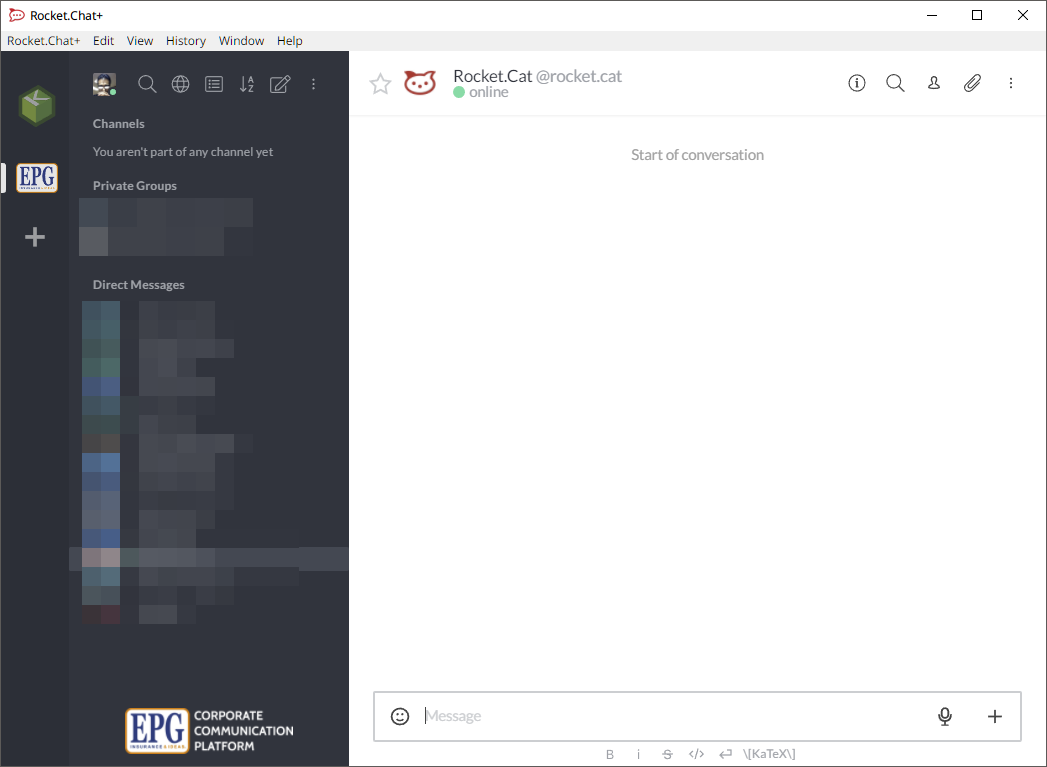
Actual behavior:
But instead, it now looks like this:
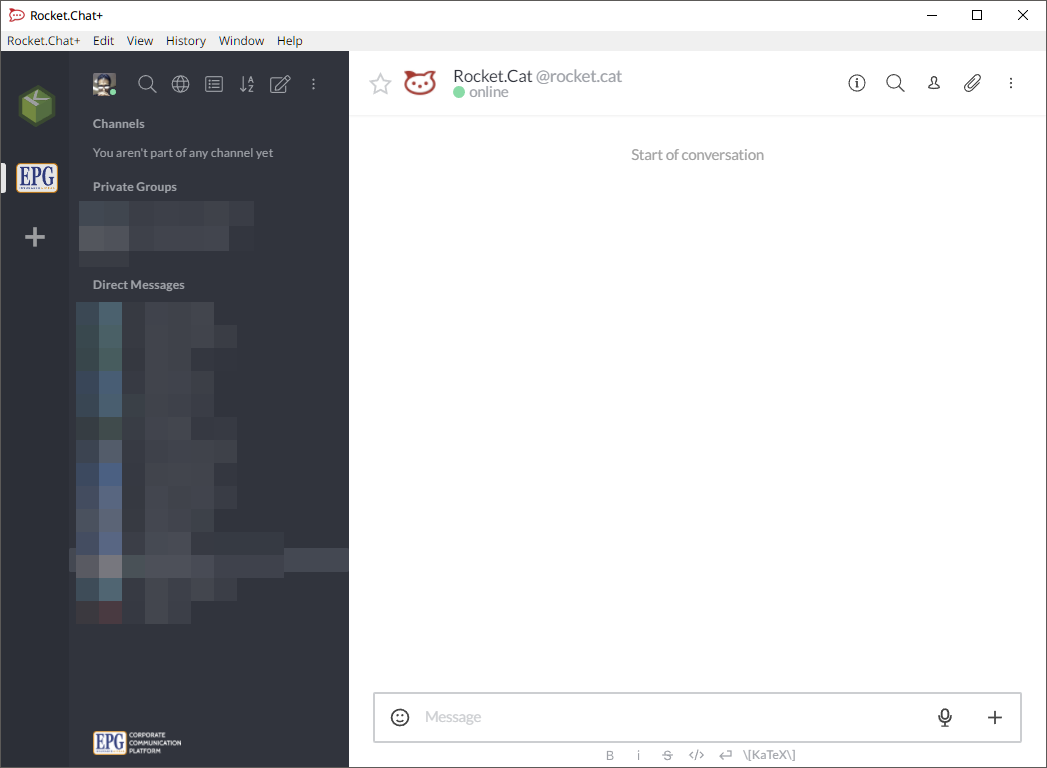
All images uploaded conform to image upload specifications in the Assets section.
Server Setup Information:
Rocket.Chat (Docker: rocketchat:develop)
| Version | 0.68.0-develop |
| ----------------------- | --------------------------------------------------------- |
| Database Migration | 129 |
| Database Migration Date | Sat Jul 21 2018 15:13:31 GMT-0500 (Central Daylight Time) |
| Installed at | Mon Jan 29 2018 16:02:11 GMT-0600 (Central Standard Time) |
| Uptime | 28 seconds |
| Deployment ID | JAELT9iyADPbKEGbG |
| PID | 1 |
| Running Instances | 1 |
| OpLog | Enabled |
Commit
| Hash | 7f7690d7d740315534c19e405eeff4178457dd99 |
| ------- | ---------------------------------------------- |
| Date | Sat Jul 21 02:23:38 2018 -0300 |
| Branch | develop |
| Tag | 0.67.0 |
| Author | Pierre H. Lehnen |
| Subject | [NEW] Setting to disable 2FA globally (#11328) |
Runtime Environment
| OS Type | Linux |
| --------------- | ----------------------------------------- |
| OS Platform | linux |
| OS Arch | x64 |
| OS Release | 4.15.0-24-generic |
| Node Version | v8.11.3 |
| OS Uptime | 17 days, 18 hours, 34 minutes, 31 seconds |
| OS Load Average | 1.37, 0.99, 0.50 |
| OS Total Memory | 3.85 GB |
| OS Free Memory | 254.08 MB |
| OS CPU Count | 4 |
Build Environment
| OS Platform | linux |
| ------------ | ---------------------- |
| OS Arch | x64 |
| OS Release | 4.4.0-130-generic |
| Node Version | v8.11.3 |
| Date | July 21, 2018 12:32 AM |
 bkraul
All 4 comments
11508 for reference.
I think it’s a design decision which you can simply revert with some custom css :)
 kaiiiiiiiii
on 22 Jul 2018
kaiiiiiiiii
on 22 Jul 2018
Do you have a suggestion as to how I accomplish that with CSS? It seems there are some CSS variables at play I can't seem to be able to override (like --sidebar-footer-height). Or do I just target the specific img tag?
bkraul
on 22 Jul 2018
I believe I have found what I needed. I got it by overriding the variable --sidebar-footer-height and setting it back to 70px like so:
:root {
  --sidebar-footer-height: 70px;
}
Thanks for the help @kaiiiiiiiii
bkraul
on 22 Jul 2018
How do I remove logo which sit above login dialog?
 Abraka
on 3 Oct 2018
Abraka
on 3 Oct 2018
Related issues
 zeigerpuppy
·
3Comments
zeigerpuppy
·
3Comments
 engelgabriel
·
3Comments
engelgabriel
·
3Comments
 brendanheywood
·
3Comments
brendanheywood
·
3Comments
 neha1deshmukh
·
3Comments
neha1deshmukh
·
3Comments
 Kiran-Rao
·
3Comments
Kiran-Rao
·
3Comments
Most helpful comment
I believe I have found what I needed. I got it by overriding the variable
--sidebar-footer-heightand setting it back to 70px like so:Thanks for the help @kaiiiiiiiii