Rocket.chat: LDAP not syncing password
Description:
When i try to sync new users to Rocket.Chat,it only sync the user,but not the password,so i have to set a new password in Administration > Users > "Select User" > Edit and Change password.
Server Setup Information:
- Version of Rocket.Chat Server: 0.61.2
- Operating System: Linux
- Deployment Method(snap/docker/tar/etc): Docker
- Number of Running Instances: 4
- DB Replicaset Oplog: Enable
- Node Version: V8.9.4
- mongoDB Version: idk
Steps to Reproduce:
- Create a new Users in LDAP
- Do a sync in Rocket.Chat(LDAP > Execute Synchronization now)
- Try to log in using the new User,and fail....
Expected behavior:
Log in normally
Actual behavior:
An alert saying "Username and password are incorrect"
 OtavioCapila
All 18 comments
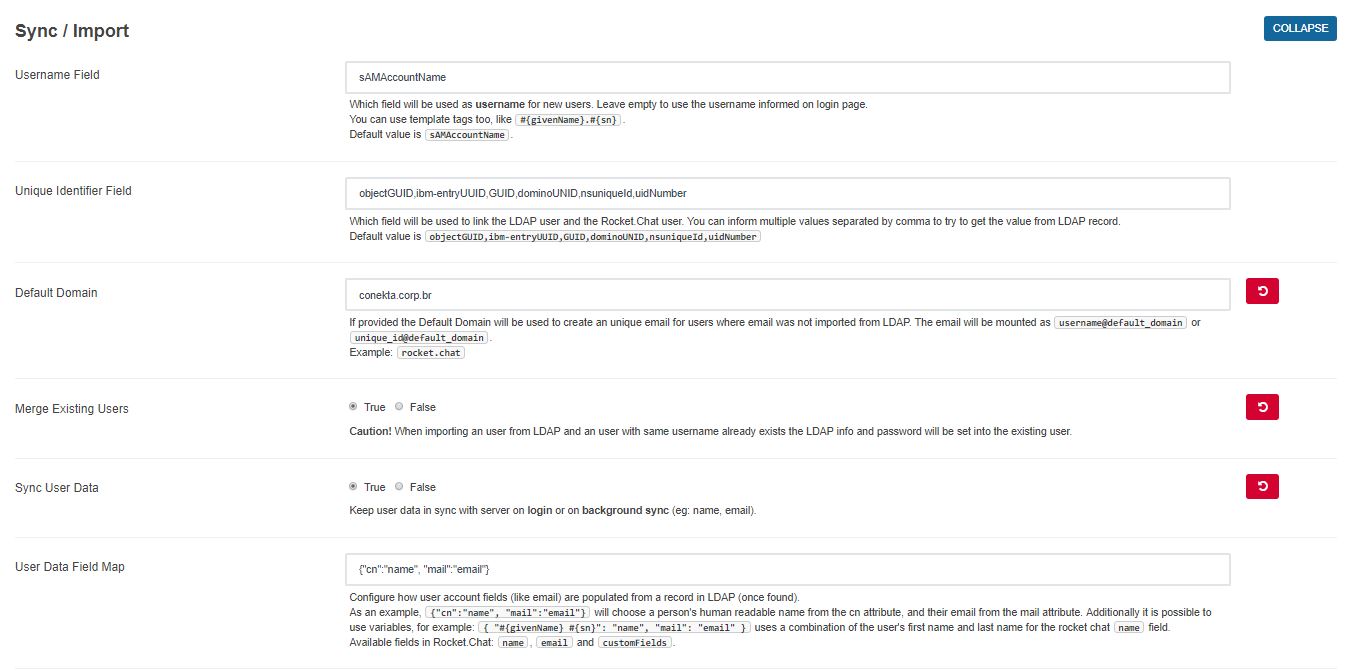
The LDAP server does not allow us to get the user's password but when the user login the auth process happens against the LDAP server and should allow the login, you probably configured your LDAP settings wrong and the auth is not happening so the server tries to fallback to local password that you set to the user (you can disable that fallback)
For the fallback we store the user's password when he do a successful login on LDAP server to allow the login when the LDAP is offline, again, you can disable that fallback.
 rodrigok
on 27 Feb 2018
rodrigok
on 27 Feb 2018
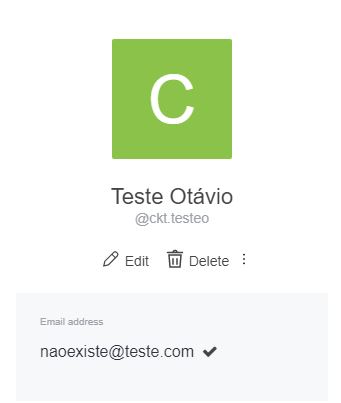
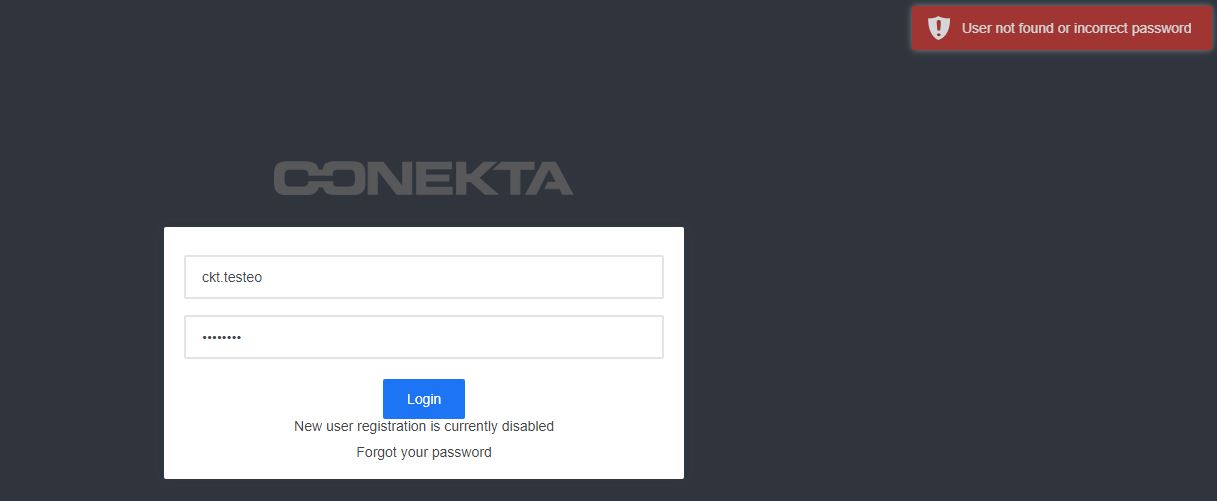
I've created a new a user in AD to test,but still not working

OtavioCapila
on 27 Feb 2018
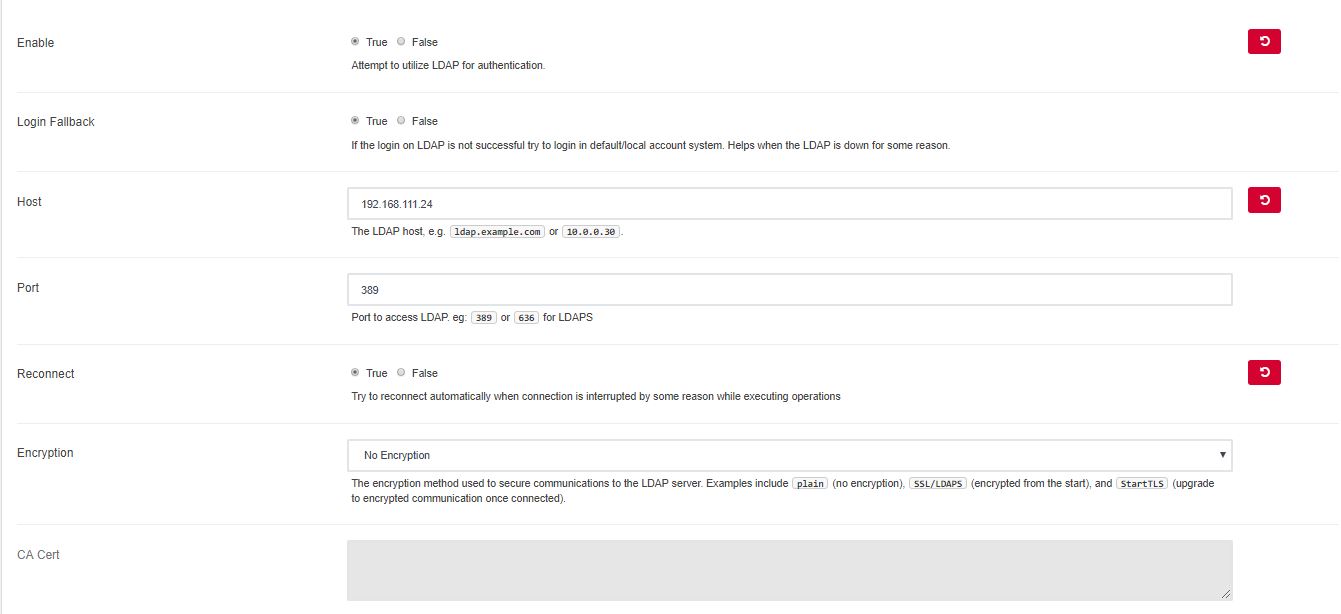
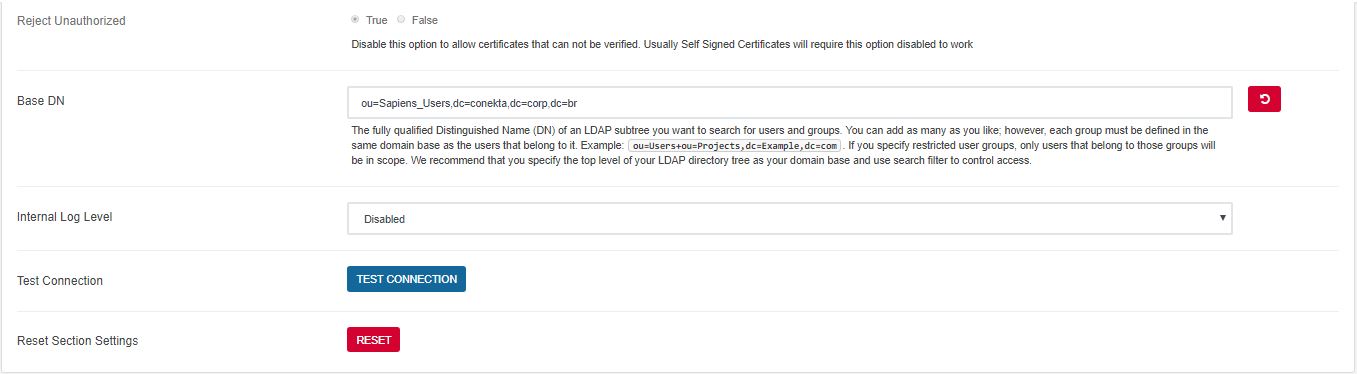
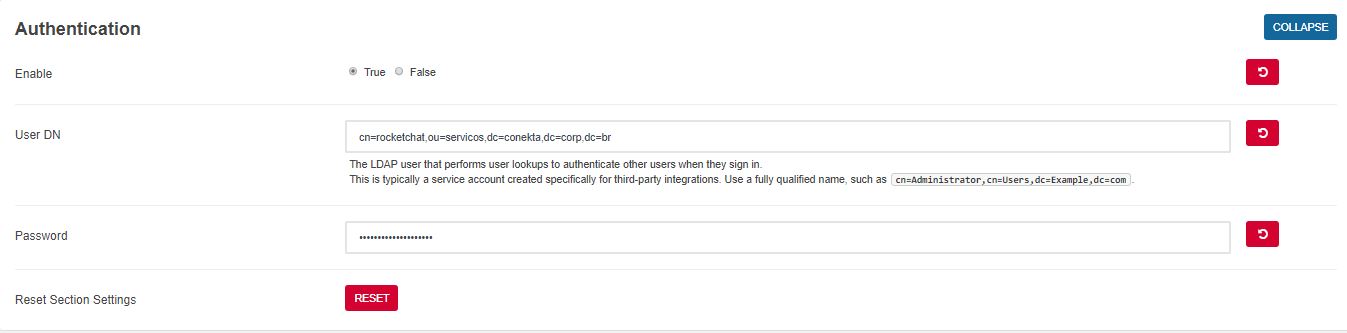
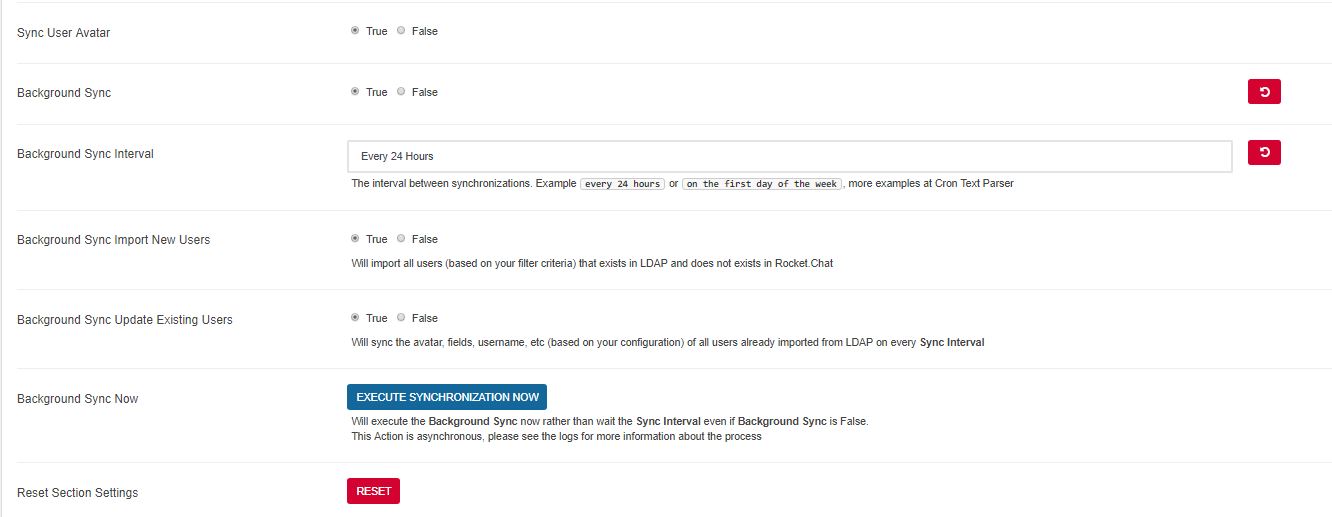
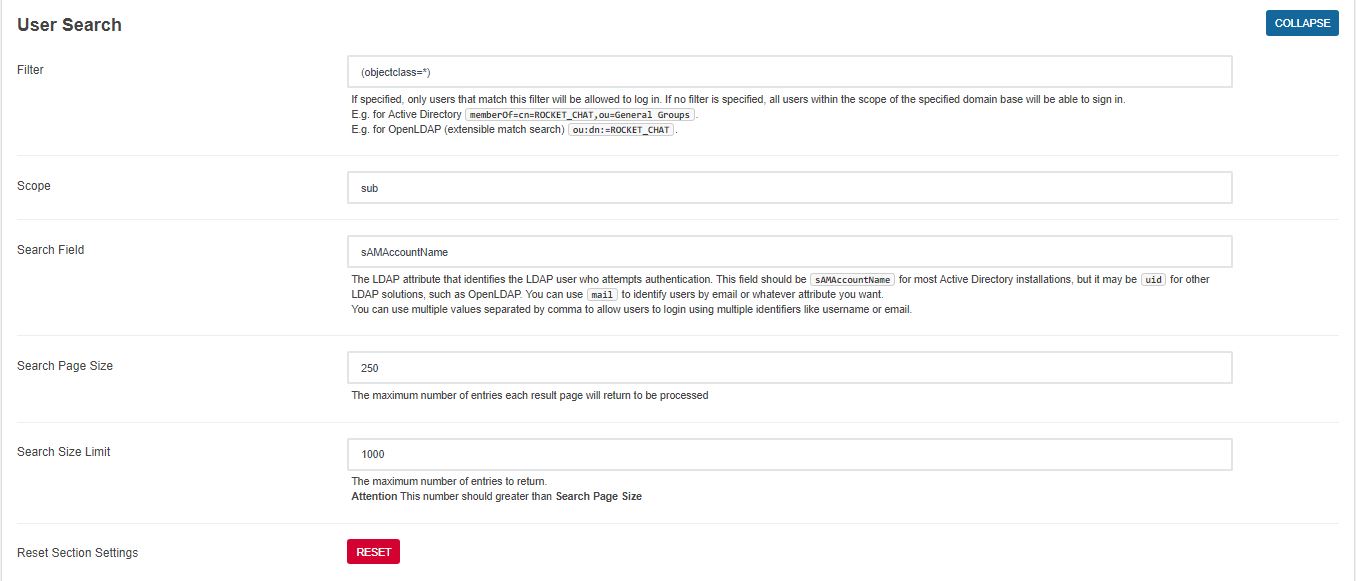
Is there something wrong with LDAP config in my RC?
OtavioCapila
on 27 Feb 2018
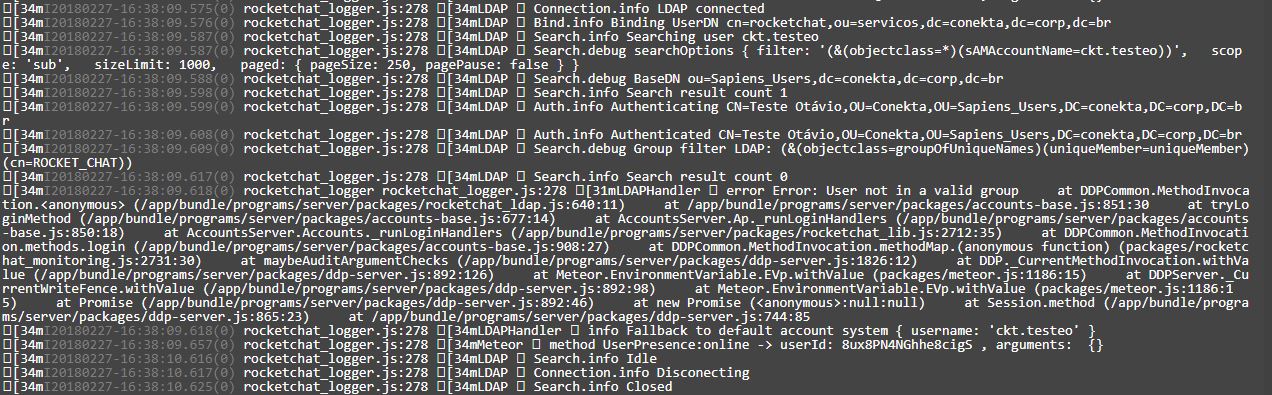
Can you set your log level to Debug, try to login again a paste the server logs here?
rodrigok
on 27 Feb 2018
OtavioCapila
on 27 Feb 2018
@OtavioCapila Did you see the error? User not in valid group
rodrigok
on 27 Feb 2018
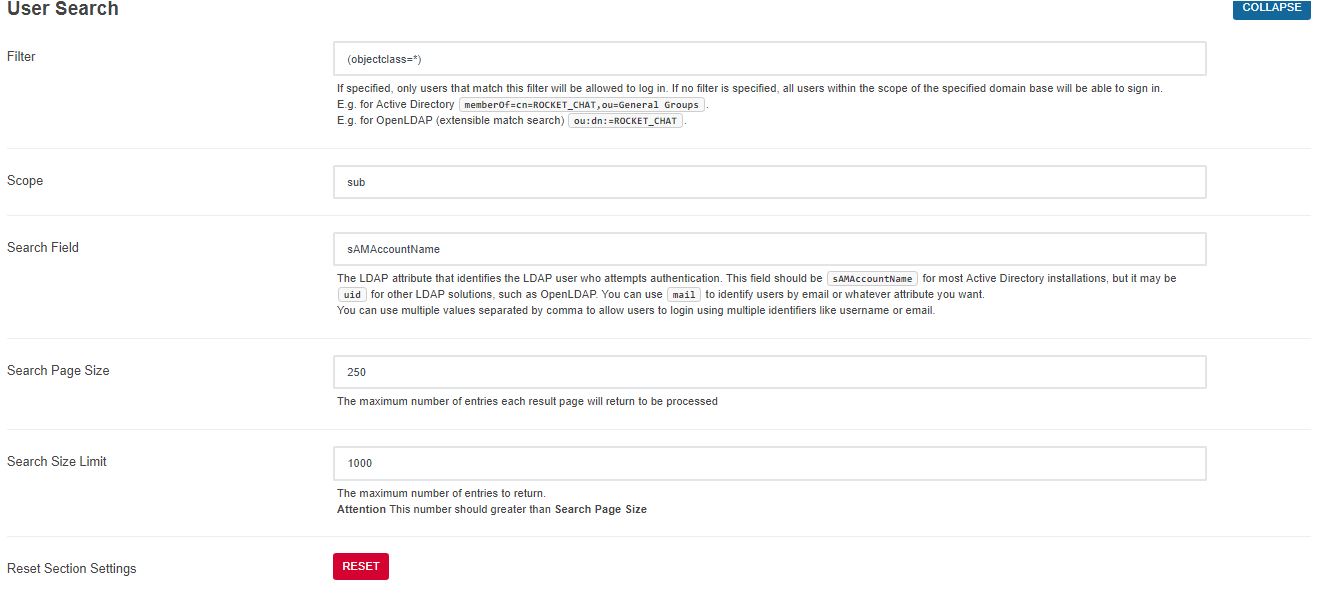
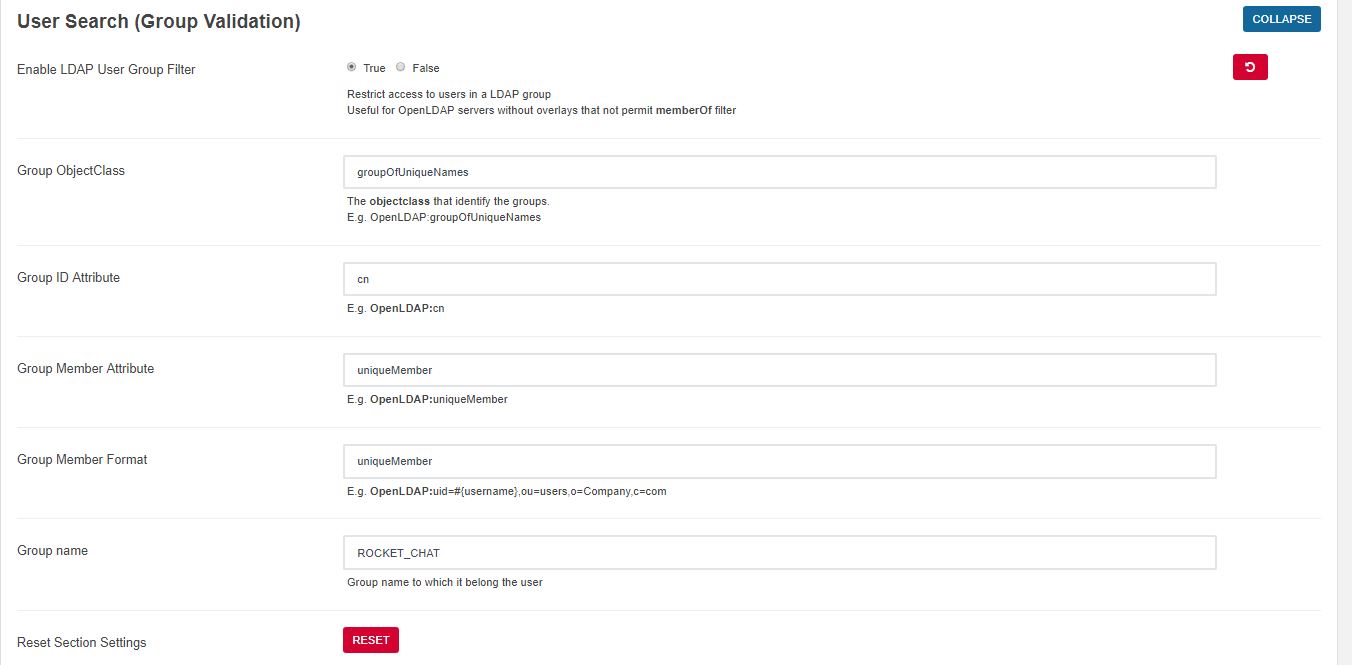
@rodrigok I created that test user in the same OU where is my common user.
But,if i change manually the password of that users,it will logon without problem.
OtavioCapila
on 27 Feb 2018
OtavioCapila
on 27 Feb 2018
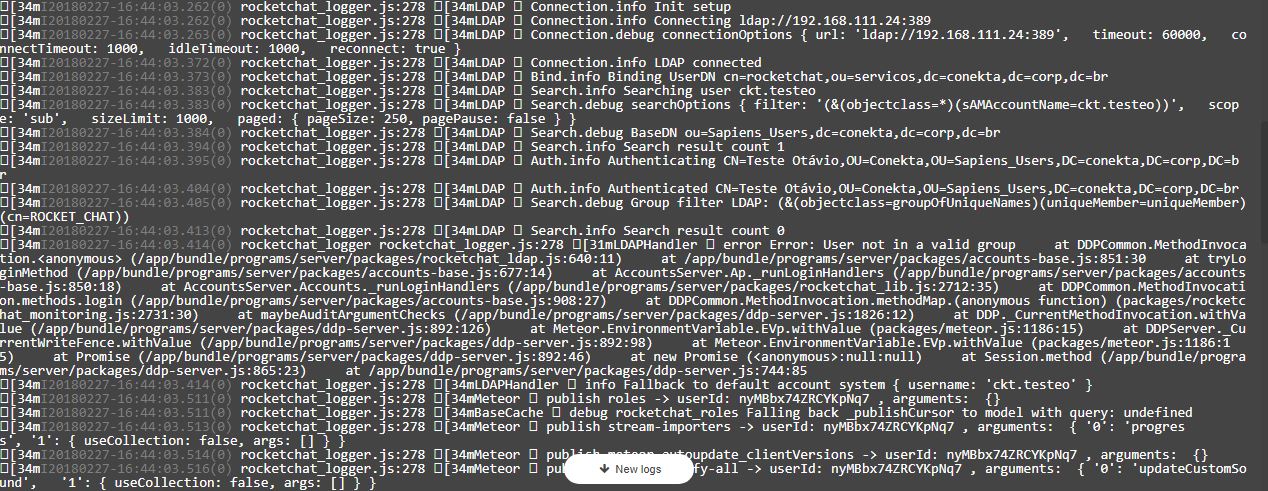
I've changed the user password,and logged in normally(with the same error "User not in valid group")
OtavioCapila
on 27 Feb 2018
Could be the version of NodeJS?
OtavioCapila
on 27 Feb 2018
If it can help : #9834
 fcoppolani
on 1 Mar 2018
fcoppolani
on 1 Mar 2018
@fcoppolani Atlassian crowd are disabled.
OtavioCapila
on 1 Mar 2018
Anyone?
OtavioCapila
on 1 Mar 2018
For the fallback we store the user's password when he do a successful login on LDAP server to allow the login when the LDAP is offline, again, you can disable that fallback.
Seems to me that it is a security issue to "cache" the user's password locally. The user is authenticated with LDAP, so why store the user-entered password locally?
 iesit
on 28 Feb 2019
iesit
on 28 Feb 2019
@iesit
to allow the login when the LDAP is offline, again, you can disable that fallback.
It's stored encrypted as the normal passwords.
rodrigok
on 28 Feb 2019
@iesit
to allow the login when the LDAP is offline, again, you can disable that fallback.
It's stored encrypted as the normal passwords.
With LDAP -> Login Fallback set to False, I cannot authenticate users created outside of LDAP, which is important (I seem to recall there is a forum post regarding authenticating users through Rocket locally and using LDAP?). While the inability to authenticate both LDAP and non-LDAP accounts is not insurmountable (and preventing Rocket from storing LDAP passwords locally should be avoided at all costs), it does require that new installations will need to manually add user(s) which are also in LDAP, set those desired users' role to include administrator AND ensure that LDAP -> Sync / Import -> Merge Existing Users = True, and ensure that the LDAP query returns those administrative users before synchronizing.
As others here and/or in similar issues have pointed out, if LDAP is offline, then there are bigger issues. Rocket should not be storing LDAP passwords anywhere at any time because LDAP is the authority of the passwords. If rocket can't authenticate a user with LDAP in realtime, then that user should not be able to log in.
Seems to me that if we removed the "password caching", then we would be able to set LDAP -> Login Fallback set to True, and allow both non-LDAP and LDAP users to log in.
Thank you for your time and effort!
iesit
on 28 Feb 2019
Does closing this issue mean it was resolved? (Maybe I'm not familiar with how Github works?)
It appears to me that LDAP passwords are still being stored in Rocket's database, which many would argue should NOT be happening in an Enterprise team chat.
Thanks!
iesit
on 6 Mar 2019
@iesit I guess it is a duplicate of #4554.
 saschafoerster
on 26 Jul 2019
saschafoerster
on 26 Jul 2019
Related issues
 Kiran-Rao
·
3Comments
Kiran-Rao
·
3Comments
 antn89
·
3Comments
antn89
·
3Comments
 Buzzele
·
3Comments
Buzzele
·
3Comments
Buzzele
·
3Comments
Buzzele
·
3Comments
 djeber
·
3Comments
djeber
·
3Comments
Most helpful comment
Does closing this issue mean it was resolved? (Maybe I'm not familiar with how Github works?)
It appears to me that LDAP passwords are still being stored in Rocket's database, which many would argue should NOT be happening in an Enterprise team chat.
Thanks!