Rocket.chat.electron: Notification pop up appears but if clicked nothing happens
My Setup
- Operating System: Windows 10 Home 2004 (Build 19041.5722)
- App Version: 3.0.5 - 3.1.1
Installation type: exe
[x] I have tested with the latest version
- [x] I can simulate the issue easily
Current Behavior
If somebody sends a message and I have Rocket.Chat running in System Tray a Pop Up appears but if I click on it Rocket.Chat isn't opened.
Expected Behavior
Rocket.Chat App should be opened
 Ein-Tim
All 14 comments
Not confirm that - application opens on notification click
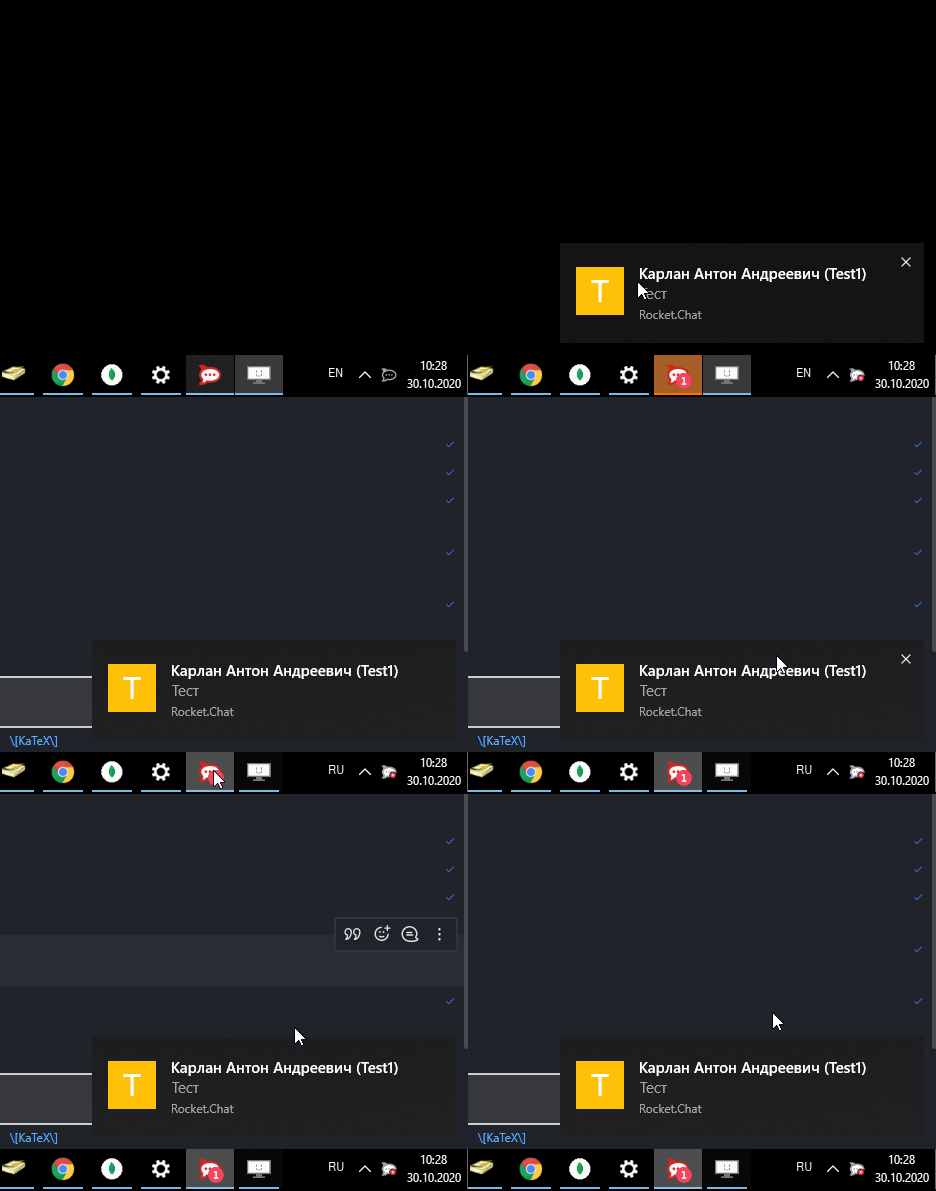
But @tassoevan I think, that chat from notification should be opened, but now I see last opened chat in applications, and not chat from notification.
 ankar84
on 30 Oct 2020
ankar84
on 30 Oct 2020
@ankar84
And if you close the Rocke.Chat window completely and have Rocket.Chat only running in the background & you get a notification, is the App still opened?
Ein-Tim
on 30 Oct 2020
@ankar84
And if you close the Rocke.Chat window completely and have Rocket.Chat only running in the background & you get a notification, is the App still opened?
Yes, did try that too
ankar84
on 30 Oct 2020
Okay, @ankar84 Thanks!
I will continue to watch and report back here 👍
Ein-Tim
on 30 Oct 2020
Okay, @ankar84 Thanks!
I will continue to watch and report back here 👍
Is your issue 100% reproducible in your environment?
ankar84
on 30 Oct 2020
Yes it is, I wonder why it is not in your enviroment...
If I click on a message from Rocket.Chat (note that this message is just an example, it also happens with "real" notifications):
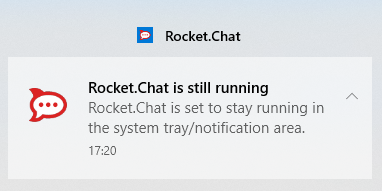
it disappears from notification center, than I close the notification center and reopen it and the message is back... (but Rocket.Chat was not opened...)
Edit: Just tested it one minute later and with the same message it now works... Nothing changed but quitted Rocket.Chat and reopened it... (did this already before...)
Will wait for a "real" notification and report back
Ein-Tim
on 30 Oct 2020
Tested it again yesterday. Was again 100% reproducible. Clicked on the Pop Up but the App stays closed.
Ein-Tim
on 18 Nov 2020
Not confirm that - application opens on notification click
But @tassoevan I think, that chat from notification should be opened, but now I see last opened chat in applications, and not chat from notification.
Yeap, I just experienced that too!
So confirm that issue!
ankar84
on 20 Nov 2020
Reproduce steps.
- Set desktop notifications ON (All Messages)
- Minimize application to system tray by clicking X button in top right corner
- Get a mew message, click on notification.
- Nothing happens
So, issue is about maximizing application from system tray.
@tassoevan please take a look.
ankar84
on 20 Nov 2020
This issue exists also in RC Desktop client version 3.1.1 (Windows). In our experience, version 3.0.7 did not have the problem.
 rcadmin19
on 15 Jan 2021
rcadmin19
on 15 Jan 2021
@rcadmin19
Yes I also remember one version which worked...
Ein-Tim
on 15 Jan 2021
Hey, we also have this experience using the latest versions
Server 3.10.4
Client 3.1.1
Some users are clicking and nothing happens, some users get their chats opened and other users have to click the notification multiple times till it opens the window.
 pascal1337
on 22 Jan 2021
pascal1337
on 22 Jan 2021
yes indeed, clicking on notification leads to null. Nothing opens..app is not maximazed
 hkpanchani
on 1 Apr 2021
hkpanchani
on 1 Apr 2021
Meanwhile I switched to a MacBook, using the version from the App Store and MacOS BigSur 11.2.3, I'm still able to reproduce this.
App version: 3.0.0 (shown on the App Store) - 3.0.3 (shown in Rocket.Chat)
Ein-Tim
on 8 Apr 2021
Related issues
 jswolf19
·
4Comments
jswolf19
·
4Comments
 agentirons
·
4Comments
agentirons
·
4Comments
 Vkat14
·
4Comments
Vkat14
·
4Comments
 engelgabriel
·
5Comments
engelgabriel
·
5Comments
 wrwrwrr
·
4Comments
wrwrwrr
·
4Comments
Most helpful comment
Hey, we also have this experience using the latest versions
Server 3.10.4
Client 3.1.1
Some users are clicking and nothing happens, some users get their chats opened and other users have to click the notification multiple times till it opens the window.