Rocket.chat.electron: "A JavaScript error occurred in the main process" when moving app window
My Setup
- Windows 7 64Bit, SP1.
- All updates installed
- Rocket.Chat+ v 1.3.1
- [x] I have tested with the latest application version
[x] I can simulate the issue easily
Description
After installation (update from 1.2)
- Starting the app
- Loggin in to the server
- Moving the app window
Current Behavior
Moving the app window makes an error message pop up:
"A JavaScript error occurred in the main process ..."
Expected Behavior
No error message
Full error message:
`
[Window Title]
Error
[Main Instruction]
A JavaScript error occurred in the main process
[Content]
Uncaught Exception:
Error: EPERM: operation not permitted, rename 'C:UsersmyusernameAppDataRoamingRocket.Chat+window-state-main.json.new' -> 'C:UsersmyusernameAppDataRoamingRocket.Chat+window-state-main.json'
at Error (native)
at Object.fs.renameSync (fs.js:729:18)
at writeAtomicSync (C:Program Files (x86)Rocket.Chat+resourcesapp.asarnode_modulesfs-jetpacklibfile_ops.js:105:8)
at Object.writeSync as write
at Object.write (C:Program Files (x86)Rocket.Chat+resourcesapp.asarnode_modulesfs-jetpacklibjetpack.js:192:21)
at Object.saveState (C:Program Files (x86)Rocket.Chat+resourcesapp.asarbackground.js:72:21)
at BrowserWindow.
at emitOne (events.js:77:13)
at BrowserWindow.emit (events.js:169:7)
[OK]
`
More
- Uninstalling previous version beforehand did not solve this issue.
Want to back this issue? Post a bounty on it! We accept bounties via Bountysource.
 localhorst
All 38 comments
Can confirm this is happening:

 rockneverdies55
on 28 Apr 2016
rockneverdies55
on 28 Apr 2016
same issue.
 istanleyyaw
on 1 Jun 2016
istanleyyaw
on 1 Jun 2016
Issue still exists on Windows 10 and Rocket.Chat+ Version 1.3.1
localhorst
on 28 Jun 2016
Same here, using version 1.3.1 and 0.35 backend
 adesimonepeak6
on 27 Jul 2016
adesimonepeak6
on 27 Jul 2016
Can replicate in my ubuntu box. Only happens in windows 7 for me.
rockneverdies55
on 2 Aug 2016
Did anyone solve this? (I'm on windows 10)
 alkovpro
on 10 Aug 2016
alkovpro
on 10 Aug 2016
... same here. annoying.
Windows 10, version 1.3.1, 0.42 server
Any suggestions?
 seerl
on 12 Oct 2016
seerl
on 12 Oct 2016
Just installed a brand new rocket.chat server and I'm seeing this on my Windows 10 machine I'm testing on.
 dcbell
on 30 Oct 2016
dcbell
on 30 Oct 2016
Same here
 aliozgur
on 6 Dec 2016
aliozgur
on 6 Dec 2016
I had the same issue on my machine (Windows 10, McAfee antivirus installed) running the Rocket.Chat client 1.3.1-nogputest. Turning off McAfee's real-time analysis fixed the problem.
 apomes
on 21 Dec 2016
apomes
on 21 Dec 2016
Agreed McAfee is the culprint
aliozgur
on 21 Dec 2016
McAfee confirmed.
 theoryshaw
on 23 Dec 2016
theoryshaw
on 23 Dec 2016
Guten Tag,
vielen Dank für Ihre E-Mail. Ich bin derzeit in Winterpause über die Feiertage.
Ab dem 02.01.2017 bin ich wieder für Sie da. Diese Mail wird nicht weitergeleitet, aber aufgehoben :)
Mit freundlichen Grüßen,
Sebastian Erlhofer
--
mindshape GmbH
Hohenstaufenring 47-51
50674 Köln
Registergericht: Amtsgericht Köln, HRB 71255
Sitz der Gesellschaft: Köln
Geschäftsführer: Sebastian Erlhofer, Robert Neumcke
UstID: DE275057780
seerl
on 23 Dec 2016
I do not have McAfee on my machine, so that can't be the sole issue. FYI, just upgraded to desktop agent 2.0.2 on Windows 10 and I'm still seeing the issue.
dcbell
on 6 Jan 2017
Can you share a screenshot of the error that is happening now?
On Fri, Jan 6, 2017, 8:04 PM Dave notifications@github.com wrote:
I do not have McAfee on my machine, so that can't be the sole issue. FYI,
just upgraded to desktop agent 2.0.2 on Windows 10 and I'm still seeing the
issue.—
You are receiving this because you are subscribed to this thread.Reply to this email directly, view it on GitHub
https://github.com/RocketChat/Rocket.Chat.Electron/issues/181#issuecomment-271021496,
or mute the thread
https://github.com/notifications/unsubscribe-auth/AAz519mWlz_awS4hcByuMbn149xbbi75ks5rPrpdgaJpZM4IPtGW
.
 graywolf336
on 6 Jan 2017
graywolf336
on 6 Jan 2017
Here is a screenshot. I tried disabling Kaspersky and that did not resolve the issue.

dcbell
on 6 Jan 2017
Can you guys please test with the version 2.2.0?
 engelgabriel
on 12 Jan 2017
engelgabriel
on 12 Jan 2017

Windows 10
Mcafee Installed

theoryshaw
on 12 Jan 2017
Same error after updating to 2.2.0.
dcbell
on 12 Jan 2017
Guys,
On McAfee, if allowed for following file to be excluded do you still have this issue?
C:\Users\*\AppData\Roaming\Rocket.Chat+\window-state-main.json
@rodrigok is window-state-main.json used to save the sate of the window?
Maybe we are writing too many time and to fast to it?
Can we Debounce the write function?
engelgabriel
on 19 Jan 2017
Would someone mind testing the build from the result of the pull request? Let us know if you're still having issues with McAfee and Rocket.Chat?
graywolf336
on 20 Jan 2017
Just to be clear, I'm having that issue and I do not run McAfee. We run Kaspersky here.
dcbell
on 20 Jan 2017
@dcbell Okay, mind trying the build I linked to above as well?
graywolf336
on 20 Jan 2017

Bingo
theoryshaw
on 20 Jan 2017
So it works now?
On Fri, Jan 20, 2017, 12:29 PM Ryan Schultz notifications@github.com
wrote:
[image: 2017-01-20_08-25-17]
https://cloud.githubusercontent.com/assets/507113/22152795/14493818-deea-11e6-860d-234a11fa5e00.gifBingo
—
You are receiving this because you commented.
Reply to this email directly, view it on GitHub
https://github.com/RocketChat/Rocket.Chat.Electron/issues/181#issuecomment-274084970,
or mute the thread
https://github.com/notifications/unsubscribe-auth/AAz511YeY1b1JxPIo0GkOzQ0CDGUcmBEks5rUMTcgaJpZM4IPtGW
.
graywolf336
on 20 Jan 2017
Yes, It seems to.
theoryshaw
on 20 Jan 2017
@graywolf336 Working on my machine now as well.
dcbell
on 20 Jan 2017
@theoryshaw and @dcbell Awesome, thanks for reporting back!
graywolf336
on 20 Jan 2017
Use git init from git bash on your main GitHub directory
 fndos
on 20 Aug 2018
fndos
on 20 Aug 2018
have the same trouble. Windows 8
 LootDigger
on 6 Sep 2018
LootDigger
on 6 Sep 2018
@LootDigger Can you please share the error shown in the dialog?
 tassoevan
on 6 Sep 2018
tassoevan
on 6 Sep 2018
This problem appears to have reared it's ugly head again, we have McAfeee running too.

 Jabark
on 10 Sep 2018
Jabark
on 10 Sep 2018
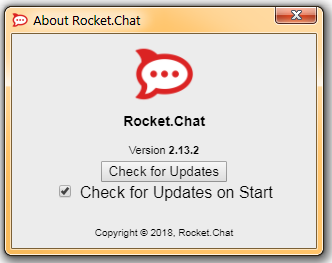
I just started getting this error message after 2.13.2 installed for just my user account on my Windows 7 workstation. The previous version was installed at ~\AppData\Local\Programs\Rocket.Chat the new version installed at ~\AppData\Local\Programs\Rocket.Chat+. Out of curiosity renamed the old Rocket.Chat folder to Rocket.Chat.Old then removed the + on the new folder.
I ran the new install from the renamed folder: ~\AppData\Local\Programs\Rocket.Chat and I didn't receive the error on startup or when moving/resizing the window.
Could the + in the Rocket.Chat.exe path be the cause of this or cause McAfee to throw a false positive?
 mikhey
on 12 Sep 2018
mikhey
on 12 Sep 2018
I'm having the same issue on 2.13.2 on Windows 10.
 tomkralidis
on 18 Sep 2018
tomkralidis
on 18 Sep 2018
@tomkralidis Can you verify if 2.13.3-beta.1 has this issue?
tassoevan
on 18 Sep 2018
@tassoevan installing 2.13.3-beta1 fixes this issue for me.
tomkralidis
on 18 Sep 2018
I've just gotten this issue today. And I don't run McAfee. It does this whenever I try to open the desktop app. It always worked fine before. I don't know what changed about my system.
 Sabnock01
on 6 Feb 2019
Sabnock01
on 6 Feb 2019
Related issues
 dryabchenko
·
5Comments
engelgabriel
·
5Comments
dryabchenko
·
5Comments
engelgabriel
·
5Comments
 wrwrwrr
·
4Comments
wrwrwrr
·
4Comments
 paulz1
·
3Comments
paulz1
·
3Comments
 rgembalik
·
4Comments
rgembalik
·
4Comments