Robomongo: Robo3T crashed on MacOS Big Sur
Step 1: Find any record on mongo
Step 2: Click right mouse on any record, robo3t is crashed.
 DungVA1
All 9 comments
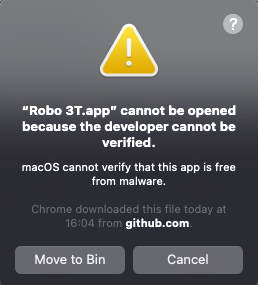
I don't even get that far...looks like it's not notarized...
Studio 3T opens ok though...
 nickhingston
on 12 Oct 2020
nickhingston
on 12 Oct 2020
I don't even get that far...looks like it's not notarized...
Studio 3T opens ok though...
Did you try go to settings -> security -> click on "Allow" and Allow app downloaded from "App Store and identified developer"
DungVA1
on 14 Oct 2020
Sorry, I've hijacked this issue! Yes (hence Studio 3T works OK). I've only managed to get old Robo3T to work by restoring it from a backup - (reinstalling 1.3.1 I had the same problem).
nickhingston
on 14 Oct 2020
Hi @DungVA1 , @nickhingston , thanks for reporting the problem. Big Sur is currently not supported. But we will check this problem when we add the support for it.
 simsekgokhan
on 21 Oct 2020
simsekgokhan
on 21 Oct 2020
FYI 1.3.1 is working 100% as long as it was installed prior to upgrading to Big Sur.
nickhingston
on 21 Oct 2020
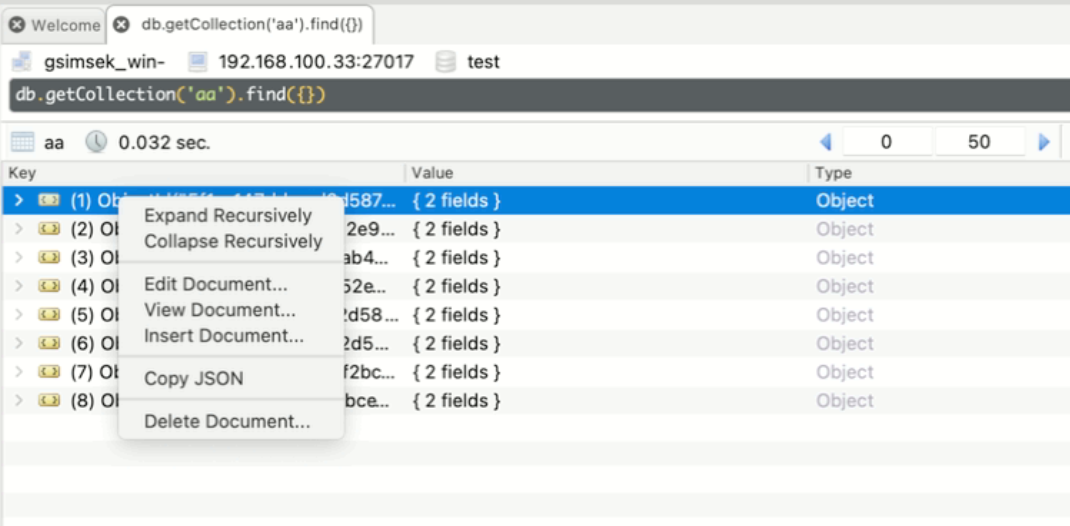
Hi @DungVA1 @nickhingston , we are trying to reproduce the crash, so far no luck.
Using macOS Big Sur 11.0.1.
Is this the correct action to reproduce it?
simsekgokhan
on 30 Nov 2020
@simsekgokhan I'm not sure the problem is macOS issue or robo3T issue. After some macOS version updating, reinstall robo3T, I was able to use robo3T.
DungVA1
on 30 Nov 2020
yep, no issues either for me with installing 1.4.2 with latest Big Sur...
nickhingston
on 30 Nov 2020
Great, thanks! I will close this issue then. We started working on adding official support for Big Sur already.
simsekgokhan
on 30 Nov 2020
Related issues
 andidev
·
3Comments
andidev
·
3Comments
 axe-z
·
3Comments
axe-z
·
3Comments
 KyleGalvin
·
3Comments
KyleGalvin
·
3Comments
 murshid1988
·
3Comments
murshid1988
·
3Comments
 enBonnet
·
4Comments
enBonnet
·
4Comments