Robomongo: cannot connect to new AWS documentDB instance
Hi im unable to connect robo 3t to a AWS documentDB (TLS enabled) instance, the tunnel is working fine and SSL options are correct but i keep getting:
W NETWORK [thread1] The server certificate does not match the host name. Hostname: 127.0.0.1 does not match SAN(s):
"documentDB endpoint"
SSH tunnel closed.
current options:
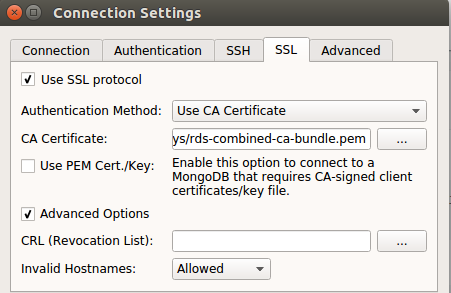
using the exact same configuration (import from robo3t) in studio 3t i can connect to my instance without any problem, very strange
Thanks!
 gv-beemining
All 6 comments
I use
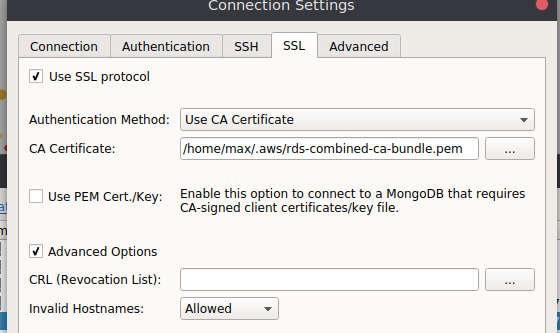
without issue, if I remember, I had to add a default database in "Advanced", I just added a test, then I was able to connect.
 maxeber
on 30 Apr 2019
maxeber
on 30 Apr 2019
@maxeber
May I know how do you configure it?
I have also tried to Robo 3T 1.3 with/without using the SSH Tunnel to connect AWS documentDB
P.s I also modify the security access for my IP address
Below is my configuration. The SSH Tunnel do not enable.
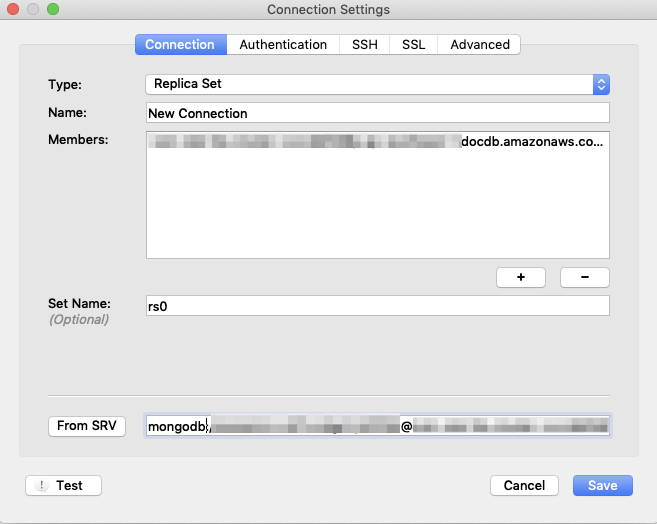
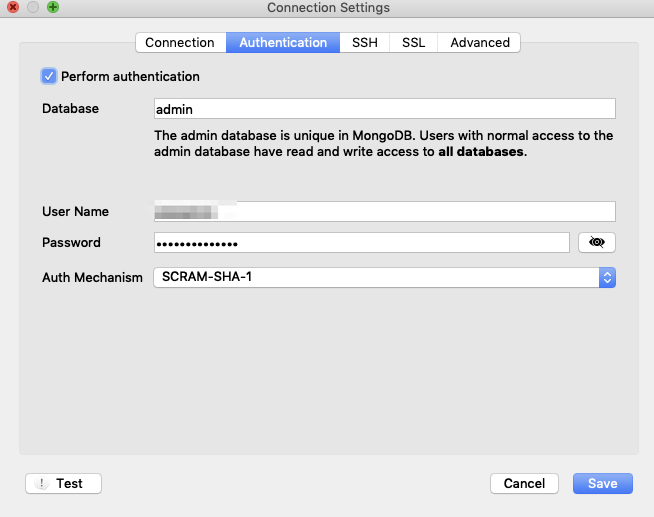
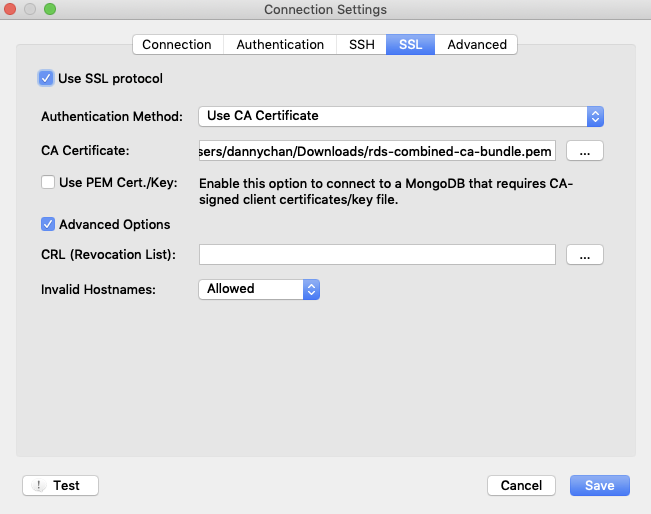
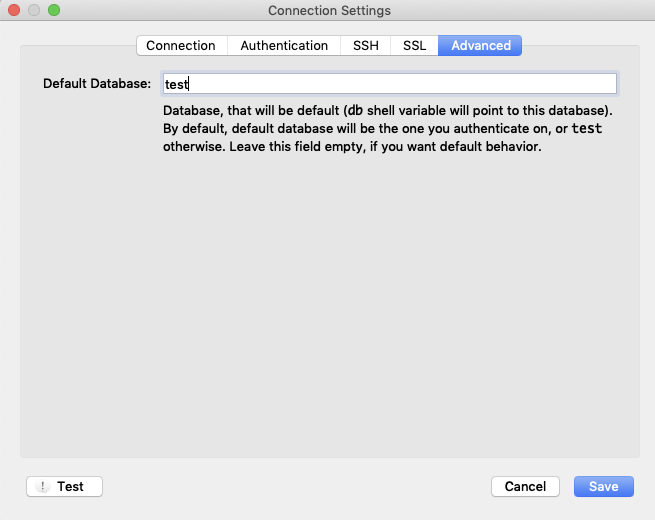
Connection fail:

 ckdanny
on 18 Oct 2019
ckdanny
on 18 Oct 2019
@ckdanny This SO post should unblock you https://stackoverflow.com/questions/54384253/aws-documentdb-with-robo-3t-robomongo
Let me know if you're still stuck and I'll be happy to help.
 swordfish444
on 1 Dec 2019
swordfish444
on 1 Dec 2019
@swordfish444 I also had the same issue. I imported the pem file into Keychain but now I am getting this when trying to connect:
Cannot connect to the MongoDB at localhost:10000.

Error:
SSL tunnel failure: Network is unreachable or SSL connection rejected by server. Reason: couldn't connect to server localhost:10000, connection attempt failed: SSLHandshakeFailed: SSL peer certificate validation failed: Certificate trust failure: CSSMERR_CSP_ALGID_MISMATCH; connection rejected
I know the SSH tunnel works as I can see data going back and forth on Wireshark. I'm on OS X Catalina. Any ideas?
 johntmyers
on 24 Dec 2019
johntmyers
on 24 Dec 2019
macOS Catalina has additional SSL certificate requirements. Make sure that you're not using the SHA1 algorithm in the server SSL certificate:
https://support.apple.com/en-us/HT210176
 abrindeyev
on 28 Jan 2020
abrindeyev
on 28 Jan 2020
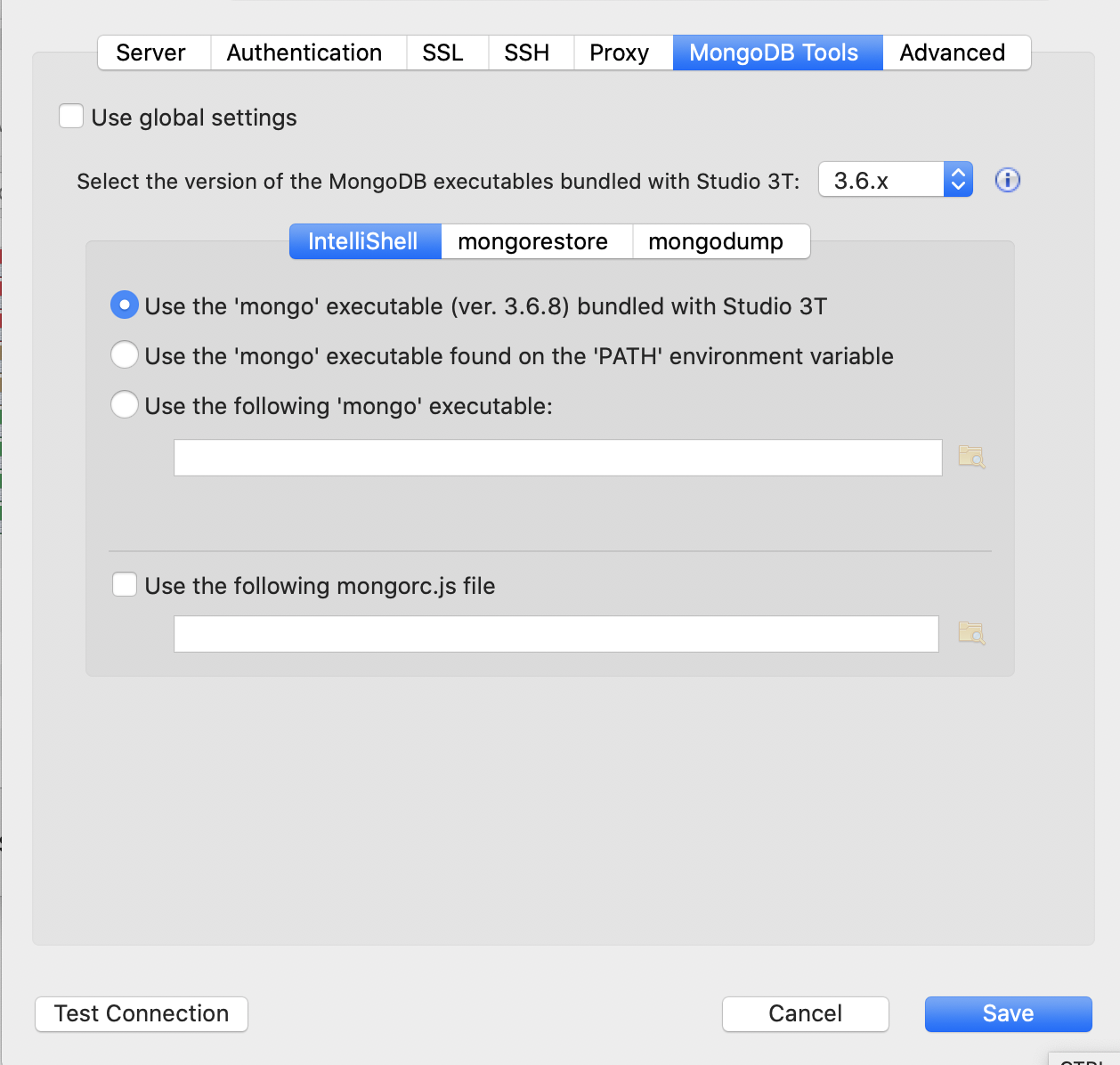
Changing the Mongo Executable to 3.6 worked for me as AWS DocumentDB is using 3.6.0 Mongo
 rickboltonplt
on 10 Feb 2020
rickboltonplt
on 10 Feb 2020
Related issues
 kphamilton
·
3Comments
kphamilton
·
3Comments
 juliashibalko
·
3Comments
juliashibalko
·
3Comments
 Imperial7
·
4Comments
Imperial7
·
4Comments
 fabritw
·
3Comments
fabritw
·
3Comments
 itoonx
·
4Comments
itoonx
·
4Comments
Most helpful comment
macOS Catalina has additional SSL certificate requirements. Make sure that you're not using the SHA1 algorithm in the server SSL certificate:
https://support.apple.com/en-us/HT210176