Robomongo: [1.0 RC1] Can't connect to replica set to MongoDB Atlas Cluster 3.4
I'm having trouble connecting Robomongo 1.0 RC1 to a 3-node replica set on MongoDB Atlas. I'm running Mac OS X 10.12.3. The blog post for the 1.0 RC1 release shows a screenshot of Robomongo connected to an Atlas replica set, but I am not able to get it to work. Robomongo gives this error:SSL connection failure:
For what it's worth, I _am_ able to import data into Atlas from the Terminal via this command (sensitive details changed):
mongorestore --host cluster0-shard-00-00-fgrio.mongodb.net --port 27017 --username my_username --password my_password_here --db db_name --authenticationDatabase admin --ssl --collection MyRecord --drop MyRecord.bson
Below are the screenshots of my Robomongo configuration (again, sensitive details changed):


 zachrattner
All 28 comments
Hi @zachrattner , thanks for reporting the problem.
Can you make sure and try with the following suggestions?
- Use a user with Atlas Admin privileges as shown in the screenshots.
- Try removing default database option on last tab.
(My second suggestion will be entering set name manually in config file. But let's try that later.
I will guide you about that depending on result of current suggestions.)
1

2

 simsekgokhan
on 9 Mar 2017
simsekgokhan
on 9 Mar 2017
Thanks @simsekgokhan. I did both suggestions but to no avail:
- I changed the user I was connecting as to an Atlas admin
- I removed the default database
Atlas screenshot:

Error message from Robomongo (after waiting a few minutes for Atlas changes to propagate):

zachrattner
on 9 Mar 2017
I think it's worth adding that I tried both connecting to the replica set and directly to the primary node. Both options are giving the same SSL connection failure message.
zachrattner
on 9 Mar 2017
Yes, it is useful information. Any chance you are using Atlas free cluster which is MongoDB 3.4?
Robomongo does not support it yet. (Note: 3.4 support will be the most prior task after a minor release soon)
Secondly, can you connect via terminal using mongo executable?
Example:
mongo "mongodb://cluster0-shard-00-00-f8axx.mongodb.net:27017,cluster0-shard-00-01-f8axx.mongodb.net:27017,cluster0-shard-00-02-f8axx.mongodb.net:27017/DATABASE?replicaSet=Cluster0-shard-0" --ssl
simsekgokhan
on 9 Mar 2017
Aah, thanks @simsekgokhan that's the issue. It seems free tier deployments use v3.4 and I'm not sure how to downgrade (contacted Atlas support to see if it is possible).
Thanks for the update. Looking forward to seeing v3.4 support in Robomongo.
Yes, I am able to connect via the command line.
>> mongo --version
MongoDB shell version v3.4.2
For news about 3.4 support, you can follow us twitter https://twitter.com/Robomongo and/or follow this ticket: https://github.com/paralect/robomongo/issues/1250
I will close this issue. Feel free to re-open for any reason.
simsekgokhan
on 10 Mar 2017
Hi @zachrattner , please see Robomongo 1.1 - Beta version with MongoDB 3.4 Support
simsekgokhan
on 12 May 2017
Thanks @simsekgokhan! Works great for me.
zachrattner
on 17 May 2017
Hey @zachrattner ,
What settings did you use? I'm not able to connect using RoboMongo 1.1.
Thanks!
 jeanphameldo
on 12 Jun 2017
jeanphameldo
on 12 Jun 2017
Hi @jeanphameldo , are you trying to connect to Mongo Atlas 3.4 free cluster?
You should enter your cluster members correctly, user/pw into authentication tab and enable SSL with basic setting then it should connect.
Can you share your settings or the error screenshot you are getting?
simsekgokhan
on 13 Jun 2017
Hi @simsekgokhan, I have the same problem connecting to my MongoDB Atlas Cluster (v 3.2.13)
Just installed Robo3T 1.1 and removed all previous versions of Robomongo. Also, created a new user in MongoDB Atlas with Admin permissions.
Below are the screenshots:

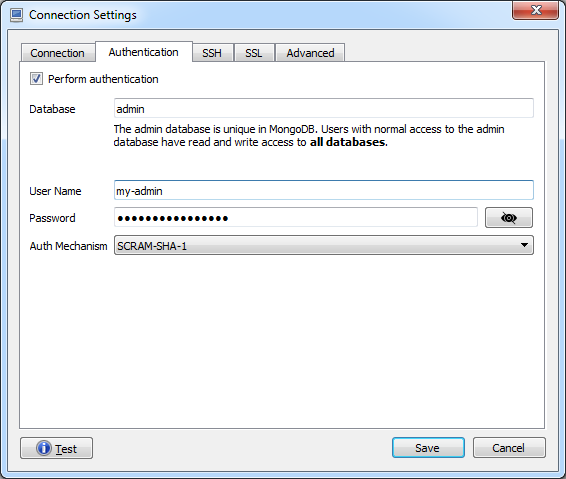
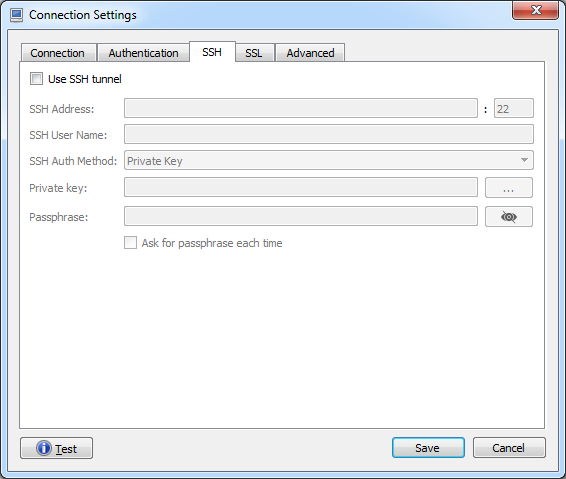
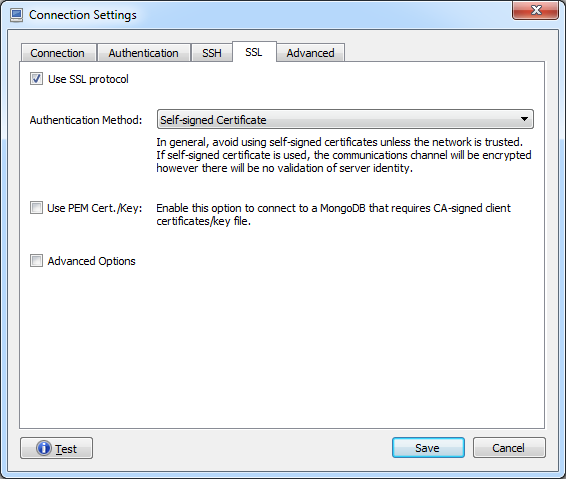
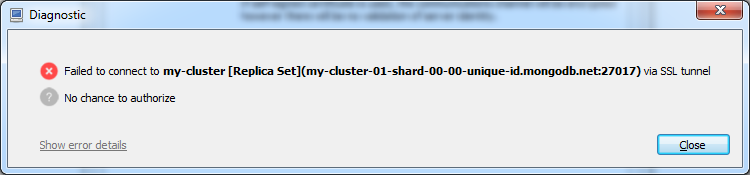
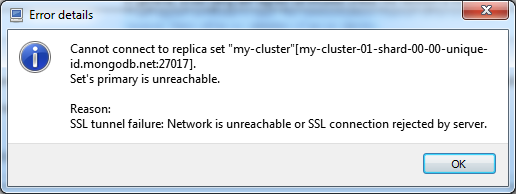
With the above config, 'my-cluster', 'unique-id' and 'my-admin' were replaced with actual values.
Am I missing anything?
Cheers,
 thammadi
on 16 Jun 2017
thammadi
on 16 Jun 2017
@simsekgokhan, Apologies. Looks like there was issue with copy paste of username with and extra '\n' appearing in the config file for username. Removing it and restarting Robomongo fixed it.
Pls ignore my previous comment.
Cheers,
thammadi
on 16 Jun 2017
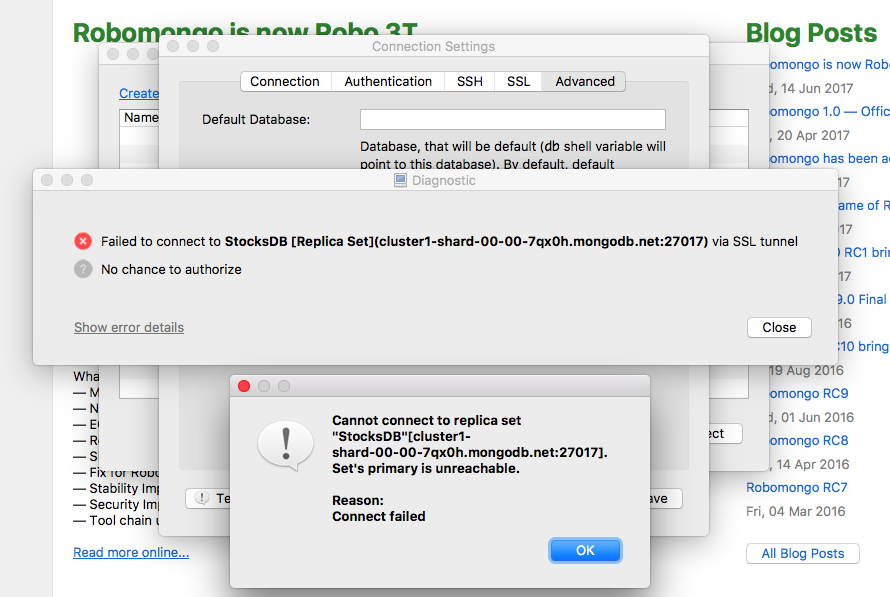
I am trying to connect to MongoDB following all the setting that are above and it returns this failure. On MongoDB website it says version 3.4.4!! Does Robo support 3.4.4?
 leovazquezz1
on 16 Jun 2017
leovazquezz1
on 16 Jun 2017
Never mind, I removed the "@admin" from the username input and that made the connection.
leovazquezz1
on 16 Jun 2017
Changing the database name to admin - seemed to work for me
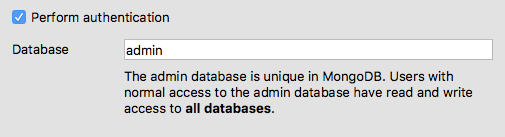
 liampmccabe
on 31 Jul 2017
liampmccabe
on 31 Jul 2017
This is how I config the connection and it works perfectly:

In my atlas, the node ...-shard-00-02 is marked as primary node. Therefore, I have to move this member to the top of the list in the connection dialog (other settings are the same as yours).
 jeebb
on 17 Aug 2017
jeebb
on 17 Aug 2017
Thanks @jeebb
 MohammedEssehemy
on 20 Aug 2017
MohammedEssehemy
on 20 Aug 2017
Before this steps please download mongodbCompass
Just goto your ->clustors page and find overview tab
than click connect button
than click connect with compass
it gives you a link copy it paste compass link part
 vahapgencdal
on 23 Sep 2017
vahapgencdal
on 23 Sep 2017
I found that the Set Name is not optional for MongoDB Atlas Cluster. Also, the way @jeebb puts it, didn't work for me. Turns out my replicaSet name was not called the same as the cluster members prefix. I found the correct one on any of the connect strings that Atlas gives.
They can be found as @vahapgencdal says on:
->clustors page and find overview tab
than click connect button.
any of the options have a replicaSet= parameter
 ztrange
on 30 Sep 2017
ztrange
on 30 Sep 2017
@ztrange indeed my replicaSet name was the issue. Thanks.
 TompiT
on 12 Oct 2017
TompiT
on 12 Oct 2017
@ztrange that's it, it worked for me as well.
 GuiEloiSantos
on 17 Oct 2017
GuiEloiSantos
on 17 Oct 2017
@ztrange Thank you very much. It worked well.
 LadikCZ
on 18 Oct 2017
LadikCZ
on 18 Oct 2017
@ztrange Following your steps i can connect to my cluster Atlas !
Unfortunately we may have found another issue:
If you only have an admin access (dbAdmin) to one DB you can't see it in the explorer, even when you set it as your default database.
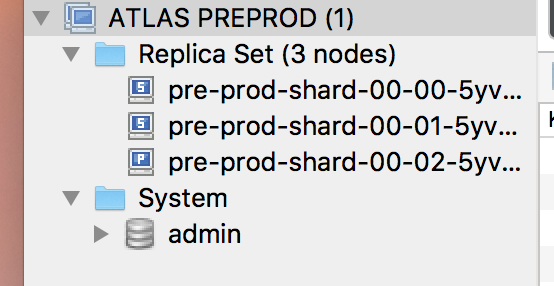
To see it in the explorer you need admin access to all the DB with dbAdminAnyDatabase which is not perfect.
 AntoineEsteve
on 15 Dec 2017
AntoineEsteve
on 15 Dec 2017
I have the same problem as AntoineEsteve.
I thought, I could just open a shell and type "use myDB". The response sais "switched to db myDb". But sadly the shell forgets that for the following requests.
As a workaround I could enter two lines:
use myDb
db.myCollection.find()
It seems, that the default database is somehow ignored.
 ChristianFinckler
on 10 Jan 2018
ChristianFinckler
on 10 Jan 2018
 Dishanx
on 21 Jan 2018
Dishanx
on 21 Jan 2018
Does anyone know why this error comes out?

 mehs2690
on 17 Feb 2018
mehs2690
on 17 Feb 2018
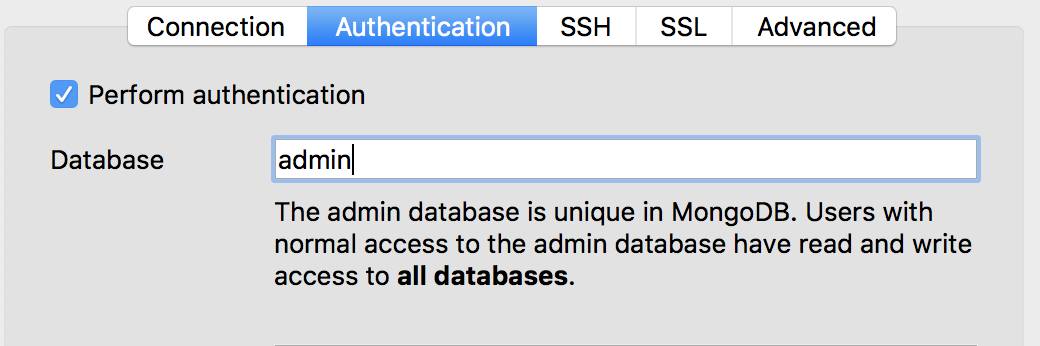
I wrote "admin" as database name and this solved my problem.
 aisemuslu
on 4 Oct 2018
aisemuslu
on 4 Oct 2018
Does anyone know why this error comes out?
same issue i am facing please guide us ... how to resolve it ..
 HOLAPH
on 2 Dec 2020
HOLAPH
on 2 Dec 2020
Related issues
 fabritw
·
3Comments
fabritw
·
3Comments
 enBonnet
·
4Comments
enBonnet
·
4Comments
 rspeed
·
4Comments
rspeed
·
4Comments
 itoonx
·
4Comments
itoonx
·
4Comments
 lborg019
·
4Comments
lborg019
·
4Comments
Most helpful comment
I found that the Set Name is not optional for MongoDB Atlas Cluster. Also, the way @jeebb puts it, didn't work for me. Turns out my
replicaSetname was not called the same as the cluster members prefix. I found the correct one on any of the connect strings that Atlas gives.They can be found as @vahapgencdal says on:
->clustors page and find overview tab
than click connect button.
any of the options have a
replicaSet=parameter