Robomongo: Robomongo 0.9 theming issues
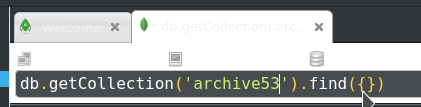
I'm running a dark theme because of reasons. Robomongo 0.8 came with it's own bright colors. That works.

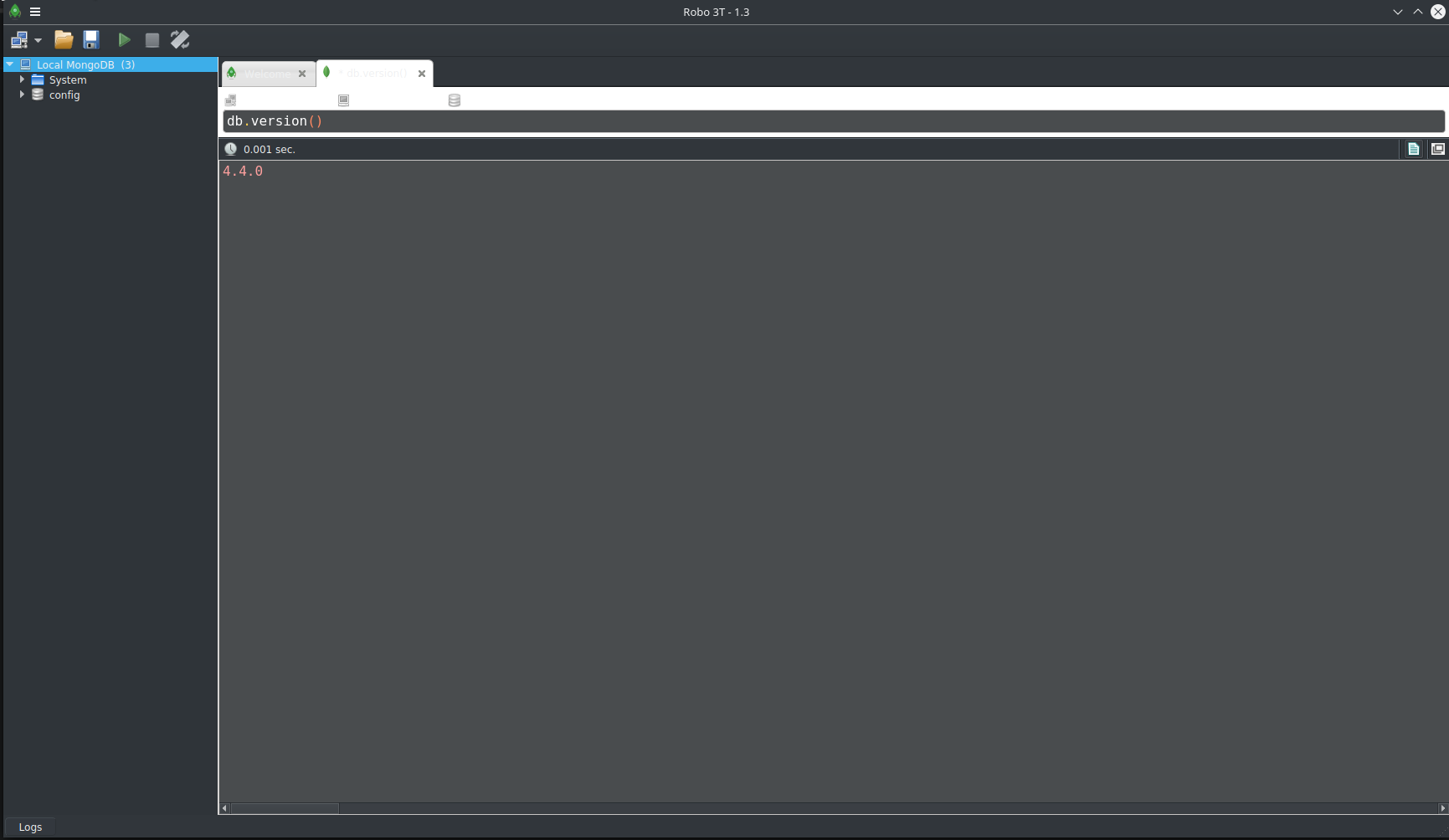
Robomongo 0.9 however seems to mix elements (tab color light, font color from theme, also light) which makes it hard to read.

Example theme: github.com: vertex-theme
 Redsandro
All 11 comments
Hi @Redsandro , thanks for reporting the issue. We will investigate the issue.
Can you tell us your OS version information and best way to reproduce the issue, just using theme github.com: vertex-theme is enough?
 simsekgokhan
on 7 Jul 2016
simsekgokhan
on 7 Jul 2016
@simsekgokhan thanks for looking into this. Yes, use the vertex-dark theme in the theme selector. Tested on Linux Mint 18 Cinnamon. Ubuntu 16.04 should do the same.
-update-
You don't need to install an external theme. In Linux Mint 18 you can choose the new Mint-Y-Dark theme, and it has the same problem. Although a tiny bit more readable.
Redsandro
on 7 Jul 2016
Hi, i use KDE5 with Breeze Dark theme and reproduce this issue.
 EGD
on 27 Jul 2017
EGD
on 27 Jul 2017
I'm also using KDE Breeze Dark theme and have the same problem. You need to use the Palette colours instead of hardcoding your colours. See http://doc.qt.io/qt-5/stylesheet-reference.html#paletterole
I'd also prefer it if Robo 3T could pick up my KDE theme, rather than just using Fusion.
 ghost
on 18 Sep 2017
ghost
on 18 Sep 2017
Is there at least temporary workaround for this issue?
 LosEagle
on 14 Mar 2018
LosEagle
on 14 Mar 2018
This still happens today. Is there any work around to force Robo 3T to use the Light colors instead of the dark ones?
 petersaints
on 19 Feb 2020
petersaints
on 19 Feb 2020
I am also facing this problem on KDE5 Breeze dark
 Lavhe
on 17 Mar 2020
Lavhe
on 17 Mar 2020
Facing the same issue with all dark themes on KDE. Including Breeze Dark
Have to shift to light theme just for this app :disappointed:
Seems simple enough please fix it asap. Or is there any workaround available?
 xidlegend
on 25 Aug 2020
xidlegend
on 25 Aug 2020
try defaults write com.3tsoftwarelabs.robo3t NSRequiresAquaSystemAppearance -bool yes
 029vaibhav
on 9 Sep 2020
029vaibhav
on 9 Sep 2020
try defaults write com.3tsoftwarelabs.robo3t NSRequiresAquaSystemAppearance -bool yes
This worked in MacOS for me
 DanielHilton
on 10 Sep 2020
DanielHilton
on 10 Sep 2020
try defaults write com.3tsoftwarelabs.robo3t NSRequiresAquaSystemAppearance -bool yes
Thanks, this also worked on macOS Catalina for me. It was unusable without this.
 ldjacobs
on 10 Sep 2020
ldjacobs
on 10 Sep 2020
Related issues
 rspeed
·
4Comments
rspeed
·
4Comments
 enBonnet
·
4Comments
enBonnet
·
4Comments
 fabritw
·
3Comments
fabritw
·
3Comments
 Imperial7
·
4Comments
Imperial7
·
4Comments
 juliashibalko
·
3Comments
juliashibalko
·
3Comments
Most helpful comment
I'm also using KDE Breeze Dark theme and have the same problem. You need to use the Palette colours instead of hardcoding your colours. See http://doc.qt.io/qt-5/stylesheet-reference.html#paletterole
I'd also prefer it if Robo 3T could pick up my KDE theme, rather than just using Fusion.