I get weird layout issues in the rise view and when I am switching back to the notebook. I used your binder example notebook to demonstrate the problem.
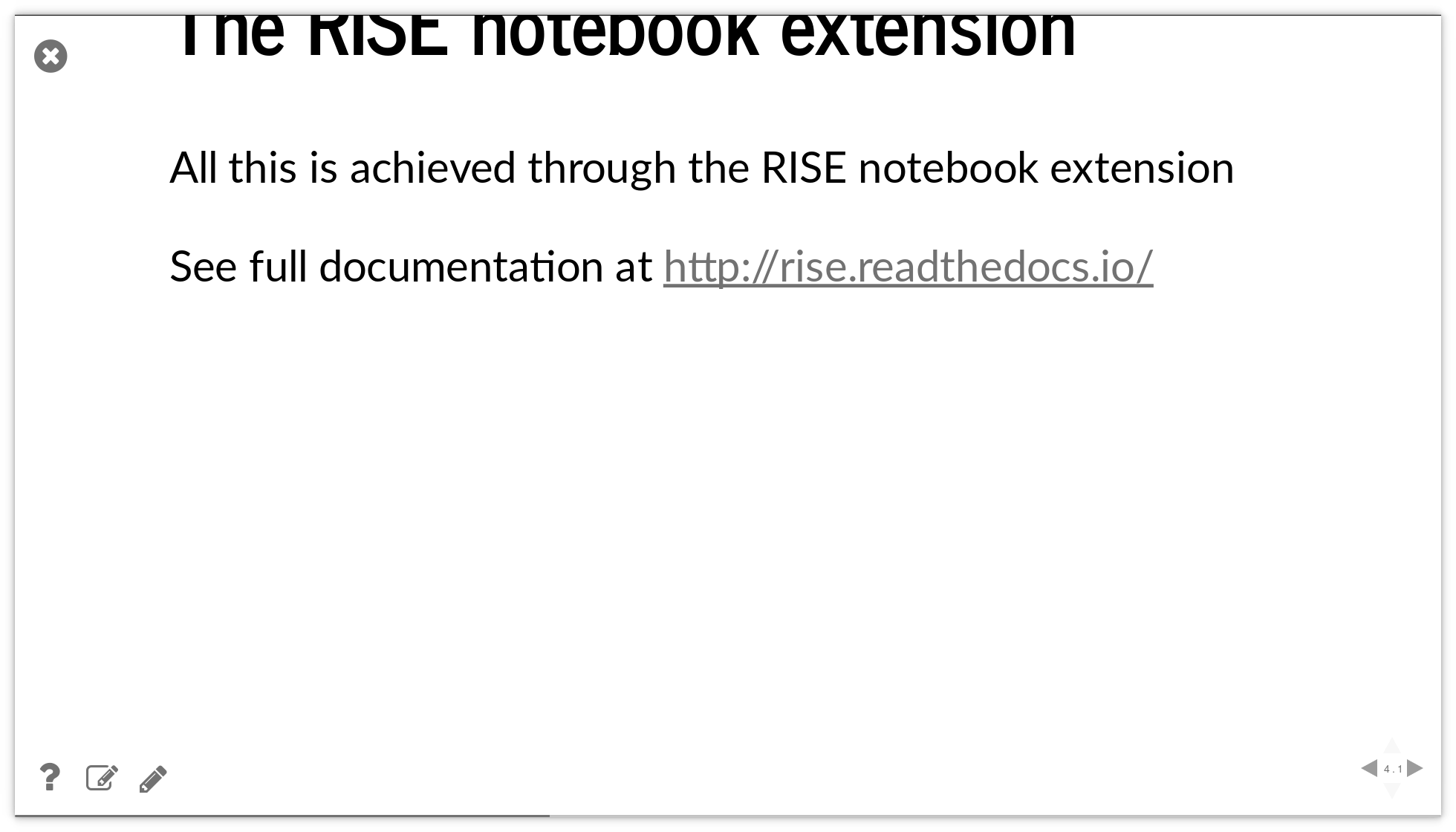
Slides are moved up and in some cases the text is out of the window:
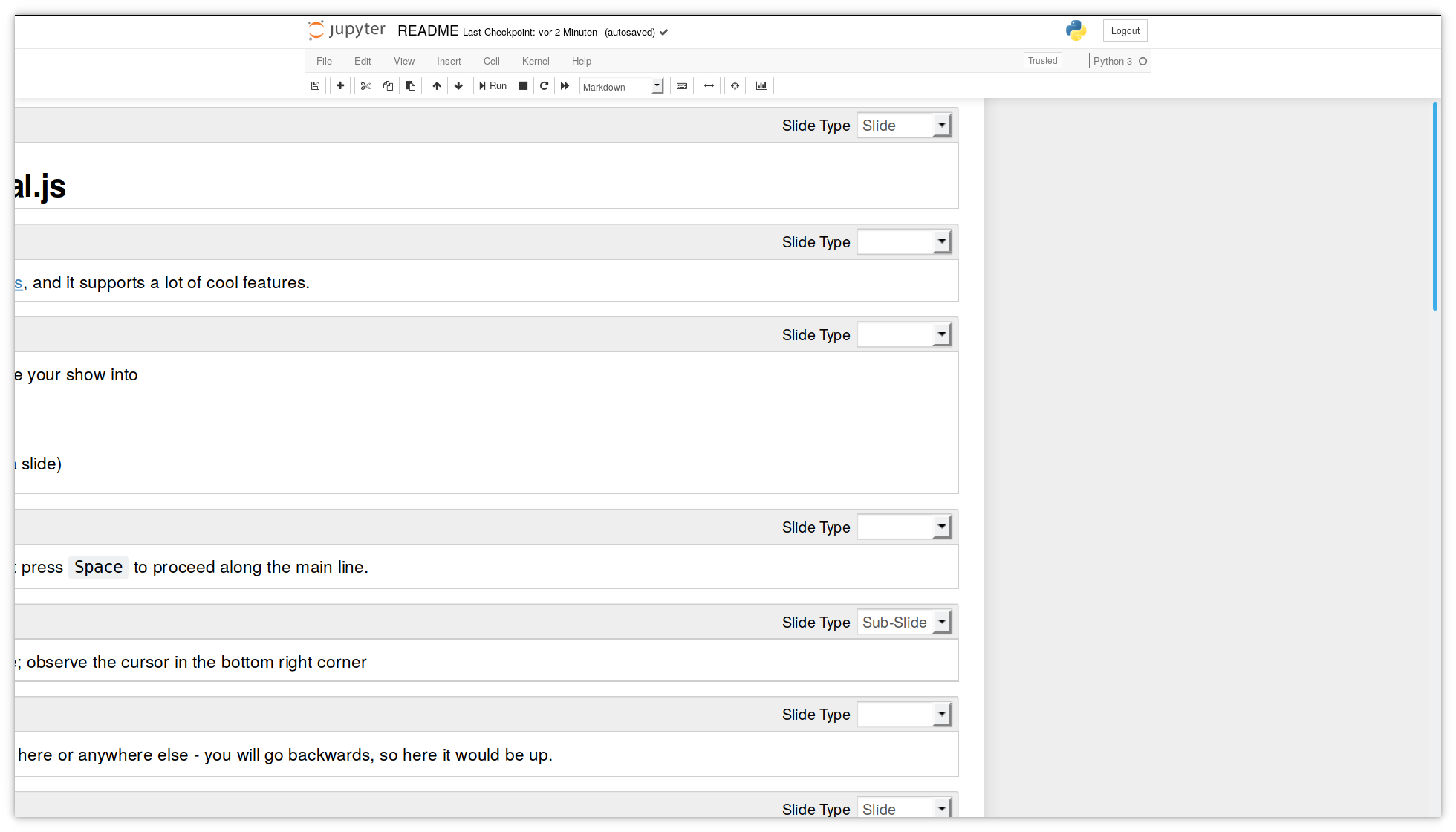
When I switch back to the notebook, the entire layout is broken:
Your online binder notebook works fine in Firefox, but runs an older version of Jupyter and Rise, right? However, my local copy works also fine in Chromium web browser. Also, at home with macOS/Safari it works fine.
So it seems, that it is the combination of Firefox and Jupyter/Rise which causes the problem. Any ideas how to solve the problem?
Used versions:
- Ubuntu 18.04.1 LTS
- Firefox 63.0 (64-Bit)
- Python 3.6.6
- IPython 7.1.1
- Jupyter 5.7.0
- RISE 5.4.1
 chdudek
All 8 comments
Your online binder notebook works fine in Firefox, but runs an older version of Jupyter and Rise, right?
I should be using the latest.
However, my local copy works also fine in Chromium web browser. Also, at home with macOS/Safari it works fine.
Your local copy work OK with Firefox as well? It is just the Binder version?
 damianavila
on 24 Dec 2018
damianavila
on 24 Dec 2018
Hi, I observe exactly the same issue using my own presentations.
Configuration :
- Fedora 29
- Firefox 64
- RISE 5.4.1
- Jupyter 4.4.0
Remarks
- I do not observe the issue with Chromium ( 70.0.3538.110)
- In slideshow mode, in order to get the text in the window, I have to zoom in to ~ 150%
- After exiting the slideshow, a refresh with
F5reset the notebook in the center.
 antoinetavant
on 11 Jan 2019
antoinetavant
on 11 Jan 2019
Hiya folks
for what it's worth, I run an online course backed with notebooks
I've had students reporting issues with firefox version 63 when it came out
I can't remember precisely what the issues were, except that the layout somehow came out wrong
So it's important that I stress this is with regular, non slide-empowered, notebooks, and under classic jupyter - not jupyterlab
So maybe this is completely unrelated, I just triggered because I saw a reference to firefox63 in this thread
it might be worth checking though, if the issue that you are experiencing is only with RISE or if it applies to regular notebooks as well.
 parmentelat
on 11 Jan 2019
parmentelat
on 11 Jan 2019
I just ran through the material that I have about the problem in our context that I was referring to
Specifically it looks like firefox 63 implements some sort of new content management policy, that is causing our symptoms;
In a nutshell, there seems to be a new policy about blocking tracking-oriented features; a student reports that
deactivating content-blocking from the shield located on the left of the URL bar, close to the padlock, solves the problem for me
Again I am not saying the 2 issues are related, but that it seems to be worth a raincheck
parmentelat
on 11 Jan 2019
Thanks for the additional information @parmentelat!
damianavila
on 12 Jan 2019
Got the same problem. Created a nice little presentation, tried it again, all messed up to the point of not usable, unfortunately.
Turns out, in my case, that it is an issue with multi-monitors. Switching off the second monitor resolves the issue. Maybe that info helps to track down the problem.
 prisae
on 19 Mar 2019
prisae
on 19 Mar 2019
There has been no movement on this issue for almost two years, and I'm not seeing this issue with the latest versions of Firefox/Jupyter/RISE; would it be appropriate to close it as out-of-date?
 kurtmckee
on 8 Jan 2021
kurtmckee
on 8 Jan 2021
right - closing
parmentelat
on 8 Jan 2021
Related issues
 csmith111
·
6Comments
csmith111
·
6Comments
 nipuli
·
4Comments
nipuli
·
4Comments
 AllenDowney
·
4Comments
AllenDowney
·
4Comments
 kmader
·
3Comments
kmader
·
3Comments
 knuesel
·
5Comments
knuesel
·
5Comments