Rise: Markdown code doesn't fill slide
(feel free to change the title; I wasn't sure what to call this)
When I have a markdown cell with a code block in it (triple backticks), this formats oddly on the slides. In particular, it doesn't fill the height of the slide but instead, even if there's more room, it will show in a scrollable box. Is there a way to change this to fill the slide instead or is this a bug? Here's something to reproduce it with.
The code in my Markdown cell is:
queue = deque()
finished = set()
current_node = start_node

while True:
    if current_node == goal_node:
        break

    for neighbor in neighbors(current_node):
        if neighbor not in finished:
            queue.append(neighbor)

    finished.add(current_node)

    while current_node in finished:
        current_node = queue.popleft()
(surrounded by backticks, with Python as the language). This is showing on my slide as:
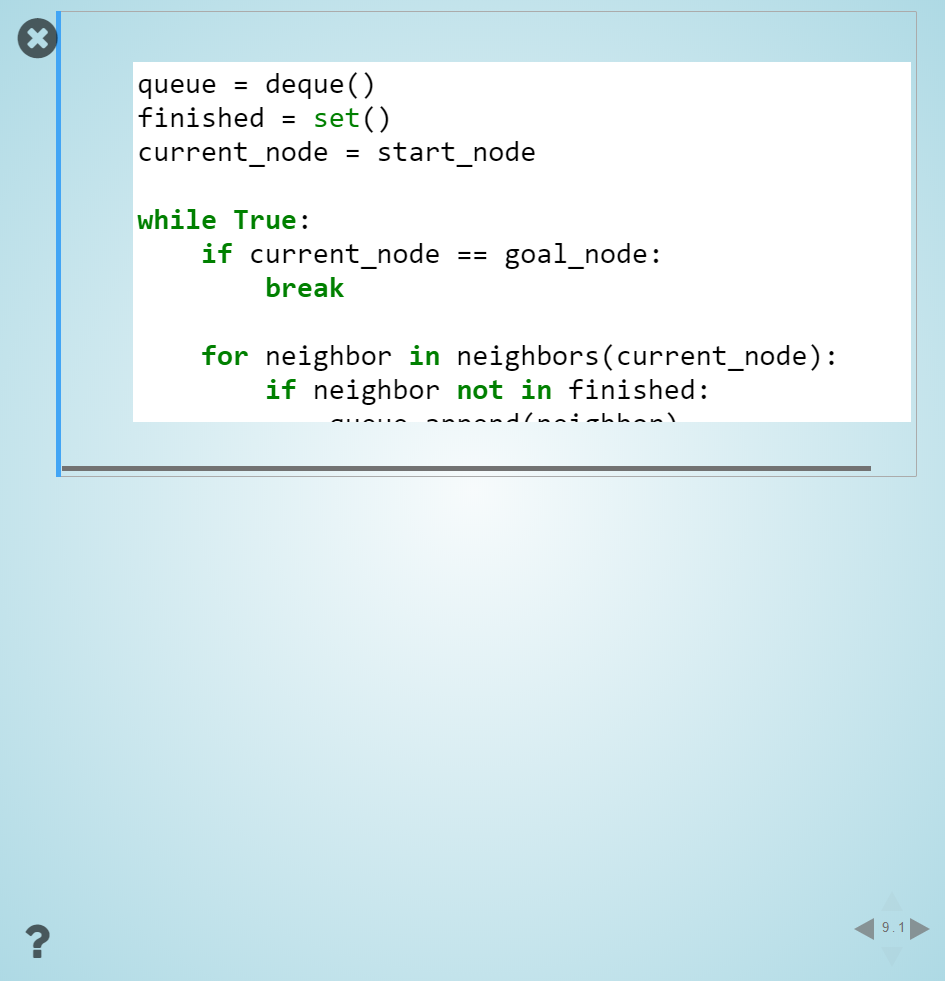
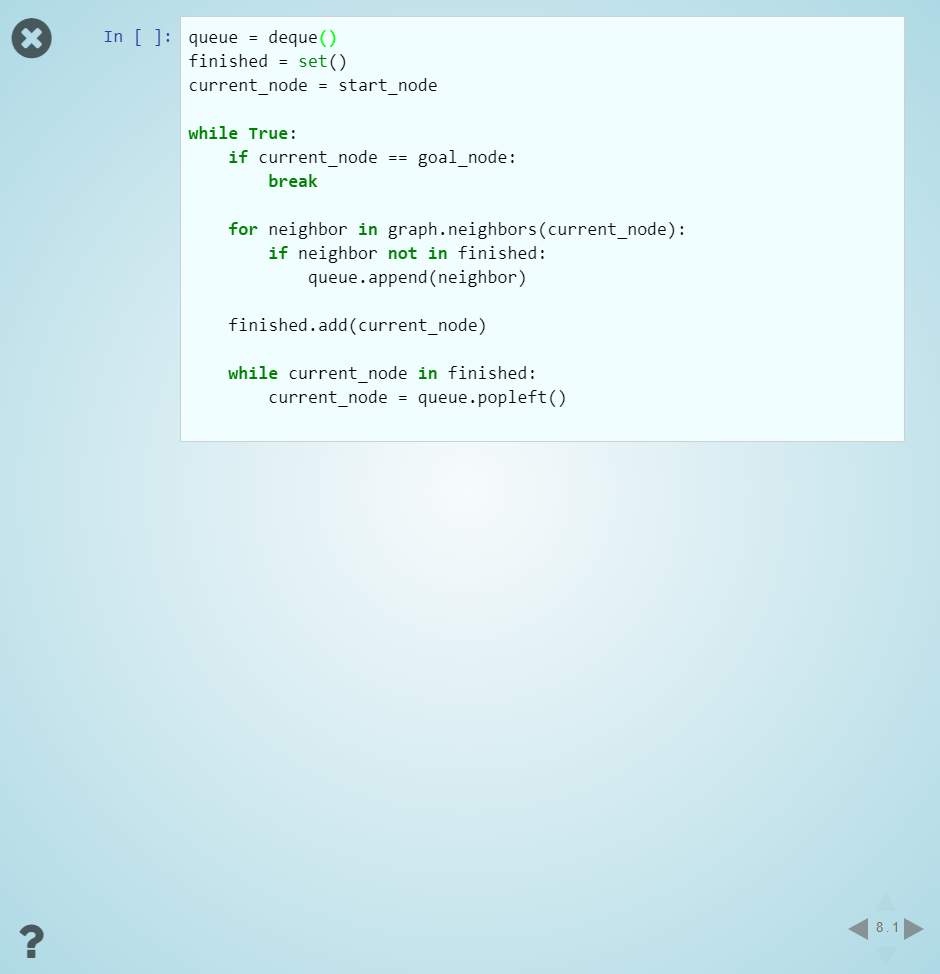
I would expect, given the space below, that it would fill that instead of making the box scrollable. My current workaround is to just use a code cell instead of code in a Markdown cell (but, if the code isn't meant to be executed, a Markdown cell is nicer):
I've confirmed that Markdown content that isn't code (e.g. a long bulleted list) will go down further in the slide; it seems only to be code that causes this.
 neighthan
All 3 comments
I've confirmed that Markdown content that isn't code (e.g. a long bulleted list) will go down further in the slide; it seems only to be code that causes this.
Interesting... I need to check the behavior before providing more feedback. Thanks for the report.
 damianavila
on 18 Apr 2018
damianavila
on 18 Apr 2018
I'm confirming this behavior, any block of code that surpasses certain height gets cut, in my case I don't see any scrollbar, here an example:

This is the content of the cell showed above:
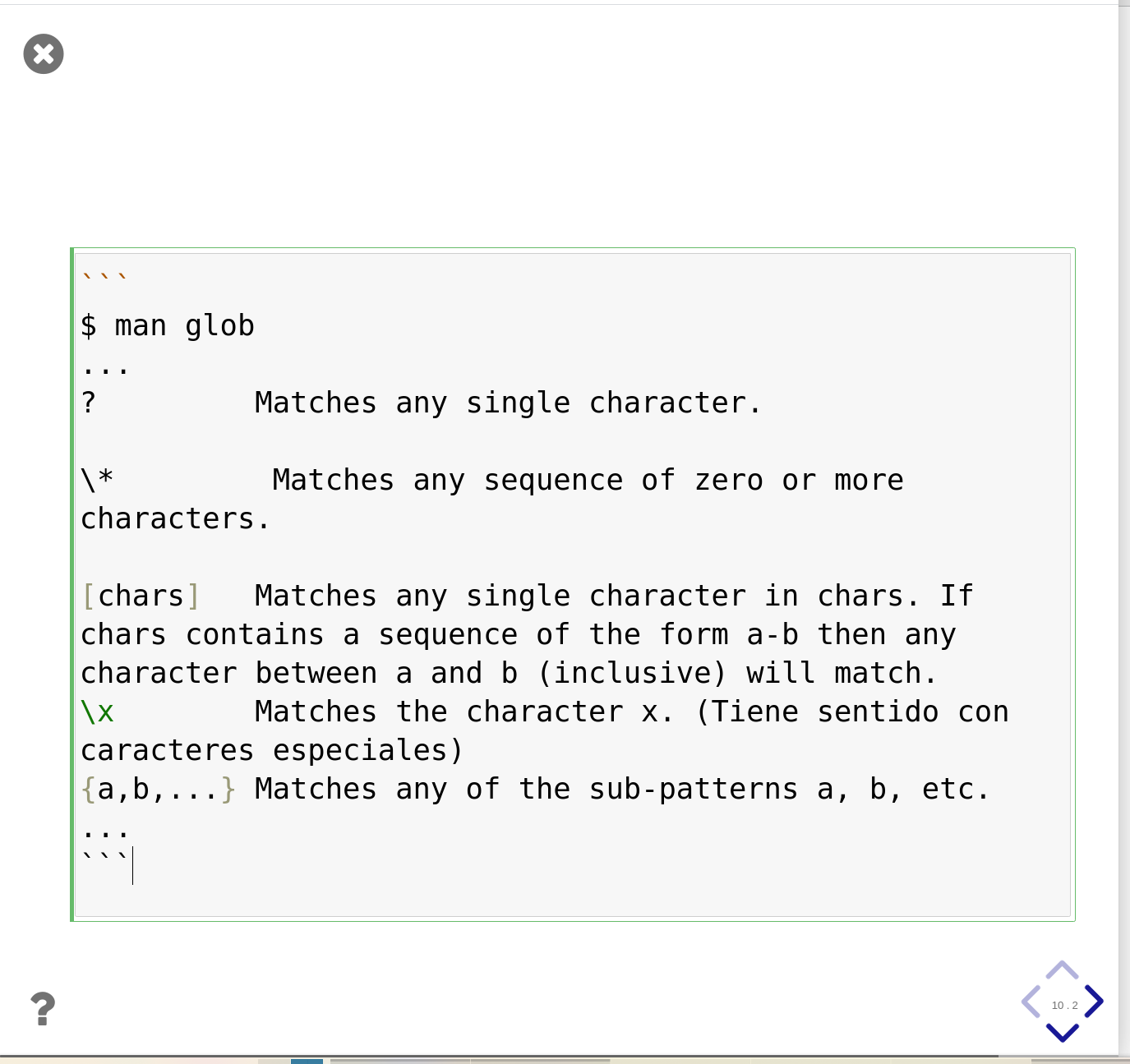
I'm using rise 5.6.1 and notebook 6.0.3
 matrs
on 14 Apr 2020
matrs
on 14 Apr 2020
@matrs thanks for the confirmation, we will take a look!
damianavila
on 15 Apr 2020
Related issues
 kmader
·
3Comments
kmader
·
3Comments
 AlJohri
·
3Comments
AlJohri
·
3Comments
 bladwig1
·
3Comments
bladwig1
·
3Comments
 rzuritamilla
·
4Comments
damianavila
·
3Comments
rzuritamilla
·
4Comments
damianavila
·
3Comments
Most helpful comment
Interesting... I need to check the behavior before providing more feedback. Thanks for the report.