Thanks for building this, it's very cool. Quick question, I was wondering if you could please let me know or add to the readme how to integrate this with vim. At the very least I'm interested in 'search and replace' globally within a repository.
Thank you.
 Neats29
All 9 comments
You could ask mileszs/ack.vim for integration of rg.
 FSMaxB
on 30 Mar 2017
FSMaxB
on 30 Mar 2017
@FSMaxB but from reading the other issues, it seems like some people are using it inside vim already, so I thought there might be a way...
Neats29
on 30 Mar 2017
My bad for not searching the internet first. There is this plugin: vim-ripgrep and this article for using with fzf :)
Neats29
on 30 Mar 2017
Sounds like you got your answer.
I wouldn't be opposed to putting links to editor integrations in the README. But since I don't use any of them myself, I probably won't do it.
 BurntSushi
on 31 Mar 2017
BurntSushi
on 31 Mar 2017
I wouldn't be opposed to putting links to editor integrations in the README. But since I don't use any of them myself, I probably won't do it.
It took me a little to figure out how to do this. Can I open a PR with some suggested context setting for folks interested in this?
 ericandrewlewis
on 7 Dec 2017
ericandrewlewis
on 7 Dec 2017
@ericandrewlewis Yeah sure! Just put it toward the bottom of the README with the other questions. (At some point, I will split it out into a proper FAQ.)
BurntSushi
on 7 Dec 2017
For the future researchers:
set grepprg=rg\ --vimgrep\ --no-heading\ --smart-case
works great with no other configuration required.
I use this mapping to open the list of the files in location list:
nnoremap <Leader>g :silent lgrep<Space>
and further navigate it:
nnoremap <silent> [f :lprevious<CR>
nnoremap <silent> ]f :lnext<CR>
 pirj
on 16 Apr 2018
pirj
on 16 Apr 2018
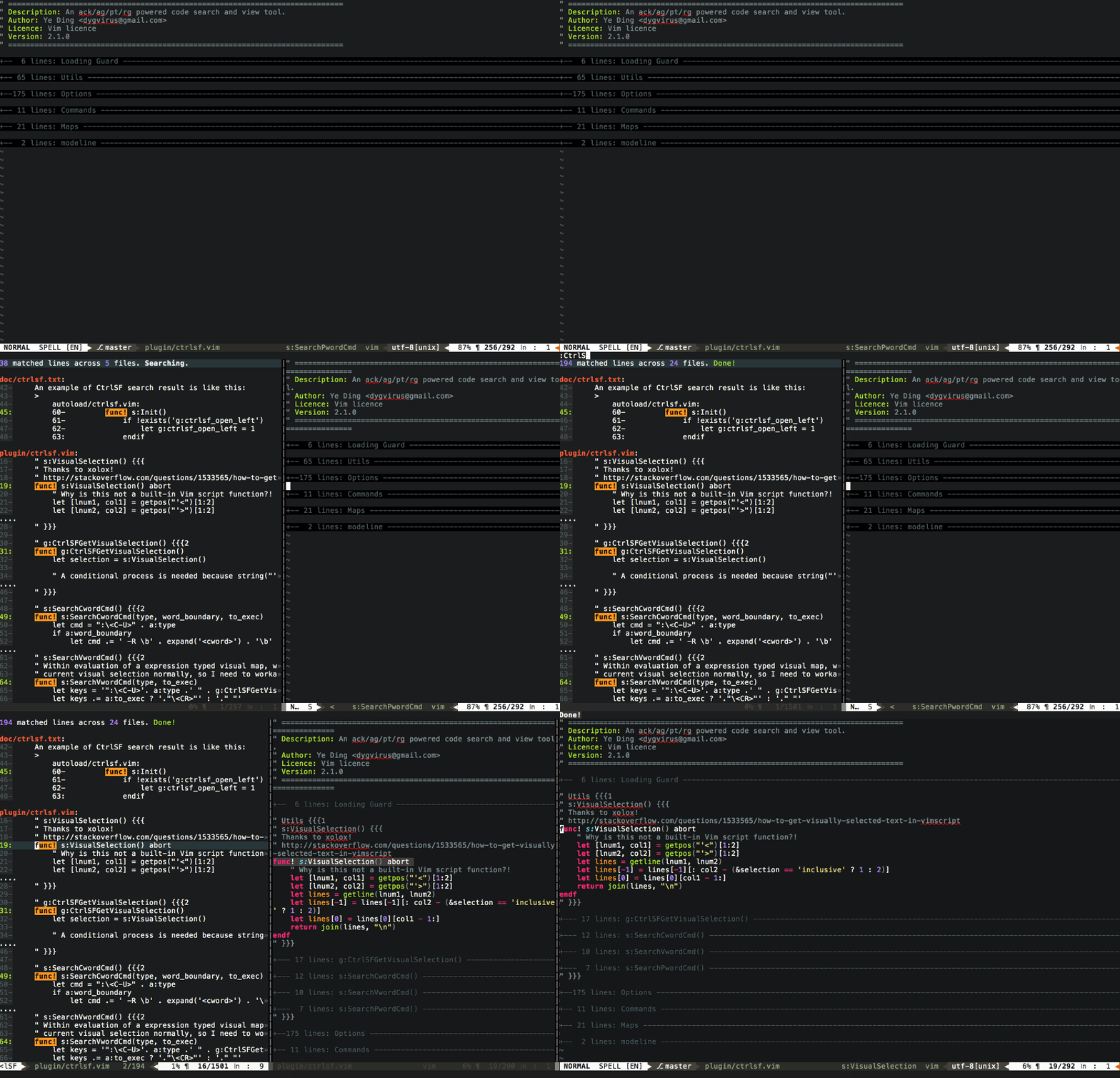
If you don't mind using a plugin, It's my pleasure to recommend my plugin ctrlsf.vim which integrates rg out of the box, and supports asynchronous searching.
 dyng
on 21 Jul 2019
dyng
on 21 Jul 2019
For the future researchers:
set grepprg=rg\ --vimgrep\ --no-heading\ --smart-caseworks great with no other configuration required.
I use this mapping to open the list of the files in location list:
nnoremap <Leader>g :silent lgrep<Space>and further navigate it:
nnoremap <silent> [f :lprevious<CR>
nnoremap <silent> ]f :lnext<CR>
As an addendum, since this issue comes up when searching for this in search engines.
Also set the format like so: set grepformat=%f:%l:%c:%m,%f:%l:%m
This will make the location list understand the output format better
 jpesce
on 1 Oct 2020
jpesce
on 1 Oct 2020
Related issues
 andschwa
·
3Comments
andschwa
·
3Comments
 danpintara
·
3Comments
danpintara
·
3Comments
 davidtwco
·
3Comments
davidtwco
·
3Comments
 daxim
·
3Comments
daxim
·
3Comments
 crumblingstatue
·
3Comments
crumblingstatue
·
3Comments
Most helpful comment
For the future researchers:
works great with no other configuration required.
I use this mapping to open the list of the files in location list:
and further navigate it: