Riot: Nothing happens after flashing STM's with tests applications
Description
I'm new to RIOT and trying to run any test or example app on STM32f3discovery or nucleo-l432kc. Flashing works well, but then nothing happens as if the board wasnt flashed
Steps to reproduce the issue
I'm trying to run /tests/leds with a command:
make flash BOARD=stm32f3discovery STLINK_VERSION=2-1
Also tried to run /examples/hello-world with:
make flash term BOARD=stm32f3discovery STLINK_VERSION=2-1
and
make flash term BOARD=nucleo-l432kc
Expected results
Blinking leds or printing hello world in terminal
Actual results
Nothing happens when using BOARD different than native (while on native port hello-world example works well)
Looking for help as I'm new to both RIOT and Linux
Versions
Operating system: Ubuntu 18.04
Build environment: GCC, gcc-arm-none-eabi
 kubazdz
All 29 comments
Can you provide a more detailed list of the tools versions you are using (just print the output of ./dist/tools/ci/print_toolchain_versions.sh) ?
It could be that your gcc-arm-none-eabi is not working. Versions >= 7.2 are recommended for RIOT.
 aabadie
on 17 Sep 2018
aabadie
on 17 Sep 2018

kubazdz
on 17 Sep 2018
@kubazdz Are you using the default arm-none-eabi-gcc from ubuntu repo ? (did you install it with sudo apt install gcc-arm-none-eabi ?
 dylad
on 17 Sep 2018
dylad
on 17 Sep 2018
Yes i did
kubazdz
on 17 Sep 2018
both "tests/led" and "examples/hello-world" are interactive applications (e.g., you'll need the terminal).
If flashing succeeded, can you confirm that BOARD=<board-name> make term opens the correct terminal device? Maybe check the output of "dmesg"?
For many boards, RIOT assumes the board will connect to a default tty device, for nucleos, that is often /dev/ttyACM0. My laptop has an integrated LTE card on ttyACM0, so Nucleo boards get "/dev/ttyACM1", which I have to add with BOARD=... PORT=/dev/ttyACM1 make term.
You can try dist/tools/usb-serial/list-ttys.sh, which should list available tty devices.
 kaspar030
on 17 Sep 2018
kaspar030
on 17 Sep 2018
Then your issue is related to #9248.
Please uninstall the ubuntu gcc-arm-none-eabi (sudo apt autoremove gcc-arm-none-eabi)
and install another toolchain like this one
afterwards it will run just fine !
dylad
on 17 Sep 2018
I did as @dylad suggested and now it looks like this (the path to arm gcc is added):

But now what i get is this:

kubazdz
on 17 Sep 2018
Could you please paste the output of
echo $PATH
edit: you didn't use sudo right ?
dylad
on 17 Sep 2018

kubazdz
on 17 Sep 2018
The only possible issue to me is a permission issue. If you're using the same terminal, you add your toolchain to the PATH variable and run make (everything without sudo) then maybe a permission is not set properly ?
dylad
on 17 Sep 2018
Your $PATH is not correct, arm-none-eabi-gcc 7.3 is added after /usr/bin (where the old version resides). You should do export PATH=/home/kuba/Downloads/gcc-arm-none-eabi-7xxxx/bin:$PATH and you'll use the right version of all tools (including objcopy)
aabadie
on 17 Sep 2018
Now it looks like this, and still no leds blink after flashing

kubazdz
on 17 Sep 2018
Could you also paste the whole output of the flash/run process please ?
dylad
on 17 Sep 2018
Since you changed your compiler, did you also run the make clean command ?
dylad
on 17 Sep 2018
I did run make clean.
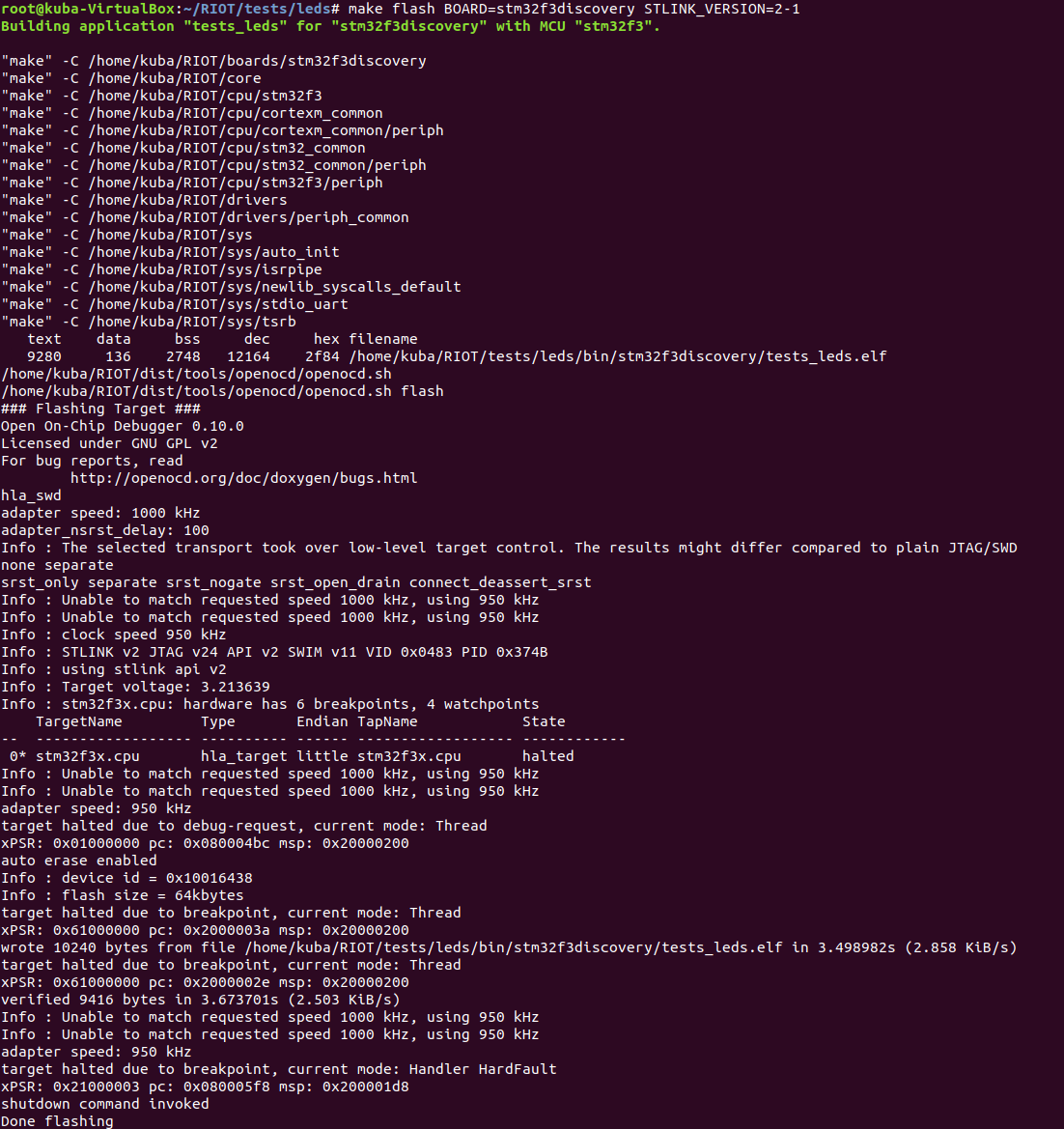
kubazdz
on 17 Sep 2018
target halted due to breakpoint, current mode: Handler HardFault
@aabadie is it even normal ?
dylad
on 17 Sep 2018
No, it's not normal. It means that when the program started execution it went into HardFault directly. Something might be wrong on the linking phase.
@kubazdz can you paste the output of:
$ arm-none-eabi-readelf bin/stm32f3discovery/test_leds.elf
You still run everything as root though, thus I strongly recommend to either change the user or create a new user.
 kYc0o
on 17 Sep 2018
kYc0o
on 17 Sep 2018
@kYc0o I printed it all but skipped a part of a symbol table:

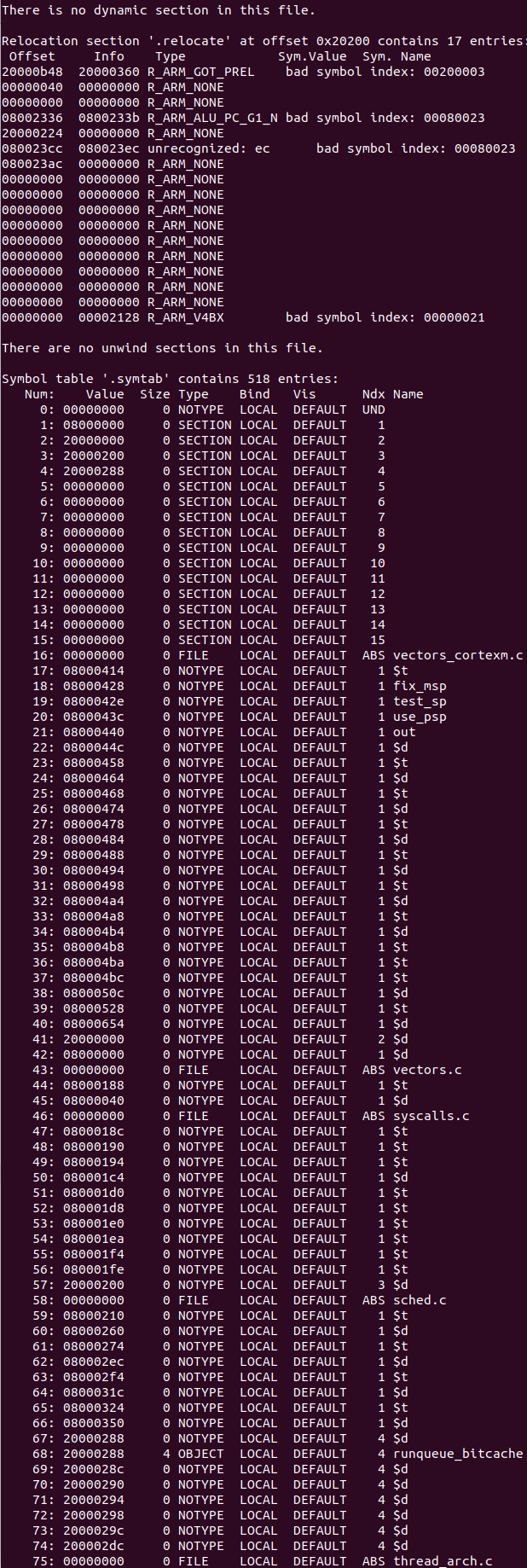
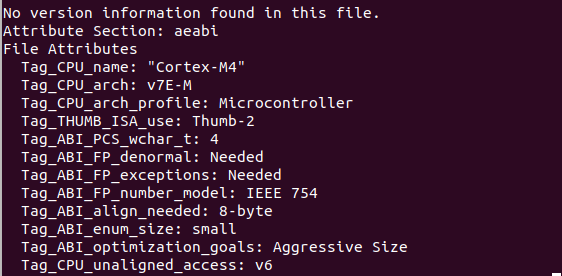
kubazdz
on 18 Sep 2018
Here's output of flashing nucleo-l432kc. There's nothing about HandlerFault and it still doesn't work:
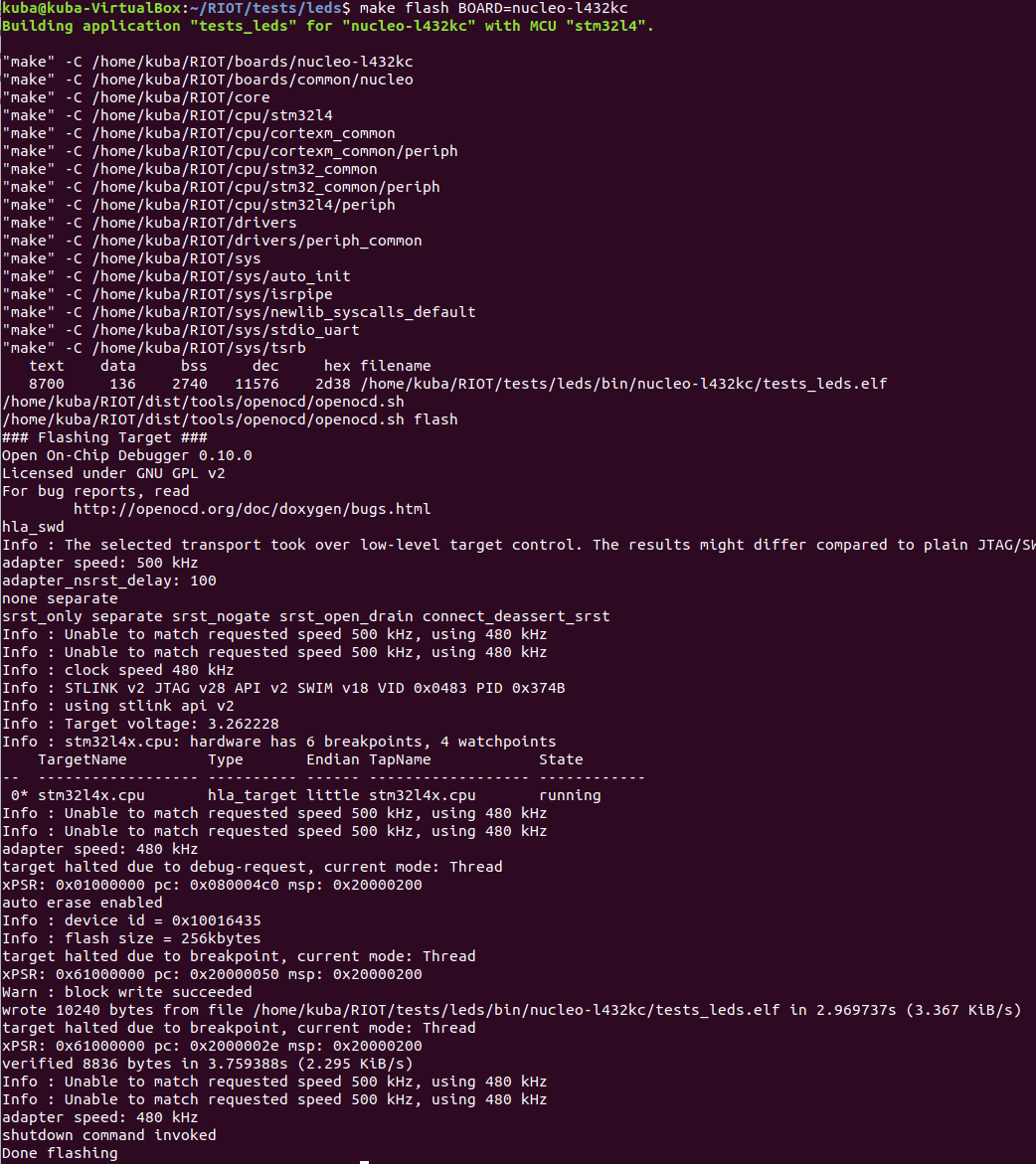
I have no idea how to solve it, the arm-none-eabi is now 7.3.1 version which seems right and still no output on leds and in terminal
kubazdz
on 18 Sep 2018
If I understand correctly, the firmware is built with success and the board is flashed but you don't see the LEDs blinks ?
Since you are trying on a Nucleo board, this is probably related to the AUTO_INIT_LED0 macro that prevents the LED0 pin from being initialized (because it's shared with the SPI CLK pin).
Can you build your firmware with the following command:
CFLAGS=-DAUTO_INIT_LED0 make BOARD=nucleo-l432kc flash term
And tell us if it solves your problem ?
aabadie
on 18 Sep 2018
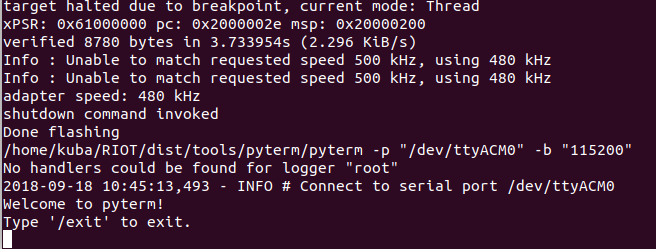
It worked, LED is blinking thank you very much. But still there's a problem with terminal. When I run hello-world example, the diode turns on which means that program runs, but there is no output in terminal (pyterm)
kubazdz
on 18 Sep 2018
Can you paste the output of dist/tools/usb-serial/list-ttys.sh
Did you also try with another terminal like minicom/picocom ?
dylad
on 18 Sep 2018
No I didn't. Only pyterm, which is default for RIOT (I guess). It runs well but has no output

kubazdz
on 18 Sep 2018
Here's how it looks like, after flashing hello-world
kubazdz
on 18 Sep 2018
You have 2 serial ports opened. Do you have 2 boards plugged ?
The RIOT build system gives the possibility to select the serial port that will be used by the term target (maybe one of the following command will work):
CFLAGS=-DAUTO_INIT_LED0 make PORT=/dev/ttyACM0 BOARD=nucleo-l432kc flash term
CFLAGS=-DAUTO_INIT_LED0 make PORT=/dev/ttyACM1 BOARD=nucleo-l432kc flash term
Yes, I have nucleo and stm32f3discovery. ACM0 is nucleo and as you see it connects to it (when I unplug the board it warns that it lost connection) but the problem is, there is no output. I don't know what am I doing wrong because when I run the same program using native, everything works fine
kubazdz
on 18 Sep 2018
I just tested with a nucleo-l432kc and the output is printed before the terminal is attached to the serial port. Solution: press the reset button.
For the stm32f3discovery, the serial port is not accessible from the USB ST-Link, you have to plug a serial to USB adapter to PA9(RX)/PA10(TX) pins and then it works (still after a board reset, with the black button)
aabadie
on 18 Sep 2018
Ah right it works, kinda embarrasing that i didn't think about it... Thank you very much!
kubazdz
on 18 Sep 2018
Then let's close this one !
aabadie
on 18 Sep 2018
Related issues
 OlegHahm
·
4Comments
kaspar030
·
6Comments
OlegHahm
·
4Comments
kaspar030
·
6Comments
 romainvause
·
3Comments
romainvause
·
3Comments
 miri64
·
3Comments
miri64
·
3Comments
 hcnhcn012
·
5Comments
hcnhcn012
·
5Comments
Most helpful comment
Ah right it works, kinda embarrasing that i didn't think about it... Thank you very much!