Rigs-of-rods: Banshee idle sound and texture issues
RoR 4.5.0
https://youtu.be/QkW_n7mcXOk
RoR 4.7.0+
https://youtu.be/xgMutNbPbIc
 Speciesx
All 8 comments
Uhh, the sound issue looks nasty. I'm worried it's something related to our sound library, ever since we switched from the proprietary OpenAL demo to OpenAL-Soft, sounds have been coming out different, notably the diesel turbo sound.
The textures will be something with managedmaterials, those guys are tricky to get right without making a mess.
 only-a-ptr
on 17 Sep 2017
only-a-ptr
on 17 Sep 2017
@only-a-ptr
The sound issue comes randomly, most of the time it works, but sometimes i get this sound issue on many vehicles.
Speciesx
on 17 Sep 2017
its not a sound issue. its a engine option issue.
http://docs.rigsofrods.org/vehicle-creation/fileformat-truck/#engoption
 fidoj
on 18 Sep 2017
fidoj
on 18 Sep 2017
@fidoj Can you be more specific? If that were the problem, why would it differ across RoR versions with the same truck? Does it happen for you? Did you try to reproduce it?
@Speciesx Try to find some patterns please. What if you restart your machine and start RoR right away, does it happen? It may be sensitive to number of apps running on background (CPU load). What's your hardware/OS anyway?
only-a-ptr
on 18 Sep 2017
@only-a-ptr
i5 4670
16GB RAM
AMD RX 480
X-Fi Titanium
Windows 10 x64
Speciesx
on 21 Sep 2017
The texture issues are caused by the "AurigaPaint" shader (made by Miura) that some modders used. The version they used broke in 0.4.6.0 afaik. I was wondering if there would ever be a fix for it until I found a solution by accident. I spawned in another mod that used the shader (a mod of dmtactical's Honda Civic, not publicly released) so I figured it would be broken as well, but to my surprise, it worked fine. Loading any other mod afterwards also caused their materials to work.

Comparing the two "AurigaMatPaint.cg" files: (Banshee's on the left, Civic's on the right):
https://www.diffchecker.com/oLTjIOyu
 ghost
on 22 Sep 2017
ghost
on 22 Sep 2017
This is fixed now
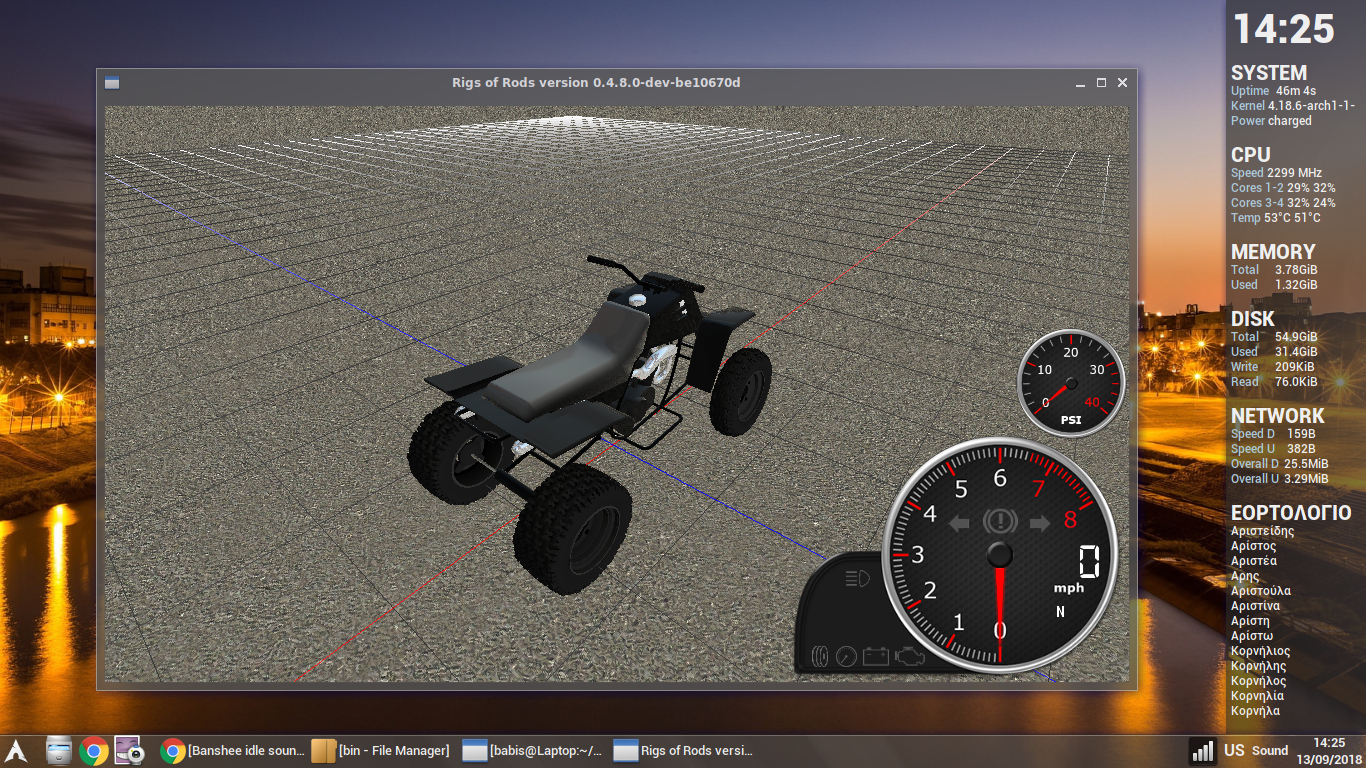
I tested with #1538
 tritonas00
on 13 Sep 2018
tritonas00
on 13 Sep 2018
This is fixed in master also, you can close the issue.
tritonas00
on 24 Sep 2018
Related issues
 zacharylROR
·
3Comments
tritonas00
·
10Comments
zacharylROR
·
3Comments
tritonas00
·
10Comments
 CuriousMike56
·
12Comments
only-a-ptr
·
6Comments
CuriousMike56
·
6Comments
CuriousMike56
·
12Comments
only-a-ptr
·
6Comments
CuriousMike56
·
6Comments