Rg.plugins.popup: I am having issues displaying popups when my app is on y external monitor
💬 Questions and Help
For questions or help we recommend checking:
- The Xamarin tag in Stack Overflow
- The General slack channel in the Xamarin Slack
- Ask your question in the Xamarin Forums
 ajtruckle
All 10 comments
I am new to using this excellent library so this might be something I am doing.
Here is my XAML code so far:
<?xml version="1.0" encoding="UTF-8" ?>
<pages:PopupPage
    x:Class="ElderlyInfirmRota.Pages.EditNamePopupPage"
    xmlns="http://xamarin.com/schemas/2014/forms"
    xmlns:x="http://schemas.microsoft.com/winfx/2009/xaml"
    xmlns:animations="clr-namespace:Rg.Plugins.Popup.Animations;assembly=Rg.Plugins.Popup"
    xmlns:pages="clr-namespace:Rg.Plugins.Popup.Pages;assembly=Rg.Plugins.Popup">
    <!--  You can set an animation in the xaml file or in the csharp code behind  -->
    <pages:PopupPage.Animation>
        <animations:ScaleAnimation
            DurationIn="400"
            DurationOut="300"
            EasingIn="SinOut"
            EasingOut="SinIn"
            HasBackgroundAnimation="True"
            PositionIn="Center"
            PositionOut="Center"
            ScaleIn="1.2"
            ScaleOut="0.8" />
    </pages:PopupPage.Animation>

    <Frame
        Margin="50,0,50,0"
        BackgroundColor="{AppThemeBinding Dark=#2C2C2F,
                                          Light=White}"
        CornerRadius="10"
        HorizontalOptions="Center"
        VerticalOptions="Center"
        WidthRequest="400">
        <StackLayout
            Padding="10"
            HorizontalOptions="Center"
            VerticalOptions="Center">
            <Image
                Margin="0,0,0,10"
                HorizontalOptions="Center"
                Source="AppIcon" />
            <Label
                x:Name="HeadingLabel"
                Margin="0,0,0,10"
                HorizontalOptions="Center"
                Text="Add / Edit Name" />
            <Label x:Name="NameLabel" Text="Name:" />
            <Entry
                x:Name="NameEntry"
                HorizontalOptions="Fill"
                Placeholder="Enter name" />
            <Grid HorizontalOptions="Fill">
                <Grid.ColumnDefinitions>
                    <ColumnDefinition Width="*" />
                    <ColumnDefinition Width="*" />
                </Grid.ColumnDefinitions>
                <Button
                    x:Name="OKButton"
                    Grid.Column="0"
                    Margin="20"
                    Padding="10"
                    BackgroundColor="#68686B"
                    Clicked="OKButton_Clicked"
                    HorizontalOptions="Fill"
                    Text="OK"
                    TextColor="White" />
                <Button
                    x:Name="CancelButton"
                    Grid.Column="1"
                    Margin="20"
                    Padding="10"
                    BackgroundColor="#68686B"
                    Clicked="CancelButton_Clicked"
                    HorizontalOptions="Fill"
                    Text="Cancel"
                    TextColor="White" />
            </Grid>
        </StackLayout>
    </Frame>

</pages:PopupPage>
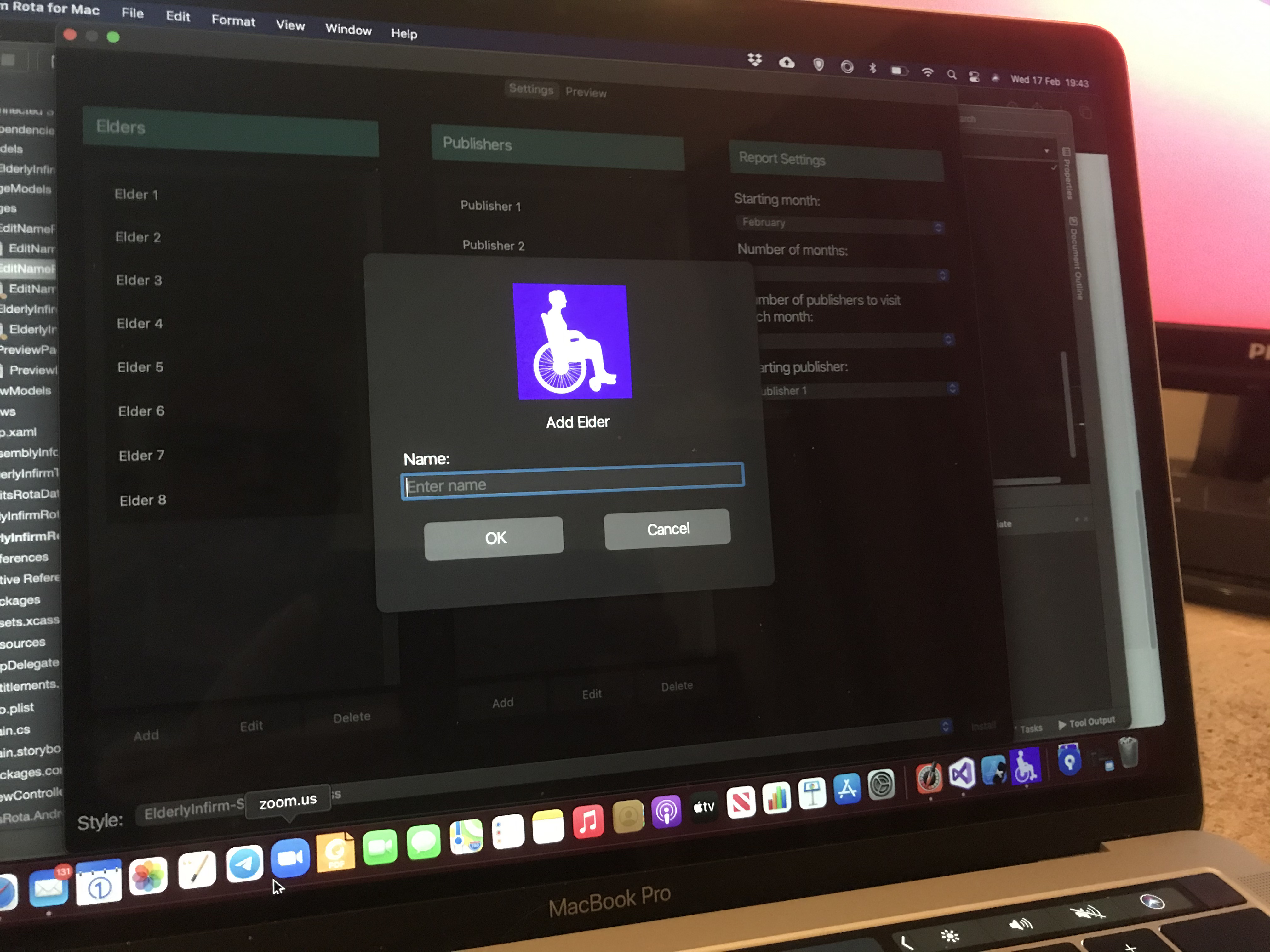
When I run this on my MacBook Pro I have no problems displaying pop-up windows:
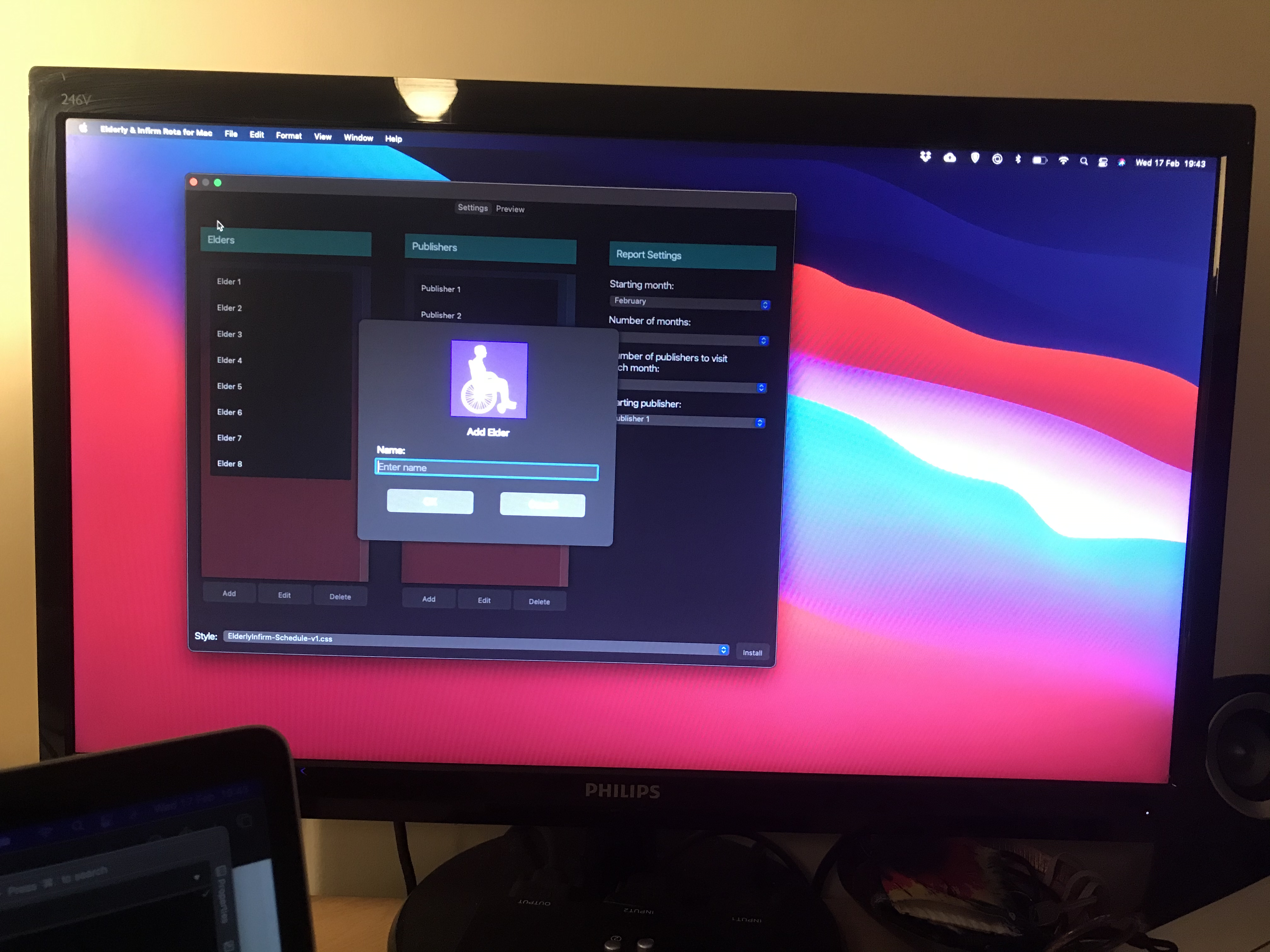
I can drag my window (with this popup visible) over to my external monitor:
And I can dismiss the popup by clicking Cancel etc. But, when I am on my external monitor, when I try to display the popup I get:
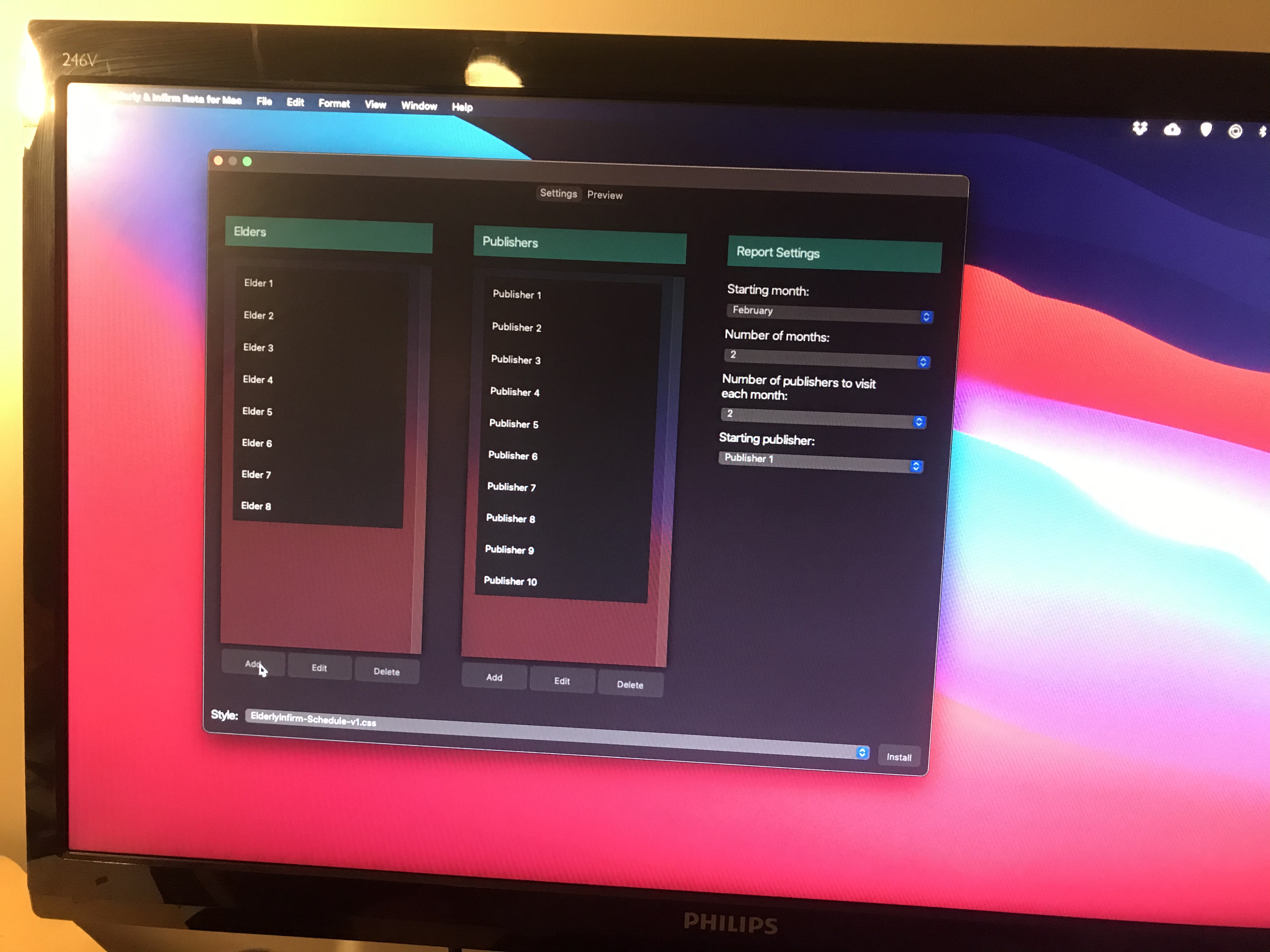
I see that something happened, as in that subtle background change when a popup shows. And I can click that background and it mimics closing the popup. But there is no popup. It refuses to display when I try to invoke it on my external monitor.
ajtruckle
on 17 Feb 2021
@ajtruckle can you provide me with an example zip, I can try and give this a look into.
This rings a bell as an issue, it may have happened before. it is a small use case scenario so im not surprised you are finding issues surrounding it.
 LuckyDucko
on 17 Feb 2021
LuckyDucko
on 17 Feb 2021
I could privately zip up my project folder and email it to you somehow if you like.
ajtruckle
on 17 Feb 2021
@ajtruckle if you can confirm there is nothing funky you have done in any code behind, I might just grab this example xaml and make a project that is basically
mainpage has 1 button
this button opens the popup.
And I can try and work things from there?
LuckyDucko
on 17 Feb 2021
I certainly have nothing funky.
I am learning all this.
I use some set / get preferences and and subscribe/send messages to transferring information.
What I can tell you is that my external screen is not a retinae enabled display like the laptop screen. So it is not as hitch as the laptop screen. Yousee a difference to the colours as you move the window from one display to the other. I do not know what tech is going on behind the scenes.
All I know is that I can't display the window when I drag it to the external display and then click my button (for a macOS build).
ajtruckle
on 17 Feb 2021
I use some set / get preferences and and subscribe/send messages to transferring information.
if you are looking for awaiting results of a popup page, acaliaro has a method for that here, I do have a plugin as well here
So, for a quick fix @ajtruckle it seems that the issue is the system padding, and how it is calculated between screens. I believe this has something to do with the different resolutions of the screens, with Mac laptops always having unusual screen resolution. if you are able to plug in two monitors of the same resolution, set your main screen as one of those monitors and compare, I could confirm it.
However, for a quick fix, set system padding to equal false on the page.
LuckyDucko
on 17 Feb 2021
I will look at those links. Thanks. How do I set system padding equal to false on the page?
ajtruckle
on 18 Feb 2021
ah sorry should've added an example
<rg:PopupPage xmlns="http://xamarin.com/schemas/2014/forms"
              xmlns:x="http://schemas.microsoft.com/winfx/2009/xaml"
              xmlns:rg="http://rotorgames.com"
              x:Class="Demo.Pages.FirstPopupPage"
              HasSystemPadding="False">
@LuckyDucko Works. 😀👍
ajtruckle
on 18 Feb 2021
While im glad the workaround is working, we still have a system padding issue here, so I am keeping this ticket open
LuckyDucko
on 4 Mar 2021
Related issues
 Phenek
·
6Comments
Phenek
·
6Comments
 Nessitro
·
5Comments
Nessitro
·
5Comments
 DevendraMaran
·
4Comments
DevendraMaran
·
4Comments
 YZahringer
·
4Comments
YZahringer
·
4Comments
 luis-barreira
·
5Comments
luis-barreira
·
5Comments