Rg.plugins.popup: Popup doesn't resize when the app resumes
Steps to reproduce:
- Display a Popup and click on some editor to open the Soft Keyboard
- Go to Home Screen
- Go back to the app
You'll see that where the keyboard should be, now there's the page behind the popup.
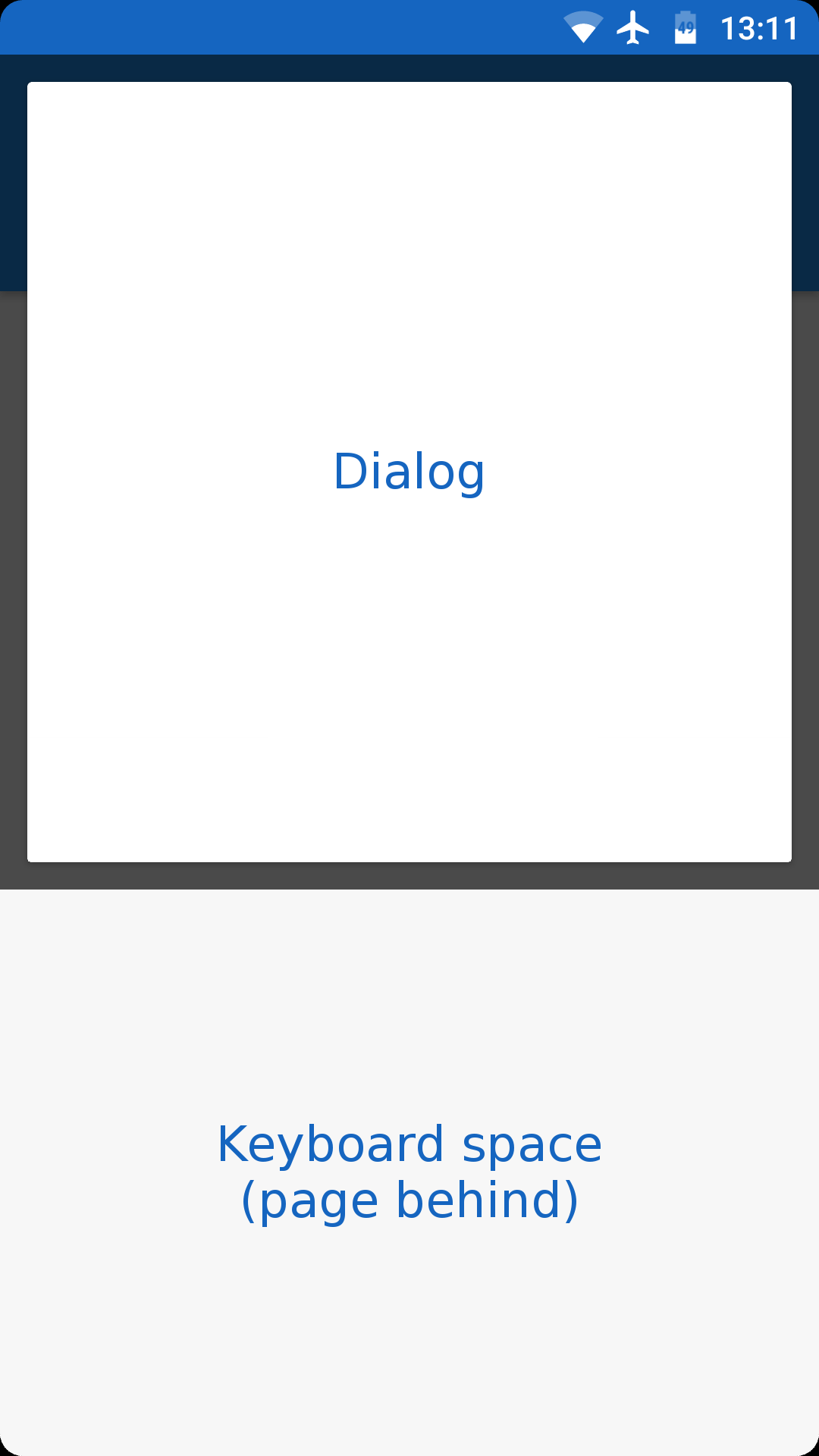
I think that the correct approach would be either re-open the keyboard or resize the popup.
 luccasclezar
All 11 comments
@luccasclezar Hi. What version of popup plugin and xamarin forms did you use? Is it Android or iOS?
 rotorgames
on 28 Dec 2017
rotorgames
on 28 Dec 2017
Xamarin.Forms: 2.5.0.121934
Rg.Plugins.Popup: 1.1.0-pre5
I only tested on Android.
luccasclezar
on 28 Dec 2017
Ok this occurs also on the latest pre release as well on Android. Best to test with the device.
 EmilAlipiev
on 12 Jan 2018
EmilAlipiev
on 12 Jan 2018
@luccasclezar @EmilAlipiev Could you test it with the last beta build (>=1.1.3.120-beta) from Development NuGet: https://ci.appveyor.com/nuget/rg-plugins-popup-p6l5elugev99?
I will be so grateful.
rotorgames
on 30 Jan 2018
Tested with 1.1.3.120-beta and the issue persists.
luccasclezar
on 30 Jan 2018
@luccasclezar What version of Android did you use?
rotorgames
on 31 Jan 2018
I tested on Android 6 device sony Xperia z3, it doesnt occur for me anymore
EmilAlipiev
on 31 Jan 2018
Confirmed on Android 7.0+
rotorgames
on 31 Jan 2018
I have fixed it in the beta release v1.1.3.127-beta. You can test it from the development NuGet: https://ci.appveyor.com/nuget/rg-plugins-popup-p6l5elugev99
P.S. Not afraid to reopen this issue if you have this problem again.
Thanks
rotorgames
on 31 Jan 2018
Yeah, I can confirm it's really fixed!
Thanks!
luccasclezar
on 31 Jan 2018
@luccasclezar Thank you for your report.
rotorgames
on 31 Jan 2018
Related issues
 ShahmanTeh
·
6Comments
ShahmanTeh
·
6Comments
 tranb3r
·
6Comments
tranb3r
·
6Comments
 Himanshuvc
·
5Comments
Himanshuvc
·
5Comments
 YZahringer
·
4Comments
YZahringer
·
4Comments
 IaamRich
·
6Comments
IaamRich
·
6Comments
Most helpful comment
I have fixed it in the beta release v1.1.3.127-beta. You can test it from the development NuGet: https://ci.appveyor.com/nuget/rg-plugins-popup-p6l5elugev99
P.S. Not afraid to reopen this issue if you have this problem again.
Thanks