Revolution: File Browser allows silent overwriting of files
MokoJumbie created Redmine issue ID 8371
The File Browser should notify you if a file will be overwritten when uploading files. Currently, a file can be overwritten on upload without even a warning.
 MokoJumbie
All 7 comments
Going to test this today.
 RinzeVanDerBrug
on 3 Mar 2017
RinzeVanDerBrug
on 3 Mar 2017
Able to reproduce this.
Tested this in MODX 2.5.5. When uploading a file with a name which already exists in the file manager, the system will tell you your upload was successful. When you refresh the file manager afterwards, you'll see that the existing file is still there and the file you uploaded 'successfully' is nowhere to be found.

Confirmed. #modxbughunt
RinzeVanDerBrug
on 3 Mar 2017
Tested it in MODX 3.0 and it is still actual for MODX 3.0.
And actual for drag&drop packages in package manager.
You can see also on the demo in #13851
 meshkov
on 24 Jun 2018
meshkov
on 24 Jun 2018
This problem is very relevant so far. Almost on all sites that i create, i have to make image renaming plugins to avoid duplicate names. At the same time, silent renaming does not work if you rename a file already uploaded to the server.
I reproduced on the current dev branch MODX 3.x. Any ideas for fixing this problem?
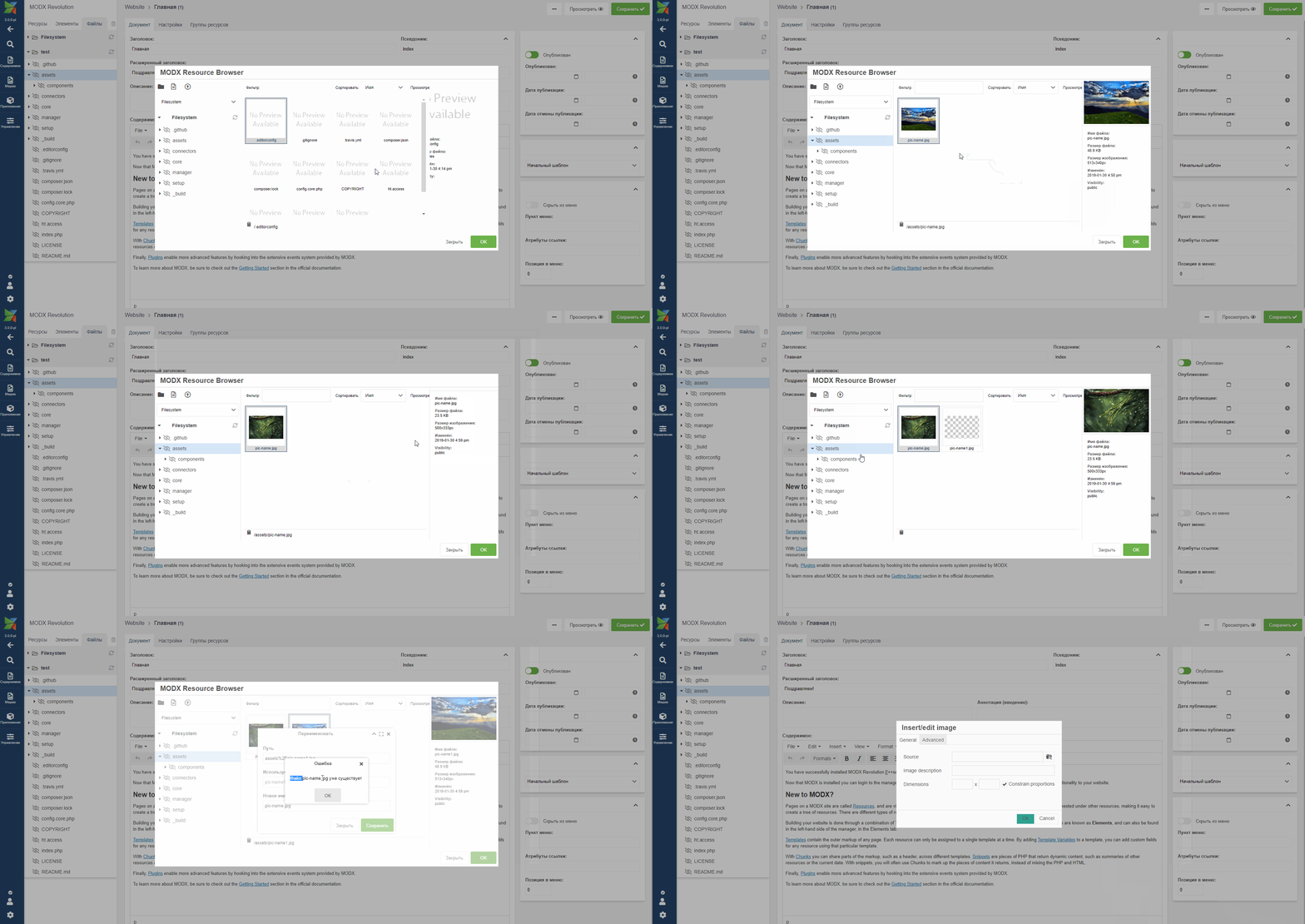
 iWatchYouFromAfar
on 30 Jan 2019
iWatchYouFromAfar
on 30 Jan 2019
Silently overwriting doesn't seem good. A confirmation of overwriting the file would be the best UX here.
 sebastian-marinescu
on 1 Feb 2019
sebastian-marinescu
on 1 Feb 2019
Rather than failing to upload or overwriting a file it should add _1, _2, _3 or similar to the filename of the duplicates. This is what most browser downloads do.
 pyrographics
on 15 Feb 2019
pyrographics
on 15 Feb 2019
Improved in #15232
@modxbot close
 Ibochkarev
on 22 Oct 2020
Ibochkarev
on 22 Oct 2020
Related issues
 lemon666
·
4Comments
lemon666
·
4Comments
 pepebe
·
3Comments
pepebe
·
3Comments
 jpdevries
·
3Comments
jpdevries
·
3Comments
 winformatic
·
4Comments
winformatic
·
4Comments
 alexsoin
·
3Comments
alexsoin
·
3Comments
Most helpful comment
This problem is very relevant so far. Almost on all sites that i create, i have to make image renaming plugins to avoid duplicate names. At the same time, silent renaming does not work if you rename a file already uploaded to the server.
I reproduced on the current dev branch MODX 3.x. Any ideas for fixing this problem?
