Hi, Ive been using revive for awhile with medium and it has worked smoothly for the past months. recently when i start medium it fails at launch giving me a window indicating such, then another window pops up saying " kcup has failed" downloaded a patch that u had posted on another thread but didn't change anything was wondering if there was anything i can do. also if i haven't relayed enough information about the problem im sorry, still new to this, just let me know
 Dekor47
All 12 comments
Try re-downloading Oculus Medium.
 CrossVR
on 12 Oct 2017
CrossVR
on 12 Oct 2017
tried that didnt seem to work. Medium did have a recent update but im not sure if this is the problem. all my other programs on revive seem to work smoothly.
Dekor47
on 12 Oct 2017
I have another problem, i installed medium and everything worked fine and now i just get the "unable to inititalize the Oculus Rift" error. i've tried reinstalling and rebooting, iv'e even reinstalld win 10 (thought i needed a clean install from win7 upgrade) but to no avail...
What bugs me the most is that i could start it and everything was fine and the other day it won't start. i can run other oculus apps like the built in tutorials and such with no problem. seems just to be medium that doesn't work.
 Loftolle
on 14 Oct 2017
Loftolle
on 14 Oct 2017
i just get the "unable to inititalize the Oculus Rift" error.
@Loftolle You should use the beta version of Revive. Medium requires a more recent version of the Oculus SDK that is currently only supported in the beta version: https://github.com/LibreVR/Revive/releases/tag/1.2.0-beta2
CrossVR
on 14 Oct 2017
@Armada651 Thank you! that fixed it, i know that i've read that somewhere but i got it all messed up. now medium works fine :)
Loftolle
on 14 Oct 2017
Got revive today so I could buy/run Medium. It kept crashing until I saw I needed to run the beta version. Downloaded that and installed over the non-beta version. That got it to launch but it crashed again when I clicked tutorials... but I saw where my firewall blocked it. Fixed that and tried again. This got it to launch where I could start working with it. It then crashed after about 5 minutes of trying some of the different tools. No more time right now to experiment...but will try some more tonight.
 redcovert
on 14 Oct 2017
redcovert
on 14 Oct 2017
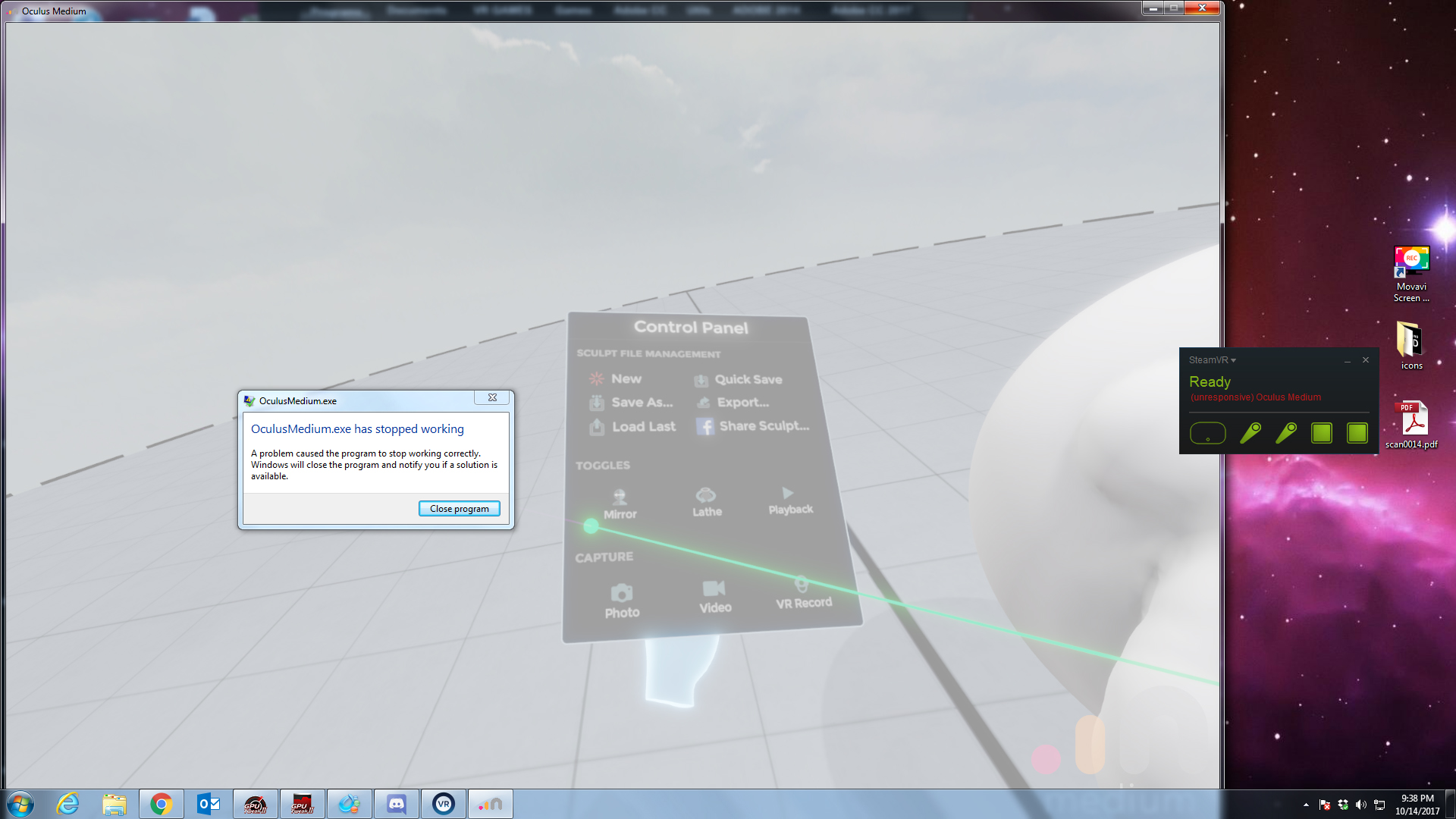
Did some more testing. I disabled my virus software/firewall just make sure that was not causing the issue and it still consistently crashes when I click on any tutorial in the program and also seems to inconsistently crash when I have any menu for the program open. See attached image.
redcovert
on 15 Oct 2017
I'm having the exact same problem if not before is nrealy alwasy happen if i try to change resolution, i have been trying to fix this for a week. :(
Fixed Turn off Tooltips in settings and it should work, Not a revive problem a Medium Problem
 Admirallj
on 15 Oct 2017
Admirallj
on 15 Oct 2017
@redcovert @Admirallj Are you both running Windows 7?
CrossVR
on 15 Oct 2017
FIXED Turn off Tooltips in the settings and it works... this is a realy stupid problem
(https://forums.oculus.com/community/discussion/58200/medium-1-3-release-notes)
Admirallj
on 15 Oct 2017
Thank you for your help! With the tooltips turned off the modeling appears to be running stable now. It still crashes when you trigger the tutorials... but I can make do with youtube tutorials for training on it. (For the computer - yes I am running Windows 7 ultimate with an Nvidia 1080 card).
redcovert
on 16 Oct 2017
@Admirallj Does yours crash if you try one of the tutorials too?
redcovert
on 17 Oct 2017
Related issues
 roblaplante
·
4Comments
roblaplante
·
4Comments
 BiteyThing
·
13Comments
BiteyThing
·
13Comments
 GTGeoff
·
12Comments
GTGeoff
·
12Comments
 newend
·
5Comments
newend
·
5Comments
 coderanger
·
13Comments
coderanger
·
13Comments
Most helpful comment
@redcovert @Admirallj Are you both running Windows 7?