Retroarch: Distribute RetroArch as an AppImage
Providing an AppImage would have, among others, these advantages:
- Applications packaged as an AppImage can run on many distributions (including Ubuntu, Fedora, openSUSE, CentOS, elementaryOS, Linux Mint, and others)
- One app = one file = super simple for users: just download one AppImage file, make it executable, and run
- No unpacking or installation necessary
- No root needed
- No system libraries changed
- Works out of the box, no installation of runtimes needed
- Optional desktop integration with
appimaged - Optional binary delta updates, e.g., for continuous builds (only download the binary diff) using AppImageUpdate
- Can optionally GPG2-sign your AppImages (inside the file)
- Works on Live ISOs
- Can use the same AppImages when dual-booting multiple distributions
Here is an overview of projects that are already distributing upstream-provided, official AppImages.
I have made some RetroArch AppImages for testing:
https://bintray.com/probono/AppImages/RetroArch#files
They have been generated using:
https://github.com/AppImage/AppImages/blob/master/recipes/retroarch/Recipe
To build your own, run on any deb-based system:
wget -c https://raw.githubusercontent.com/AppImage/AppImages/master/recipes/retroarch/Recipe
bash -ex Recipe
Unfortunately since RetroArch with all optional parts has become bigger over the past months, it no longer fits into the 250 MB Bintray filesize limit so I can't offer more recent ones there.
Alternatively the Open Build Service could be used to generate AppImages.
I think my recipe for the AppImage is "solid and working", the only question is who would run the script regularly and where would it be hosted.
Alternatively we could now use the Open Build Service to produce and host the AppImages:
https://git.io/obs-ai
 probonopd
All 27 comments
In this video, RetroArch binary delta updates are demonstrated:
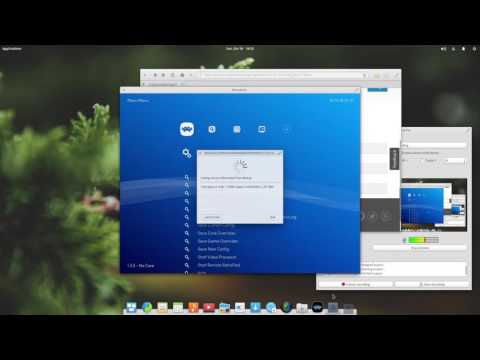
https://www.youtube.com/watch?v=FqVAtHdK1N0
Discussion in the forum:
https://forums.libretro.com/t/linux-retroarch-runtime-for-every-modern-distro-with-appimage/4965/13
probonopd
on 18 Jun 2017
I've been looking at AppImage/FlatPak/Snap over the past few days and it seems like a fair hassle to get each one set up with working recipes, but since that's already been done here, I see no reason not to work toward "official-izing" it.
 hizzlekizzle
on 18 Jun 2017
hizzlekizzle
on 18 Jun 2017
@hizzlekizzle happy to help. Just let me know what you need. Also, AppImage devs usually hang out in #AppImage on irc.freenode.net.
probonopd
on 18 Jun 2017
https://github.com/robloach/retroarch-flatpak ..... Submitted it to Flathub.
 RobLoach
on 22 Jun 2017
RobLoach
on 22 Jun 2017
That does not help the subject of this issue @RobLoach as it does not give many of the advantages stated above.
probonopd
on 22 Jun 2017
@probonopd Agreed, it's not AppImage, but is related. Don't mean to derail the issue, just add it in here for those that are interested. Continue on!
RobLoach
on 22 Jun 2017
- Deleted ~/.config/retroarch
- Ran RetroArch-1.6.1.glibc2.17-x86_64.AppImage
- Loaded up correctly, with assets in tact
- After enabling the Core Updator in the Views menu, I was able to download Cores, but they don't display in the Load Core menu.

RobLoach
on 1 Jul 2017
@probonopd
$ ./RetroArch-1.6.1.glibc2.17-x86_64.AppImage
/tmp/.mount_RetroAooUe3V/usr/bin/retroarch: relocation error: /tmp/.mount_RetroAooUe3V/usr/bin/retroarch: symbol _ZNSt13runtime_errorC2ERKNSt7__cxx1112basic_stringIcSt11char_traitsIcESaIcEEE, version GLIBCXX_3.4.21 not defined in file libstdc++.so.6 with link time reference
on Ubuntu 14.04.5
 bparker06
on 1 Jul 2017
bparker06
on 1 Jul 2017
@bparker06 strange. Can you try on Ubunu 14.10 or later?
probonopd
on 1 Jul 2017
@RobLoach
In your ~/.config/retroarch/retroarch.cfg, is your libretro_directory still set to /usr/lib/x86_64-whatever/libretro? If so, change it to somewhere user-writeable and try again.
@probonopd
FYI, those reports are both referring to an AppImage built with a modified Recipe that uses the core updater rather than bundling the cores inside the package:
https://pastebin.com/buwanQyW
If we were to make a retroarch.cfg that lives in the AppImage bundle, is there any way to directly mess with it after the fact? That is, if someone needs to open it with a text editor?
hizzlekizzle
on 1 Jul 2017
If we were to make a retroarch.cfg that lives in the AppImage bundle, is there any way to directly mess with it after the fact? That is, if someone needs to open it with a text editor?
No, since AppImages are read-only. But a well-behaved application should, upon the first launch, write its config file to ~/.config/, where it could be edited subsequently by the user.
This is not so different from a traditional installation to /usr, where the user also has no write rights.
probonopd
on 1 Jul 2017
@hizzlekizzle Yes, after changing the Core directory, I was able to properly download and use a Core.
RobLoach
on 3 Jul 2017
AppImage is just wonderful !
I downloaded some AppImage of older versions and I've to admit it's a real advantage on Linux !
Including Cores inside AppImage isn't a bad idea at all for people that wants to play as soon as possible or not online. Well, same for people that has poor or bad network or change computer/ Linux Distro, they can play quickly on others computers, Linux Distro... have to download one time ;)
Since you can change core path and download them using AppImage by changing options if you want latest cores or play online (it could download cores to .config/RetroArch/cores/ for example), it makes nothing harder.
So, please, include Cores inside the AppImage build, this is really helpfull on Linux world :D
 LeCharlatan
on 9 Aug 2017
LeCharlatan
on 9 Aug 2017
Hi
@probonopd @hizzlekizzle
Any news about AppImage of RetroArch or is abandonned ?
LeCharlatan
on 21 Apr 2018
It's definitely still a thing. We haven't gotten it on our buildbot, but gouchi got it on the OpenSUSE build service, I think.
I also modified the script a little and put it on our buildbot to anticipate our own builds, but something broke with it at some point and I need to revisit it.
I personally like it better than the other universal packages, though I actually use the snap package just because its sandbox is so weird it really needed someone to use it full-time for bug-detection/fixing.
hizzlekizzle
on 21 Apr 2018
Hi hizzlekizzle,
I personally like it better than the other universal packages
I like AppImage more than other universal packages too. It's really easy to use for end-users :smiley:
Then I'll wait for news since it's still on its way
Thanks for replying, I can't wait it :smile:
LeCharlatan
on 21 Apr 2018
The only disadvantage I see with AppImage is that you cannot know exactly what libraries and versions will be available in the host computer so you might need to bundle all of it, even basic things like libc itself, unless you are willing to take the risk of it not really working everywhere. This also means that you end up with huge binaries with so many libraries bundled that it will require active maintenance from the packagers to keep up to date when a vulnerability requires updating the dependencies.
Flatpak does solve those issues
with shared runtimes. As long as you have a distro with flatpak installed it works (the good news is that most of the popular distros are on board with it and are bringing it preinstalled). It actually is a worthy replacement for package managers when it comes to desktop apps.
 Ferk
on 21 Apr 2018
Ferk
on 21 Apr 2018
We've had problems with incompatibility with older distros with the flatpak, actually.
hizzlekizzle
on 21 Apr 2018
Hi @Ferk
Flatpak needs something to install and network, AppImage doesn't plus it couldn't be easier to use so of course it needs to add all libs. But when I use Krita / RPCS3 or any others AppImages, it works just like a charm. I think this is a false problem.
About the security, when create AppImage, you'll get (normally) latest security libs on the Distro it's done. I'm not sure it needs so much active maintenance. Maybe it needs to be clarified by @probonopd
LeCharlatan
on 21 Apr 2018
@hizzlekizzle I assume you mean old versions that don't support flatpak, don't you? Since flatpak uses containers, much like Docker, I'd be surprised if there was any way to have a flatpak image not work once flatpak and its runtime are installed. Very old kernel versions won't support containers, but once you have support the container ensures the user is running the same bits that the developer tested, so it would be more reproducible and less likely to have problems with compatibility.
@LeCharlatan i didn't say an AppImage isn't easy to use, that's not a "false problem". What I said is that the AppImages would have to bundle more duplicated dependencies, the more compatible you want the AppImage to be, the more it has to bundle. Also if downloading AppImages and running them gets popular it would easily become a security threat since they are not sandboxed. You can run them through firejail or other methods but then it starts becoming not so simple. Flatpak has sandboxing built-in.
You need the network to download flatpaks and runtimes (there's even a convenient repository system, Gnome and KDE are building frontends for it to make it even easier). But you can also download them from another device and copy them manually if you don't have connection in the PC. There aren't many runtimes, so you won't normally need to copy over the runtime, often it'll be just the flatpak because your PC is likely to already have the appropriate flatpak runtime. Of course manually copying them is not as convenient as downloading them from the flatpak repos, but having a computer with no network never is.
Sorry for derailing the topic, this probably shouldn't become a forum to discuss the differences between AppImage and Flatpak.
Ferk
on 21 Apr 2018
About the security, when create AppImage, you'll get (normally) latest security libs on the Distro it's done. I'm not sure it needs so much active maintenance. Maybe it needs to be clarified by @probonopd
Libraries that come with all distributions in the default installation are assumed to be handled by the base system (= distribution) and do not need to be bundled inside the AppImage. Security updates will be handled by the operating system. Example: glibc.
Libraries that do not come with all distributions in the default installation are supposed to be bundled inside the AppImage. In case a security vulnerability in one of those libraries is detected, then the author of the AppImage should release a new AppImage with the updated library. Systems like OBS can automate that.
probonopd
on 21 Apr 2018
@Ferk : I completly understand your point about security, I just want to point that AppImage is just easy for everyone, even for those not good at using computer. even if it asks some maintenance, it worth it :) Last time I would try to install a FlatPak, I found the way little annoying.
Anyway, you're right it's not a topic about differences between AppImage and FlatPak.
@probonopd : Thanks for clarifying the libraries and security points. Keep the good work about AppImage, I really like it :D
LeCharlatan
on 21 Apr 2018
but gouchi got it on the OpenSUSE build service, I think.
@hizzlekizzle, I think you're referring to this? https://build.opensuse.org/package/show/home:gouchi:branches:OBS:AppImage:Templates/RetroArch
Is it possible to actually download this? Sorry if I'm missing something obvious, but it doesn't seem to provide binaries. Hoping to obtain an at least semi-recent version of RetroArch as an AppImage.
 Wowfunhappy
on 25 Apr 2018
Wowfunhappy
on 25 Apr 2018
Yeah, that's the one. @gouchi , can you go here and mark the "publish flag" for 'all'?
https://build.opensuse.org/repositories/home:gouchi:branches:OBS:AppImage:Templates/RetroArch
hizzlekizzle
on 25 Apr 2018
But you can also download them from another device and copy them manually if you don't have connection in the PC.
Not to get too off topic, but no, you can't. At least, not from the repositories most stuff seems to be hosted on (Flathub), including RetroArch. Those tiny files flathub provides don't actually contain any app data, and cannot be used offline.
You can _create_ offline-installable bundles with flatpak build-bundle ~/.local/share/flatpak/repo/ [output].flatpak [identifier] stable, but that requires you to be on a Linux machine that already has the flatpak application installed. I can't just download a FlatPak on my Mac and then transfer it to an offline linux machine—I need to install the app to an online linux machine, create an app bundle, and then transfer that bundle to my offline machine.
If anyone is aware of places distributing prebuilt, offline-installable flatpak bundles (including RetroArch), please point me there.
There aren't many runtimes, so you won't normally need to copy over the runtime, often it'll be just the flatpak because your PC is likely to already have the appropriate flatpak runtime. Of course manually copying them is not as convenient as downloading them from the flatpak repos, but having a computer with no network never is.
You can also create offline installable versions of the runtimes with flatpak build-bundle --runtime ~/.local/share/flatpak/repo/ [output].flatpak [runtime identifier] [runtime version] (the key flag being --runtime, which isn't well documented.) Do that for each of the versions of each of the runtimes, and you'll be able to install any bundle offline. Not _that_ much better than outright copying the files manually, but still an improvement.
Wowfunhappy
on 25 Apr 2018
@hizzlekizzle I will have to continue to work on it as we are missing some files at least the one listed by Rob Loach.
 gouchi
on 25 Apr 2018
gouchi
on 25 Apr 2018
RetroArch on Flatpak ships the following modules...
retroarchretroarch-assetslibretro-databaselibretro-core-inforetroarch-joypad-autoconfigcommon-shadersslang-shadersglsl-shadersretroarch-filters-videoretroarch-filters-audio
I'd consider the shaders and filters less critical, but the info files, databases and assets would be very nice to have shipped as part of the AppImage.
RetroArch will read config defaults in $GLOBAL_CONFIG_DIR/retroarch.cfg, which is handy to override its default paths. $GLOBAL_CONFIG_DIR is set during make. flatpak/retroarch.cfg shows how these are used to reference the Flatpak mounted locations. You've likely figured out something for the AppImage too :+1:
RobLoach
on 26 Apr 2018
Related issues
 hyarsan
·
4Comments
RobLoach
·
3Comments
hyarsan
·
4Comments
RobLoach
·
3Comments
 GoronMegaZord
·
3Comments
GoronMegaZord
·
3Comments
 charlydelta
·
3Comments
charlydelta
·
3Comments
 ghost
·
3Comments
ghost
·
3Comments
Most helpful comment
I've been looking at AppImage/FlatPak/Snap over the past few days and it seems like a fair hassle to get each one set up with working recipes, but since that's already been done here, I see no reason not to work toward "official-izing" it.