Reticulate: when use repl_python(), Rstudio crash
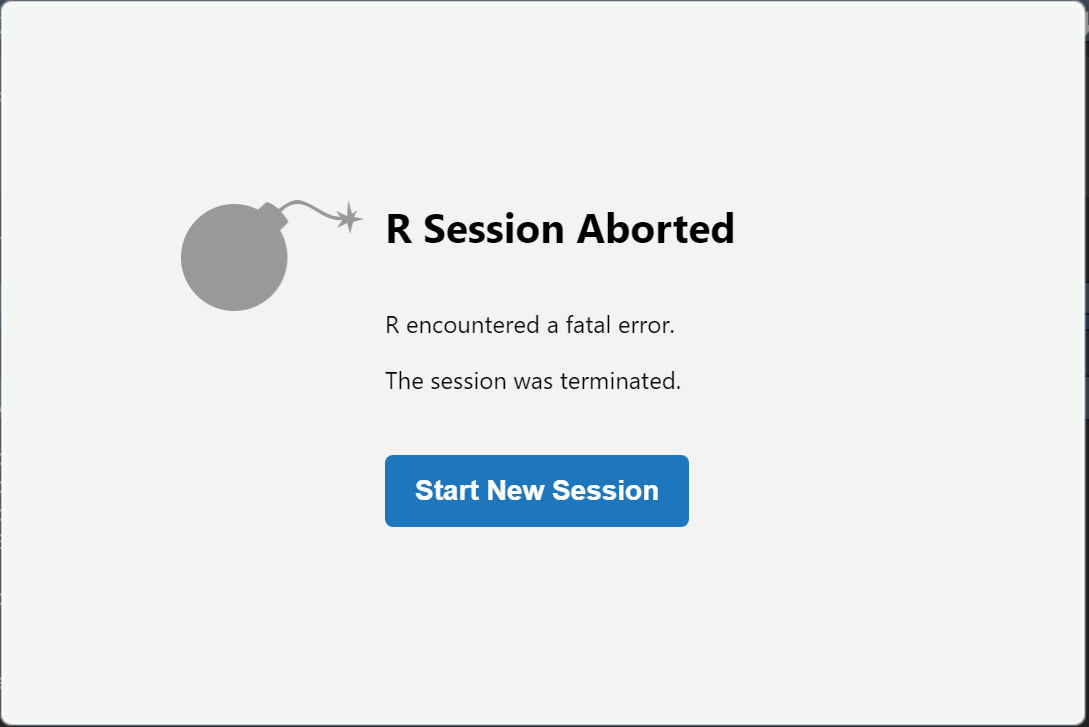
Hello, I have troubles trying to use python on Rstudio. When I use repl_python(), Rstudio always crash.
Please tell me how deal with it.
Rstudio version: 1.4.1103
R version: 4.0.2
The envrionments of python are below.(by py_config())
python:         C:/Users/AppData/Local/Programs/Python/Python39/python.exe
libpython:      C:/Users/AppData/Local/Programs/Python/Python39/python39.dll
pythonhome:     C:/Users/AppData/Local/Programs/Python/Python39
version:        3.9.1 (tags/v3.9.1:1e5d33e, Dec  7 2020, 17:08:21) [MSC v.1927 64 bit (AMD64)]
Architecture:   64bit
numpy:          C:/Users/AppData/Local/Programs/Python/Python39/Lib/site-packages/numpy
numpy_version:  1.19.4

NOTE: Python version was forced by RETICULATE_PYTHON
The code written are below.
Sys.setenv(RETICULATE_PYTHON = "C:/Users/AppData/Local/Programs/Python/Python39")
library(reticulate)
repl_python()
Result was...
 Seito-N
All 4 comments
I got same crash-problem with similar environments:
- OS: Windows10 Pro build 1909
- Rstudio version: 1.4.1103
- R version: 4.0.3
- Python version: Official Python 3.9.1:
> reticulate::py_config()
python:         C:/Users/me/AppData/Local/Programs/Python/Python39/python.exe
libpython:      C:/Users/me/AppData/Local/Programs/Python/Python39/python39.dll
pythonhome:     C:/Users/me/AppData/Local/Programs/Python/Python39
version:        3.9.1 (tags/v3.9.1:1e5d33e, Dec  7 2020, 17:08:21) [MSC v.1927 64 bit (AMD64)]
Architecture:   64bit
numpy:           [NOT FOUND]
Trying reticulate::repl_python(), then I have below:

 kottn
on 19 Jan 2021
kottn
on 19 Jan 2021
I have also encountered the same problem. But following rstudio/rstudio#8285, I solved this by changing the language setting to "English" ([Widnows Start Menu] -> [Settings] -> [Time & Language] -> [Language] -> [Windows Display Language]). I, @str8808 and @kottn used Windows in Japanese locale.
This is the repro (RStudio ver. 1.4.1103).
require(reticulate)
sessionInfo()
# R version 4.0.3 (2020-10-10)
# Platform: x86_64-w64-mingw32/x64 (64-bit)
# Running under: Windows 10 x64 (build 18363)
#
# Matrix products: default
#
# locale:
#   [1] LC_COLLATE=Japanese_Japan.932  LC_CTYPE=Japanese_Japan.932    LC_MONETARY=Japanese_Japan.932 LC_NUMERIC=C
#   [5] LC_TIME=Japanese_Japan.932
#
# attached base packages:
#   [1] stats     graphics  grDevices utils     datasets  methods   base
#
# other attached packages:
#   [1] reticulate_1.18
#
# loaded via a namespace (and not attached):
#   [1] compiler_4.0.3  Matrix_1.2-18   htmltools_0.5.0 tools_4.0.3     yaml_2.2.1      Rcpp_1.0.6      rmarkdown_2.5   grid_4.0.3      knitr_1.30
#   [10] jsonlite_1.7.2  xfun_0.19       digest_0.6.27   rlang_0.4.8     lattice_0.20-41 evaluate_0.14

py_config()
# python:         C:/Users/ks/AppData/Local/Programs/Python/Python39/python.exe
# libpython:      C:/Users/ks/AppData/Local/Programs/Python/Python39/python39.dll
# pythonhome:     C:/Users/ks/AppData/Local/Programs/Python/Python39
# version:        3.9.1 (tags/v3.9.1:1e5d33e, Dec  7 2020, 17:08:21) [MSC v.1927 64 bit (AMD64)]
# Architecture:   64bit
# numpy:          C:/Users/ks/AppData/Local/Programs/Python/Python39/Lib/site-packages/numpy
# numpy_version:  1.19.5
repl_python()
After changing the language setting I didn't encounter the crash:
# locale:
# [1] LC_COLLATE=English_United States.1252  LC_CTYPE=English_United States.1252    LC_MONETARY=English_United States.1252
# [4] LC_NUMERIC=C                           LC_TIME=English_United States.1252
# system code page: 932
#
 Gedevan-Aleksizde
on 20 Jan 2021
Gedevan-Aleksizde
on 20 Jan 2021
I had the same problem using Rstudio 1.4 and reticulate. I can get it to work by using Python 3.6.12, which appears to be the default Python version reticulate uses to install new conda environments.
 mafw
on 1 Feb 2021
mafw
on 1 Feb 2021
As mentioned in https://github.com/rstudio/rstudio/issues/8285#issuecomment-770552471, I can avoid this error by upgraading RStudio to ver. 1.4.1533 or later
Gedevan-Aleksizde
on 9 May 2021
Related issues
 gadepallivs
·
8Comments
gadepallivs
·
8Comments
 AnthonyEbert
·
8Comments
AnthonyEbert
·
8Comments
 jgbradley1
·
5Comments
jgbradley1
·
5Comments
 lbocken
·
3Comments
lbocken
·
3Comments
 cderv
·
8Comments
cderv
·
8Comments