Responsively-app: 🐛: When using 'open with' on HTML files it loads google.com page instead of the HTML file.

 Kidcredo
All 12 comments
That is strange.
It tries to loads that file and then goes back to google.com.
@esprush Could this be because of the URL syncing?
@jjavierdguezas Any ideas?
 manojVivek
on 30 Jul 2020
manojVivek
on 30 Jul 2020
I cant reproduce it, @Kidcredo can you please share the files?
 jjavierdguezas
on 30 Jul 2020
jjavierdguezas
on 30 Jul 2020
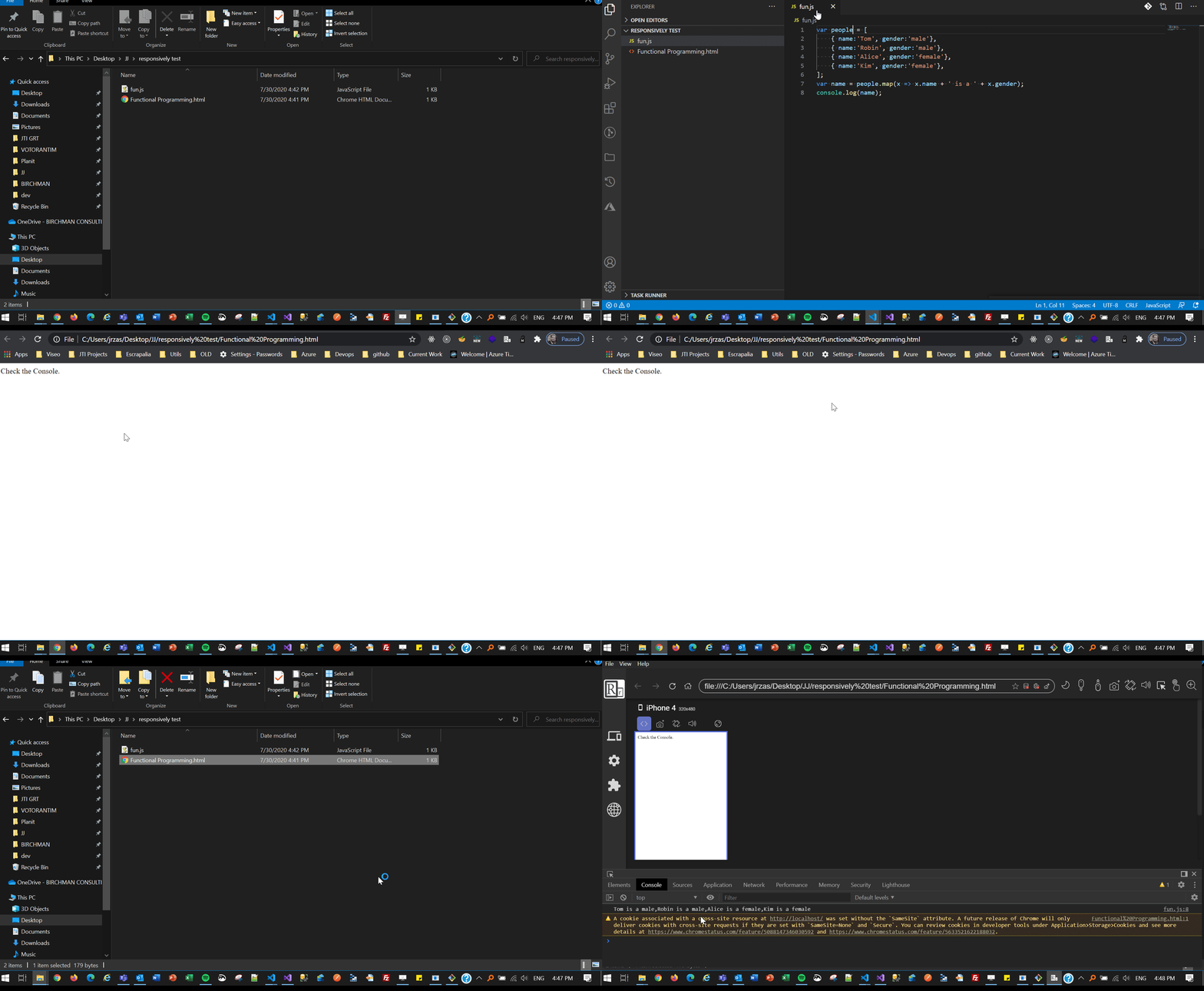
This is the HTML file and below is the JS file i created to test.
<!DOCTYPE html>
<html lang="en">
<head>
    <title>Functional Programming</title>
    <script src="fun.js"></script>
</head>
<body>
    Check the Console.
</body>
</html>
fun.js
var humans= [
    { name:'Tom', gender:'male'},
    { name:'Robin', gender:'male'},
    { name:'Alice', gender:'female'},
    { name:'Kim', gender:'female'},
];
var name = people.map(x => x.name + ' is a ' + x.gender);
console.log(name);
Kidcredo
on 30 Jul 2020
Thats weird @Kidcredo , it works in my PC like a charm
I completed the fun.js Here you have the used files: https://we.tl/t-rCG0FduozF
jjavierdguezas
on 30 Jul 2020
I am guessing this was because of some cache issue due to updating directly without uninstalling the 0.8.0 version first.
Just uninstalled and did a clean install now it seems to be working fine.
Kidcredo
on 30 Jul 2020
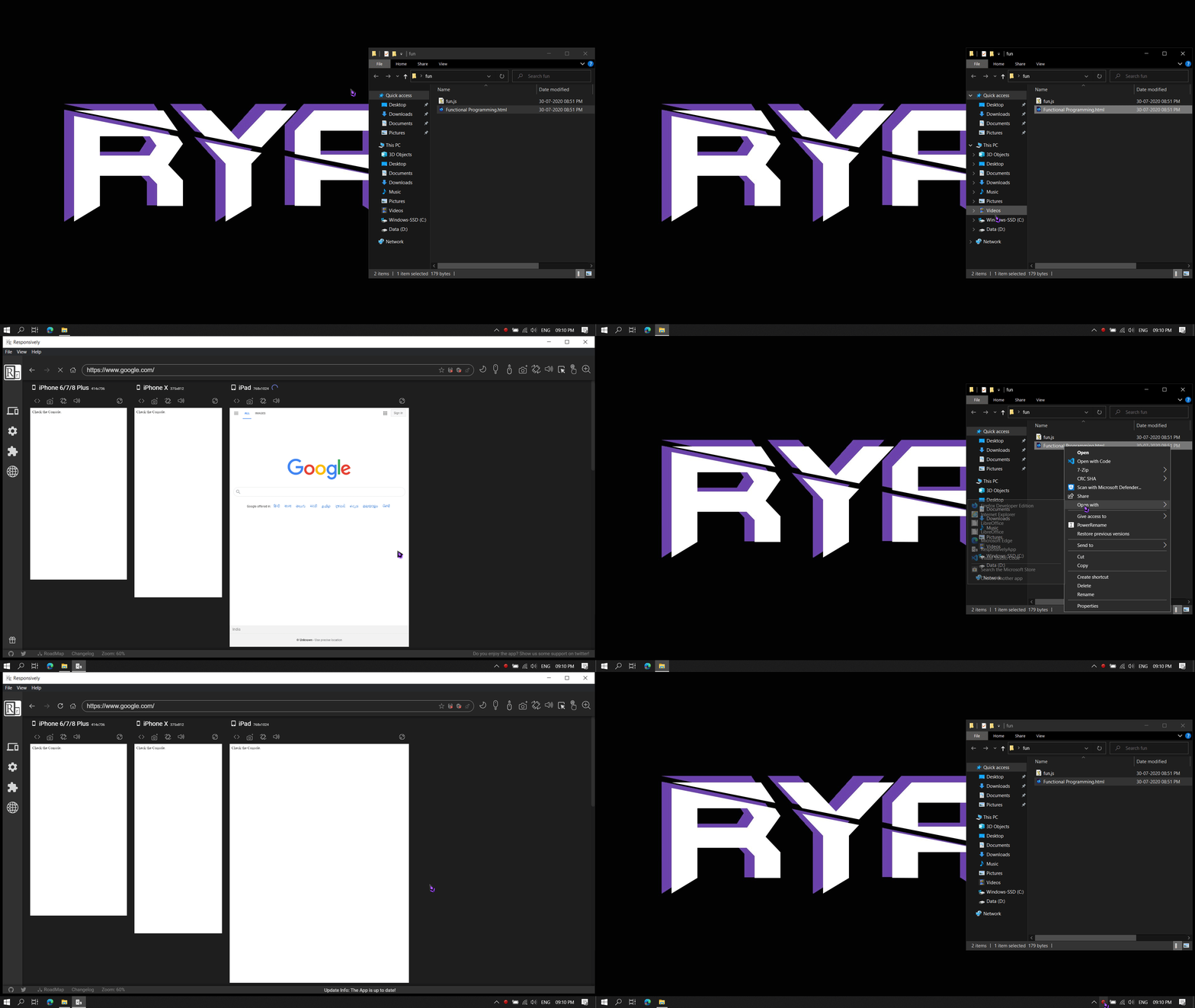
After the clean install it worked once and when I tried it again it happened again.
It happened again with the file you shared @jjavierdguezas
Kidcredo
on 30 Jul 2020
Definitely something weird happens. I can see by myself that when you open a file using Open with, sometimes Responsively go and back to HOME_PAGE and the file, its like some race condition between redux state initialization and the open file logic. Somehow in my tests it always ends showing the desired file, but in your PC "go to home page" wins...
jjavierdguezas
on 30 Jul 2020
Hey @jjavierdguezas i see that in your demo there is just one device i am using multiple devices and when i try it with a single device it works perfectly.
Kidcredo
on 30 Jul 2020
I tried with multiple devices and in my PC it always works,
jjavierdguezas
on 30 Jul 2020
@jjavierdguezas @Kidcredo It is possible it could be because of the URL sync.
Possible explanation:
- One of the devices in the preview is lagging in rendering during the app load.
- When the
address-changeevent is triggered. It is failed in the lagging device because thewebviewis not ready. - Finally, when the lagging device loads the default URL(google.com), the URL sync is transmitting that URL to all other devices.
- Other devices process the event and load google.com as well.
If we watch the address bar URL changes closes, it confirms this behavior.
cc: @esprush
manojVivek
on 31 Jul 2020
I am having the same issue. Watching this keenly in the hope someone finds a solution.
 chris-53
on 3 Aug 2020
chris-53
on 3 Aug 2020
Interestingly enough, I was half able to reproduce this issue - for myself, it opens up Google, then the file, then Google, then finally the file (successfully).
Acer Swift 5, Windows
 Bobbbay
on 30 Sep 2020
Bobbbay
on 30 Sep 2020
Related issues
 diego-vieira
·
4Comments
diego-vieira
·
4Comments
 emmanguiang
·
4Comments
emmanguiang
·
4Comments
 tochoromero
·
5Comments
manojVivek
·
5Comments
tochoromero
·
5Comments
manojVivek
·
5Comments
 staabm
·
4Comments
staabm
·
4Comments