Responsively-app: Add a way to save your preferences settings (workplace)
When switching projects, you might not need all devices you configured.
If you are working on a project that it's an internal app, your end user might use Full HD monitors and iPhone/Android devices, in which case you need 3 device types.
However, if you are working on a project that your end user might have, mobile phones, tablet, full hd devices you will need to change your device configuration.
It would be nice if you could save the settings so you can switch them as you see fit.
 diego-vieira
All 15 comments
@diego-vieira This is a great suggestion. Any ideas on how/where the workspace switcher can be placed in the UX perspective?
 manojVivek
on 10 Jul 2020
manojVivek
on 10 Jul 2020
Workspace Switcher
I have just done this one btw (copy of layout selector)
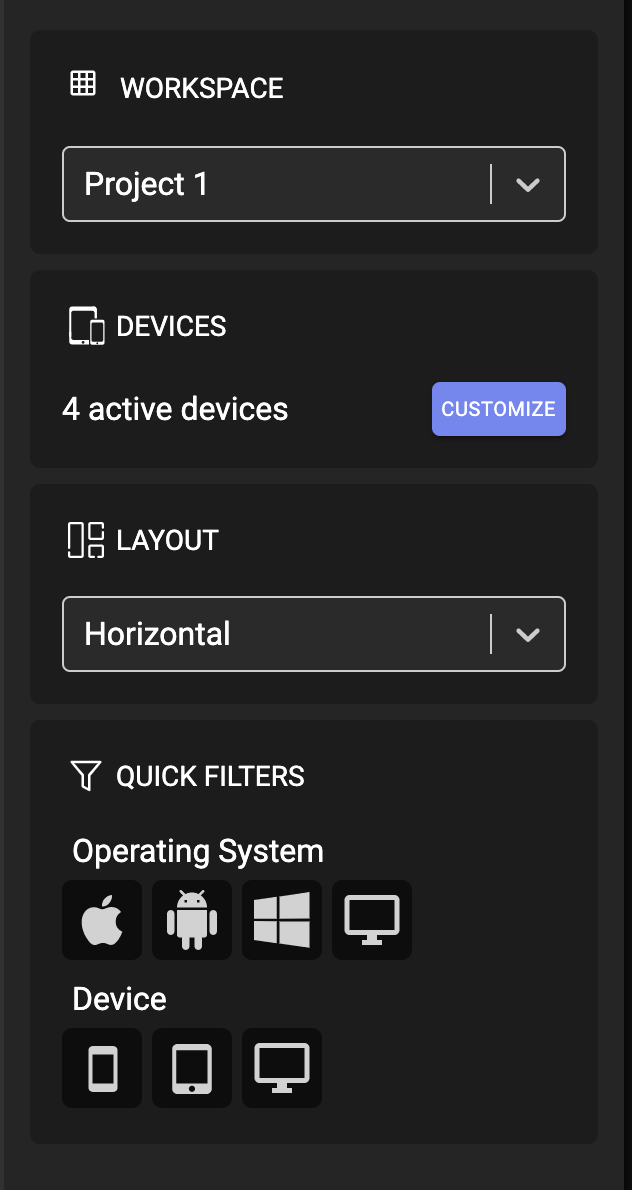
Workspace Name
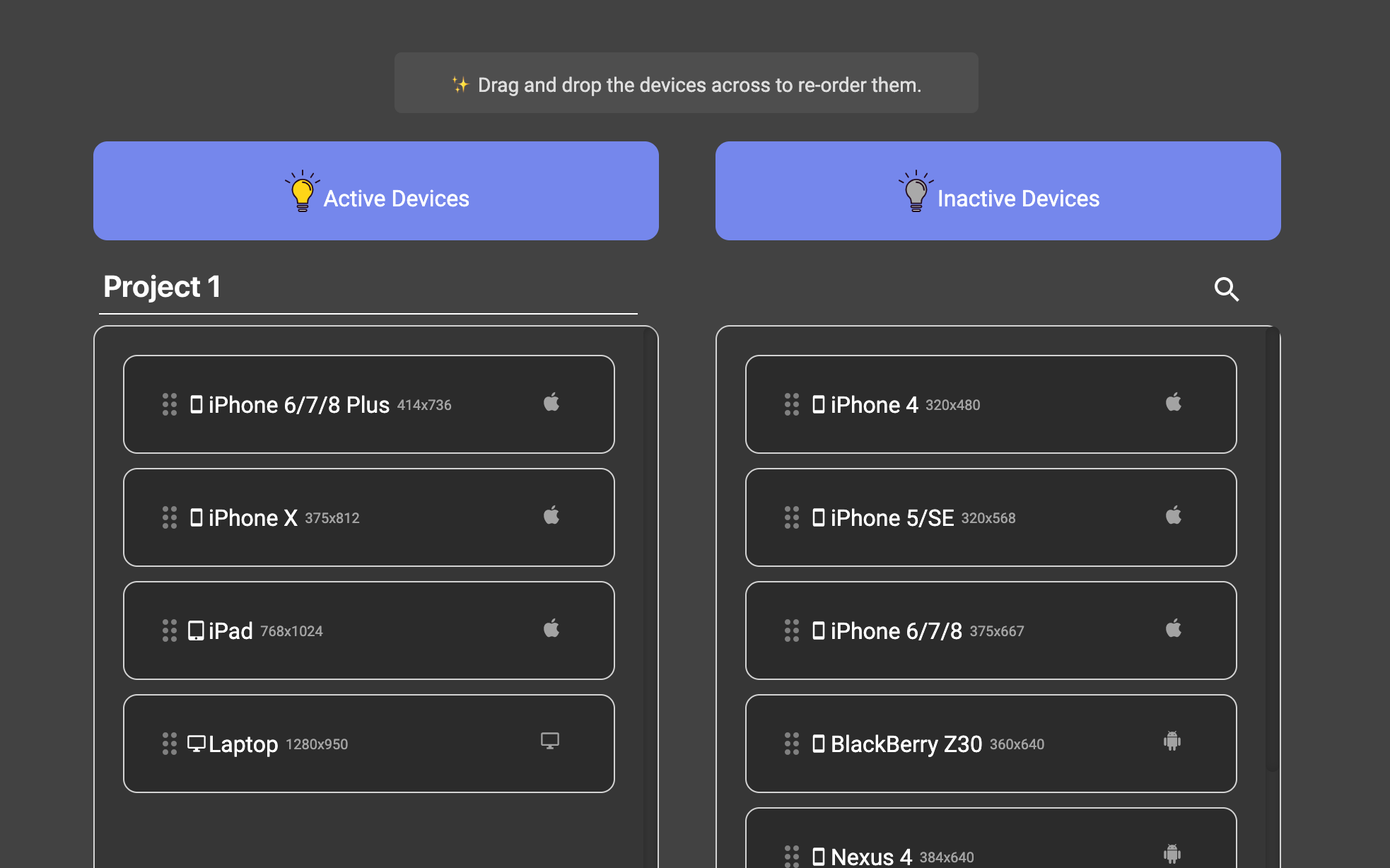
Here workspace Project 1 could be a dropdown as well with a X button. Just an idea.
The principle is the same as layout selector.
diego-vieira
on 10 Jul 2020
@diego-vieira Love these. 👏
Fits the concept in both places perfectly.
Please let me know if you want to work on it, I'll assign it to you.
manojVivek
on 12 Jul 2020
@manojVivek yes please, I'll have a go next week. thanks
diego-vieira
on 12 Jul 2020
Done.
manojVivek
on 12 Jul 2020
Hey @diego-vieira, did you get a chance to give this one a try? :)
manojVivek
on 7 Aug 2020
@manojVivek sorry for the delay on that, big project the last couple of weeks and holidays at the moment. If there is anyone else that wants to move on with it, I'm happy with that. I should have some spare time towards the first weeks of September. Thanks
diego-vieira
on 10 Aug 2020
Cool @diego-vieira. No worries. Just checked. :)
Will keep this thread updated if anyone is taking this.
manojVivek
on 10 Aug 2020
@manojVivek unfortunately I won't be able to look into this in the near future. Please, feel free to close for now if you wish. Thank you
diego-vieira
on 30 Aug 2020
@diego-vieira No worries, Will unassign you from this, so that some else can take it up. 👍
manojVivek
on 31 Aug 2020
@manojVivek I can try to implement it. Let me know if help is still needed.
 orest22
on 29 Sep 2020
orest22
on 29 Sep 2020
@orest22 thank you
diego-vieira
on 29 Sep 2020
Assigned to you @orest22 thanks
 jjavierdguezas
on 29 Sep 2020
jjavierdguezas
on 29 Sep 2020
@manojVivek Hey, I had a chance to work a bit on this and have some idea. Would be great to hear your feedback since it can be some bigger change.
My idea is to move Devices under Workspaces completely and create Default Workspace.
The sidebar will look something like that:
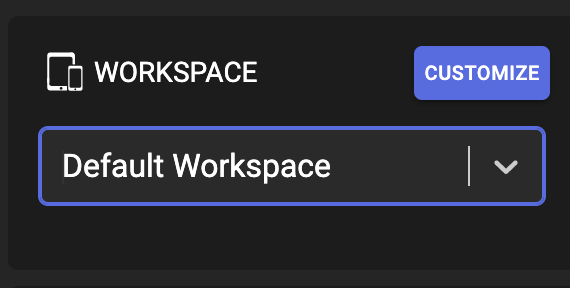
I am thinking either have a "Create New Workspace" option in the drop-down or make the "Customize" button as an icon and add an "Add" button beside.
Once a user clicks "Add" or "Customize" I will open the current "Device Manager" that will allow the user to set the title for new workspace and pick devices (User will not be able to rename Default Workspace).
I also see that the project has electron-settings but I want to ask if I can use electron-store package to store workspaces. It has versioning and allows us to create migrations, also it allows us to define a Schema that give us a bit more control. If you ok with this package I was thinking that we could define a schema for a workspace config file that can be pushed to the repo. And we would allow loading workspace from a file.
Let me know what do you think.
Cheers!
orest22
on 6 Oct 2020
@orest22 Great suggestions!
My idea is to move Devices under Workspaces completely and create Default Workspace.
Yes, I was imagining that way too.
I am thinking either have a "Create New Workspace" option in the drop-down or make the "Customize" button as an icon and add an "Add" button beside.
I like Create New Workspace as the drop-down option more.
But not sure if CUSTOMIZE button in the position as in the attached screenshot is very intuitive, compared to a dedicated devices section like in https://github.com/responsively-org/responsively-app/issues/300#issuecomment-656739905.
What do you think about it?
I also see that the project has electron-settings but I want to ask if I can use electron-store package to store workspaces.
Definitely electron-store looks more powerful. Just a little concerned about the maintainability with two different packages for the same purpose. But anyway we can give electron-store a try with this feature and then migrate the existing preferences to this as well.
manojVivek
on 6 Oct 2020
Related issues
 stevedesmond-ca
·
4Comments
stevedesmond-ca
·
4Comments
 SampathParavasthu
·
3Comments
SampathParavasthu
·
3Comments
 Kidcredo
·
5Comments
Kidcredo
·
5Comments
 johndavemanuel
·
3Comments
johndavemanuel
·
3Comments
 amankkg
·
5Comments
amankkg
·
5Comments
Most helpful comment
@manojVivek I can try to implement it. Let me know if help is still needed.