Responsively-app: HTTP basic authentication fails
When trying to access a site with basic authentication, I don't receive the username/password dialog.
I'm presented with the following error:
ERROR: -202
ERR_CERT_AUTHORITY_INVALID
 RichardLindsay
All 10 comments
Hi @RichardLindsay
Does it works on Chrome?
Could you provide an example URL?
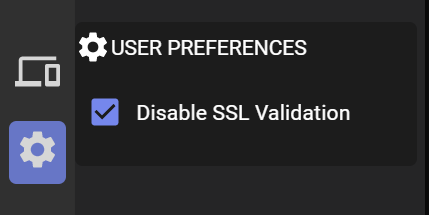
Also, did you check Disable SSL Validation in User Preferences ?
 jjavierdguezas
on 3 Jul 2020
jjavierdguezas
on 3 Jul 2020
Version: 0.5.0
Electron: 8.3.0
Chrome: 80.0.3987.165
Node.js: 12.13.0
V8: 8.0.426.27-electron.0
OS: Windows_NT x64 10.0.18362
I set up a basic auth server using this basic example from http-auth
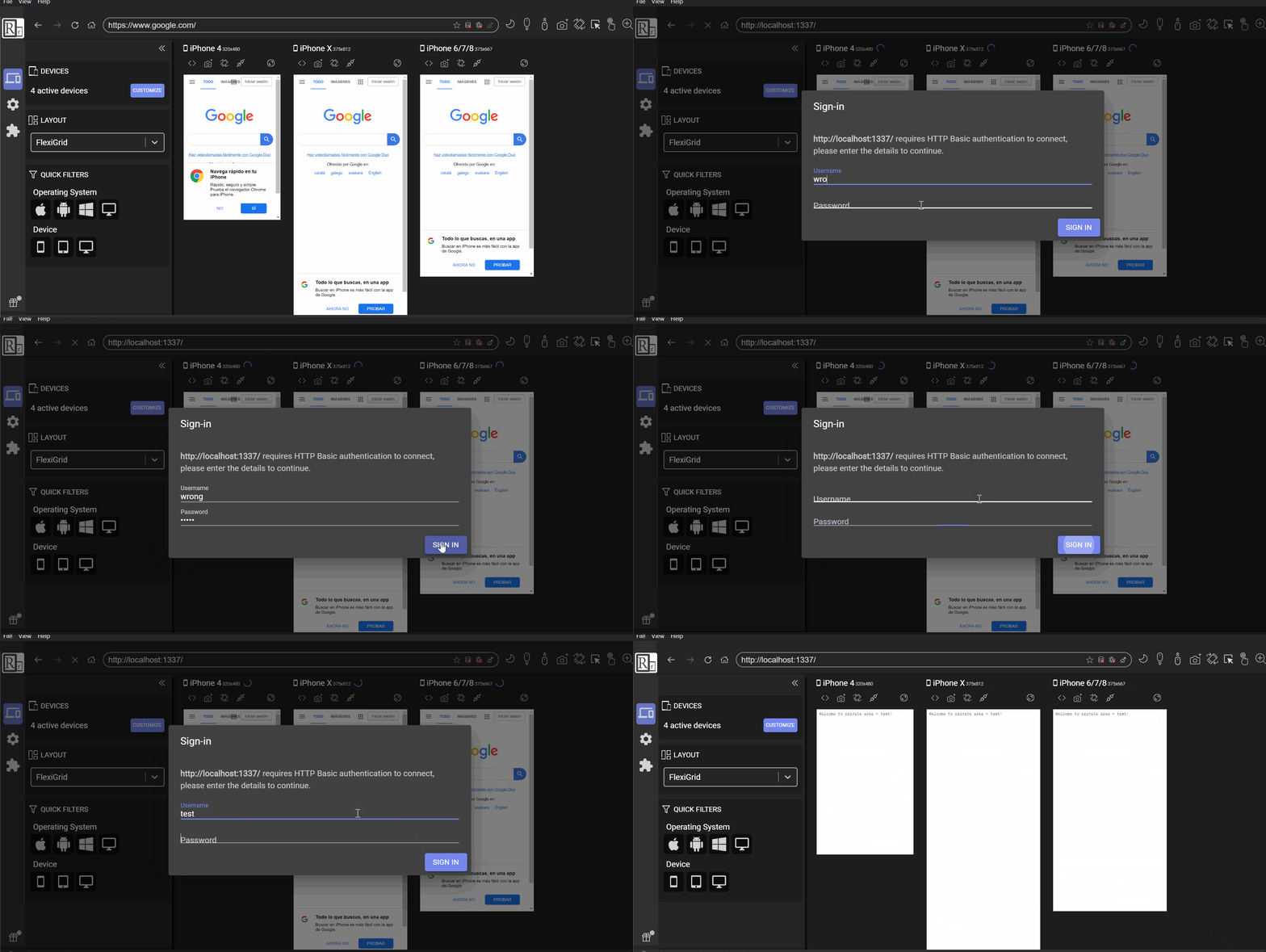
ResponsivelyApp showed the authentication popup
the only thing is that there is no option to cancel and close the dialog, making that if you don't have valid credentials, you can't get out of there.
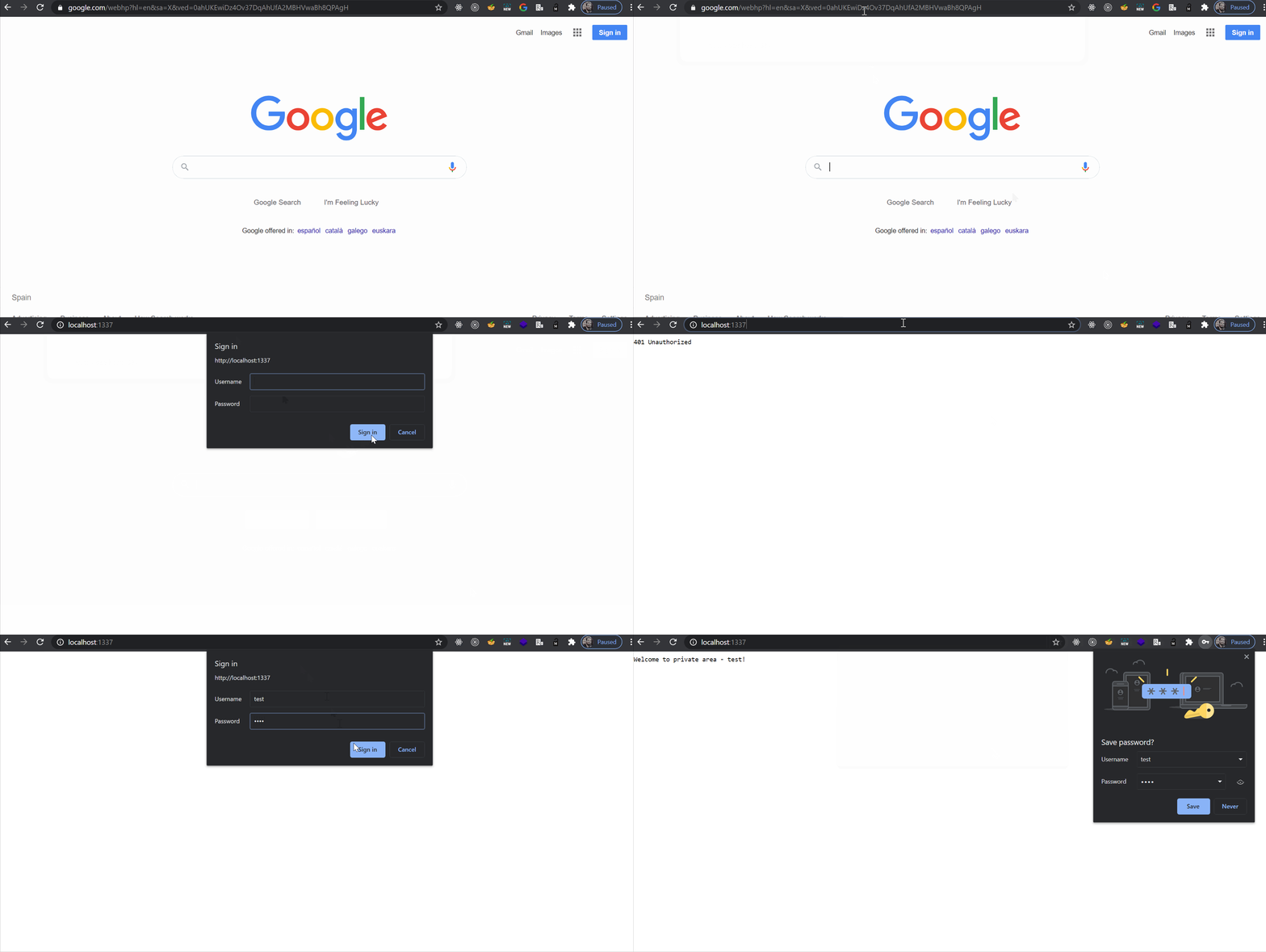
Chrome:
Responsively:
cc: @manojVivek
jjavierdguezas
on 3 Jul 2020
@jjavierdguezas Noted, will have to add a cancel button to it.
 manojVivek
on 3 Jul 2020
manojVivek
on 3 Jul 2020
Can I try to work on this? If it is not picked yet?
 be222dd
on 3 Jul 2020
be222dd
on 3 Jul 2020
@be222dd That would be awesome, assigning it to you! 🙌
manojVivek
on 3 Jul 2020
@be222dd Please join us on Gitter if you have any questions along the way - https://gitter.im/responsively-app/
manojVivek
on 4 Jul 2020
@be222dd Please join us on Gitter if you have any questions along the way - https://gitter.im/responsively-app/
I will start working on it today and joining the gitter asap.
be222dd
on 4 Jul 2020
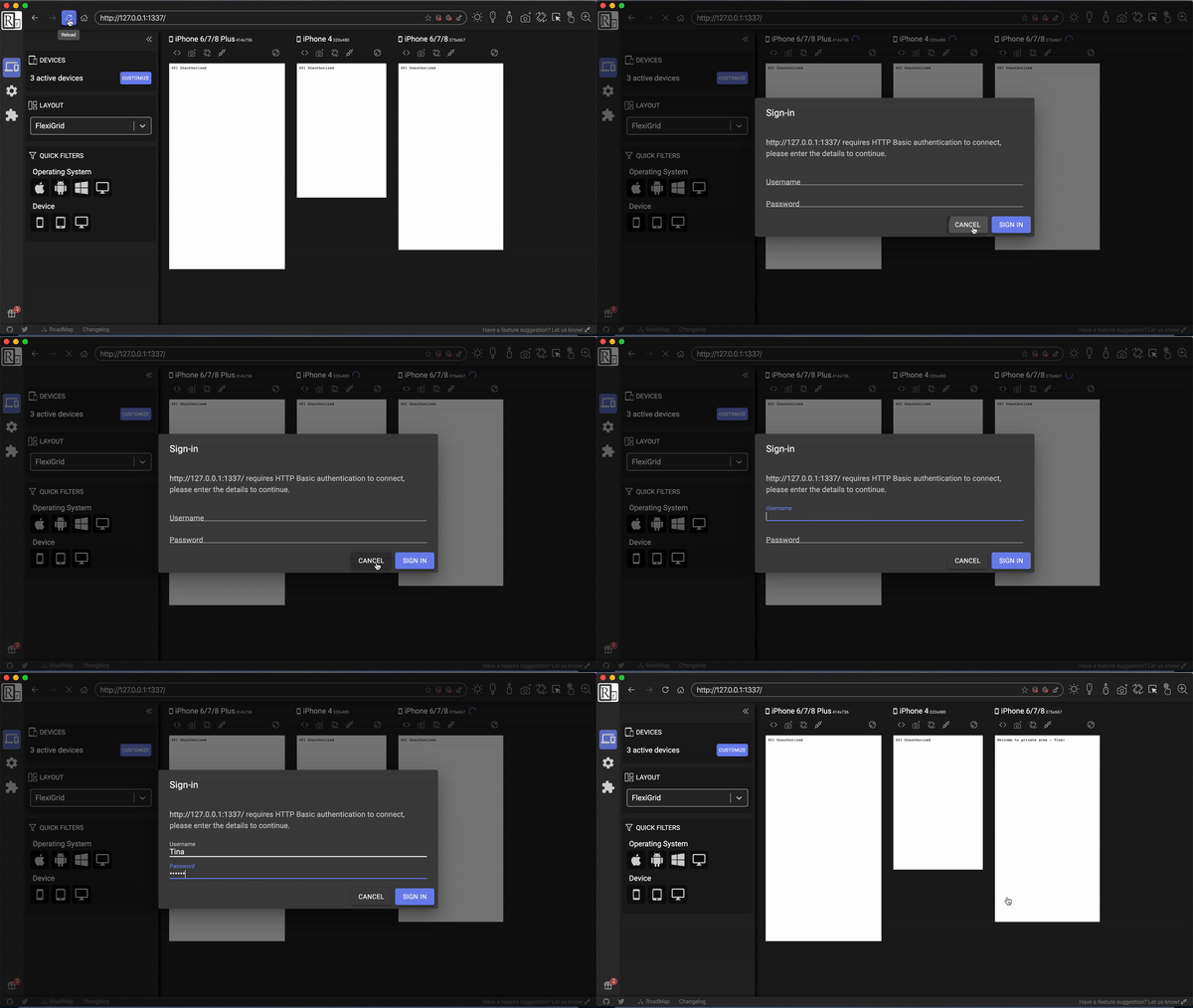
So, I guess there is a problem with the logic as well. I got the button appear in the form but handleClose function behaves weird as shown in the gif up there. Clicked cancel once, got unauthorized in device one. Clicked cancel second time, got unauthorized in device two. Clicked sign Up for the last one, authorized in the third device.
Is it the wanted behavior? If not, I will have to check the logic as well.
be222dd
on 4 Jul 2020
@be222dd It should show un-authorized on all devices when cancel is clicked once. Can you please check the logic as well?
manojVivek
on 4 Jul 2020
@be222dd are you still working on this? if you aren't please tell us to assign this to other. If you are still working on this, please take a look on #426 and see how I managed to open only one modal and handle related prompts when one of them is resolved. That way this should be fixed:
Clicked cancel once, got unauthorized in device one. Clicked cancel second time, got unauthorized in device two. Clicked sign Up for the last one, authorized in the third device.
jjavierdguezas
on 27 Aug 2020
Related issues
jjavierdguezas
·
3Comments
 geiras
·
5Comments
manojVivek
·
3Comments
geiras
·
5Comments
manojVivek
·
3Comments
 uzprocode
·
5Comments
manojVivek
·
5Comments
uzprocode
·
5Comments
manojVivek
·
5Comments