Reportportal: Question - How to match log messages more accurate between launches?
Hi,
I'm trying to configure Auto-Analyse Accuracy by fine tuning following attributes,
- Minimum should match
- Minimum document frequency
- Minimum term frequency
- Number of log lines
Here is my use case:
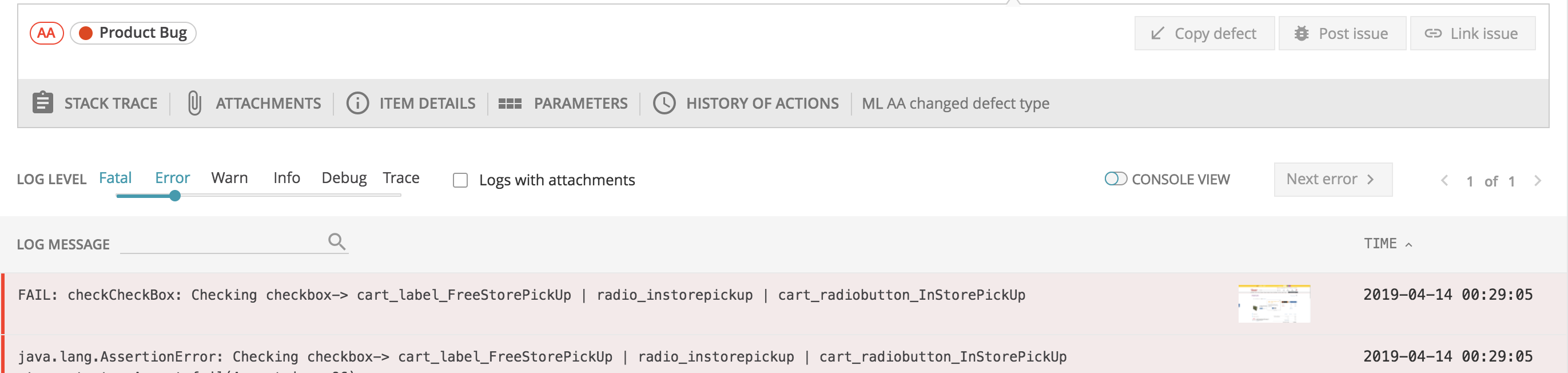
I want to categorize the failures with the messages matching in past launch/analysis. I want to set the analysis in such a way that it should match 90% of log message (limit by first 2 lines of log).
Test Case # 1:
Test Case # 2:
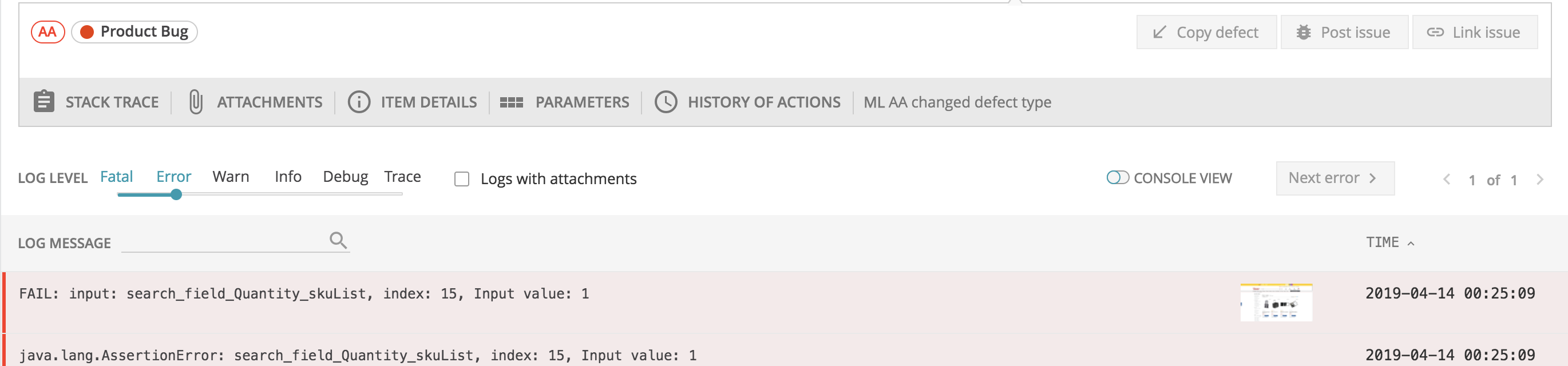
Both of the above failures are categorized as one defect type which is not the case. First one is correct defect type & 2nd should be marked as To Investigate (because its a new issue, which i have never analyzed manually)
 arunkumar-muthusamy
All 4 comments
for now, to make analyzer to work strict, you should carry out at least 3-4 runs of analysis. And after each run, check results and correct them , if they are wrong.
After version 5.0 we want to implement a same kind of really strict analysis.
But for now I can propose you the second option
Here https://github.com/reportportal/service-analyzer/tree/tiger we have example of strict analyzer
I configure it in RP. In our docker compose file you need to uncoment fields for this service
https://github.com/reportportal/reportportal/blob/master/docker-compose.yml
 evjlobanova
on 4 May 2019
evjlobanova
on 4 May 2019
@evjlobanova ,
Since we have v5 RC, can you pls help me on how to configure the analyzer to match more strictly.
Also i tried the pattern analysis. How do we map a particular defect type to a pattern. Say for Eg.
Say if my pattern XXX matched, then classify that failure as "So & So Bug Type"..
Appreciate your help!
arunkumar-muthusamy
on 18 Oct 2019
Regarding the first question: just use Classic mode for version 5.
In version 5.1 we have changed Analyzer and re-wrote it on Python. The new analyzer is much more accurate. Also, you can use Classic mode.
In ver 5 we also added Pattern analysis #673. But it works just as a hint for To investigate items. In ver 5+ we are planning to introduce Actionable Analysis https://github.com/reportportal/reportportal/issues/596
evjlobanova
on 30 Mar 2020
Thanks much @evjlobanova !
arunkumar-muthusamy
on 30 Mar 2020
Related issues
 pbortnik
·
3Comments
pbortnik
·
3Comments
 ebenahar
·
6Comments
ebenahar
·
6Comments
 wlad
·
3Comments
wlad
·
3Comments
 priyankachaturvedi30
·
3Comments
priyankachaturvedi30
·
3Comments
 v1-wizard
·
4Comments
v1-wizard
·
4Comments