Renovate: No Projects Shown In Dashboard for GitLab
What Renovate type are you using?
Renovate through the renovate-bot on GitLab.com.
Describe the bug
After logging into the Renovate Dashboard (https://renovatebot.com/dashboard) using GitLab for authorization, the list for Install/Uninstall Repositories remains empty.
Expected behavior
I was expecting to see all my projects under my Open Source group (https://gitlab.com/hyper-expanse/open-source). (So that I can enable the Renovate webhook on those projects).
Additional context
renovate-bot is currently added as a group-level member with Developer permissions, and it has been given merge permissions on all protected branches.
 hutson
All 22 comments
I would take a wild guess, and say this was caused by having nested groups. Since the web page was only tested with owner/repo urls.
 kayoub5
on 12 Nov 2018
kayoub5
on 12 Nov 2018
I verified that when I log in with GitLab I still see what I expect to. @hbetts could you perform the login/steps with devtools enabled so you can see what API calls are being made and what errors or timeouts or empty responses are occurring and let us know anything you think is relevant?
 rarkins
on 12 Nov 2018
rarkins
on 12 Nov 2018
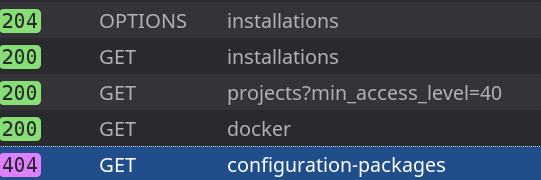
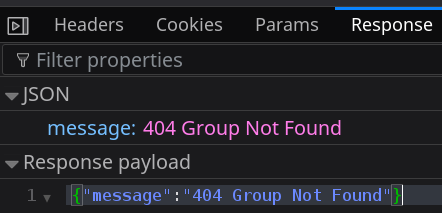
configuration-packages is a sub-group under the hyper-expanse/open-source group.
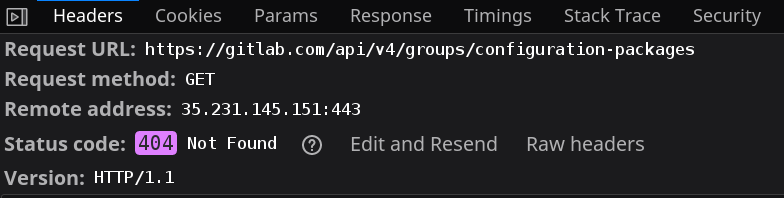
If y'all would like, I have a HAR file available for detailed analysis.
hutson
on 13 Nov 2018
@kayoub5 seems like the groups logic is misfiring
rarkins
on 13 Nov 2018
I also experienced this issue. The dashboard does not show any projects inside a group.
 P4sca1
on 18 Mar 2019
P4sca1
on 18 Mar 2019
@rarkins I am also experiencing same situation :(
 shivapoudel
on 23 Mar 2019
shivapoudel
on 23 Mar 2019
Hi!
I debugged this problem and indeed it seems like it only fails when using subgroups.
I fixed it by changing some contents of the dashboard.js file in Chrome.
Original:
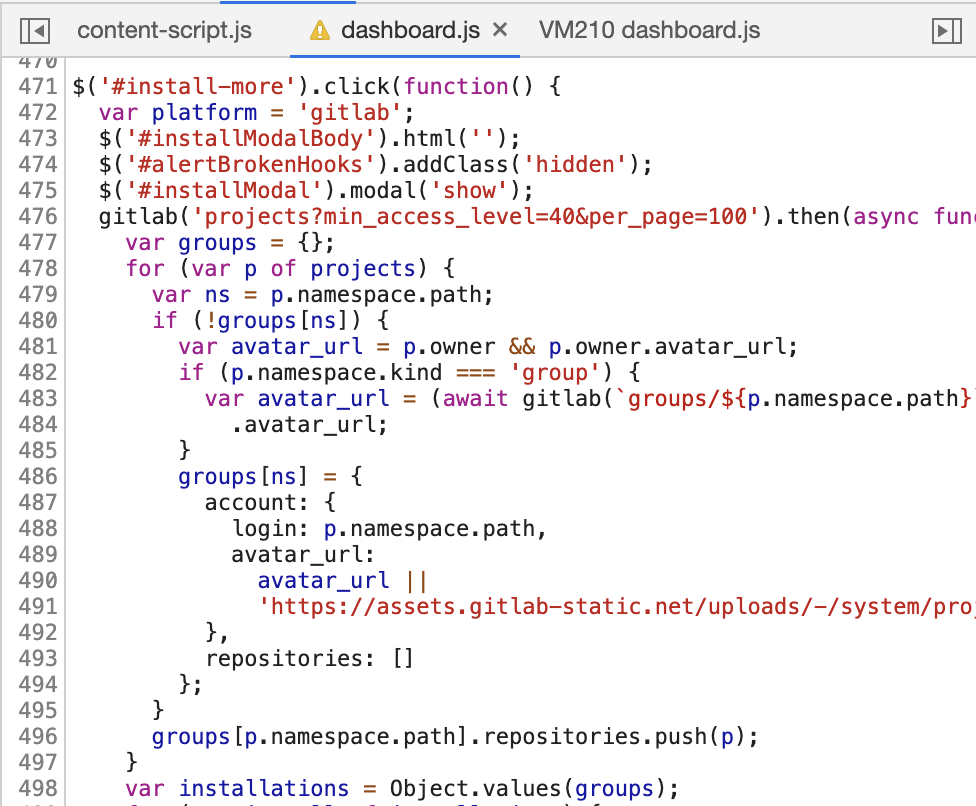
Now:
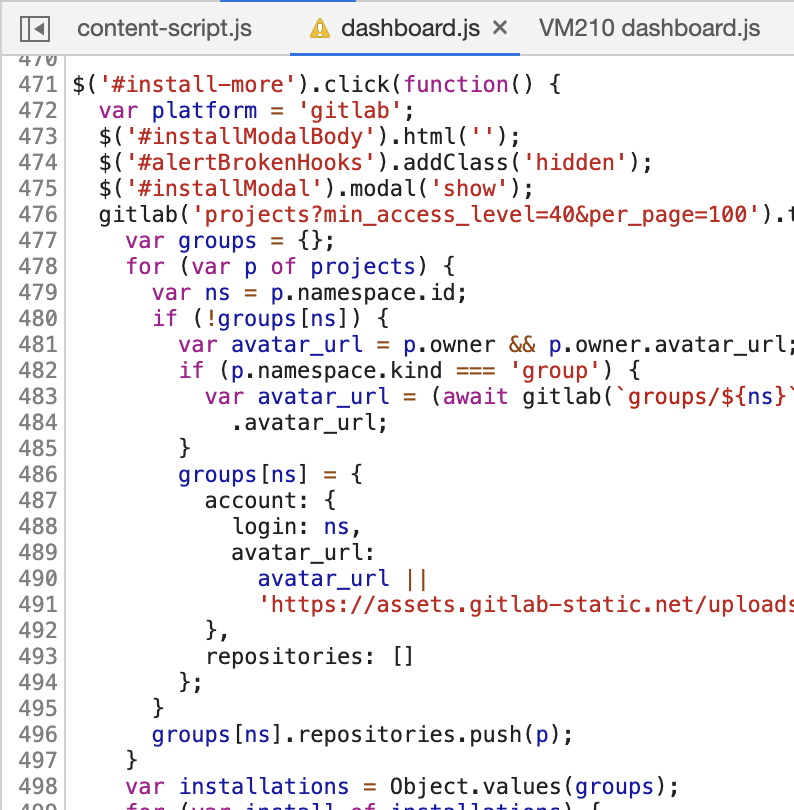
That's not the correct fix, as now all groups are shown with their ID instead of their name. But it does work.
I would be happy to make PR for this (with the right names etc.) but I can't find the source of the file.
Is the dashboard open source?
 bartlangelaan
on 29 Mar 2019
bartlangelaan
on 29 Mar 2019
The dashboard is not open source, so unfortunately not directly editable. As a GitLab user, what do I need to do to reproduce this error? Eg I need to configure some or all repositories to be within groups and subgroups?
rarkins
on 30 Mar 2019
We have a group with 5 subgroups with all projects being in one of the subgroups. When clicking the settings button, not a single project shows up.
Looking at the source though, I think the script already fails if you have access to a single repo that's in a subgroup. It fails when getting the avatar of the subgroup, which happens before any of the projects are printed to the list.
bartlangelaan
on 30 Mar 2019
I have been looking into this issue a bit more, because we want to try out Renovate at our company so we also want to test the projects with webhooks installed. It looks like that's only possible from within the dashboard.
I wanted to enable the webhooks by hand, and found the following api:
https://v1.renovateapi.com/gitlab/repos/[namespace]/[project]/webhooks
Because the project is in a subgroup, the final url to be called becomes:
https://v1.renovateapi.com/gitlab/repos/[group]/[subgroup]/[project]/webhooks
which results in a 404 because the route doesn't exist. By double-encoding the namespace I was able to add the webhook. This means, posting to this url:
https://v1.renovateapi.com/gitlab/repos/[group]%252F[subgroup]/[project]/webhooks
That resulted in a 200, and I can see the webhook in GitLab! 🎉
I've been using Renovate for GitHub for over a year now (for some open source projects) and at the same time have been using GitLab for 2 years. Both are awesome, and I would like to see them work nicely together!
What I see mostly by looking at the source code of the dashboard is that everywhere the combination of 'namespace + project name' is used as id, while every GitLab project already has a unique ID (cross-namespace).
So the 'namespaces' should just be for listing projects visually, not for saving in the database or using it to get/set data. I also see it in the 'secret token' part of the webhook, so I don't know for sure if it's working now.
If you _really_ want to use named api calls, make sure to URL encode them everywhere: https://docs.gitlab.com/ce/api/README.html#namespaced-path-encoding. If you need any help with the GitLab API please let me know, I've worked with the GitLab API a few times before.
bartlangelaan
on 3 Apr 2019
I need to configure some or all repositories to be within groups and subgroups? - @rarkins
I believe all you need is a group, with a single sub-group, and a single node/python/etc project within the sub-group. (Should mirror the setups @bartlangelaan and I have)
hutson
on 5 Apr 2019
Could anyone check if the issue is resolved or improved for you? I have installed and uninstalled my own repos so many times I really aren't sure.
Also be aware that installed repos are only picked up hourly currently, so don't expect to see them instantly in the sidebar once you install.
rarkins
on 9 Apr 2019
It works for me, good job!
Edit:
The sidebar shows projects in groups but not projects in (multiple) sub groups.
It works fine for the settings window.
P4sca1
on 9 Apr 2019
I just gave it another go and I'm still getting a 405 Error. When I toggle the project to "install" it, the switch turns blue but the request fails. It looks like the UI isn't tied to success/error. Let me know if I can help at all.
 baer
on 10 Apr 2019
baer
on 10 Apr 2019
@P4sca1 the sidebar should list things like this for now:
Project
subproject1/repo1
subproject1/repo2
subproject2/repo8
I assume that's what you're seeing?
@baer can you run dev tools when you do the "install", and copy the 405 details? Also, please give me details about the project name and time you did it so that I can correlate with the backend logs.
rarkins
on 10 Apr 2019
I just gave it another go and I'm still getting a 405 Error. When I toggle the project to "install" it, the switch turns blue but the request fails. It looks like the UI isn't tied to success/error. Let me know if I can help at all.
Weird, for me there are no errors in dev tools when installing / uninstalling.
The members endpoint returns a 201 and the webhooks endpoint returns a 200 code for me.
I assume that's what you're seeing?
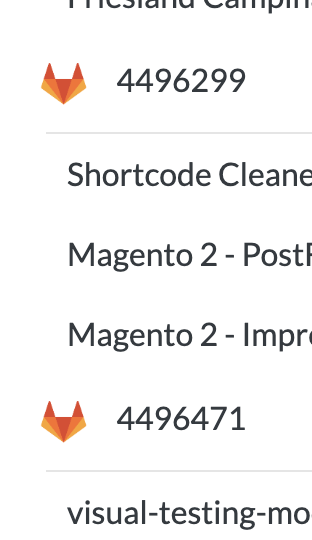
I attached 2 screenshots to demonstrate the problem.


The sidebar does not recognise subgroups whereas the settings page does.
P4sca1
on 10 Apr 2019
@P4sca1 would this describe your problem?
Also be aware that installed repos are only picked up hourly currently, so don't expect to see them instantly in the sidebar once you install.
Obviously this is not ideal, but GitLab doesn't have an "app" interface like GitHub so we've had to work out how to make an app-like one instead.
The install/uninstall modal pulls down a real-time list of repositories that the logged-in users has admin access to, then checks each of them using Renovate's own token to see if it has read/write access. This is a fairly "heavy" operation - one API call per repository.
The sidebar instead just pulls a list of repositories from Renovate's DB that are in state=active. This DB is updated hourly. It does not require hitting the GitLab API heavily like install/install does.
Therefore the sidebar status lags the install/uninstall status by up to 1 hour.
rarkins
on 10 Apr 2019
At first I thought that this is indeed the problem and anything is working fine, but I installed renovate via the dashboard yesterday and the sidebar is still not updated.
P4sca1
on 10 Apr 2019
@P4sca1 thanks for helping troubleshoot. I've identified the problem now and working on a fix. Although these repositories are not showing up in the sidebar, they are installed and should be running regularly. The problem is due to some hardcoded assumptions about owner/repo URL structure in the front and back ends.
rarkins
on 10 Apr 2019
@rarkins - sounds like you may have found your issue but below is the screenshot you requested. Not much to see :/. Note that I get one of those 404 messages for each project listed in that Install/Uninstall interstitial. The 405 happens after I try to Install one.
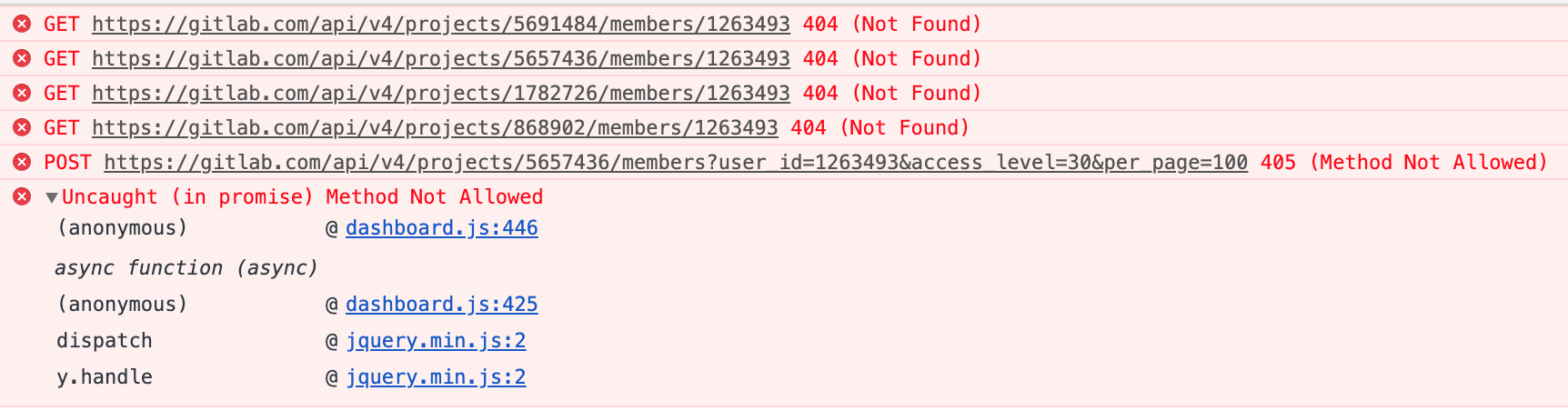

Despite these errors, I did get a rennovate configuration PR late yesterday evening. This was a surprise to me considering that the UI was throwing errors. I modified the config on that branch to ignore some of the projects in my repo (config below) and merged.
{
  "extends": ["config:base"],
  "ignorePaths": ["sales-backbone/", "syspro-api/", "sql-connection-test/"]
}
Since then, I've noticed the following:
- The PR description did not update to reflect changes to the config. I didn't know this was a thing until I read it in the docs a few min ago
- After merging this AM, I've still yet to receive a PR despite the config PR identifying a number of changes
- When I logged into the renovate dashboard, I now see a list of projects in the sidebar (I didn't see this yesterday)
- In the dashboard, I see a single job run 21h ago with a result of null. The output is VERY long of I'd include it here but below is the end of the logs (info mode only). It appears that _something_ is working.
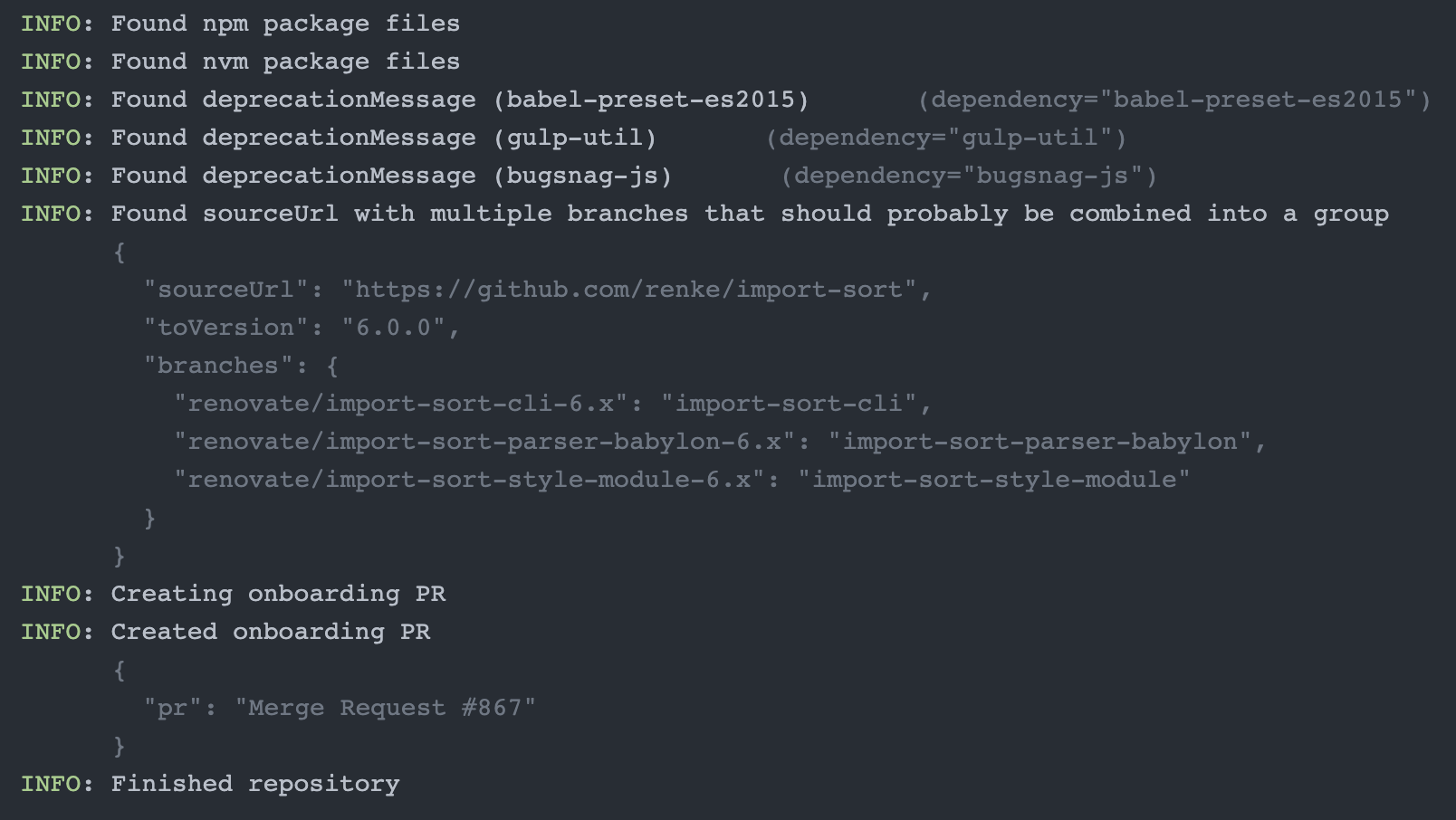
Hope this helps.
baer
on 11 Apr 2019
You could ignore the 404 errors, they are meant to check if the user "Renovate Bot" is a member of the project, without having to iterate all members, it was implemented this way since GitLab does not have an API for "does user belong to project?".
kayoub5
on 11 Apr 2019
I believe this to now be resolved now. As mentioned above, 404 errors in the console are to be expected as these are the only way to check access rights. Also be aware that it takes up to an hour for Renovate to sync the left-hand side menu after you've installed a repo, otherwise we'd hit GitLab's limits too quickly.
rarkins
on 23 Apr 2019
Related issues
 OmgImAlexis
·
4Comments
OmgImAlexis
·
4Comments
 ZauberNerd
·
4Comments
hutson
·
3Comments
ZauberNerd
·
4Comments
hutson
·
3Comments
 Siilwyn
·
4Comments
Siilwyn
·
4Comments
 ghost
·
3Comments
ghost
·
3Comments
Most helpful comment
@P4sca1 thanks for helping troubleshoot. I've identified the problem now and working on a fix. Although these repositories are not showing up in the sidebar, they are installed and should be running regularly. The problem is due to some hardcoded assumptions about
owner/repoURL structure in the front and back ends.