Remark: Vertical centering of .left/.right block content?
I split my slide in a left and right part using .left[] and .right[].
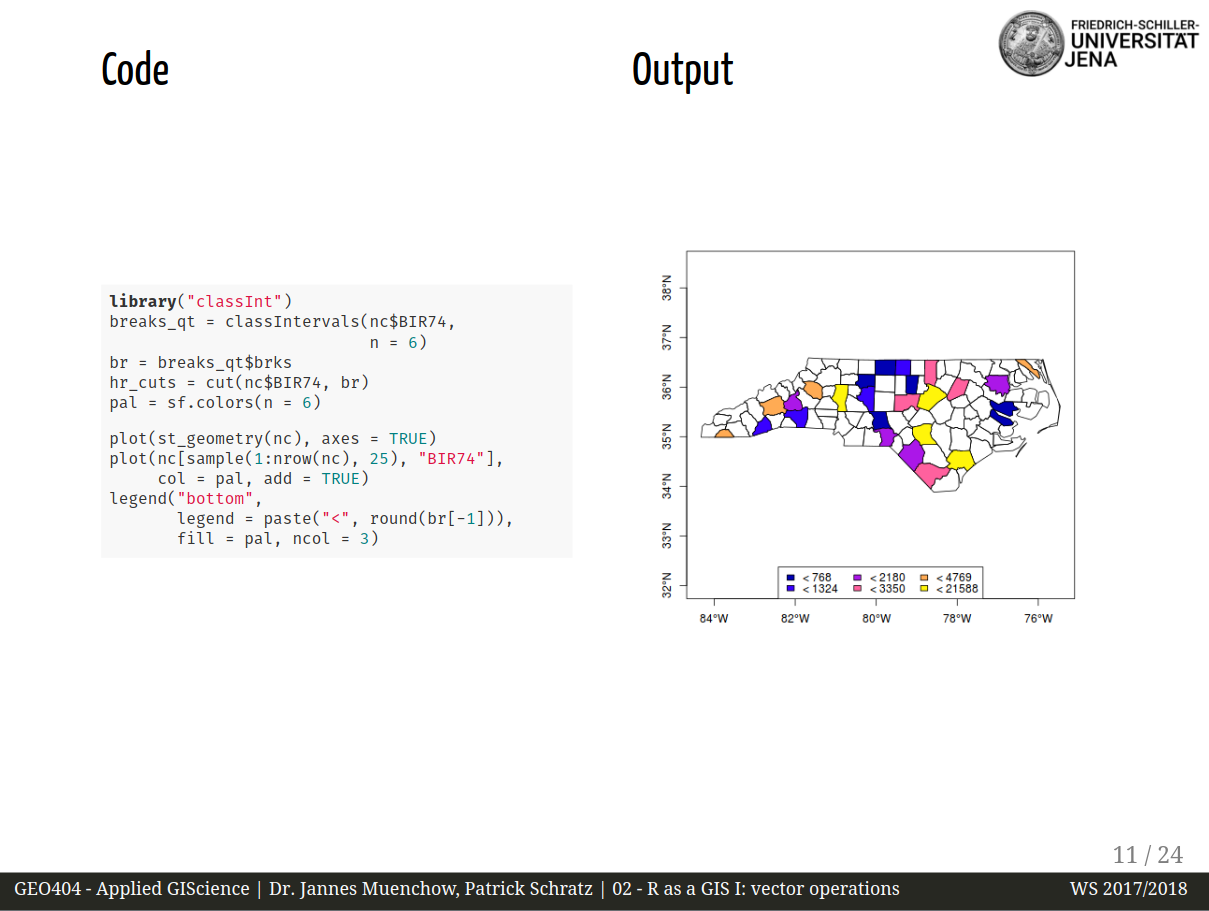
Within these blocks I insert images. I tried to vertically center the images inside the blocks using .middle[] but it did not work. Is there a way to do so?
 pat-s
pat-s
All 8 comments
Can you share your code, eg in CodePen?
 tripu
on 23 Jan 2017
tripu
on 23 Jan 2017
I´m not used to CodePen, so I´ll just try to illustrate it here quickly.
I just realised that the classes which I rely on are custom (and are not .left[] and .right[]) and not defined within remark.js?
.pull-left {
float: left;
width: 47%;
}
.pull-right {
float: right;
width: 47%;
}
These classes split the slide into left/right. Now I want to center the content of both vertically.
I tried to search for some CSS solutions to vertically center but nothing worked the way I want it.
While this might seem to be a general CSS question -> is there already a way to do so in remark which I just overlooked?
pat-s
on 23 Jan 2017
@pat-s: afaik, Remark doesn't ship with classes to do that specifically; yours is purely a CSS problem, as you say.
Here is an example of how to centre things vertically: codepen.io/tripu/pen/oqrhc.
tripu
on 24 Jan 2017
@tripu Thanks for clarification and the example! While this works nicely in your example, I can´t get it to work within the .pull-*{} example from above. I tried to insert your .content as a subclass of .pull-*{}.
As a workaround for the moment I just insert <br> multiple times so the content gets shifted vertically.
pat-s
on 24 Jan 2017
If you share your (entire) code at some point, I can take a look at it, @pat-s.
“As a workaround for the moment I just insert
<br>multiple times so the content gets shifted vertically.”
Tsk, tsk…
:wink:
tripu
on 15 Nov 2017
I don't use remark directly but actually xaringan which uses remark in the background. So you would need to install R and the package and run the example presentation.
However, it should simply be reproducible with a standard remark script. I simply want a vertically centered block for pull-left and pull-right :) (see two comments above for the custom css classes).
After trying it out, your content block does the same as the center class built in remark.
The result is that the text is aligned centered but not vertically centered across the slide.
.pull-left.content[
some text
]
.pull-left.center[
some text
]
CSS:
.pull-left {
float: left;
width: 47%;
}
.pull-right {
float: right;
width: 47%;
}
.content {
position: relative;
top: 50%;
transform: translateY(-50%);
text-align: center;
}
However, .pull-left.middle[ some text ] has not effect :(
pat-s
on 16 Nov 2017
@pat-s, a couple of suggestions:
Aren't you confusing classes .middle and .center in your examples above?
Also, bear in mind that in Remark, .one.two[foo] produces the HTML
<span class="one two">
foo
</span>
and not
<span class="one">
<span class="two">
foo
</span>
</span>
, which is the kind of nesting that my example for vertical centring needs.
For the latter, do .one[.two[foo]]
Anyway, I just put together a complete example for you on CodePen; I hope it's useful.
tripu
on 16 Nov 2017
Thanks a lot @tripu!
I had to do some modifications to your example and I do not know why both containers pull-left and pull-right are different in their top margin although they have the same basic setup :thinking:
Note that I also had to remove the - sign in translateY to get it looking properly. So my final solution looks like this:
.center-left {
  position:          relative;
  top:               50%;
  transform:         translateY(50%);
}
.center-right {
  position:          relative;
  top:               50%;
  transform:         translateY(10%);
}
And then applies as
.pull-left[.center-left[foo]] and .pull-right[.center-right[foo]]
pat-s
on 16 Nov 2017
Related issues
 mathieuLacroix
·
3Comments
mathieuLacroix
·
3Comments
 donquixote
·
5Comments
donquixote
·
5Comments
 jklymak
·
8Comments
jklymak
·
8Comments
 larrycai
·
8Comments
larrycai
·
8Comments
 pinkomeo
·
4Comments
pinkomeo
·
4Comments
Most helpful comment
Thanks a lot @tripu!
I had to do some modifications to your example and I do not know why both containers
pull-leftandpull-rightare different in their top margin although they have the same basic setup :thinking:Note that I also had to remove the
-sign intranslateYto get it looking properly. So my final solution looks like this:And then applies as
.pull-left[.center-left[foo]]and.pull-right[.center-right[foo]]