Reicast-emulator: Android Beta Testing Information & Feedback
Android Beta opt in
Feedback
http://chat.reicast.com (#reicast)
(Original post follows)
Beta discussion thread
---
- Beta discussion thread: http://dcemulation.org/phpBB/viewtopic.php?f=86&t=104644
- Forum README: http://dcemulation.org/phpBB/viewtopic.php?f=86&t=104455
- Forum Code of Conduct: http://dcemulation.org/phpBB/viewtopic.php?f=86&t=104207

Beta issue reporting
---
- https://github.com/reicast/reicast-emulator/issues/1208 (general support, this issue)
- reicast/gamedb#3 (Game compatibility issues)

Setting up guide
---
- http://reicast.com/guide
- http://dcemulation.org/phpBB/viewtopic.php?f=86&t=104206 (not sure which one is more up to date)

Game compatibility tracking
---
- http://gamedb.reicast.com (still very much WIP), reicast/gamedb#3

Chat
---
- [#reicast @freenode (irc)](https://www.irccloud.com/invite?channel=%23reicast&hostname=irc.freenode.net&port=6667)
- [Reicast Discord](https://discord.gg/gYsfaNt)

<bountysource-plugin>
 skmp
skmp
All 160 comments
I entered the program of beta tester, I went to test the version that was sent to me 1493906 and when it goes to load the game reicast simply closes, then tested manually and the last functional in my box android tv was edaec54.
Tested device: Android box Tv MX3-G 32bits, with android 4.4.2, more Mali 450 OpenGL ES 2.0
 spielvan
on 9 Jul 2018
spielvan
on 9 Jul 2018
Can't run any games, even the bios. Instant crash when I try to run a game or bios. S8+ 8.0.0
 MrYoso
on 9 Jul 2018
MrYoso
on 9 Jul 2018
Same issue, crashes to home screen when loading games. Deleted the app's data and every time I try to set it up again, it crashes to home screen.
Nexus 6P, Android 8.1
 ivanmestre
on 9 Jul 2018
ivanmestre
on 9 Jul 2018
Added link to the chat
skmp
on 9 Jul 2018
Hi! same issue here. I think the file system is the problem, when I try to change de BIOS and games folder the App crashes. Sorry my bad English! ;)
 renanlricci
on 9 Jul 2018
renanlricci
on 9 Jul 2018
I suspect that the beta takes some time to activate, and the r6 version is
installed. Can you check the about dialog?
On Mon, 9 Jul 2018 at 05:51, Renan notifications@github.com wrote:
Hi! same issue here. I think the file system is the problem, when I try to
change de BIOS and games folder the App crashes. Sorry my band English! ;)—
You are receiving this because you authored the thread.
Reply to this email directly, view it on GitHub
https://github.com/reicast/reicast-emulator/issues/1208#issuecomment-403352403,
or mute the thread
https://github.com/notifications/unsubscribe-auth/AAYAMnqXTRxxeDZPacrY7TS7P4aF3OlGks5uEtNCgaJpZM4VG37c
.>
~skmp
skmp
on 9 Jul 2018
Ooh, managed to repro. Gotta fix gotta fix. OPT w/ we latest is it has.
On Mon, Jul 9, 2018, 05:52 skmp skmp@emudev.org wrote:
I suspect that the beta takes some time to activate, and the r6 version is
installed. Can you check the about dialog?On Mon, 9 Jul 2018 at 05:51, Renan notifications@github.com wrote:
Hi! same issue here. I think the file system is the problem, when I try
to change de BIOS and games folder the App crashes. Sorry my band English!
;)—
You are receiving this because you authored the thread.
Reply to this email directly, view it on GitHub
https://github.com/reicast/reicast-emulator/issues/1208#issuecomment-403352403,
or mute the thread
https://github.com/notifications/unsubscribe-auth/AAYAMnqXTRxxeDZPacrY7TS7P4aF3OlGks5uEtNCgaJpZM4VG37c
.>
~skmp
skmp
on 9 Jul 2018
Same issue. The bios was located succesfully (it seems) but when i try to locate games folder the app goes back to desktop. Same if i manually try to locate dc boot bin folder. Altough the app seemed to have found my game automatically it instantly goes back to desktop when i try to launch it. Device : xiaomi redmi note 4
 diegodylard
on 9 Jul 2018
diegodylard
on 9 Jul 2018
Mine shows "r7 [1493906]".
MrYoso
on 9 Jul 2018
Updated build pushed. You should get the update soon.
skmp
on 9 Jul 2018
Needs to update the cloud vmu, it doesn't let me upload anything. Some settings options need fixing. Games are working fine as always.
 FaceRAX
on 9 Jul 2018
FaceRAX
on 9 Jul 2018
The beta simply extends support to Android 7.0+ and restores functionality to things that were previously working. A lot still needs to be done to update the Android shell.
Cloud VMU, Settings, etc. that have been broken for all Android versions are still broken.
 AbandonedCart
on 9 Jul 2018
AbandonedCart
on 9 Jul 2018
Is this beta build the same as the latest master dev build?
 blackman91
on 9 Jul 2018
blackman91
on 9 Jul 2018
Working nice 👍
But still having a problem in KOF the evolution the touch screen button is gone after the intro of Dreamcast :(
 Gamemulatorer
on 9 Jul 2018
Gamemulatorer
on 9 Jul 2018
@blackman91 the beta is the tip of #1210. Once that is ready, the beta will be the tip of master. Beta builds are also Release builds, while dev builds are Debug builds by default
@Emulatorer can you open an issue in the gamedb please? https://github.com/reicast/gamedb/issues
skmp
on 9 Jul 2018
@skmp now I reported the issue to
https://github.com/reicast/gamedb/issues
Gamemulatorer
on 9 Jul 2018
Android r7 1493906:
Crashing when I try to enter any info for the BIOS location, or when I use locate and select it.
 gannon345
on 10 Jul 2018
gannon345
on 10 Jul 2018
Just tested the beta (r7 02901d6), great job this error warning no longer appears at all:
https://github.com/reicast/reicast-emulator/issues/1009
Selecting bios and games directory no longer crashes the app too.
It seems to be running games fine, will keep testing, only the game Cyber Troopers Virtual On Oratorio Tangram seems to be running at very very low frame rate even with frameskip off and default settings making it unplayable, has anyone else experienced this?
blackman91
on 10 Jul 2018
@skmp I just tested the (r7 02901d6) as beta tester, and now it is working perfect, there are still graphics bugs, GPU Mali 450 Open GL 2.0. A hug.
spielvan
on 10 Jul 2018
Alright. I’ll try to merge everything to master by end of the week then. Meanwhile, would be great to go over the games and note which ones are working nicely and which ones do not.
edit
In general game compatibility issues should be reported to https://github.com/reicast/gamedb, to avoid overloading the issue tracker for the emulator itself.
skmp
on 10 Jul 2018
(Edited first post to point to the gamedb issue tracker)
skmp
on 10 Jul 2018
Just entered the test. Project Justice 2, only game I have, loads and works, albeit it seems to be a bit slower tan previous lk/Android-studio build I had installed.
S7 edge Exynos.
 Larrynho
on 10 Jul 2018
Larrynho
on 10 Jul 2018
Just noticed this beta doesn't have the microphone permission on by default after installing, I tried to enable the mic reicast option to play seaman and the app crashed after selecting the game, giving it permission manually in Android app settings fixed the issue though. Also I just got a freeze on MvC2 on the final boss using this beta and had to restart the app :(
blackman91
on 11 Jul 2018
@blackman91 can you open an issue for the microphone thing? This should be in reicast-emulator, not gamedb, as it is an actionable item for a developer
skmp
on 11 Jul 2018
This game is running smooth with a minor graphical issue :)
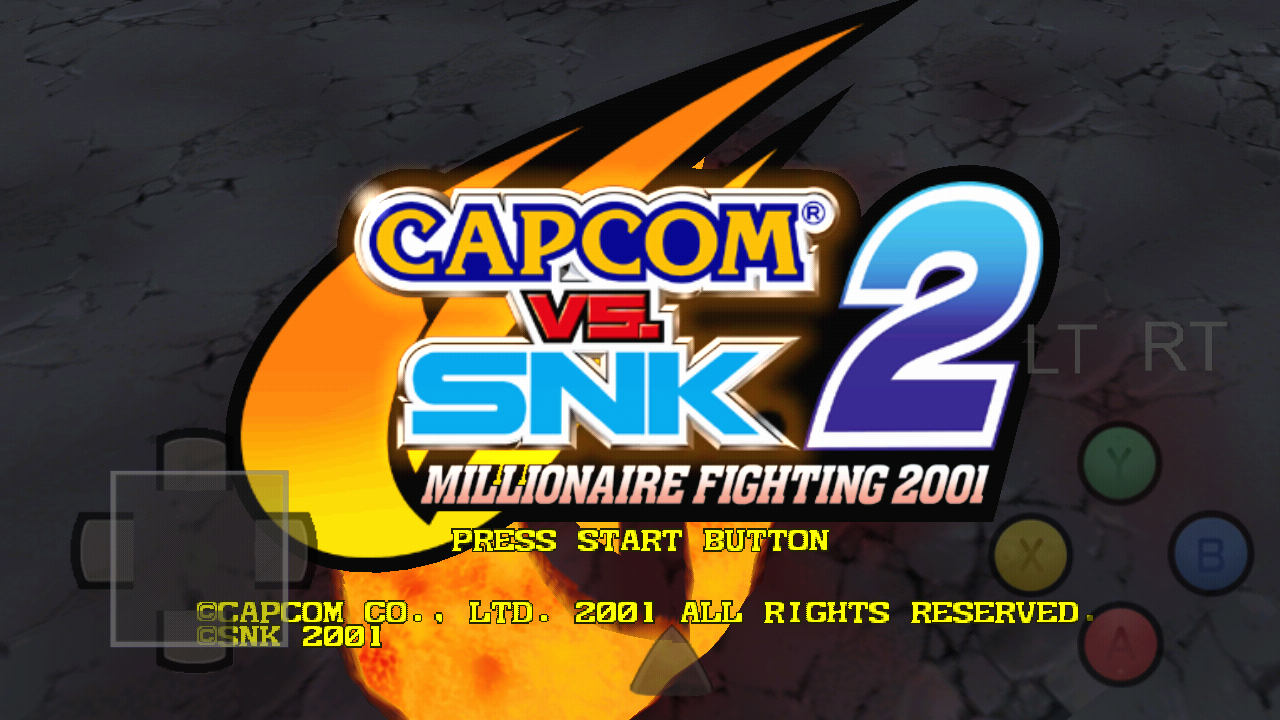
Gamemulatorer
on 12 Jul 2018

While trying to boot Skies of Arcadia CD 1
r7 [02901d6
 rcrc2
on 13 Jul 2018
rcrc2
on 13 Jul 2018
According to git this would be here
https://github.com/reicast/reicast-emulator/blob/f205e99f9b0b6c50282851e03b0998f1142d5490/core/hw/holly/sb.cpp#L132
Does that make sense?
 baka0815
on 13 Jul 2018
baka0815
on 13 Jul 2018
@rcrc2 can you please open a ticket for that in the gamedb tacker?
skmp
on 13 Jul 2018
I also created a testers team, @reicast/testers. Please, make a comment with an @skmp reference to it if you want to be added. I've added @spielvan @Emulatorer @blackman91 and @sionco already.
skmp
on 13 Jul 2018
I did and I hope I did it right.
rcrc2
on 13 Jul 2018
Some major changes in the beta program
- We merged the CD (#1210) PR
- This means, any merges to master should deploy automatically from now on.
- This means, you will get at least a few updates per week
- Did a ton of work on the gamedb project. Would be great if people check the issues marked there as retest, and in general report status for games, even working ones. see reicast/gamedb#3 on how to get started. Feel free to post any questions regarding testing in that issue, too.
Alright. Moving on...
TODO
- [ ] Fix version numbers (it's just hash atm)
- [ ] Dry-test release builds w/o upload in travis
skmp
on 14 Jul 2018
Updated with more links and improved descriptions. Also added discord link :cactus:
skmp
on 16 Jul 2018
I haven't even been able to get the Beta to recognize my bios. Every time I try to get the app to locate them, I get the message "Please move Bios files to [location] even those the BIOS files are in that location, Using a NVIDIA Shield K1 tablet.
 SuperL2
on 16 Jul 2018
SuperL2
on 16 Jul 2018
Make sure the bios is located inside a folder named data for instance mine is inside /sdcard/reicast/data and it works fine.
blackman91
on 16 Jul 2018
@SuperL2 did you rename them to dc_boot.bin and dc_flash.bin ?
rcrc2
on 16 Jul 2018
As a beta tester on GPD XD, here is what I tested :
- Power Stone : graphical issues : no health bars, no name at characters selection screen (works better and faster on r6 with no problems at all)
- Unreal Tournament : still a lot of artefacts
- Dead or Alive 2 : problems with buttons
- Dynamite cop : graphical issues, like r6
- Sonic Adventure 1 and 2 / Jet Set Radio : a lot slower than r6
- Soulcalibur : as r6, runs well but still has graphical issues on backgrounds
Overall, r6 runs better on GPD XD than this beta
Thanks for the hard work, keep it up guys !!
 kercyx
on 16 Jul 2018
kercyx
on 16 Jul 2018
Just FYI, http://beta.reicast.com is the link that we want to pass around to people. It’s a short url for this issue, and in the future it will be the beta testers portal
skmp
on 19 Jul 2018
@kercyx Are the button issues specific to that title? And can you explain what they are?
AbandonedCart
on 20 Jul 2018
Yup it s specific to doa 2 and no buttons works like it should, just to choose the game mode in the menu is weird
kercyx
on 20 Jul 2018
does that new beta version support widescreen hacks?
Trying to get Widescreen Soul Reaver but no succeed..
Device oneplus 6
 anarchyguitarist
on 23 Jul 2018
anarchyguitarist
on 23 Jul 2018
Just got a freeze in Marvel vs Capcom 2 using latest beta and the log says this:
07-26 00:15:10.267 24038 24133 I reicast : [sh4]Read32 from 0x503464A0, not mapped [_vmem default handler]
07-26 00:15:10.291 24038 24133 I reicast :
07-26 00:15:10.291 24038 24133 I reicast :
07-26 00:15:10.291 24038 24133 I reicast : Unimplemented opcode: 00000001 next_pc: 8C269430 pr: 8C26942C msg: Unknown opcode
07-26 00:15:10.291 24038 24133 I reicast : Fatal error : iNimp reached
07-26 00:15:10.291 24038 24133 I reicast :
07-26 00:15:10.291 24038 24133 I reicast : in cpu_iNimp -> /home/travis/build/reicast/reicast-emulator/shell/android-studio/app/src/main/jni/../../../../../../core/hw/sh4/interpr/sh4_opcodes.cpp : 66
blackman91
on 26 Jul 2018
Lastes Play store beta build makes my screen go black anytime I try to start a game / bios. ( 07/08/208 build ce447e2 | 2018-08-07T02:04:32.000Z I think ). ( last play store build fixed this 08/08/2018 )
On the previous commit, shadowman was giving an error on start and white screen after bios but if I download reicast master apk 38539a9 | 2018-08-06T19:15:04.000Z it works fine.( last play store build fixed this 08/08/2018 )
Psychic force changes the onscreen controls display size, but underneath if you press where the buttons were, they work.
Larrynho
on 7 Aug 2018
Rest assured, the black screen issue has been identified.
AbandonedCart
on 7 Aug 2018
Attempting to set a boot disc causes everything to respond slowly for a few seconds, prompting me to force stop the app.
 SteelTitanium
on 11 Aug 2018
SteelTitanium
on 11 Aug 2018
@SteelTitanium That setting doesn't do anything but save the text. It's not connected to anything.
AbandonedCart
on 12 Aug 2018
The newest master merges are not being published to the googleplay beta right now I think.
blackman91
on 14 Aug 2018
It is definitely 1bcffb5 the culprit, tried b2e07d0 and the bug that if you move the gamepad stick or dpad reicast quits back to game selection menu is not there. Can anyone else test if it happens with your gamepad too?
blackman91
on 17 Aug 2018
The controllers are being rebuilt in https://github.com/reicast/reicast-emulator/pull/1296
AbandonedCart
on 17 Aug 2018
a412935 fixes the stick bug, good job. This issue still remains though:
https://github.com/reicast/reicast-emulator/issues/998#
blackman91
on 18 Aug 2018
Based on your comments, this is tested by triggering the OSD to be displayed while holding keys but the OSD is designed to be hidden by the use of a hardware controller. If you press down a key and then attempt to touch the screen, it is immediately hidden again.
AbandonedCart
on 18 Aug 2018
The touchscreen gamepad only hides if you press the face buttons, the start button or the dpad on the external gamepad, it remains visible if you just press the lt and rt buttons or move the stick, you can see the input of the lt and rt buttons that way, press on the touchscreen to make it visible then just press lt and rt buttons on gamepad.
blackman91
on 18 Aug 2018
On screen control isnt visible. It still there, i can control normaly, just dont see any buttons. I'm using Xperia xz premium and newest build on playstore.
 hung14
on 22 Aug 2018
hung14
on 22 Aug 2018
Delete the buttons.png in the folder you chose as your "home folder" in reicast settings and then restart.
AbandonedCart
on 22 Aug 2018
ok i moved the home folder to internal storage and it worked thanks.
hung14
on 22 Aug 2018
It should be in a subfolder named "data"
Launching a game should recreate the file, but may require quitting and launching again (but only one additional time)
AbandonedCart
on 22 Aug 2018
Using latest beta 91dda19 if you enable the option enable microphone in input settings you get a black screen when launching any game, I already made sure reicast has the Android microphone permission enabled in Android app settings but it still happens, Seaman is now unplayable.
blackman91
on 22 Aug 2018
The microphone has to be configured to a controller, which is currently not available without a physical controller present in port 2. We appreciate your patience while a workaround is added.
AbandonedCart
on 22 Aug 2018
But Seaman requires the microphone to be connected to the first controller (A) in expansion socket 2 and right now the 2 VMUs of the first controller cannot be modified, making the game unplayable. Also it appears the extra vmus are not working even with a second gamepad attached on Android, I select them on the input menu but they don't appear on the bios ui:

As you can see it detects the second controller but not the vmus.
blackman91
on 22 Aug 2018
I dunno what to tell you. I only did the UI portion of the new controller support. You'll probably need @baka0815 to check that over.
AbandonedCart
on 22 Aug 2018
It's possible if they are being defaulted to "None" and later changed, the existing device has to be deleted first. I would think the controller setup code should override that, though.
AbandonedCart
on 23 Aug 2018
Tested 97c5b9e but toggling the option enable microphone in input settings still causes a black screen when launching any game or bios. I made sure the mic permission is on in Android settings but still happens, anyone else with the same issue? it should be easy to reproduce. Also tested with 3 different gamepads but the extra vmus don't get enabled even when selecting them in input settings.
blackman91
on 23 Aug 2018
https://github.com/reicast/reicast-emulator/commit/1619d856633e49a9d6b8a5e76baa1bdbbff4b76a#diff-aefc745393e658c01ab2b0be044819beL387
https://github.com/reicast/reicast-emulator/commit/fa3c3cd94d85e160af2b1e71a8ceb91ae5e7c272#diff-aefc745393e658c01ab2b0be044819beR407
Honestly don't know what to tell you there.
AbandonedCart
on 23 Aug 2018
https://github.com/reicast/reicast-emulator/pull/1317 should restore functionality.
AbandonedCart
on 23 Aug 2018
Well, I don't have Seamen to verify the mic works, but setting VMUs in other ports is fixed. It shows a blank in the BIOS for A-2, so I am assuming it at least gets the mic there. Just not sure if it still attaches with the new way of configuring it.
AbandonedCart
on 23 Aug 2018
Is it safe to assume the microphone works again?
AbandonedCart
on 23 Aug 2018
Thanks a bunch man, I will test if it works when I get the update through the playstore.
blackman91
on 23 Aug 2018
Just tested it and everything works perfectly now! Enabling the mic in settings no longer causes a black screen and it does work on Seaman, the extra vmus are working correctly now too:

Pretty good job guys, you rock.
blackman91
on 23 Aug 2018
Hi good day.
I have problems with Android 8.1.0, the emulator is not able to run when starting a game
now on Android 6.0.1
if it starts, all right until I start playing resident veronica code. before I played normal, now it seems that I had jumps of images.
Yes, when walking, you skip images or show lag.
before it did not happen.
I hope the comments serve
Android 6.0.1
GPU adreno 330- 578 mhz
Thank you
 MezaCorleehone66
on 23 Aug 2018
MezaCorleehone66
on 23 Aug 2018
Xiaomi Mipad1 ,android 7.1 (linage 14.1),Tegra K1.
Can't load any game with any Bios. If i try to load game,only bios loaded,or program crashed. Sorry for bad english

 cthulhu1990
on 24 Aug 2018
cthulhu1990
on 24 Aug 2018
That is typically the result of a bad ROM, most likely in CDI format.
AbandonedCart
on 24 Aug 2018
@cthulhu1990 use GDI versions and verify with TOSEC or redump.org.
baka0815
on 24 Aug 2018
Bug report: On latest beta 8c93ba0 everytime after opening the emu settings or the input settings and going back the bios files appear instead of your game list:

should be easy to reproduce.
blackman91
on 28 Aug 2018
The issue was resolved around 15 minutes ago.
https://github.com/reicast/reicast-emulator/pull/1353
AbandonedCart
on 28 Aug 2018
Just updated it but it is still happening on 81056d3
blackman91
on 28 Aug 2018
Until the most recent changes are published, all of the menus work fine. It is only when using the hard back button that was effected.
AbandonedCart
on 28 Aug 2018
latest release reicast_r8.1-6-g93affdd7 can't locate or read any games what happened

😢
Gamemulatorer
on 12 Sep 2018
@Emulatorer Nobody was doubting you. Check the reference between your posts.
AbandonedCart
on 13 Sep 2018
@Abandonedcart OK tnx waiting for the fix 😅
Gamemulatorer
on 13 Sep 2018
AbandonedCart
on 13 Sep 2018
I still get the black screen issue that other people were having when trying to launch the BIOS or a game. I'm using a custom ROM Oreo on a Galaxy S5.
 genos1213
on 14 Sep 2018
genos1213
on 14 Sep 2018
Unfortunately, that one doesn't have as easy of a fix. It appears to be a memory mapping issue.
AbandonedCart
on 14 Sep 2018
Device : Samsung Galaxy grand prime
Os : Android KitKat 4.4.4
APK version : r8.1 from play store
After pressing ( About ) option the app freezes .
 Huseinmk
on 14 Sep 2018
Huseinmk
on 14 Sep 2018
The biggest issue I have is:
1) Either the game list fails to load from over a network share, usually takes about 4 force closes to resolve.
2) If the game list doesn't load, nothing else loads either (Settings, PG Settings, About, etc)
Details:
nVidia Shield: 7.1.0(29.6.259.0)
APK: 8.1 from Play Store
 delize
on 18 Sep 2018
delize
on 18 Sep 2018
@delize Unfortunately, the emulator is not really tailored to support network filesystems and that isn't really a priority at the moment. The Shield does support up to 256 GB sdcards, though.
AbandonedCart
on 19 Sep 2018
Major bug on latest beta: when you enter the touchscreen gamepad editor if you try make any button bigger it gets all distorted on Android 7:

blackman91
on 19 Sep 2018
Just the latest beta did this? Or did the one before it do it, too?
AbandonedCart
on 19 Sep 2018
Not sure about the previous one because it didn't detect the bios but the resizing works fine in latest master 00ecf2f.
blackman91
on 19 Sep 2018
The betas are built automatically from master. Looks like there is nothing to do here then.
AbandonedCart
on 19 Sep 2018
Not anymore apparently, latest beta version from playstore is r8.1-11-geacbae5b and the latest master still r7 00ecf2f:
http://builds.reicast.com/
the bug is present in latest playstore beta but not in that master build.
blackman91
on 19 Sep 2018
And the changes are already submitted to resolve that.
AbandonedCart
on 19 Sep 2018
Nice job mostly fixed but if you make the dpad big the right button goes all to the right:

blackman91
on 20 Sep 2018
The specific code for that was more or less reverted to the way it was (for years). Are you actually trying to make the dpad that size to use it or was that just to find an issue? If it is just to find issues, it probably won't be addressed right away. After all, it doesn't seem like there is a lot of demand to make the dpad 1/2 the screen width in the last 3 years given the lack of reports about it.
AbandonedCart
on 20 Sep 2018
Updated to latest beta:

But Reicast now crashes or closes itself when pressing reicast settings on Android 7.
blackman91
on 27 Sep 2018
Interesting. It was build against and tested on two Android 7 devices.
AbandonedCart
on 27 Sep 2018
Tried uninstall and install again but still can't enter the reicast settings, here is a quick video of the bug:
https://youtu.be/d4E8Ak2-nd4
blackman91
on 27 Sep 2018
Updated to latest beta, sadly I still get the same settings bug so I can't configure the directories to play. Anyone else experiencing the same bug?
blackman91
on 27 Sep 2018
Updated to latest but bug is still there here is a log:

blackman91
on 29 Sep 2018
i have the issue with this emu, The house of the dead 2 Verify failed, not only HOTD but the others too
issue spaces
 Blaze08
on 29 Sep 2018
Blaze08
on 29 Sep 2018
Blackmann91: Yeah same here i can't go to config because a bug
Blaze08
on 29 Sep 2018
House of the Dead 2 fix:
https://github.com/reicast/reicast-emulator/commit/af5931c214a03fafd51005aae86db156b1de31ce
 flyinghead
on 29 Sep 2018
flyinghead
on 29 Sep 2018
Log info for a crash will likely come from AndroidRuntime
AbandonedCart
on 30 Sep 2018
But it does not crash it now just does this:
https://youtu.be/d4E8Ak2-nd4
Found this, the error looks almost the same as the one mentioned in the log I posted:
https://stackoverflow.com/questions/42505735/avc-denied-read-for-name-dev-rootfs-ino-1-scontext-uruntrusted-app
blackman91
on 30 Sep 2018
It is hard to tell. All that is posted here is a screenshot of a few lines from the log that could be for anything running on the phone at that time.
AbandonedCart
on 30 Sep 2018
https://stackoverflow.com/questions/42505735/avc-denied-read-for-name-dev-rootfs-ino-1-scontext-uruntrusted-app
has a comment that claims he was able to solve it with
https://stackoverflow.com/questions/33162152/storage-permission-error-in-marshmallow/41221852#41221852
which adds an unnecessary check if the permission was already granted to
https://github.com/reicast/reicast-emulator/blob/master/shell/android-studio/reicast/src/main/java/com/reicast/emulator/MainActivity.java#L112
Perhaps the issue is that you accidentally disabled the permission? Otherwise, that log is likely not one for reicast, but rather for something else running at the same time.
AbandonedCart
on 30 Sep 2018
I checked the permissions on Android settings and they are enabled just to be sure I disabled them but the bug still occurs even with the permissions disabled or enabled. Can you enter the reicast settings on your Android 7 device on latest beta?
blackman91
on 30 Sep 2018
Android 5, 7, and 8.
AbandonedCart
on 30 Sep 2018
@Blaze08
What device and OS do you have? Do you get exactly this same bug when pressing settings?
https://youtu.be/d4E8Ak2-nd4
blackman91
on 30 Sep 2018
After a bunch of tests on a bunch of devices, I managed to get one to do it once. It looked like loading the theme setting may have triggered checking for a theme change in just the right conditions, which would reload the view. I put in an extra check to make sure that doesn't happen if nothing changes.
AbandonedCart
on 30 Sep 2018
That did it! thanks a bunch you rock man.
blackman91
on 30 Sep 2018
Glad to hear it worked. You definitely have something installed that is missing a runtime permission request, though. If you come across something that is failing to get sdcard access and was running at the same time you took that log, that is likely the culprit.
AbandonedCart
on 30 Sep 2018
@blackman91 using android kitkat 4.4.0 it just reopened onto the menu games and always come back to main menu
Blaze08
on 30 Sep 2018
also there are a bunch of flickering graphics in zombie revenge using Gpu mali-450 mp2, same as like unreal tournament but unreal tournament is worst everything unplayable even it's still bad
i have been tested so far is: House of the dead 2,Carrier (Playable) sometime drop and doesn't sync between sound and gameplay,Death Crimson OX (perfect) several flickering graphics,Sonic Adventure (playable) flickering graphics and sometime drop fps in heavy graphics,Sega Rally 2 (Not working same as hotd2 verify failed), Gundam Side story (Perfect) no issue at all and Dynamite Cop (Not working graphics glitch same as unreal tournament)
Blaze08
on 30 Sep 2018
@Blaze08 Make sure to update to the version just published today. Should fix the menu issue.
As for the games, you may want to take a look at https://github.com/reicast/gamedb/issues because a lot of them sound familiar, including https://github.com/reicast/gamedb/issues/35 (Unreal and Dynamite Cop)
You may be able to contribute new info or confirm any progress if you are testing them.
AbandonedCart
on 30 Sep 2018
@Blaze08 Make sure to update to the version just published today. Should fix the menu issue.
As for the games, you may want to take a look at https://github.com/reicast/gamedb/issues because a lot of them sound familiar, including reicast/gamedb#35 (Unreal and Dynamite Cop)
You may be able to contribute new info or confirm any progress if you are testing them.
i'm updated to latest beta sir, i've been testing now....
Blaze08
on 30 Sep 2018
setting works now in kitkat still house of the dead 2 verify failed in beta version
Blaze08
on 30 Sep 2018
Finally updated from KK to Lollipop on my Note 3 Galaxy. Issue is that latest Playstore version crashes the instant i load a game or bios. Same goes for recent builds (tried a couple of them). An old Reicast build from around 2015 works well though.
 RaduNastase
on 30 Sep 2018
RaduNastase
on 30 Sep 2018
Latest beta on Play Store just boots bios and won't run games. 8.1-74-g4b24d223.
Roll back to latest ci build on website works again.
 RottenFoxBreath
on 1 Oct 2018
RottenFoxBreath
on 1 Oct 2018
The latest beta on Google Play and the most recent CI build are the same one.
AbandonedCart
on 1 Oct 2018
I rolled back to that one:
03f935c 2018-09-28T19:20:10.000Z
That's the top of the ci builds for me.
That one works fine.
But the Play Store had 2 updates in the last day or two. It even asked me if I wanted to update a few hours ago again, to the version in my last post
RottenFoxBreath
on 1 Oct 2018
If you go into the menu and hit send logs after attempting to load a game, it will print the log of the attempt. Without that, it sounds like games broke by double checking permissions and adding a few more settings to the per-game configuration. That is highly unlikely.
AbandonedCart
on 1 Oct 2018
Can access settings on both beta and stable, the app just freezes. I tried older r7 version and it does the same. When I load the Bios or the games the screen also goes black. Device: Xiaomi Mi6 running on MiUi 10, 8.0.
 randomuser85
on 1 Oct 2018
randomuser85
on 1 Oct 2018
MiUi is a highly unstable custom firmware. A log will definitely be necessary to diagnose that issue.
AbandonedCart
on 1 Oct 2018
Here it is: log.txt
randomuser85
on 1 Oct 2018
I downloaded Android Studio apk and that seems to be the only one working for me. I still can't access the settings, but bios and games load just fine.
randomuser85
on 2 Oct 2018
Confirm new latest beta house of the dead 2 (playable) with a bunch of flickering and lag drop fps, but playable awesome though, there are no different after i tested all in new beta still same, Otherwise thank you for fixing this "Verify Failed" Sign
Blaze08
on 2 Oct 2018
there are a bug or issue ingame from power stone 2 after i play in "Original" mode and then "Please insert a vmu!" why? i though the vmu normal though after i save the game... Vmu is normal and why played in original or arcade mode still written "please insert a vmu!" maybe i will send you a email in google play with screenshot
Blaze08
on 2 Oct 2018
Did you try formatting the VMU? If you boot the bios and try to open it and it won't open, it needs to be formatted
AbandonedCart
on 2 Oct 2018
Did you try formatting the VMU? If you boot the bios and try to open it and it won't open, it needs to
Did you try formatting the VMU? If you boot the bios and try to open it and it won't open, it needs to be formatted
still same sir even formatted data and delete data from bios,
Blaze08
on 2 Oct 2018
in reicast around build 2015 there are no sign like that, normal gameplay
Blaze08
on 2 Oct 2018
Does the game have a menu to select 50 and 60 hz when it starts for you?
 MrPsyMan
on 2 Oct 2018
MrPsyMan
on 2 Oct 2018
Does the game have a menu to select 50 and 60 hz for you?
No Sir there are no selecting 50 or 60 hz from the game,
Blaze08
on 2 Oct 2018
I see.
Are you using a beta version from the master or from another branch?
MrPsyMan
on 2 Oct 2018
I see.
Are you using a beta version from the master or from anotger branch?
using from the master from google play beta version
Blaze08
on 2 Oct 2018
Could be a maple dma issue.
You can try to start the game without a vmu (do we support that?), and then insert the vmu when the "insert vmu" message appears.
Do not expect much though.
MrPsyMan
on 2 Oct 2018
Could be a maple dma issue.
You can try to start the game without a vmu, and then insert the vmu when the "insert vmu" message appears.
Do not expect much though.
okay sir i try
Blaze08
on 2 Oct 2018
PG config doesn't allow me to controls, a bug? yeah sir doesn't support.... it just leaving it blank i can't choose config game in here PGC game doesn't want to open
Blaze08
on 2 Oct 2018
vmu is automatic with 1 mic integrated with it, i can't edit and choosing this options
Blaze08
on 2 Oct 2018
Bummer.
@flyinghead @AbandonedCart any clue?
MrPsyMan
on 2 Oct 2018
@Blaze08 By 50 / 60 hz, it is referring to PAL / NTSC. Those should be things you will find in the settings and game config.
AbandonedCart
on 2 Oct 2018

here screenshot there are no selecting pal/ntsc 50/60 hz only Vmu items in here
Blaze08
on 2 Oct 2018

look at marked red here "please insert a vmu"
and i can't change ingame setting because doesn't support ???
Blaze08
on 2 Oct 2018
x


here it is House of the dead 2 using android kitkat 4.4.0 Gpu mali 450-mp2 model Himax Polymer there are several glitching and flickering sometime lag and drop fps
Blaze08
on 2 Oct 2018
@Blaze08 You should probably be posting these to https://github.com/reicast/gamedb/issues since they are getting a bit large for the general beta thread.
AbandonedCart
on 2 Oct 2018
okay sir i will posting in there too
Blaze08
on 2 Oct 2018
So what happened with the master builds?
http://builds.reicast.com/
blackman91
on 5 Oct 2018
very good emulator.
just that from the Android 8.1.0
pure android.
I can not start the games.
already has very good features, unfortunately I can not run it.
I hope I can emulate soon
Samsung note 3
- Snapdragon 2.5 ghz
- GPU Adreno 330 @ 600 mhz
- 32 bit system
- 3 gb of ram
- Android 8.1.0 custom rom
 MezaCorleehone
on 16 Oct 2018
MezaCorleehone
on 16 Oct 2018
Hi there
Nvidia Shield TV , Oreo 8.0. (Beta build from 5th October)
When quitting emulation of a game, sometimes emulator returns to main menu but game list has disappeared. I can navigate to settings but that screen is also blank. The only solution is to quit emulator and wait a bit (or entering another app and then come back to emulator) or force close the emulator. Games are on Network Share, I believe this has been reported already.
Once in game, there is something wrong with the brightness/contrast/gamma of the screen. This one is difficult to explain, loading Crazy Taxy, for instance, the initial SEGA logo is displayed correctly, the white background and the blue SEGA logo are bright, contrast in between them is correct. Inmediately afterwards, I think the ADX logo, presents a greyish, darker white. In game, the colors are dull, contrast and brigthness are low. In dead or Alive 2, the difference is much clearer because the game will switch in between correct brightness and contrast (just before starting a fight) and low brightness/contrast (during the fight)
the new 640x480 resolution set does not seem to have any effect on the Shield TV
Setting output cable to 'TV' makes game not loading and return to game selection screen (not sure if this is expected, I have to recognize I don't understand so good what are this options doing, I don't see any difference in between none of them in game, I tried them to check if they would solve the low brightness/contrast issue...)
All these tests are performed with Synchronous Rendering (much smoother gameplay). Thanks!
 kikeminchas
on 18 Oct 2018
kikeminchas
on 18 Oct 2018
Yes I can confirm the colors issue on latest beta too, just check this:
Reicast standalone latest beta:

Fh branch:

blackman91
on 18 Oct 2018
Yes I can confirm the colors issue on latest beta too, just check this:
Reicast standalone latest beta:
Fh branch:
What version are you using? I'm using the latest build beta tester, from google play, and DOA2 gets dark on the characters during the fights.
spielvan
on 19 Oct 2018
How about the 640x480 setting guys? Is it non-working on all android devices atm?
RaduNastase
on 19 Oct 2018
Just for clarity purposes, the issue with low brightness/contrast is present also in master branch (r8.1). Interesting to know that flyinghead's branch does not have the issue. I can also confirm retroarch's libretro core does not have the issue either (but this one is much slower for me for some reason since some time ago)
EDIT: Fh build has the same brightness/contrast issue for me. This is on a Nvidia Shield TV.
Added issue: #1451
kikeminchas
on 19 Oct 2018
Latest Playstore beta is broken:
https://github.com/reicast/reicast-emulator/issues/1446
blackman91
on 28 Oct 2018
Beta cannot be installed on Nvidia Shield TV. It never appeared in the Android TV version of Google Play but it could be installed from the Desktop. Now the Shield appears grayed out and marked as not compatible.
kikeminchas
on 29 Oct 2018
Why there's no beta update ?
See #1455
Gamemulatorer
on 4 Nov 2018
I´m having the issue that crash instantly when i try to load a game or the bios
 Sokron
on 4 Nov 2018
Sokron
on 4 Nov 2018
For those having a problem using reicast watch my video
https://youtu.be/Cb3VQJuHiqA
Hope it's help :)
Gamemulatorer
on 2 Jan 2019
I don't know why, but after i selected a character, Crazy Taxi crashes (while loading 3D Map) (doesn't matter which map). What did i do wrong. Plz help
 TheElectroHouseFreak
on 3 Feb 2019
TheElectroHouseFreak
on 3 Feb 2019
- Notepad textures 0:07 https://youtu.be/oNuZ7QAwik4?t=7
- Issue 956
log-fatal-inimp.txt
https://youtu.be/uH5rVBJ3P2U - game crash https://youtu.be/oNuZ7QAwik4?t=117
- Bios crash Issue 1494
bios-crash.txt
https://youtu.be/JE9kltsrejo
game version Shenmue II GDIcopy RUS RGR Japanese fullspeech
reicast beta ver r8.1-210-g6e7bb35b [490829361]
 akvanaft
on 13 Feb 2019
akvanaft
on 13 Feb 2019
Shenmues notepad issue is already reported here: https://github.com/reicast/gamedb/issues/68
We're also aware of other Shenmue issues (see https://github.com/reicast/gamedb/labels/%F0%9F%8E%AE%20shenmue and https://github.com/reicast/gamedb/labels/%F0%9F%8E%AE%20shenmue-ii)
baka0815
on 19 Feb 2019
Closing this now - use http://chat.reicast.com for beta feedback!
skmp
on 28 Mar 2019
Related issues
 RinMaru
·
4Comments
Gamemulatorer
·
7Comments
skmp
·
7Comments
spielvan
·
7Comments
RinMaru
·
4Comments
Gamemulatorer
·
7Comments
skmp
·
7Comments
spielvan
·
7Comments
 Retrogiraffee
·
8Comments
Retrogiraffee
·
8Comments
Most helpful comment
Alright. I’ll try to merge everything to master by end of the week then. Meanwhile, would be great to go over the games and note which ones are working nicely and which ones do not.
edit
In general game compatibility issues should be reported to https://github.com/reicast/gamedb, to avoid overloading the issue tracker for the emulator itself.