Refined-github: What happened to the preview of line links?
Hey there :wave: Using this extension, still – from the beginning.
Before few days i just notice in few times that when link to a line is posted in issue/pr it was automatically shown/rendered. It was like embedded gist (almost).
Don't know. I don't think it was from another extension, cuz i don't have much for GitHub stuff.
 ghost
ghost
All 8 comments
That’s a native GitHub feature. Testing
 fregante
on 19 Oct 2017
fregante
on 19 Oct 2017
Yep still works. Maybe you have to link directly to a commit, not a branch. This is what I used earlier:
https://github.com/sindresorhus/refined-github/blob/36dfa3bddae209492c083738e12043aafa2cb736/src/content.js#L28
Hm. Yea. Okey, thanks!
But in any way it would be great to work for branches too.
(random line)
https://github.com/sindresorhus/refined-github/blob/master/src/content.js#L6
The probably didn't implement that because branches change and for that reason those links will become wrong at some point. In short they're encouraging you to get the permalink
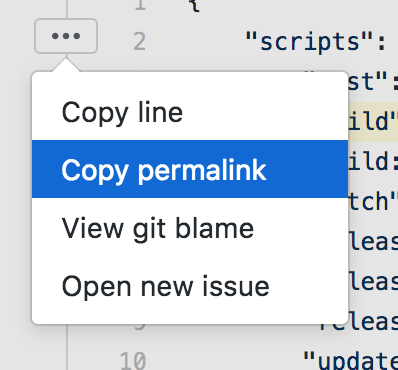
fregante
on 19 Oct 2017
A reminder here that with Refined GitHub pressing y would also add the permalink to your clipboard.
 hkdobrev
on 25 Oct 2017
hkdobrev
on 25 Oct 2017
y is a keyboard shortcut from GitHub itself ;)
 jdreesen
on 25 Oct 2017
jdreesen
on 25 Oct 2017
@jdreesen GitHub's shortcut will open the permalink; Refined GitHub will also _copy_ its URL.
fregante
on 25 Oct 2017
Oh wow, I didn't know that, that's very nice :)
jdreesen
on 25 Oct 2017
Related issues
 sompylasar
·
3Comments
sompylasar
·
3Comments
 yakov116
·
3Comments
yakov116
·
3Comments
 olso
·
3Comments
hkdobrev
·
3Comments
olso
·
3Comments
hkdobrev
·
3Comments
 durka
·
3Comments
durka
·
3Comments