Redwood: VS Code Extension: Redwood Outline is empty
Maintainer Edit Oct. 14, 2020
WORKAROUND: In most cases, simply "opening a file" (any file in the project) will fix the issue.
Check #1355 for more info
Original Post
I have just downloaded Redwood IDE on my Visual Studio Code but the Redwood Outline section is empty.
I have tried to restart the IDE but it does not resolve the issue.
Do I need to do anything to activate it or is it a bug?


cc @aldonline @thedavidprice
 andrewlamyw
All 34 comments
Thank you @andrewlamyw for taking the Extension for a spin! Handling over to Aldo.
 thedavidprice
on 3 Oct 2020
thedavidprice
on 3 Oct 2020
Will second this I ran the same exact steps as @andrewlamyw outline continues to be empty
 KrisCoulson
on 3 Oct 2020
KrisCoulson
on 3 Oct 2020
Hi @andrewlamyw + @KrisCoulson,
Thanks for reporting!
Are you guys available for a quick Google Hangout session?
If yes, just join me here. I'll be online for the next few hours: https://meet.google.com/xdd-vkck-wkw.
I might no be in front of the computer at the moment. Just send me a chat and wait.
Two questions:
- What happens if you open a
.jsfile or theredwood.tomlfile in the editor? Does this fix the issue? - Can you take a look at the Output Channels and see if the Redwood Language Server Channel is present?
Just to give you guys a mental model of what's (possibly) going on. This is the lifecycle (get ready for something pretty ridiculous):
- VSCode starts
- It reads extension metadata for all extensions (their package.json) and finds that the Redwood IDE extension declares a "Redwood Outline" view. At this point it "might" draw an empty view. It still hasn't executed any extension code, this is all from a set of package.jsons being interpreted
- It starts the Extension Host, which is a separate process that will initialize extensions one by one
- The extension host activates the Redwood extension
- The extension runs a pre-activation step that installs dependencies (yarn...). This can take a moment (you'll see a status bar message with a spinner (ex: "redwoodjs-ide 0.0.9 installing dependencies..."). It also creates an output channel
decoupled.redwoodjs-ide-0.0.9 (preactivator) - At this point the "Redwood Outline" view should still be empty
- Once dependencies are ready, the extension starts executing code
- It creates an output channel called
decoupled.redwoodjs-ide-0.0.9 - It will look for a redwood.toml in the workspace
- If it finds one, then it needs to start the Redwood Language Server in the backend (the one that actually parses the project, detects errors, etc)
- The Language Server is bundled with Redwood itself, so the extension looks for a file in node_modules:
node_modules/@redwoodjs/structure/dist/language_server/start.js - Then it starts the language server
- The language server creates an output channel called
Redwood Language Server - The Language Server starts processing the project. This can take seconds to a minute
- Once the first pass is ready, it will start talking back to the extension
- AT THIS POINT, THE OUTLINE APPEARS FOR THE FIRST TIME
- The language server is called at an interval to update diagnostics, the outline, etc. At any given point, the Language Server might also crash (because your project might be invalid, to a point where a basic assumption fails). If this happens, the extension will try to restart it at an interval
As you can see, there are many steps where things can go wrong.
The presence of output channels is a good place to start to figure out where things went wrong. They are created in the following order:
decoupled.redwoodjs-ide-0.0.9 (preactivator)decoupled.redwoodjs-ide-0.0.9Redwood Language Server
I am adding instrumentation to the extension, and adding more checks for invariants along the way, so I can get some visibility and catch these errors. But, in the meantime, trying to follow along the previous steps and looking for the presence of the output channels is the best way to go
 aldonline
on 3 Oct 2020
aldonline
on 3 Oct 2020
@thedavidprice @mojombo reading the above you might get a glimpse of how much work was needed in the jamstackide just in the QA side of things. Imagine the same process, but for 5 frameworks + a bunch of other services (and multiple versions of each, on multiple platforms), and trying to work with Netlify Dev's super faulty detection heuristics without breaking it (to the point where we were tunneling things if necessary). Thank god for Sindre Sorhus' process management modules. We ended up realizing, in the end, that the best way to go was to build a little abstraction that was able query the "real state of things" and figure out if the user was already running dev servers, which ports were used by those services, or if she was in the middle of installing stuff, etc. So the state of the system was derived from the actual system, not an approximate model.
So, anyway, I can't help but find it odd when people tell me they they're building an extension or two as a side project
aldonline
on 3 Oct 2020
I added a small fix in 0.0.10 and released
aldonline
on 3 Oct 2020
@thedavidprice Yeah, can't wait to use it! 😁
I have updated the Redwood IDE extension from version 0.0.9 to 0.0.13
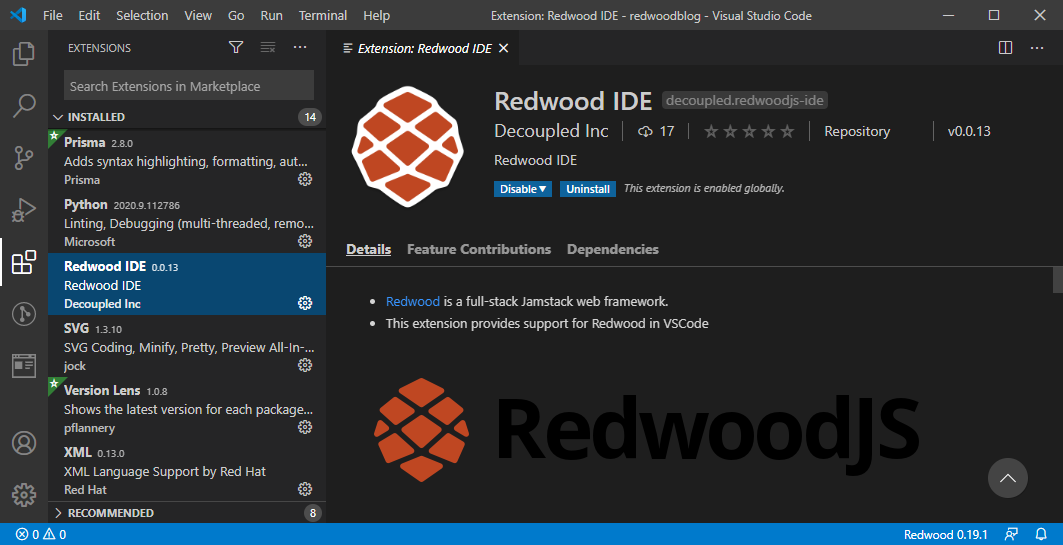
@aldonline Thanks for the detailed response😃. The following are the answers to your questions:
What happens if you open a .js file or the redwood.toml file in the editor? Does this fix the issue?
Can you take a look at the Output Channels and see if the Redwood Language Server Channel is present?
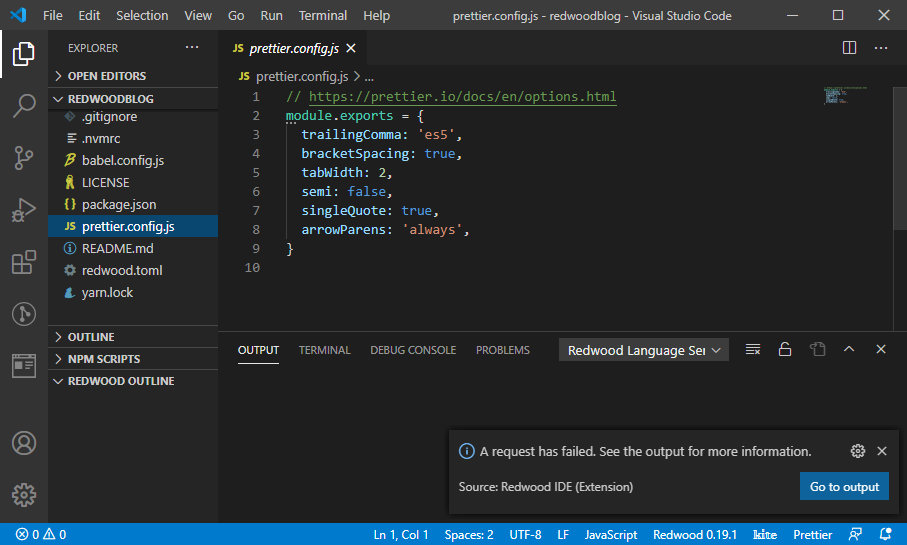
When I open a .js file, a pop up is shown with the message of
A request has failed. See the output for more information. Source: Redwood IDE (Extension). I clickGo to outputbutton, it opens up the output of Redwood Language Server but without any content.When I open the
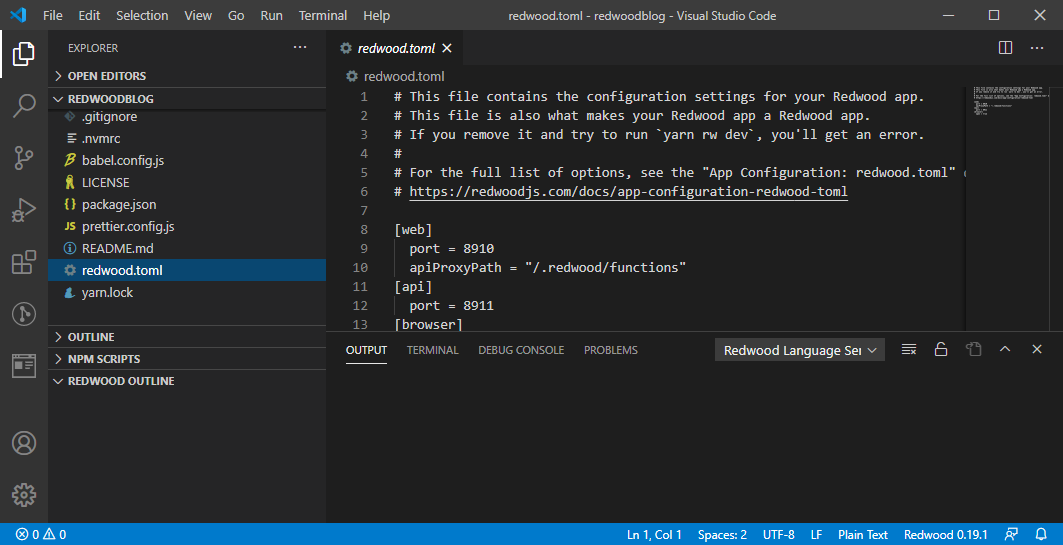
redwood.tomlfile, nothing happens.
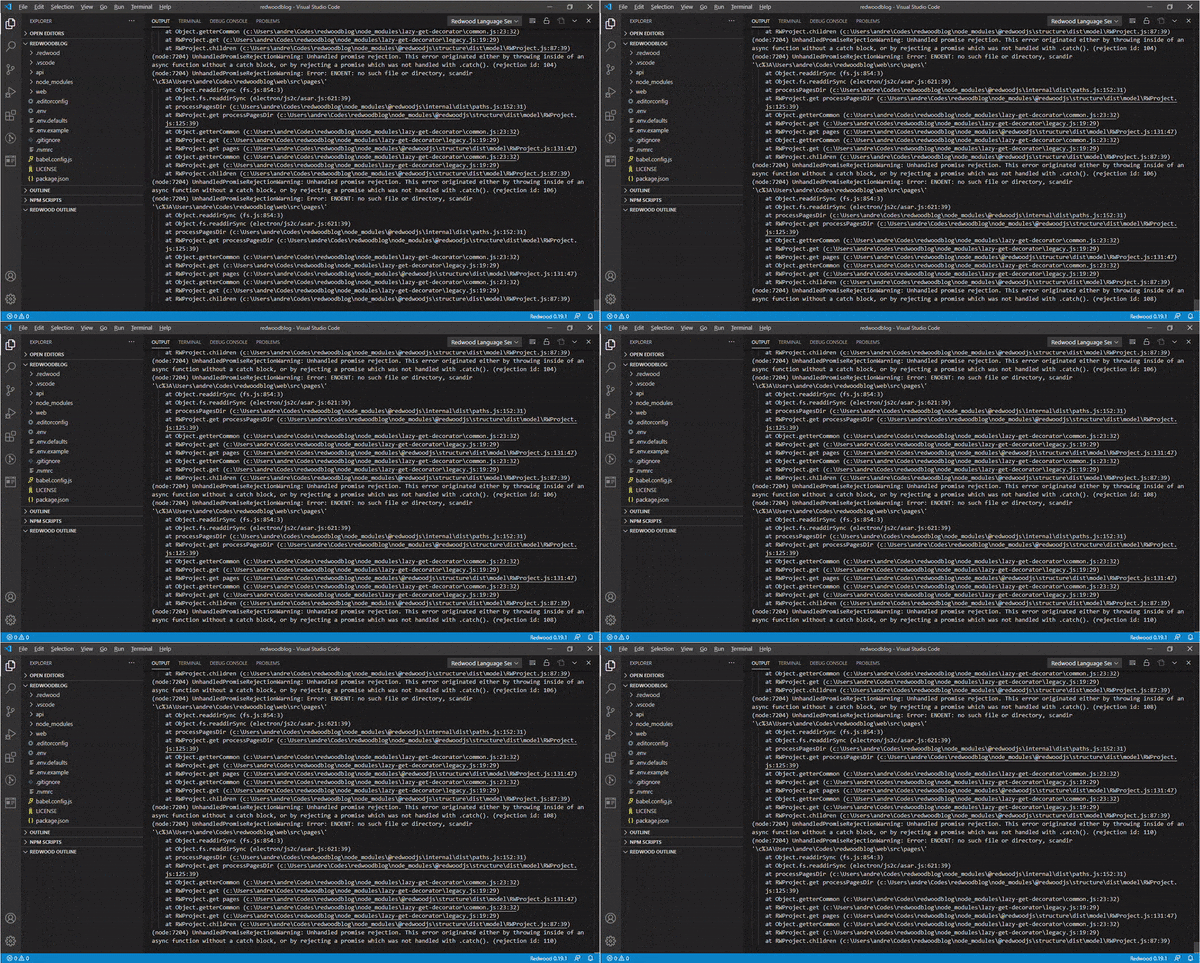
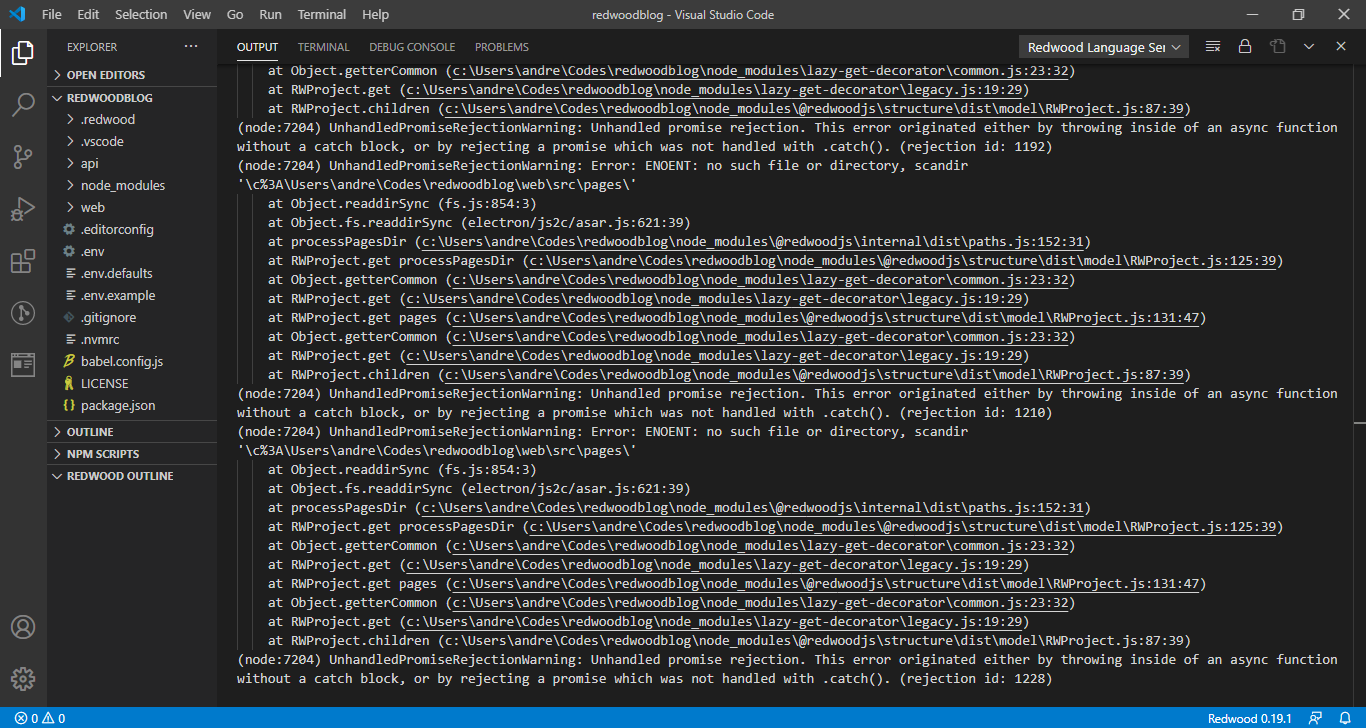
When I first open the VSCode without opening any file, I can see a continuous stream of messages repeatedly every 2 to 3 seconds.
(node:7204) UnhandledPromiseRejectionWarning: Unhandled promise rejection. This error originated either by throwing inside of an async function without a catch block, or by rejecting a promise which was not handled with .catch(). (rejection id: 1337)
(node:7204) UnhandledPromiseRejectionWarning: Error: ENOENT: no such file or directory, scandir '\c%3A\Users\andre\Codes\redwoodblog\web\src\pages\'
    at Object.readdirSync (fs.js:854:3)
    at Object.fs.readdirSync (electron/js2c/asar.js:621:39)
    at processPagesDir (c:\Users\andre\Codes\redwoodblog\node_modules\@redwoodjs\internal\dist\paths.js:152:31)
    at RWProject.get processPagesDir (c:\Users\andre\Codes\redwoodblog\node_modules\@redwoodjs\structure\dist\model\RWProject.js:125:39)
    at Object.getterCommon (c:\Users\andre\Codes\redwoodblog\node_modules\lazy-get-decorator\common.js:23:32)
    at RWProject.get (c:\Users\andre\Codes\redwoodblog\node_modules\lazy-get-decorator\legacy.js:19:29)
    at RWProject.get pages (c:\Users\andre\Codes\redwoodblog\node_modules\@redwoodjs\structure\dist\model\RWProject.js:131:47)
    at Object.getterCommon (c:\Users\andre\Codes\redwoodblog\node_modules\lazy-get-decorator\common.js:23:32)
    at RWProject.get (c:\Users\andre\Codes\redwoodblog\node_modules\lazy-get-decorator\legacy.js:19:29)
    at RWProject.children (c:\Users\andre\Codes\redwoodblog\node_modules\@redwoodjs\structure\dist\model\RWProject.js:87:39)
andrewlamyw
on 4 Oct 2020
Thanks @andrewlamyw!
It looks like the processPagesDir function fails when the pages dir doesn't exist. I added a fix here (https://github.com/redwoodjs/redwood/pull/1268). I can't release this quickly since it is a fix in Redwood itself, not the extension. I'll bring this up with @thedavidprice. Maybe we can do a patch release.
This is a good example of a class of error that is very typical in packages like @redwoodjs/structure, which should tolerate malformed projects without throwing but, at the same time, should not stray too far away from what's right.
If you read my previous comment, this corresponds to what I was describing in the last point:
The language server is called at an interval to update diagnostics, the outline, etc.
At any given point, the Language Server might also crash (because your project
might be invalid, to a point where a basic assumption fails). If this happens, the
extension will try to restart it at an interval
The reason you see the error throwing over and over is because the LSP client it trying to restart the server after each crash
aldonline
on 4 Oct 2020
@andrewlamyw can you try with Redwood 0.19.2 and the latest version of the extension?
aldonline
on 6 Oct 2020
@aldonline This is working well for me! BUT I've noticed the Outline does not show/trigger until I open a file. So if Open Editors is empty at the start, the Redwood Outline will be empty. But once the Outline displays, it stays displayed even if I close all files.
Thanks for all your great work here! I'd ❤️ making this official in v0.20.0 next week if you think it's ready.
thedavidprice
on 8 Oct 2020
@aldonline sorry I wasn't able to get back to you was super busy over the weekend. Since this post, I have updated to 0.19.2
Still am getting nothing in the redwood outline and every time I open a JS file I treated this
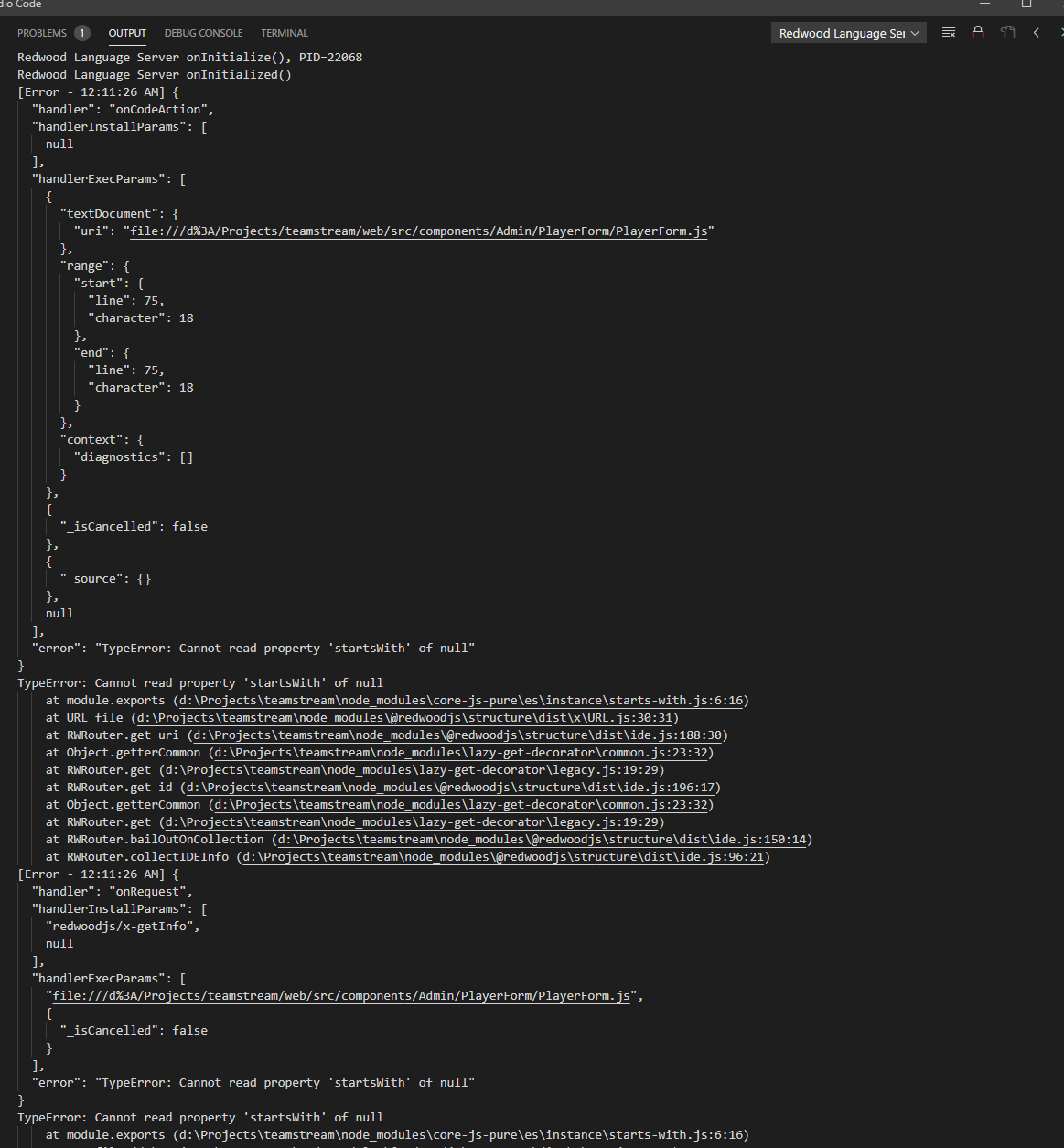
It then continues to keep pinging in the language server indefinitely like you mentioned here
The language server is called at an interval to update diagnostics, the outline, etc.
At any given point, the Language Server might also crash (because your project
might be invalid, to a point where a basic assumption fails). If this happens, the
extension will try to restart it at an interval
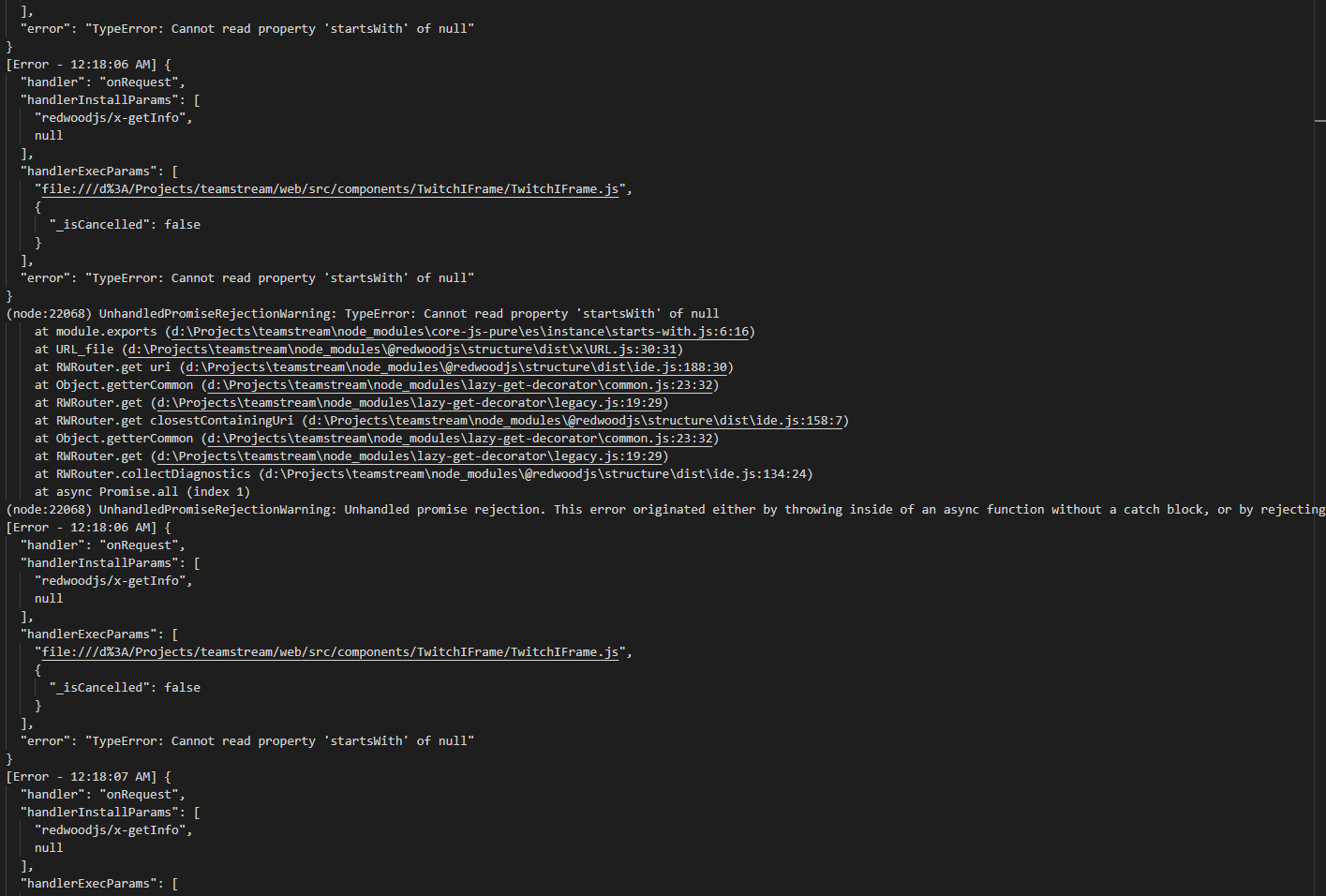
I am around daily if you want also just ping me on the discord channel for more feedback I would be happy to provide as much detail as I can
KrisCoulson
on 8 Oct 2020
@aldonline
first let me congratulate you for your great and awesome work!
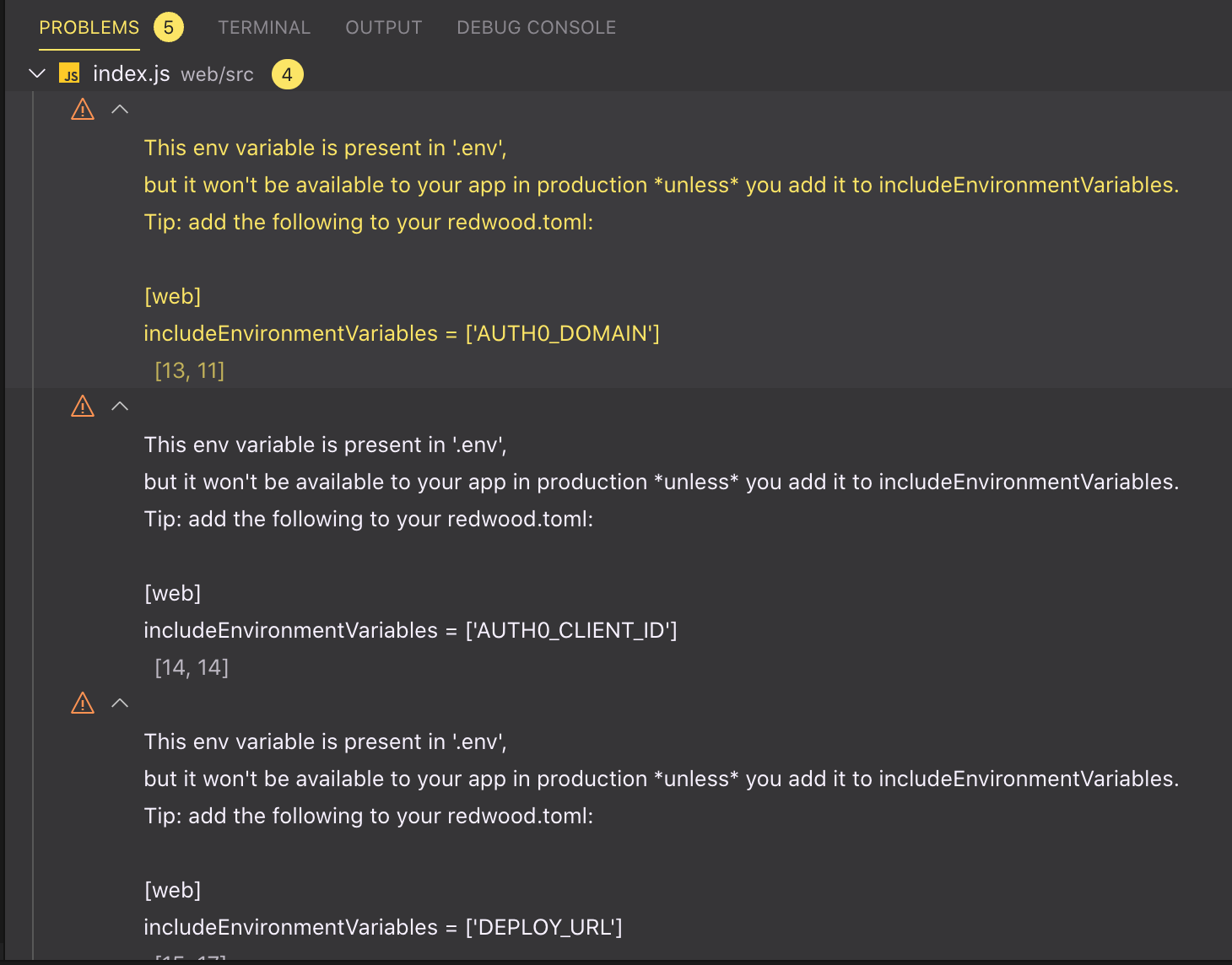
now an UX nitpick - until #1280 is sorted could you consider to just ignor he output of rw check in the extension ? (or at least have a way to just ignore it ?)
Thanks in advance,
António
 AntonioMeireles
on 8 Oct 2020
AntonioMeireles
on 8 Oct 2020
Hi @AntonioMeireles!
Thanks for the kind words :) I really appreciate that you're using this and helping us getting it to a "useful" state!
I just opened a PR to fix the env visibility error. #1308
I agree that we should have a way to turn on/off diagnostics.
Instead of reinventing the wheel we could copy what most linters do and allow turning errors on/off granularly. Maybe in redwood.toml?
I'll create an RFC issue so we can think this through ;)
aldonline
on 8 Oct 2020
thank you us all ! this has the potential to be sort of game changer in a lot of ways ... :-)
(thinking loud) regarding your idea, at sight, there's two potential angles to handle this ... treat it as a config / runtime option and instrument it via redwood.toml. or treat it as a plain linting / idiomatic one and do it via ... the linter (adding options to perhaps eslint-plugin-redwood) .
for testbeds both approaches would work and would be formally equivalent but the later one would scale a lot better imho for larger projects (specially ones involving multiple people) as one wouldn't want to plug idiomatic settings in the project's redwood.toml which should be immutable across team members. linters are plugable / with defaults easily overridable (either via eslintrc or straight from package.json) and would allow end-user to select verbosity/noise level, etc...
All the best,
António
AntonioMeireles
on 8 Oct 2020
Hi @KrisCoulson ,
Looking at the stack trace it seems that the RWRouter.filePath property is unexpectedly null. There is only one place where the RWRouter gets instantiated.
https://github.com/redwoodjs/redwood/blob/main/packages/structure/src/model/RWProject.ts#L113
  getRouter = () => {
    return new RWRouter(this.pathHelper.web.routes, this)
  }
I would love to know what's going on there (is this.pathHelper.web.routes actually null?, if yes, are there more errors in pathHelper?)
If you feel adventurous, you can help me figure this one out. For example, you can modify the compiled code directly to capture some logging.
{your_project}/node_modules/@redwoodjs/structure/dist/model/RWProject.js
Around line 63, you'll find something similar to this code:
class RWProject extends _ide.BaseNode {
  constructor(opts) {
    super();
    this.opts = opts;
    this.parent = undefined;

    this.getRouter = () => {
      return new _RWRouter.RWRouter(this.pathHelper.web.routes, this);
    };
  }
You can add some logging here.
Unfortunately, if you just use console.log we won't be able to see that (at least not easily), but you can just write out to a file somewhere. (Since you're on a windows machine, you might need to pick a different filename to write to).
Ex:
class RWProject extends _ide.BaseNode {
  constructor(opts) {
    super();
    this.opts = opts;
    this.parent = undefined;

    this.getRouter = () => {
      require("fs").writeFileSync("/tmp/rw-logging-output.json", JSON.stringify(this.pathHelper))
      return new _RWRouter.RWRouter(this.pathHelper.web.routes, this);
    };
  }
If you modify this code just reload the extension.
aldonline
on 9 Oct 2020
@andrewlamyw can you try with Redwood 0.19.2 and the latest version of the extension?
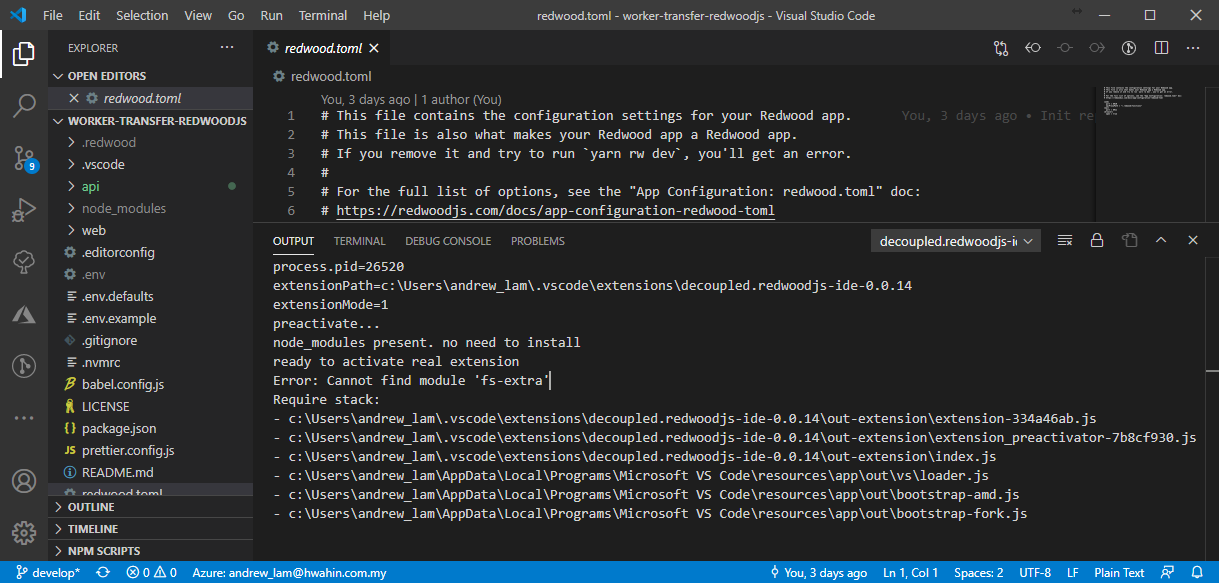
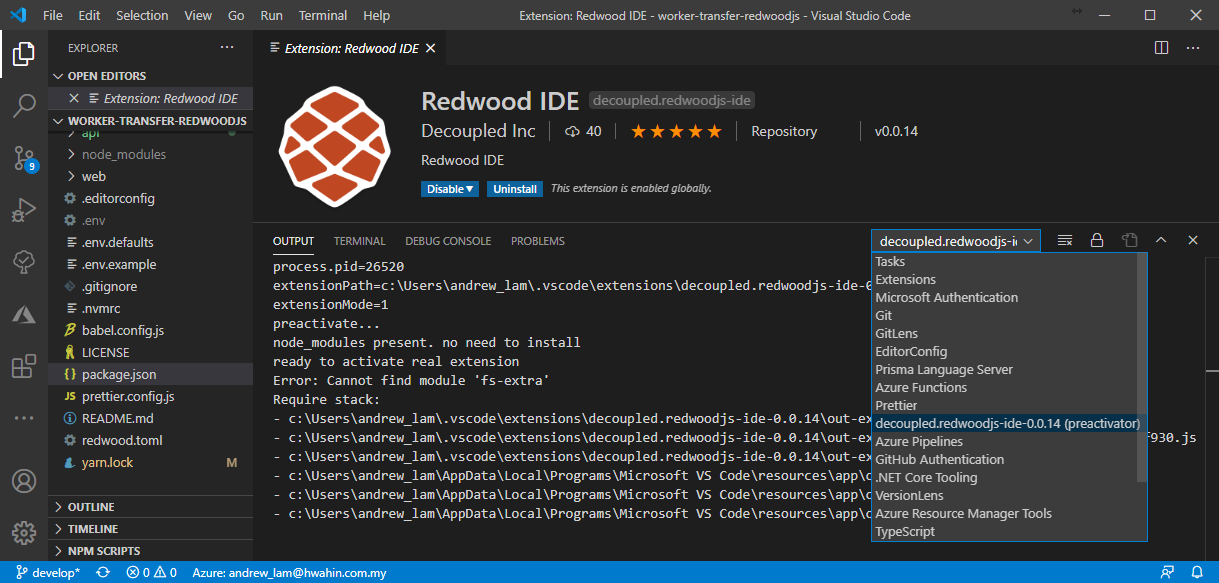
@aldonline I'm using Redwood 0.19.2 and Redwood IDE v0.0.14 but still couldn't see the Redwood Outline.
andrewlamyw
on 9 Oct 2020
@andrewlamyw + @KrisCoulson ,
I think I found the source of the error :). Working on a fix now.
Just letting you know so you don't spend time trying to diagnose further.
aldonline
on 9 Oct 2020
@andrewlamyw + @KrisCoulson, v0.19.3 fixes several windows issues. It is possible that it fixes the underlying cause of the issues you were experiencing.
aldonline
on 10 Oct 2020
Thanks, @aldonline and @thedavidprice.
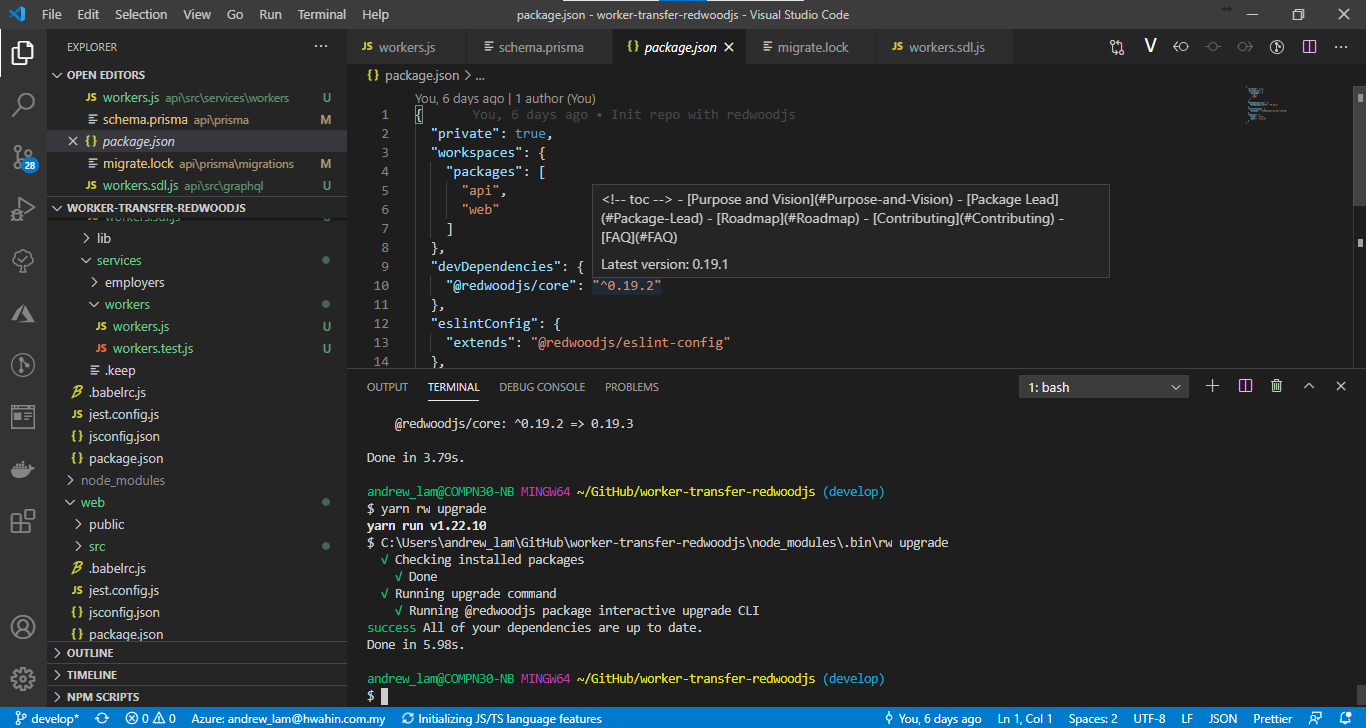
I'm having difficulty in upgrading @redwoodjs packages by running yarn rw upgrade. It is showing that all of my dependencies are up to date.
My project is currently using v0.19.2 but when I use my cursor to point at the @redwoodjs/core, the version is showing 0.19.1 instead of 0.19.3
 andrew-hwahin
on 12 Oct 2020
andrew-hwahin
on 12 Oct 2020
@andrew-hwahin That's very strange indeed and clearly not working correctly. In order to test the VS Code Extension, you can manually upgrade the packages by changing each @redwoodjs/* package to v0.19.3 in the following 3 files:
package.jsonweb/package.jsonapi/package.json
Save, and then install with yarn command.
Does that seem to do the trick?
thedavidprice
on 12 Oct 2020
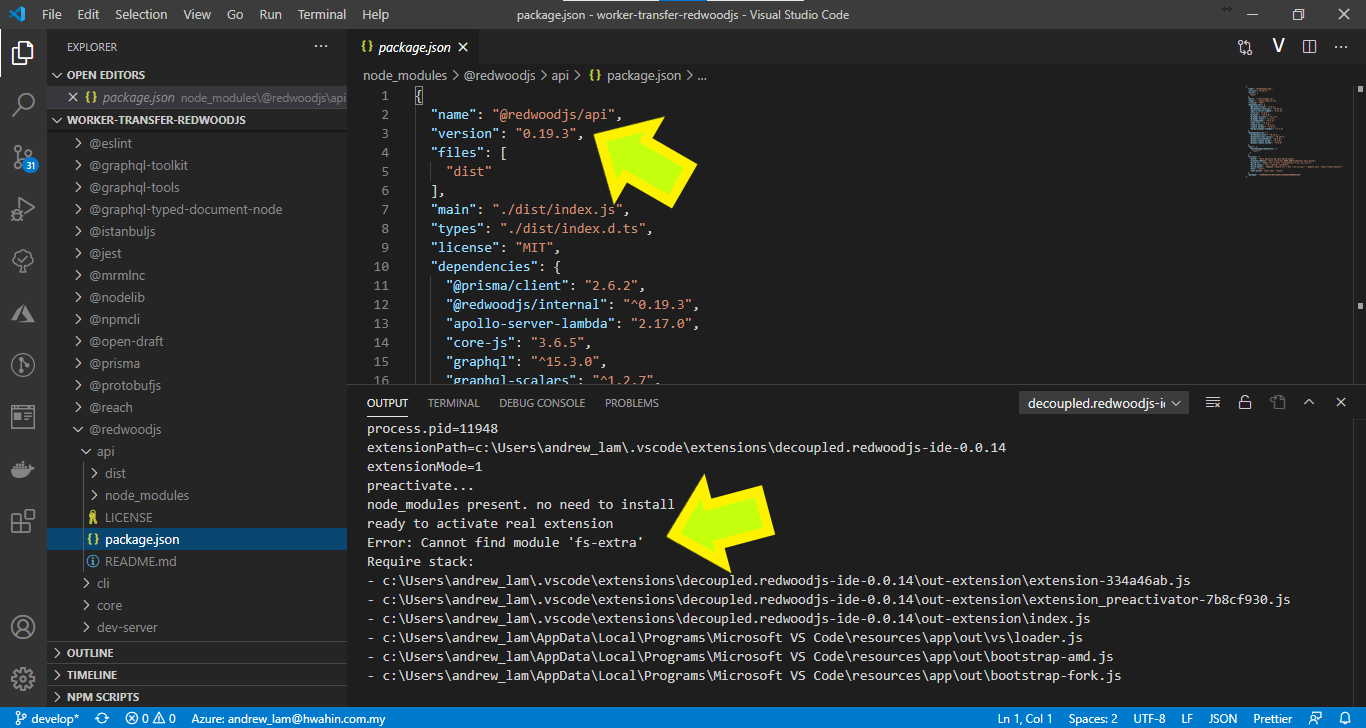
@thedavidprice I've manually upgraded the packages by following your instructions but the VS Code Extension still does not work.
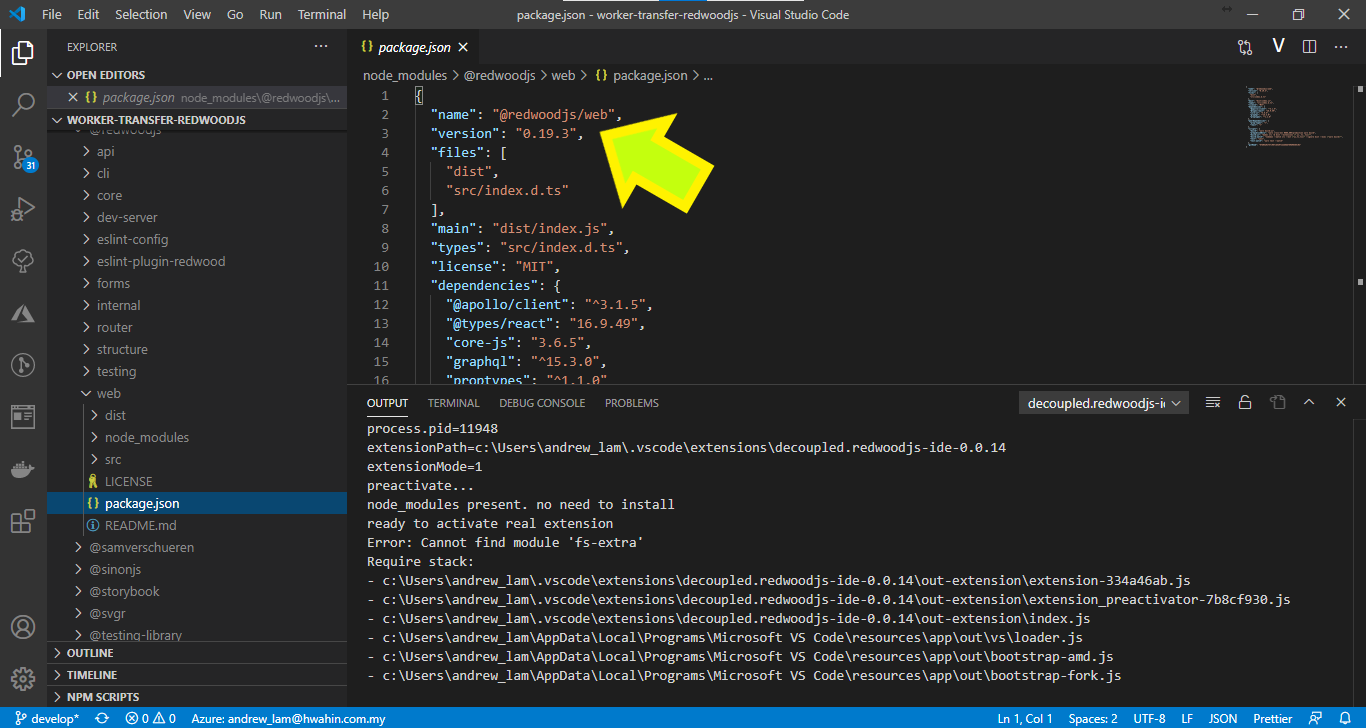
andrew-hwahin
on 12 Oct 2020
@andrew-hwahin Ah, I see the confusion here. You're referencing the _installed_ package within the node_modules/ directory. In general, you should never need to change or modify these installed packages directly. Consider it "read only" as it's managed by 1) your projects package.json settings and 2) yarn package manager.
Looking at my example Blog project repository, here are the package.json files that set the specific Redwood versions:
- Root directory: https://github.com/thedavidprice/redwood-tutorial-test/blob/master/package.json
- change
"@redwoodjs/core": "^0.19.3"
- change
- Web/ directory: https://github.com/thedavidprice/redwood-tutorial-test/blob/master/web/package.json
- change
"@redwoodjs/auth": "^0.19.3", "@redwoodjs/forms": "^0.19.3", "@redwoodjs/router": "^0.19.3", "@redwoodjs/web": "^0.19.3",(note: you might not have auth package installed)
- change
- API/ directory: https://github.com/thedavidprice/redwood-tutorial-test/blob/master/api/package.json
- change
"@redwoodjs/api": "^0.19.3"
- change
thedavidprice
on 12 Oct 2020
@thedavidprice Thanks for the detailed explanation🙏. I changed the package.json file as you mentioned, in the Root, Web, and API directory. I took the screenshot in node_modules just to verify that the packages are updated successfully. 😀
Hence, in that case, upgrading RedwoodJS does not resolve the issue yet.
andrew-hwahin
on 13 Oct 2020
@andrew-hwahin that's a bummer. Thanks again for testing and reporting back.
@Tobbe and @RobertBroersma any chance either you have time to test the latest Redwood VS Code extension against Redwood v0.19.3?
thedavidprice
on 13 Oct 2020
Hi @andrew-hwahin,
I can see from the screenshots that you hit a strange edge-case where the extension doesn't run the preinstallation step fully. I'm trying to replicate on my end.
In the meantime, can you try the following?
- Uninstall and re-install the Redwood IDE extension
- Create a new app from scratch using
yarn create redwood-appand then open VSCode, what do you see?
Tip: There are several Output Channels that are of interest. They all have word "redwood" word in them.
aldonline
on 13 Oct 2020
I'm setting up a fresh RW app right now. Will install the IDE extension next. It will be the first time I install the extension
 Tobbe
on 13 Oct 2020
Tobbe
on 13 Oct 2020
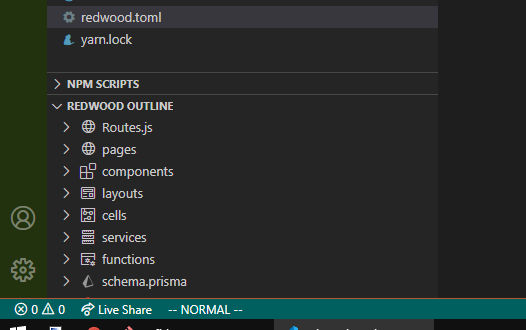
It was empty. So I pressed the little 🔃 icon in the upper right corner. Didn't seem to do anything. So I opened up redwood.toml and now I got content in the outline. Not sure if it was just being slow, and it would have populated had I just waited, or if the above sequence of interactions triggered its appearance.
Tobbe
on 13 Oct 2020
^^ @aldonline FYI that Tobbe is running Windows
Thanks for the help here @Tobbe!
thedavidprice
on 14 Oct 2020
@aldonline Just upgraded to 19.3 and looks like It is possible that it fixes the underlying cause of the issues you were experiencing. was a good possibility it is working great now. This is definitely going to be a huge time saver for navigation! Awesome work!
KrisCoulson
on 14 Oct 2020
@Tobbe thanks for the help! Your description helped me identify a separate issue (https://github.com/redwoodjs/redwood/issues/1355)
@KrisCoulson Good to know! The Outline is still work in progress. Feel free to request new features ;). You can find the code that builds the outline here (https://github.com/redwoodjs/redwood/blob/main/packages/structure/src/outline/outline.ts) in case you want to contribute/fix something
aldonline
on 14 Oct 2020
TIP: In most cases, simply "opening a file" (any file in the project) will fix the issue. Check #1355 for more info
aldonline
on 14 Oct 2020
^^ @thedavidprice can we pin this comment to the top somehow? Or edit the issue description?
aldonline
on 14 Oct 2020
@aldonline See edit in OP. Does that work?
thedavidprice
on 14 Oct 2020
@thedavidprice yes, that's perfect! Thanks! (and thanks @Tobbe for figuring this one out)
aldonline
on 14 Oct 2020
Hi, I've just tried it out again with RedwoodJS v0.20 and Redwood IDE v0.0.16 and it's working fine now, thank you all very much.🙏♥
andrewlamyw
on 25 Oct 2020
Related issues
 CR1AT0RS
·
4Comments
thedavidprice
·
3Comments
CR1AT0RS
·
4Comments
thedavidprice
·
3Comments
 freddydumont
·
3Comments
aldonline
·
3Comments
freddydumont
·
3Comments
aldonline
·
3Comments
 slavakurilyak
·
4Comments
slavakurilyak
·
4Comments
Most helpful comment
@aldonline Just upgraded to 19.3 and looks like
It is possible that it fixes the underlying cause of the issues you were experiencing.was a good possibility it is working great now. This is definitely going to be a huge time saver for navigation! Awesome work!