Redux-devtools: Redux Devtools breaks out of devtools container
I've noticed that after a few actions go through the redux devtools end up in a weird visual state where the bottom is cut off.
 wldcordeiro
All 4 comments
I can confirm this. This applies to the tab in firefox web developer tools, as well as the standalone popup window of the redux devtools.
Not only is the main panel cut off, but the bottom buttons are pushed out of view as well.
Firefox 54.0
Redux DevTools 2.15.1
 miejs
on 3 Aug 2017
miejs
on 3 Aug 2017
I'm seeing the same. Here's a quick screenshot:
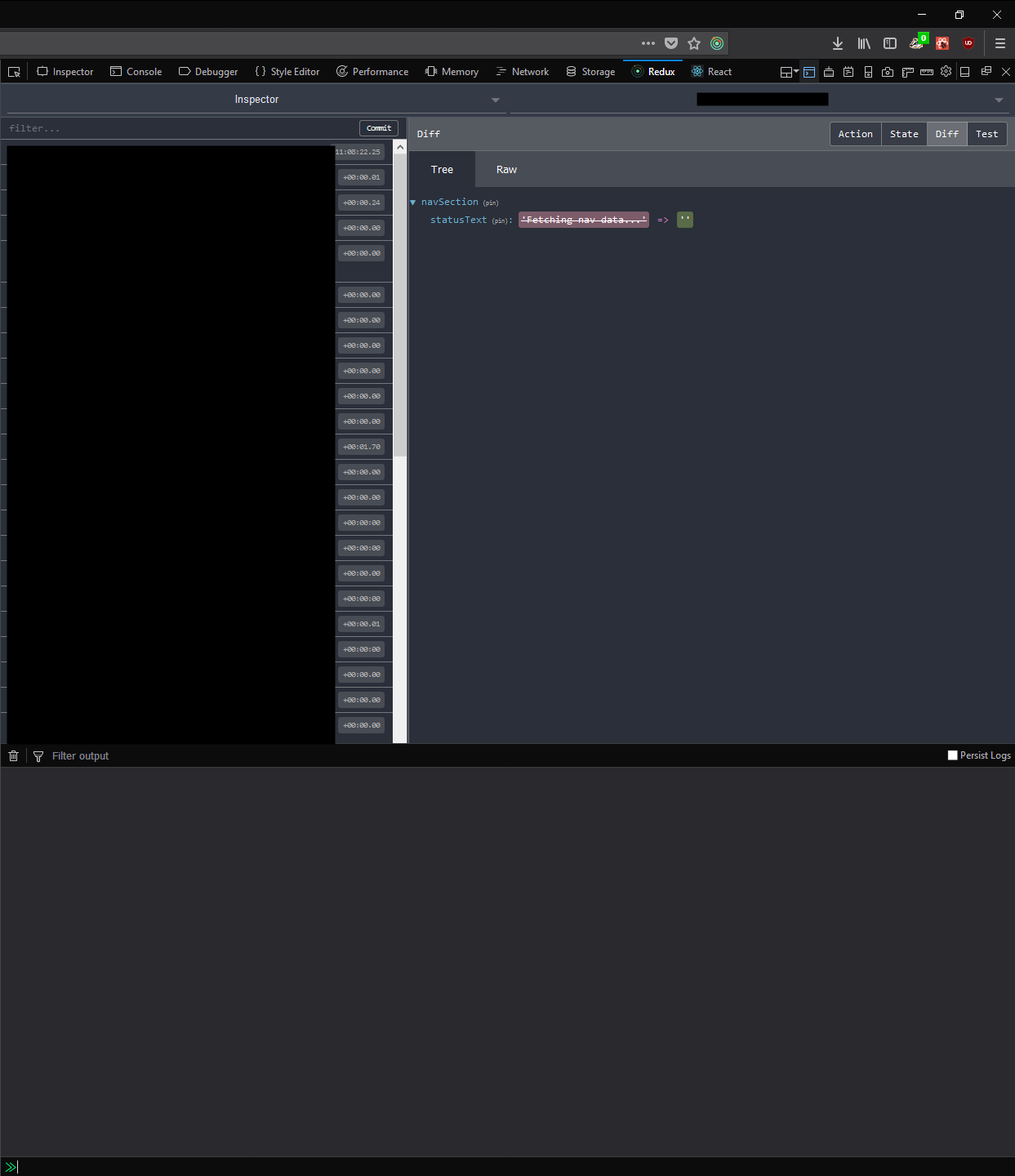
I tried pushing it back by opening the console, but that has no effect.
 rudfoss
on 15 Nov 2017
rudfoss
on 15 Nov 2017
Seems to be whenever either panel has scrollbars. Because it seems that the amount clipped at the bottom is the same height as the navigation bar at the top, I'd guess at the issue being the max heights of the scrollable areas being set incorrectly and not accounting for the bottom nav.
 rikkit
on 15 Nov 2017
rikkit
on 15 Nov 2017
Fixed in version 2.15.2 of the extension. It's available on AMO. Sorry about the delay!
 zalmoxisus
on 2 Mar 2018
zalmoxisus
on 2 Mar 2018
Related issues
 sdhhqb
·
7Comments
sdhhqb
·
7Comments
 loic294
·
3Comments
loic294
·
3Comments
 Anahkiasen
·
11Comments
Anahkiasen
·
11Comments
 PaulMest
·
5Comments
PaulMest
·
5Comments
 hugocaillard
·
9Comments
hugocaillard
·
9Comments
Most helpful comment
I can confirm this. This applies to the tab in firefox web developer tools, as well as the standalone popup window of the redux devtools.
Not only is the main panel cut off, but the bottom buttons are pushed out of view as well.
Firefox 54.0
Redux DevTools 2.15.1