Redoc: Left menu is not visible in Chrome v80
Issue type:
[ ] question
[x] bug report
[ ] feature request
[ ] documentation issue
Steps to reproduce:
- Browser: Chrome Version 80.0.3987.87 (Official Build) (64-bit)
- OS: macOS Version 10.14.6
- Redoc 2.x
Open html-file:
<!DOCTYPE html>
<html>
  <head>
    <title>ReDoc</title>
    <!-- needed for adaptive design -->
    <meta charset="utf-8"/>
    <meta name="viewport" content="width=device-width, initial-scale=1">
    <link href="https://fonts.googleapis.com/css?family=Montserrat:300,400,700|Roboto:300,400,700" rel="stylesheet">

    <!--
    ReDoc doesn't change outer page styles
    -->
    <style>
      body {
        margin: 0;
        padding: 0;
      }
    </style>
  </head>
  <body>
    <redoc spec-url='http://petstore.swagger.io/v2/swagger.json'></redoc>
    <script src="https://cdn.jsdelivr.net/npm/redoc@next/bundles/redoc.standalone.js"> </script>
  </body>
</html>
At page load, the left menu expands and all seems fine.

Navigating to one item in the expanded list also works.

When scrolling up or down in the main content area the left menu disappears out of the view.
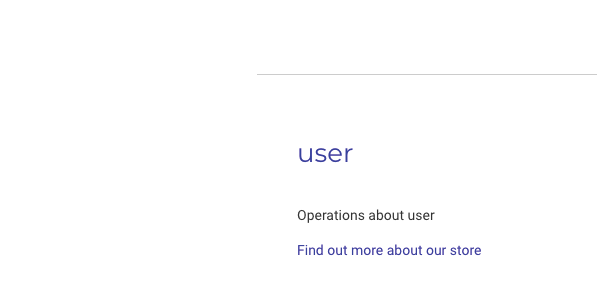
The left menu works as expected in Safari v13.0.2, Firefox v72.0.2, and Chrome v79.
 eriolo
👍3
All 4 comments
 RomanHotsiy
on 10 Feb 2020
RomanHotsiy
on 10 Feb 2020
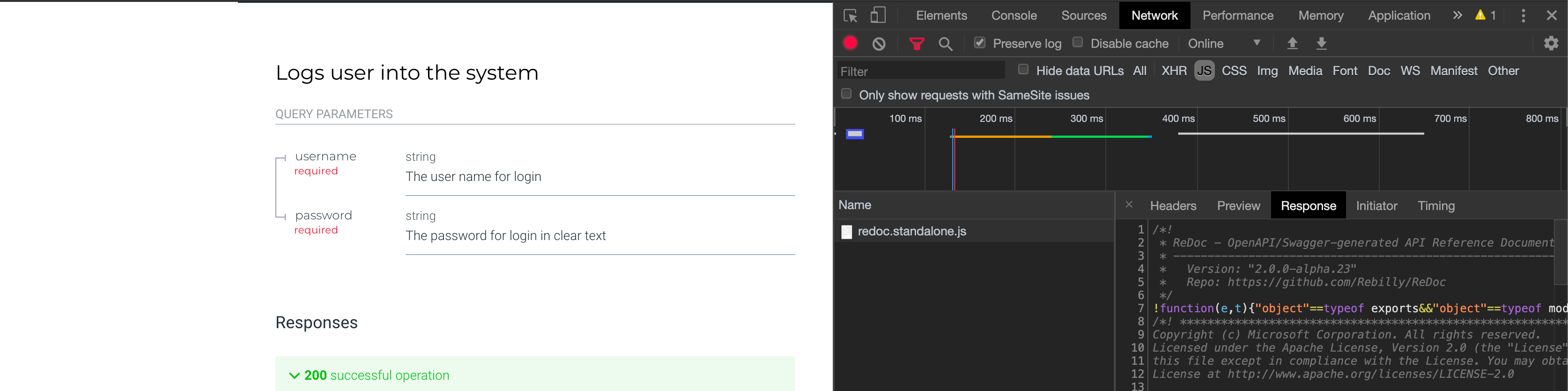
@RomanHotsiy Yes, sorry I missed that one. #1167 is marked as closed though, but I have verified locally that the problem still persists when using [email protected] https://github.com/Redocly/redoc/issues/1167#issuecomment-584197499
eriolo
on 10 Feb 2020
👍1
Use rc.23 😄
RomanHotsiy
on 10 Feb 2020
👍3
@RomanHotsiy thanks! 😅
eriolo
on 10 Feb 2020
Was this page helpful?
0 / 5 - 0 ratings
Related issues
 zmes50416
·
3Comments
RomanHotsiy
·
3Comments
zmes50416
·
3Comments
RomanHotsiy
·
3Comments
 typekpb
·
4Comments
typekpb
·
4Comments
 gavinkalika
·
3Comments
gavinkalika
·
3Comments
 shreyas-agnihotri
·
3Comments
shreyas-agnihotri
·
3Comments
Most helpful comment
Use rc.23 😄